
The Ultimate Guide to Using 3D Car Models: From Hyper-Realistic Renders to Real-Time Game Assets

“`html
The Ultimate Guide to Using 3D Car Models: From Hyper-Realistic Renders to Real-Time Game Assets
From the gleaming reflections in a cinematic car commercial to the adrenaline-pumping speed of a next-generation racing game, high-fidelity 3D car models are the engines driving modern digital content. A meticulously crafted vehicle asset is more than just a collection of polygons; it’s a versatile digital twin ready to be deployed across a vast landscape of applications. But how do you take a professional 3D car model and adapt it for photorealistic rendering, interactive game development, immersive AR/VR experiences, or even physical 3D printing? The journey from a raw mesh to a polished final product requires a deep understanding of specific workflows, technical constraints, and optimization strategies tailored to each unique pipeline.
This comprehensive guide will steer you through the entire process. We will dissect the fundamental anatomy of a high-quality automotive model, from its topology and UV maps to its PBR materials. We’ll then navigate the distinct pathways for preparing your asset for different industries, covering everything from setting up breathtaking renders in Corona and V-Ray to optimizing performance for Unity and Unreal Engine. Whether you’re an automotive visualization artist aiming for absolute realism, a game developer building an immersive world, or a designer exploring new frontiers in AR, this article will provide you with the technical knowledge and actionable steps to get the most out of your 3D car models.
The Foundation: Understanding High-Quality Automotive 3D Model Topology
Before you can render, animate, or optimize a 3D car model, you must first appreciate its underlying structure. The quality of a model’s topology—the arrangement and flow of its polygons—is the single most important factor determining its versatility and visual fidelity. A clean, well-constructed mesh is a pleasure to work with, while a poorly executed one can cause endless headaches with shading, deformation, and optimization. When sourcing models from marketplaces such as 88cars3d.com, you’ll find that premium assets are built with these foundational principles in mind, saving you countless hours of cleanup and rework.
Quad-Based Modeling and Edge Flow: The Key to Flawless Surfaces
In professional automotive modeling, quad-based topology (using four-sided polygons) is the industry standard for a reason. Quads subdivide cleanly, deform predictably, and are far easier for UV unwrapping algorithms to handle. Triangles (tris) and especially N-gons (polygons with more than four sides) can introduce pinching, artifacts, and unpredictable shading, particularly on the smooth, curved surfaces of a vehicle. The goal is to maintain an even distribution of quads across the entire surface. The edge flow, or the direction of the polygon loops, should follow the natural contours and curvature of the car’s body panels. This ensures that when the mesh is subdivided or smoothed (using modifiers like TurboSmooth in 3ds Max or a Subdivision Surface in Blender), the highlights and reflections flow across the surface smoothly and realistically, without any visible wobbling or distortion.
Polygon Count Demystified: High-Poly vs. Low-Poly
The “polycount” of a model is a critical specification that dictates its intended use. There’s no single “best” count; it’s entirely dependent on the application.
- High-Poly (500k – 2M+ polygons): These models are built for maximum detail and are used for offline rendering in applications like architectural visualization, automotive commercials, and product configurators. The high density of polygons allows for incredibly smooth curves and fine details like panel gaps, bolts, and emblems to be modeled directly into the geometry.
- Mid-Poly (100k – 400k polygons): Often used for “hero” assets in cinematic game sequences or as a source for baking normal maps, these models balance detail with a more manageable polygon count.
- Low-Poly (20k – 100k polygons): This is the domain of real-time applications like video games and AR/VR. The primary goal is performance. Fine details are not modeled geometrically but are instead “baked” from a high-poly model into texture maps (like normal maps) to create the illusion of detail without the performance cost.
Verifying Mesh Integrity: Common Issues to Check
Upon receiving or finishing a model, a quick integrity check is crucial. Look for common modeling errors that can cause issues down the line. Most 3D software has built-in mesh analysis tools (like the “STL Check” modifier in 3ds Max or the “3D-Print Toolbox” in Blender) to help identify problems such as isolated vertices, non-manifold geometry (edges shared by more than two faces), and flipped normals. Ensuring your model is a clean, “watertight” volume without holes or internal faces is essential for everything from 3D printing to proper physics simulations in games.
UV Mapping and Texturing for Uncompromising Realism
If topology is the skeleton of your model, then UV mapping and texturing are its skin. This stage is where a sterile grey mesh is transformed into a vibrant, realistic vehicle. A proper UV map is a 2D representation of your 3D model’s surface, acting as a blueprint that tells the software how to apply 2D textures onto the 3D geometry. For complex objects like cars, a strategic UV layout is non-negotiable for achieving professional results.
Strategic UV Unwrapping for Cars: Seams, Shells, and Distortion
Unwrapping a car is an art form. The primary goal is to minimize visible seams and texture distortion. Best practices include:
- Placing Seams Logically: Hide UV seams along hard edges or natural panel gaps on the car’s body. For example, the edge where a door meets the fender is a perfect place for a seam.
- Creating Rational UV Shells: Group related parts into logical UV islands or “shells.” The hood, a door, a fender—each should ideally be its own contiguous shell. This makes texturing, especially applying decals or dirt maps, much more intuitive.
- Maintaining Texel Density: Texel density refers to the number of texture pixels per unit of 3D space. It’s crucial to keep this consistent across the model to ensure that the texture resolution doesn’t vary noticeably from one panel to another. Most UV tools have a “checker map” to help visualize and correct this.
PBR Workflows Explained: Metalness/Roughness
Physically Based Rendering (PBR) is the standard for creating realistic materials. It simulates the properties of light and surfaces based on real-world physics. The most common PBR workflow used in game engines and modern renderers is the Metalness/Roughness workflow. It primarily uses these texture maps:
- Base Color (Albedo): The pure color of the surface, devoid of lighting or shadow information (e.g., the red of the paint, the black of the tire).
- Metalness: A grayscale map that defines which parts of the surface are metallic (white) and which are non-metallic/dielectric (black). Car paint would be non-metallic (black), while chrome trim would be metallic (white).
- Roughness: Perhaps the most important map for realism. This grayscale map controls how rough or smooth a surface is, which dictates how sharp or blurry the reflections are. A polished chrome bumper would have a very low roughness value (black), while a worn plastic dashboard would have a higher value (light gray).
- Normal Map: This RGB map creates the illusion of fine surface detail (like leather grain or tire treads) without adding extra polygons.
Texture Resolutions and Formats: From 4K to Optimized Textures
The required texture resolution depends on the application. For high-end automotive rendering where the camera might get very close to the surface, 4K (4096×4096) or even 8K (8192×8192) textures are common. For real-time game assets, resolutions are typically scaled down to 2K (2048×2048) or 1K (1024×1024) to save on video memory (VRAM). It’s always best to work with high-resolution source textures and downscale them as needed for different platforms. Lossless file formats like .PNG or .TGA are preferred for source files, while game engines often use compressed formats like .DDS for performance.
Creating Photorealistic Automotive Renders
This is where your high-poly 3D car model truly shines. The goal of photorealistic rendering is to create an image that is indistinguishable from a photograph. This is achieved through a combination of a high-quality model, meticulously crafted materials, realistic lighting, and precise render settings. Modern render engines like Corona, V-Ray, and Blender’s Cycles are incredibly powerful tools for achieving this level of realism.
Setting the Stage: Studio vs. HDRI Environmental Lighting
Lighting is everything in rendering. It defines the mood, highlights the car’s form, and creates believable reflections. There are two primary approaches:
- Studio Lighting: This involves setting up virtual lights (area lights, spotlights) in a controlled environment, similar to a real-world photography studio. A classic “three-point lighting” setup (key, fill, and rim light) is a great starting point to sculpt the car’s form and create dramatic highlights.
- HDRI Environmental Lighting: This method uses a High Dynamic Range Image (HDRI) to light the entire scene. The HDRI, a 360-degree photograph of a real location (like a desert, a city street, or a professional studio), provides both the scene’s illumination and its reflections. This is often the fastest way to achieve hyper-realism, as the car will be grounded in a plausible environment with complex, natural reflections.
Shader Development in Corona & V-Ray: Crafting Car Paint, Glass, and Chrome
Creating believable materials is a deep subject. For cars, a few key shaders are critical:
- Car Paint: Modern car paint shaders are multi-layered. They typically consist of a base color layer, a metallic “flakes” layer to simulate the metallic glint, and a clear coat layer on top with its own reflection properties. Adjusting the clear coat’s Index of Refraction (IOR) and the size/density of the flakes is key to realism.
- Glass: The key parameters for glass are its color (a slight tint for windshields), its IOR (typically around 1.52), and its reflectivity. Ensure you model thickness for windows, as a simple plane will not refract light correctly.
- Chrome/Metals: In a PBR workflow, these are simple but powerful. Set the base color to a near-white, the Metalness value to 1.0 (or full white), and control the finish with the Roughness value. A low roughness gives a mirror-like chrome, while a higher value creates a brushed aluminum look.
Render Settings and Post-Processing
For your final render, you’ll need to balance quality with time. Use adaptive sampling to let the render engine focus its efforts on noisy areas. Rendering in a high-resolution format (like 32-bit EXR) with multiple render passes (e.g., reflections, ambient occlusion, Z-depth) gives you maximum flexibility in post-processing. In software like Photoshop or After Effects, you can then fine-tune colors, add lens flares, create depth-of-field effects, and composite your car onto a background plate for a flawless final image.
Optimizing 3D Cars for Real-Time Game Engines
Preparing a 3D car model for a game engine like Unreal Engine or Unity is a completely different challenge. Here, performance is king. Every polygon and every texture byte counts, as the engine must render the scene 60 times per second or more. The goal is to create a model that looks detailed and convincing while maintaining a smooth frame rate.
The Art of Retopology and LODs (Levels of Detail)
You cannot simply drop a 1-million-polygon rendering model into a game engine. The first step is retopology, the process of creating a new, clean, low-poly mesh over the top of the high-poly source model. This new mesh should capture the silhouette and major forms of the car with a fraction of the polygons. Once the low-poly “LOD0” (the highest quality game model) is created, you then create several more versions with progressively fewer polygons (LOD1, LOD2, LOD3). The game engine will automatically swap these models in and out based on the car’s distance from the camera, saving massive amounts of performance. For example:
- LOD0: 80,000 polygons (Visible up close)
- LOD1: 40,000 polygons (Visible at a medium distance)
- LOD2: 15,000 polygons (Visible at a long distance)
- LOD3: 2,000 polygons (A mere silhouette for the horizon)
Texture Atlasing and Draw Call Reduction
In a game engine, every time the CPU has to tell the GPU to draw an object with a specific material, it’s called a draw call. Too many draw calls can cripple performance. To combat this, we use texture atlasing. Instead of having separate materials and texture sets for the wheels, the body, the interior, etc., we combine many of their UV shells into a single, large UV layout and use one unified material and texture set. This drastically reduces the number of draw calls for the vehicle, often from dozens down to just a few, leading to huge performance gains.
Collision Meshes and Game Engine Integration
The visual mesh that the player sees is not the same mesh that the game’s physics engine uses. Calculating physics on a high-poly mesh would be far too slow. Instead, we create a separate, extremely simple collision mesh (often just a few dozen boxes) that roughly approximates the shape of the car. This simplified geometry is what the physics engine uses to calculate collisions with the environment. Once your LODs, textures, and collision meshes are ready, you can import the FBX file into Unity or Unreal, set up the materials using their PBR shader systems, and configure the vehicle physics components.
Leveraging 3D Car Models for AR/VR and Visualization
Augmented Reality (AR) and Virtual Reality (VR) represent an exciting frontier for 3D car models, enabling experiences like virtual showrooms, interactive training simulations, and real-world product visualizations. This medium combines the real-time performance constraints of game engines with the need for high visual fidelity, presenting a unique set of challenges and opportunities.
Performance is Paramount: Polycount and Texture Budgets
AR/VR applications, especially those running on mobile devices or standalone headsets like the Meta Quest, operate under extremely strict performance budgets. The device has to render the scene twice (once for each eye) at a very high frame rate (typically 72-90 FPS) to avoid motion sickness. This means optimization is even more critical than in traditional PC or console gaming. A typical polycount budget for a hero AR/VR car model might be just 50k-150k polygons. Texture memory is also at a premium, so using compressed textures and aggressive atlasing is standard practice. Techniques like baking lighting information directly into the textures (baked lighting) can create realistic-looking scenes without the performance cost of real-time lights and shadows.
File Formats for the Future: GLB and USDZ
For AR/VR and web-based 3D applications, specialized file formats have become the standard due to their efficiency and portability. The two most important are:
- GLB (.glb): The binary version of the glTF (GL Transmission Format), often called the “JPEG of 3D.” A GLB file is a self-contained package that bundles the 3D mesh, materials, PBR textures, and animations into a single, compact file. This makes it incredibly easy to load and render on the web and in various applications.
- USDZ (.usdz): Developed by Apple in collaboration with Pixar, USDZ is the format at the heart of Apple’s ARKit. Like GLB, it’s a zero-compression, unencrypted zip archive that contains all the necessary assets to display a 3D model in AR. It is the standard for delivering AR experiences on iOS devices.
Professional asset providers, including platforms like 88cars3d.com, are increasingly offering high-quality models pre-converted to these optimized formats, streamlining the workflow for AR/VR developers.
Preparing Your 3D Car Model for 3D Printing
Taking a digital asset and turning it into a physical object via 3D printing requires a different kind of preparation. Here, the concerns are not about polygons or textures, but about physical integrity, structural soundness, and printability. The goal is to convert your visually beautiful mesh into a “watertight” and robust volume that a 3D printer can successfully fabricate layer by layer.
Watertight Meshes: Finding and Fixing Non-Manifold Geometry
The most critical requirement for a 3D-printable model is that it must be manifold, or “watertight.” Imagine the mesh is a container you’re trying to fill with water; there can be no holes. Non-manifold geometry includes issues like holes, internal faces, or edges shared by more than two faces. These errors will confuse the slicing software that prepares the model for printing. Tools like Blender’s 3D-Print Toolbox, Autodesk Meshmixer, or Windows 3D Builder have excellent automated tools for detecting and repairing these issues, making the mesh a solid, printable volume.
Hollowing and Wall Thickness Considerations
A car model designed for rendering often has single-plane surfaces, like the body panels or windows. For 3D printing, these surfaces need to have thickness. You’ll need to extrude these surfaces to give them a defined wall thickness. Most printers have a minimum wall thickness they can reliably produce (e.g., 1-2mm). Furthermore, printing a large car model as a solid block of plastic would be incredibly time-consuming and expensive. Hollowing the model (creating a hollow interior with a thick outer shell) can save a huge amount of material and print time. When hollowing, be sure to add “escape holes” to allow uncured resin (for SLA printers) or unsintered powder (for SLS printers) to be removed from the inside.
Conclusion: From Digital Blueprint to Final Destination
A high-quality 3D car model is an incredibly powerful and versatile asset, but it is only the starting point. As we’ve seen, the path to a stunning final product is paved with specific, purpose-driven techniques. Whether you are chasing photorealism, interactive performance, or physical fabrication, the core principles remain the same: understand your platform’s limitations, prepare your geometry meticulously, and optimize your textures and materials for the task at hand. The journey from a clean, quad-based mesh to a game-ready asset with multiple LODs or a watertight, printable object requires both artistic vision and technical precision.
By mastering these diverse workflows—from shader creation in V-Ray to draw call optimization in Unreal Engine—you unlock the full potential of your 3D assets. The key takeaway is that success in any of these fields begins with a superior source model. Starting with a professionally crafted asset from a marketplace like 88cars3d.com provides you with a flawless foundation, allowing you to focus your creative energy on lighting, optimization, and bringing your unique vision to life, no matter the final destination.
“`
Featured 3D Car Models

Mercedes E-Class w124 Kombi 3D Model
Texture: Yes
Material: Yes
Download the Mercedes E-Class w124 Kombi 3D Model featuring clean geometry, realistic detailing, and a fully modeled interior. Includes .blend, .fbx, .obj, .glb, .stl, .ply, .unreal, and .max formats for rendering, simulation, and game development.
Price: $4.99

Mercedes-Benz CL6540-005 3D Model
Texture: Yes
Material: Yes
Download the Mercedes-Benz CL6540-005 3D Model featuring clean geometry, realistic detailing, and a fully modeled interior. Includes .blend, .fbx, .obj, .glb, .stl, .ply, .unreal, and .max formats for rendering, simulation, and game development.
Price: $4.99

Mercedes E-Class w124 Coupe 3D Model
Texture: Yes
Material: Yes
Download the Mercedes E-Class w124 Coupe 3D Model featuring clean geometry, realistic detailing, and a fully modeled interior. Includes .blend, .fbx, .obj, .glb, .stl, .ply, .unreal, and .max formats for rendering, simulation, and game development.
Price: $4.99

Mercedes-Benz E-Klasse 63 AMG 3D Model
Texture: Yes
Material: Yes
Download the Mercedes-Benz E-Klasse 63 AMG 3D Model featuring clean geometry, realistic detailing, and a fully modeled interior. Includes .blend, .fbx, .obj, .glb, .stl, .ply, .unreal, and .max formats for rendering, simulation, and game development.
Price: $4.99

Mini Cabrio 2025 3D Model
Texture: Yes
Material: Yes
Download the Mini Cabrio 2025 3D Model featuring clean geometry, realistic detailing, and a fully modeled interior. Includes .blend, .fbx, .obj, .glb, .stl, .ply, .unreal, and .max formats for rendering, simulation, and game development.
Price: $4.99

Nissan 350Z 3D Model
Texture: Yes
Material: Yes
Download the Nissan 350Z 3D Model featuring clean geometry, realistic detailing, and a fully modeled interior. Includes .blend, .fbx, .obj, .glb, .stl, .ply, .unreal, and .max formats for rendering, simulation, and game development.
Price: $4.99

Mercedes-Benz E-Klasse Coupe 2010 3D Model
Texture: Yes
Material: Yes
Download the Mercedes-Benz E-Klasse Coupe 3D Model featuring clean geometry, realistic detailing, and a fully modeled interior. Includes .blend, .fbx, .obj, .glb, .stl, .ply, .unreal, and .max formats for rendering, simulation, and game development.
Price: $4.99

Mercedes-Benz A 45 AMG 3D Model
Texture: Yes
Material: Yes
Download the Benza MERS-007 3D Model featuring clean geometry, realistic detailing, and a fully modeled interior. Includes .blend, .fbx, .obj, .glb, .stl, .ply, .unreal, and .max formats for rendering, simulation, and game development.
Price: $4.99
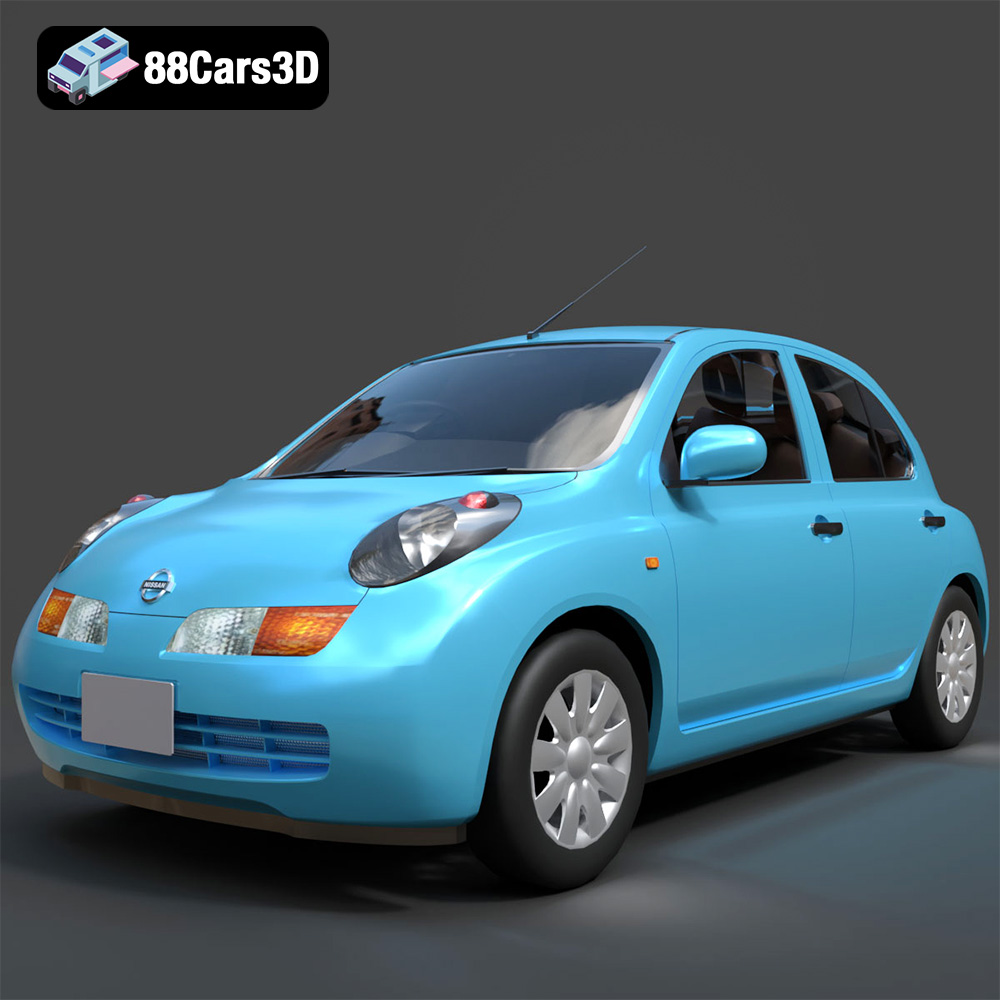
Nissan March 2025 3D Model
Texture: Yes
Material: Yes
Download the Nissan March 2025 3D Model featuring clean geometry, realistic detailing, and a fully modeled interior. Includes .blend, .fbx, .obj, .glb, .stl, .ply, .unreal, and .max formats for rendering, simulation, and game development.
Price: $4.99
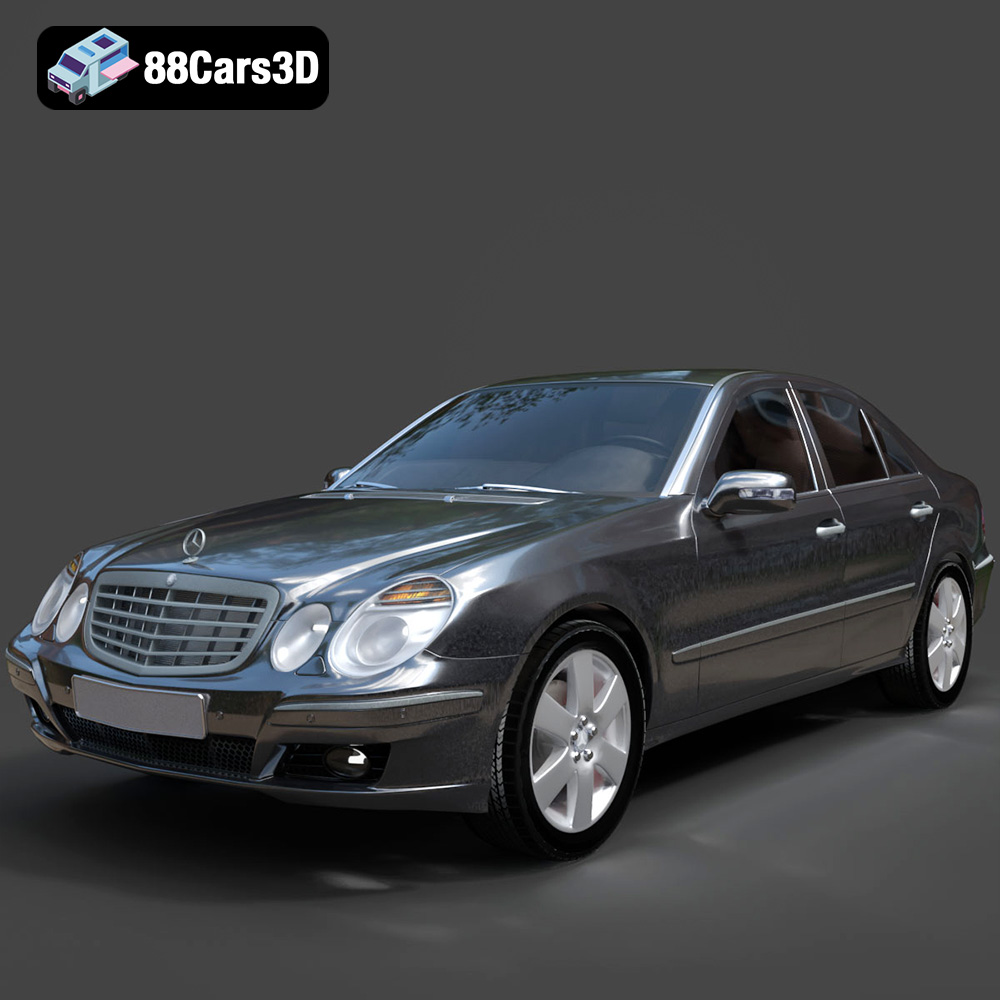
Mercedes E-Class 2007 3D Model
Texture: Yes
Material: Yes
Download the Mercedes E-Class 2007 3D Model featuring clean geometry, realistic detailing, and a fully modeled interior. Includes .blend, .fbx, .obj, .glb, .stl, .ply, .unreal, and .max formats for rendering, simulation, and game development.
Price: $4.99
