
The Ultimate Guide to Utilizing 3D Car Models: From Photorealistic Renders to Real-Time Game Assets

“`html
The Ultimate Guide to Utilizing 3D Car Models: From Photorealistic Renders to Real-Time Game Assets
A meticulously crafted 3D car model is more than just a collection of polygons and textures; it’s a versatile digital asset with the potential to power stunning visual effects, immersive video games, interactive AR experiences, and even physical prototypes. For artists and developers, the journey from acquiring a raw 3D model to achieving a final, polished result can be complex, involving a deep understanding of topology, materials, lighting, and platform-specific optimization. Starting with a high-quality asset from a marketplace like 88cars3d.com is the crucial first step, but unlocking its full potential requires technical expertise and a well-defined workflow.
This comprehensive guide will take you through the entire lifecycle of working with professional 3D car models. We will dissect the foundational elements that define a superior model, dive deep into the art of creating photorealistic materials, and explore distinct workflows for both offline rendering and real-time game engines. Whether you’re an automotive designer creating portfolio renders, a game developer building an interactive racing experience, or a visualization specialist crafting a virtual showroom, this article will provide the technical insights and actionable steps needed to transform a great 3D model into an exceptional final product. Prepare to master the techniques that separate amateur visuals from professional-grade results.
The Foundation: Evaluating and Preparing Your 3D Car Model
Before you even think about lighting or rendering, the success of your project hinges on the quality of the base model. A poorly constructed model will cause endless frustration down the line, leading to rendering artifacts, texturing nightmares, and poor performance. Properly evaluating and preparing your chosen asset is a non-negotiable step that saves countless hours and ensures a smooth production pipeline. This initial phase is about understanding the model’s anatomy, choosing the right file format for your needs, and establishing a clean and accurate scene setup.
Anatomy of a High-Quality Model: Topology and Edge Flow
The term topology refers to the arrangement of vertices, edges, and polygons that form the model’s surface. For automotive models, this is paramount. Look for clean, quad-based topology with deliberate edge loops that follow the contours of the body panels. This is crucial for achieving smooth, predictable reflections and highlights, especially around complex curves like wheel arches and headlights. Triangles and n-gons (polygons with more than four sides) can cause pinching and shading errors during subdivision or rendering. Good edge flow also makes UV unwrapping and modifications significantly easier. When inspecting a model, check for evenly spaced polygons across large surfaces like the hood and doors, with higher density in areas of high curvature to maintain shape.
Understanding File Formats (FBX, OBJ, GLB, USDZ)
3D car models come in various formats, each with its own strengths and weaknesses. Choosing the right one depends entirely on your end-use case:
- FBX (.fbx): The industry standard for complex scenes. FBX files can contain mesh data, UVs, materials, textures, rigging, and animation. It’s the preferred format for transferring models between DCC (Digital Content Creation) applications like 3ds Max, Maya, and Blender, and into game engines like Unity and Unreal Engine.
- OBJ (.obj): An older but still widely supported format. OBJ is excellent for static mesh data and UV coordinates but typically doesn’t include complex material or animation information. It’s a reliable choice for simple imports or when you plan to rebuild materials from scratch.
- GLB (.glb) / glTF (.gltf): The “JPEG of 3D.” These formats are designed for efficient transmission and loading of 3D scenes on the web and in real-time applications. A GLB file packages all data (mesh, textures, materials) into a single binary file, making it perfect for AR/VR and web viewers.
- USDZ (.usdz): Developed by Apple and Pixar, this format is optimized for AR on iOS devices. It’s a zero-compression, unencrypted zip archive that contains all necessary assets for a rich AR experience.
Initial Scene Setup and Scale
Once you’ve imported your chosen model, the first step is to verify its scale. Most render engines and physics systems rely on real-world units for accurate calculations. A car model that’s 100 meters long instead of 4.5 meters will cause lighting, shading, and physics to behave incorrectly. Set your DCC application’s system units to match your intended output (e.g., centimeters for Unreal Engine). Check the model’s dimensions and scale it uniformly if necessary. It’s also good practice to “reset the XForm” (in 3ds Max) or “apply transformations” (in Blender) to bake the scale into the mesh data, preventing future issues. Finally, organize the scene by parenting all separate components (wheels, doors, calipers) to a main root object for easy manipulation.
Mastering Materials and Textures for Unmatched Realism
An immaculate model is nothing without convincing materials. The interplay of light with surfaces like metallic paint, tinted glass, brushed aluminum, and rubber is what sells the realism of an automotive render. Modern workflows are dominated by the Physically Based Rendering (PBR) methodology, which simulates the properties of real-world materials. This section delves into the practical application of PBR principles and advanced shader creation for automotive assets.
The PBR Workflow: Albedo, Roughness, and Metallic
The PBR workflow simplifies material creation by using a set of intuitive texture maps that describe a surface. The core maps for a 3D car model include:
- Albedo (or Base Color): This map defines the pure color of the surface, devoid of any lighting or shadow information. For a red car, the albedo is simply red. For a decal, it’s the color of the graphic.
- Roughness (or Glossiness): This is arguably the most important map for realism. It’s a grayscale map that controls how light scatters across a surface. A value of black (0) creates a perfectly smooth, mirror-like reflection (like chrome), while a value of white (1) creates a completely diffuse or matte surface (like a dusty tire).
- Metallic: This grayscale map tells the shader whether a surface is a metal (dielectric) or a non-metal (conductor). It’s typically a binary choice: white (1) for raw metals like chrome or aluminum, and black (0) for non-metals like paint, plastic, and rubber.
- Normal Map: This RGB map adds fine surface detail without adding extra polygons. It’s used for details like tire treads, leather grain on seats, or the pattern on brake rotors.
UV Mapping Strategies for Automotive Surfaces
UV mapping is the process of flattening a 3D model’s surface into a 2D space so textures can be applied correctly. For complex automotive models, this requires careful strategy. For high-end cinematic renders, the UDIM (U-Dimension) workflow is often used. This allows you to spread the model’s UVs across multiple texture tiles, enabling extremely high resolutions (e.g., multiple 8K maps) for hero assets. For game assets, the goal is efficiency. Here, all UV shells are packed tightly into a single 0-1 UV space to minimize texture memory and draw calls. When unwrapping, place seams along natural panel gaps or on less visible areas of the model to hide them effectively.
Creating Advanced Shaders: Car Paint and Glass
Standard PBR materials work for many surfaces, but car paint and glass require more complex shader networks. A realistic car paint material is multi-layered:
- Base Coat: The primary color of the paint, defined by an Albedo map.
- Metallic Flakes: A subtle noise or flake texture, often plugged into the Normal and Roughness maps, to simulate the metallic sparkle seen in direct light.
- Clear Coat: A top reflective layer that simulates varnish. Most modern render engines (like Corona, V-Ray, and Arnold) and game engines (Unreal, Unity) have a dedicated “Clear Coat” parameter in their standard materials. This adds a second, smoother specular layer on top of the base layer.
For glass, avoid using a simple transparent material. Realistic glass has thickness, subtle color tint (absorption), and a specific Index of Refraction (IOR), typically around 1.52. In your render engine, ensure you are using a material designed for refraction and set the appropriate IOR and absorption color (e.g., a faint green for standard window glass).
The Art of Photorealistic Automotive Rendering
This is where your meticulously prepared model and materials come to life. The goal of photorealistic rendering is to simulate the physics of light and cameras to create an image that is indistinguishable from a real photograph. This process is a blend of technical settings and artistic vision, centered around lighting, camera placement, and post-production enhancements. This is a primary use-case for models from sources like 88cars3d.com, which are built with the clean geometry necessary for perfect reflections.
Choosing Your Render Engine: Corona vs. V-Ray vs. Cycles
While many render engines can produce great results, some are favored for their ease of use and specific features in automotive visualization.
- Corona Renderer: Known for its user-friendliness and predictable, physically plausible results. Its interactive light mixing and simple setup make it a favorite for both beginners and professionals aiming for photorealism with minimal tweaking.
- V-Ray: A powerful and versatile industry veteran. It offers immense control over every aspect of the rendering process, making it a powerhouse for high-end production studios that need to optimize complex scenes.
- Blender Cycles: A highly capable path-tracing engine built into the free and open-source software Blender. It has become a formidable option for freelancers and small studios, producing stunning results that rival its commercial counterparts.
Lighting Techniques: HDRI and Studio Setups
Lighting is the soul of a render. For automotive rendering, two techniques are dominant. Image-Based Lighting (IBL) uses a High Dynamic Range Image (HDRI) to illuminate the scene. This single texture file contains 360-degree lighting information from a real-world location. Using an HDRI of a desert road or a modern city will instantly ground your car in a realistic environment, producing natural reflections and soft shadows. For a more controlled, commercial look, a virtual studio setup is ideal. This involves creating a seamless backdrop (a cyclorama or “cyc wall”) and placing large area lights to act as softboxes, mimicking a professional photography studio. A common setup includes a large top light, a key light from the side, and several fill and rim lights to accentuate the car’s body lines.
Camera Settings and Post-Processing
Treat the virtual camera like a real one. Use realistic camera settings, such as a focal length between 50mm and 85mm for classic portrait-style shots that minimize distortion. A wide aperture (low f-stop) will create a shallow depth of field, blurring the background and drawing focus to the car. To take your renders to the next level, use render passes (also called Render Elements or AOVs). By rendering out separate images for reflections, ambient occlusion, direct lighting, and masks, you gain enormous control in post-processing software like Adobe Photoshop or Foundry Nuke. This allows you to non-destructively tweak brightness, contrast, and color balance, and add effects like lens flare and chromatic aberration for that final touch of realism.
Optimizing 3D Car Models for Real-Time Game Engines
The requirements for a game asset are fundamentally different from those for a cinematic render. While visual quality is still important, performance is king. A model destined for a game engine like Unreal Engine or Unity must be highly optimized to run smoothly at high frame rates (typically 60 FPS or higher). This involves a careful balancing act of reducing geometric complexity, managing texture memory, and setting up efficient shaders. The clean starting point provided by marketplaces such as 88cars3d.com can make this optimization process much more straightforward.
The Polygon Budget: LODs and Mesh Simplification
A cinematic model can easily exceed millions of polygons, which would be crippling for a real-time engine. Game assets operate on a strict “polygon budget.” For a hero car in a AAA PC game, the highest detail version (LOD0) might be around 150,000-300,000 polygons. To maintain performance, developers use Level of Detail (LOD) meshes. These are a series of lower-polygon versions of the model that the engine swaps in as the car gets further from the camera. LOD1 might be 50% of the polygon count of LOD0, LOD2 might be 25%, and so on. These can be created manually by a 3D artist for maximum quality or automatically using tools within the game engine or DCC software.
Texture Optimization: Atlasing and Compression
In game development, every draw call (a command from the CPU to the GPU to draw an object) impacts performance. If your car model has 20 different materials, it could result in 20 draw calls. Texture atlasing is the process of combining multiple smaller textures into a single, larger texture sheet. By assigning different parts of the car’s UVs to different regions of this atlas, you can often use a single material for the entire vehicle, drastically reducing draw calls. Furthermore, textures must be compressed. Game engines use formats like DXT (for PC/Xbox) or ASTC (for mobile) to significantly reduce the VRAM footprint of textures, which is critical for performance on memory-constrained hardware like consoles and mobile devices.
Rigging and Animation Basics for Interactive Vehicles
For a vehicle to be drivable in-game, it needs a basic rig. This doesn’t involve complex character-style skinning, but rather a simple hierarchical structure. A typical vehicle rig consists of:
- A root object representing the car’s chassis/body.
- Four wheel objects parented to the root, with their pivot points correctly placed at the center of each wheel for rotation.
- (Optional) Objects for steerable parts like the steering wheel and separate objects for brake calipers if they need to remain stationary while the wheel spins.
This hierarchy is then fed into the game engine’s physics system (like Unreal Engine’s Chaos Vehicles or Unity’s Wheel Colliders), which handles the simulation of suspension, acceleration, and steering based on this skeletal structure.
Pushing Boundaries: AR/VR and 3D Printing Applications
Beyond traditional rendering and gaming, high-quality 3D car models are finding new life in emerging technologies. Augmented Reality (AR), Virtual Reality (VR), and 3D printing present unique technical challenges and opportunities, demanding specific optimization and preparation workflows to translate a digital asset into an interactive experience or a physical object.
Preparing Models for AR/VR Experiences
AR and VR applications are essentially ultra-demanding mobile games. Performance is absolutely critical, as dropping frames can lead to discomfort and motion sickness for the user. The optimization techniques are similar to game development but even more stringent. Polygon counts must be kept low—often under 100,000 polygons for a hero asset. The use of file formats like GLB and USDZ is standard, as they are designed for fast loading and efficient rendering on mobile hardware. Because real-time lighting can be expensive, it’s common practice to “bake” lighting information directly into the textures using a process called texture baking. This pre-calculates shadows and ambient occlusion, creating the illusion of detailed lighting with minimal performance cost.
From Digital to Physical: 3D Printing Workflows
Translating a 3D car model into a physical object via 3D printing requires a different kind of preparation. The primary concern is ensuring the mesh is a single, continuous, “watertight” volume. This means there can be no holes or non-manifold geometry (e.g., internal faces or edges shared by more than two polygons). Tools like Meshmixer or the 3D-Print Toolbox in Blender can be used to analyze and repair these issues. The model must also have sufficient thickness. Elements that look fine on screen, like wing mirrors or spoilers, might be too thin to print successfully and may need to be thickened. Finally, the model is exported as an STL or OBJ file and imported into “slicing” software, which converts the model into a series of G-code instructions for the 3D printer to follow, layer by layer.
Conclusion: The Versatility of a Well-Crafted Asset
The journey from a digital file to a final, impactful visual is a testament to both the quality of the initial asset and the skill of the artist or developer. We’ve explored how a single, high-quality 3D car model can be a chameleon, adapting to vastly different pipelines—from the pursuit of absolute photorealism in offline rendering to the tight performance budgets of real-time game engines and the unique geometric demands of AR and 3D printing. The common thread is a deep understanding of the underlying principles: clean topology as the foundation, PBR materials for believable surfaces, and context-aware optimization for the target platform.
Mastering these workflows unlocks the true potential of your 3D assets. By starting with a professionally crafted model and applying the technical and artistic principles discussed, you can consistently produce high-caliber results across any medium. The key takeaway is to always plan your approach based on your final goal. Whether you are lighting a studio scene for a perfect render, setting up LODs for a seamless gaming experience, or preparing a watertight mesh for printing, a methodical and informed process will always yield a superior outcome. Now, take these techniques and apply them to your next project to create automotive visuals that truly stand out.
“`
Featured 3D Car Models

Mercedes E-Class w124 Kombi 3D Model
Texture: Yes
Material: Yes
Download the Mercedes E-Class w124 Kombi 3D Model featuring clean geometry, realistic detailing, and a fully modeled interior. Includes .blend, .fbx, .obj, .glb, .stl, .ply, .unreal, and .max formats for rendering, simulation, and game development.
Price: $4.99

Mercedes-Benz CL6540-005 3D Model
Texture: Yes
Material: Yes
Download the Mercedes-Benz CL6540-005 3D Model featuring clean geometry, realistic detailing, and a fully modeled interior. Includes .blend, .fbx, .obj, .glb, .stl, .ply, .unreal, and .max formats for rendering, simulation, and game development.
Price: $4.99

Mercedes E-Class w124 Coupe 3D Model
Texture: Yes
Material: Yes
Download the Mercedes E-Class w124 Coupe 3D Model featuring clean geometry, realistic detailing, and a fully modeled interior. Includes .blend, .fbx, .obj, .glb, .stl, .ply, .unreal, and .max formats for rendering, simulation, and game development.
Price: $4.99

Mercedes-Benz E-Klasse 63 AMG 3D Model
Texture: Yes
Material: Yes
Download the Mercedes-Benz E-Klasse 63 AMG 3D Model featuring clean geometry, realistic detailing, and a fully modeled interior. Includes .blend, .fbx, .obj, .glb, .stl, .ply, .unreal, and .max formats for rendering, simulation, and game development.
Price: $4.99

Mini Cabrio 2025 3D Model
Texture: Yes
Material: Yes
Download the Mini Cabrio 2025 3D Model featuring clean geometry, realistic detailing, and a fully modeled interior. Includes .blend, .fbx, .obj, .glb, .stl, .ply, .unreal, and .max formats for rendering, simulation, and game development.
Price: $4.99

Nissan 350Z 3D Model
Texture: Yes
Material: Yes
Download the Nissan 350Z 3D Model featuring clean geometry, realistic detailing, and a fully modeled interior. Includes .blend, .fbx, .obj, .glb, .stl, .ply, .unreal, and .max formats for rendering, simulation, and game development.
Price: $4.99

Mercedes-Benz E-Klasse Coupe 2010 3D Model
Texture: Yes
Material: Yes
Download the Mercedes-Benz E-Klasse Coupe 3D Model featuring clean geometry, realistic detailing, and a fully modeled interior. Includes .blend, .fbx, .obj, .glb, .stl, .ply, .unreal, and .max formats for rendering, simulation, and game development.
Price: $4.99

Mercedes-Benz A 45 AMG 3D Model
Texture: Yes
Material: Yes
Download the Benza MERS-007 3D Model featuring clean geometry, realistic detailing, and a fully modeled interior. Includes .blend, .fbx, .obj, .glb, .stl, .ply, .unreal, and .max formats for rendering, simulation, and game development.
Price: $4.99
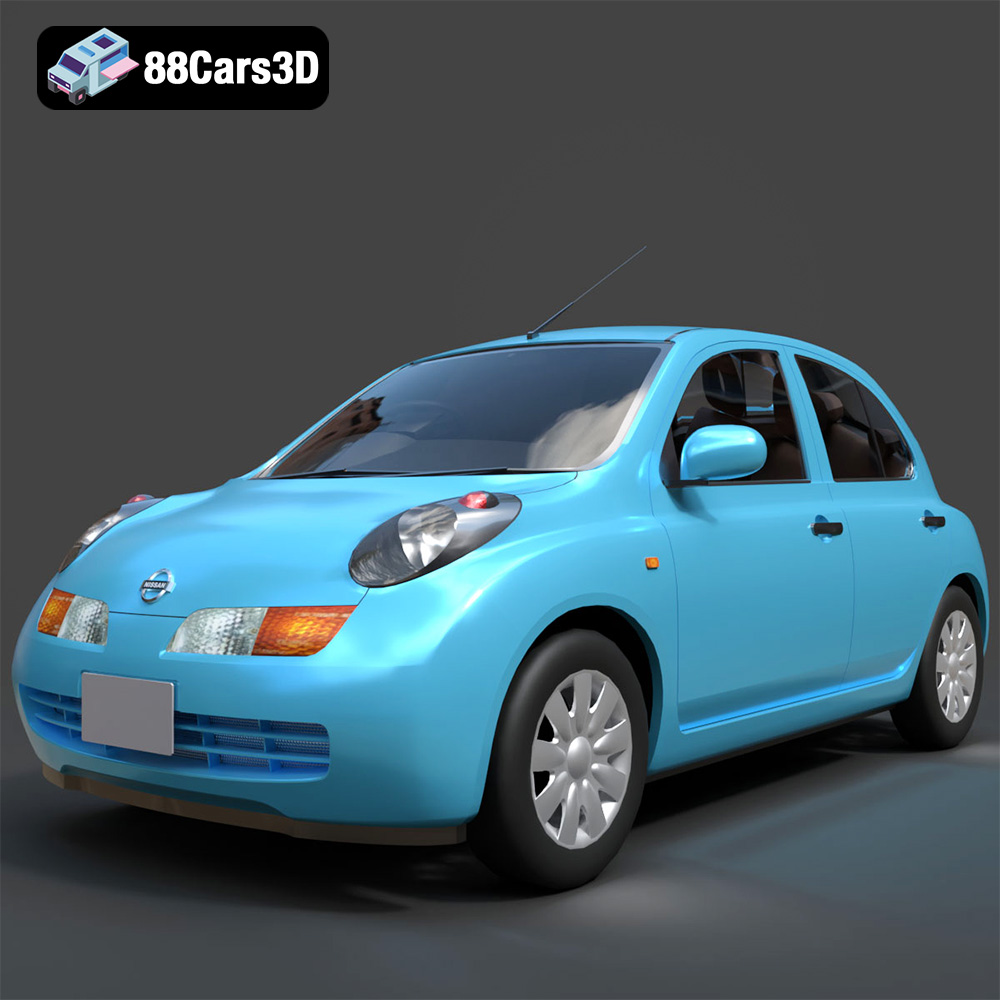
Nissan March 2025 3D Model
Texture: Yes
Material: Yes
Download the Nissan March 2025 3D Model featuring clean geometry, realistic detailing, and a fully modeled interior. Includes .blend, .fbx, .obj, .glb, .stl, .ply, .unreal, and .max formats for rendering, simulation, and game development.
Price: $4.99
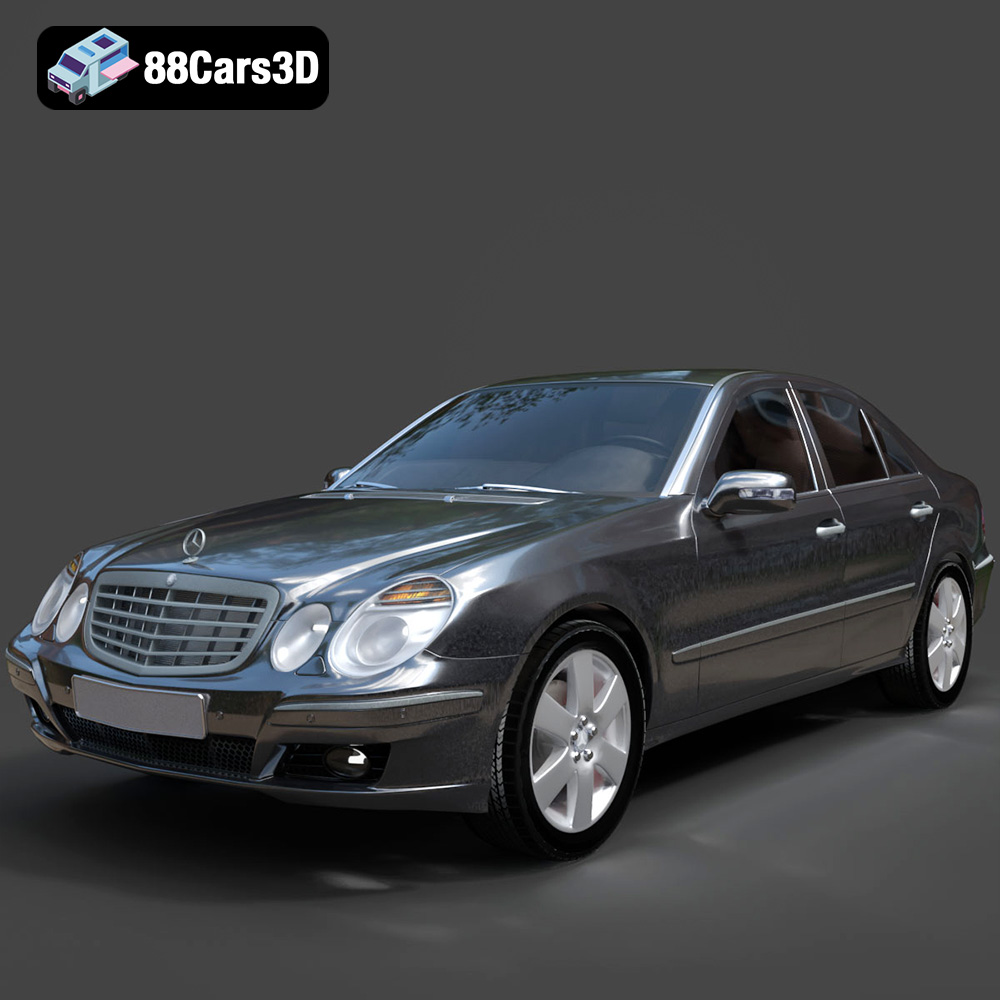
Mercedes E-Class 2007 3D Model
Texture: Yes
Material: Yes
Download the Mercedes E-Class 2007 3D Model featuring clean geometry, realistic detailing, and a fully modeled interior. Includes .blend, .fbx, .obj, .glb, .stl, .ply, .unreal, and .max formats for rendering, simulation, and game development.
Price: $4.99
