⚡ FLASH SALE: Get 60% OFF All Premium 3D & STL Models! ⚡

“`html
The world of 3D printing offers incredible possibilities, especially for automotive enthusiasts. Imagine holding a miniature replica of your dream car, meticulously crafted from a digital design. This dream becomes a reality when you convert vehicle models into printable STL files. This comprehensive guide will walk you through the process, covering everything from selecting the right source model to optimizing the final STL file for your 3D printer. Whether you’re a seasoned 3D printing expert or just starting out, this article will equip you with the knowledge and techniques to create stunning 3D printed car models. We’ll cover essential aspects like file selection, mesh editing, slicing parameters, and printing considerations to ensure your project is a success. Learn how to choose the right software, optimize your models for FDM or resin printing, and troubleshoot common issues. By the end of this guide, you’ll be well-equipped to transform your favorite vehicle models into tangible, high-quality 3D prints.
The STL (Stereolithography) file format is the cornerstone of 3D printing. It represents a 3D object’s surface as a collection of triangles. The density and distribution of these triangles directly influence the print quality. A higher triangle count results in a smoother surface but also increases file size and processing time. Understanding the underlying structure of STL files is crucial for successful 3D printing. Platforms like 88cars3d.com offer pre-optimized STL files designed specifically for 3D printing, saving you significant time and effort in the preparation stage.
An STL file essentially contains a list of triangular facets, each defined by its three vertices and a normal vector (indicating the triangle’s orientation). The accuracy of the model depends on the number of triangles used to represent the curved surfaces. Poorly designed STL files can suffer from issues like holes, non-manifold edges, and self-intersections, all of which can lead to printing failures. Mesh topology refers to how these triangles are connected. A clean, well-structured mesh is essential for smooth printing. Avoid models with overlapping triangles, inverted normals, or disconnected components.
The first step is acquiring a suitable 3D model. You can find models from various sources, including online repositories, CAD software, or even create your own using 3D modeling programs. When choosing a model, consider the following: Level of detail: Choose a model that matches your desired print quality and printer capabilities. Highly detailed models require more processing power and may not be suitable for all printers. File format: While STL is the target format, you might encounter models in other formats like OBJ or FBX. These formats often contain additional information like color and texture, which you might need to convert or remove depending on your printing goals. Licensing: Ensure you have the right to use the model for your intended purpose, especially if you plan to sell the printed objects.
Once you have your 3D model, the next step is to prepare it for printing. This involves cleaning up the mesh, ensuring it’s watertight, and orienting it optimally for printing. Software like Meshmixer, Blender, Netfabb, and even some slicer software offer tools for model preparation. This is where you repair any errors and make sure the model is optimized for your specific printer and material. When downloading models from marketplaces such as 88cars3d.com, much of this preparation is already done, but it’s still helpful to understand the process.
Before slicing, it’s crucial to inspect the model for errors. Common issues include non-manifold edges (edges that are shared by more than two faces), holes (gaps in the mesh), and inverted normals (faces pointing in the wrong direction). Meshmixer is an excellent free tool for repairing these issues. Use the “Make Solid” function to close holes and the “Inspect” tool to identify and fix other errors. Netfabb is another powerful tool for mesh repair, offering more advanced features for complex models. Aim for a “watertight” mesh, meaning a closed, continuous surface with no gaps or holes.
The orientation of the model on the print bed can significantly impact print quality, support requirements, and printing time. Consider the following: Minimize overhangs: Orient the model to reduce the need for support structures, which can be difficult to remove and can leave blemishes on the final print. Maximize bed adhesion: Choose an orientation that provides a large contact area with the print bed for better adhesion. Hide layer lines: Strategically orient the model to minimize the visibility of layer lines on important surfaces. Scaling is also important. Ensure the model is scaled appropriately for your printer’s build volume and your desired level of detail. A general tip: Printing larger models requires more material and time but results in higher detail.
Slicing is the process of converting the 3D model into a set of instructions (G-code) that the 3D printer can understand. Slicer software like Cura, PrusaSlicer, Simplify3D, and others allows you to adjust various parameters that affect the print quality, speed, and material usage. Selecting the right slicing parameters is crucial for achieving optimal results. Different printers and materials require different settings, so experimentation and fine-tuning are often necessary.
Layer height is one of the most critical slicing parameters. It determines the thickness of each printed layer. Lower layer heights (e.g., 0.1mm) result in smoother surfaces and finer details but increase printing time. Higher layer heights (e.g., 0.3mm) print faster but sacrifice surface quality. Print speed also plays a significant role. Faster speeds can lead to reduced print quality, especially with intricate models. Slower speeds generally improve detail and accuracy. The optimal layer height and print speed depend on your printer, material, and desired print quality. As a starting point, consider using a layer height between 0.1mm and 0.2mm and a print speed between 40mm/s and 60mm/s.
Infill refers to the internal structure of the 3D print. It provides strength and stability while minimizing material usage. Infill density determines the percentage of the interior that is filled with material. Higher densities (e.g., 50-100%) result in stronger but heavier and more material-intensive prints. Lower densities (e.g., 10-20%) are suitable for purely decorative models. Infill pattern refers to the shape of the internal structure. Common patterns include grid, honeycomb, gyroid, and concentric. Gyroid infill provides excellent strength in all directions while minimizing material usage. For printable car models, a density of 15-25% with a gyroid or honeycomb pattern is usually sufficient.
Support structures are temporary structures that provide support for overhanging features during printing. They are necessary when a portion of the model is suspended in mid-air without underlying support. Properly designed support structures are crucial for preventing sagging and ensuring accurate printing of complex geometries. However, support structures also add to printing time and material usage, and their removal can sometimes leave blemishes on the printed surface.
There are various types of support structures, each with its advantages and disadvantages. Linear supports: Simple vertical supports that are easy to generate and remove but may not be suitable for complex overhangs. Tree supports: Branching structures that provide more targeted support with less material usage and easier removal. Rafts: A flat base layer that improves bed adhesion and provides a stable foundation for the print. Brims: A single-layer outline around the base of the model that increases the contact area with the print bed. The choice of support structure depends on the geometry of the model and the printing material. For complex car models, tree supports are often a good option.
Optimizing support placement and settings is crucial for minimizing material usage and ensuring easy removal. Consider the following: Support overhang angle: Adjust the angle at which supports are generated. Higher angles require more supports but provide better support for steep overhangs. Support density: Control the density of the support structures. Lower densities are easier to remove but may not provide sufficient support. Support interface: Add a thin interface layer between the support structure and the model. This makes the supports easier to remove but can also leave a slightly rougher surface. Experiment with different settings to find the optimal balance between support strength and ease of removal.
The choice of printing material significantly affects the appearance, strength, and durability of the 3D printed vehicle model. Common materials include PLA, PETG, ABS, and resin. Each material has its unique properties and requires specific printer settings.
FDM (Fused Deposition Modeling) printing involves extruding a heated thermoplastic filament layer by layer. PLA (Polylactic Acid) is a biodegradable plastic that is easy to print and suitable for beginners. It has a low printing temperature and minimal warping. PETG (Polyethylene Terephthalate Glycol) is stronger and more heat-resistant than PLA but slightly more challenging to print. ABS (Acrylonitrile Butadiene Styrene) is a strong and durable plastic but requires a heated bed and an enclosed chamber to prevent warping. For printable car models, PLA is a good choice for decorative models, while PETG or ABS is recommended for models that require higher strength and heat resistance.
Resin printing involves curing liquid resin with UV light. SLA (Stereolithography) and DLP (Digital Light Processing) are common resin printing technologies. Resin printing produces highly detailed and accurate prints with smooth surfaces. However, resin prints are often more brittle than FDM prints and require post-processing, such as washing and curing. Resin printing is ideal for creating highly detailed vehicle models with intricate features. When choosing a resin, consider its strength, flexibility, and resistance to UV light. Layer heights as low as 0.025mm are achievable, resulting in incredibly smooth surfaces.
Post-processing involves cleaning, sanding, painting, and assembling the 3D printed vehicle model to achieve the desired appearance and functionality. It’s an essential step in transforming a raw 3D print into a finished product.
The first step in post-processing is removing the support structures. Use pliers, cutters, or a sharp knife to carefully remove the supports. Be gentle to avoid damaging the model. After removing the supports, sand the surface to remove any remaining blemishes and smooth out the layer lines. Start with coarse sandpaper (e.g., 220 grit) and gradually move to finer grits (e.g., 400, 600, 800 grit) for a smoother finish. For resin prints, soaking the model in warm water can soften the supports and make them easier to remove.
Painting can enhance the appearance of the 3D printed vehicle model and add realism. Start by priming the model with a thin layer of primer to improve paint adhesion. Then, apply multiple thin coats of paint using an airbrush or spray can. Allow each coat to dry completely before applying the next. Consider using automotive-grade paints for a durable and realistic finish. If the model consists of multiple parts, assemble them using glue or screws. Ensure the parts fit together properly before gluing them in place.
Even with careful preparation and optimized settings, 3D printing can sometimes encounter issues. Understanding common problems and their solutions can save you time and frustration.
Warping occurs when the corners of the print lift off the print bed due to uneven cooling. This is more common with materials like ABS. To prevent warping, ensure the print bed is properly leveled and heated. Use a brim or raft to increase bed adhesion. Apply a layer of adhesive (e.g., glue stick, hairspray) to the print bed. Enclosing the printer in a chamber can also help maintain a consistent temperature and reduce warping.
Stringing occurs when the printer nozzle oozes material while traveling between different parts of the print. Blobs are small, unwanted deposits of material on the surface of the print. To reduce stringing and blobs, adjust the retraction settings in your slicer software. Increase the retraction distance and speed. Lower the printing temperature. Ensure the filament is dry. Experiment with different settings until the stringing and blobs are minimized.
Converting vehicle models into printable STL files is a rewarding process that combines technical skill with creative expression. By understanding the intricacies of STL files, mastering slicing techniques, and optimizing printer settings, you can transform digital designs into tangible, high-quality 3D prints. Whether you’re creating a scale model for your collection or prototyping a new automotive design, the possibilities are endless. Remember to leverage resources like 88cars3d.com for ready-to-print models and stay updated with the latest advancements in 3D printing technology. Experiment with different materials, settings, and post-processing techniques to refine your skills and achieve stunning results. Start with a simple model and gradually work your way up to more complex projects. With practice and patience, you’ll be creating impressive 3D printed car models in no time.
“`
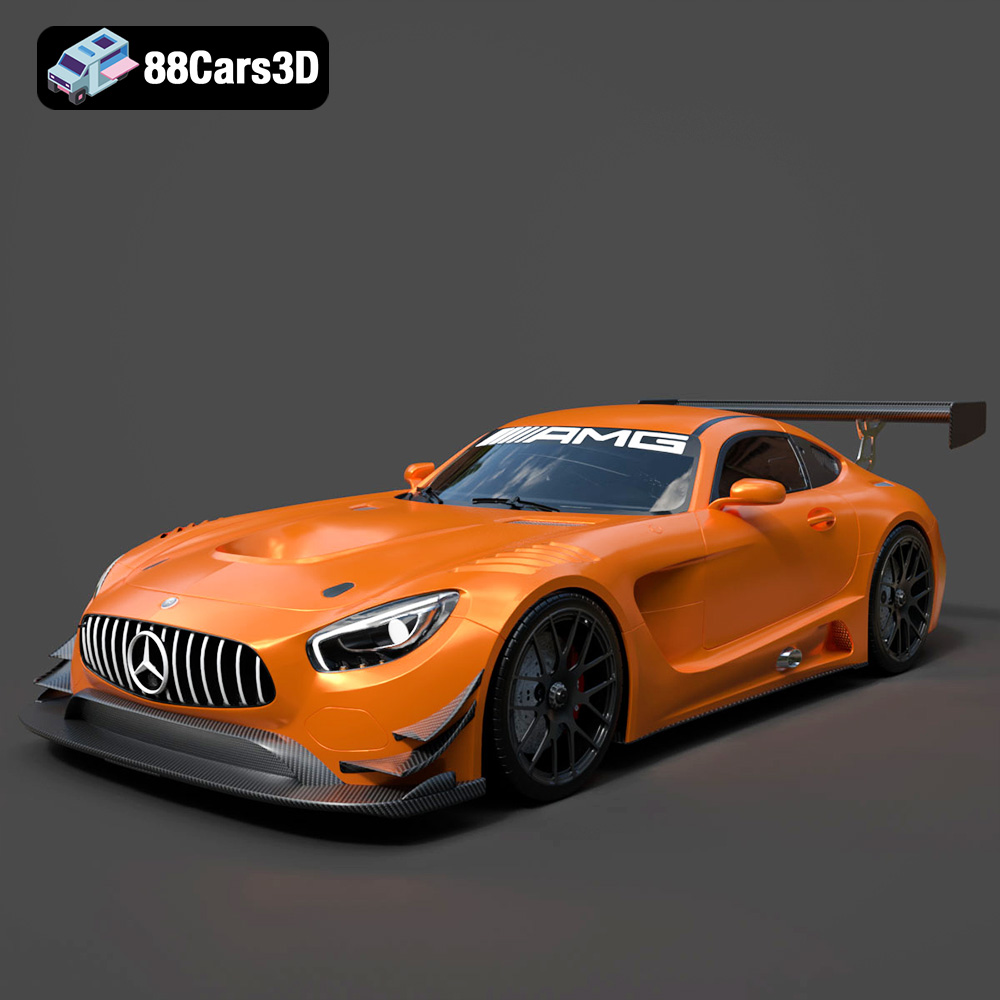
Texture: Yes
Material: Yes
Download the Mercedes-AMG GT S 3D Model featuring clean geometry, realistic detailing, and a fully modeled interior. Includes .blend, .fbx, .obj, .glb, .stl, .ply, .unreal, and .max formats for rendering, simulation, and game development.
Price: $25

Texture: Yes
Material: Yes
Download the Moto Guzzi Classic Motorcycle 2024 3D Model featuring clean geometry, realistic detailing, and a fully modeled interior. Includes .blend, .fbx, .obj, .glb, .stl, .ply, .unreal, and .max formats for rendering, simulation, and game development.
Price: $10

Texture: Yes
Material: Yes
Download the Horch 853 Sport Cabriolet 1937 3D Model featuring clean geometry, realistic detailing, and a fully modeled interior. Includes .blend, .fbx, .obj, .glb, .stl, .ply, .unreal, and .max formats for rendering, simulation, and game development.
Price: $10

Texture: Yes
Material: Yes
Download the Yamaha YZF-R1 Motorcycle 3D Model featuring clean geometry, realistic detailing, and a fully modeled interior. Includes .blend, .fbx, .obj, .glb, .stl, .ply, .unreal, and .max formats for rendering, simulation, and game development.
Price: $10

Texture: Yes
Material: Yes
Download the Mercedes Benz G63 AMG 2019 3D Model featuring clean geometry, realistic detailing, and a fully modeled interior. Includes .blend, .fbx, .obj, .glb, .stl, .ply, .unreal, and .max formats for rendering, simulation, and game development.
Price: $90

Texture: Yes
Material: Yes
Download the Daewoo Damas Mk2 2012 3D Model featuring clean geometry, realistic detailing, and a fully modeled interior. Includes .blend, .fbx, .obj, .glb, .stl, .ply, .unreal, and .max formats for rendering, simulation, and game development.
Price: $10

Texture: Yes
Material: Yes
Download the BMW 540 E34 3D Model featuring clean geometry, realistic detailing, and a fully modeled interior. Includes .blend, .fbx, .obj, .glb, .stl, .ply, .unreal, and .max formats for rendering, simulation, and game development.
Price: $10

Texture: Yes
Material: Yes
Download the BMW 8 Series Coupe 2020 3D Model featuring clean geometry, realistic detailing, and a fully modeled interior. Includes .blend, .fbx, .obj, .glb, .stl, .ply, .unreal, and .max formats for rendering, simulation, and game development.
Price: $10

Texture: Yes
Material: Yes
Download the Mercedes-Benz CLA45 AMG 2017 3D Model featuring clean geometry, realistic detailing, and a fully modeled interior. Includes .blend, .fbx, .obj, .glb, .stl, .ply, .unreal, and .max formats for rendering, simulation, and game development.
Price: $21.99

Texture: Yes
Material: Yes
Download the Dodge Charger Car-004 3D Model featuring clean geometry, realistic detailing, and a fully modeled interior. Includes .blend, .fbx, .obj, .glb, .stl, .ply, .unreal, and .max formats for rendering, simulation, and game development.
Price: $10

