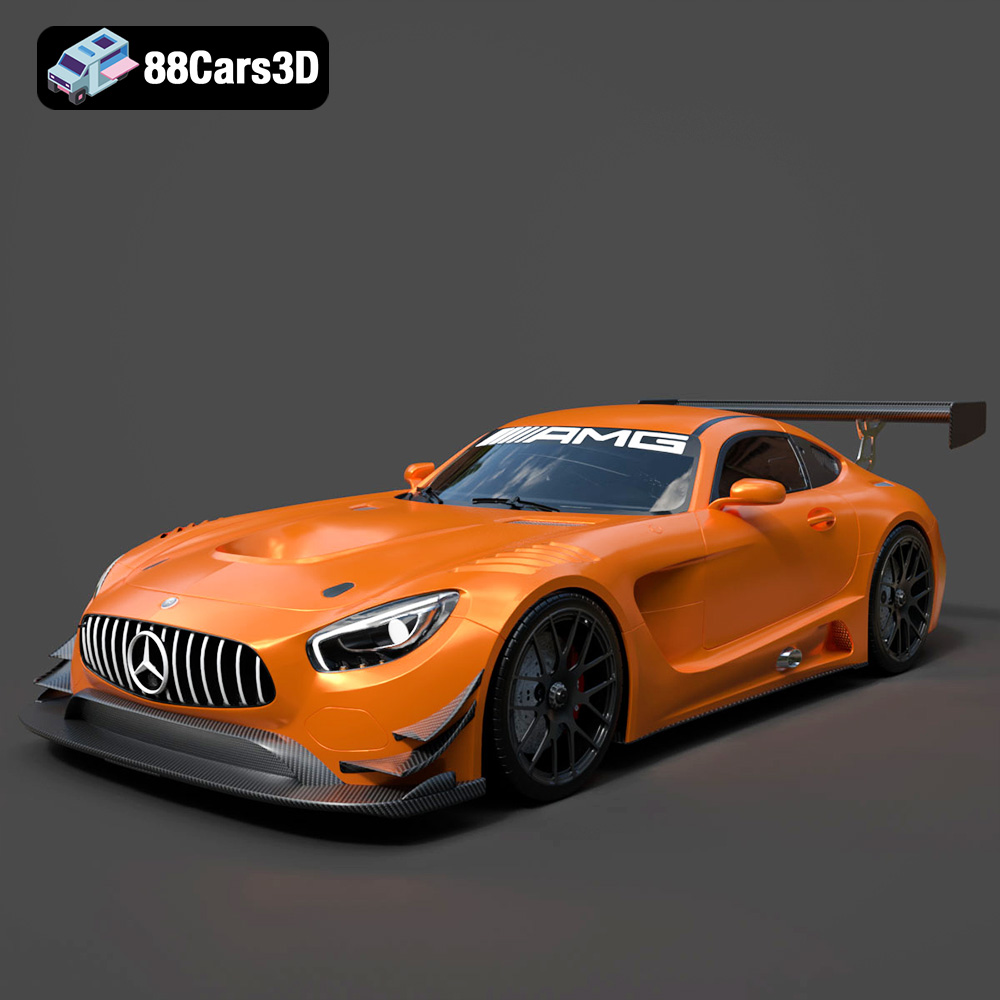
How to Choose the Right 3D Car Model for Your Game Animation or VR Project
How to Choose the Right 3D Car Model for Your Game Animation or VR Project
In the vibrant worlds of game development, cinematic animation, and immersive virtual reality, vehicles often play a starring role. From a high-octane street race in an open-world game to a tranquil drive through a scenic VR experience, the quality and suitability of your 3D car model can make or break the user experience. But with countless options available—from free assets to custom-built masterpieces—how do you make the right choice?
Choosing the perfect 3D vehicle model isn’t just about aesthetics; it’s a intricate balancing act involving technical specifications, artistic vision, budget, and performance optimization. This comprehensive guide will equip you with the knowledge and actionable frameworks needed to confidently select a 3D car model that not only looks great but also performs flawlessly within your specific game animation or VR project.
Understanding Your Project’s Core Requirements
Before you even begin browsing asset libraries or commissioning artists, a clear understanding of your project’s fundamental needs is paramount. This foundational step will dictate every subsequent decision.
Game Animation vs. VR: Key Differences
While both leverage 3D assets, the demands placed on a 3D car model differ significantly between a pre-rendered animation and a real-time interactive VR project:
- Game Animation (Pre-rendered): Performance constraints are generally less strict. You can afford higher polygon counts, larger textures, and more complex shaders because the frames are rendered sequentially and often optimized offline. Focus shifts to visual fidelity, realistic physics simulations (if applicable), and detailed lighting for cinematic quality.
- VR Project (Real-time): This is where optimization becomes critical. VR demands sustained high frame rates (90 FPS or more) to prevent motion sickness and ensure immersion. Every millisecond counts. This means strict poly budget adherence, efficient PBR textures, optimized draw calls, and often, extensive use of LODs (Level of Detail). The model must be highly performant on target VR hardware, whether it’s a powerful PC VR setup or a standalone headset like the Meta Quest 3.
Target Platform and Hardware Constraints
The device your project will run on profoundly influences your choice. A model perfectly suited for a high-end PC game might crash a mobile device or standalone VR headset.
- Mobile/Standalone VR (e.g., iOS, Android, Meta Quest): Extremely stringent performance limits. Aim for very low polygon count (typically under 50,000 tris for a hero car), fewer and smaller texture maps, and simpler shaders.
- PC/Console (e.g., PlayStation 5, Xbox Series X, desktop PC): More generous but still requires optimization. You can push for higher detail (e.g., 100,000-300,000+ tris for a hero car, with LODs) and more complex visual effects.
- High-End PC VR: While capable of more, the high frame rate requirement still prioritizes efficiency. Models should be optimized, but can generally afford more detail than standalone VR.
Project Scope and Budget
Your financial and time resources will significantly influence whether you purchase a pre-made asset or invest in a custom 3D model.
- Indie/Small Budget: Pre-made assets from marketplaces are often the most viable solution, offering a balance of quality and cost-effectiveness.
- AAA/Large Budget: Often allows for custom 3D models, ensuring unique assets perfectly tailored to the project’s specific needs and art style, optimized for peak performance.
Technical Considerations: The Heart of Your Decision
Beyond aesthetics, the underlying technical build of a 3D car model is crucial for its performance and functionality within a game engine like Unity or Unreal Engine.
Polygon Count and Level of Detail (LODs)
The polygon count (often measured in triangles or “tris”) refers to the number of faces that make up the 3D model. Higher poly counts generally mean more detail, but also higher rendering cost.
- Impact: A high poly count can drastically reduce frame rates, especially when many vehicles are on screen or in performance-sensitive environments like VR.
- LODs: This is a crucial optimization technique. An ideal 3D car model for real-time applications will include multiple versions of itself at varying levels of detail. For example, a hero car might have LOD0 (full detail, 150k tris), LOD1 (medium detail, 50k tris), LOD2 (low detail, 15k tris), and LOD3 (very low detail, 5k tris). The engine automatically switches between these based on the camera’s distance, ensuring efficient rendering.
- Practical Ranges:
- Hero Car (Close-up, Interactive): 50,000 – 300,000+ tris (with LODs)
- Mid-ground Car (Visible, Non-interactive): 10,000 – 50,000 tris (with LODs)
- Background Car (Distant, Static): 1,000 – 10,000 tris (single mesh or very simple LODs)
- Mobile/VR Hero Car: 30,000 – 80,000 tris (aggressively optimized LODs)
Textures and Materials
Textures provide the visual surface detail, color, and properties of the model. Modern game development predominantly uses the PBR (Physically Based Rendering) workflow.
- PBR Workflow: This method simulates how light interacts with surfaces in the real world, leading to more realistic results. Key PBR maps include:
- Albedo/Base Color: The base color of the surface (without lighting information).
- Normal Map: Adds surface detail (bumps, scratches) without increasing polygon count.
- Metallic Map: Defines which parts of the surface are metallic.
- Roughness Map: Defines how rough or smooth a surface is, affecting light reflection.
- Ambient Occlusion (AO): Simulates soft shadowing in crevices and corners.
- Texture Resolution: Common resolutions are 2K (2048×2048) and 4K (4096×4096). While 8K textures offer incredible detail, they consume significant VRAM and are often overkill for real-time applications, especially for non-hero assets or VR.
- Material Setup: Ensure the material setup is clean and efficient. Overly complex shader graphs can be a performance bottleneck.
Rigging and Animation Readiness
If your car needs to move or interact beyond simply driving, it needs proper rigging.
- Basic Rigging: Separate meshes or bones for wheels, steering, and potentially doors are essential for most animated or interactive cars.
- Advanced Rigging: For more detailed interactions, look for rigs that include suspension, independent wheel rotation, and even interior elements like dashboard dials or gear shifts.
- Animation-Ready: A well-rigged model allows for easy integration with physics systems and custom animations. Check if the pivot points for rotating parts (wheels, doors) are correctly placed.
Collision Meshes and Physics
For gameplay, your car needs to collide with the environment and other objects. This requires a collision mesh.
- Simple Colliders: Basic primitive colliders (box, sphere, capsule) are very performant but less accurate. Ideal for general car body collisions.
- Complex Mesh Colliders: More accurate but significantly more expensive for physics calculations. Often used for the car’s main body if precise collision detection is vital. Ideally, a simplified convex mesh collider is provided rather than using the full visual mesh.
- Wheel Colliders: Game engines like Unity and Unreal have specialized wheel colliders that simulate suspension and tire friction, crucial for realistic car physics.
File Formats and Compatibility
The chosen file format impacts ease of import and compatibility with your game engine.
- FBX (.fbx): The industry standard for transferring 3D assets between software and game engines. It supports meshes, materials, textures, rigging, and animations. Highly recommended.
- OBJ (.obj): A widely supported format for static meshes. It stores geometry and basic material information but does not support rigging or animation.
- GLTF/GLB (.gltf/.glb): Gaining popularity, especially for web-based 3D and real-time applications. Supports full scene descriptions, including geometry, materials, animations, and PBR properties.
- USD (.usd/.usdz): Developed by Pixar, increasingly supported across various platforms, especially for AR/VR and complex scene descriptions.
- Check Engine Compatibility: Always verify that your chosen 3D asset‘s format is directly supported by your target engine (e.g., Unity, Unreal Engine) to minimize conversion headaches.
Aesthetic and Artistic Style Match
Once the technical foundation is understood, consider how the car model fits visually into your project’s universe.
Realism vs. Stylization
The artistic direction of your project is crucial. Consistency is key to a cohesive visual experience.
- Photorealistic: Aims to mimic reality as closely as possible. Requires high detail, accurate proportions, and realistic PBR materials.
- Semi-realistic: Balances realism with some artistic interpretation, common in many AAA games.
- Stylized/Toon: Emphasizes distinct visual elements, often with exaggerated features, simplified textures, or vibrant colors. Examples include cartoon cars or low-poly aesthetics.
- Low-Poly: A distinct stylized look characterized by visible, large polygons and often flat-shaded colors. Great for performance and a specific aesthetic.
Brand, Era, and Type of Car
The specific model of car should align with your project’s narrative and setting.
- Modern Sports Car: For racing games or contemporary settings.
- Classic Muscle Car: For retro themes or specific cultural contexts.
- Sci-Fi Vehicle: For futuristic worlds, requiring unique designs and often custom assets.
- Utility Truck/Sedan: For background filler, everyday scenarios, or specific gameplay roles.
- Licensing: Be extremely cautious when using real-world car brands. Using a Toyota or Ferrari model without explicit permission can lead to serious legal issues. Most asset store models are generic or fictional for this reason, or specifically licensed for commercial use.
Interior and Exterior Detail
How much detail do you need the car to have, both inside and out?
- Exterior Focus: If the player only sees the car from the outside (e.g., third-person racing game, distant traffic), a highly detailed exterior is vital, but the interior can be minimal or even absent.
- Interactive Interior: For first-person driving, VR experiences where players can sit inside, or cinematic close-ups, a fully modeled and textured interior (dashboard, seats, steering wheel) is essential. This significantly increases poly count and texture complexity.
- Wear and Tear: Does the car need to look brand new, or have scratches, dirt, or rust? This is conveyed through textures and material masks.
Sourcing Your 3D Car Models: Buy, Build, or Download?
Where you obtain your 3D car model is a critical decision influencing cost, time, and quality.
Pre-made Assets (Asset Stores)
These are readily available models from online marketplaces.
- Pros:
- Cost-Effective: Often much cheaper than custom work.
- Time-Saving: Instantly available, reducing development time.
- Wide Variety: Huge selection of styles, types, and quality levels.
- Cons:
- Potential for Lack of Optimization: Many assets are not optimized for specific performance targets (especially VR). You might need to manually create LODs or simplify textures.
- Unique Style Clash: Finding a model that perfectly matches your project’s unique art style can be challenging.
- Intellectual Property Issues: Always verify licensing for commercial use.
- Popular Marketplaces:
Custom-Built Models
Commissioning a professional 3D artist to create a model from scratch.
- Pros:
- Perfect Fit: Tailored precisely to your project’s art style, technical specifications, and performance needs.
- Optimized: Built from the ground up with your target platform’s performance in mind (e.g., custom LODs for VR project).
- Unique: Guarantees a distinctive asset that stands out.
- Cons:
- Expensive: Significant upfront cost, potentially thousands of dollars per model.
- Time-Consuming: Requires extensive communication and iteration with the artist.
- Requires Skilled Artists: Finding a reliable and skilled 3D artist can be a challenge.
- When to Choose Custom: For hero assets, unique intellectual property, or projects with highly specific performance or aesthetic requirements.
Free Models (with caution)
While tempting, free models often come with significant caveats.
- Pros: No upfront cost. Great for placeholders, learning, or non-commercial personal projects.
- Cons:
- Often Unoptimized: Rarely built for game engine optimization; high poly counts, poor topology, or messy textures are common.
- Poor Quality: Inconsistent quality, often lacking proper UVs, textures, or rigging.
- Questionable Licensing: Many free models are for personal use only. Commercial use is often prohibited or requires attribution, which can be tricky.
- “Asset Flip” Concerns: Using common free assets can make your project look generic or like an “asset flip.”
Licensing and Usage Rights
This cannot be overstated: ALWAYS read the license agreement for any purchased or downloaded asset. Key things to look for:
- Commercial Use: Is the asset licensed for use in a commercial product you plan to sell?
- Modification Rights: Are you allowed to modify the asset (e.g., optimize poly count, change textures)? Most asset store licenses permit this.
- Attribution Requirements: Does the creator need to be credited in your project?
- Resale/Redistribution: Never allowed for pre-made assets; you are buying a license to use it, not to own or resell the asset itself.
Decision Framework: Choosing Your Ideal Car Model
Use this step-by-step framework to guide your selection process:
- Define Project Type & Platform: Is it a cinematic animation, a mobile game, or a high-end PC VR experience? This sets the initial performance boundaries.
- Set Performance Targets: Based on your platform, establish a rough poly budget (e.g., max 80k tris for a hero VR car) and texture resolution targets.
- Determine Artistic Style & Detail Level: Photorealistic or stylized? Detailed interior needed? This filters out models that don’t fit aesthetically.
- Assess Budget & Timeline: Do you have the resources for a custom 3D model, or is a pre-made asset necessary? What’s your deadline?
- Evaluate Sourcing Options: Browse asset stores, research freelance artists, or explore free models with caution.
- Check Technical Specs of Potential Models: For pre-made assets, scrutinize the description for polygon count, texture resolutions, PBR readiness, included LODs, and rigging details. Don’t rely solely on screenshots.
- Review Licensing: Ensure the chosen model’s license permits your intended commercial use and modifications.
- Import and Test: Always test potential models in your game engine (Unity, Unreal Engine) to check real-world performance, material setup, and overall look.
Comparison Table: Pre-made vs. Custom 3D Car Models
| Feature |
Pre-made Assets (Asset Stores) |
Custom-Built Models |
| Cost |
Low to Moderate (typically $10 – $200+) |
High (typically $500 – $5000+ per model) |
| Time to Acquire |
Instant download |
Weeks to months (depending on complexity and artist’s schedule) |
| Uniqueness |
Common, may appear in other projects |
Unique, perfectly matches IP |
| Optimization |
Varies, often requires manual optimization (LODs, texture compression) |
Built with specific performance targets and game engine optimization in mind |
| Control over Specs |
Limited to what’s available, requires modification |
Full control over poly count, textures, rigging, etc. |
| Licensing |
Must verify individual asset license |
Full ownership/usage rights typically transferred upon completion |
| Ideal For |
Indie projects, background assets, quick prototypes, budget-conscious development |
Hero assets, unique IPs, projects with strict technical/artistic needs, AAA development |
Practical Tips for Integration and Optimization
Once you’ve chosen your 3D car model, these tips will help ensure smooth integration and optimal performance.
Performance Profiling
Don’t guess; measure. Use your game engine’s built-in profilers (e.g., Unity Profiler, Unreal Insights) to analyze the impact of your car models on frame rate, draw calls, and memory usage. This is especially crucial for VR project development.
Adjusting LODs
If your chosen model doesn’t come with suitable LODs, consider creating them. Many 3D software packages (Blender, Maya, 3ds Max) have tools for generating simplified meshes. Alternatively, game engines offer automated LOD generation tools, though manual tweaking is often best.
Material and Texture Compression
Properly compress your textures within your game engine. Use platform-specific compression formats (e.g., BC7 for PC, ETC/ASTC for mobile/VR) to reduce VRAM footprint without significant visual degradation. Experiment with quality settings to find the sweet spot.
Batching and Instancing
If you have multiple identical car models in your scene (e.g., a parking lot), leverage static batching or GPU instancing features in your engine. This reduces draw calls and significantly improves performance.
Collision Mesh Simplification
Ensure your car’s collision mesh is as simple as possible while maintaining accurate collision detection. Complex mesh colliders can be a major performance hit for physics simulations.
Rigging Verification
Confirm that the rig works as expected. Test wheel rotations, steering, and door movements. If the model is meant to be animated, ensure the skeletal hierarchy is clean and logical.
Conclusion
Selecting the right 3D car model for your game animation or VR project is a multifaceted decision that directly impacts your project’s visual fidelity, performance, development timeline, and budget. By carefully considering your project’s specific requirements, understanding the technical specifications of 3D assets, aligning with your artistic vision, and making informed choices about sourcing and licensing, you can confidently choose models that enhance your creation.
Remember, a great-looking model that cripples performance is useless, and a performant model that doesn’t fit your art style is a mismatch. The key lies in finding the perfect balance, ensuring your vehicles not only captivate your audience but also run smoothly across your target platforms.
Ready to Drive Your Project Forward?
Now that you’re equipped with this comprehensive knowledge, take the next step:
- Explore Asset Stores: Dive into marketplaces like TurboSquid, Sketchfab, Unity Asset Store, or Unreal Engine Marketplace to see the vast array of 3D car models available.
- Consult a Professional: If your project demands unparalleled quality and optimization, consider commissioning a specialized 3D artist for a custom 3D model.
- Test and Optimize: Don’t just buy; import, test, and optimize! Get hands-on with your chosen models in your game engine to ensure they meet your performance benchmarks.
Your journey to creating stunning and performant interactive experiences is just beginning. Choose wisely, and happy creating!
Recommended undefined Models