⚡ FLASH SALE: Get 60% OFF All Premium 3D & STL Models! ⚡

In the fast-paced world of digital visualization, 3D car models stand as a testament to precision, artistry, and technical mastery. Whether for breathtaking automotive rendering, immersive game environments, cutting-edge AR/VR experiences, or meticulous 3D printing, the journey from a raw concept to a polished final render is complex and rewarding. This comprehensive guide will take you through the entire professional workflow, dissecting each critical stage with detailed technical insights, software-specific techniques, and industry best practices. We’ll explore the nuances of clean topology, the artistry of PBR materials, the science of optimal rendering, and the specific considerations for diverse applications like game development and augmented reality. Aspiring 3D artists, seasoned game developers, and automotive designers alike will find invaluable knowledge here to elevate their craft and produce truly exceptional 3D automotive models, similar to the high-quality assets found on platforms like 88cars3d.com. Prepare to unlock the secrets behind creating stunning, performant, and versatile digital vehicles.
Every exceptional 3D automotive model begins with a strong foundation built on meticulous planning and accurate data. Before a single polygon is laid, a deep dive into conceptualization and reference gathering is paramount. This initial phase dictates the accuracy, realism, and overall success of the final model.
The first step is to amass a comprehensive collection of reference images and blueprints. This includes high-resolution photographs from various angles (front, back, side, top, three-quarter views), interior shots, close-ups of specific details (headlights, grilles, wheels, badges), and real-world material swatches. For a specific car model, aim for references that show the vehicle in different lighting conditions to understand how light interacts with its complex surfaces. Official design sketches, CAD drawings, and even physical car inspections (if possible) provide invaluable insights into curvature, proportions, and surface transitions. The goal is to develop a deep understanding of the vehicle’s design language, its unique characteristics, and its aesthetic appeal. This is especially crucial when creating models for automotive rendering, where even minor inaccuracies can detract from realism.
Once references are gathered, the next stage involves translating this information into a preliminary 3D block-out. This is typically done using simple primitives (cubes, cylinders) to establish the primary forms, overall proportions, and critical dimensions of the vehicle. Software like 3ds Max, Blender, or Maya allow artists to import blueprints or reference images directly into the viewport, aligning them precisely to define the X, Y, and Z axes. Ensuring correct real-world scale from the outset is non-negotiable. Most 3D applications allow setting unit systems (e.g., meters, centimeters) which should correspond to the vehicle’s actual dimensions. For example, a common sedan might be around 4.8 meters long, 1.8 meters wide, and 1.4 meters tall. This early attention to scale is vital for consistent results throughout the modeling process, impacting everything from material scaling to lighting setups and integration into larger scenes or game environments. A rough block-out also helps identify potential issues with proportions or silhouette early on, allowing for quick adjustments before investing significant time into detailing.
The quality of a 3D car model is intrinsically linked to its topology – the arrangement of polygons and edges that define its surface. For automotive models, which feature vast, smooth, reflective surfaces, impeccable topology is not just a preference, but a necessity.
Clean topology means building models primarily with quad polygons (four-sided faces) and ensuring a logical, flowing edge network. This is paramount for achieving smooth, subdivision-friendly surfaces, especially when dealing with the subtle curves and reflections characteristic of car bodies. Edge loops should follow the natural contours of the vehicle, defining panel gaps, creases, and design lines with precision. Avoiding triangles and N-gons (polygons with more than four sides) is crucial, as they can lead to pinching, artifacts, and unpredictable smoothing, particularly with subdivision surface modifiers. For instance, creating the complex curvature of a car’s fender requires careful placement of edge loops to control the fall-off and highlight flow. When a model needs to be animated (e.g., opening doors, suspension movement), clean topology also ensures proper deformation without visual glitches. Professional 3D car models, like those available on 88cars3d.com, are meticulously crafted with this principle in mind, ensuring they look flawless from every angle and under any lighting.
For automotive design, a combination of modeling techniques often yields the best results. Subdivision surface (Sub-D) modeling, common in software like Blender (see Blender 4.4 manual on subdivision surfaces: https://docs.blender.org/manual/en/4.4/modeling/modifiers/generate/subdivision_surface.html), Maya, and 3ds Max, allows artists to create a low-polygon base mesh that, when subdivided, produces smooth, high-resolution surfaces. This iterative process offers excellent control over shape and allows for easy modifications. Hard surface details, like sharp panel lines or vents, can be controlled using strategically placed support loops or crease weights. Alternatively, some studios leverage NURBS (Non-Uniform Rational B-Splines) for their mathematical precision, especially in CAD-to-polygon workflows or for initial design iterations where perfect tangency and curvature are critical. A hybrid approach often involves creating the primary body panels using Sub-D modeling and then integrating precise details or engineering components (like engine parts or brake calipers) either from CAD data converted to polygons or by modeling them with hard-surface techniques directly. The key is to maintain consistent surface quality and detail across all parts of the model.
The polygon count of a 3D car model is a critical specification that heavily influences its intended application. For high-end cinematic automotive rendering, polygon counts can easily exceed millions, allowing for microscopic details and flawless reflections. In contrast, game assets or models for real-time AR/VR experiences demand significantly lower polygon counts to maintain optimal performance. A game-ready vehicle might range from 50,000 to 150,000 polygons for a hero asset, incorporating multiple Levels of Detail (LODs) that automatically switch between meshes of varying complexity based on distance from the camera. For example, a distant car might only be 5,000 polygons, while a close-up version could be 80,000. 3D printing often requires a watertight mesh with a uniform density to ensure structural integrity and prevent printing errors. Strategic polygon reduction tools, retopology techniques, and careful manual optimization are essential for adapting a single high-resolution model for these diverse requirements, ensuring both visual fidelity and performance efficiency.
Once the 3D geometry is perfected, bringing the car to life involves meticulously texturing its surfaces. This critical stage involves UV mapping to define how textures wrap around the model, and then creating physically based rendering (PBR) materials for ultimate realism.
UV mapping is the process of flattening the 3D surface of a model into a 2D space, allowing 2D textures to be applied accurately. For complex car surfaces, efficient UV unwrapping is crucial to avoid stretching, distortion, and to maximize texture resolution. The goal is to create UV islands (separated pieces of the flattened mesh) that are as uniform in scale as possible, minimizing seams, and oriented logically. Car body panels typically require seamless, large UV islands to accommodate high-resolution paint textures and normal maps without visible breaks. Interior elements, tires, and mechanical parts will have their own distinct UV layouts. Tools within 3ds Max, Blender, and Maya provide sophisticated UV editors, allowing artists to cut seams, unwrap, and pack UV islands. For example, a large car hood might be a single UV island, while a wheel might have separate islands for the rim, tire wall, and tread. Careful UV packing, where islands are arranged efficiently within the 0-1 UV space, maximizes the use of texture real estate and reduces the number of texture maps needed, which is vital for game asset optimization.
Physically Based Rendering (PBR) materials are the industry standard for achieving photorealistic results. Unlike traditional shaders, PBR materials are based on real-world physics, accurately simulating how light interacts with different surfaces. Key maps for automotive PBR materials include:
* **Albedo/Base Color:** Defines the color of the surface without any lighting information.
* **Metallic:** Specifies which parts of the surface are metallic (value of 1) and which are dielectric (value of 0). Car paint, especially metallic or pearlescent finishes, requires careful blending.
* **Roughness:** Controls how rough or smooth a surface is, directly impacting how light reflects. A low roughness value creates a mirror-like reflection, while high roughness scatters light, appearing diffuse.
* **Normal Map:** Adds fine surface details (like subtle dents, panel gaps, or fabric textures) without increasing polygon count.
* **Ambient Occlusion (AO):** Simulates self-shadowing in crevices and corners, adding depth.
* **Opacity/Alpha:** For transparent or semi-transparent parts like windows or headlights.
Building these shader networks involves layering and blending various textures and procedural nodes within render engines like Corona, V-Ray, Cycles (Blender), or Arnold. For instance, car paint often involves a complex PBR setup with a base metallic layer, a clear coat layer, and possibly flake maps to simulate metallic particles.
Texture creation often involves a mix of hand-painting, procedural generation, and photographic projection. Software like Substance Painter and Mari are invaluable for creating high-quality PBR textures, allowing artists to paint directly onto the 3D model and generate all necessary PBR maps simultaneously. For a high-detail automotive model, texture resolutions can range from 4K (4096×4096 pixels) to 8K or even 16K for hero assets, ensuring crisp details even in close-up renders. However, for game assets or AR/VR, lower resolutions (2K or 1K) are typically used, sometimes consolidating multiple smaller textures into a single texture atlas to reduce draw calls and improve performance. Managing texture memory efficiently is crucial. For example, a car’s interior might use a single texture atlas for various fabric, plastic, and leather elements, while the exterior body might have its own dedicated set of 4K textures.
With a meticulously modeled and textured 3D car, the next phase is to illuminate it and capture its essence through the rendering process. Lighting is an art form that can dramatically influence the mood, realism, and aesthetic appeal of an automotive visualization.
Effective lighting is paramount for making 3D car models truly shine. A common approach for studio-style automotive renders involves a combination of High Dynamic Range Image (HDRI) lighting and traditional 3-point lighting. HDRIs provide realistic, physically accurate global illumination and reflections, simulating real-world environments like car showrooms, outdoor scenes, or overcast skies. These are often used as a primary light source and for reflections. Complementing the HDRI, a traditional 3-point light setup (key light, fill light, back light) helps emphasize the car’s contours, add dramatic highlights, and separate it from the background.
* **Key Light:** The primary and brightest light source, typically positioned at the front-three-quarter angle, defining the main shape and shadows.
* **Fill Light:** A softer, less intense light positioned opposite the key light, used to soften harsh shadows and reveal details in darker areas.
* **Back Light (Rim Light):** Placed behind the subject, it creates a subtle rim of light along the edges, helping to define the car’s silhouette and add depth.
Additionally, specialized “light planes” or “softboxes” are often used in rendering software like Corona, V-Ray, Cycles (Blender), or Arnold to create long, elegant reflections along the car’s body panels, mimicking studio photography setups. Understanding how light interacts with different materials, especially metallic paint and glass, is key to crafting a compelling render.
The choice of render engine significantly impacts the workflow and final output.
* **V-Ray (3ds Max, Maya, SketchUp):** Known for its robust feature set and production readiness, V-Ray offers powerful unbiased and biased rendering options. Its workflow involves setting up lights, cameras, and materials within the host application, then fine-tuning render settings like raytracing depth, global illumination (Irradiance Map or Brute Force), and denoising. V-Ray’s interactive rendering (IPR) is invaluable for real-time feedback.
* **Corona Renderer (3ds Max, Cinema 4D):** Favored for its ease of use and photorealistic results, Corona is an unbiased renderer that excels at realistic lighting and materials with minimal setup. It’s particularly good for interior renders and complex material interactions, making it a strong choice for detailed car interiors.
* **Cycles (Blender):** Blender’s physically based path tracer, Cycles, offers excellent realism and integrates seamlessly within Blender 4.4. Users can leverage GPU rendering for speed and utilize its node-based shader editor for complex PBR materials. The workflow involves setting up lights (area lights, sun lamp, HDRI), cameras, and materials, then configuring sampling, light paths, and denoising within the render properties panel. For detailed documentation on Cycles rendering in Blender, refer to the official Blender 4.4 manual.
* **Arnold (Maya, 3ds Max, Houdini):** A powerful, unbiased Monte Carlo path tracer, Arnold is known for its ability to handle extremely complex scenes and produce high-quality cinematic results. It’s a favorite in VFX and animation studios, offering advanced shaders and precise light scattering.
Regardless of the renderer, the process involves iteratively adjusting lighting, materials, and camera angles, performing test renders, and optimizing settings for both quality and render time.
The raw render output is rarely the final image. Post-processing and compositing in software like Adobe Photoshop, Affinity Photo, or Blackmagic Fusion/Nuke are crucial steps to elevate the render to a professional standard. This stage involves:
* **Color Correction and Grading:** Adjusting hues, saturation, brightness, and contrast to achieve the desired mood and visual style.
* **Exposure and White Balance:** Ensuring the image is correctly exposed and has accurate color representation.
* **Adding Effects:** Introducing bloom, glare, chromatic aberration, depth of field, and lens flares to enhance realism and cinematic quality.
* **Refinement:** Sharpening details, removing noise (though often handled by render engine denoising), and adding subtle vignettes.
* **Compositing Render Passes:** Professional renders often export multiple render passes (e.g., beauty, diffuse, reflection, specular, Z-depth, object ID). These layers can be precisely manipulated in compositing software to gain granular control over every aspect of the final image. For instance, the reflection pass can be enhanced independently of the diffuse pass, allowing for precise control over the car’s glossy surfaces. This multi-pass approach offers maximum flexibility and control, transforming a good render into an exceptional visualization.
The versatility of a well-crafted 3D car model extends far beyond static renders. Adapting models for real-time environments like game engines, interactive AR/VR experiences, or physical production through 3D printing requires specialized optimization and preparation.
For game development, performance is paramount. High-resolution models and textures must be optimized to run smoothly in real-time engines like Unity and Unreal Engine. Key optimization strategies include:
* **Levels of Detail (LODs):** Creating multiple versions of the same model with progressively lower polygon counts. The engine automatically switches between these LODs based on the camera’s distance, reducing the computational load for distant objects. A typical setup might have 3-5 LODs, ranging from high-poly for close-ups to very low-poly for far distances.
* **Texture Atlasing:** Combining multiple smaller textures into a single, larger texture map. This reduces the number of draw calls (requests for the GPU to render an object), significantly improving performance. For example, all the interior textures (dashboard, seats, steering wheel) could be combined into one atlas.
* **Material Instancing:** Using a single master material with instances that only change parameters (like color or texture maps) rather than creating entirely new materials. This reduces memory usage and processing overhead.
* **Occlusion Culling:** Optimizing visibility by not rendering objects that are hidden behind other objects from the camera’s perspective.
* **Static Batching:** Combining multiple static mesh objects into a single larger mesh at runtime to reduce draw calls.
When sourcing 3D car models for game development, particularly from marketplaces like 88cars3d.com, it’s essential to check if they come pre-optimized with LODs and efficient texture sets, saving significant development time.
AR/VR applications, much like games, demand highly optimized assets due to the real-time rendering constraints and the need for high frame rates to prevent motion sickness. Models for AR/VR must be:
* **Low Poly but High Fidelity:** Achieved through clever normal mapping and PBR materials that simulate high-detail geometry.
* **Efficiently Textured:** Often using smaller texture atlases and resolutions (e.g., 1K or 2K) to minimize memory footprint.
* **Correctly Scaled:** Ensuring the model appears at its true-to-life size in the AR/VR environment.
* **Exported in Suitable Formats:** GLB (GL Transmission Format Binary) and USDZ (Universal Scene Description Zip) are popular choices for AR/VR due to their ability to embed models, textures, and animations into a single, efficient file. GLB is widely supported across many platforms, while USDZ is Apple’s proprietary format for ARKit. When preparing a model, ensuring a clean mesh, efficient UVs, and PBR materials are correctly configured for real-time shaders is paramount.
3D printing requires a fundamentally different approach to model preparation. The digital model must be a “watertight” mesh, meaning it has no holes, non-manifold geometry, or overlapping faces, which could confuse the 3D printer. Key considerations include:
* **Mesh Repair:** Using tools like Blender’s 3D Print Toolbox (an add-on for Blender 4.4) or Meshmixer to detect and fix common mesh errors. This includes filling holes, making meshes manifold, and checking for intersecting geometry.
* **Wall Thickness:** Ensuring all parts of the model have sufficient wall thickness to be physically printed without breaking. Thin features in a digital model might be too fragile in the physical world.
* **Scale and Orientation:** Correctly scaling the model to the desired physical dimensions and orienting it for optimal printing (e.g., minimizing supports, maximizing detail).
* **Export Formats:** STL (Standard Tessellation Language) is the most common format for 3D printing, but OBJ and AMF are also widely used. These formats represent the surface geometry as a collection of triangles.
For manufacturing visualization, the focus shifts to extreme precision and accuracy to reflect engineering specifications. This often involves working directly with CAD data and ensuring that all components are correctly assembled and toleranced. The goal is to create a digital twin that can be used for design review, assembly instructions, or marketing materials, demanding the highest level of geometric accuracy and material representation.
Navigating the diverse ecosystem of 3D software and applications means understanding the various file formats, ensuring seamless compatibility, and adopting best practices for a robust workflow.
The world of 3D modeling is rich with various file formats, each serving specific purposes and offering different levels of data fidelity.
* **FBX (Filmbox):** Developed by Autodesk, FBX is arguably the most ubiquitous format for inter-application data exchange. It supports geometry, materials, textures, animations, and camera data, making it ideal for transferring complex 3D car models between 3ds Max, Maya, Blender, Unity, and Unreal Engine. It’s often the go-to for game assets.
* **OBJ (Wavefront Object):** A simpler, older format that primarily stores geometry (vertices, normals, UVs) and basic material references (via an accompanying .MTL file). It’s highly compatible but lacks support for advanced features like animation or PBR material properties. Excellent for static mesh transfer.
* **GLB (GL Transmission Format Binary):** A modern, efficient, and open-standard format for 3D scenes and models, specifically designed for web and real-time applications. It packages geometry, materials, textures, and animation into a single binary file, making it perfect for quick loading and AR/VR experiences.
* **USDZ (Universal Scene Description Zip):** Apple’s proprietary format built on Pixar’s USD, optimized for AR applications on iOS. It supports PBR materials and high fidelity, offering a robust solution for AR visualization of 3D car models.
* **BLEND (Blender Native):** Blender’s native file format, ideal for preserving all project data within Blender. For external use, models are usually exported to FBX or OBJ.
Understanding the strengths and limitations of each format is crucial for maintaining data integrity and ensuring successful transfers between different stages of the workflow.
In a professional studio environment, 3D car modeling is rarely a solo endeavor. Collaborative workflows are essential, requiring disciplined version control and asset management.
* **Version Control Systems (VCS):** Tools like Git (though less common for large binary 3D files, often used for scripts and smaller assets), Perforce, or specialized asset management systems like Shotgun (Autodesk Flow Production Tracking) are critical. They allow multiple artists to work on different parts of a project simultaneously, track changes, revert to previous versions, and prevent accidental overwrites. For example, one artist might work on the exterior body, another on the interior, and a third on the wheels.
* **Modular Asset Design:** Breaking down the car into logical, manageable components (e.g., body, wheels, interior, engine) allows for parallel development and easier integration.
* **Consistent Naming Conventions:** Establishing clear and consistent naming conventions for files, objects, materials, and textures is vital for organization, especially in large projects.
* **Regular Backups:** Implementing robust backup strategies (both local and cloud-based) is non-negotiable to protect valuable project data.
Despite careful planning, issues can arise during the 3D modeling workflow. Common challenges and their solutions include:
* **Import/Export Errors:** Often related to unsupported features in the target application or corrupt files. Always check the exporter/importer settings for format-specific options (e.g., embedding media in FBX).
* **Flipped Normals:** Surfaces appearing black or improperly shaded. Most 3D software has tools to unify or flip normals.
* **Missing Textures:** Usually due to incorrect file paths after moving project folders. Re-linking textures or ensuring all texture maps are in a designated “textures” folder relative to the model file can solve this.
* **Scaling Discrepancies:** Models appearing too large or too small when imported into another application. Always confirm unit settings in both the source and target software, and export/import with consistent scaling factors.
* **Poor Performance in Real-time Engines:** Often traced back to excessive polygon counts, too many draw calls, or inefficient materials. Optimization strategies like LODs and texture atlasing are the remedies.
Ensuring interoperability often comes down to adhering to widely accepted industry standards for geometry, UVs, and PBR materials. When considering high-quality assets from a marketplace, always check the provided file formats and documentation to ensure they align with your project’s specific requirements. This proactive approach minimizes headaches and ensures a smooth, efficient workflow from concept to final render.
The journey through the 3D automotive modeling workflow, from initial concept to the final, breathtaking render, is a testament to the blend of artistic vision and technical prowess. We’ve explored the meticulous process of establishing accurate foundations, mastering the intricacies of clean topology for smooth, reflective surfaces, and the scientific art of creating physically based materials that bring models to life. From optimizing complex meshes for demanding game engines and immersive AR/VR experiences to preparing watertight models for precise 3D printing, every stage demands careful consideration and adherence to industry best practices.
The value of high-quality 3D car models cannot be overstated. They are the cornerstone of stunning visualizations, realistic simulations, and compelling interactive experiences across diverse industries. By understanding the nuances of UV mapping, the power of strategic lighting, and the importance of efficient file formats like FBX, GLB, and USDZ, artists and developers can consistently produce exceptional results.
Whether you are an aspiring artist honing your skills, a game developer seeking performant assets, or an automotive designer pushing the boundaries of visualization, investing in a robust workflow and leveraging expertly crafted 3D resources is key. Platforms like 88cars3d.com exemplify the commitment to quality, offering a curated selection of models built with these very principles in mind. Continue to refine your techniques, experiment with new technologies, and always strive for the unparalleled realism that defines excellence in digital automotive creation. The road ahead in 3D modeling is exciting, and with the knowledge gained here, you are well-equipped to drive your projects to success.
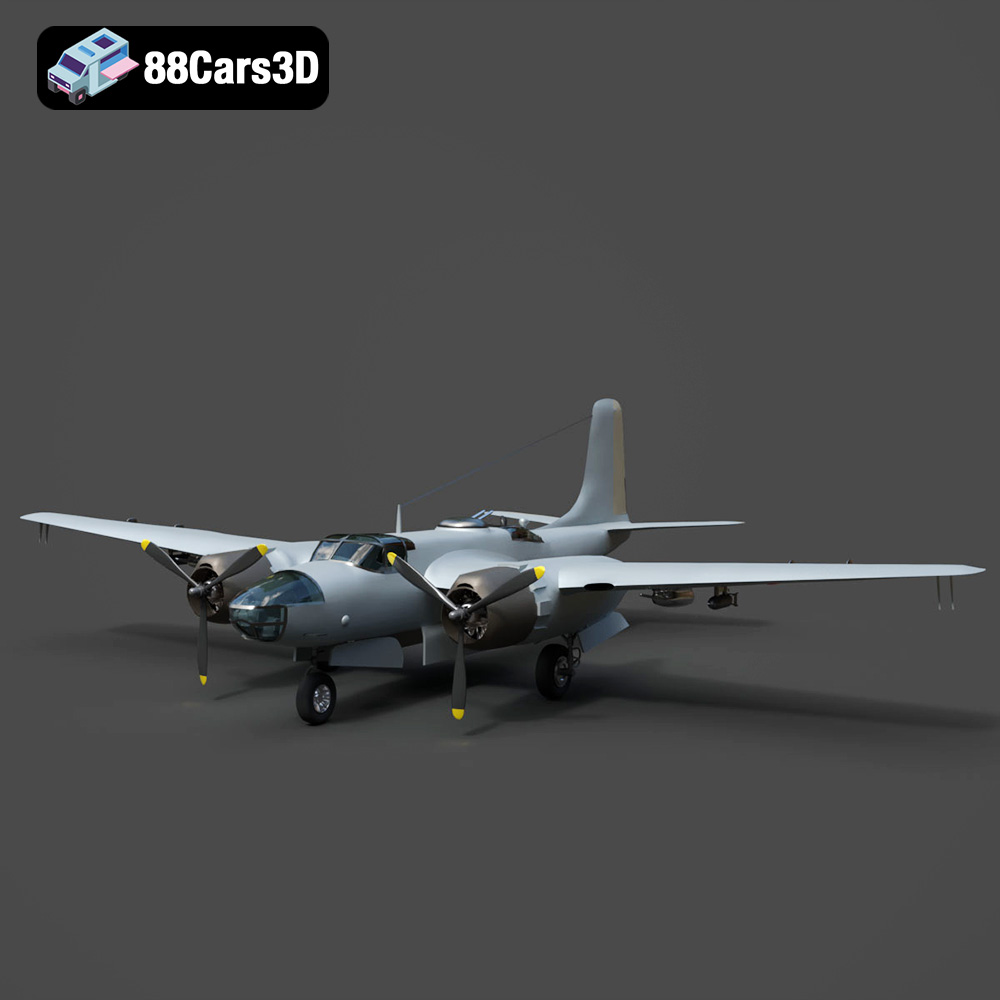
Texture: Yes
Material: Yes
Download the Douglas AB-26C Invader 3D Model featuring authentic historical geometry and separated components for animation (propellers, landing gear, bomb doors). Includes .blend, .fbx, .obj, .glb, .stl, .ply, .unreal, and .max formats for rendering, simulation, and game development.
Price: $10.79
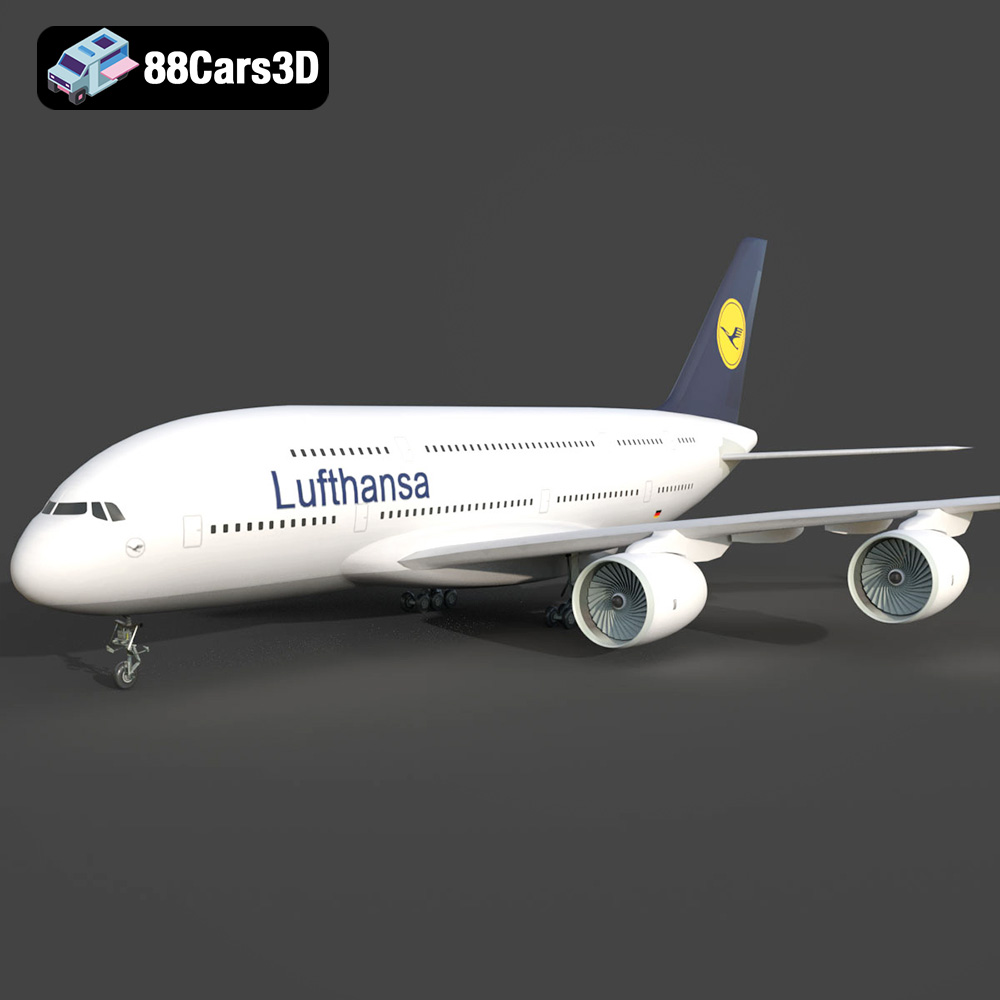
Texture: Yes
Material: Yes
Download the AirBus A380-004 3D Model featuring high-fidelity Lufthansa livery and separable animated control surfaces. Includes .blend, .fbx, .obj, .glb, .stl, .ply, .unreal, and .max formats for rendering, simulation, and game development.
Price: $10.79
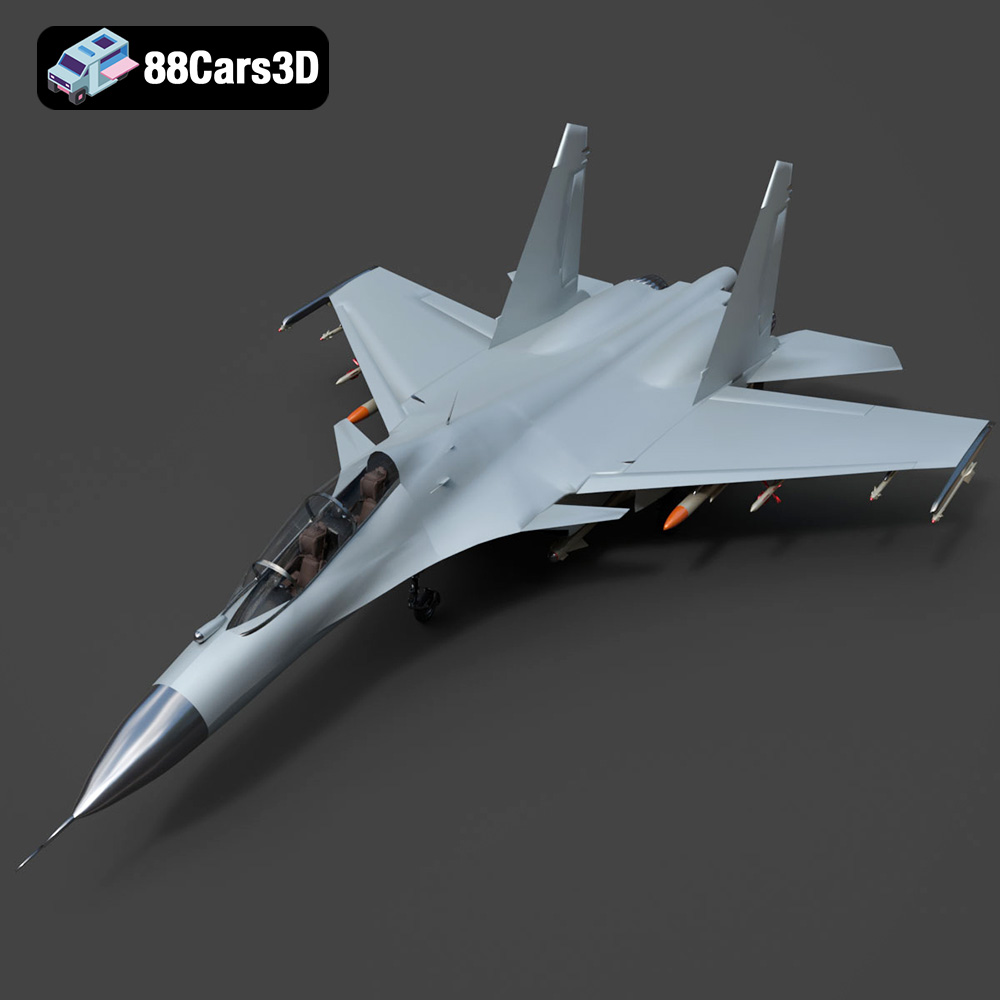
Texture: Yes
Material: Yes
Download the Sukhoi Su-30 Fighter Jet 3D Model featuring authentic aerodynamics and detailed weaponry hardpoints. Includes .blend, .fbx, .obj, .glb, .stl, .ply, .unreal, and .max formats for rendering, simulation, and game development.
Price: $10.79
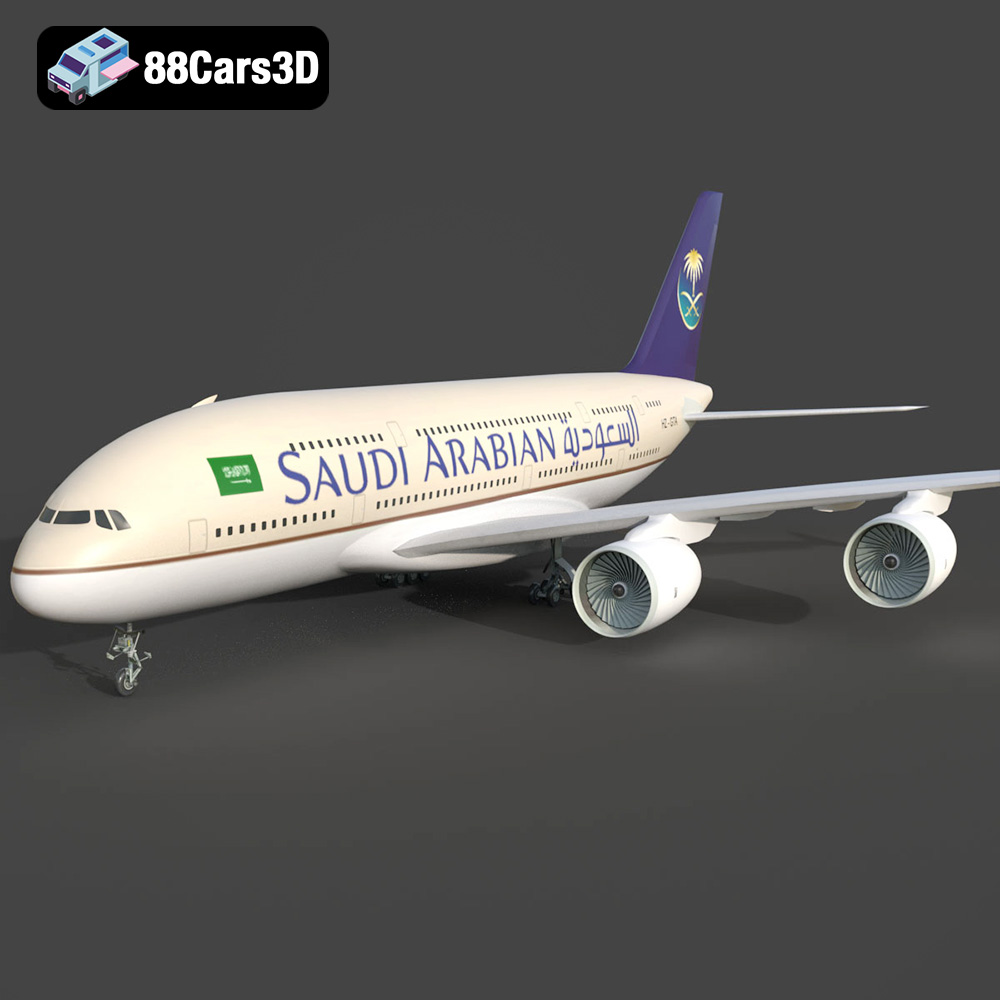
Texture: Yes
Material: Yes
Download the AirBus A380-004 Saudi Arabian 3D Model featuring authentic airline livery and separated animated components. Includes .blend, .fbx, .obj, .glb, .stl, .ply, .unreal, and .max formats for rendering, simulation, and game development.
Price: $10.79
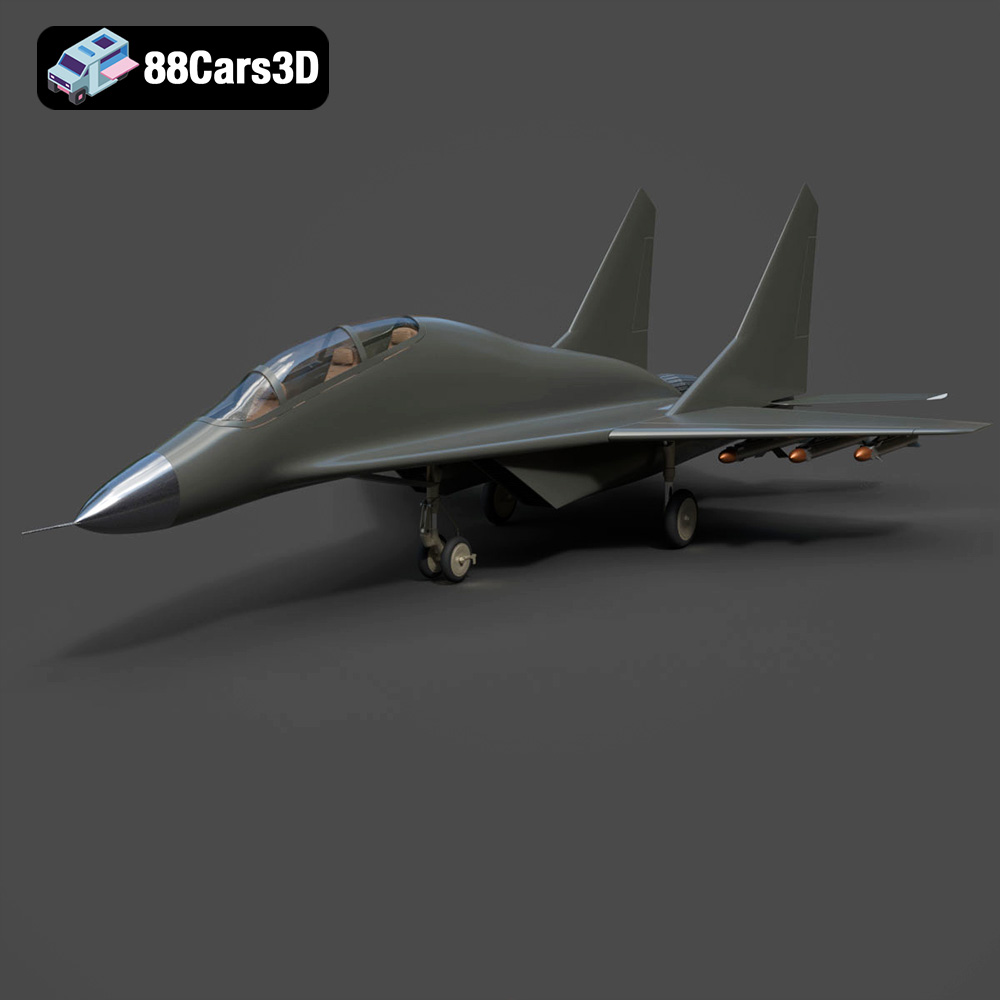
Texture: Yes
Material: Yes
Download the MiG-17 Fighter Jet 3D Model featuring highly detailed control surfaces and realistic landing gear. Includes .blend, .fbx, .obj, .glb, .stl, .ply, .unreal, and .max formats for rendering, simulation, and game development.
Price: $10.79
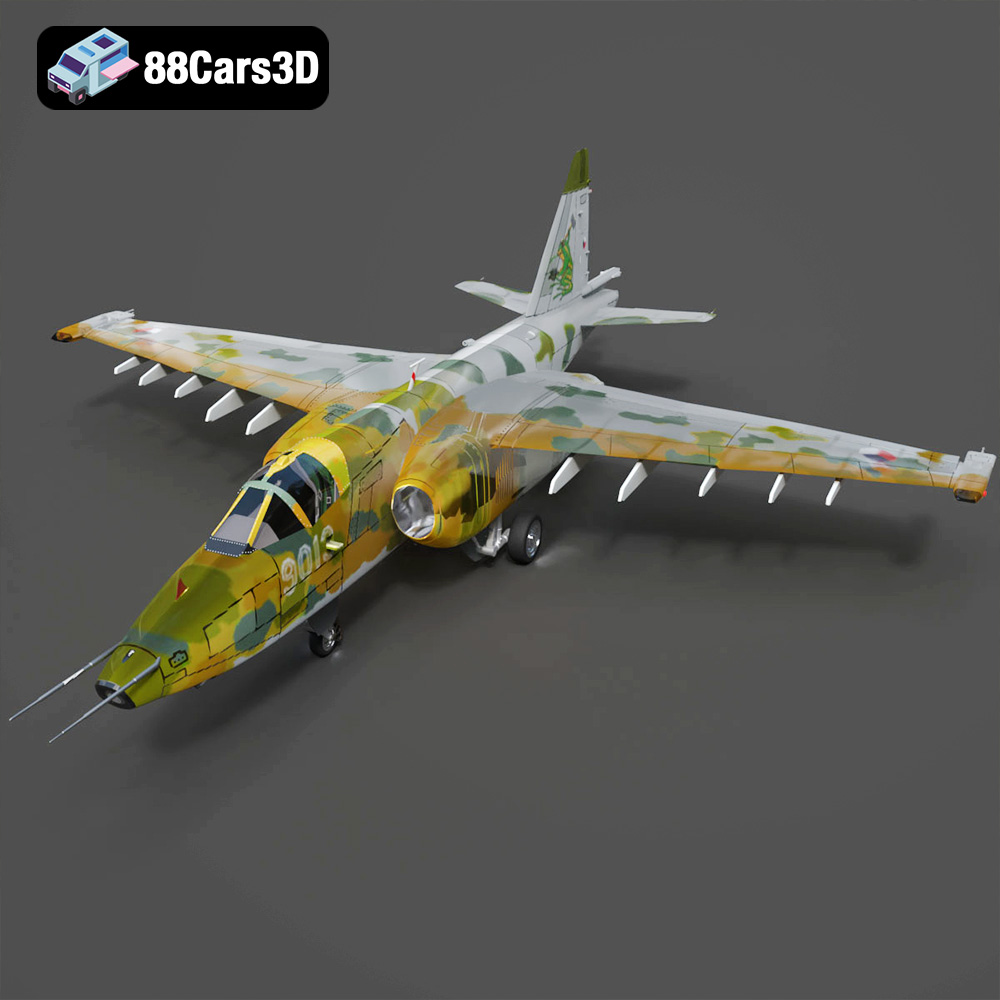
Texture: Yes
Material: Yes
Download the Sukhoi Su-25 3D Model featuring authentic external detailing and optimized components. Includes .blend, .fbx, .obj, .glb, .stl, .ply, .unreal, and .max formats for rendering, simulation, and game development.
Price: $10.79
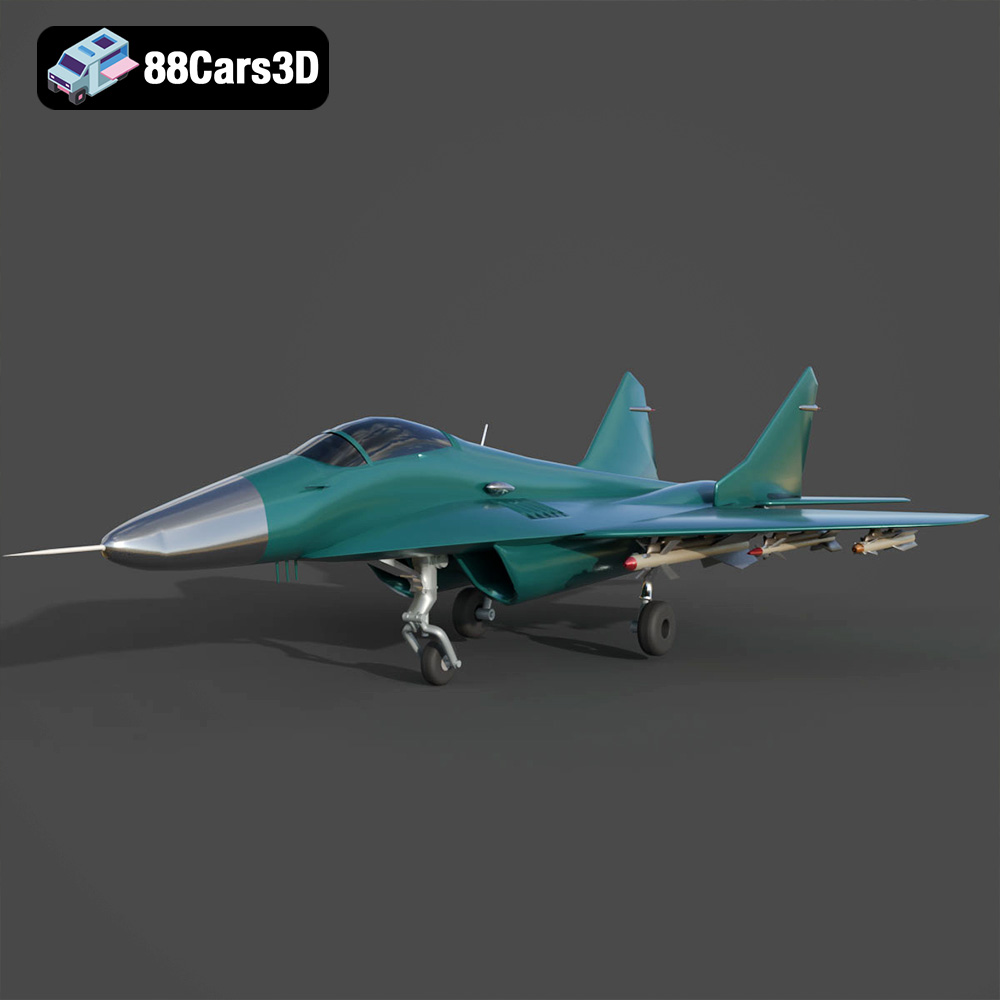
Texture: Yes
Material: Yes
Download the Mikoyan MiG-29 Fighter Jet 3D Model featuring detailed exterior geometry, separated animation components, and a modeled cockpit. Includes .blend, .fbx, .obj, .glb, .stl, .ply, .unreal, and .max formats for rendering, simulation, and game development.
Price: $10.79
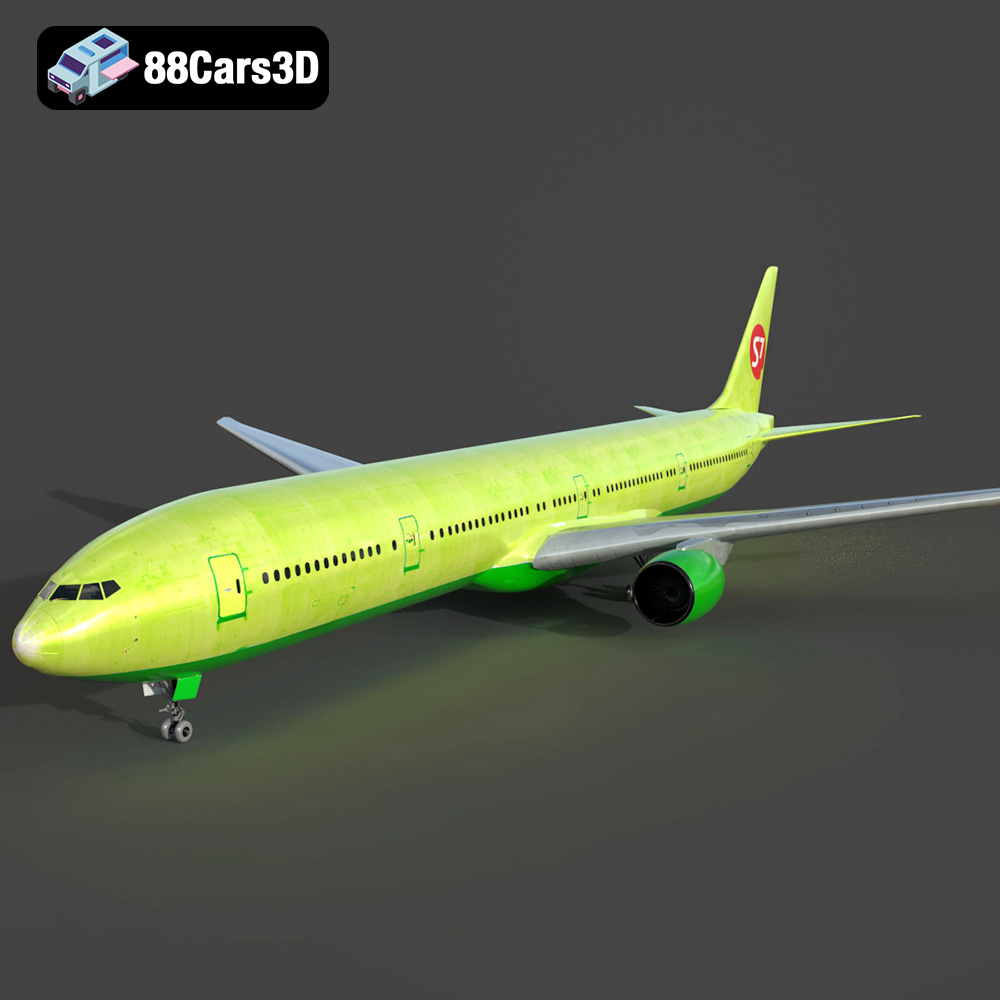
Texture: Yes
Material: Yes
Download the Generic Passenger Jet 3D Model featuring detailed fuselage, fully modeled engines, and operational landing gear. Includes .blend, .fbx, .obj, .glb, .stl, .ply, .unreal, and .max formats for rendering, simulation, and game development.
Price: $20.79
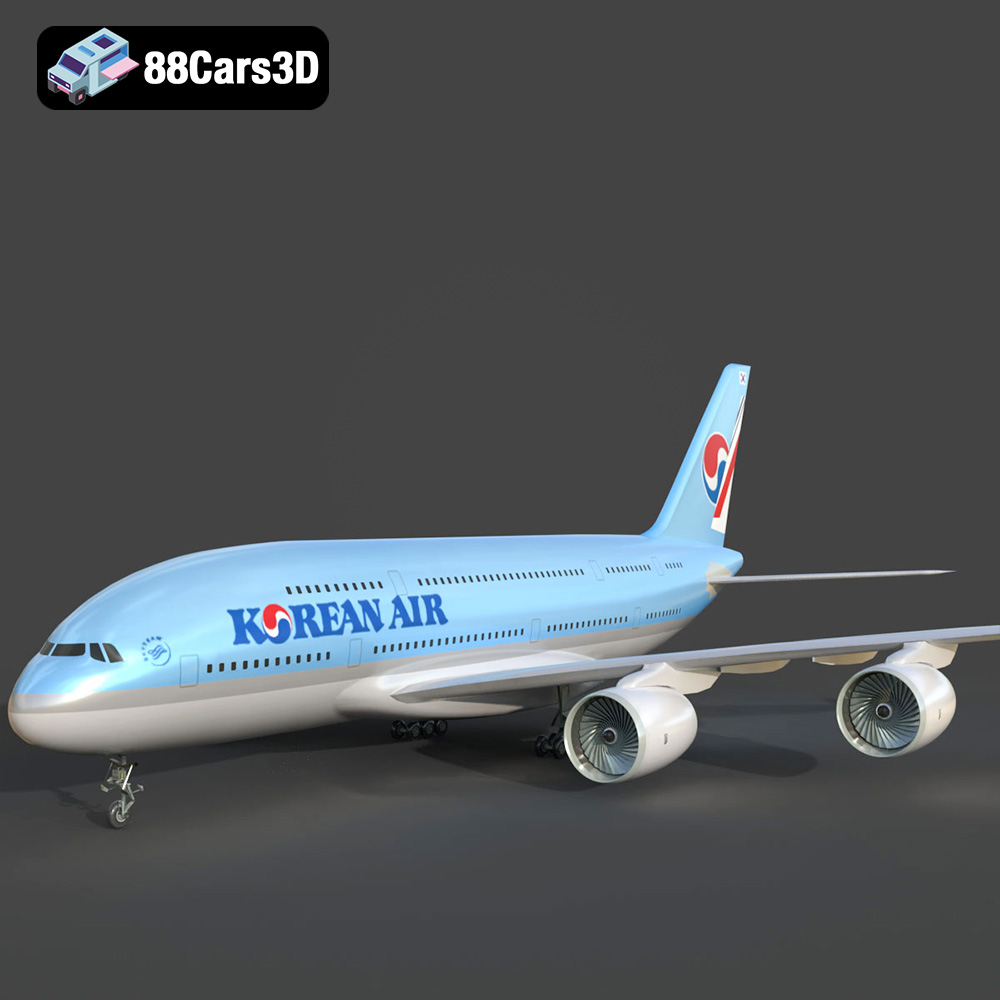
Texture: Yes
Material: Yes
Download the AirBus Korean A380-004 3D Model featuring highly detailed fuselage, wings, and authentic Korean Air livery. Includes .blend, .fbx, .obj, .glb, .stl, .ply, .unreal, and .max formats for rendering, simulation, and game development.
Price: $10.79
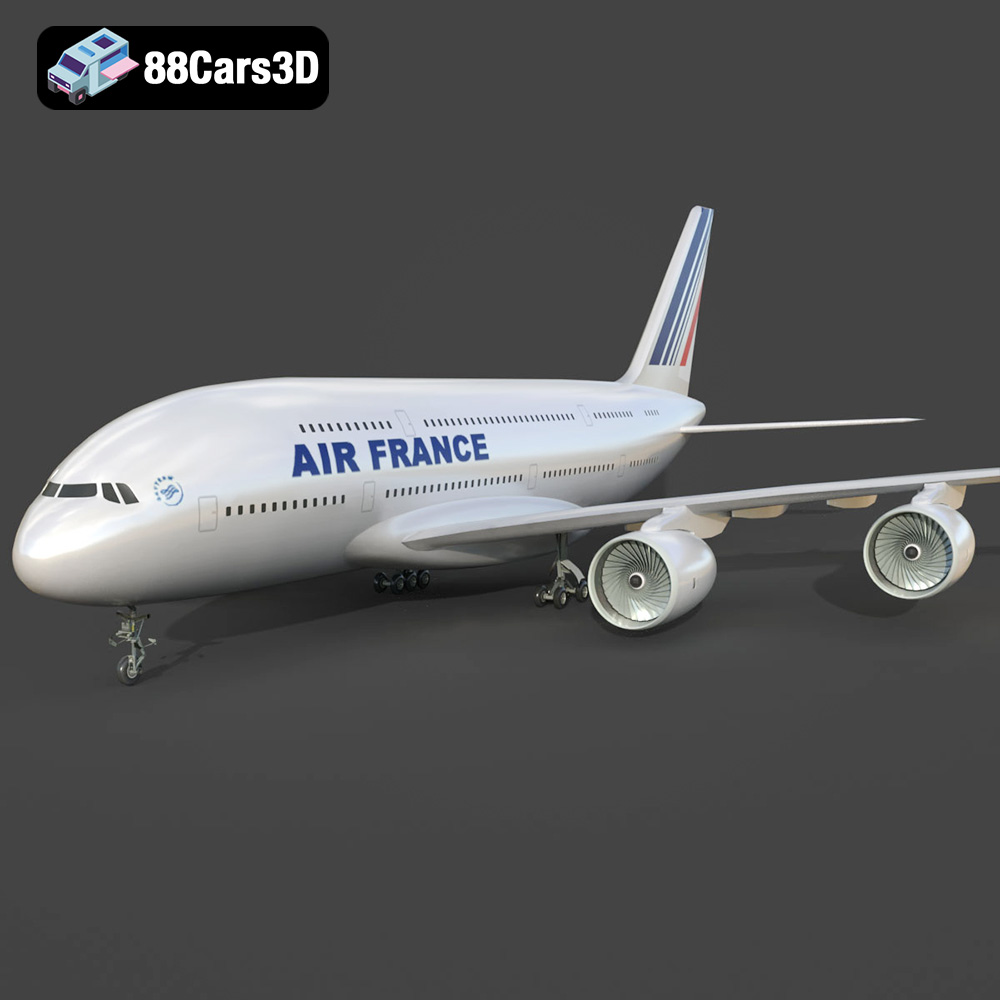
Texture: Yes
Material: Yes
Download the Air France A380 -006 Airliner 3D Model featuring a detailed Air France livery, complex wing structure, and functional landing gear. Includes .blend, .fbx, .obj, .glb, .stl, .ply, .unreal, and .max formats for rendering, simulation, and game development.
Price: $10.79

