
BMW 6 Series Gran Coupe 2013 3D Model – Mastering High-Fidelity Automotive Rendering and Game Asset Development

Mastering High-Fidelity Automotive Rendering and Game Asset Development
The demand for realism in digital environments—whether cinematic advertising, next-generation gaming, or cutting-edge simulation training—hinges entirely on the quality of the assets used. For automotive projects, this means relying on 3D car models that are not only visually accurate but also technically robust and optimized for diverse workflows.
The BMW 6 Series Gran Coupe 2013 represents an intersection of luxury design and powerful performance. Translating this iconic vehicle into a digital asset requires meticulous attention to geometry, materials, and file structure. We are detailing the technical advantages of using a professional-grade model, such as the BMW 6 Series Gran Coupe 2013 3D Model available at 88cars3d.com, and demonstrating how its versatile file structure supports the most rigorous professional demands in automotive rendering and asset integration.
A premium asset ensures clean topology—the foundation for flawless subdivision and deformation required for complex animations like opening doors or close-up studio shots. Furthermore, the inclusion of multiple dedicated file formats dramatically shortens the pipeline, allowing artists and developers to jump straight into production, whether they are working in 3ds Max, Blender, or Unreal Engine.
Understanding 3D Model File Formats: Selecting the Right Asset Pipeline
One of the most frequent technical hurdles professionals face when acquiring 3D car models is determining which file format is appropriate for a specific stage in the pipeline. A truly versatile asset package provides multiple formats, ensuring seamless integration regardless of the target platform—be it a high-end visualization or a low-footprint AR application. The BMW 6 Series Gran Coupe 2013 model is supplied with eight distinct formats, each serving a unique, critical purpose.
.blend – The Blender Workflow Foundation
The .blend file is the native project format for Blender, offering the full, editable scene. This is ideal for users relying on Blender’s robust Cycles or efficient Eevee rendering engines. Crucially, the .blend file provided typically includes pre-configured node-based materials, accurate lighting setups, and full scene hierarchy, allowing for immediate modification and rendering without complex re-setup.
.max – Editable 3ds Max Project for Animation and Rendering
For those rooted in industrial design and high-end visualization, the native .max format (3ds Max) is non-negotiable. This format preserves modifiers, complex rigging, camera setups, and often includes V-Ray or Corona-specific material configurations. It is the primary choice for professional studios focusing on cinematic quality renders and animations, leveraging the extensive tools within the Autodesk ecosystem.
.fbx – The Standard for Real-Time and Interoperability
The .fbx (Filmbox) format remains the industry standard for transferring assets between different applications, especially into game engines like Unreal Engine and Unity. It efficiently supports hierarchical structure, pivot points, and embedded texture paths. For professionals building game assets, the FBX file is essential as it provides the cleanest, most predictable path for mesh importing and scale management into real-time environments.
.unreal – Engine-Ready Asset for Real-Time Environments
The specialized .unreal format represents a significant time saver. This is often a packaged asset or a small project file designed to drop directly into an Unreal Engine content browser. It bypasses many manual setup steps like generating basic collision meshes, importing PBR textures, and configuring material instances, ensuring the vehicle is game-ready immediately after import.
.obj – Universal Format for Cross-Software Compatibility
The venerable .obj (Wavefront Object) format offers unparalleled compatibility. Nearly every piece of 3D software can read an OBJ file. While it lacks support for modern features like complex PBR materials or rigging, it is the reliable choice for foundational geometry transfer or for users who need to import the mesh into niche sculpting or analysis programs.
.glb – Optimized for AR, VR, and Browser-Based Display
The .glb (GL Transmission Format Binary) is the contemporary format optimized for minimal file size and rapid deployment across the web, AR, and VR platforms. GLB packages the mesh, textures, and material information (PBR metallic/roughness workflow) into a single, highly efficient file, making it perfect for instantaneous vehicle previews on websites or mobile augmented reality applications.
.stl – Suitable for 3D Printing Output
The .stl (Stereolithography) format is strictly geometry-based and is the default requirement for 3D printing and rapid prototyping. While the model must be checked for manifold errors and wall thickness prior to printing, including an .stl option ensures that the precise design of the BMW 6 Series Gran Coupe 2013 can be transitioned directly from the digital realm to a physical model.
.ply – Precision Mesh Format for CAD or Analysis
The .ply (Polygon File Format) is less common in standard rendering pipelines but is highly valued in technical fields, often used for storing data from 3D scanning or detailed topological analysis. It is sometimes preferred in CAD conversion workflows or where precise vertex and face normal data integrity is paramount.
Technical Deep Dive: Analyzing the BMW 6 Series Model’s Topology and Specs
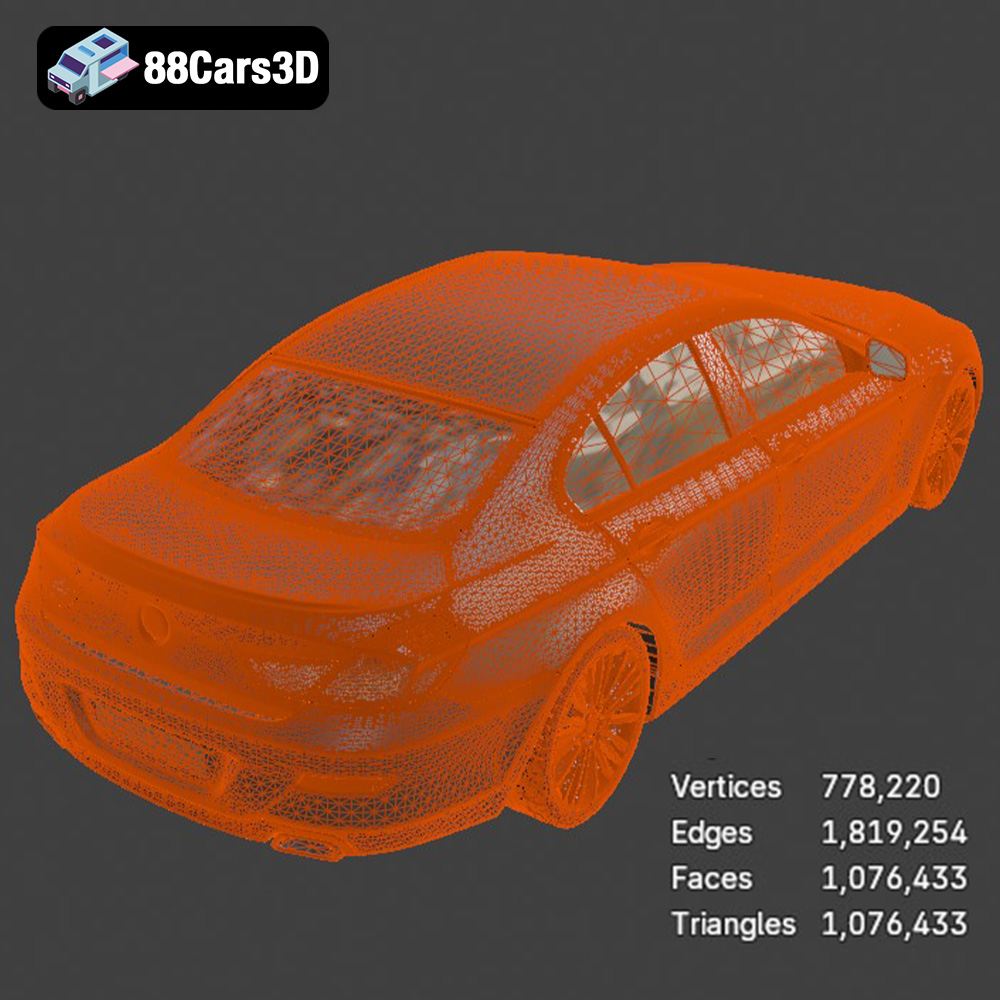
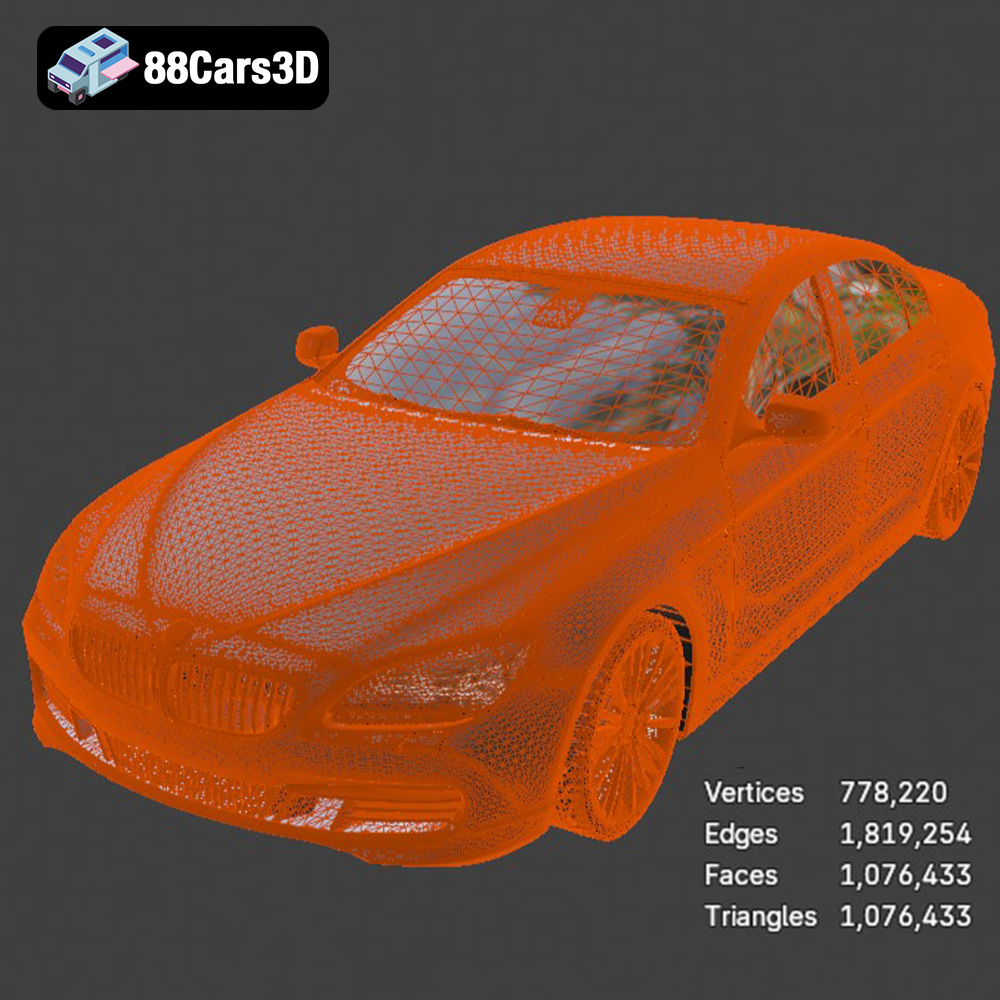
The difference between a consumer-grade model and a professional asset lies in the underlying structure—the mesh geometry. High-quality 3D car models must maintain geometric integrity while managing poly count for efficiency. The BMW 6 Series Gran Coupe 2013 model is built to professional specifications, ensuring flexibility under stress.
Quad-Dominant Topology for Flawless Deformation and Subdivision
A hallmark of professional modeling is the use of clean, quad-dominant topology. Quads (four-sided polygons) are crucial because they ensure predictable subdivision smoothing. When applying subdivision modifiers (like Turbosmooth in 3ds Max or Subdivision Surface in Blender), quads maintain smooth, continuous curves—essential for the sleek body panels of a luxury vehicle like the BMW 6 Series Gran Coupe. Models dominated by triangles or N-gons often result in pinching, artifacts, or unnatural light reflections, which are unacceptable in high-fidelity automotive rendering.
- Seamless Curvature: Quads allow the light to flow naturally across the metallic paint finish.
- Animation Integrity: Separated components like doors, hood, and trunk can be articulated without tearing or deformation issues because pivot points are accurately set and the geometry around panel lines is robust.
Real-World Scale Accuracy and Material Setup
For cinematic or architectural visualization (arch-viz), maintaining real-world scale is non-negotiable. The model is built to its exact dimensions, ensuring seamless integration into scenes calibrated to metric or imperial systems. This is vital for realistic camera optics and physical lighting systems. Furthermore, the material optimization ensures quick setup:
- Car Paint Shader: Professional models separate the base coat, metallic flake, and clear coat layers, allowing for advanced customizability of the paint finish, crucial for achieving that characteristic deep automotive gloss.
- Glass and Chrome: Accurate transparency settings with realistic light refraction for windows, and highly reflective, physically based materials for chrome trim and badging ensure visual authenticity.
Integrating the Asset into Professional Workflow: Blender and 3ds Max Rendering Pipelines
Effective utilization of a premium asset involves knowing how to harness its technical structure within specialized software. Both Blender and 3ds Max offer distinct advantages for automotive rendering projects, and the included native files simplify material and texture setup.
Setting Up a Studio Render in 3ds Max (V-Ray/Corona)
When working with the provided .max file, professionals typically aim for maximum photorealism. This usually involves leveraging third-party rendering engines like V-Ray or Corona. The clean mesh and separated parts facilitate complex lighting scenarios:
- Environment Lighting: Utilize an HDRI (High Dynamic Range Image) within a spherical environment map to simulate realistic reflections on the bodywork.
- Light Placement: Employ soft box or strip lights to accentuate the contour lines of the Gran Coupe, highlighting the distinctive kidney grille and side panels.
- Material Adjustment: Fine-tune the car paint shader provided in the .max file. Focusing on the Fresnel reflection curve and metallic flake density is key to achieving believable metal finishes. The logically organized hierarchy means finding and adjusting the specific tire rubber or leather interior material is straightforward.
Blender Eevee vs. Cycles: Leveraging Material Efficiency
The .blend file allows Blender users to choose between two powerful rendering modes. Cycles offers path-traced photorealism, while Eevee delivers stunning results in real-time, benefiting rapid iteration and preview work.
Because the materials are already configured using Blender’s nodal system (often PBR based), the transition between engines is smooth. Using Eevee, an artist can quickly deploy the BMW 6 Series Gran Coupe into a large scene, adjusting colors and camera angles with instantaneous feedback, making it ideal for rapid iteration on client presentations or pre-visualization stages.
Real-Time Performance: Optimizing Game Assets for Unreal Engine and AR/VR
The requirements for real-time applications are fundamentally different from those of static rendering. Performance, draw calls, and memory footprint become critical. The inclusion of engine-specific formats and the robust geometry of the model ensure excellent performance when used as a premium game asset.
Preparing the Asset for Unreal Engine (Using .fbx and .unreal)
For game development, high-fidelity car models imported via the .fbx or .unreal routes must be specifically optimized. While the full resolution model is excellent for cinematic cuts or showroom floors, open-world environments require optimization techniques:
- Level of Detail (LOD) Generation: The original high-poly model serves as LOD0. Developers must generate lower resolution meshes (LOD1, LOD2, LOD3) to ensure performance when the vehicle is viewed from a distance. The clean, quad-dominant base geometry of the BMW model makes automatic LOD generation tools within Unreal far more effective.
- Collision and Physics Setup: The structure must support accurate physics simulation. Separate collision meshes (simple proxy meshes) are defined to ensure realistic impacts and vehicle handling within the game’s physics blueprint.
The pre-packaged .unreal file available from 88cars3d.com significantly reduces the time spent on mesh optimization and material configuration, accelerating the game development pipeline.
AR/VR Deployment via .glb
Augmented Reality and Virtual Reality demand highly efficient assets due to strict constraints on mobile processors or VR headset capabilities. This is where the .glb format shines. The integrated texture and mesh data in a single file minimize latency and ensure fast loading times—critical for an immersive experience. Deploying the BMW 6 Series Gran Coupe 2013 model in AR allows visualization specialists to project the vehicle into a real-world environment, offering dynamic product visualization that static imagery cannot match.
Beyond Visualization: Leveraging the Model for Simulation and Physical Prototyping
Professional 3D car models are not limited to aesthetic visualization; they serve as fundamental tools in simulation, training, and manufacturing adjacent fields. The technical depth of the BMW 6 Series model enables these diverse applications.
Automotive Design Review and Training Simulations
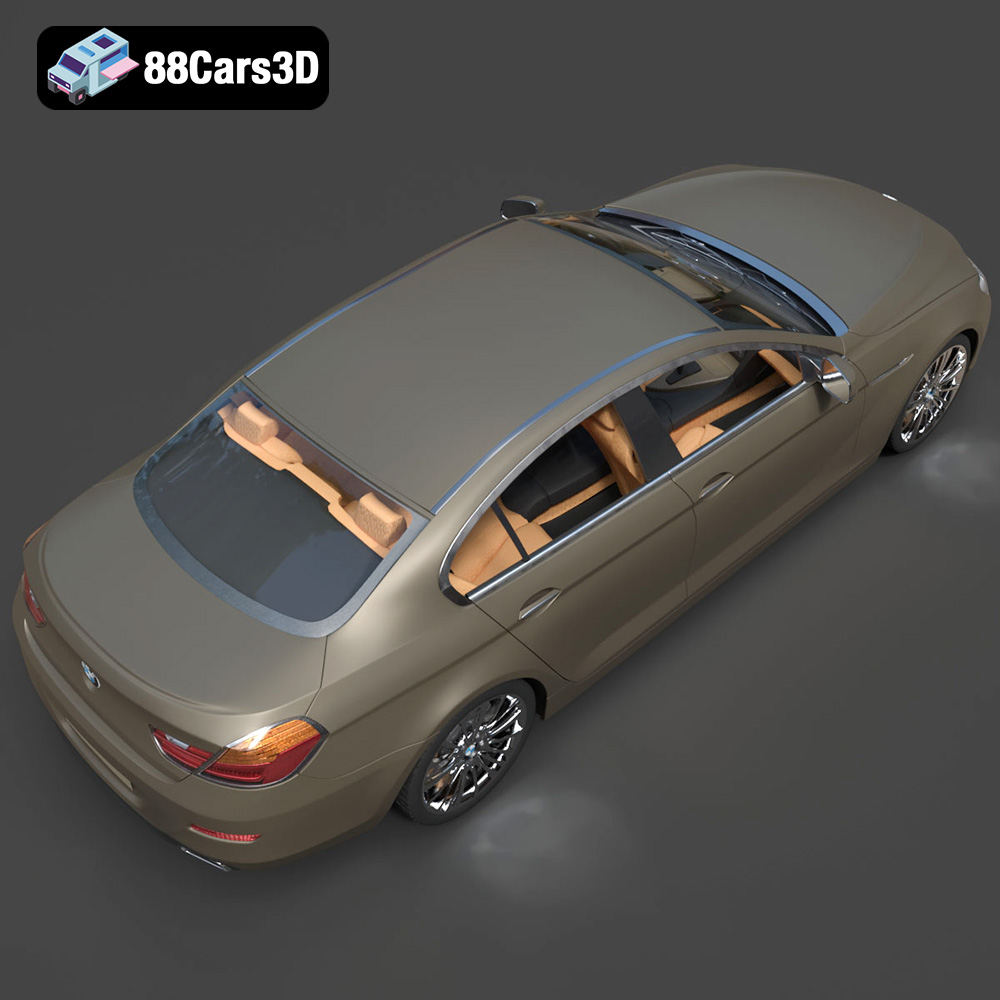
In automotive engineering and marketing, highly detailed models are used for internal design reviews or complex training simulations. The meticulously modeled interior, including the dashboard, instrument cluster, and seating arrangement, allows for realistic VR walkthroughs and operational training modules. For instance, a flight simulator company might use the geometry for technical training scenarios, leveraging the accurate cockpit layout defined in the model’s hierarchy.
Transitioning to Physical Output: The .stl 3D Printing Workflow
The inclusion of the .stl format opens the door to physical prototyping. While 3D printing requires careful scaling and hollowing of the model to save material, the geometry provided is already topologically sound. Architects, designers, and collectors can use this format to produce high-detail physical representations of the BMW 6 Series Gran Coupe 2013 for desktop display or functional wind tunnel tests (scaled appropriately). The availability of the .ply format further supports workflows requiring precise mesh integrity for advanced measurement or analysis before printing.
Conclusion: Elevating Your Automotive Projects with 88cars3d.com
Successfully executing projects that demand high-quality automotive rendering or the creation of robust game assets hinges on starting with superior source material. The BMW 6 Series Gran Coupe 2013 3D Model exemplifies the standard necessary for professional production—providing clean topology, accurate scale, and comprehensive material setups.
The technical versatility offered by the eight included file formats, ranging from native project files (.max, .blend) for deep customization, to optimized formats for real-time (.fbx, .unreal, .glb) and physical output (.stl, .ply), ensures that this asset seamlessly integrates into any pipeline. By choosing premium 3D car models from marketplaces like 88cars3d.com, professionals can focus their energy on creative execution rather than tedious mesh cleanup and format conversions, guaranteeing stunning results across all visualization and simulation endeavors.
Featured 3D Model
BMW 6 Series Gran Coupe 2013 3D Model
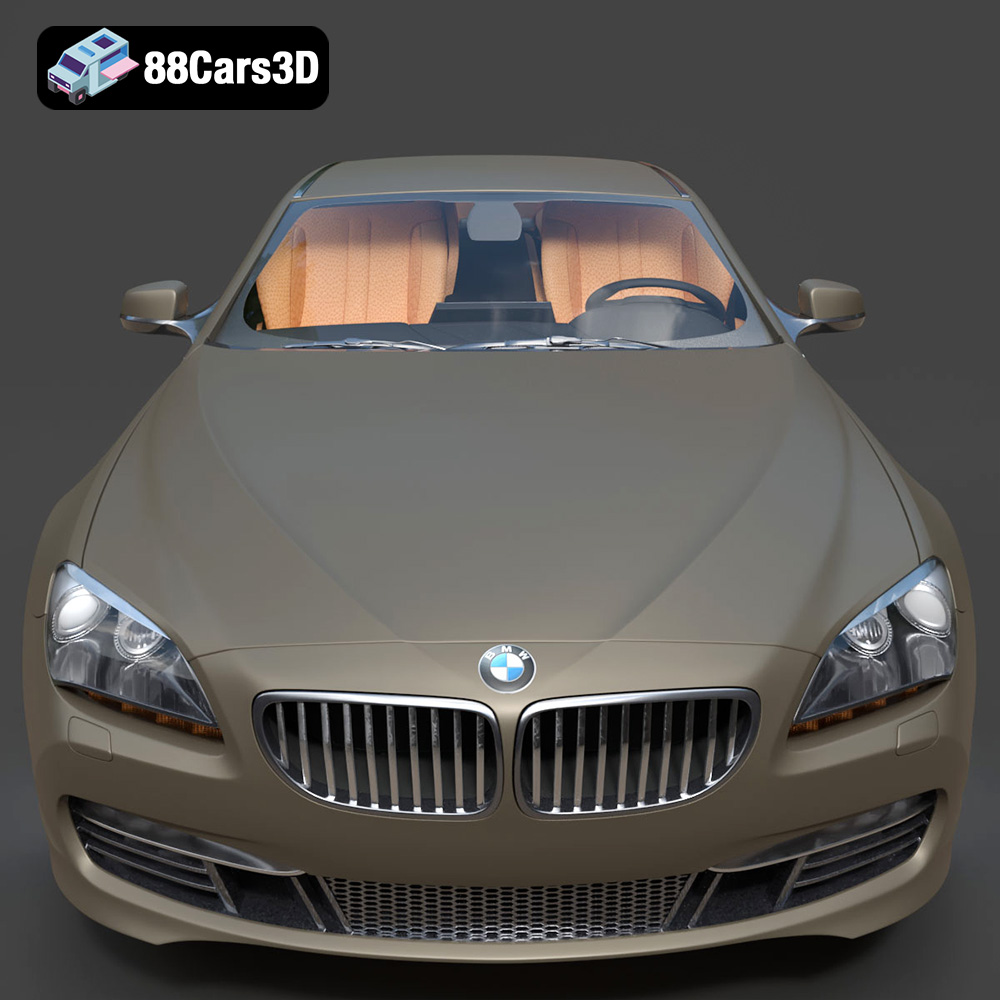
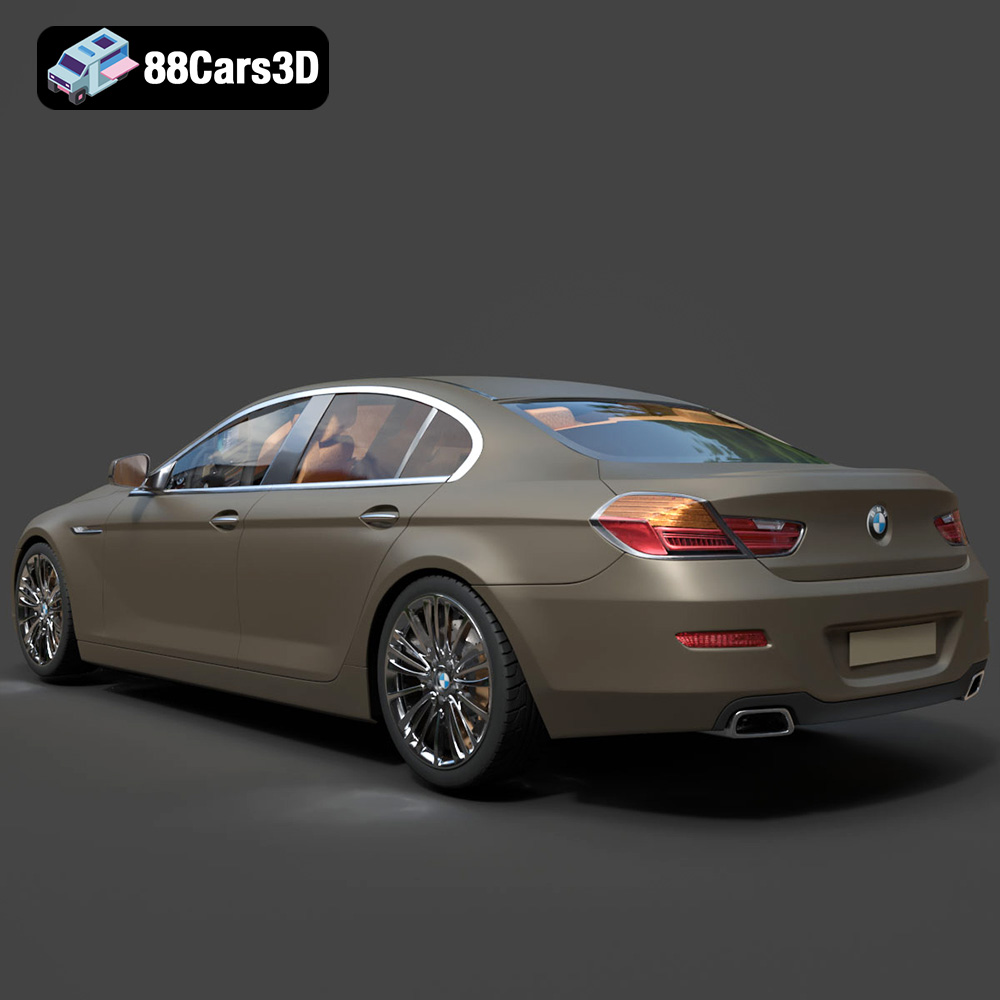
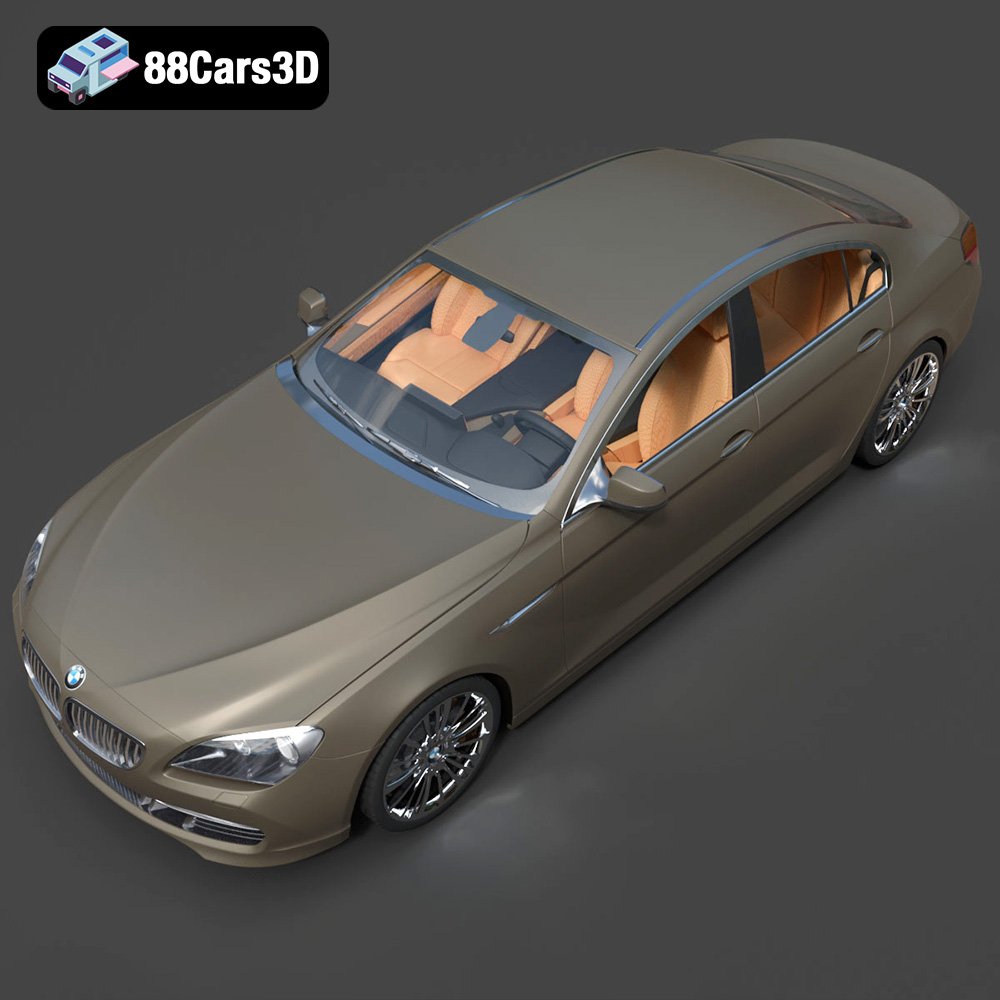
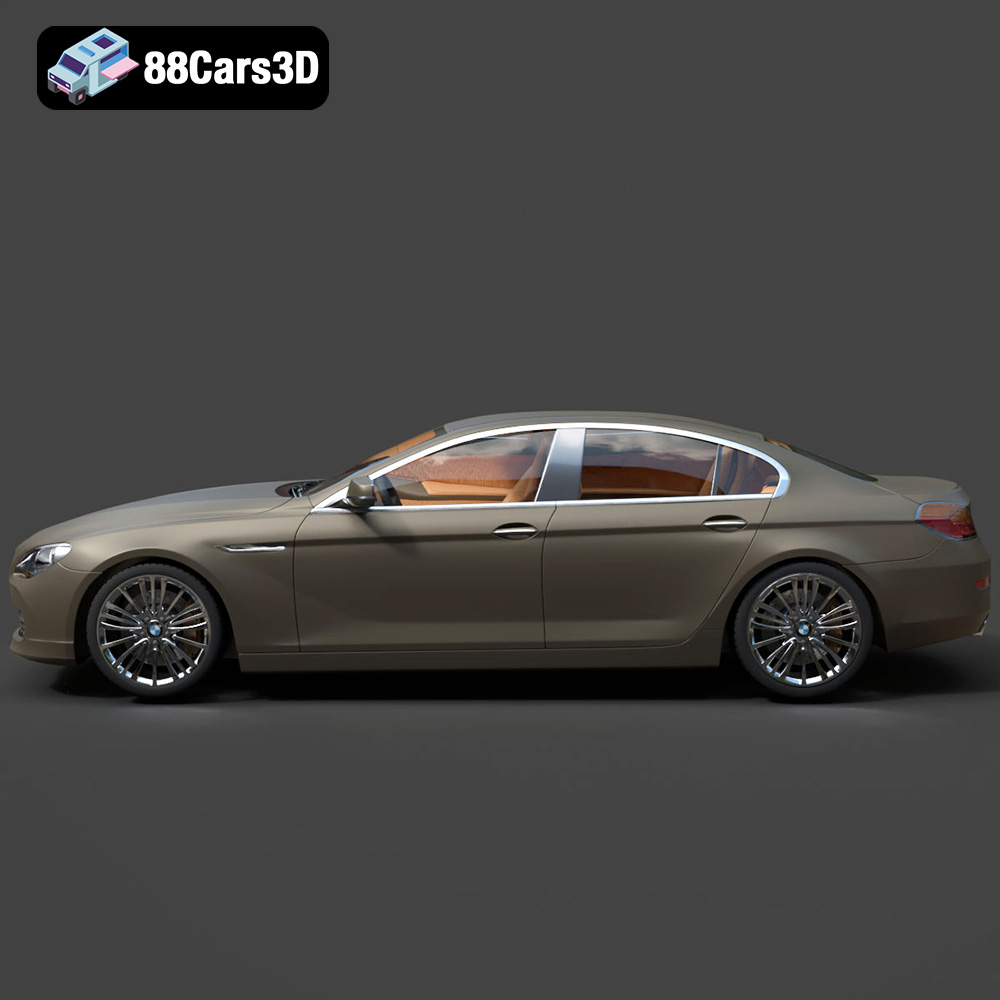
Experience the sophistication and dynamic design of the BMW 6 Series Gran Coupe 2013 with this meticulously crafted 3D model. Representing the pinnacle of luxury sports sedans, this model captures the elegant lines, powerful stance, and distinctive character of the renowned vehicle. Built with clean geometry and balanced detailing, it is optimized for a wide range of applications, from high-fidelity rendering and cinematic animations to real-time simulations and robust game development environments.
$20.79
Product Image Gallery

Related Tags
.6seriesgrancoupe
.arvr
.blend
.bmw
.fbx
.gameasset
.glb
.grancoupe
.luxurycar
.max
.obj
.ply
.rendering
.sedan
.simulation
.stl
.unreal
