
BMW M3 Coupe E92-002 3D Model – The Anatomy of a Professional 3D Car Model: Why Topology Matters

The convergence of high-fidelity 3D modeling and demanding professional workflows requires assets that are not merely visually accurate but structurally engineered for performance. Whether you are developing a AAA racing title, crafting an architectural visualization, or producing cinematic automotive advertising, the foundational quality of your 3D car models determines the success and efficiency of your project.
Few vehicles command as much respect in both the real and digital worlds as the BMW M3. The E92 generation, specifically, represents a pinnacle of aggressive yet refined German engineering. Capturing this complexity in a digital medium demands meticulous attention to topology, UV mapping, and material calibration. We recently reviewed a prime example of this professional-grade asset, the BMW M3 Coupe E92-002 3D Model, available through the specialized marketplace 88cars3d.com.
This comprehensive guide dives deep into the technical requirements for integrating advanced automotive assets into various pipelines—from real-time game engines like Unreal to high-end rendering suites such as 3ds Max and Blender. We will explore the technical specifications that define a truly professional asset and detail how the E92 M3 model provides a robust foundation for diverse visualization projects.
The Anatomy of a Professional 3D Car Model: Why Topology Matters
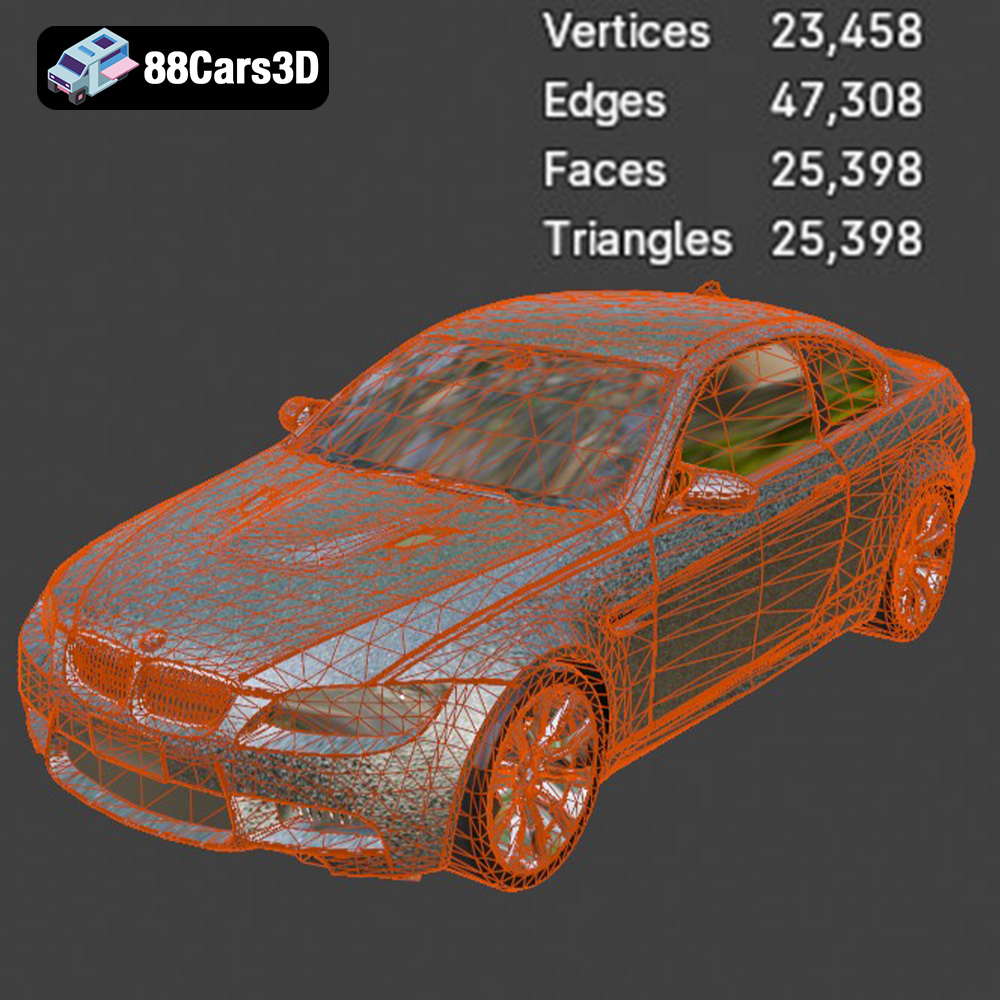
When selecting a 3D car model, the visual appeal is often the first consideration, but the underlying geometry—the topology—is what truly dictates usability and fidelity. Professional assets like the BMW M3 Coupe E92-002 are built with clean, quad-dominant topology, which is essential for numerous reasons in automotive rendering and visualization.
Understanding Quad-Dominant Geometry
Quads (four-sided polygons) are the industry standard for modeling organic shapes and complex curvature, such as car bodies. Unlike triangles (tris) which can lead to pinching and inconsistent shading, quads allow surfaces to deform predictably and smoothly. This is crucial when utilizing subdivision surface modifiers (like TurboSmooth in 3ds Max or Subsurface in Blender) to achieve ultra-high fidelity renders without manually increasing the base mesh density.
- Subdivision Efficiency: Clean quads ensure that subdivision algorithms produce smooth, artifact-free surfaces, preserving the design intent of the E92 M3’s body lines and contours, even in extreme close-up shots.
- Animation Readiness: If the model needs to deform slightly during complex animation (e.g., body panels reacting to force or subtle suspension movement), quad topology handles the deformation much more predictably than dense, triangulated meshes.
- Texture Mapping (UVs): Clean topology simplifies the process of creating efficient UV layouts, minimizing texture stretching and maximizing texel density across key areas like the hood, fenders, and roof.
The Importance of Scene Organization and Pivots
A high-quality game asset or rendering model must be ready to integrate immediately into a project pipeline. The BMW M3 Coupe E92-002 model features a logically organized hierarchy, which significantly reduces setup time. This means components like doors, hood, trunk, and wheels are separated and correctly named, ready for rigging.
Crucially, pivots (the rotation centers) are accurately set for mechanical movement. For instance, the door pivots are positioned correctly on the hinges, and the wheels are centered on their axles. This enables immediate creation of dynamic animations—from opening doors in a virtual showroom to simulating realistic driving sequences—without manual correction.
Understanding 3D Model File Formats
The versatility of a professional 3D car model is often measured by its compatibility across various software ecosystems. The BMW M3 Coupe E92-002 model is supplied with an extensive range of formats, ensuring its utility in rendering, simulation, and game development environments. Understanding the purpose of each format is key to optimizing your workflow.
Detailed Format Breakdown for Professional Workflows
The following formats each serve a distinct purpose, tailored for specific stages of the production pipeline:
- .blend – Fully Editable Blender Scene: This is the native file for Blender users. It includes the entire scene setup—mesh data, optimized materials (often configured for Cycles or Eevee), lighting rigs, and sometimes basic camera setups. Using the native file guarantees that all procedural textures and modifiers are intact, offering maximum editability and immediate rendering capabilities.
- .fbx – The Real-Time Standard: FBX (Filmbox) is the universally accepted format for transferring 3D data between DCC (Digital Content Creation) tools and game engines (Unity, Unreal). It excels at carrying complex data, including hierarchical structures, material slots, rigging, animation curves, and embedded or referenced texture paths. It is the ideal intermediary format when preparing the E92 M3 model for real-time environments as a robust game asset.
- .obj – Universal Compatibility: OBJ (Object) is the simplest, most universal interchange format. It reliably transfers geometry and basic UV information. While it may not carry advanced features like bone rigging or complex PBR materials (often using supplementary MTL files for basic material properties), its robust nature makes it the go-to choice for ensuring compatibility across obscure or legacy 3D applications.
- .glb – Optimized for AR/VR and Web: GLB (GL Transmission Format Binary) is crucial for modern interactive experiences. It bundles the geometry, materials, textures, and animation data into a single, highly compressed file. GLB is the standard for efficient delivery of 3D content over the web, making it perfect for embedding the E92 M3 into virtual showrooms, augmented reality apps, or browser-based configurators.
- .stl – Precision for 3D Printing: STL (Stereolithography) is primarily used for additive manufacturing (3D printing). This format represents the surface geometry using a mesh of triangles. While the high-resolution render mesh must often be watertight and adjusted for wall thickness, providing an .stl-ready model simplifies the process of creating high-quality physical prototypes or scale models of the BMW M3 Coupe.
- .ply – Precision Mesh Format: PLY (Polygon File Format) is often used for data acquired via 3D scanning or for workflows requiring precise mesh analysis, common in CAD or engineering visualization. It can store data beyond vertices and faces, such as color, transparency, and range data, making it useful for integration into technical simulation software.
- .unreal – Engine-Ready Asset: This is often a pre-configured Unreal Engine project or highly optimized FBX/asset setup tailored specifically for the Unreal environment. It includes correctly set up PBR materials, optimized LODs (Levels of Detail), and sometimes pre-imported collision meshes, significantly accelerating the integration process for Unreal Engine developers using the E92 M3 model.
- .max – Editable 3ds Max Project: The native 3ds Max file provides the highest level of editing fidelity within Autodesk’s software. It retains all editable modifiers, camera setups, lights, and V-Ray or Corona material configurations. For professionals heavily invested in complex automotive rendering and animation, the .max file guarantees access to the original scene construction.
The availability of all these formats on 88cars3d.com ensures that buyers can seamlessly transition the BMW M3 Coupe E92-002 model across diverse professional pipelines without loss of quality or requiring time-consuming conversions.
Real-Time Integration: Optimizing the M3 for Game Engines
The demand for high-quality game assets is immense, particularly in the racing simulation and open-world genres. Integrating a complex asset like the BMW M3 Coupe E92-002 into engines like Unreal or Unity requires specific optimization steps to ensure it runs smoothly at high frame rates.
Level of Detail (LOD) Implementation
While the base mesh of a professional car model is high-fidelity for close-up shots, rendering this full resolution across an entire game map is prohibitively expensive. The solution is creating LODs—simplified versions of the mesh that are swapped based on the distance from the camera.
- LOD0 (High Poly): Used for immediate foreground viewing; maintains all brake caliper, headlight, and interior detail. Typically the base mesh provided.
- LOD1 & LOD2 (Medium Poly): Aggressively reduces the polygon count on non-essential components (like underbody details or high-frequency mesh on the interior) while preserving the overall silhouette.
- LOD3 (Low Poly): Used for cars viewed far in the distance, often reduced to a few thousand polygons, relying primarily on baked textures for detail.
Although the asset provides the high-fidelity geometry, developers benefit immensely from the clean topology as it makes automatic LOD generation (via tools within Unreal or Blender) far more accurate and efficient.
Setting Up PBR Materials in Unreal Engine
Modern automotive rendering relies heavily on Physically Based Rendering (PBR). For the E92 M3, achieving realistic metallic flakes on the paint, accurate reflections on the glass, and proper subsurface scattering on plastic requires correctly configured PBR texture maps (Albedo/Base Color, Metallic, Roughness, Normal, and sometimes Ambient Occlusion).
Using the provided .fbx or .unreal files, the pipeline involves importing the mesh, creating a master PBR material using the engine’s node graph, and assigning the texture maps to their respective input channels (Base Color, Roughness into the specular/roughness channel, Normal map for micro-surface detail). The clean UV mapping on the model ensures that these textures wrap flawlessly around the complex curvature of the BMW body.
High-Fidelity Automotive Rendering Workflows
For cinematic trailers, marketing materials, or architectural visualization (archviz), the goal is photorealism, often achieved through offline rendering solutions like V-Ray, Arnold, or Cycles. The technical advantage of the BMW M3 Coupe E92-002 model lies in its readiness for these demanding environments.
Refined Materials in 3ds Max and V-Ray
In 3ds Max, the provided .max file allows direct access to the scene structure. Achieving the iconic BMW paint finish requires specialized material setups:
- Car Paint Shader: Utilizing a multi-layered V-Ray material that includes a base metallic layer (responsible for color and metallic reflections) and a clear coat layer (high gloss, low roughness) to simulate the depth and complexity of modern automotive finishes.
- Headlight Glass and Lenses: Requires careful use of refraction and absorption channels, ensuring that light interacts realistically with the transparent materials protecting the detailed headlight assemblies.
- Interior Fidelity: The detailed interior components—dashboard, seats, console—benefit from layered materials that simulate fabrics, leather, and soft plastics accurately, ensuring the model stands up to close-up interior shots.
Leveraging Blender for Non-Destructive Workflows
The included .blend file is ideal for users employing Blender’s non-destructive workflows. The clean topology means artists can utilize Blender’s geometry nodes to add subtle variations, such as randomized surface imperfections or layered decals, without permanently altering the base mesh. Cycles rendering, known for its powerful global illumination, handles the highly reflective surfaces of the M3 with efficiency, leveraging the accurate real-world scale of the model for perfect light bounce calculations.
Beyond Visualization: AR/VR and Simulation Applications
Professional 3D car models are no longer limited to static renders or traditional games. They are fundamental assets in emerging technologies, particularly AR/VR and specialized driving simulation systems.
Optimizing for AR/VR Showrooms
Augmented Reality (AR) and Virtual Reality (VR) environments demand highly optimized assets to maintain responsive frame rates and prevent user nausea. The key here is the .glb format, which is streamlined for delivery over mobile and dedicated VR hardware. The BMW M3 E92-002, when converted or supplied in .glb, ensures that the mesh density is manageable while retaining critical visual detail. Creating a VR showroom experience means the user can walk around the M3 model, open doors, and examine the interior in full 1:1 scale, relying on the model’s accurate real-world dimensions.
Engineering and Simulation Rigor
For driving simulators, the accuracy of the geometry extends to mechanical components. The model’s detailed underbody, suspension elements, and accurate brake configurations enhance the realism for simulation purposes. Furthermore, the availability of formats like .ply suggests its suitability for integration into CAD software or engineering analysis tools, allowing firms to visualize aerodynamic flow or structural stress on a digitally accurate representation of the E92 chassis.
Case Study: Integrating the E92 M3 into a Cinematic Environment
Imagine a scenario where a marketing agency needs to create a 30-second cinematic spot featuring the BMW M3 Coupe E92-002 driving through a stylized city. The timeline is tight, and the quality must be pristine. This is where a pre-engineered asset from a marketplace like 88cars3d.com proves its value.
The Efficient Workflow Pipeline
- Acquisition & Import: The team downloads the .fbx file and imports it into their Maya or Cinema 4D animation package. The clean hierarchy and pre-set pivots mean the car is instantly ready for rigging and animation.
- Rigging & Animation: A simple automotive rig is applied. The separated wheels and control surfaces (doors, steering wheel) are instantly controllable. Animators focus on the driving physics and camera movements, not model cleanup.
- Texturing & Look Development: The PBR texture maps are loaded and applied to a standard Arnold or Octane shader. Since the UVs are clean, the material look development is focused purely on aesthetic refinement (e.g., adding slight dust or subsurface detail to the tires) rather than correcting stretching.
- Final Output: The efficiency gained by starting with a professionally optimized base mesh allows the rendering team to allocate more time to lighting and final composition, resulting in a high-fidelity automotive rendering output delivered ahead of schedule.
The attention to detail on features like the accurate brake caliper modeling and realistic tire tread ensures that even fleeting high-speed shots maintain visual integrity.
Conclusion: The Indispensable Value of Engineered Assets
The modern professional landscape—spanning high-end visualization, interactive media, and game development—demands exceptional quality and technical rigor in 3D car models. The BMW M3 Coupe E92-002 3D Model exemplifies an asset engineered not just for aesthetics but for seamless, high-performance integration into virtually any digital workflow.
From its quad-dominant topology, which ensures perfect subdivision and animation readiness, to the comprehensive package of specialized file formats (.blend, .fbx, .unreal, .glb), this model minimizes preparation time and maximizes creative potential. For studios and individual artists requiring reliable, high-fidelity game assets and unparalleled quality for automotive rendering projects, investing in meticulously crafted models like this one, found on marketplaces such as 88cars3d.com, is an essential strategic decision.
Featured 3D Model
BMW M3 Coupe E92-002 3D Model
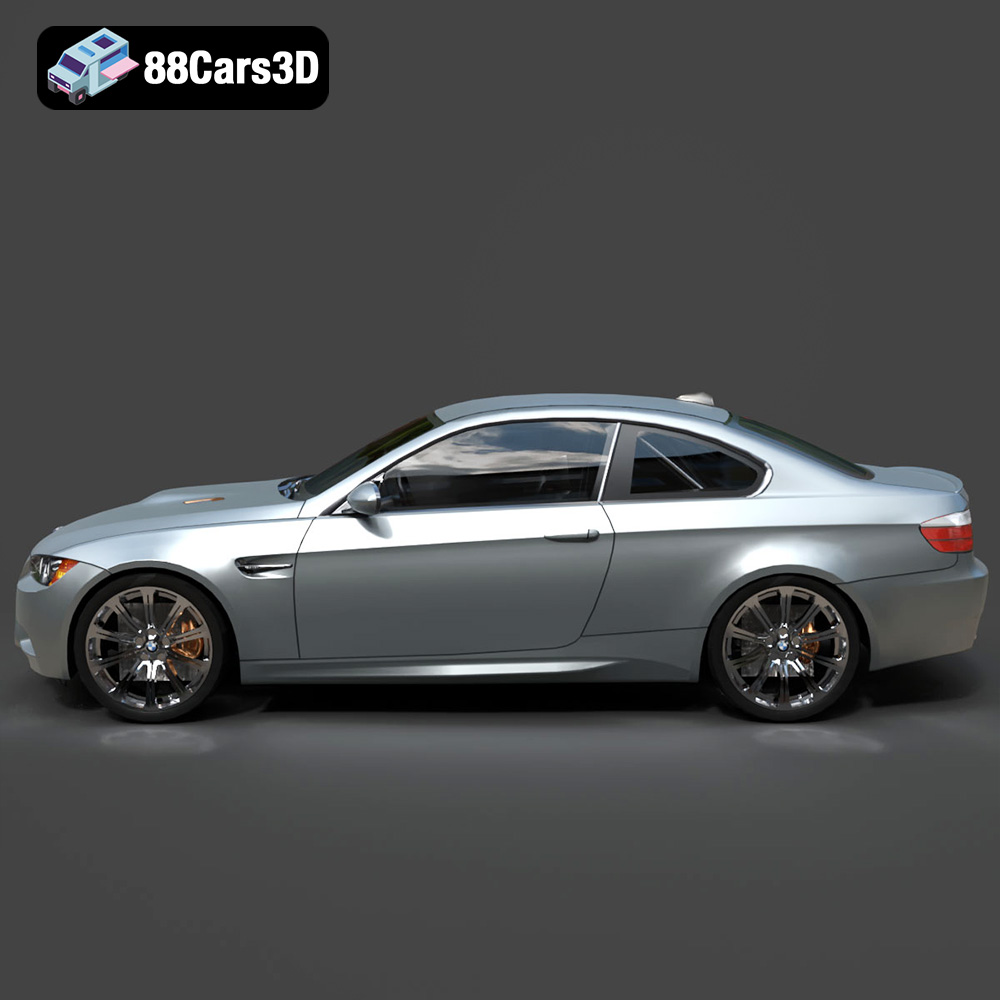
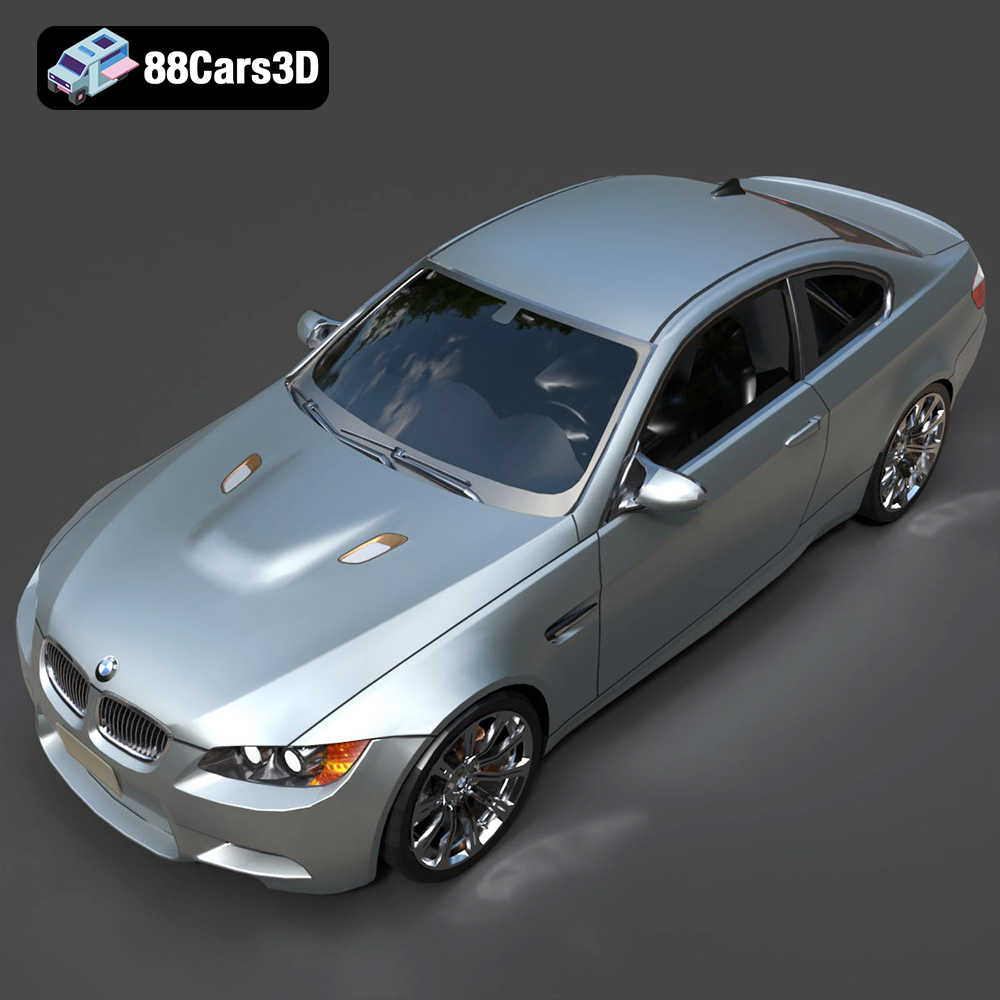
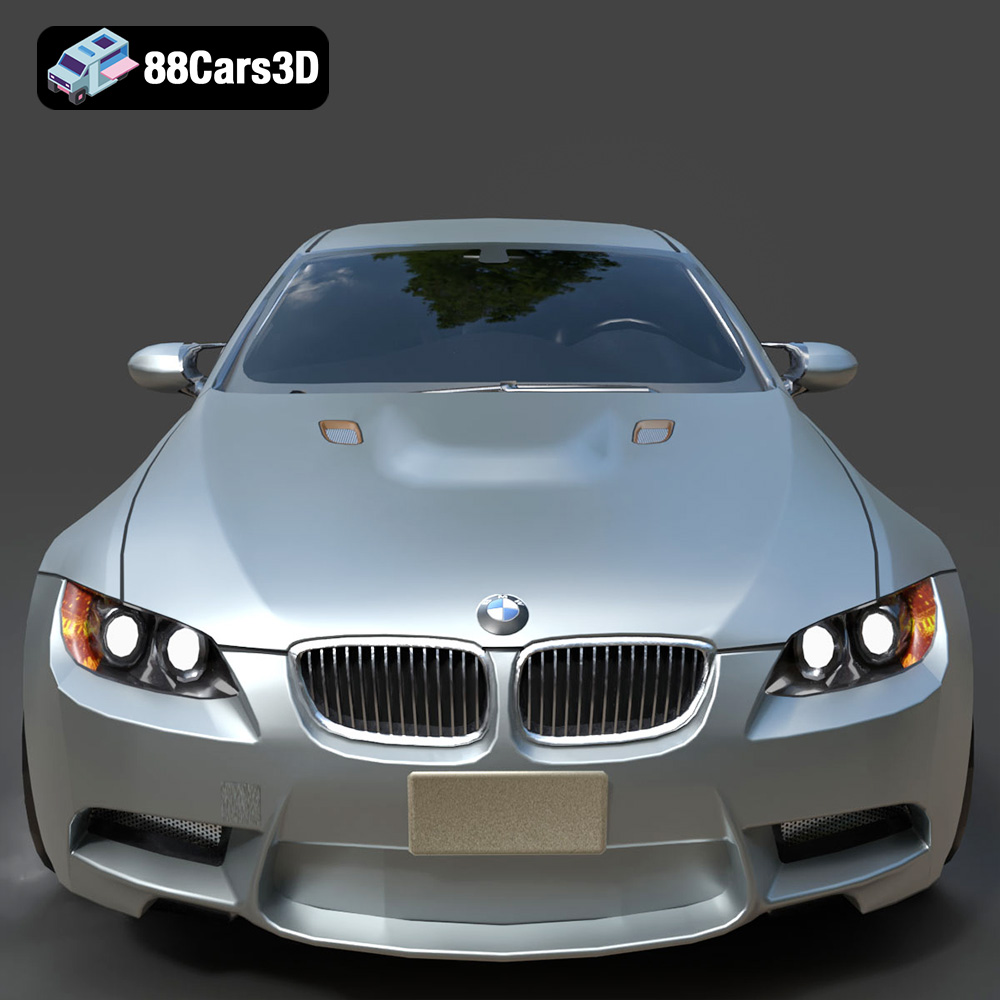
Immerse yourself in the world of high-performance automotive design with this professional 3D model of the BMW M3 Coupe E92-002. This model meticulously captures the aggressive stance and iconic styling of BMW’s renowned sports coupe, offering an authentic digital representation. Engineered with clean geometry and balanced detailing, it is optimized for a wide range of applications, including high-fidelity rendering, dynamic animation sequences, realistic simulations, and integration into modern game development pipelines.
Exterior Features:
- Authentic body styling replicating the E92 M3’s distinctive lines and contours.
- Detailed headlights and taillights with realistic material shaders for optimal illumination.
- Precisely modeled wheels and tires, featuring accurate tread patterns and brake caliper details.
- Transparent window materials for realistic reflections and interior visibility.
- Separated components such as doors, hood, trunk, and wheels, prepared for animation workflows.
Interior / Mechanical Features:
- Faithful interior detailing, including dashboard, sport seats, steering wheel, and central console elements.
- Optimized mesh quality to ensure efficient rendering while maintaining visual fidelity for both interior and exterior components.
- Consideration for underbody details and suspension elements, enhancing realism for simulations and close-up views.
Technical Advantages:
- Clean, quad-dominant topology for smooth subdivision and professional rendering results.
- Accurate real-world scale, ensuring seamless integration into existing scenes and environments.
- Logically organized hierarchy with properly set pivots for easy rigging, animation, and scene manipulation.
Applications:
- Rendering & Visualization: Perfect for studio renders, cinematic sequences, architectural visualizations, and marketing materials.
- Game Development: An ideal asset for racing games, open-world simulations, and virtual garages, optimized for real-time performance.
- AR/VR: Create immersive virtual showrooms, interactive experiences, and augmented reality showcases.
- Simulation & Training: Utilize in driving simulators, automotive engineering visualizations, or technical training modules.
- 3D Printing: Suitable for conversion to .stl format, allowing for the creation of high-quality physical models and prototypes.
Customization Options:
- Easily modify paint finishes, body graphics, and decal applications to match specific branding or creative visions.
- Adjust material properties for elements like metal, chrome, plastic, rubber, and glass to achieve desired visual effects.
- Adapt lighting setups within your chosen 3D software to create diverse moods and realistic scene environments.
This 3D model of the BMW M3 Coupe E92-002 offers unparalleled quality and versatility for professionals across various industries. Its attention to detail, optimized structure, and comprehensive file format support make it an indispensable asset for bringing your automotive projects to life with stunning realism and efficiency.
$10.79
Product Image Gallery




Related Tags
.arvr
.blend
.bmw
.car
.coupe
.fbx
.gameasset
.glb
.m3coupee92002
.max
.obj
.ply
.rendering
.simulation
.sportsCar
.stl
.unreal
