Toyota Alphard 3D Model – The Digital Standard for Automotive Visualization: Leveraging High-Fidelity 3D Car Models

The Digital Standard for Automotive Visualization: Leveraging High-Fidelity 3D Car Models
The convergence of real-time rendering capabilities and traditional visualization techniques has raised the technical bar for professional 3D assets. Whether you are developing a next-generation game, creating architectural visualizations, or producing cinematic automotive advertisements, the quality of your source model dictates the final output. High-fidelity 3D car models are no longer merely visual representations; they are integrated engineering components optimized for simulation, interaction, and photorealism.
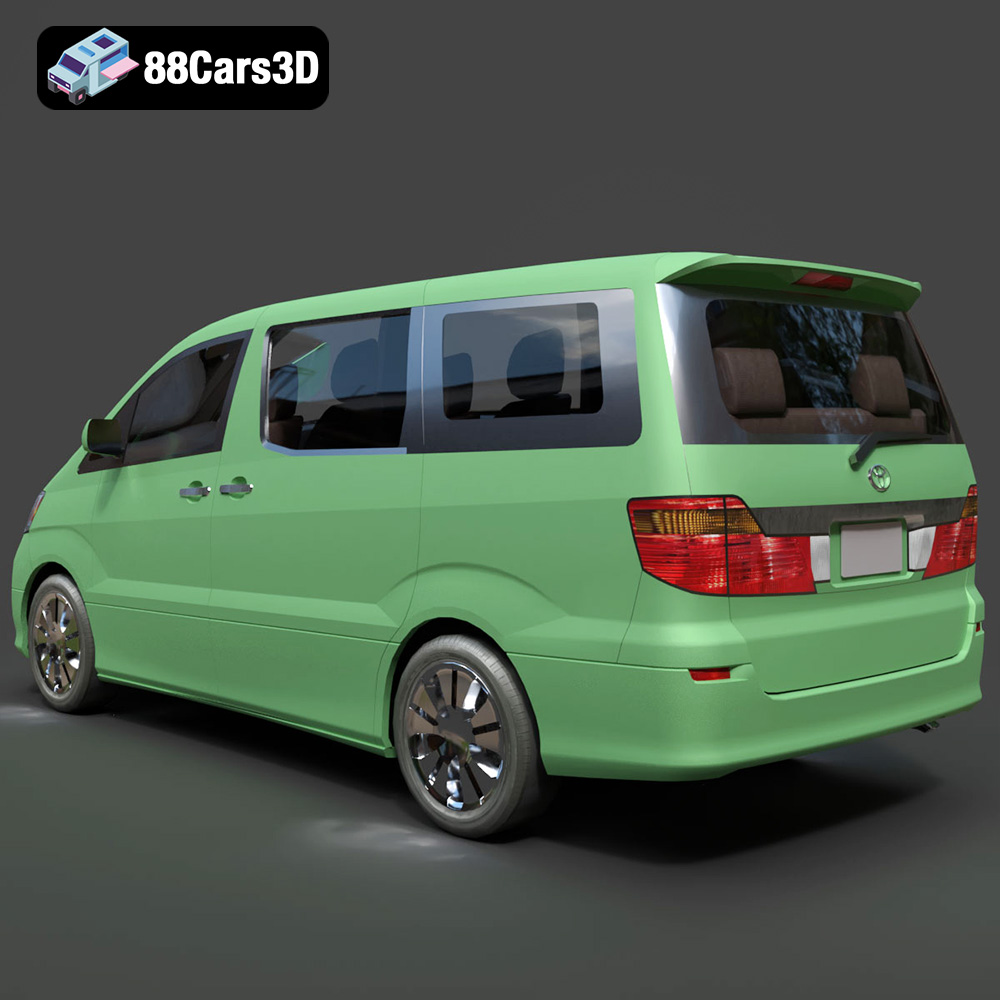
A prime example of a model built to meet these rigorous standards is the Toyota Alphard 3D Model. This luxury minivan is renowned for its complex, opulent design, making it a challenging subject to model accurately. When sourcing such intricate assets, professionals require models that boast impeccable topology, accurate real-world scaling, and comprehensive file format support to ensure seamless pipeline integration—a standard consistently met by the products available at 88cars3d.com.
This technical guide delves deep into the specifications, professional workflows, and integration techniques required to maximize the utility of a production-ready automotive asset like the Alphard. We will explore everything from critical file format selection to advanced automotive rendering techniques and optimization strategies for modern game assets.
Understanding 3D Model File Formats: Selecting the Right Pipeline Tool
In professional 3D production, compatibility is paramount. A single high-quality 3D car model, such as the Toyota Alphard, must be ready to deploy across vastly different platforms—from high-end cinematic renderers like V-Ray and Cycles, to real-time engines like Unreal and Unity, and specialized formats for AR/VR viewing. This necessitates a comprehensive package of meticulously prepared file formats, each serving a specific technical purpose. Choosing the incorrect format can lead to lost UV mapping, distorted geometry, or failed material translation, wasting crucial production time.
The Ecosystem of Universal and Proprietary Formats
The collection of included file types dictates the versatility of the model:
- .blend – Fully Editable Blender Scene: This native format provides the most comprehensive scene information. It is crucial for users relying on Blender’s powerful open-source ecosystem. The .blend file typically includes the original geometry, modifier stacks (allowing for non-destructive mesh editing), Cycles/Eevee materials, and established lighting setups. For those aiming for maximum customization, starting with the fully editable .blend file is the preferred route.
- .max – Editable 3ds Max Project: For industries heavily reliant on architectural visualization and large-scale animation studios (often using V-Ray or Corona), the .max file is essential. It preserves all proprietary features of 3ds Max, including complex scene hierarchy, specific material node structures, and intricate animation rigs, ensuring the model’s integrity within established studio pipelines.
- .fbx – The Animation and Real-Time Standard: The FilmBox (.fbx) format is the industry exchange backbone, especially for assets destined for animation or real-time environments (Unity, Unreal). It efficiently packages geometry, UV layouts, material assignments, bone structures, and complex animation data. When exporting the Toyota Alphard into a game engine, the .fbx file ensures that the separated body panels (doors, hood) retain their pivot points and local transform data, which is vital for interactive components.
- .obj – Universal Format for Cross-Software Compatibility: The Wavefront .obj format is the universal fallback. While it doesn’t support advanced features like rigging or material nodes, it reliably translates mesh data (vertices, edges, faces) and UV coordinates between virtually all 3D software packages. It is ideal when transferring geometry to specialized software like CAD or photogrammetry tools where only the base mesh is needed.
Specialized Formats for Emerging Applications
Modern pipelines require formats optimized for efficiency and specialized deployment:
- .glb – Optimized for AR, VR, and Browser-Based Display: Based on the glTF standard, .glb (Binary GL Transmission Format) is optimized for quick loading and minimal file size, often packaging textures directly within the mesh file. This is the format of choice for deploying the Toyota Alphard in web configurators, augmented reality applications on mobile devices, or lightweight virtual reality experiences, ensuring rapid display without lengthy asset loading times.
- .unreal – Engine-Ready Asset: Assets provided in a pre-configured .unreal format (or packaged within an Unreal Project) save significant time. This means the model has already been imported, scaled, had its materials instanced (PBR maps applied correctly), and often includes essential elements like basic collision meshes (UCX) and Level of Detail (LOD) settings, transitioning the Alphard instantly from a static model to a functional game asset.
- .stl – Suitable for 3D Printing Output: Stereolithography (.stl) is necessary for additive manufacturing. It converts the model’s surfaces into a triangulated, watertight mesh (manifold geometry). While the high-detail nature of the Alphard model requires careful preparation and scaling before conversion, the inclusion of the .stl option confirms its versatility for producing high-quality physical replicas or prototypes.
- .ply – Precision Mesh Format: The Polygon File Format (.ply) is often used in scientific and engineering fields. It can store precision data, including color per vertex, normal vectors, and confidence metrics, often stemming from 3D scanning or reverse engineering. For detailed analyses of the Alphard’s geometry, especially when integrating it with existing CAD or simulation environments, .ply offers a robust data standard.
The availability of this comprehensive range of formats ensures that professionals purchasing 3D car models from a marketplace like 88cars3d.com can immediately integrate the asset into any existing workflow without translation headaches or data loss.
Topology and Detailing: Achieving Production-Ready Quality
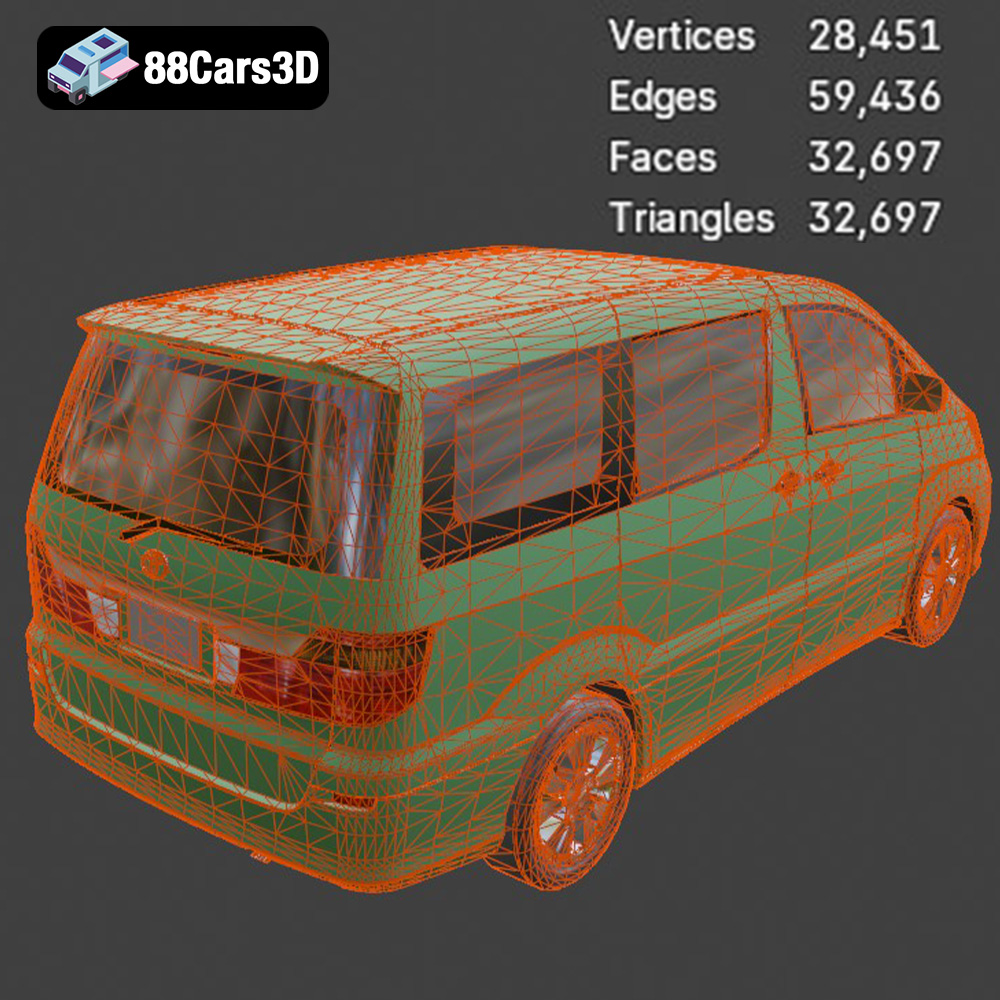
The foundation of a high-end 3D car model lies not in its textures, but in its mesh topology. The geometry must be engineered for smooth deformation, realistic reflection flow, and efficient rendering. The Toyota Alphard model exemplifies this technical discipline, ensuring that its complex, luxurious curves render flawlessly under intense scrutiny.
Quad Dominance and Subdivision Readiness
A professional model must employ clean, quad-dominant topology. Quads (four-sided polygons) are essential because they allow for predictable subdivision. When rendering close-up shots of the Alphard’s distinctive grille or its contoured side panels, the mesh must be subdivided using tools like Turbosmooth (3ds Max) or Subdivision Surface Modifier (Blender) without introducing pinching, creasing, or undesirable artifacts.
- Reflection Flow: Automotive paint is highly reflective. Any imperfection in the underlying geometry is immediately visible in the reflection highlight, ruining the illusion of photorealism. The clean geometry of high-quality 3D car models ensures that the reflection flow—the way light travels across the vehicle’s surface—is silky smooth and accurate, mirroring real-world sheet metal forming.
- Optimized Mesh Density: The model must balance visual fidelity with render efficiency. While parts designed for high-resolution close-ups (e.g., badges, wheel nuts) may have higher geometric density, large planar surfaces should remain optimized yet capable of subdivision.
Precision Scaling and Pivot Alignment for Animation
Accuracy demands that the model adhere strictly to real-world scale (e.g., 1 unit = 1 meter). This is non-negotiable for integration into architectural visualization (ArchViz) scenes or physics-based simulations. If the Alphard model were incorrectly scaled, its lighting and physics properties would behave erratically.
Furthermore, complex mechanical assets require a logical, organized hierarchy with correctly positioned pivots. The Toyota Alphard 3D Model features separated components (doors, hood, wheels). For successful animation:
- The wheel pivot points must be perfectly centered and aligned with the axis of rotation for realistic driving animations.
- Door pivots must be located accurately on the hinges, enabling effortless, anatomically correct opening and closing actions, crucial for interactive experiences or detailed walk-throughs.
- The entire hierarchy should be logically named (e.g., “Body_Shell,” “Wheel_FR,” “Door_L_Front”) for easy manipulation in any host software.
Interior Fidelity vs. Optimization
The interior of a luxury vehicle like the Alphard often demands as much detailing as the exterior. The model includes comprehensive interior elements—dashboard, steering wheel, seats, and console. For visualization, this detail is necessary for cinematic fly-throughs. For real-time applications, however, this interior must be highly optimized. The provided model balances this need by utilizing optimized mesh quality while maintaining sufficient fidelity for close-up views through the realistic window glass.
Integrating the Alphard into Real-Time Game Engines
The use of 3D car models as functional game assets requires a shift from traditional rendering workflows to the PBR (Physically Based Rendering) pipeline. Real-time integration demands strict asset optimization, texture adherence, and preparation for interactive physics and performance scaling. The Toyota Alphard asset is specifically engineered for this transition, offering ready-to-use .fbx and .unreal files.
Preparing Assets for Unreal Engine 5 (UE5)
Unreal Engine 5 requires careful handling of imported meshes to leverage its rendering power, including Nanite and Lumen. When importing the Alphard model via .fbx, the following steps are crucial:
- Mesh Segmentation: Ensure the import process maintains the separate meshes for animated parts (wheels, doors).
- Material Instancing: Rather than importing dozens of unique static materials, PBR workflows utilize Material Instances. These instances reference a single master material (e.g., Car Paint Master) and allow artists to quickly change parameters like metallic flake density, roughness, or base color without recompiling shaders—essential for customization options like changing the Alphard’s paint finishes.
- LOD Generation: Even with Nanite, effective Level of Detail (LOD) is critical for managing performance at distance. Generating three to four LOD meshes (reducing polycount by 50% to 90%) ensures the model remains performant when viewed kilometers away in a massive open-world environment, a necessary step for professional game development.
Collision Mesh Strategy for Simulation
For driving simulators or interactive games, the 3D car model needs a collision mesh. This is a simplified, non-visual mesh that defines the physical boundaries of the vehicle for the physics engine (e.g., Chaos in UE5, or standard PhysX). High-detail geometry is unsuitable for physics calculations.
- Hull Generation: A well-prepared asset often includes a convex hull collision mesh (UCX prefix in Unreal) that accurately represents the basic volume of the vehicle (chassis, wheels) while remaining lightweight.
- Suspension and Axle Setup: For realistic driving, the model requires accurate mounting points for the suspension and axle components. Even the basic undercarriage components provided in the Alphard model offer reference points for accurate physics rig construction.
Mastering Automotive Rendering Workflows
Achieving photorealism in automotive rendering is highly dependent on two factors: the fidelity of the geometry (which the Alphard model provides) and the sophistication of the material and lighting setups. Professional studios use advanced techniques to replicate complex surface behaviors, particularly automotive paint and glass.
Achieving Photoreal Car Paint
Car paint is one of the most challenging materials to replicate digitally because it is inherently layered. A standard automotive paint shader must simulate four distinct layers:
- Base Coat: Defines the primary color (diffuse/albedo).
- Metallic Flakes: Subsurface particles that scatter light, creating the characteristic shimmer. These are often controlled by a fractal noise map and driven by an anisotropic reflection model.
- Clear Coat: A highly reflective, highly glossy varnish layer that sits atop the flakes. This requires a second, distinct specular/reflection lobe in the shader to simulate depth and Fresnel effect accurately.
- Dirt/Grime Layer (Optional): For realism, subtle imperfections are needed.
Using the provided .max or .blend files, professionals can easily adjust these material properties—including chrome accents, rubber, and plastics—to match specific branding requirements or cinematic lighting scenarios.
Studio Lighting and HDRI Environments
The ultimate test of a high-quality 3D car model is how it reacts to environmental reflections. Poor geometry will break reflection continuity. Effective studio rendering typically employs two key elements:
- HDRI (High Dynamic Range Image) Lighting: A seamless 360-degree high dynamic range image provides accurate, physically plausible environmental illumination and complex, realistic background reflections, giving the Alphard’s body panels depth and context.
- Area Lights and Backlight Rims: Strategic placement of large, soft area lights (softboxes) emphasizes the contours and design lines of the vehicle. Subtle rim lights (backlights) separate the car from the background, adding volume and visual punch.
The production-ready nature of the geometry ensures that every reflective surface on the Toyota Alphard 3D Model—from the chrome trim to the transparent headlight lenses—catches and disperses light correctly, leading directly to award-winning visualization results.
Beyond Visualization: Simulation, AR/VR, and 3D Printing Applications
The utility of professional 3D car models extends far past traditional cinematic rendering. Assets like the Alphard are valuable tools for engineering analysis, interactive training, and emerging immersive technologies. The inclusion of specialized formats (like .glb, .ply, and .stl) confirms the model’s versatility across these disparate fields.
Deployment in AR/VR Experiences
Augmented and Virtual Reality require extremely strict performance budgets. The Alphard model, being optimized for real-time engines, is an ideal candidate. Specifically, the .glb format makes deployment highly efficient.
- Interactive Configurator: In AR/VR, clients can walk around the Toyota Alphard, open its doors (using the correctly placed pivot points), and change the interior trim or exterior color in real-time. This interactive capability, essential for modern sales and marketing tools, is directly enabled by the asset’s clean hierarchy and PBR material setup.
- Efficiency Focus: The goal in immersive deployment is maintaining 90+ frames per second (FPS). This requires aggressive texture compression and intelligent use of LODs, all of which must be planned during the initial model creation phase.
Utilizing the Model in Driving Simulators
For educational or professional driving simulators, accurate vehicular geometry is mandatory for visual fidelity. While the physics engine handles dynamics, the visual mesh must precisely overlay the physics skeleton. The Toyota Alphard 3D Model, built to real-world scale, is perfectly suited for this purpose.
- Training Modules: The detailed interior allows for high-accuracy cockpit views, vital for training modules focusing on instrumentation or driver ergonomics.
- Technical Analysis: The inclusion of the .ply format makes the asset compatible with CAD analysis tools, allowing engineers to potentially use the model’s geometry as a visual reference for integrating new components or analyzing spatial relationships within the van’s structure.
Preparing the Model for High-Quality 3D Printing
Converting a subdivision surface model into a reliable .stl file for 3D printing requires expert knowledge. The final output must be a ‘manifold’ (watertight) mesh. Since the Alphard model features complex separate components (wheels, body, interior), careful merging and cleanup is necessary before the final STL output.
- Scale and Detail Preservation: The model’s inherent detail allows for the creation of high-quality physical models—from small desktop prototypes to larger, detailed display pieces. Professionals use the provided .stl as a robust starting point for ensuring that the printed components capture the Alphard’s signature styling accurately.
Conclusion: Elevating Your Automotive Projects with Professional 3D Car Models
The demand for versatile, high-quality digital assets defines the modern landscape of 3D production. Whether your primary focus is hyper-realistic automotive rendering, seamless integration into a real-time game, or deployment in cutting-edge AR/VR environments, the foundational quality of the 3D car models you choose is non-negotiable.
The Toyota Alphard 3D Model stands as a robust, production-ready solution, offering the technical depth required by experienced artists and developers. Its clean, quad-dominant topology guarantees stunning results under high subdivision, its comprehensive file format suite ensures compatibility with every major pipeline—from Blender to Unreal Engine—and its detailed interior and accurately separated components simplify animation and customization.
By leveraging professional assets sourced from trusted marketplaces like 88cars3d.com, you bypass countless hours of modeling, UV mapping, and optimization, allowing your team to focus entirely on creative execution and final scene polish. Investing in an asset like the Toyota Alphard is investing directly in pipeline efficiency and unparalleled visual fidelity for your next major project.
Featured 3D Model
Toyota Alphard 3D Model
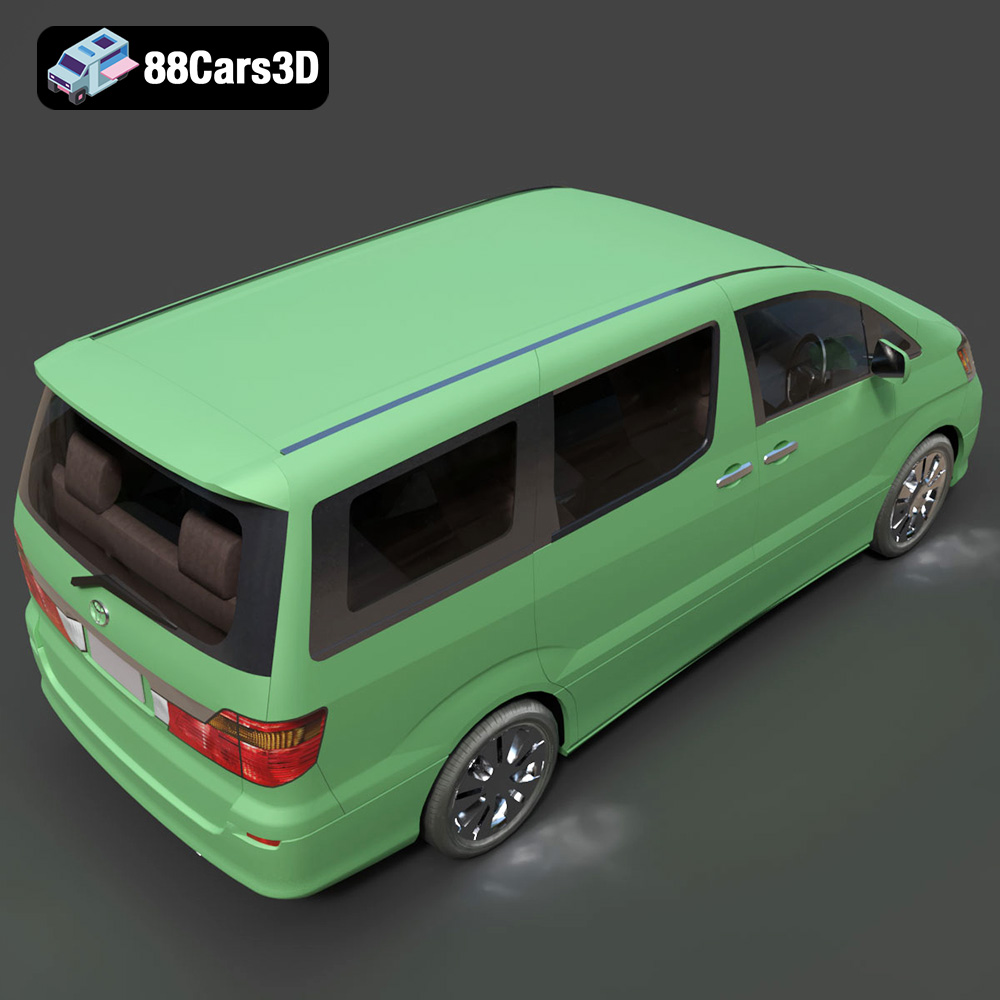
Presenting the highly detailed Toyota Alphard 3D Model, a faithful digital recreation of the iconic luxury minivan. This model captures the Alphard’s distinctive aesthetic, known for its opulent design, spacious interior, and commanding road presence. Built with clean geometry and balanced detailing, it ensures optimal performance across various applications. Ideal for high-quality rendering, realistic animations, immersive simulations, and robust game development projects.
$21.99
Product Image Gallery