⚡ FLASH SALE: Get 60% OFF All Premium 3D & STL Models! ⚡

Few vehicles encapsulate an era, a feeling, and a global movement quite like the Volkswagen Bus. From its humble beginnings as a utilitarian panel van to its transformation into a symbol of freedom, travel, and counterculture, the VW Bus holds an indelible place in automotive history. For 3D artists, game developers, architects, and product visualizers, accurately recreating such an iconic vehicle is not just about modeling; it’s about capturing a piece of cultural heritage and making it accessible in the digital sphere.
The demand for high-quality 3D car models that accurately reflect real-world vehicles is ever-growing. Whether for photorealistic marketing renders, immersive game environments, augmented reality experiences, or even physical 3D prints, precision and versatility are paramount. This is precisely where a meticulously crafted asset like the **Volkswagen Bus 3D Model** distinguishes itself. Available at 88cars3d.com, this model offers a robust foundation for a myriad of professional applications, bridging the gap between historical significance and modern digital artistry. It’s more than just a model; it’s a digital canvas ready for your creative vision, ensuring your projects stand out with authenticity and charm.
When acquiring a 3D model, especially one as versatile as the **Volkswagen Bus 3D Model**, understanding the various file formats available is crucial for integrating it seamlessly into your specific workflow. Each format serves a distinct purpose, offering different levels of compatibility, data retention, and optimization for various software and engines. Knowing which format to choose can save considerable time and ensure the integrity of your project.
The `.blend` format is native to Blender, a powerful open-source 3D creation suite. When you download the Volkswagen Bus 3D Model in `.blend` format, you’re getting a fully editable Blender scene. This typically includes not just the mesh, but also materials, textures, lighting setups, cameras, animations (if any), and modifiers. For artists whose primary tool is Blender, this is the most direct and efficient format, allowing for immediate customization, re-texturing, rigging, or scene integration without any import/export conversions that could potentially lose data. It ensures that all aspects of the original Blender artist’s work are preserved.
`.fbx` (Filmbox) is arguably the most widely used proprietary 3D file format for exchanging 3D data between different software applications. Developed by Autodesk, it excels at storing not only geometry (meshes, polygons) but also crucial animation data, skeletal rigs, textures, and even embedded media. For workflows involving Unreal Engine, Unity, or other real-time pipelines, `.fbx` is the go-to choice. Its robustness in handling complex scene data makes it ideal for game assets where animation and hierarchical object relationships are vital. Importing the Volkswagen Bus 3D Model as `.fbx` into Unreal or Unity ensures that its separate wheels and steering components maintain their proper pivot points for animation, ready for dynamic integration into your game.
`.obj` (Object) is a universal geometry definition file format developed by Wavefront Technologies. It’s an older, simpler format that primarily stores mesh geometry (vertices, faces, normals, UV coordinates) and references to external material (MTL) files. While it doesn’t store animation or scene hierarchy, its widespread compatibility across virtually all 3D software makes it an excellent choice for cross-software transfers where only the mesh data is required. If you need to import the Volkswagen Bus into a niche software or one that struggles with more complex formats, `.obj` provides a reliable fallback.
`.glb` (GLB File Format) is the binary version of glTF (Graphics Language Transmission Format). It’s designed to be an efficient, extensible, and interoperable format for the transmission and loading of 3D scenes and models by engines and applications. Crucially, `.glb` packs all assets (geometry, textures, animations) into a single file, making it incredibly lightweight and fast to load. This makes it perfect for AR/VR applications, web-based 3D viewers, and mobile platforms where performance and file size are critical. For showcasing the Volkswagen Bus in an interactive web viewer or a mobile AR app, `.glb` is the optimal choice.
`.stl` (Stereolithography) is the de facto standard file format for 3D printing. It represents a 3D model as a series of connected triangles, forming the surface geometry of an object. The format contains no color, texture, or material information, focusing solely on the object’s shape. When converting the Volkswagen Bus 3D Model to `.stl`, it’s transformed into a manifold mesh ready to be sliced by a 3D printer. The detailed print settings provided with the product (scale, layer height, supports) are specifically for this format, allowing you to bring the digital icon into the physical world as a collectible scale model.
`.ply` (Polygon File Format or Stanford Triangle Format) is another format for storing 3D data, particularly useful for scanned data, point clouds, and polygon meshes. It can store a wider range of properties than `.obj` or `.stl`, including color, transparency, normals, texture coordinates, and even reliability information for each vertex and face. While less common for artistic exchange, `.ply` is often used in CAD, reverse engineering, and scientific applications where precision and a rich set of geometric attributes are important for analysis or further manufacturing processes.
The `.unreal` format (or a specific Unreal Engine asset package) signifies a model specifically prepared and optimized for direct import and use within Unreal Engine. This often means the asset has already been processed for optimal performance, potentially including proper material setup (PBR), collision meshes, LODs (Levels of Detail), and optimized UV mapping. Using the `.unreal` version of the Volkswagen Bus 3D Model ensures the quickest and most efficient integration into your Unreal projects, minimizing conversion issues and accelerating your development pipeline.
The `.max` format is the native scene file for Autodesk 3ds Max, a leading software for 3D modeling, animation, and rendering in the design visualization and entertainment industries. Similar to `.blend` for Blender, the `.max` file contains the complete scene data, including geometry, materials, lighting, cameras, animation keyframes, and plugins used. For users of 3ds Max, this format provides full editability and control over every aspect of the Volkswagen Bus 3D Model, making it ideal for high-end rendering, complex scene setups, and advanced animation tasks.
The availability of the Volkswagen Bus 3D Model in this comprehensive array of formats from 88cars3d.com underscores its adaptability, making it a valuable asset for any professional 3D workflow.
The true value of any 3D car model lies in its meticulous attention to detail and underlying technical integrity. The **Volkswagen Bus 3D Model** embodies this principle, offering a faithful digital recreation that stands up to the scrutiny of close-up renders and demanding real-time environments.
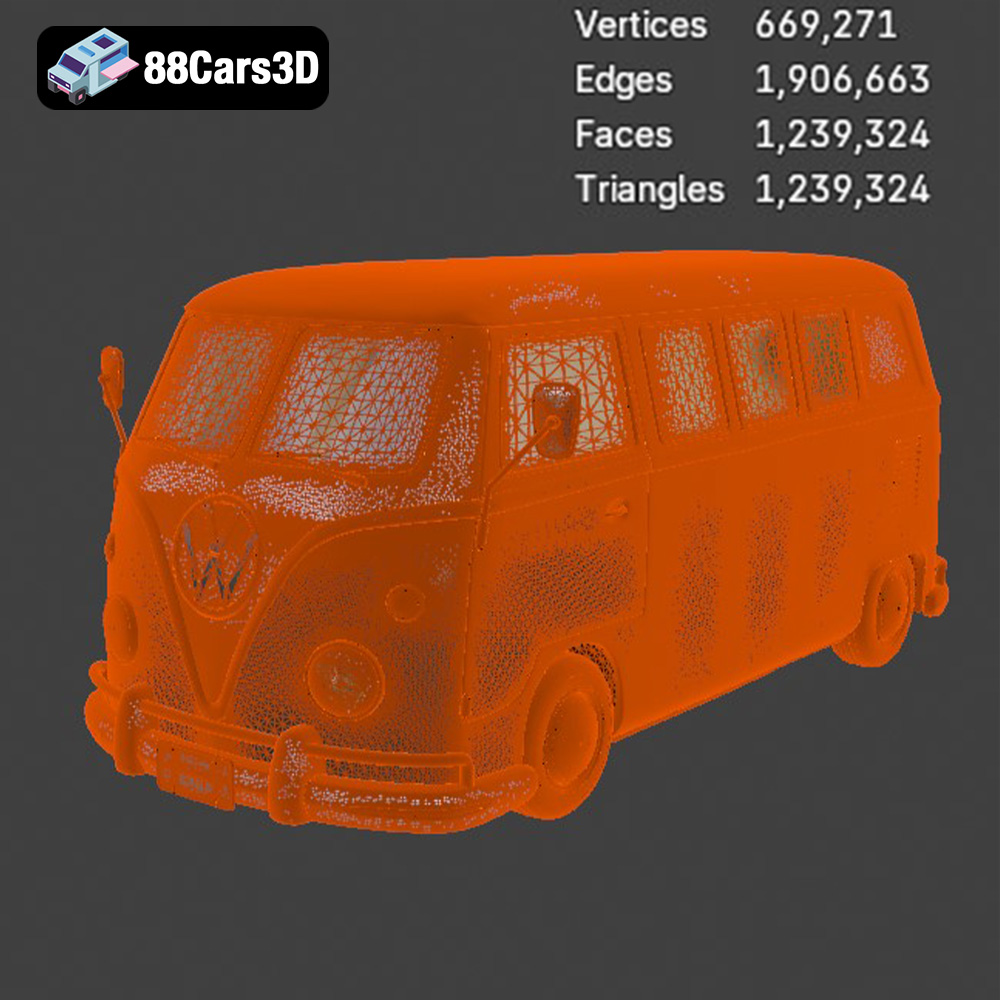
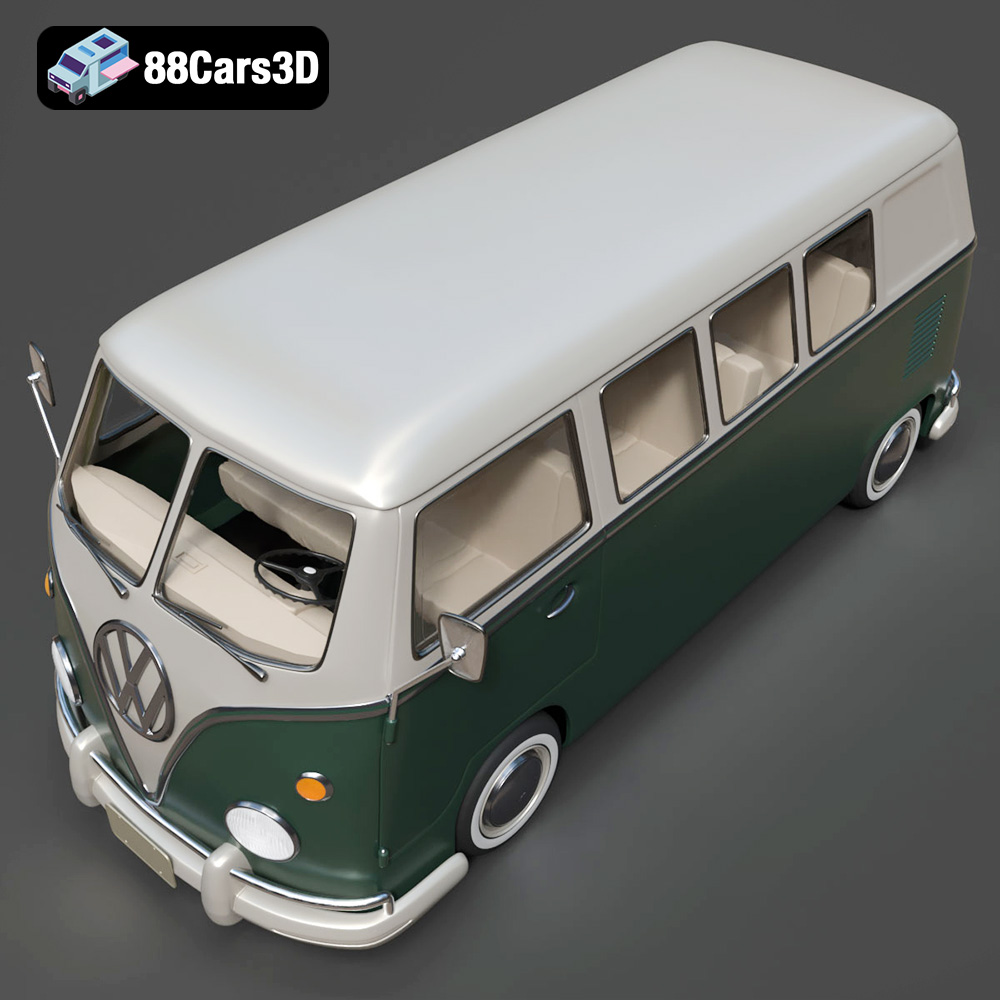
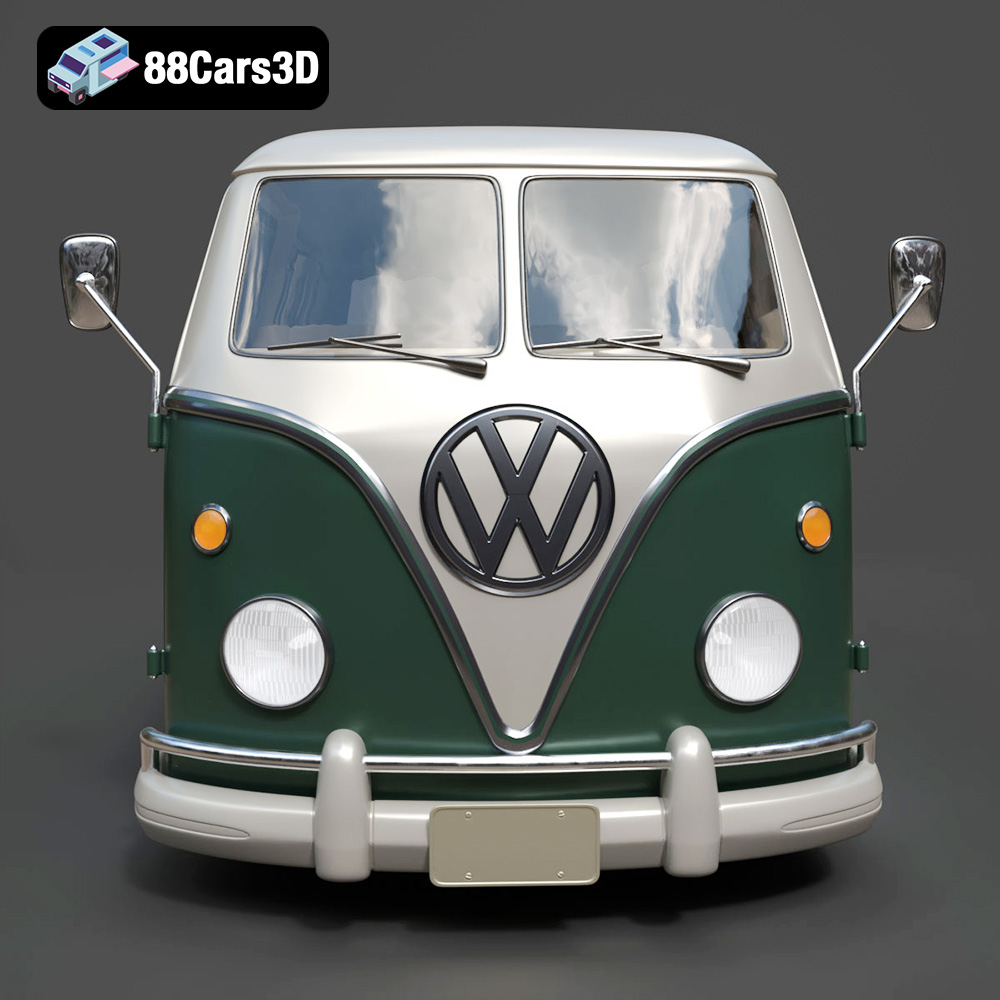
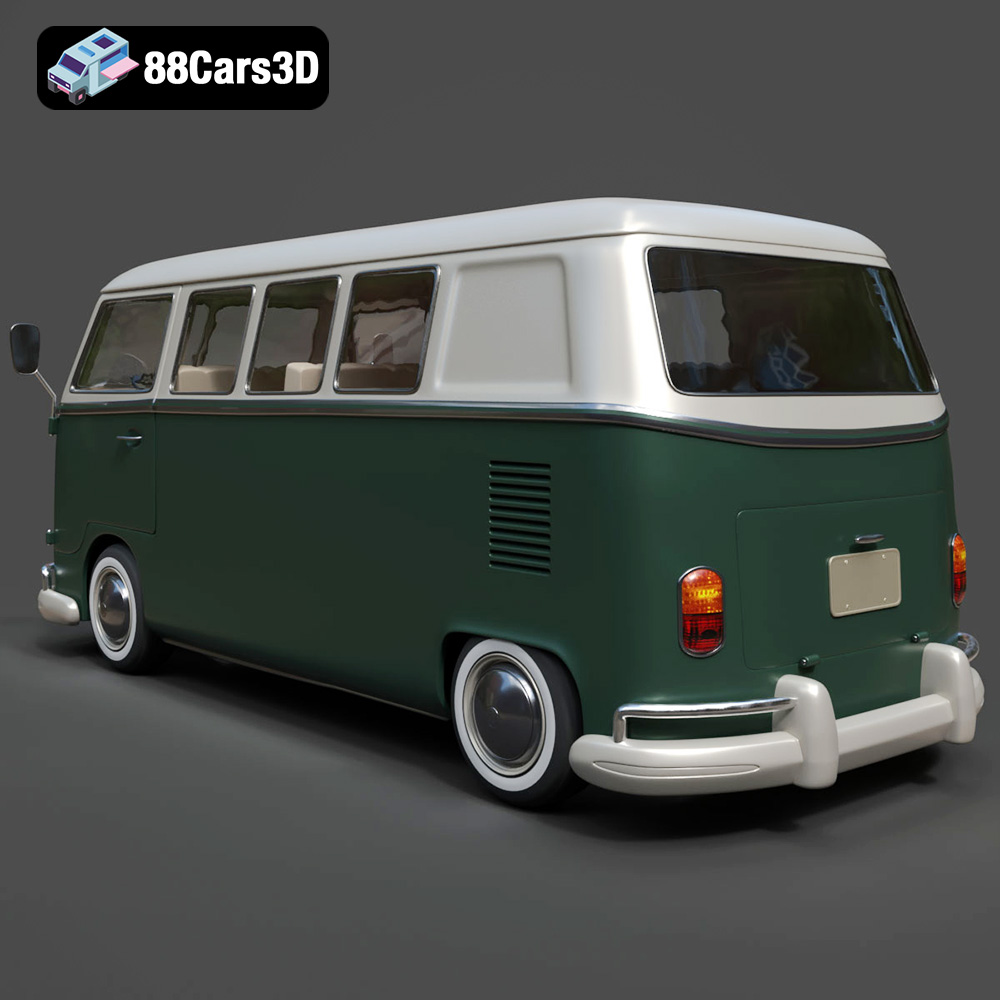
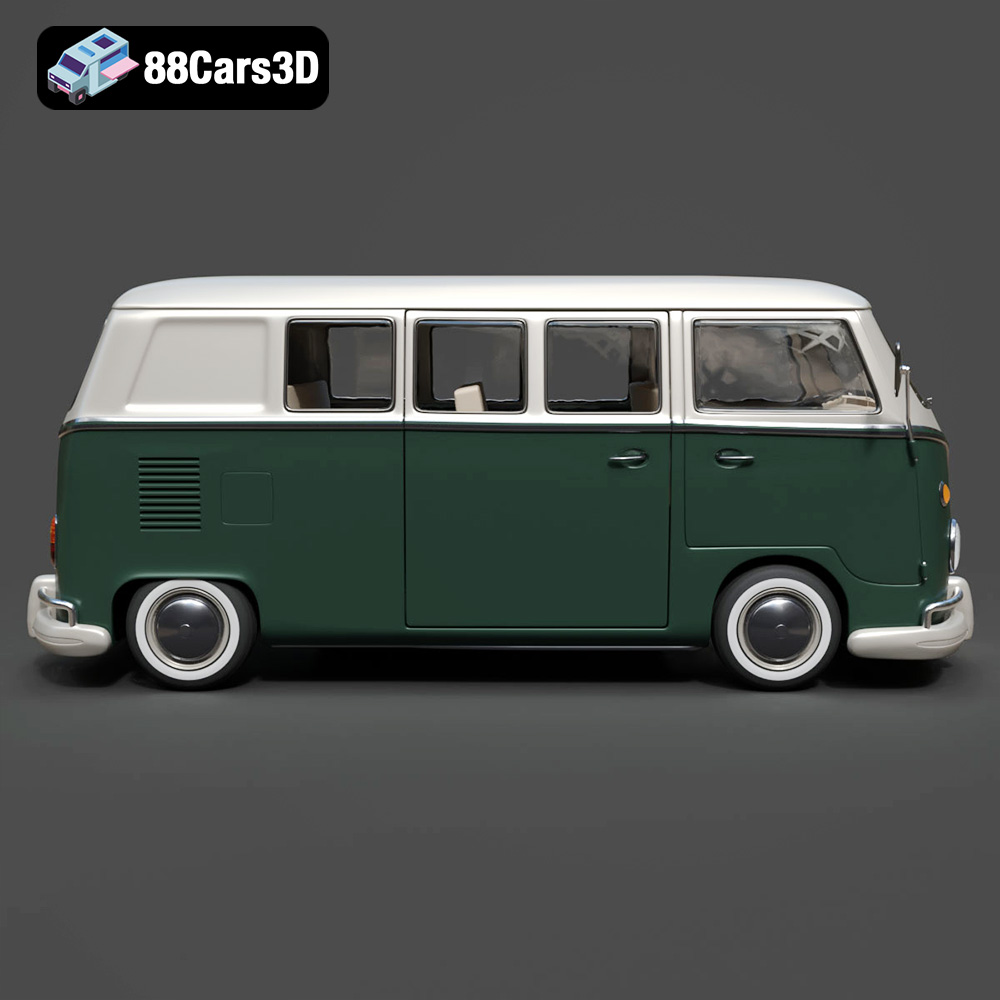
The model’s exterior is a testament to accurate classic automotive modeling. Its body proportions precisely match the iconic Volkswagen Bus, capturing the subtle curves and distinctive silhouette that make it instantly recognizable. Key features like the signature front V-shaped panel, the circular headlights, and the chrome bumper detailing are not merely present but rendered with meticulous attention to form and material separation. The large side window configuration and the sliding side door setup are all modeled to real-world scale accuracy, ensuring that the model feels authentic whether placed in a sprawling urban scene or a tight interior shot. Furthermore, the period-correct wheels and tire dimensions are precisely replicated, and crucially, the wheels and steering components are separated. This technical advantage is vital for animators, allowing for realistic wheel rotation and steering articulation without complex rigging workarounds, making it perfect for driving simulations or cinematic sequences. The clean topology—a hallmark of high-quality 3D car models—ensures smooth deformations if further modifications or complex animations are required.
While many 3D car models focus solely on external aesthetics, the **Volkswagen Bus 3D Model** extends its detail to the interior, making it suitable for scenes where the camera ventures inside. The classic dashboard layout with analog gauges, the steering wheel, and the vintage control panel are all present, contributing to a believable and immersive experience. Passenger seating configuration, interior paneling, and floor detailing further enrich the model, providing a complete environment for visualization. Crucially, this interior geometry is optimized for both real-time engines and high-quality renders. This means artists don’t have to choose between performance and visual fidelity; the model is structured to deliver both. This optimization includes a well-organized mesh structure and efficient polygon flow, which are fundamental for maintaining frame rates in game development while still looking pristine in a high-resolution render. The careful balance ensures that whether you’re creating a game asset or a marketing visual, the interior will look authentic and perform efficiently.
The versatility of the **Volkswagen Bus 3D Model** makes it an invaluable asset across diverse professional 3D pipelines. Its clean structure and multiple file formats simplify integration, allowing artists and developers to focus on creativity rather than compatibility issues.
For automotive rendering specialists, the model provides an excellent starting point for creating stunning photorealistic visualizations. In software like Autodesk 3ds Max or Blender, the process typically begins with importing the `.max` or `.blend` file respectively, or the versatile `.fbx` format. Artists can then leverage advanced rendering engines such as V-Ray or Corona Renderer in 3ds Max, or Cycles and Eevee in Blender. The model’s clean mesh and pre-separated components, like the wheels and steering, are paramount here. Proper pivot setup means that if you need to animate the bus driving, basic rotations are straightforward.
Rendering workflows often involve:
The **Volkswagen Bus 3D Model** is perfectly suited for high-fidelity marketing visuals, product showcases, or nostalgic cinematic productions, offering the detail and flexibility required for top-tier results.
As a premium game asset, the Volkswagen Bus 3D Model excels in real-time environments like Unreal Engine. Developers can utilize the `.fbx` format for its robust data transfer capabilities, or the `.unreal` format for direct engine integration.
The workflow typically involves:
The **Volkswagen Bus 3D Model** is ready to be dropped into retro-themed games, virtual car shows, or even complex driving mechanics simulations, performing efficiently while looking fantastic.
The versatility of a well-designed 3D model extends far beyond rendering on a screen. The **Volkswagen Bus 3D Model** stands out by explicitly catering to both physical production through 3D printing and interactive experiences in augmented and virtual reality.
The inclusion of the `.stl` format and detailed 3D print settings makes this model a prime candidate for collectors, hobbyists, and manufacturers looking to create tangible replicas. The `.stl` format, by converting the model into a manifold mesh (a solid, watertight object), ensures it’s ready for slicing software and physical fabrication.
The provided 3D print settings are critical for success:
This makes the Volkswagen Bus 3D Model an excellent resource for creating custom scale models, automotive collectibles, or even physical mock-ups for historical visualization and restoration projects.
The immersive world of AR/VR and simulation presents another powerful application for this model. The `.glb` format, specifically designed for efficient web and real-time deployment, is ideal here.
For AR/VR experiences:
In simulation and training, the model can be used for:
The optimized geometry and real-world scale accuracy make the Volkswagen Bus 3D Model perfectly suited for these cutting-edge, interactive applications, bringing the iconic vehicle to life in new and engaging ways.
The true hallmark of a premium 3D asset lies not just in its initial detail but in the creative latitude it offers. The **Volkswagen Bus 3D Model** is designed with customization in mind, providing artists with the flexibility to adapt it to an endless array of scenarios and artistic visions.
The iconic Volkswagen Bus is renowned for its vibrant personalization, and this 3D model allows digital artists to continue that tradition. One of the most common customizations is the paint scheme. The model supports easy application of:
This level of customization empowers artists to make the **Volkswagen Bus 3D Model** uniquely their own, ensuring it perfectly fits the specific requirements of any project.
Beyond the vehicle itself, the environment and lighting play a crucial role in conveying mood and realism. The versatility of the Volkswagen Bus model allows it to seamlessly integrate into diverse scene compositions:
The **Volkswagen Bus 3D Model** from 88cars3d.com isn’t just a static object; it’s a dynamic asset that adapts to your creative vision, providing a robust foundation for compelling narratives and stunning visuals across all media.
The **Volkswagen Bus 3D Model** represents an exceptional blend of historical fidelity, technical precision, and creative versatility. It meticulously captures the spirit and iconic design of one of the world’s most beloved vehicles, translating it into a high-quality digital asset that meets the demands of modern 3D production. From its clean topology and real-world scale to its optimized geometry and comprehensive file format support, every aspect has been considered to empower artists and developers.
Whether your project calls for photorealistic automotive rendering, immersive game assets, engaging AR/VR experiences, or finely detailed 3D printed collectibles, this model provides an indispensable foundation. Its seamless integration into professional workflows, from 3ds Max and Blender to Unreal Engine, highlights its adaptability. The detailed insights into file formats and customization options further underscore its value as a truly professional-grade asset.
For anyone seeking to incorporate the timeless charm and undeniable character of the Volkswagen Bus into their digital creations, this **Volkswagen Bus 3D Model** from 88cars3d.com offers an unparalleled opportunity. Elevate your projects with an icon that transcends generations and continues to inspire creativity. Explore this model and other exceptional 3D car models available on 88cars3d.com today, and bring your visions to life with assets that truly deliver.
The Volkswagen Bus 3D Model is a high-detail digital recreation of the iconic rear-engine van that became a cultural symbol of freedom, travel, and 1960s counterculture. Known for its rounded body shape, split or panoramic windshield variants, and practical interior space, the Volkswagen Bus remains one of the most recognizable classic vehicles in automotive history. Designed with clean topology and real-world scale accuracy, it is ideal for rendering, animation, simulation, game development, and AR/VR experiences, including 3D printing in .stl format.
$29.99
.arvr
.automotive
.blend
.campervan
.car3dmodel
.classicvan
.fbx
.gameasset
.glb
.max
.obj
.ply
.rendering
.retrovehicle
.simulation
.stl
.unreal
.vintagecar
.volkswagen
.vwbus