⚡ FLASH SALE: Get 60% OFF All Premium 3D & STL Models! ⚡

In the vast landscape of 3D design and digital content creation, few subjects capture the imagination quite like classic automobiles. These vehicles are more than just modes of transport; they are cultural touchstones, engineering marvels, and symbols of their respective eras. Bringing these icons to life in a virtual space requires a deep understanding of form, function, and the intricate details that give them their unique character. Whether for stunning visual effects, immersive game worlds, cutting-edge AR/VR experiences, or even tangible 3D prints, the demand for high-quality 3D car models is ever-present.
Among these legendary vehicles, the Volkswagen Transporter T1 1950 stands out as a true legend. Known affectionately as the “Microbus” or “Split Window Bus,” this first-generation Type 2 van isn’t just a vehicle; it’s a statement. It embodies an era of adventure, freedom, and practical design. Capturing its essence in a digital format offers creators an unparalleled opportunity to inject a slice of automotive history into their projects. The Volkswagen Transporter T1 1950 3D Model available on 88cars3d.com is a meticulously crafted asset, designed to meet the rigorous demands of modern digital production across various industries.
When sourcing 3D car models for professional projects, understanding the various file formats is paramount. Each format serves a specific purpose, catering to different stages of the production pipeline, software ecosystems, and end-use applications. The Volkswagen Transporter T1 1950 3D Model, for instance, comes in a comprehensive suite of formats, ensuring maximum compatibility and utility. Let’s delve into the technical nuances of these essential file types:
The .blend format is native to Blender, a powerful open-source 3D creation suite. When you receive a model in .blend format, you’re getting a fully editable Blender scene. This includes not only the mesh geometry but also materials, textures, lighting setups, camera positions, and sometimes even animations or rigging. For artists primarily working in Blender, this is the most flexible format, allowing for direct manipulation, material adjustments, scene assembly, and rendering without any import/export conversions that could potentially alter data. It’s ideal for in-depth customization and leveraging Blender’s expansive toolset.
.fbx (Filmbox) is a proprietary file format developed by Autodesk, widely recognized as an industry standard for 3D data interchange. Its strength lies in its ability to encapsulate a wide range of data, including geometry, materials (often with basic properties), textures, animations, rigging, and even scene hierarchy. For integration into game engines like Unreal Engine and Unity, or for transferring models between different 3D software packages (e.g., from 3ds Max to Maya or Blender), .fbx is often the preferred choice due to its robust support for animation and general reliability. It’s a binary format, making it efficient for transport.
The .obj (Wavefront OBJ) format is one of the oldest and most universal 3D file formats. It’s a simple, text-based format that primarily stores geometry data – vertices, normals, UV coordinates, and faces. While it can reference external material files (.mtl), its strength is its near-universal compatibility across almost all 3D software. For simple mesh transfer where complex animations or advanced material setups aren’t required, .obj is a solid, reliable choice. It’s excellent for cross-software compatibility, especially when you need a clean mesh to start building your own materials and scene around.
.glb (GL Transmission Format Binary) is the binary version of glTF, a royalty-free specification for 3D scenes and models. Designed to be compact and efficient for transmission, it’s quickly becoming the standard for 3D models on the web, in augmented reality (AR), and virtual reality (VR) applications. A single .glb file can contain geometry, materials, textures, animations, and skeletal data, all bundled together. This “single file delivery” makes it incredibly convenient for quick loading and display in browser-based viewers, mobile AR experiences, and performance-critical real-time environments.
The .stl (Stereolithography) format is the de facto standard for 3D printing. It represents a 3D model as a collection of unconnected triangular facets, defining the surface geometry of an object without color, texture, or other CAD attributes. When a 3D model like the Volkswagen Transporter T1 1950 is intended for physical output, having an .stl version is critical. It’s what your slicer software uses to generate the layers for your 3D printer. The quality of the .stl (triangulation density, manifold geometry) directly impacts the success and detail of the physical print.
.ply (Polygon File Format) is another format for storing 3D data, particularly popular for scanned data and precision meshes. Like .obj, it can store vertices, faces, and normals, but it can also include additional properties such as color, transparency, and even texture coordinates for each vertex. It’s often used in scientific, medical, and engineering fields where accurate representation of complex surfaces and attribute data is crucial. For detailed CAD operations or when working with high-resolution scan data, .ply offers a robust solution.
While not a direct file extension like .fbx or .obj, “.unreal” typically implies that the asset is provided in a format (most commonly .fbx or sometimes a pre-packaged Unreal Asset) that is fully optimized and ready for direct import and use within Unreal Engine. This often means textures are correctly PBR (Physically Based Rendering) set up, materials are built, and the mesh is scaled and UV-mapped appropriately for the engine’s rendering pipeline. An “Unreal-ready” asset saves significant time in preparing the model for real-time interaction and rendering within the engine, making it invaluable for game developers and real-time visualization artists.
The .max format is the native file type for Autodesk 3ds Max, one of the leading 3D modeling, animation, and rendering software packages. Similar to .blend for Blender, a .max file contains the complete scene data, including geometry, materials, textures, lighting, cameras, animation timelines, and modifiers. For professionals who primarily use 3ds Max, this format provides full editability and direct access to all parameters and scene elements, facilitating complex animation sequences and high-fidelity rendering projects.
The availability of such a diverse range of formats for the Volkswagen Transporter T1 1950 3D Model from 88cars3d.com underscores its versatility and the producer’s understanding of various professional workflows.
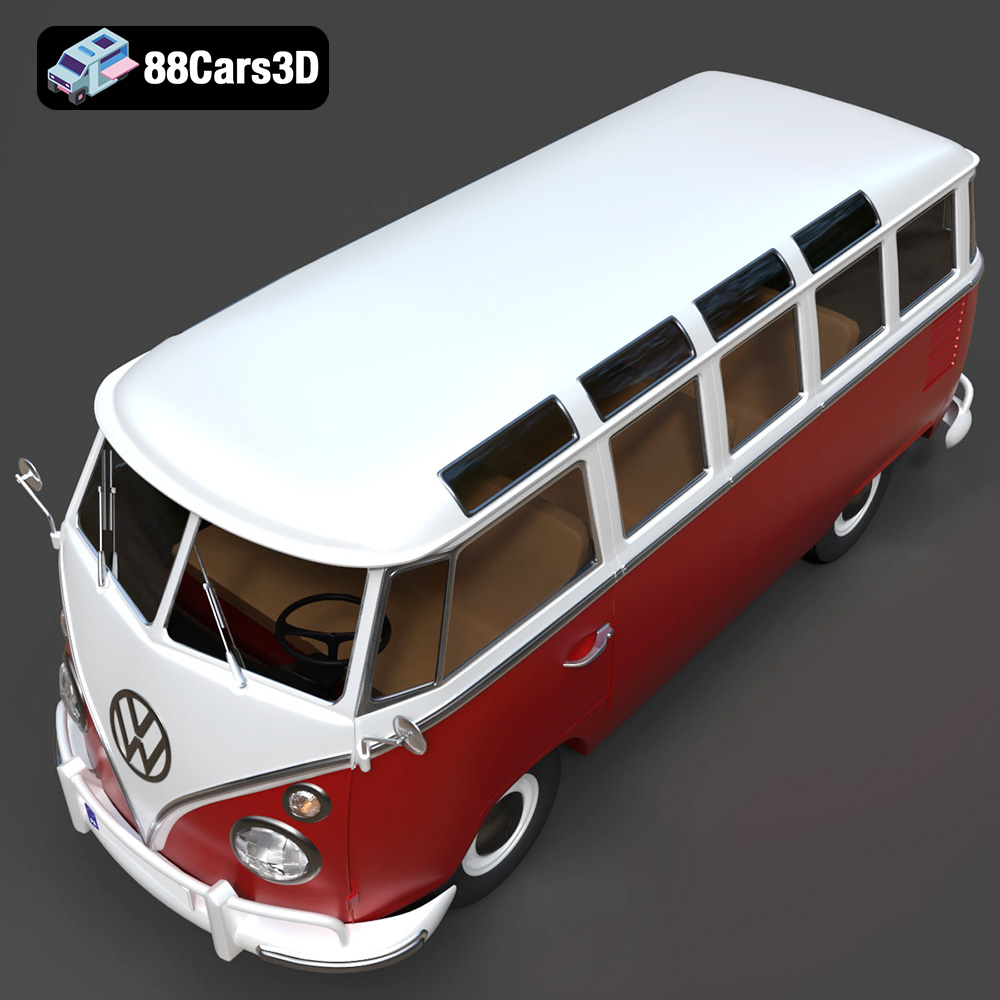
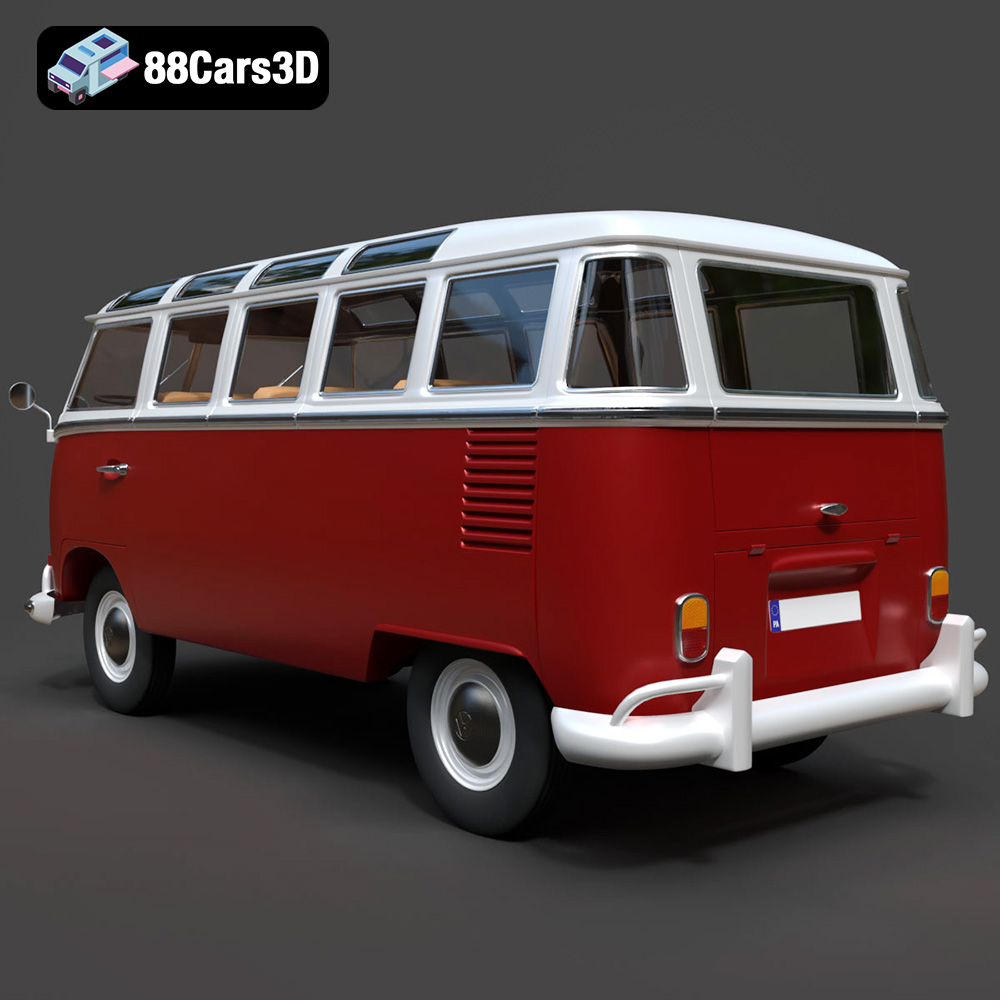
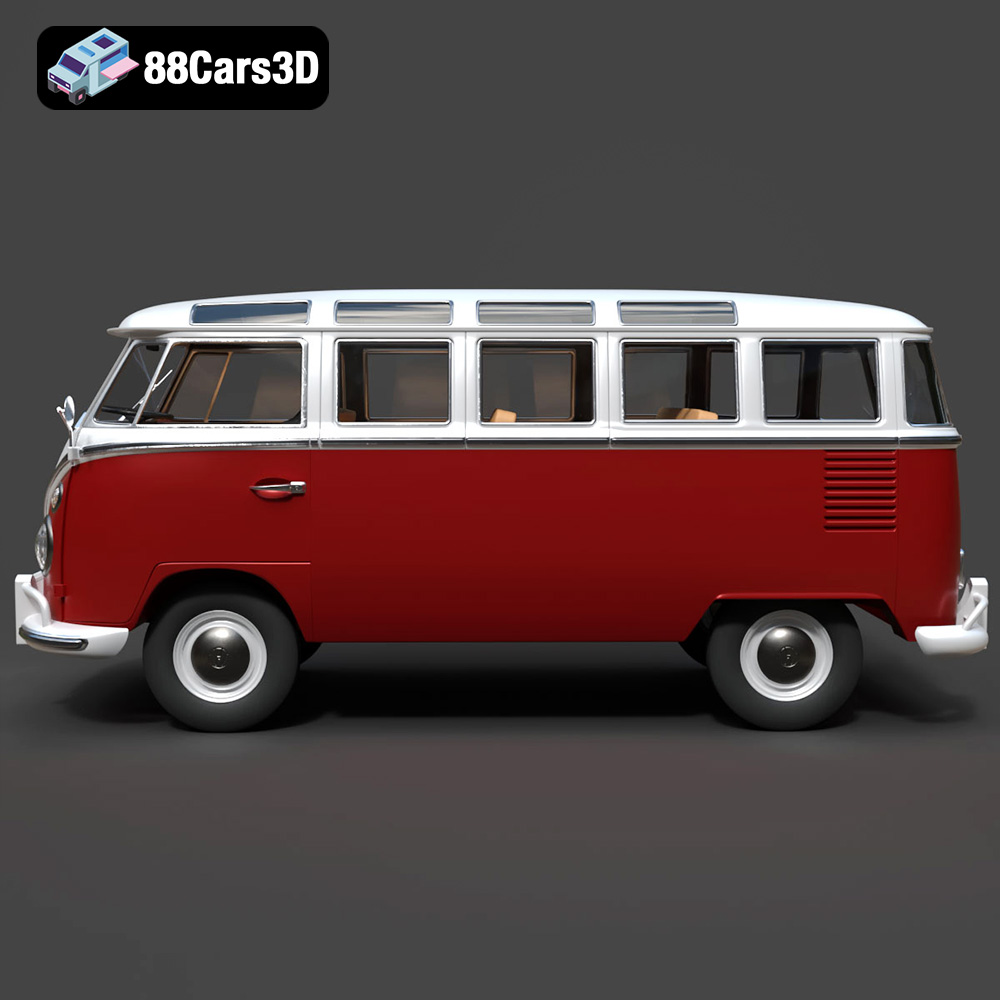
The Volkswagen Transporter T1 1950 is more than just a classic van; it’s a global icon. Its distinctive rounded body, “V” shaped front panel, and characteristic split windshield evoke a sense of freedom and adventure that resonated with generations. Bringing such a beloved vehicle into the 3D realm demands meticulous attention to historical accuracy and artistic fidelity. The 3D model of the T1 available on 88cars3d.com excels in this regard, offering a digital rendition that is both technically sound and aesthetically pleasing.
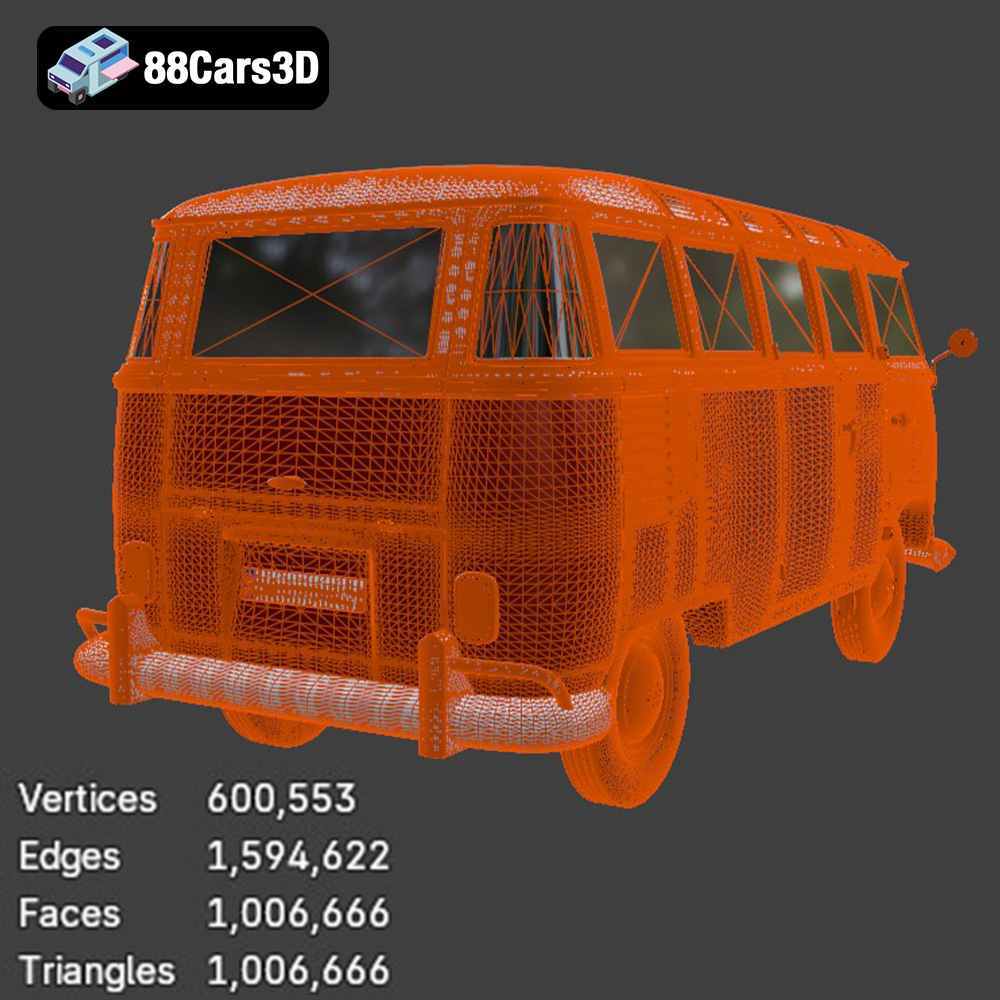
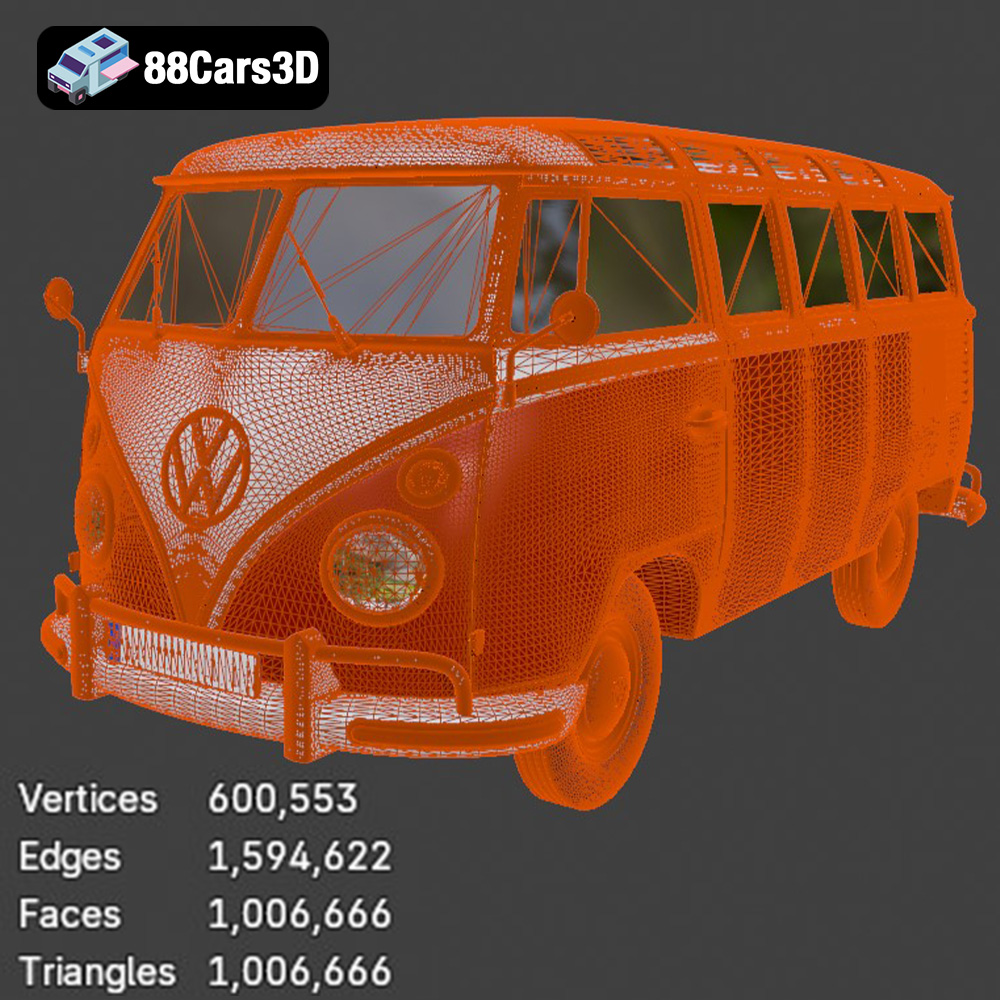
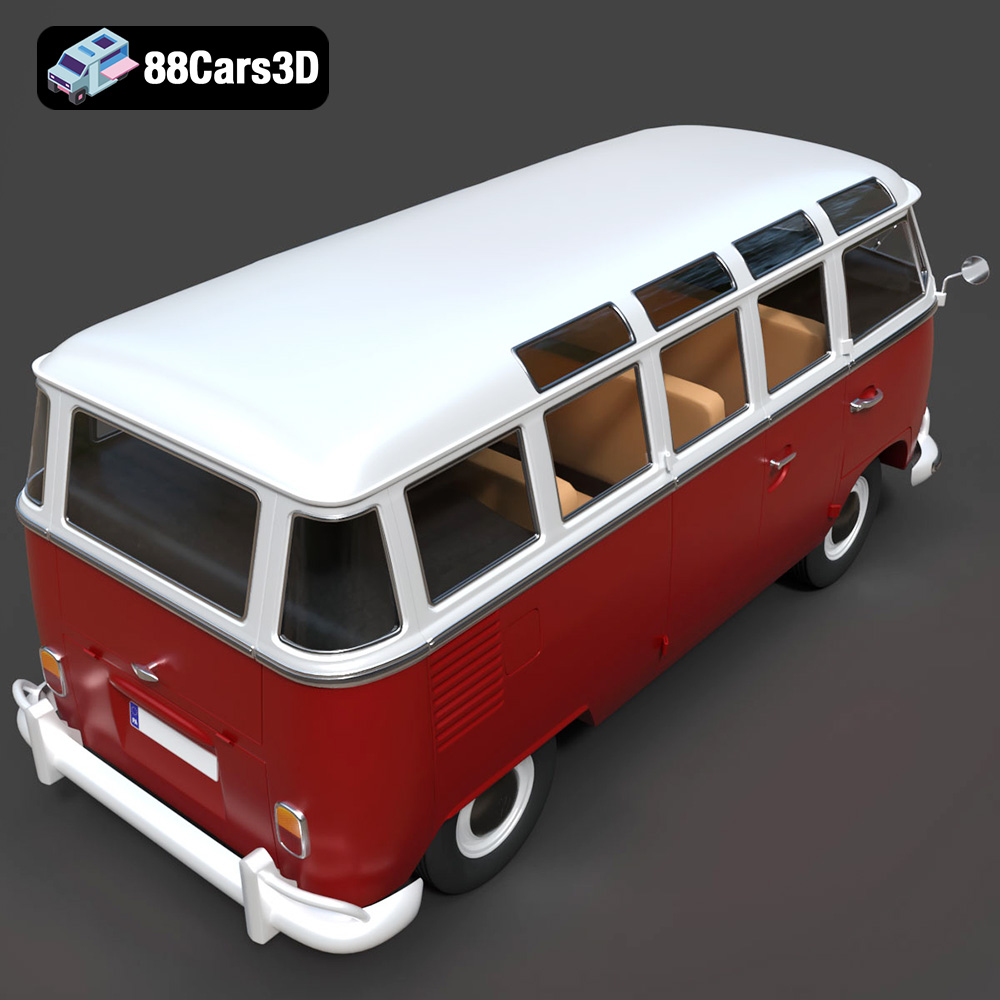
The defining feature of the early T1 models, the “Split Window Bus,” is accurately replicated in this 3D asset. This distinctive design element, alongside the detailed front emblem and the subtle V-shaped body panel styling, is faithfully reproduced. The model’s exterior boasts precise 1950 Volkswagen T1 body proportions, ensuring that its instantly recognizable silhouette is preserved. From the realistic round headlights and chrome bumpers to the carefully modeled wheels, classic hubcaps, and tire profiles, every aspect of the vintage aesthetic has been considered. The clean quad-based geometry not only ensures a smooth, subdivision-ready mesh for high-fidelity renders but also facilitates easier UV mapping and texture application.
While the exterior captures the public’s eye, a truly professional 3D car model also delivers on interior detail. This Volkswagen Transporter T1 3D model presents a minimalist dashboard layout, consistent with the 1950 design, including a steering wheel and a simple gauge cluster. The front bench seat and a representation of the rear cargo/passenger space are included, along with interior panels and structural framing. This level of detail makes the model suitable for interior shots, virtual tours, or even as a base for custom camper van conversions. Furthermore, the optimized interior mesh ensures that whether you’re aiming for a high-quality render or integrating it into a real-time application, performance remains optimal.
The versatility of a well-crafted 3D model is its greatest asset. The Volkswagen Transporter T1 1950 3D Model is engineered to be a flexible foundation for a wide array of digital projects. Its clean topology, accurate scaling, and comprehensive file format support make it an invaluable tool for professionals across different creative industries, from film to interactive media.
For artists focused on photorealistic imagery, the T1 model is a dream. Its clean geometry and real-world scale are perfect for studio renders, atmospheric scene compositions, and intricate product visualizations. Imagine the T1 cruising along a sun-drenched coastal road, or parked as the centerpiece of a nostalgic marketing campaign. With software like 3ds Max or Blender, artists can apply sophisticated PBR (Physically Based Rendering) materials, intricate lighting setups, and advanced environmental effects to achieve breathtaking realism. The separate doors, hood panels, and wheels allow for dynamic poses and animation, ideal for automotive presentations or historical documentaries where visual authenticity is key.
In the world of game development, optimization and visual quality must go hand-in-hand. This T1 model, with its optimized polygon count and proper hierarchy, is specifically designed to perform efficiently within game engines such as Unreal Engine and Unity. Its .fbx and .unreal formats streamline the integration process, providing developers with an asset ready for period-based simulations, retro open-world games, or detailed lifestyle environments. Developers can easily implement custom physics, add damage states, or create interactive elements, transforming the static model into a dynamic in-game vehicle that enriches player experience.
The frontier of augmented and virtual reality demands highly optimized yet visually rich assets. The .glb format, included with this model, is perfectly suited for AR/VR applications, allowing for efficient streaming and display of the T1 in immersive environments. Imagine a virtual classic car exhibition where users can walk around, inspect, and even virtually “sit inside” the Microbus. For training simulations or interactive showcases, the T1 provides a detailed and accurate historical reference point, allowing users to engage with a piece of automotive history in a completely new way. Its optimized mesh ensures smooth performance even on less powerful mobile or standalone VR devices.
Beyond digital rendering and interactive experiences, the Volkswagen Transporter T1 1950 3D Model offers a unique opportunity for creators: bringing the iconic van into the physical world through 3D printing. This tangible application adds an exciting dimension to the utility of the 3D model, allowing for collectible scale models, miniature builds, and physical prototypes.
The inclusion of the .stl format is crucial for 3D printing workflows. The .stl file represents the model’s surface geometry as a series of triangles, which is then sliced by software to create layer-by-layer instructions for the 3D printer. For successful prints, the model’s geometry must be “manifold,” meaning it has no holes, self-intersections, or inverted normals – a characteristic of high-quality models like this T1. Before printing, users typically import the .stl into a slicer program (e.g., Ultimaker Cura, PrusaSlicer) to define print parameters, generate supports, and preview the print path.
Achieving a high-quality 3D print of the T1 requires careful consideration of print settings, as detailed in the product description. Recommended scales such as 1:24, 1:32, 1:18, or 1:12 allow for various display sizes and levels of detail. For instance, a layer height of 0.12–0.18 mm ensures a good balance between print speed and surface smoothness, crucial for capturing the T1’s subtle curves. A wall thickness of 2–3 mm provides structural integrity, preventing fragile parts. Infill settings (15–25%) reduce material usage and print time while maintaining strength. Supports are explicitly recommended for overhangs like bumpers, mirrors, and wheel arches to prevent sagging during printing. A clever tip for FDM printing is to print the body upside-down for a smoother roof surface, which is often a prominent visual element. Similarly, printing wheels separately allows for better detailing and easier post-processing. For smaller scales or finer details, resin (SLA/DLP) printing is often preferred due to its ability to produce much thinner layers and sharper features.
Once printed, the physical model truly comes to life through post-processing. This typically involves removing supports, sanding away any visible layer lines, and applying a primer to create an even surface for painting. The T1, being a classic, is an excellent candidate for a classic two-tone paint finish, mimicking its iconic real-world counterparts. An optional clear coat can add a protective layer and a glossy finish, enhancing its display quality. Furthermore, 3D printing opens up avenues for custom modifications not just in software but physically. Enthusiasts can add miniature surfboards, design tiny roof racks, or even craft bespoke camper conversions, truly making their printed T1 unique. This transforms the digital asset into a customizable collectible, bridging the gap between virtual design and physical hobbyism.
The inherent value of any 3D asset lies in its technical foundation and how seamlessly it integrates into existing professional workflows. The Volkswagen Transporter T1 1950 3D Model from 88cars3d.com is built with technical excellence at its core, ensuring it meets the stringent requirements of modern digital production environments.
The model’s compatibility with major 3D software and game engines is a cornerstone of its utility. With formats like .blend for Blender, .max for 3ds Max, and .fbx for universal exchange, artists can confidently import the T1 into their preferred applications. This extensive format support minimizes conversion issues and allows artists to leverage the full power of their software. For example, in 3ds Max, users can take advantage of its powerful rendering engines like V-Ray or Corona to produce photorealistic visuals. In Blender, the active community and a wealth of add-ons can be utilized for advanced material work or procedural texturing. The clean quad-based geometry, a hallmark of professional modeling, ensures that the model responds well to subdivision surface modifiers for ultra-smooth renders, or can be easily retopologized if specific polygon density is required for a project.
Beyond static renders, the T1 model is designed for dynamic applications. It features a proper hierarchy for wheel rotation and door animation, meaning that individual components are separated and parented correctly. This structure is vital for animators who need to quickly rig the vehicle or integrate it into complex scene animations. For example, animating the iconic split doors swinging open or the wheels turning for a driving sequence is straightforward. The optimized polygon count strikes a balance between visual fidelity and real-time performance, a critical factor for interactive experiences and game development. This optimization ensures that the model can be displayed efficiently without sacrificing detail, whether it’s part of a large scene with multiple assets or a close-up cinematic shot. Artists can adjust levels of detail (LODs) further if required, allowing the model to be efficiently rendered at varying distances from the camera, a common practice in game and real-time visualization pipelines.
The Volkswagen Transporter T1 1950 is more than just a vehicle; it’s a piece of cultural history that continues to inspire. In the digital realm, a high-quality 3D model like the one offered at 88cars3d.com allows this icon to live on and thrive in new and exciting ways. From generating breathtaking automotive renders and populating immersive game worlds to pioneering AR/VR experiences and creating tangible 3D prints, this model provides an unparalleled blend of historical accuracy, technical robustness, and creative versatility.
For designers, animators, game developers, and 3D printing enthusiasts alike, investing in such a meticulously crafted asset is an investment in quality and efficiency. Its comprehensive file format support, optimized geometry, and attention to detail ensure that it will be a valuable addition to any professional toolkit. The ability to seamlessly integrate this classic vehicle into diverse projects, coupled with the unique opportunity to bring it to life through 3D printing, makes the Volkswagen Transporter T1 1950 3D Model a standout offering for anyone looking to add a touch of vintage charm and technical excellence to their work. Explore this and other exceptional 3D car models at 88cars3d.com today and drive your creative visions forward.
The Volkswagen Transporter T1 1950 3D Model is a detailed digital recreation of the iconic first-generation Type 2 van produced by Volkswagen. Known as the “Microbus” or “Split Window Bus,” the 1950 T1 is a symbol of post-war industrial design and became a cultural icon throughout the 1950s and 1960s. This 3D model accurately captures the rounded body shape, split front windshield, rear-mounted engine layout, and minimalist utility design that made the T1 famous. Designed with clean topology and realistic proportions, it is ideal for rendering, animation, classic automotive visualization, game development, and AR/VR applications. Perfect for retro city scenes, vintage marketing visuals, travel-themed environments, and collectible vehicle showcases. Convertible to .stl format for collectible scale models and miniature builds.
$29.99
.arvr
.blend
.car3dmodel
.classicvan
.fbx
.gameasset
.glb
.max
.microbus
.obj
.ply
.rendering
.simulation
.stl
.transportert1
.unreal
.vehicleasset
.vintagevehicle
.volkswagen
.vwbus