The automotive world has always been at the forefront of innovation, and today, the synergy between advanced 3D modeling, rendering, and 3D printing technologies is revolutionizing how cars are designed, visualized, and even manufactured. What once existed only in blueprints and physical prototypes can now be meticulously crafted in the digital realm, refined with stunning photorealism, and then brought into tangible existence with unprecedented precision. This convergence opens up a universe of possibilities for designers, engineers, game developers, and enthusiasts alike.
From developing breathtaking marketing visuals to optimizing interactive experiences in games and AR/VR, and finally, fabricating custom parts and scale models, high-quality 3D car models are the fundamental building blocks. This comprehensive guide will take you on a deep dive into the technical intricacies of working with 3D automotive assets. We’ll explore everything from the foundational principles of clean topology and efficient UV mapping to advanced PBR material creation, state-of-the-art rendering techniques, game engine optimization strategies, and the transformative potential of 3D printing for custom automotive parts. Prepare to unlock the full potential of your 3D automotive projects and bridge the gap between imagination and reality.
The Foundation: Crafting Impeccable 3D Automotive Models
The quality of any 3D automotive project begins with the underlying model. A meticulously crafted 3D car model is not just about aesthetics; it’s about structural integrity, renderability, and versatility across various applications. Without a solid foundation, subsequent stages like texturing, rendering, and especially 3D printing will suffer from artifacts, deformations, or outright failure. Understanding the principles of clean geometry is paramount for achieving professional results.
Topology and Edge Flow for Automotive Surfaces
Topology refers to the arrangement of polygons (faces, edges, and vertices) on a 3D model. For automotive surfaces, achieving smooth, flowing curves and crisp hard edges requires an obsessive focus on quad-based geometry and intelligent edge flow. Quads (four-sided polygons) are preferred over tris (three-sided polygons) because they subdivide more predictably, allowing for smoother surface deformation and cleaner renders. Good edge flow means edges follow the natural contours and creases of the car’s body panels, ensuring that when the model is smoothed (subdivided), it retains its intended shape without pinching, bumps, or unsightly artifacts.
For complex car bodies, consider these best practices:
- Maintain Quads: Strive for an all-quad mesh. While tris are unavoidable in certain complex areas (e.g., around vents or holes), minimize their presence and place them where they will have the least impact on the surface curvature.
- Edge Loops for Control: Use continuous edge loops to define major surface changes, such as the edge of a door, a fender flare, or a window frame. These loops provide crucial control points when refining the shape or adding detail.
- Support Edges: For sharp creases or panel gaps, add ‘support edges’ (also known as control loops or holding edges) close to the primary edge loop. When subdivided, these edges will tighten the crease, giving it a crisp, defined look without requiring excessive subdivision of the entire mesh.
- Uniform Density: Aim for a relatively uniform distribution of polygons across surfaces. Avoid areas with extremely dense mesh next to sparsely detailed areas, as this can lead to unpredictable smoothing and rendering issues.
- Symmetry: Model one half of the car and then mirror it to the other side to ensure perfect symmetry and save significant modeling time.
These techniques are critical whether you’re modeling in 3ds Max, Blender, or Maya, ensuring your automotive models are robust and ready for any challenge.
Mastering UV Mapping for Complex Car Geometry
UV mapping is the process of unwrapping a 3D model’s surfaces into a 2D space, allowing textures to be applied accurately. For complex automotive models, effective UV mapping is a meticulous art that directly impacts the quality of your materials and the efficiency of your project. Poor UVs lead to stretched, distorted, or blurry textures, significantly detracting from realism.
Key strategies for automotive UV mapping include:
- Strategic Seam Placement: Choose seams that are least visible or follow natural breaks in the geometry, such as along panel lines, under trim, or where different materials meet. This minimizes visible texture stretching and simplifies the painting process.
- Multiple UV Sets: For highly detailed cars, it’s common to use multiple UV sets or texture atlases. For example, one UV set for the main body paint, another for the interior, another for tires, and perhaps even separate sets for intricate components like headlights or grilles. This allows for higher texture resolution on critical areas without needing a single massive texture map.
- Consistent Scaling: Ensure that the UV islands (the unwrapped pieces of your mesh) are scaled proportionally to their real-world surface area. This prevents textures from appearing larger or smaller on different parts of the car. Many 3D software packages (like Blender’s UV Editor or 3ds Max’s Unwrap UVW modifier) offer tools for checking and standardizing UV scale.
- Efficient Packing: After unwrapping, pack your UV islands into the 0-1 UV space as efficiently as possible, minimizing wasted space. However, leave adequate padding (a few pixels) between islands to prevent texture bleeding when mipmaps are generated, especially important for game assets.
- Consider Texel Density: Aim for a consistent texel density (pixels per unit of surface area) across all visible parts of the model to ensure uniform texture detail. For high-resolution renders, you might aim for 10.24 pixels/cm, while for real-time applications, it might be lower, e.g., 2.56 pixels/cm.
Proper UV mapping provides the canvas for exquisite detailing, making your car models truly shine.
Bringing Automotive Models to Life: Materials, Textures, and Shading
Once your 3D car model has impeccable topology and UVs, the next crucial step is to define its surfaces through materials and textures. This is where the model transitions from a mere wireframe to a recognizable, tangible object with distinct properties. Modern rendering relies heavily on Physically Based Rendering (PBR) workflows to achieve photorealistic results, mimicking how light interacts with real-world surfaces.
PBR Workflows and Realistic Shader Networks
Physically Based Rendering (PBR) is a methodology for shading and rendering that provides a more accurate representation of how light behaves in the real world. Instead of simply painting colors, PBR materials describe the physical properties of a surface, such as how reflective it is (metallic), how rough or smooth it is (roughness/glossiness), and its base color (albedo/diffuse). This approach ensures that materials react correctly to various lighting conditions, making them look consistently realistic.
A typical PBR shader network for an automotive model involves several interconnected maps:
- Albedo/Base Color: The inherent color of the surface, stripped of any lighting or shading information. For car paint, this might be the primary color.
- Metallic: A grayscale map defining which parts of the surface are metallic (white, value 1) and which are dielectric (non-metallic, black, value 0). Chrome, polished aluminum, and bare metal parts would be white.
- Roughness/Glossiness: Controls the microscopic surface irregularities that scatter light. Rough surfaces scatter light broadly, appearing dull, while smooth surfaces reflect light sharply, appearing shiny. Car paint has a low roughness (high gloss), while matte finishes have higher roughness.
- Normal Map: Adds high-frequency detail like surface bumps, scratches, and panel lines without increasing polygon count. This is crucial for adding realism to body panels, tires, and interior components.
- Ambient Occlusion (AO): Simulates soft shadows where surfaces are occluded, like in crevices and corners, adding depth and realism.
- Clear Coat (for car paint): A specialized layer that simulates the transparent, reflective top coat on automotive paint. This often involves its own roughness and normal maps to simulate orange peel effect or micro-scratches, making the paint feel incredibly deep and rich.
Software like 3ds Max with Corona or V-Ray, Blender with Cycles, or Maya with Arnold offers robust node-based shader editors to construct these complex PBR networks. Tools like Substance Painter and Quixel Mixer are indispensable for painting and generating these texture maps.
High-Resolution Texturing and Detail Creation
The resolution and quality of your textures directly correlate with the visual fidelity of your automotive renders. For hero shots or close-up renders, employing high-resolution textures (e.g., 4K or 8K) for critical components like the main body, tires, and interior dashboard is essential. Less prominent elements might use 2K textures.
Consider the following for detailed texturing:
- Tiling vs. Unique Textures: While some materials like tire tread patterns or certain fabric textures can be tiled, most car surfaces, especially the body, require unique textures to avoid repetition and artifacts. Baking detail from high-poly sculpts onto low-poly meshes using normal maps is a standard practice.
- Procedural Textures: For certain effects like subtle dirt, dust, or wear, procedural textures (generated algorithmically within the 3D software) can offer flexibility and save texture memory.
- Decals and Layers: Add realism through layers of decals (badges, stickers, warning labels) and subtle imperfections like dust, fingerprints, water spots, or micro-scratches. These can be painted directly onto the texture maps or applied as separate material layers in your shader network.
- Masking: Use black and white masks to control the blending of different materials or effects. For example, a mask can define where dirt accumulates or where paint chips reveal bare metal underneath.
The combination of physically accurate materials and meticulously crafted high-resolution textures will transform your 3D car models into photorealistic masterpieces.
Visualizing Perfection: Advanced Rendering Techniques for Automotive Design
Once your 3D car model is meticulously built and textured, the next step is to illuminate it and capture its essence through rendering. Achieving photorealistic automotive renders requires a deep understanding of lighting, camera principles, and post-processing. It’s about more than just pressing the render button; it’s about artfully composing a scene that tells a story and showcases the vehicle’s design.
Setting Up Professional Studio Lighting and Environments
Lighting is the single most critical factor in automotive rendering. A beautifully modeled and textured car can look flat and uninteresting under poor lighting. Professional automotive renders often simulate a studio environment or a realistic outdoor setting.
- HDRI (High Dynamic Range Image) Lighting: HDRIs are indispensable for realistic lighting. They capture real-world light information (color, intensity, direction) and project it onto your scene, providing complex, nuanced reflections and illumination. Use high-quality automotive studio HDRIs or outdoor environment HDRIs for realistic reflections on car paint.
- Area Lights: Supplement HDRIs with strategically placed area lights to highlight specific features, add kick lights, or create dramatic reflections. Use large, soft area lights to mimic studio softboxes or natural skylight.
- Three-Point Lighting: A fundamental principle adapted for automotive: a key light (main light source), a fill light (softens shadows), and a back/rim light (separates the car from the background).
- Reflectors and Light Blockers: In a virtual studio, use large, diffuse planes as reflectors to bounce light back onto shadowed areas, or black planes as blockers to create crisp, dark reflections that emphasize curvature.
- Camera Setup: Emulate real-world photography. Use appropriate focal lengths (e.g., 85mm-135mm for flattering perspectives, avoiding wide-angle distortion). Implement depth of field sparingly to draw focus to key details.
Experimentation is key, but always consider how light interacts with the car’s reflective surfaces to reveal its form.
Rendering with Industry-Standard Engines (Corona, V-Ray, Cycles, Arnold)
Each rendering engine has its strengths and nuances, but all aim for physically accurate light simulation.
- Corona Renderer (3ds Max, Cinema 4D): Known for its ease of use, speed, and unbiased photorealistic results. It’s excellent for interiors and complex lighting scenarios, requiring minimal tweaking for realistic output. Its interactive rendering provides instant feedback.
- V-Ray (3ds Max, Maya, SketchUp, Rhino, etc.): A versatile and powerful production renderer, V-Ray is an industry workhorse. It offers extensive control over every aspect of rendering, allowing for both unbiased and biased (faster, with some approximation) solutions. Its strength lies in its ability to handle massive scenes and intricate material setups.
- Cycles (Blender): Blender’s integrated path tracer, Cycles, delivers high-quality, physically accurate renders. It benefits from GPU acceleration (CUDA, OptiX) and offers robust node-based materials and extensive control. Continuous development brings new features like light groups and adaptive sampling.
- Arnold (Maya, 3ds Max, Cinema 4D, Houdini): A CPU-based, unbiased Monte Carlo path tracer. Arnold is renowned for its handling of complex geometry, advanced shading, and incredible realism, particularly in film production. It excels at subtle lighting and detailed material interaction.
Regardless of the engine, always prioritize generating multiple render passes (also known as AOVs – Arbitrary Output Variables). These include beauty, alpha, reflections, refractions, direct light, indirect light, ambient occlusion, normal, Z-depth, and material IDs. These passes are invaluable for granular control during post-processing.
Post-Processing and Compositing for Cinematic Results
No raw render is truly finished. Post-processing and compositing in software like Adobe Photoshop, Affinity Photo, or Nuke elevate your renders from good to exceptional. This stage allows you to finesse the image without re-rendering, saving significant time.
- Color Grading: Adjust colors, contrast, and saturation to establish mood and visual consistency. Use curves and levels to fine-tune exposure and dynamic range.
- Lens Effects: Add subtle bloom (light bleeding from bright areas), glare, chromatic aberration, or a realistic vignette to simulate a camera lens and enhance photographic realism.
- Depth of Field: If not rendered directly, use the Z-depth pass to create a realistic depth of field blur, guiding the viewer’s eye to the car.
- Layering Render Passes: This is where the true power of AOVs comes in. Overlay reflection passes, add subtle ambient occlusion, boost direct lighting, or adjust specific material colors using material ID masks. This non-destructive workflow offers immense flexibility.
- Environmental Integration: If your car is rendered against a blank background, composite it onto a backplate photo or a high-resolution render of an environment. Ensure consistent lighting, shadows, and perspective.
These final touches are what give professional automotive renders their polished, cinematic quality, allowing platforms like 88cars3d.com to showcase their high-quality 3D car models in the best possible light.
Optimizing 3D Car Models for Interactive Experiences (Game Engines & AR/VR)
While photorealistic renders prioritize visual fidelity above all else, real-time applications like game engines and AR/VR experiences demand a delicate balance between quality and performance. Optimization is key to ensuring smooth frame rates and immersive interactions without sacrificing too much visual appeal. This often requires a different approach to model construction and texture management compared to static renders.
Game Engine Readiness: LODs, Draw Calls, and Texture Atlasing
Preparing 3D car models for game engines (Unity, Unreal Engine) involves several critical optimization techniques:
- Level of Detail (LODs): Create multiple versions of your car model, each with a progressively lower polygon count. The highest LOD (LOD0) is used when the car is close to the camera, while lower LODs (LOD1, LOD2, etc.) are swapped in as the car moves further away. This dramatically reduces the GPU load. For a high-end game asset, LOD0 might be 100,000-150,000 polygons, while LOD2 could be 20,000-30,000, and LOD3 might be as low as 5,000-10,000.
- Reducing Draw Calls: A “draw call” is a command from the CPU to the GPU to draw a batch of triangles. Every unique material, mesh, or texture can generate a separate draw call, which can bottleneck performance. Combine meshes with the same material into a single object where possible, and use texture atlases.
- Texture Atlasing: Combine multiple smaller textures (e.g., textures for headlights, taillights, badges) into one larger texture map. This reduces the number of texture lookups and draw calls, improving rendering performance. This requires careful UV mapping to ensure each component’s UVs are placed in its designated area within the atlas.
- Optimized Materials: Use game-engine specific PBR shaders that are optimized for real-time performance. Avoid overly complex material graphs; simplify where possible.
- Baking: Bake high-poly details (like sculpted scratches or panel gaps) into normal maps, ambient occlusion maps, and even curvature maps for your low-poly game mesh. This gives the illusion of high detail without the performance cost.
These steps are crucial for ensuring your 3D car models run smoothly in interactive environments.
File Formats and Compatibility for Real-Time Applications
Choosing the right file format is essential for seamless integration into game engines and AR/VR platforms.
- FBX (.fbx): The industry standard for transferring 3D data between DCC (Digital Content Creation) software and game engines. FBX supports geometry, UVs, materials (though material translation can sometimes be tricky), skeletal animations, and hierarchies. It’s ideal for animated cars or those with complex hierarchies (e.g., doors, wheels that rotate).
- OBJ (.obj): A widely supported format primarily for geometry and UVs. It’s simpler than FBX and doesn’t store animation or advanced material properties, making it good for static meshes.
- GLB/glTF (.glb, .gltf): The open standard for 3D models in web, AR, and VR applications. GLB (GLTF Binary) packages the model, textures, and animations into a single file, making it highly efficient for delivery. It’s becoming increasingly popular due to its compact size and comprehensive feature set.
- USDZ (.usdz): Apple’s proprietary format for AR experiences on iOS devices. It’s optimized for AR Quick Look and ARKit, offering similar benefits to GLB but tailored for Apple’s ecosystem.
When exporting, always ensure that your scale is correct (e.g., 1 unit = 1 meter) and that all transformations are frozen or reset to avoid issues in the target engine.
AR/VR-Specific Optimizations and Interaction Design
AR/VR experiences introduce additional layers of optimization and design considerations due to the need for extremely high frame rates (typically 90fps or higher to prevent motion sickness) and immersive interaction.
- Aggressive Polygon Reduction: Aim for even lower polygon counts than traditional games. A typical AR/VR car model might be under 50,000 polygons, with aggressive LODs.
- Optimized Materials: Use simple, performant PBR materials. Minimize the number of unique textures and material layers. Consider texture atlasing even more aggressively.
- Draw Call Minimization: Combine meshes with identical materials rigorously to reduce draw calls.
- Single Pass Stereo Rendering: VR requires rendering two slightly different views (one for each eye). Single Pass Stereo (or Multi-View Rendering) renders both eyes in one pass, significantly improving performance.
- Baked Lighting: For static elements, bake lighting into textures (lightmaps) to avoid expensive real-time global illumination calculations.
- Interaction Design: Beyond just viewing, AR/VR cars often feature interactive elements. Design clear collision meshes for interaction. Implement scripts for opening doors, changing paint colors, viewing the interior, or even driving simulations. Consider UI/UX elements specific to spatial computing.
- Occlusion Culling: Implement occlusion culling to prevent rendering objects that are hidden behind other objects from the camera’s perspective, further saving GPU resources.
These techniques are vital for delivering compelling, performant, and truly immersive automotive experiences in augmented and virtual realities.
The Physical Frontier: 3D Printing Custom Automotive Parts and Models
The journey of a 3D car model doesn’t have to end on screen. 3D printing, or additive manufacturing, provides a powerful pathway to transform digital designs into tangible objects. This technology has become indispensable in the automotive industry, from rapid prototyping to manufacturing custom parts and creating stunning scale models. Sourcing high-quality, print-ready 3D car models, such as those found on 88cars3d.com, can significantly accelerate this process.
Preparing 3D Models for 3D Printing: Mesh Integrity and Watertightness
The requirements for a 3D model destined for 3D printing are even more stringent than for rendering or game engines. A printer needs a “watertight” or “manifold” mesh – meaning it’s a completely closed volume with no gaps, holes, inverted normals, or self-intersecting geometry. Any imperfection can lead to printing errors or failure.
Key preparation steps include:
- Mesh Repair and Cleanup: Use dedicated mesh repair tools (e.g., Autodesk Meshmixer, Netfabb, Blender’s 3D Print Toolbox addon) to analyze and fix common errors. Identify and remove non-manifold edges, open boundaries, zero-area faces, and self-intersecting geometry.
- Wall Thickness: Ensure all surfaces have adequate wall thickness to withstand the printing process and provide structural integrity for the final part. This is critical for preventing breakage. Consult your printer’s specifications for minimum wall thickness requirements (e.g., 0.8mm – 2mm depending on material and printer).
- Boolean Operations: If combining multiple parts, use precise Boolean operations to ensure clean intersections and prevent overlapping geometry.
- Hollowing: For larger prints, hollowing the model can save material and reduce print time, but requires careful consideration of drainage holes to allow uncured resin or powder to escape.
- Scale and Units: Double-check that your model is scaled correctly to its intended physical size (e.g., in millimeters for precise measurements).
- File Format: The most common file formats for 3D printing are STL (.stl) and OBJ (.obj). Ensure your export settings use appropriate triangulation and resolution (higher resolution for finer details) to avoid faceting or overly large file sizes.
Thorough preparation at this stage saves immense frustration and material waste during printing.
Choosing the Right 3D Printing Technology and Materials
The vast array of 3D printing technologies and materials offers flexibility for different automotive applications:
- FDM (Fused Deposition Modeling): Affordable and widely accessible, FDM printers build objects layer by layer using thermoplastic filaments (e.g., PLA, ABS, PETG). Ideal for rapid prototyping, functional parts (jigs, fixtures), and larger models where fine surface detail is less critical. Materials like carbon fiber composites offer increased strength.
- SLA (Stereolithography) / DLP (Digital Light Processing): These resin-based technologies offer exceptional detail and smooth surface finishes, making them perfect for high-fidelity scale models, intricate custom parts (e.g., dashboard trim, custom emblems), and highly accurate prototypes. Resins come in various properties, including rigid, flexible, clear, and high-temperature resistant.
- SLS (Selective Laser Sintering): SLS printers use a laser to fuse powdered polymers (e.g., nylon, TPU). This technology produces incredibly strong, functional parts with excellent mechanical properties and no need for support structures. It’s used for end-use custom components, complex geometries, and parts requiring high durability.
- Material Jetting / PolyJet: Offers multi-material and multi-color printing with extremely fine detail and smooth surfaces, capable of mimicking various textures and transparencies. Excellent for realistic automotive prototypes with accurate material simulation.
Your choice depends on the desired level of detail, mechanical properties, cost, and print size for your custom automotive parts or models.
Applications of 3D Printing in Automotive: Prototyping to Customization
3D printing has become an indispensable tool across the entire automotive lifecycle:
- Rapid Prototyping and Iteration: Designers can quickly print physical versions of new concepts (e.g., dashboard layouts, aerodynamic elements, light designs) to evaluate ergonomics, aesthetics, and fit long before committing to expensive tooling. This dramatically speeds up the design cycle.
- Custom Interior and Exterior Parts: From bespoke air vents, gear shift knobs, and door handles to custom spoilers, grilles, and aerodynamic add-ons, 3D printing enables unparalleled personalization and small-batch manufacturing of unique components. This is where artists and enthusiasts can truly bring custom 3D car parts to life.
- Restoration and Replacement Parts: For classic cars, unobtainable or rare parts can be reverse-engineered from scans or existing 3D models and then 3D printed, breathing new life into vintage vehicles.
- Tooling and Manufacturing Aids: Creating custom jigs, fixtures, and guides for assembly lines or repair shops improves efficiency and precision in traditional manufacturing processes.
- Scale Models and Collectibles: Enthusiasts and designers can print highly detailed scale models of their favorite cars, concept vehicles, or personalized builds. Platforms like 88cars3d.com provide an excellent source for high-quality, print-ready 3D car models for this purpose, allowing users to move straight from digital purchase to physical creation.
The ability to quickly materialize complex designs empowers innovation and customization in ways previously unimaginable, truly blurring the lines between digital and physical.
From Concept to Reality: Case Studies and Best Practices
The journey from a blank canvas to a fully realized 3D automotive project, whether for a stunning render, an interactive experience, or a physical print, involves a carefully orchestrated workflow. Understanding how these stages integrate and recognizing common pitfalls can save significant time and effort, leading to consistently professional outcomes. Adhering to industry best practices ensures that your 3D car models are versatile and robust for any application.
Workflow Integration: Bridging Design, Visualization, and Fabrication
A typical professional workflow for a new automotive design often follows a structured, iterative path:
- Concept & Sketching: Initial ideas are explored through 2D sketches and mood boards.
- CAD Modeling (e.g., Rhino, SolidWorks, Alias): Precise engineering and surface definition are established in CAD software, often using NURBS surfaces for mathematically perfect curves.
- High-Poly Polygonal Modeling (e.g., 3ds Max, Maya, Blender): CAD data is converted or re-topologized into a quad-based mesh, focusing on clean topology suitable for subdivision and rendering. Details are added at this stage.
- UV Mapping & Texturing (e.g., Substance Painter, Mari): Surfaces are unwrapped, and PBR material maps (albedo, metallic, roughness, normal, etc.) are painted and generated.
- Rendering & Visualization: The model is placed in a virtual studio or environment, lit, and rendered for marketing, presentations, or design review. Multiple iterations of lighting and material tweaks occur here.
- Optimization for Real-Time (e.g., Unity, Unreal Engine): If destined for games or AR/VR, the high-poly model is optimized into a low-poly version with LODs, texture atlases, and baked maps.
- 3D Printing Preparation: For physical prototypes or custom parts, the model undergoes mesh repair, wall thickness checks, and hollowing for print readiness.
- Fabrication: The prepared model is sent to a 3D printer, bringing the digital design into the physical world.
This integrated approach ensures that the digital asset remains consistent and high-quality across all its potential uses, from stunning automotive rendering to tangible 3D printing.
Common Pitfalls and Professional Solutions
Even experienced artists encounter challenges. Recognizing and addressing them early is crucial:
- Pitfall: Bad Topology Leading to Render Artifacts: N-gons (polygons with more than four sides), triangles in flat areas, or uneven mesh density can cause pinching, bumpy surfaces, or shading errors, especially when subdividing or rendering.
Solution: Prioritize clean, all-quad topology from the outset. Use mesh cleanup tools regularly. If re-topology is needed, consider tools like TopoGun or Blender’s Retopoflow.
- Pitfall: UV Seams Breaking Textures or Causing Distortion: Visible seams, stretched textures, or inconsistent texel density make surfaces look unrealistic.
Solution: Strategically place seams in less visible areas (e.g., panel gaps, under trim). Use UV checker maps during unwrapping to identify stretching. Standardize texel density across the model.
- Pitfall: Over-Optimization Causing Visual Degradation: Aggressive polygon reduction for game engines can strip away too much detail, resulting in a flat or blocky appearance.
Solution: Use LODs judiciously. Rely heavily on normal maps and ambient occlusion to bake in lost high-poly detail. Balance performance with acceptable visual quality for the target platform.
- Pitfall: Incompatible File Formats or Export Settings: Incorrect unit scales, missing materials, or broken animations when transferring models between software.
Solution: Understand the capabilities of each file format (FBX for animations, OBJ for static meshes, GLB/USDZ for AR/VR). Always check export settings, especially unit scales and coordinate systems. Test imports into the target software.
- Pitfall: Non-Manifold Geometry for 3D Printing: Gaps, inverted normals, or self-intersecting meshes causing print failures.
Solution: Use dedicated 3D printing repair software like Meshmixer or Netfabb to ensure the model is watertight. Print a small test piece if unsure about wall thickness or detail resolution.
By anticipating these issues and applying these solutions, you can streamline your workflow and ensure the integrity and quality of your automotive 3D designs.
Leveraging Marketplaces for Quality Assets
For many artists, designers, and developers, creating every single component of a complex 3D car model from scratch can be incredibly time-consuming. This is where online marketplaces play a pivotal role. Platforms like 88cars3d.com offer a vast collection of professionally crafted 3D car models that are ready for various applications.
Benefits of sourcing models from such marketplaces include:
- Time Savings: Instantly access high-quality models without spending hundreds of hours on modeling, UV mapping, and initial texturing.
- Professional Quality: Models are typically created by experienced 3D artists, ensuring clean topology, optimized UVs, and realistic PBR materials. This quality is crucial for achieving high-end results in rendering, game development, and 3D printing.
- Variety and Specificity: Find a wide range of car makes, models, and types, often with different levels of detail (e.g., interior, engine components) to suit your project’s specific needs.
- Multiple File Formats: Reputable marketplaces provide models in various formats (FBX, OBJ, GLB, USDZ, etc.), ensuring compatibility with your preferred software and target application.
- Cost-Effectiveness: For complex assets, purchasing a pre-made model can be significantly more cost-effective than hiring a dedicated artist or investing time in creating one from scratch.
Whether you’re building a virtual garage, developing a racing game, or conceptualizing custom 3D car parts for 3D printing, platforms like 88cars3d.com provide an invaluable resource to kickstart and elevate your projects with premium 3D car models.
Conclusion: Driving Innovation from Pixels to Prototypes
The world of automotive design and visualization has undergone a remarkable transformation, driven by the continuous evolution of 3D modeling, rendering, and additive manufacturing technologies. We’ve journeyed from understanding the fundamental importance of clean topology and meticulous UV mapping to mastering advanced PBR material creation and sophisticated rendering techniques. We’ve explored the critical optimizations needed for real-time interactive experiences in game engines and AR/VR, and finally, embraced the revolutionary potential of 3D printing to bring these digital creations into the physical realm as custom automotive parts or stunning scale models.
The ability to fluidly move a 3D car model from a concept sketch to a photorealistic render, an interactive simulation, and then a tangible object underscores the power and versatility of modern 3D workflows. This holistic approach empowers designers to iterate faster, developers to create more immersive experiences, and enthusiasts to realize personalized visions. The accessibility of high-quality 3D assets, available through platforms like 88cars3d.com, further democratizes this innovation, allowing anyone to tap into professional-grade resources and accelerate their projects.
As these technologies continue to advance, the boundaries between the digital and physical will only blur further. Embrace these tools, master these techniques, and explore the vast resources at your disposal. The future of automotive design and customization is in your hands, ready to be driven from pixels to prototypes. Start building your dream garage today, both virtually and physically.
Featured 3D Car Models
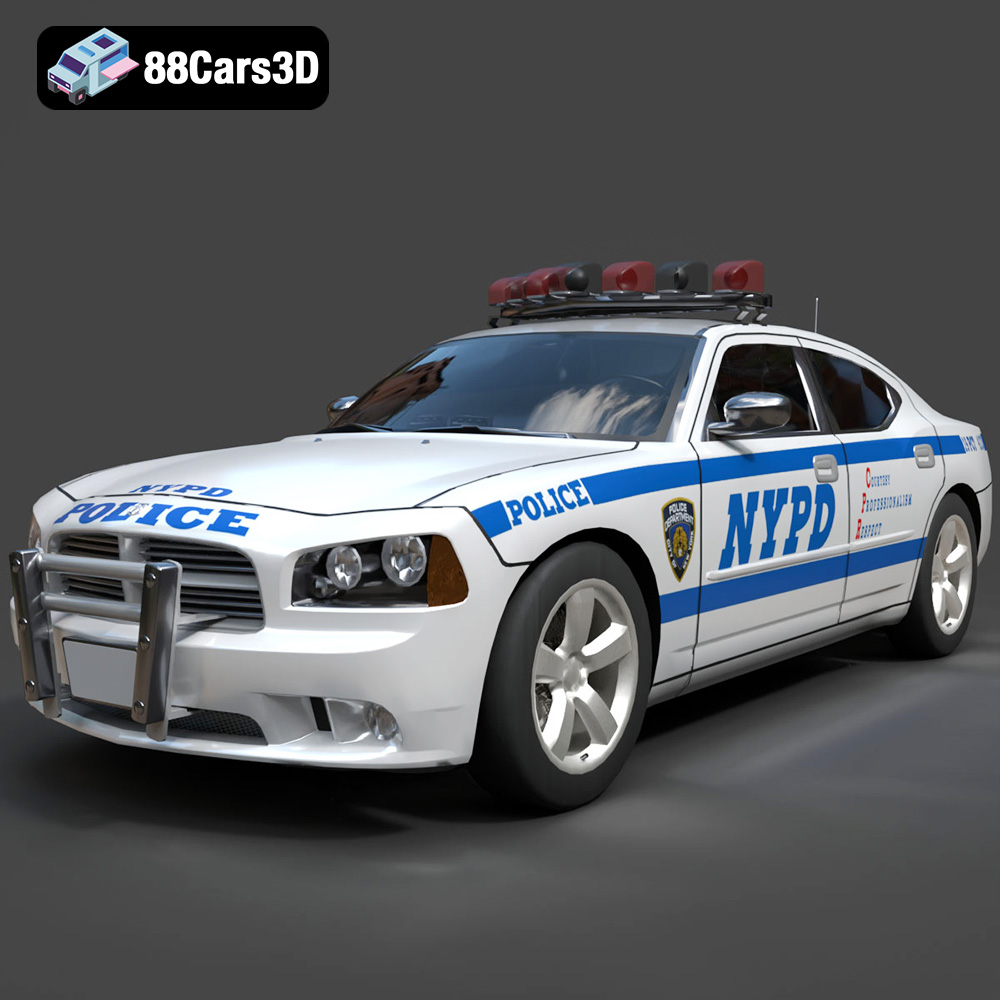
Texture: Yes
Material: Yes
Download the Dodge Charger Police NYPD 3D Model featuring clean geometry, realistic detailing, and a fully modeled interior. Includes .blend, .fbx, .obj, .glb, .stl, .ply, .unreal, and .max formats for rendering, simulation, and game development.
Price: $10
View Product
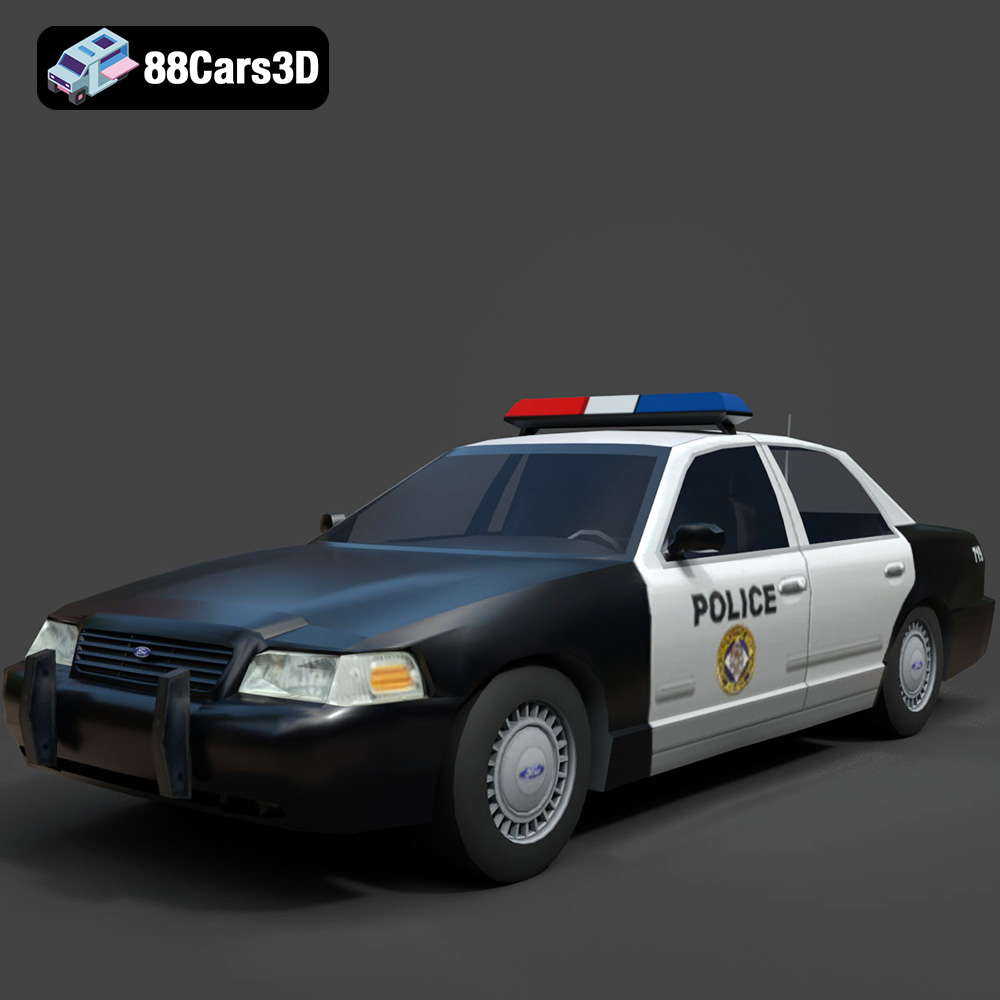
Texture: Yes
Material: Yes
Download the Ford Crown Victoria Police 2011 3D Model featuring clean geometry, realistic detailing, and a fully modeled interior. Includes .blend, .fbx, .obj, .glb, .stl, .ply, .unreal, and .max formats for rendering, simulation, and game development.
Price: $10
View Product
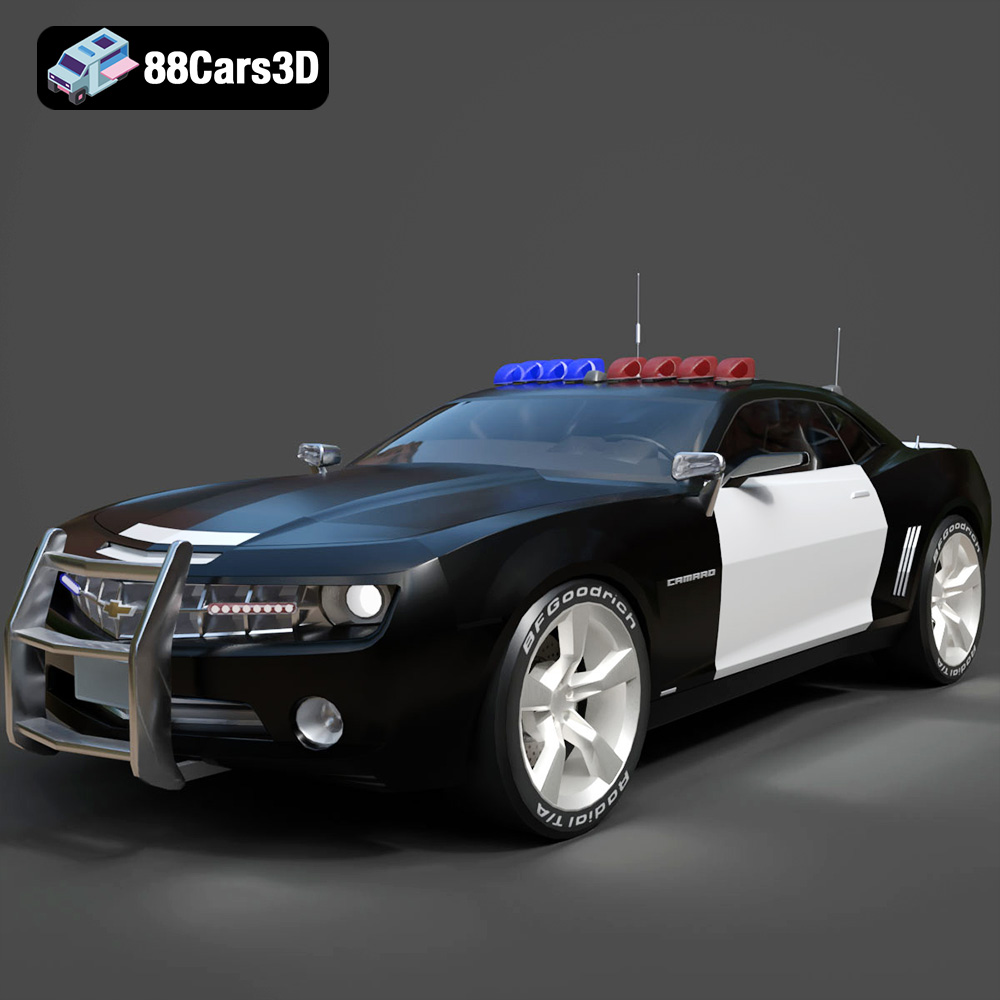
Texture: Yes
Material: Yes
Download the Chevrolet Camaro Patrol SUV 2025 3D Model featuring clean geometry, realistic detailing, and a fully modeled interior. Includes .blend, .fbx, .obj, .glb, .stl, .ply, .unreal, and .max formats for rendering, simulation, and game development.
Price: $10
View Product
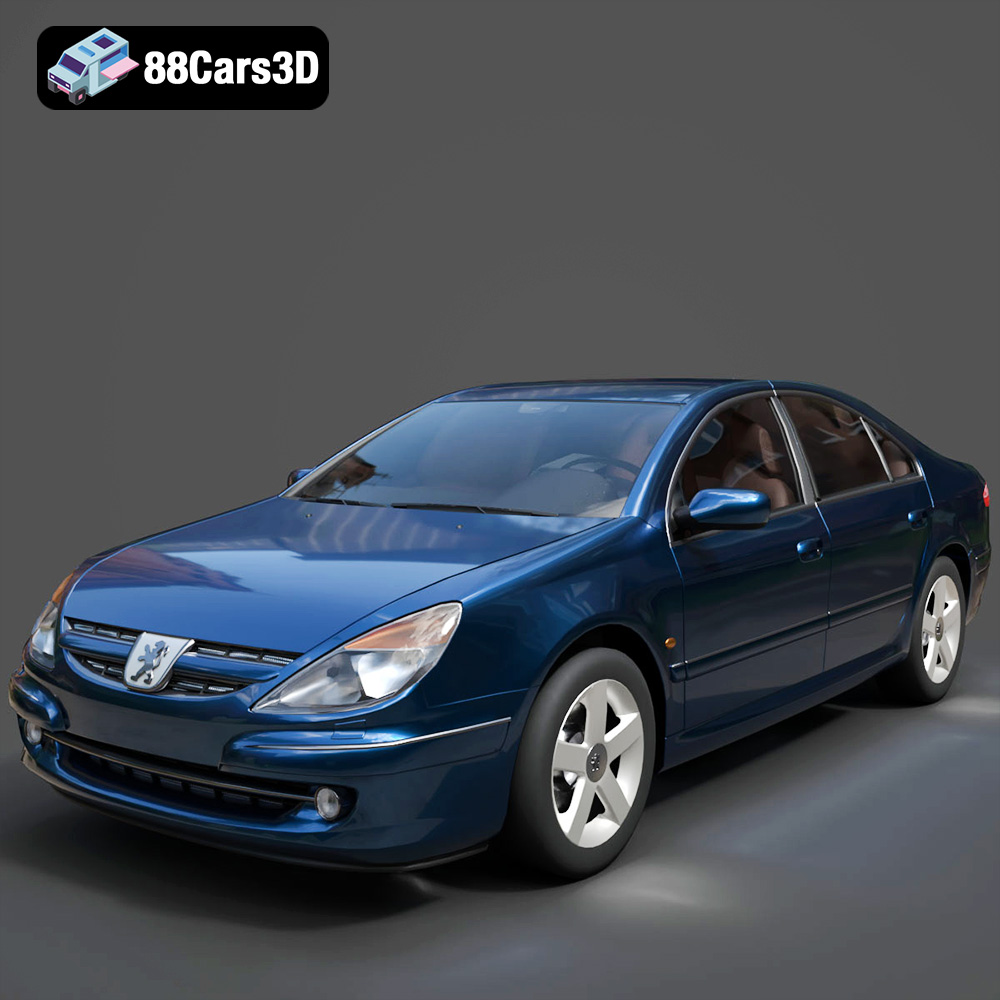
Texture: Yes
Material: Yes
Download the Peugeot 607 3D Model featuring clean geometry, realistic detailing, and a fully modeled interior. Includes .blend, .fbx, .obj, .glb, .stl, .ply, .unreal, and .max formats for rendering, simulation, and game development.
Price: $10
View Product
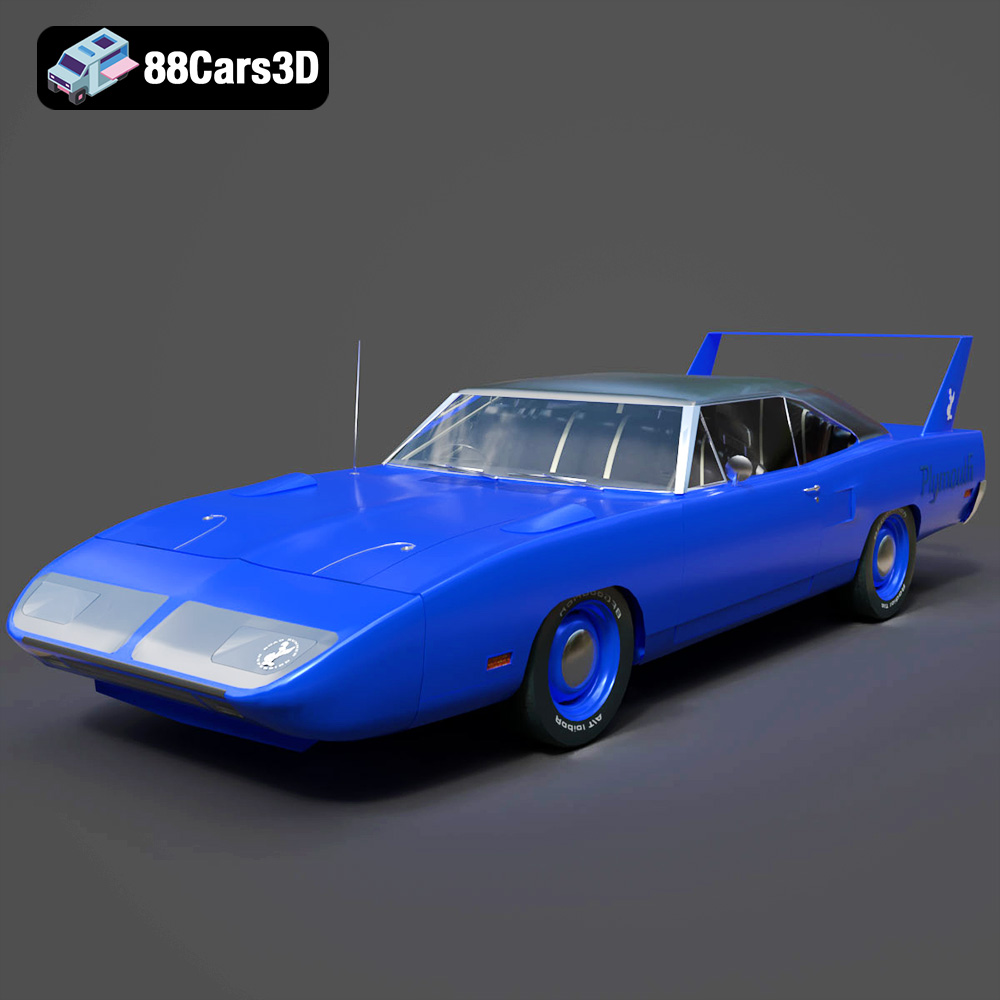
Texture: Yes
Material: Yes
Download the Plymouth Roadrunner Superbird 1970 3D Model featuring clean geometry, realistic detailing, and a fully modeled interior. Includes .blend, .fbx, .obj, .glb, .stl, .ply, .unreal, and .max formats for rendering, simulation, and game development.
Price: $10
View Product
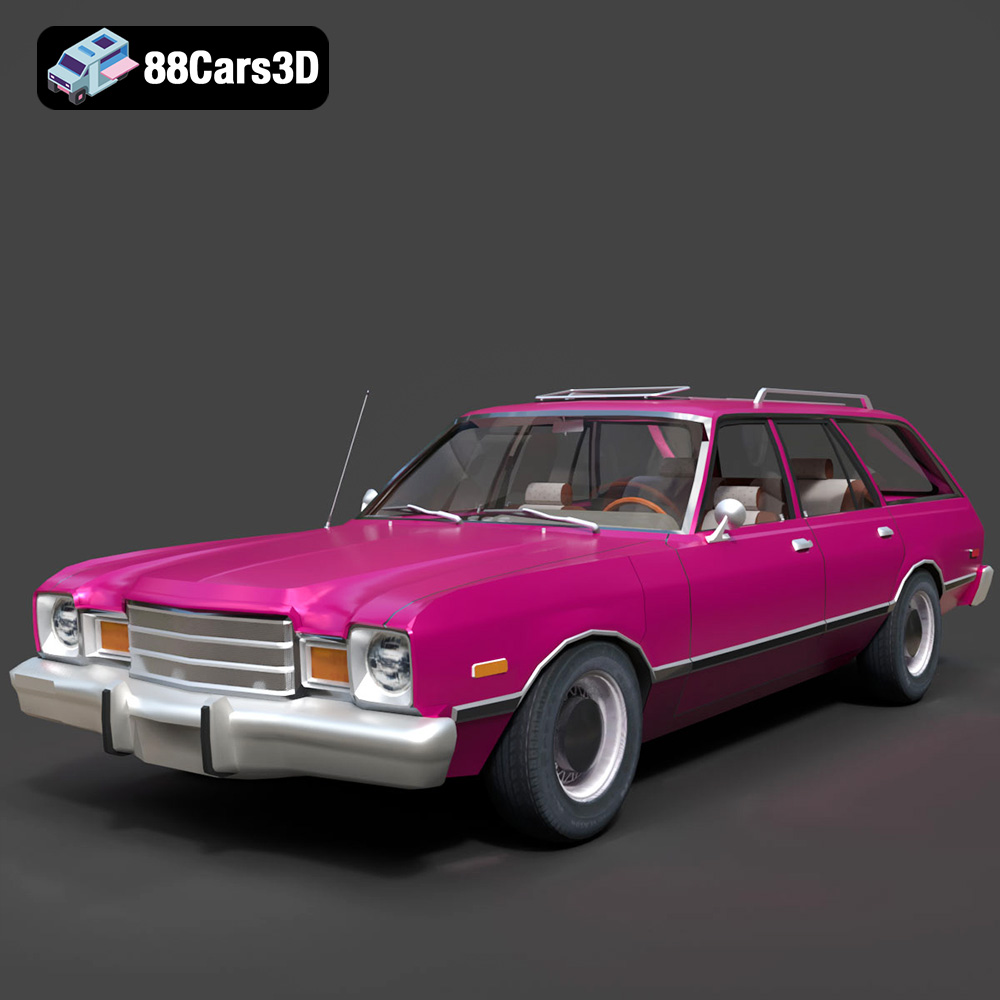
Texture: Yes
Material: Yes
Download the Plymouth Volare 1978 3D Model featuring clean geometry, realistic detailing, and a fully modeled interior. Includes .blend, .fbx, .obj, .glb, .stl, .ply, .unreal, and .max formats for rendering, simulation, and game development.
Price: $10
View Product
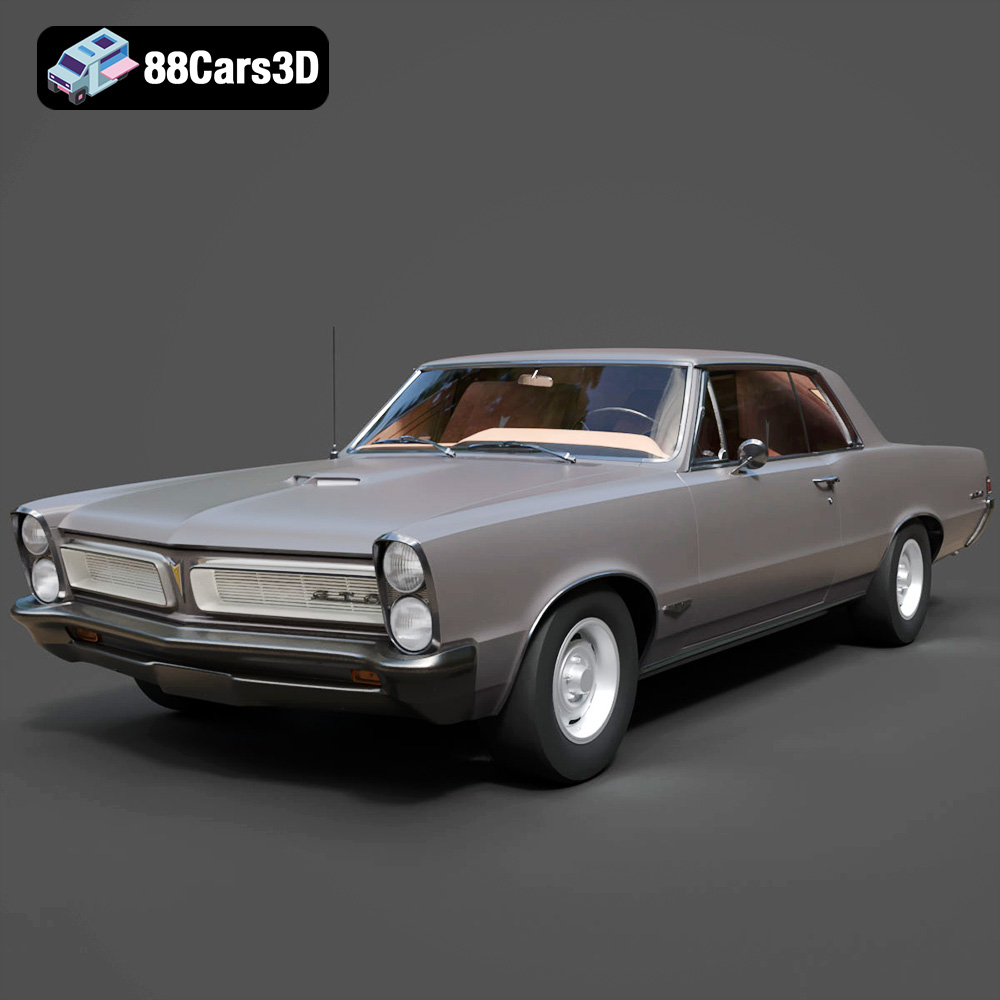
Texture: Yes
Material: Yes
Download the Pontiac GTO 1965 3D Model featuring clean geometry, realistic detailing, and a fully modeled interior. Includes .blend, .fbx, .obj, .glb, .stl, .ply, .unreal, and .max formats for rendering, simulation, and game development.
Price: $10
View Product
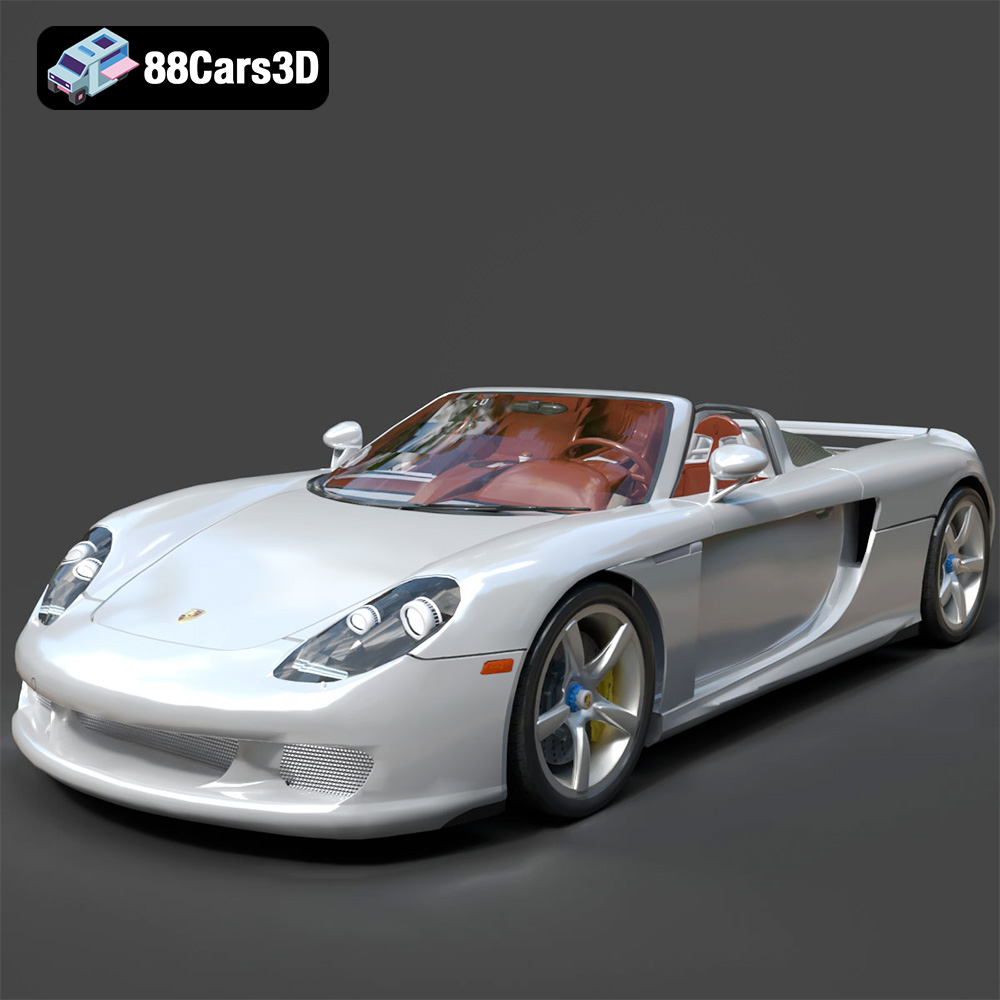
Texture: Yes
Material: Yes
Download the Porsche Carrera GT 3D Model featuring clean geometry, realistic detailing, and a fully modeled interior. Includes .blend, .fbx, .obj, .glb, .stl, .ply, .unreal, and .max formats for rendering, simulation, and game development.
Price: $10
View Product
Texture: Yes
Material: Yes
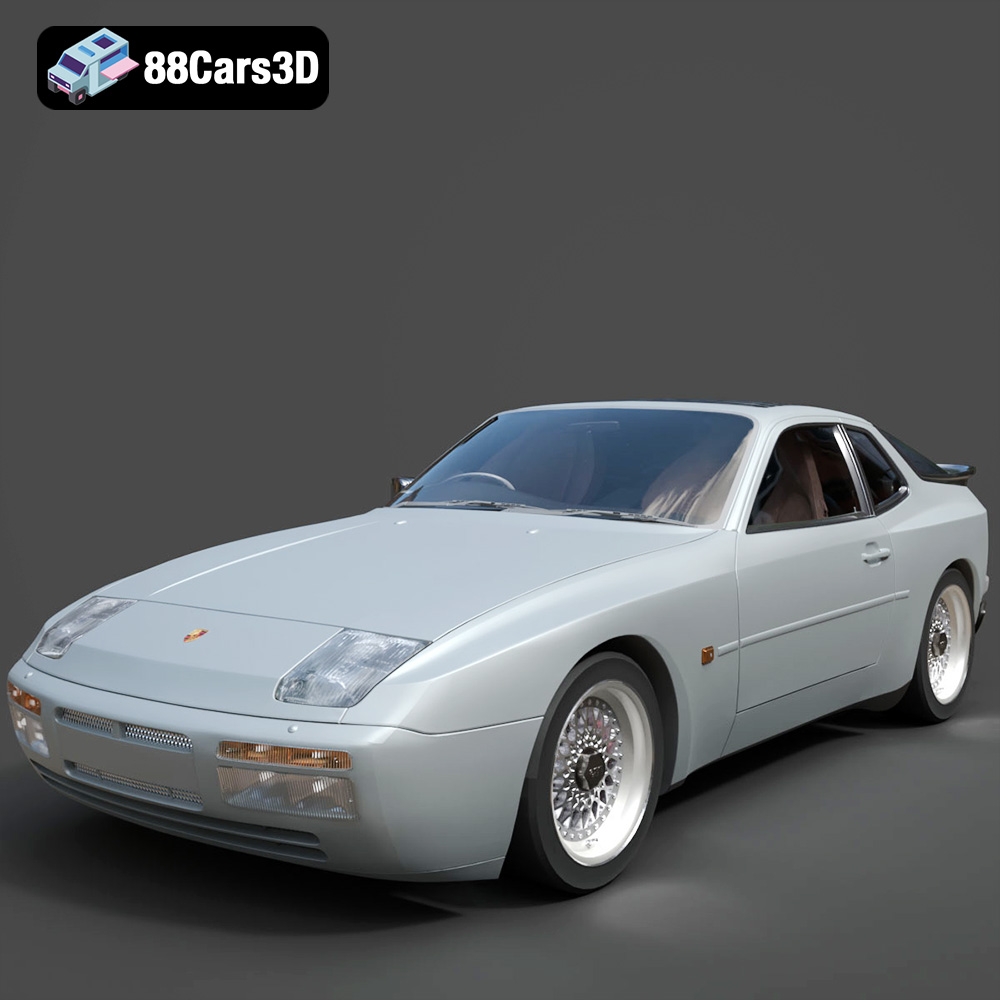
Download the Porsche 944 3D Model featuring clean geometry, realistic detailing, and a fully modeled interior. Includes .blend, .fbx, .obj, .glb, .stl, .ply, .unreal, and .max formats for rendering, simulation, and game development.
Price: $10
View Product
Texture: Yes
Material: Yes
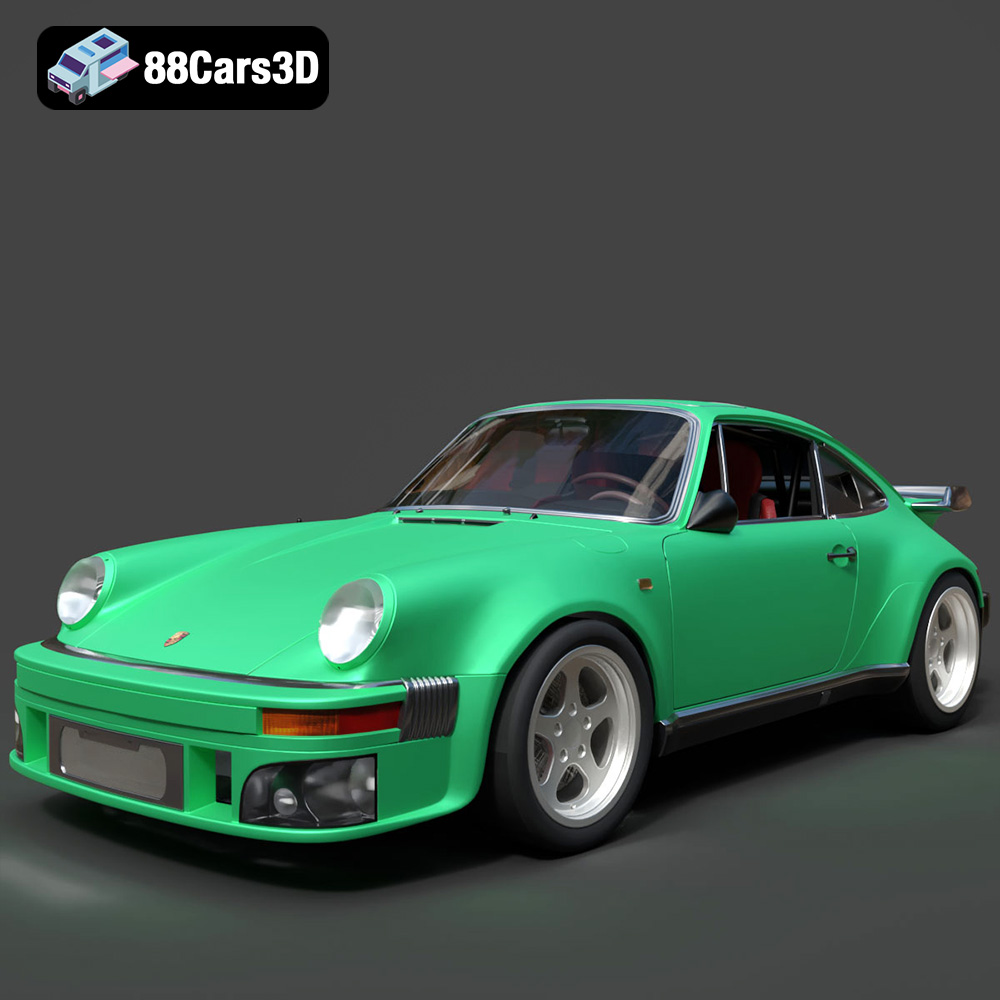
Download the Porsche 964 3D Model featuring clean geometry, realistic detailing, and a fully modeled interior. Includes .blend, .fbx, .obj, .glb, .stl, .ply, .unreal, and .max formats for rendering, simulation, and game development.
Price: $10
View Product


