Get 20% OFF All Premium 3D & STL Models!

The automotive industry has always been at the forefront of innovation, and today, the digital realm plays a more critical role than ever before. From initial concept sketches to virtual showrooms, interactive game experiences, and even the manufacturing of custom parts, high-quality 3D car models are the fundamental building blocks. These digital assets are indispensable for automotive designers, game developers, visualization artists, and hobbyists alike, driving forward design iterations, marketing, and prototyping. Understanding the intricate processes behind creating, optimizing, and deploying these models is key to unlocking their full potential.
This comprehensive guide dives deep into the technical landscape of automotive 3D modeling, exploring everything from the foundational principles of topology and UV mapping to advanced rendering techniques, game engine optimization, and the exciting world of 3D printing custom car parts. We’ll uncover industry best practices, common challenges, and specific software workflows that empower creators to produce stunningly realistic and highly functional 3D car models. Whether you’re a seasoned professional seeking to refine your workflow or an aspiring artist looking to enter this dynamic field, you’ll gain invaluable insights into crafting and utilizing exceptional 3D automotive assets for a multitude of applications. Let’s embark on this journey to master the art and science of digital automotive design.
At the heart of any successful automotive 3D project lies a meticulously crafted model. The quality of this initial digital asset dictates its usability across various downstream applications, from photorealistic visualizations to real-time interactive experiences and even physical production via 3D printing. A ‘high-quality’ 3D car model isn’t just about visual appeal; it encompasses clean geometry, efficient polygon distribution, accurate proportions, and a structure that lends itself to seamless texturing, rigging, and animation. Without this robust foundation, subsequent stages become fraught with inefficiencies and compromises.
The genesis of a 3D car model often begins with extensive reference gathering, including blueprints, photographs, and even physical scans of existing vehicles. This research ensures dimensional accuracy and captures the nuanced contours that define a car’s unique aesthetic. Modeling software like 3ds Max, Blender, or Maya are then employed to translate these references into a digital mesh, typically starting with low-polygon blocking to establish overall shape and scale before progressively adding detail. The choice of modeling technique, be it polygonal modeling, NURBS (Non-Uniform Rational B-Spline) surfacing, or subdivision modeling, often depends on the desired level of precision, the complexity of the curves, and the ultimate application. For most automotive visualizations and game assets, a hybrid approach combining polygonal efficiency with subdivision surfacing for smooth curvature is common. Platforms like 88cars3d.com understand these requirements, offering models built with these demanding applications in mind.
The base mesh refers to the fundamental polygonal structure before any subdivision or high-detail sculpting. A well-constructed base mesh is crucial. It should have a logical edge flow that follows the contours and creases of the vehicle, allowing for smooth deformations and easy manipulation. Furthermore, maintaining real-world scale is paramount. A car modeled to accurate dimensions (e.g., in meters or inches) ensures correct physical simulations in game engines, accurate lighting calculations in renderers, and proper scaling for AR/VR environments or 3D printing. Inaccurate scaling can lead to unforeseen issues down the line, requiring tedious readjustments that could have been avoided during the initial modeling phase.
Automotive design is an iterative process, and 3D models facilitate rapid prototyping and refinement. Designers can quickly generate multiple variations of a vehicle, adjusting everything from body lines and aerodynamic elements to interior layouts, all within the digital environment. This agility significantly reduces development time and costs compared to traditional physical prototyping. High-fidelity models allow for virtual reviews, client feedback integration, and comprehensive analysis of aesthetic and functional aspects before any physical components are manufactured. This workflow extends beyond initial design, enabling digital twins of existing vehicles to be created for simulations, performance analysis, or even customization applications, where modifications can be previewed precisely before committing to real-world changes.
Two of the most critical, yet often overlooked, aspects of creating high-quality 3D car models are topology and UV mapping. While geometry defines the shape, topology dictates how that shape behaves and how efficiently it can be textured and deformed. UV mapping, on the other hand, is the bridge between your 3D model and its 2D textures, dictating how those textures wrap around the complex surfaces of a vehicle. A poorly optimized model, regardless of how detailed it appears, will lead to rendering artifacts, performance issues in real-time applications, and complications with texturing and 3D printing.
For automotive models, which are characterized by sleek curves, sharp creases, and complex paneling, impeccable topology is non-negotiable. It ensures that subdivision surfaces generate smooth, artifact-free results and that reflections accurately represent the car’s surface. Proper UV mapping guarantees that painted details, logos, and material variations appear crisp and undistorted. Mastering these techniques requires a deep understanding of polygonal geometry and spatial awareness. The effort invested in these stages pays dividends, resulting in models that are not only visually impressive but also technically robust and versatile for any application.
Clean topology primarily involves quadrilateral polygons (quads) and a logical arrangement of edges that follow the natural contours and flow of the car’s body panels. This “edge flow” is crucial for several reasons:
A common practice for automotive modeling is to maintain a relatively dense mesh in areas of high curvature or detail (e.g., fender flares, headlights) and a sparser mesh on flatter surfaces, carefully transitioning between these densities to avoid unevenness. Techniques like “pole management” (where multiple edge loops converge) are critical to prevent unsightly artifacts.
UV mapping is the process of unwrapping the 3D surface of a model into a 2D space, forming a UV layout. This layout dictates how textures, which are 2D images, are applied to the 3D model. For cars, effective UV mapping involves:
Complex car models often utilize multiple UV sets or UV mapping strategies to optimize texture usage. For instance, the main body might have its own large UV island, while smaller components like wheels, lights, and interior elements are unwrapped separately, sometimes into a texture atlas to reduce draw calls in game engines. When sourcing models from marketplaces such as 88cars3d.com, always check for clean, professionally unwrapped UVs, as this saves countless hours in the texturing phase.
Beginners often face challenges with complex curvature and maintaining quad-only topology. Common issues include:
Regular visual inspection of the mesh, especially in reflection views, and utilizing software’s UV visualization tools are crucial steps in identifying and rectifying these issues early in the modeling pipeline.
Once a 3D car model boasts impeccable topology and UV mapping, the next critical step in achieving photorealism is the creation of its materials and textures. Modern rendering relies heavily on Physically Based Rendering (PBR), a methodology that accurately simulates how light interacts with surfaces in the real world. PBR materials are essential for rendering realistic automotive paint, reflective chrome, transparent glass, and textured rubber, ensuring consistency across different lighting conditions and rendering environments. Understanding and implementing PBR workflows is paramount for any professional 3D artist aiming for believable results.
The process involves not just painting colors but defining properties like roughness, metallicness, normal details, and reflectivity through a series of interconnected texture maps. These maps, combined with sophisticated shader networks, tell the rendering engine precisely how light should bounce, absorb, or scatter from each part of the car. The attention to detail in material creation can elevate a good model to an exceptional one, immersing the viewer in a sense of tangibility and realism.
PBR operates on the principle of energy conservation and realistic light interaction. Key PBR maps and their roles include:
Combining these maps allows artists to replicate the complex visual properties of car surfaces, from the clear coat on metallic paint that shows subtle orange peel texture to the rough grip of tire rubber or the smooth reflectivity of windshield glass.
Beyond individual PBR maps, advanced realism often requires building complex shader networks within rendering software (e.g., Blender’s Cycles nodes, 3ds Max’s Slate Material Editor). For automotive models, specific considerations include:
Each material type demands careful tuning of its PBR parameters and potentially custom nodes to achieve truly convincing results. Physically accurate values for IOR, specific roughness ranges for different finishes, and realistic color palettes are all critical components.
Texture maps can be created through various methods:
Texture resolution is a crucial factor for visual fidelity and performance. Common resolutions include 2K (2048×2048) or 4K (4096×4096) for main body parts, with 8K (8192×8192) used for extremely high-detail renders or cinematic close-ups. Smaller components might use 512×512 or 1K textures. The total number of texture maps and their resolutions directly impacts file size, memory usage, and rendering times. Balancing detail with efficiency is a continuous challenge, especially when targeting game engines or AR/VR platforms.
With a meticulously modeled and textured 3D car, the next stage is to breathe life into it through rendering and visualization. This is where all the prior hard work culminates into stunning images or immersive animations. Rendering is the process of generating a 2D image from a 3D model, taking into account lighting, materials, camera angles, and environmental factors. For automotive projects, the goal is almost always photorealism, creating images so convincing that they are indistinguishable from real-world photographs.
This phase involves strategic camera placement, sophisticated lighting setups that mimic studio or outdoor environments, and careful calibration of rendering parameters to achieve specific artistic and technical goals. Whether showcasing a concept car in a glossy advertisement, generating product shots for a website, or creating dynamic animations for a promotional video, the rendering workflow is central to conveying the aesthetic and emotional impact of automotive design. The choice of rendering engine, lighting strategy, and post-processing techniques all play pivotal roles in the final output.
The market offers a variety of powerful rendering engines, each with its own strengths and ideal applications:
Each engine has specific settings for global illumination, physically accurate cameras, depth of field, motion blur, and anti-aliasing, all of which need careful configuration to achieve optimal results for automotive scenes. Understanding the strengths and weaknesses of each engine allows artists to choose the best tool for their specific project and hardware setup.
Lighting is arguably the most crucial element in achieving photorealism. For automotive rendering, specialized techniques are often employed:
A successful lighting setup doesn’t just illuminate the car; it defines its form, highlights its materials, and sets the mood of the scene. It’s a delicate balance of science (physically accurate light decay) and art (composition and mood).
Rarely does a raw render come straight out of the engine perfectly finished. Post-processing and compositing in software like Adobe Photoshop, Affinity Photo, or DaVinci Resolve are essential steps to elevate renders to cinematic quality:
This final stage is where the artist polishes the image, correcting minor imperfections, enhancing realism, and imbuing the render with a distinctive style. Mastering post-processing can transform a good render into a truly exceptional piece of automotive art.
While high-fidelity renders prioritize visual quality above all else, 3D car models intended for real-time interactive experiences like video games, augmented reality (AR), or virtual reality (VR) demand a completely different optimization strategy. Here, performance is king. Smooth frame rates, minimal load times, and efficient memory usage are critical for a positive user experience. This means that raw, high-polygon models suitable for offline rendering must be rigorously optimized, often involving significant reductions in polygon count and clever texture management, without sacrificing perceived visual quality.
The goal is to strike a delicate balance between visual fidelity and real-time performance. This optimization process involves a suite of techniques designed to reduce the computational burden on the game engine or AR/VR platform while still presenting a convincing representation of the vehicle. Understanding these methods is essential for any artist or developer working in interactive media, ensuring their automotive assets run smoothly on target hardware, from high-end PCs to mobile devices.
Achieving optimal performance for real-time applications involves several key strategies:
A common range for game-ready 3D car models is often between 50,000 to 200,000 polygons for LOD0, with lower LODs dropping to 10,000 or even 2,000 polygons. Platforms like 88cars3d.com often provide models with pre-optimized LODs and clean topology ideal for game development.
Game engines like Unity and Unreal Engine have specific demands and features to leverage for automotive assets:
Understanding the target platform’s capabilities (e.g., mobile vs. PC vs. console) is vital for setting appropriate optimization targets and visual fidelity expectations. Testing and profiling within the engine are crucial to identify bottlenecks.
AR/VR environments present unique challenges due to the high frame rate requirements (e.g., 90 FPS for VR to prevent motion sickness) and the need for immersion. This often translates to even stricter polygon and draw call budgets than traditional games:
The goal is to maintain a consistent high frame rate to ensure a comfortable and believable experience for the user. Every polygon, every texture, and every draw call needs to be justified for its contribution to the final visual and interactive quality.
Beyond the digital screen, 3D printing has revolutionized the automotive industry, moving 3D car models from virtual concepts to tangible realities. This additive manufacturing technology enables designers and engineers to rapidly prototype components, test designs, and even produce custom car parts with unprecedented speed and precision. From complex engine manifolds to custom interior trims, aerodynamic spoilers, or even scale models, 3D printing leverages the same digital models used for visualization, bridging the gap between digital design and physical production.
However, preparing a 3D model for 3D printing involves a distinct set of considerations compared to rendering or game optimization. The digital model must be ‘manifold’ (watertight), free of intersecting geometry, and possess sufficient wall thickness to ensure structural integrity in the physical world. Understanding these requirements and the specific capabilities of various 3D printing technologies and materials is crucial for successful additive manufacturing in the automotive sector, empowering innovations in design, customization, and repair.
The transition from a visual 3D model to a printable file requires several key preparation steps:
Many CAD software packages (SolidWorks, Fusion 360) excel at creating manifold solids, while polygon modelers (Blender, 3ds Max) require more diligent attention to mesh integrity for 3D printing. Before sending files to print, always run a comprehensive mesh analysis.
Even with careful modeling, issues can arise. Specialized tools and workflows are available to ensure mesh integrity:
Neglecting mesh repair can lead to failed prints, wasted material, and frustration. Diligent pre-print checks are a non-negotiable step in the workflow.
The advancements in 3D printing materials have significantly expanded its applications in the automotive industry:
The choice of 3D printing technology (FDM, SLA, SLS, DMLS) and material depends heavily on the application’s requirements for strength, precision, surface finish, and cost. High-quality 3D car models, like those available on 88cars3d.com, provide an excellent starting point for these tangible applications, offering the geometric accuracy needed for successful physical reproduction.
In the diverse ecosystem of 3D modeling and visualization, understanding file formats is crucial. A 3D car model rarely stays in a single software environment throughout its lifecycle. It might be modeled in Maya, textured in Substance Painter, rendered in Corona for a marketing image, and then optimized for Unreal Engine for a game, or prepared for 3D printing. Each step often involves exporting and importing the model in a format compatible with the next tool in the pipeline. Incompatible formats, missing data, or corrupted files can bring an entire project to a grinding halt, emphasizing the importance of format knowledge and meticulous asset management.
The choice of file format can impact polygon count, material definitions, UV mapping, animations, and overall file size. Mastering the nuances of common 3D file formats, their strengths, weaknesses, and typical use cases, is essential for maintaining asset integrity and ensuring a smooth workflow across different software packages and platforms. This technical understanding minimizes frustration and maximizes efficiency throughout the entire digital automotive design process.
Several file formats dominate the 3D industry, each serving specific purposes:
Other formats like DAE (Collada), ABC (Alembic for VFX caching), and native software formats (e.g., .max, .blend, .ma) also play roles in specific pipelines.
Converting between formats can be a source of potential data loss or corruption if not handled carefully. Key considerations include:
Using the native export/import functions of professional 3D software and checking documentation for best practices in format conversions is vital. For example, when creating game assets, exporting to FBX from 3ds Max or Blender for Unity/Unreal is a common, well-established workflow. For web or AR, glTF/GLB or USDZ are the preferred options.
Maintaining the integrity of 3D car models across various platforms and stages of development requires disciplined asset management:
A well-managed asset pipeline ensures that regardless of the format conversions or platform changes, the core quality and functionality of the 3D car model remain intact, supporting efficient and high-quality creative output.
The journey from a conceptual idea to a fully realized 3D car model is a testament to the intricate blend of art and engineering that defines modern digital design. We’ve explored the critical foundations of clean topology and precise UV mapping, which are indispensable for creating visually stunning and technically robust automotive assets. We then delved into the world of Physically Based Rendering (PBR), understanding how realistic materials and sophisticated shader networks bring digital surfaces to life with unparalleled realism, further enhanced by expert lighting, rendering, and post-processing techniques.
Beyond static images, we examined the rigorous optimization strategies required for deploying 3D car models in interactive environments like games and AR/VR, where performance and immersive experiences are paramount. Finally, we ventured into the tangible realm of 3D printing, highlighting how digital models transition into physical custom car parts and prototypes, driving innovation in manufacturing and customization. Throughout these diverse applications, the importance of file formats and diligent asset management ensures seamless transitions and consistent quality across complex workflows.
Mastering these technical facets empowers artists and designers to not only create breathtaking visualizations but also to produce highly functional assets for a rapidly evolving industry. As technology continues to advance, the demand for high-quality, versatile 3D car models will only grow. By applying the principles and techniques discussed, you’re well-equipped to navigate this exciting landscape and push the boundaries of automotive design. Whether you’re building a virtual showroom, developing a next-gen racing game, or prototyping a bespoke component, the insights shared here will guide you toward exceptional results. Discover your next high-quality asset and elevate your projects today by exploring the professional 3D car models available at 88cars3d.com.
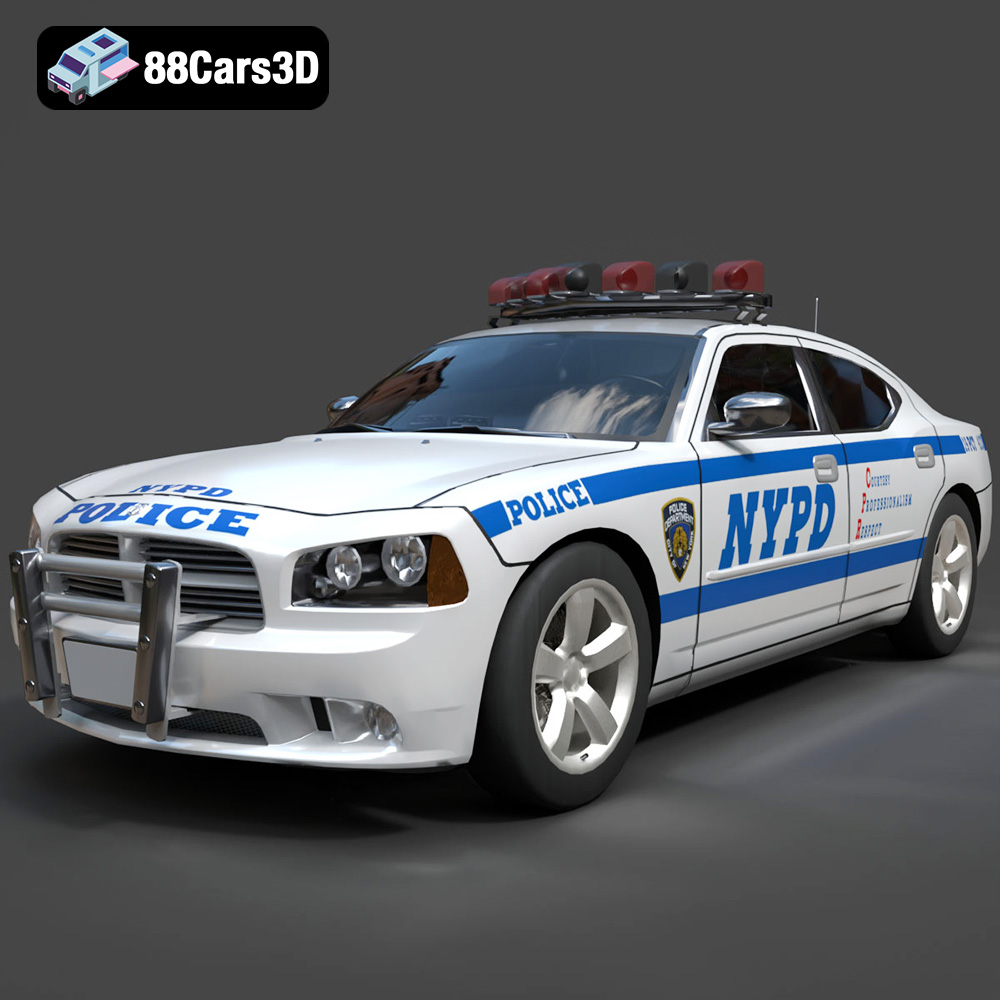
Texture: Yes
Material: Yes
Download the Dodge Charger Police NYPD 3D Model featuring clean geometry, realistic detailing, and a fully modeled interior. Includes .blend, .fbx, .obj, .glb, .stl, .ply, .unreal, and .max formats for rendering, simulation, and game development.
Price: $10
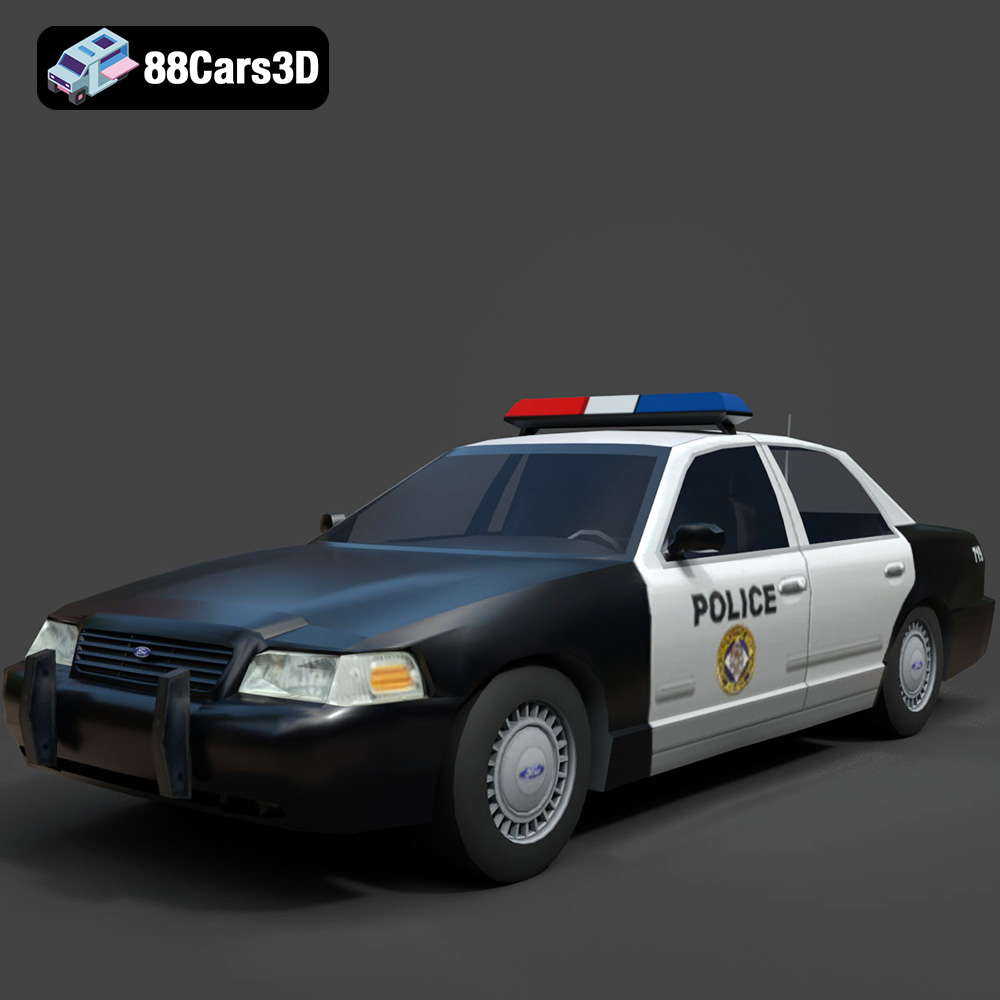
Texture: Yes
Material: Yes
Download the Ford Crown Victoria Police 2011 3D Model featuring clean geometry, realistic detailing, and a fully modeled interior. Includes .blend, .fbx, .obj, .glb, .stl, .ply, .unreal, and .max formats for rendering, simulation, and game development.
Price: $10
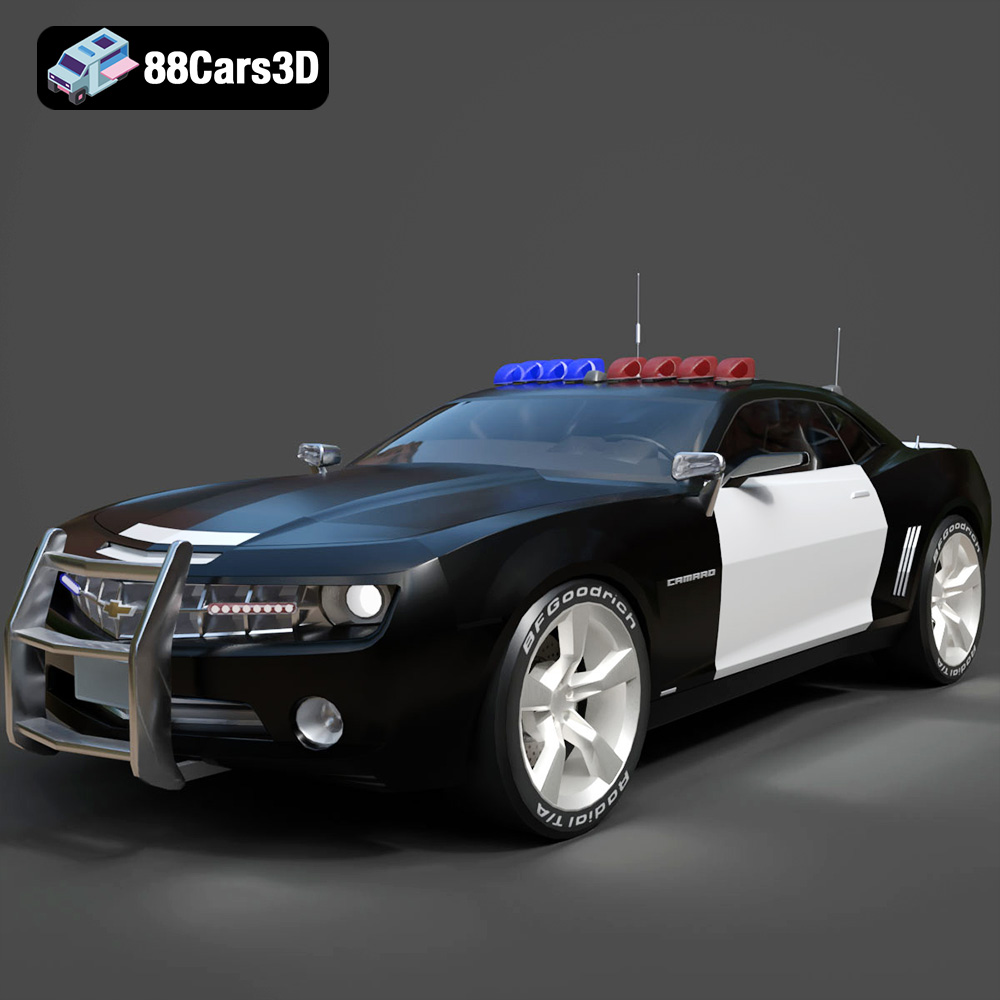
Texture: Yes
Material: Yes
Download the Chevrolet Camaro Patrol SUV 2025 3D Model featuring clean geometry, realistic detailing, and a fully modeled interior. Includes .blend, .fbx, .obj, .glb, .stl, .ply, .unreal, and .max formats for rendering, simulation, and game development.
Price: $10
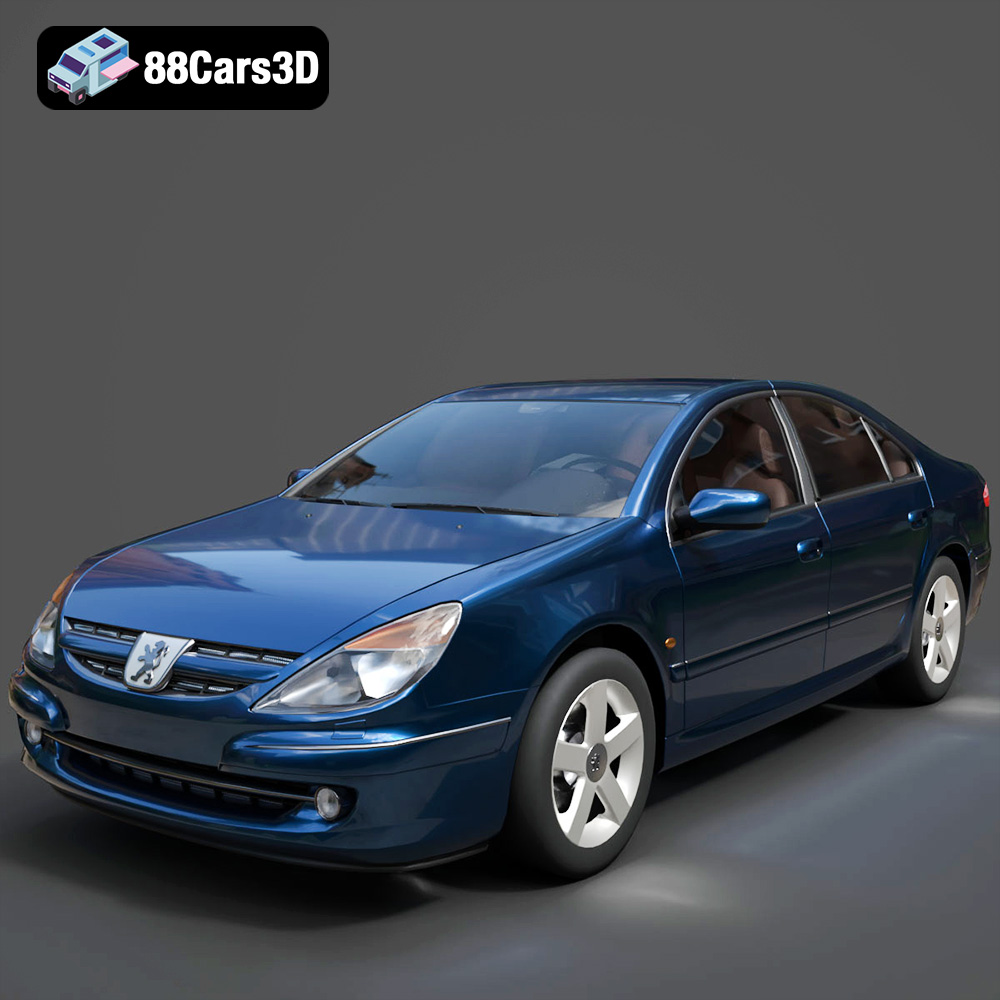
Texture: Yes
Material: Yes
Download the Peugeot 607 3D Model featuring clean geometry, realistic detailing, and a fully modeled interior. Includes .blend, .fbx, .obj, .glb, .stl, .ply, .unreal, and .max formats for rendering, simulation, and game development.
Price: $10
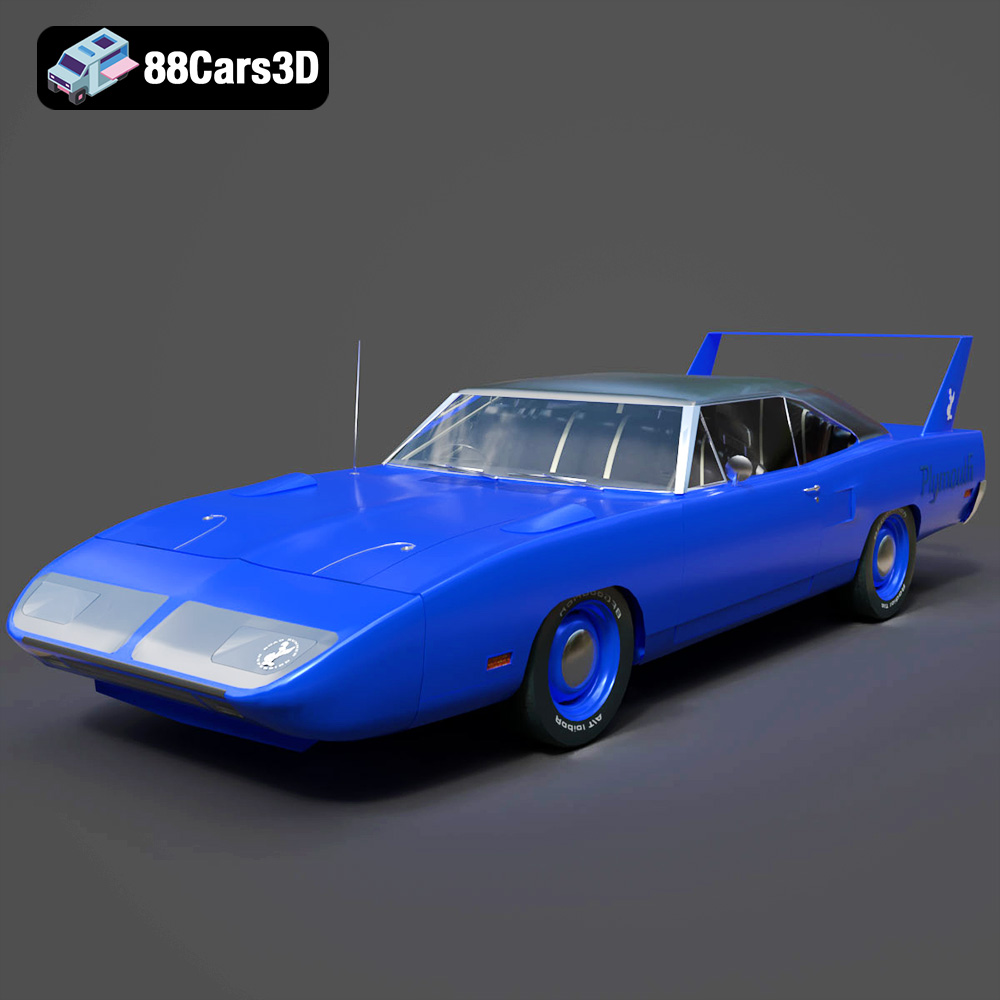
Texture: Yes
Material: Yes
Download the Plymouth Roadrunner Superbird 1970 3D Model featuring clean geometry, realistic detailing, and a fully modeled interior. Includes .blend, .fbx, .obj, .glb, .stl, .ply, .unreal, and .max formats for rendering, simulation, and game development.
Price: $10
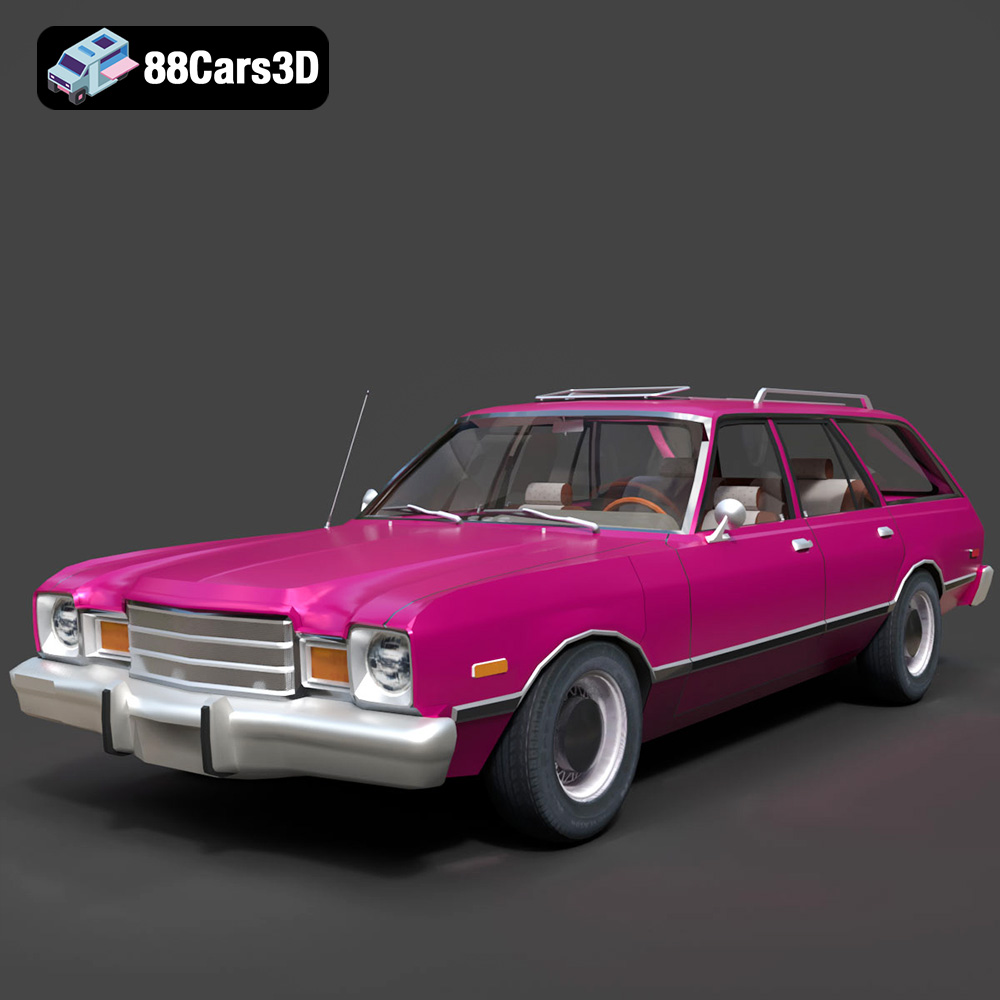
Texture: Yes
Material: Yes
Download the Plymouth Volare 1978 3D Model featuring clean geometry, realistic detailing, and a fully modeled interior. Includes .blend, .fbx, .obj, .glb, .stl, .ply, .unreal, and .max formats for rendering, simulation, and game development.
Price: $10
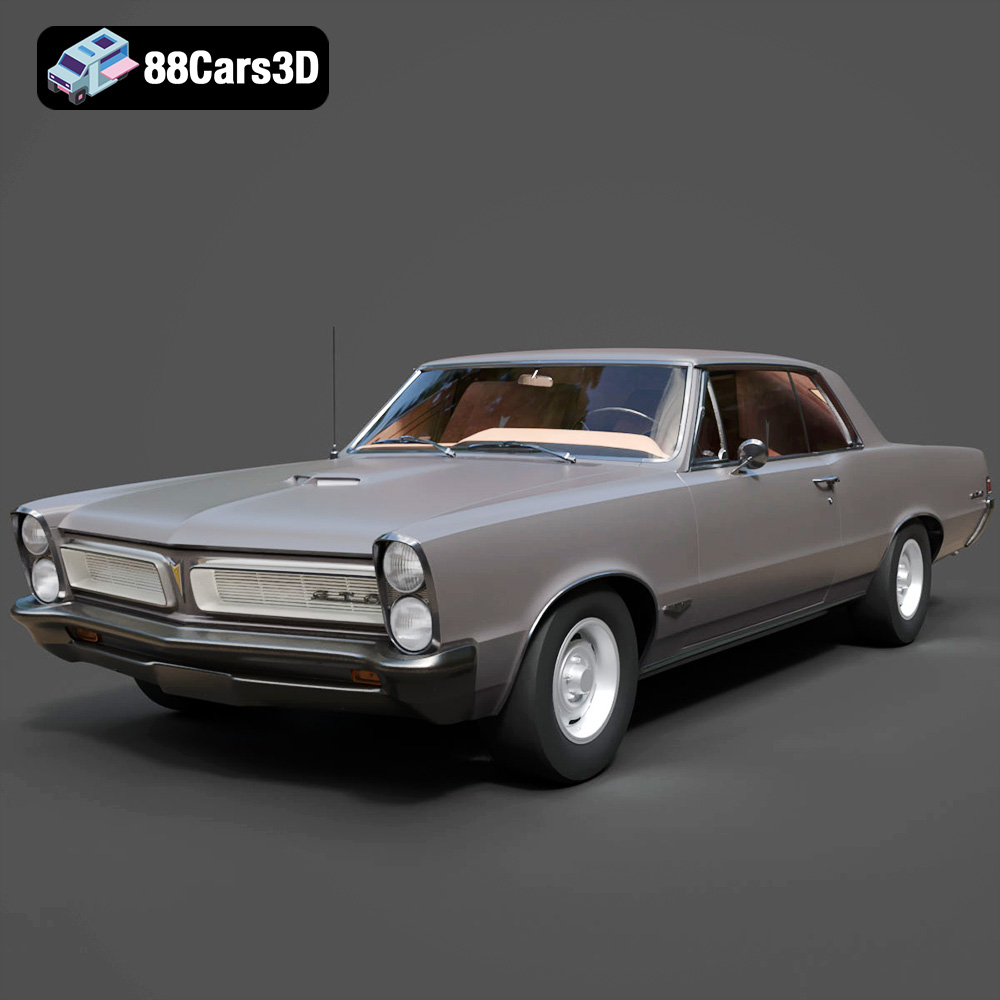
Texture: Yes
Material: Yes
Download the Pontiac GTO 1965 3D Model featuring clean geometry, realistic detailing, and a fully modeled interior. Includes .blend, .fbx, .obj, .glb, .stl, .ply, .unreal, and .max formats for rendering, simulation, and game development.
Price: $10
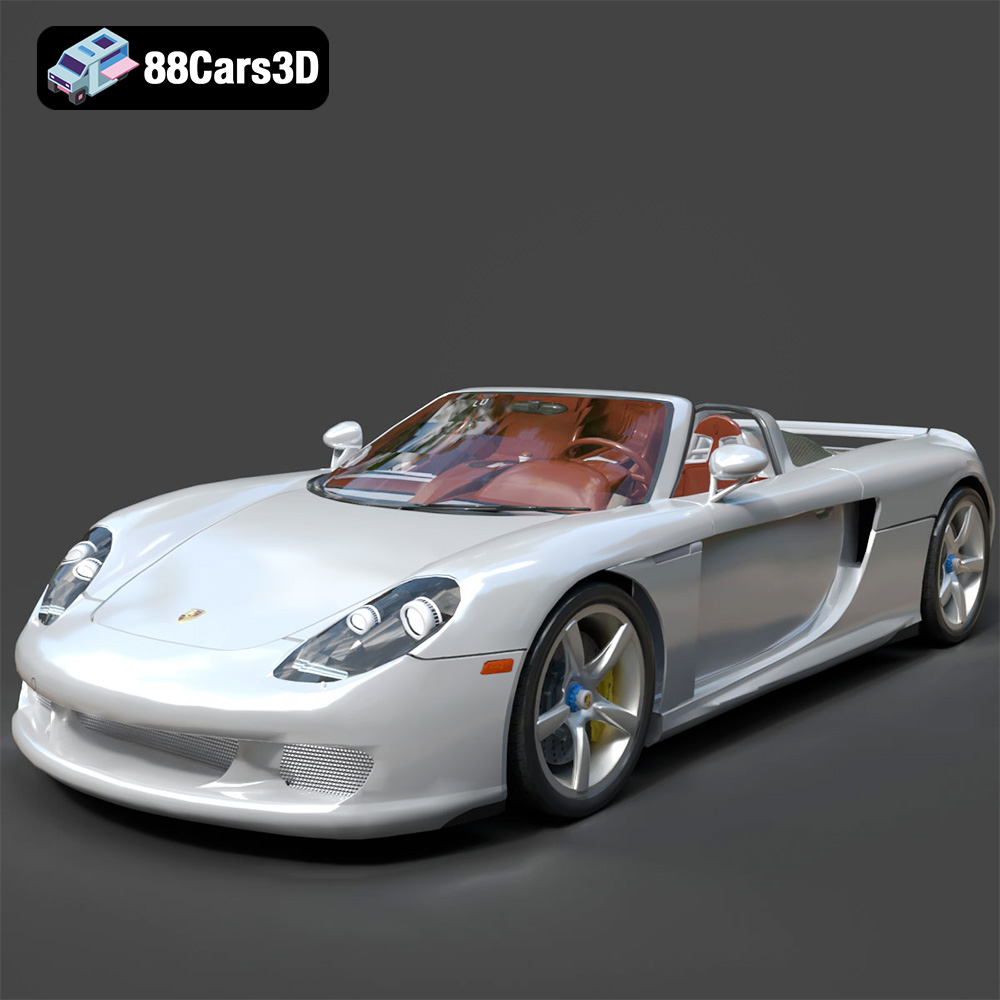
Texture: Yes
Material: Yes
Download the Porsche Carrera GT 3D Model featuring clean geometry, realistic detailing, and a fully modeled interior. Includes .blend, .fbx, .obj, .glb, .stl, .ply, .unreal, and .max formats for rendering, simulation, and game development.
Price: $10
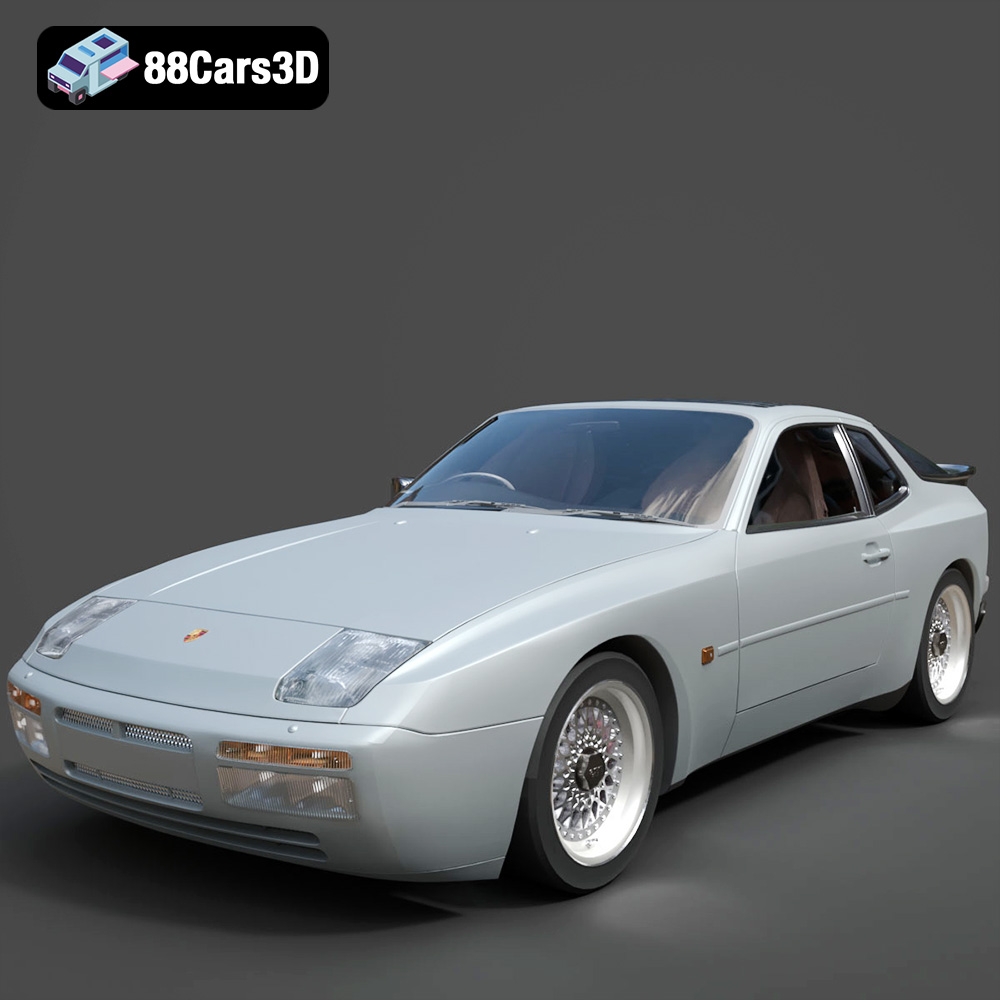
Texture: Yes
Material: Yes
Download the Porsche 944 3D Model featuring clean geometry, realistic detailing, and a fully modeled interior. Includes .blend, .fbx, .obj, .glb, .stl, .ply, .unreal, and .max formats for rendering, simulation, and game development.
Price: $10
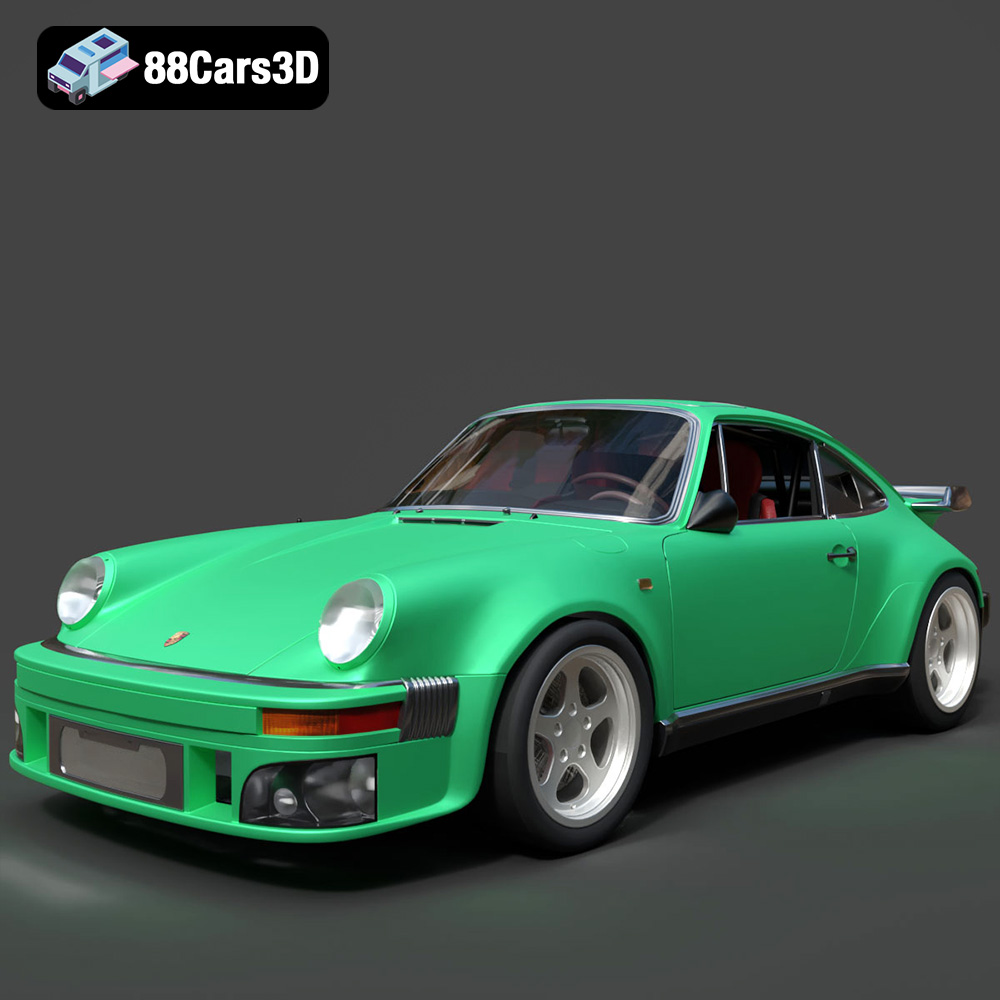
Texture: Yes
Material: Yes
Download the Porsche 964 3D Model featuring clean geometry, realistic detailing, and a fully modeled interior. Includes .blend, .fbx, .obj, .glb, .stl, .ply, .unreal, and .max formats for rendering, simulation, and game development.
Price: $10

