Get 20% OFF All Premium 3D & STL Models!

In the fast-evolving landscape of digital design and manufacturing, 3D automotive models stand as cornerstones of innovation. From the sleek curves of a concept car rendered with breathtaking realism to custom replacement parts produced on a desktop 3D printer, the capabilities unlocked by high-quality 3D car models are revolutionizing industries. Whether you’re a seasoned game developer, an automotive design engineer, a visualization specialist, or an aspiring hobbyist, understanding the intricate workflows involved in creating, optimizing, and deploying these digital assets is paramount. This comprehensive guide delves deep into the technical nuances of 3D modeling topology, advanced UV mapping, sophisticated PBR material creation, photorealistic rendering, real-time optimization for games and AR/VR, and the practicalities of transforming digital designs into physical objects through 3D printing. We’ll explore best practices, common challenges, and specific software techniques to equip you with the knowledge needed to harness the full potential of 3D automotive design. Join us as we navigate the exciting journey from concept to tangible reality, powered by precision 3D modeling.
The quality of any 3D automotive project begins with its mesh topology. A meticulously crafted 3D car model, such as those found on platforms like 88cars3d.com, boasts clean, efficient geometry that not only looks great but also performs optimally across various applications. Automotive models are inherently complex, characterized by smooth, reflective surfaces, sharp creases, and intricate details. Achieving this requires adherence to fundamental principles of 3D modeling, primarily focusing on quad-based topology and intelligent edge flow. Triangles (tris) and N-gons (polygons with more than four sides) are generally avoided in the base mesh as they can lead to unpredictable deformation, shading artifacts (especially on reflective surfaces), and difficulties in subsequent operations like subdivision surfacing or sculpting. For high-fidelity models, poly counts can range significantly: a background asset in a game might have 50,000-100,000 polygons, while a hero vehicle for cinematic rendering could easily exceed 500,000-1,000,000 polygons. The key is not just the count, but the *distribution* and *flow* of those polygons.
For automotive models, topology directly impacts visual fidelity and workflow efficiency. Smooth, continuous surfaces are critical for accurately representing a car’s design, and this continuity is achieved through consistent quad-based geometry. Bad topology can manifest as “pinching,” unwanted bumps, or uneven reflections, ruining the illusion of a perfectly manufactured vehicle. When modeling car bodies, artists often start with low-polygon blockouts to establish the overall form, then progressively add detail using subdivision surface modifiers (like TurboSmooth in 3ds Max or Subdivision Surface in Blender). This non-destructive workflow requires a clean base mesh. Ensuring proper edge loops around critical features like window frames, door seams, and wheel arches provides the necessary control for sharp details while maintaining overall surface smoothness. Overlapping geometry, inverted normals, and non-manifold edges are also common pitfalls that must be avoided, as they can cause rendering issues, problems with UV mapping, and failures during 3D printing preparation.
Effective edge flow is the backbone of high-quality hard-surface modeling, particularly for automotive design. Edge loops should follow the natural contours and creases of the car, defining its form rather than simply covering its surface. For instance, around a wheel arch, edge loops should flow smoothly around the curve, providing sufficient geometry for a clean profile. Similarly, sharp edges, such as those defining a car’s body lines or headlight bezels, require specific supporting edge loops to hold their sharpness after subdivision. This often involves adding “control loops” or “holding edges” parallel and very close to the main edge. These loops prevent the subdivision surface from softening the sharp corner excessively. Techniques like chamfering (beveling) edges before subdivision can also create subtle rounding that catches light beautifully, enhancing realism. Understanding how to manage polygon density – adding more detail where curves are tight or features are intricate, and less where surfaces are flat – is crucial for optimizing performance without sacrificing visual quality.
Once a 3D car model boasts impeccable topology, the next crucial step is to prepare it for texturing and material application. This involves UV mapping, the process of unwrapping the 3D mesh into a 2D layout that can receive texture information. Following this, the creation of Physically Based Rendering (PBR) materials ensures that the car’s surfaces react to light in a realistic and predictable manner, regardless of the rendering environment. PBR workflows are now industry standard, providing a more intuitive and accurate way to describe surface properties compared to older, less physically accurate shading models. The goal is to make the digital car indistinguishable from its real-world counterpart, complete with glossy paint, metallic accents, rubber tires, and intricate interior fabrics.
UV mapping a complex automotive model is an art in itself. The goal is to create a clean, non-overlapping UV layout with minimal distortion, maximizing texture resolution across the model. For car bodies, techniques often involve projecting UVs from multiple angles and then carefully stitching and relaxing them. Using checker patterns during the unwrapping process helps visualize and minimize stretching. Key areas like the car’s main body panels are often given significant UV space to allow for high-resolution paint textures, decals, and clear coat effects. Smaller, repeated parts like tire treads or interior buttons might share UV space or utilize tiled textures to save memory. For optimized game assets, creating texture atlases – combining multiple smaller textures into one larger sheet – can significantly reduce draw calls and improve performance. Modern UV unwrapping tools in software like 3ds Max, Blender, or Maya offer advanced features like automatic unwrapping, pelt mapping, and packing algorithms to streamline this often-tedious process. A well-organized UV layout is not just good practice; it’s essential for professional-grade texturing.
Physically Based Rendering materials simulate how light interacts with real-world surfaces by defining properties like albedo (base color), roughness, metallicness, normal, and ambient occlusion. For automotive rendering, the specific interplay of these maps is critical.
* **Albedo:** The base color, free from lighting information. For car paint, this is typically a solid color or a subtle gradient.
* **Roughness/Glossiness:** Defines the microscopic surface irregularities. A highly polished car body will have a very low roughness value (high gloss), while a matte finish or a tire will have high roughness.
* **Metallic:** A binary map (0 or 1) indicating if a surface is metallic. Car paint itself isn’t metallic in the traditional sense, but reflections on it are metallic-like due to metallic flakes. Chrome trims, however, are fully metallic.
* **Normal Map:** Adds fine surface detail without increasing polygon count, crucial for subtle body panel imperfections or intricate details on grilles and badges. These are often baked from high-poly sculpts onto the game-ready low-poly mesh.
* **Ambient Occlusion (AO):** Simulates contact shadows, adding depth to crevices and enhancing realism.
Car paint is notoriously challenging due to its multi-layered nature (base color, metallic flakes, clear coat). Advanced PBR shaders often leverage complex shader networks to simulate these effects, incorporating fresnel reflections, clear coat normals, and flake density maps to achieve stunning realism in render engines like Corona, V-Ray, Cycles, or Arnold.
Bringing a 3D car model to life through rendering is where all the painstaking work on topology, UVs, and PBR materials culminates. Photorealistic automotive rendering is an exacting discipline, demanding a deep understanding of lighting, camera principles, and post-processing techniques. The goal is to create images or animations that are indistinguishable from photographs, capturing the nuances of reflections, the interplay of light and shadow, and the emotional impact of the design. This process typically involves setting up a virtual studio or an outdoor environment, carefully positioning lights, defining camera angles, and then allowing a render engine to calculate the complex light interactions.
Lighting is arguably the most critical element in automotive rendering. A well-lit scene can transform a good model into a spectacular one. Studio lighting setups often utilize large area lights or softboxes to create diffused, even illumination that highlights the car’s curves and reflections without harsh shadows. A common technique is to use a three-point lighting system (key light, fill light, back light) augmented with additional lights to emphasize specific features. High Dynamic Range Images (HDRIs) are indispensable for realistic environments, providing both global illumination and reflections that perfectly match a real-world setting. Whether depicting a car in a sun-drenched desert, a gritty urban street, or a sleek showroom, the HDRI serves as the primary light source and reflection map, ensuring consistent and believable interactions. Carefully adjusting light temperatures, intensities, and positions is essential, as is understanding how reflections behave on the car’s paint and chrome surfaces.
Different render engines offer unique strengths and workflows for automotive visualization.
* **Corona Renderer (3ds Max, Cinema 4D):** Known for its ease of use, physically accurate light simulation, and impressive results with minimal setup. It excels at interior and exterior architectural visualization but is also highly effective for product and automotive renders, particularly for its natural light bounces and material fidelity.
* **V-Ray (3ds Max, Maya, SketchUp, Rhino, Blender, Cinema 4D):** A long-standing industry standard, V-Ray offers unparalleled control and flexibility. It features powerful CPU and GPU rendering options, advanced material systems, and extensive lighting tools, making it a robust choice for high-end cinematic automotive visuals and large-scale projects.
* **Cycles (Blender):** Blender’s integrated path tracer, Cycles, has evolved into a formidable render engine. It’s open-source, offers both CPU and GPU rendering, and benefits from Blender’s active development community. Its node-based material system allows for highly complex and realistic shaders, making it a popular choice for independent artists and studios using Blender for automotive design.
* **Arnold (Maya, 3ds Max, Cinema 4D, Houdini):** Developed by Solid Angle and now part of Autodesk, Arnold is a powerful, unbiased Monte Carlo ray tracer. It’s renowned for its ability to handle complex scenes with many lights and detailed geometry, delivering highly realistic and film-quality results. Arnold is a go-to for feature film VFX and animation, making it excellent for top-tier automotive advertising and cinematics.
Each engine requires a slightly different approach to material setup and optimization, but all benefit from well-prepared 3D car models.
While photorealistic rendering targets static images or pre-rendered animations, real-time applications like video games, interactive configurators, and AR/VR experiences demand an entirely different approach to 3D car models. Performance is paramount, requiring aggressive optimization strategies without compromising visual quality too severely. This balance is crucial for smooth frame rates and responsive interactions, ensuring an immersive user experience. Game engines like Unity and Unreal Engine provide powerful tools for asset integration and optimization, while AR/VR platforms have specific requirements for content delivery and performance.
Optimizing a high-poly automotive model for real-time environments involves several key techniques:
* **Polygon Reduction (LODs):** Creating multiple Levels of Detail (LODs) is fundamental. A high-poly model is used when the car is close to the camera, and progressively lower-poly versions are swapped in as the car moves further away. This significantly reduces the geometry the GPU needs to render, saving valuable processing power. A hero car might have 4-5 LODs, ranging from 200,000 tris down to 5,000 tris or even less.
* **Texture Atlasing & PBR Material Reduction:** Combining multiple small textures into a single large texture atlas reduces draw calls, which are expensive CPU operations. Similarly, consolidating materials and using a single PBR shader instance for as many parts as possible can improve rendering efficiency.
* **Baking Normal Maps and Ambient Occlusion:** Detailed normal maps baked from high-poly models onto low-poly versions allow the appearance of high detail without the geometric cost. Ambient occlusion maps can also be baked to simulate subtle contact shadows, further enhancing realism.
* **Static Mesh Merging:** Merging smaller, non-moving components into larger static meshes reduces draw calls.
* **Collision Meshes:** Creating simplified collision meshes (often convex hulls) specifically for physics calculations saves CPU cycles compared to using the visual mesh.
These techniques are critical for maintaining interactive frame rates (e.g., 60 FPS for games, 90 FPS for VR) even with complex automotive assets.
AR/VR applications, especially on mobile devices, impose even stricter performance constraints than traditional PC games. The need for stereoscopic rendering (rendering two separate views for each eye) effectively doubles the rendering workload.
* **Aggressive Poly Counts:** VR experiences often demand very low poly counts, sometimes requiring hero cars to be optimized below 50,000 triangles. Mobile AR applications may need even fewer.
* **Efficient Shaders:** Complex shader networks with many texture lookups can be expensive. Simple, optimized PBR shaders are preferred.
* **Baked Lighting:** Real-time dynamic lighting is highly demanding. Baking lighting information directly into textures or lightmaps can significantly improve performance, albeit at the cost of dynamic light changes.
* **Occlusion Culling:** Ensuring that objects not visible to the camera are not rendered is crucial.
* **Asset Bundles/GLB/USDZ:** For distribution, models are often packaged into optimized formats like GLB (for web-based AR/VR) or USDZ (for Apple’s ARKit), which encapsulate geometry, materials, and textures into a single, compact file. Platforms like 88cars3d.com often provide models in these optimized formats, making them ready for immediate integration into AR/VR projects. Clear topology and proper UV mapping become even more critical when targeting these platforms.
The journey of a 3D automotive model doesn’t always end on a screen. With the advent of accessible 3D printing technologies, these digital assets can be transformed into physical objects – from scale models for collectors and designers to functional custom car parts for enthusiasts and engineers. 3D printing offers unprecedented flexibility for prototyping, customization, and small-batch manufacturing within the automotive world, allowing for rapid iteration and personalized solutions. However, translating a render-ready model into a print-ready file requires a different set of considerations and preparation steps.
Preparing a 3D model for printing is a distinct workflow from preparing for rendering or gaming. The primary concern shifts from visual fidelity to physical integrity.
* **Manifold Geometry:** The model must be “water-tight” or “manifold,” meaning it has no holes, internal geometry, or overlapping surfaces. Every edge must be connected to exactly two faces. Non-manifold geometry will confuse the slicer software and lead to printing errors. Tools like Blender’s 3D Print Toolbox, MeshMixer, or professional CAD software often have features to detect and repair these issues.
* **Wall Thickness:** All parts of the model must have sufficient wall thickness to be structurally sound. This is critical for delicate features like grilles or emblems, which might need to be thickened beyond their visually accurate dimensions for printability. The minimum wall thickness depends on the chosen printing technology and material (e.g., FDM might need 1mm, SLA often less).
* **Scale and Orientation:** The model must be scaled correctly to its desired physical size. Proper orientation on the build plate is also important to minimize support structures and optimize print quality and strength.
* **Export Formats:** The most common file formats for 3D printing are STL (Stereolithography) and OBJ. STL is a simple triangular mesh format, while OBJ can also include color and texture information (though less commonly used for structural parts). Most slicer software can import these formats.
Once a car part or model emerges from the 3D printer, it often requires post-processing to achieve the desired finish and functionality.
* **Support Removal:** Depending on the print orientation and complexity, support structures will need to be carefully removed. This can involve breaking them off, sanding, or chemical dissolution (for soluble supports).
* **Sanding and Smoothing:** Layer lines are a common characteristic of FDM prints. Sanding with progressively finer grits can smooth these out. For SLA prints, a smoother finish is often achieved directly, but further refinement can enhance the surface.
* **Priming and Painting:** For aesthetic models or custom body kits, priming and painting are essential. A good automotive primer will fill minor imperfections and provide an even base for car-specific paints and clear coats. Professional airbrushing techniques can achieve factory-like finishes on 3D printed parts.
* **Assembly:** Complex custom car parts might be printed in multiple sections and then assembled using adhesives, fasteners, or interlocking designs.
* **Material Selection:** The choice of printing material (PLA, ABS, PETG, Nylon, Resin, metal) depends on the functional requirements: strength, heat resistance, flexibility, and finish. For functional custom car parts, materials like ABS or Nylon are often preferred for their durability and thermal properties.
In the diverse world of 3D content creation, exchange, and deployment, understanding file formats is crucial. A 3D car model rarely stays in its native software format throughout its lifecycle. It needs to move seamlessly between modeling applications, render engines, game engines, and 3D printing software. Each format serves specific purposes and comes with its own advantages and limitations regarding geometry, materials, animations, and metadata. Knowledge of these formats and best practices for conversion ensures smooth workflows and preserves the integrity of your 3D assets.
Several file formats dominate the 3D industry, each optimized for different stages of the pipeline:
* **FBX (Filmbox):** Developed by Autodesk, FBX is arguably the most widely adopted format for inter-application data exchange. It supports geometry, materials, textures, animations, rigging, and more. It’s the go-to for transferring assets between 3ds Max, Maya, Blender, Unity, and Unreal Engine. However, its proprietary nature can sometimes lead to compatibility quirks between different software versions.
* **OBJ (Wavefront Object):** A simpler, older, but highly compatible format. OBJ primarily stores geometry (vertices, normals, UVs) and references material files (.MTL). It’s excellent for static meshes, especially for 3D printing, but lacks support for animations or advanced material properties.
* **GLB/glTF (Graphics Language Transmission Format):** An open-standard, royalty-free format designed for efficient transmission and loading of 3D scenes and models by web-based and real-time applications. GLB is the binary version of glTF, bundling all assets (geometry, textures, materials, animations) into a single file, making it ideal for AR/VR, web 3D viewers, and mobile applications.
* **USDZ (Universal Scene Description Zip):** Developed by Pixar and Apple, USDZ is a proprietary format specifically for AR experiences on Apple devices (ARKit). Like GLB, it packages all necessary data into a single file, optimized for mobile AR performance.
* **STL (Stereolithography):** The standard file format for 3D printing. It represents a 3D model as a series of connected triangles, defining only the surface geometry. It does not carry color, texture, or material information.
When sourcing high-quality 3D car models, marketplaces like 88cars3d.com typically offer a range of these formats, ensuring compatibility with diverse workflows.
Converting between 3D file formats can sometimes be a source of frustration if not handled correctly. Here are best practices for ensuring smooth interoperability:
* **Clean Source Model:** Always start with a clean, well-structured source model in your native software. Remove unused elements, apply transforms, and ensure consistent scaling.
* **Export Settings:** Pay close attention to export settings within your 3D software. For FBX, choose the correct FBX version for your target application, and decide whether to embed media (textures) or reference them. For OBJ, ensure UVs and normals are correctly exported.
* **Material Conversion:** PBR materials rarely translate perfectly between different render engines or even different versions of the same file format. Be prepared to re-create or adjust materials in the target software, referencing the original texture maps. Sometimes, baking materials to textures (e.g., baking a complex shader into an albedo, roughness, and metallic map) can help preserve appearance.
* **Unit Consistency:** Maintain consistent unit scales across all applications (e.g., centimeters in Blender, 3ds Max, and Unity). Inconsistent scaling can lead to problems with physics, lighting, and animation.
* **Validation Tools:** Use built-in or third-party validation tools to check converted models for errors (e.g., missing textures, flipped normals, scale issues) before proceeding with further work. For 3D printing, specific tools like MeshMixer or the 3D Print Toolbox in Blender can validate manifold geometry.
By diligently following these practices, you can minimize conversion headaches and ensure your 3D car models maintain their fidelity and functionality across the entire digital and physical production pipeline.
The journey through the world of 3D automotive models, from their intricate digital creation to their diverse applications in rendering, gaming, AR/VR, and 3D printing, reveals a field rich with technical depth and creative potential. We’ve explored the critical role of clean topology and precise edge flow in crafting visually flawless car models, delved into the art of UV mapping and the science of PBR material creation for ultimate realism, and demystified the complex workflows behind photorealistic rendering. Furthermore, we’ve examined the rigorous optimization strategies required for real-time performance in games and immersive AR/VR experiences, and highlighted the specific considerations for transforming digital designs into tangible custom car parts through 3D printing.
The demand for high-quality 3D car models continues to grow across industries. Whether you’re aiming to produce stunning cinematic visuals, build the next generation of virtual automotive experiences, or fabricate bespoke components, a solid understanding of these technical principles is indispensable. Investing in well-crafted 3D assets, like those available on 88cars3d.com, provides a robust foundation for any project. By embracing best practices in modeling, texturing, rendering, and optimization, you empower yourself to push the boundaries of automotive design and visualization. The digital garage is open – it’s time to build, render, and create.
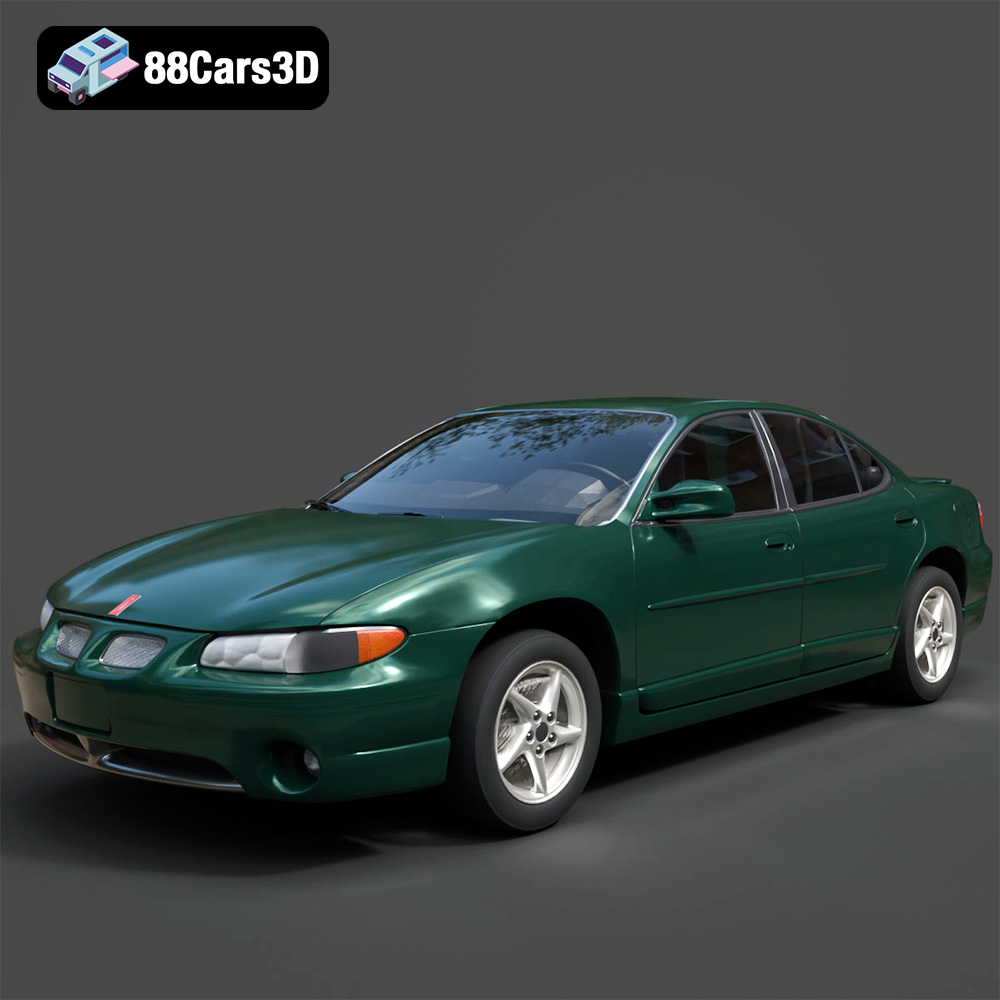
Texture: Yes
Material: Yes
Download the Pontiac Grand Prix GT-001 3D Model featuring clean geometry, realistic detailing, and a fully modeled interior. Includes .blend, .fbx, .obj, .glb, .stl, .ply, .unreal, and .max formats for rendering, simulation, and game development.
Price: $4.99
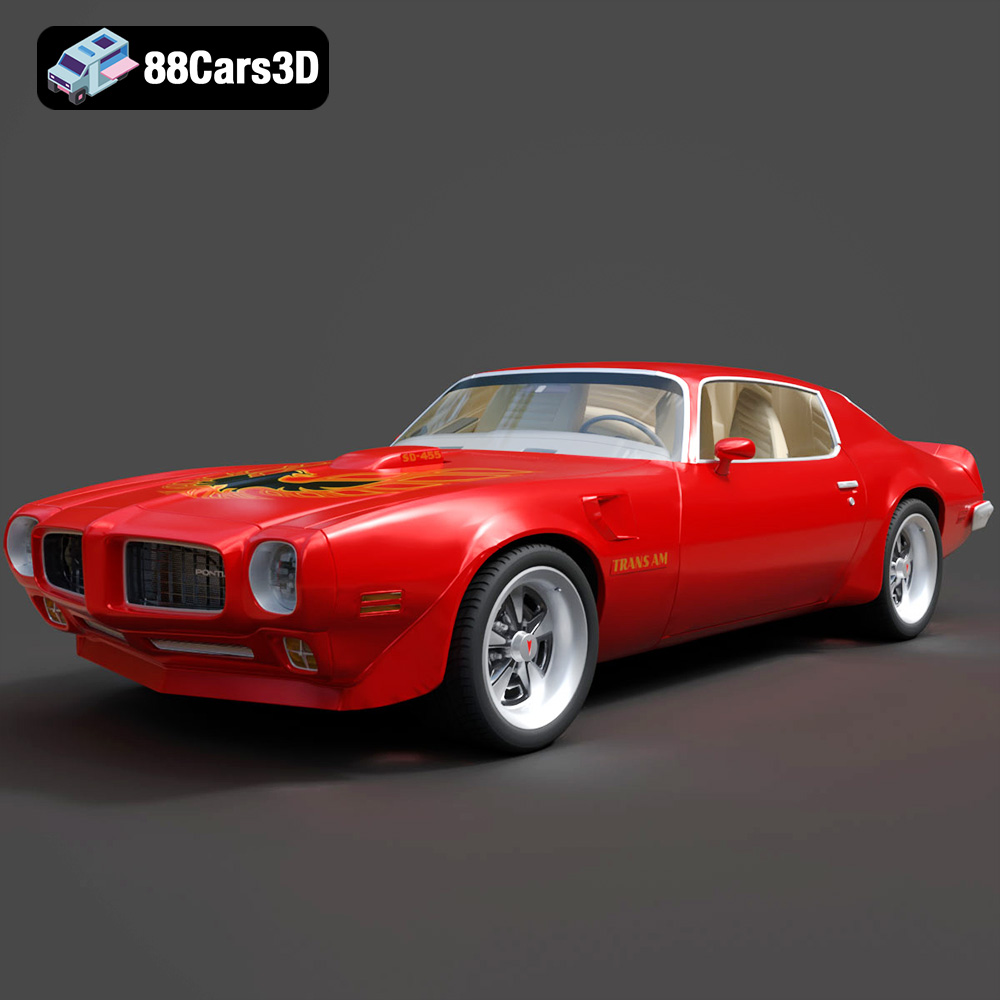
Texture: Yes
Material: Yes
Download the Pontiac Firebird Trans Am SD-455 3D Model featuring clean geometry, realistic detailing, and a fully modeled interior. Includes .blend, .fbx, .obj, .glb, .stl, .ply, .unreal, and .max formats for rendering, simulation, and game development.
Price: $4.99

Texture: Yes
Material: Yes
Download the Plymouth Volare 1976 3D Model featuring clean geometry, realistic detailing, and a fully modeled interior. Includes .blend, .fbx, .obj, .glb, .stl, .ply, .unreal, and .max formats for rendering, simulation, and game development.
Price: $4.99

Texture: Yes
Material: Yes
Download the Plymouth Roadrunner 1971 3D Model featuring clean geometry, realistic detailing, and a fully modeled interior. Includes .blend, .fbx, .obj, .glb, .stl, .ply, .unreal, and .max formats for rendering, simulation, and game development.
Price: $4.99
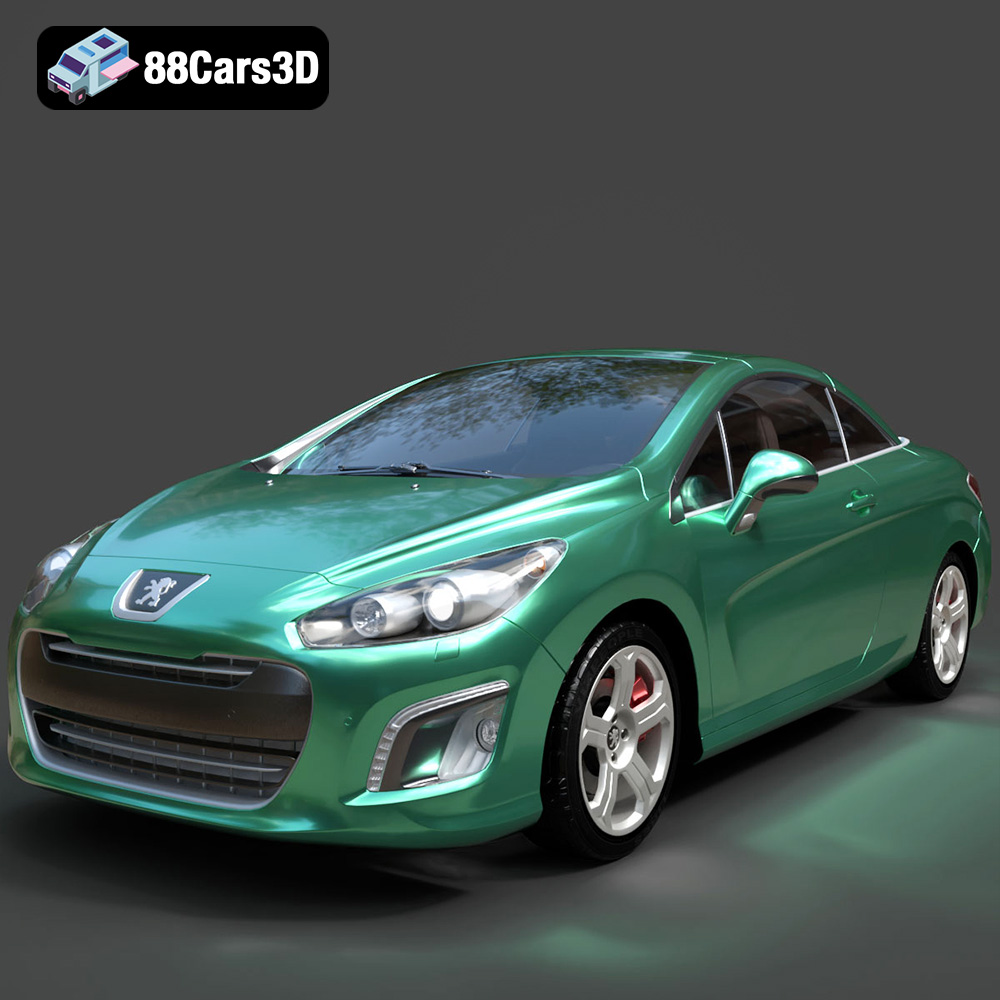
Texture: Yes
Material: Yes
Download the Peugeot 308 CC 2025 3D Model featuring clean geometry, realistic detailing, and a fully modeled interior. Includes .blend, .fbx, .obj, .glb, .stl, .ply, .unreal, and .max formats for rendering, simulation, and game development.
Price: $4.99
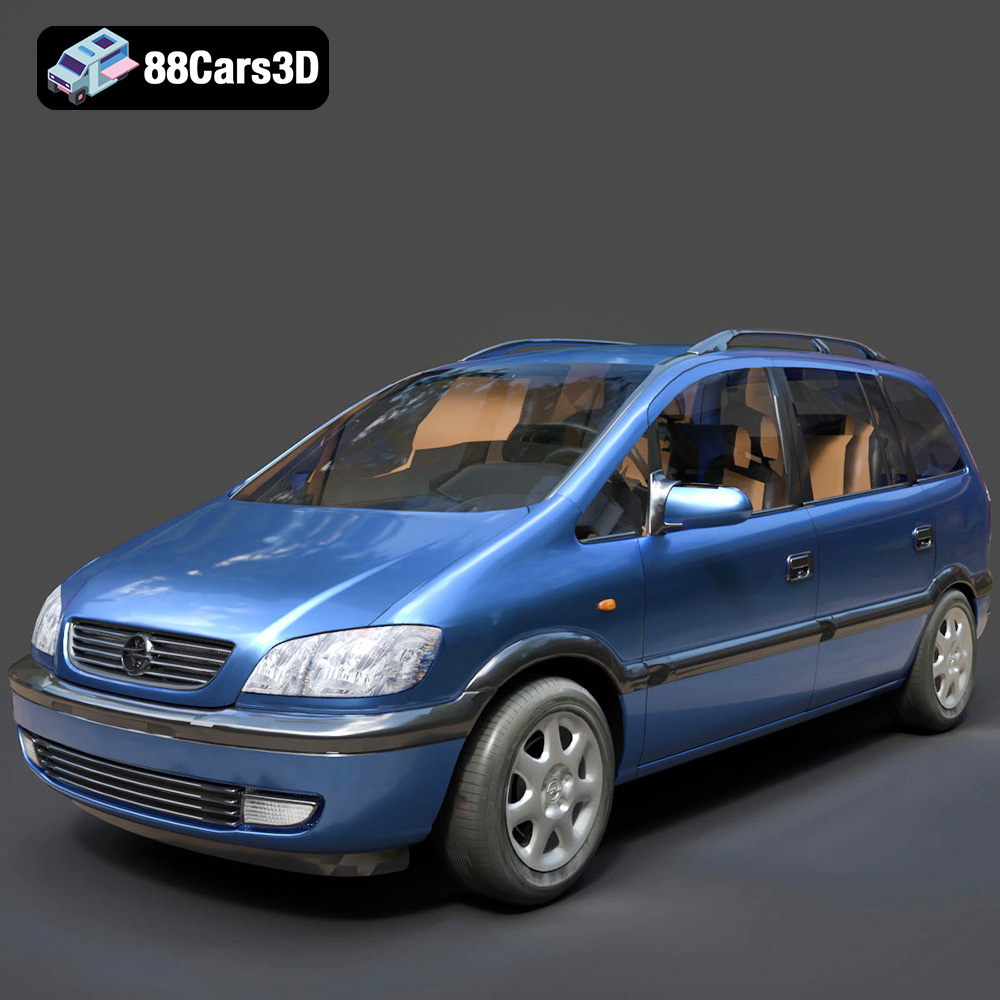
Texture: Yes
Material: Yes
Download the Opel Zafira 2000 3D Model featuring clean geometry, realistic detailing, and a fully modeled interior. Includes .blend, .fbx, .obj, .glb, .stl, .ply, .unreal, and .max formats for rendering, simulation, and game development.
Price: $4.99
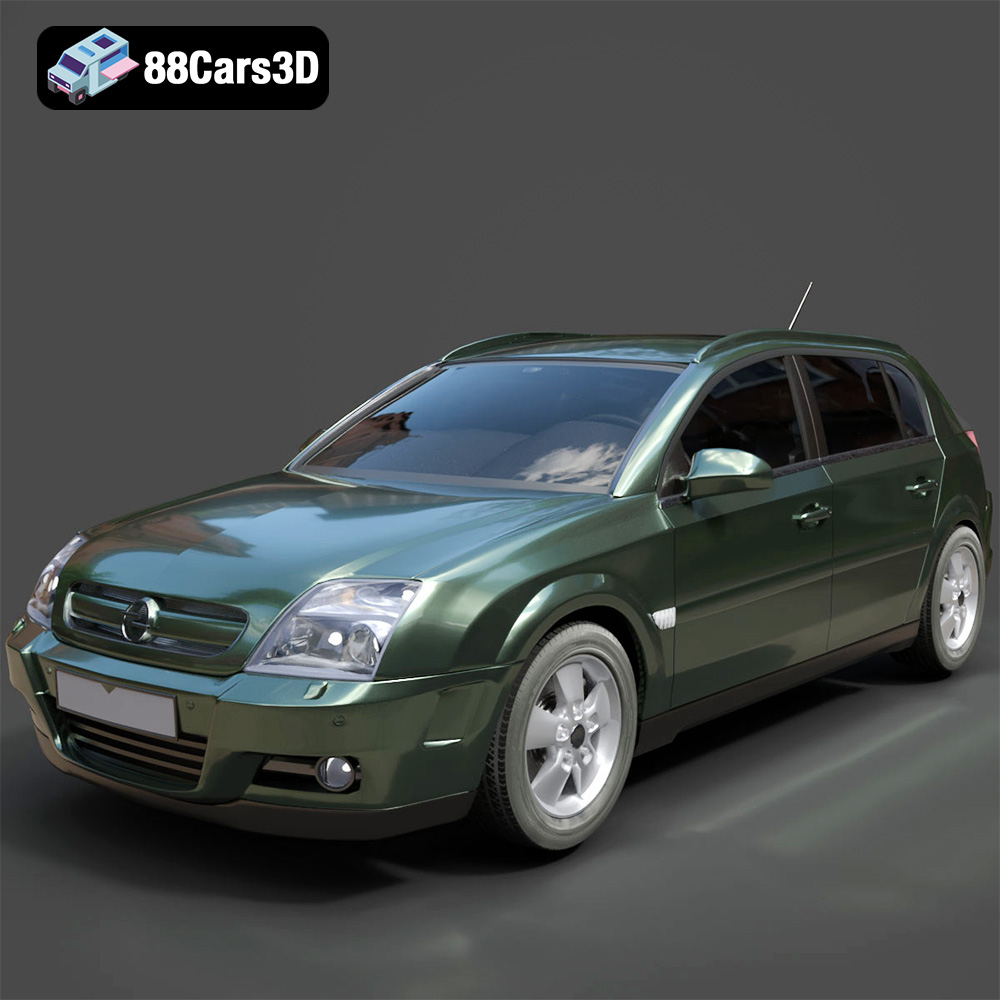
Texture: Yes
Material: Yes
Download the Opel Signum 2003 3D Model featuring clean geometry, realistic detailing, and a fully modeled interior. Includes .blend, .fbx, .obj, .glb, .stl, .ply, .unreal, and .max formats for rendering, simulation, and game development.
Price: $4.99
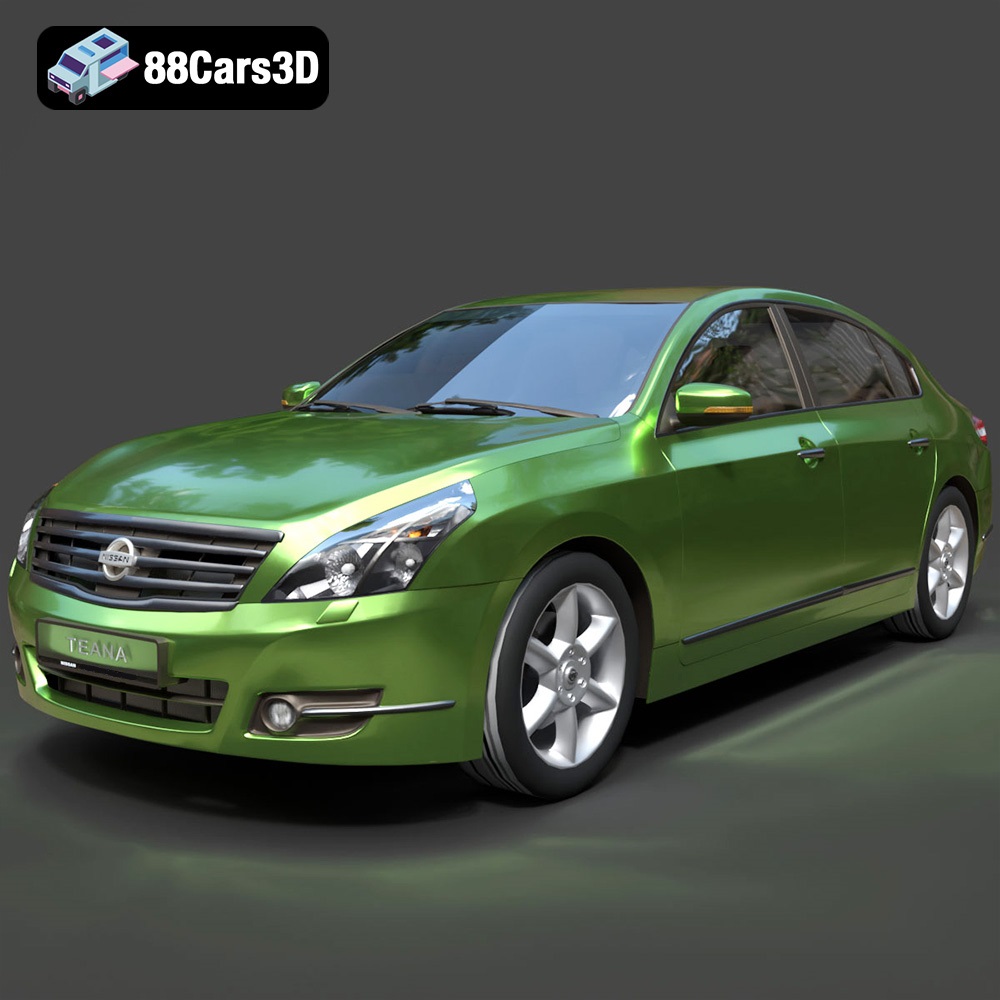
Texture: Yes
Material: Yes
Download the Nissan Teana 2001 3D Model featuring clean geometry, realistic detailing, and a fully modeled interior. Includes .blend, .fbx, .obj, .glb, .stl, .ply, .unreal, and .max formats for rendering, simulation, and game development.
Price: $4.99
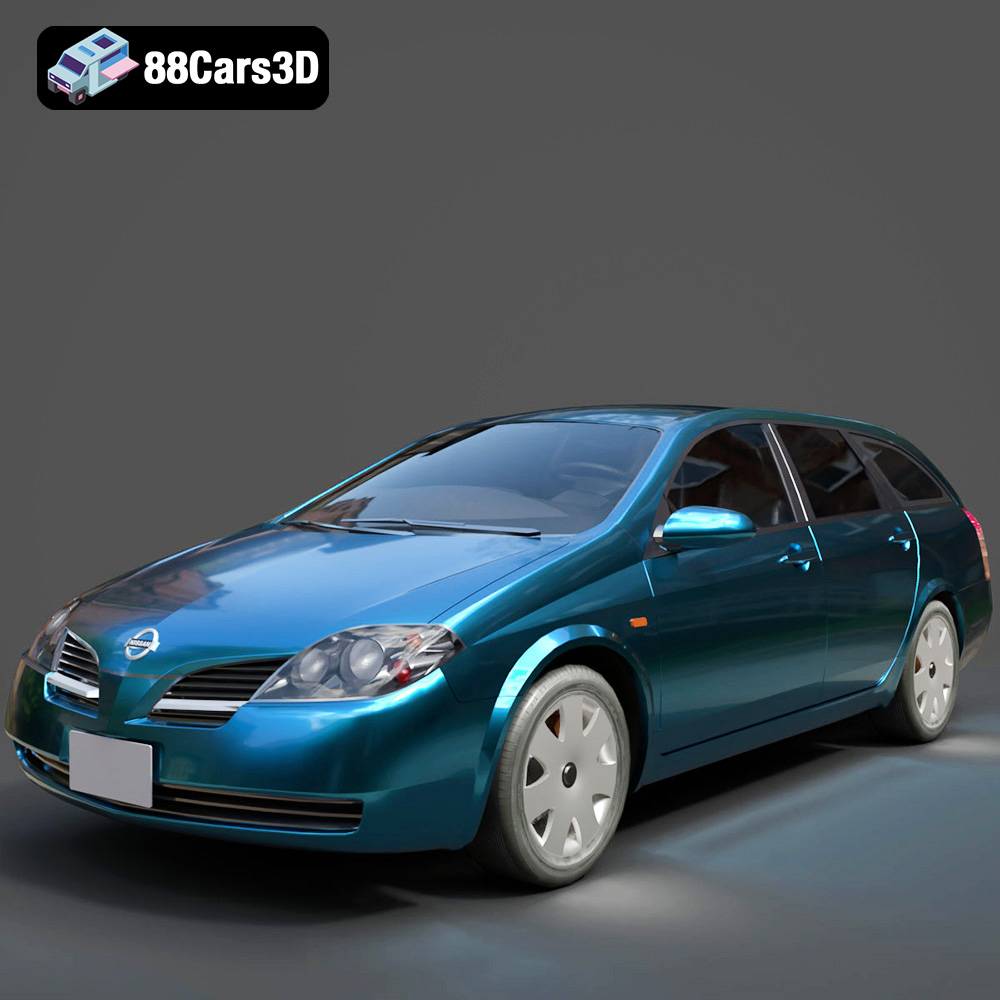
Texture: Yes
Material: Yes
Download the Nissan Primera Wagon 2001 3D Model featuring clean geometry, realistic detailing, and a fully modeled interior. Includes .blend, .fbx, .obj, .glb, .stl, .ply, .unreal, and .max formats for rendering, simulation, and game development.
Price: $4.99
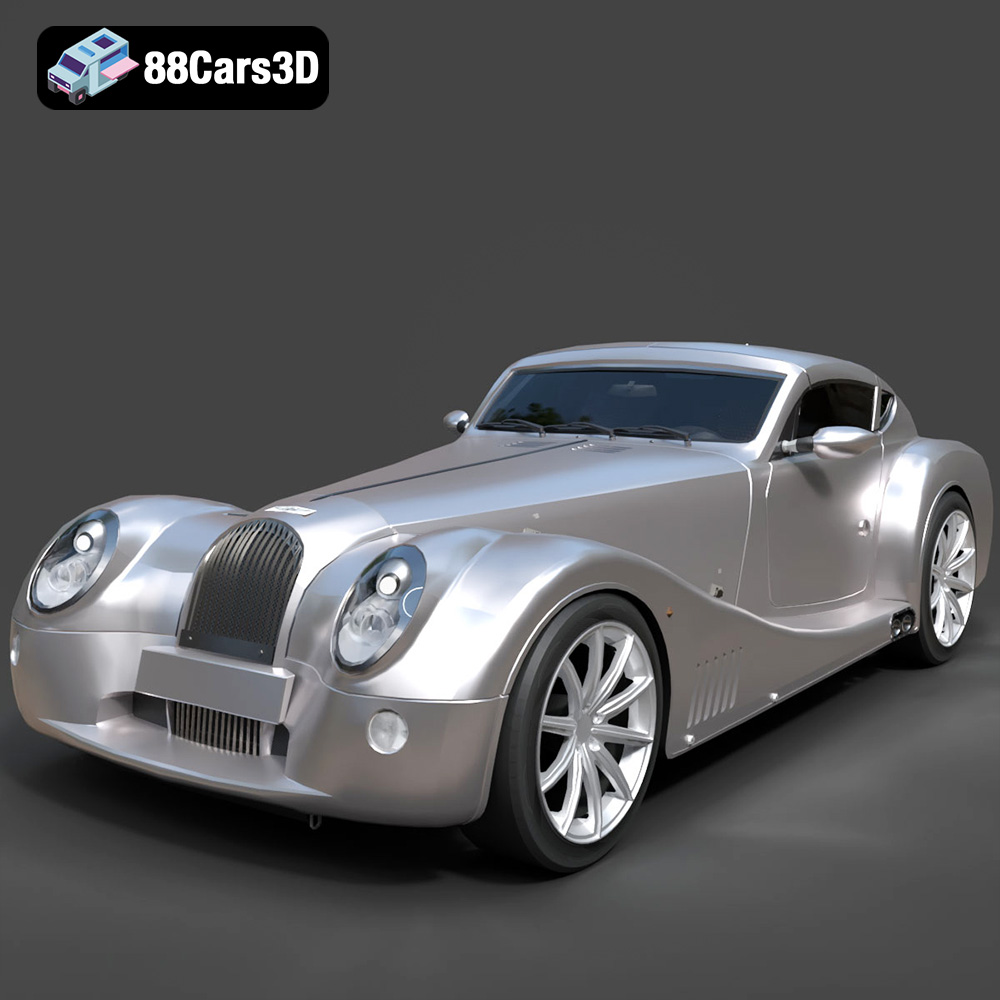
Texture: Yes
Material: Yes
Download the Morgan Aero Super Sports 2025 3D Model featuring clean geometry, realistic detailing, and a fully modeled interior. Includes .blend, .fbx, .obj, .glb, .stl, .ply, .unreal, and .max formats for rendering, simulation, and game development.
Price: $4.99

