Get 20% OFF All Premium 3D & STL Models!

The sleek lines, the shimmering paintwork, the intricate details of an automobile – capturing these elements in a 3D environment requires a blend of artistic vision and rigorous technical expertise. In today’s digital landscape, high-quality 3D car models are indispensable, driving innovation across various industries, from automotive design and marketing to immersive gaming experiences, architectural visualization, and cutting-edge AR/VR applications. Creating or utilizing these models effectively is a journey that demands a deep understanding of complex workflows, precise technical specifications, and continuous optimization.
Whether you’re an aspiring 3D artist, a game developer pushing for photorealism, an automotive engineer visualizing future designs, or a marketing professional crafting compelling campaigns, the pursuit of perfection in 3D automotive assets is paramount. This comprehensive guide will take you through the essential stages of working with 3D car models, from the foundational principles of topology and UV mapping to advanced rendering techniques, game engine optimization, and preparing models for diverse platforms like AR/VR and 3D printing. By the end, you’ll have a robust understanding of how to achieve stunning results and leverage high-quality assets, much like those found on marketplaces such as 88cars3d.com, to elevate your projects.
At the heart of any exceptional 3D car model lies its topology and edge flow. These are not just technical terms; they are the bedrock upon which realism, animation capability, and subdivision smoothness are built. Automotive surfaces, characterized by their high reflectivity and subtle curves, demand an impeccable mesh structure. A poorly constructed mesh can lead to artifacts, pinching, and an inability to achieve smooth subdivision, which is critical for photorealistic renders.
Clean topology primarily refers to using quad-based geometry – faces made of four vertices. While triangular faces (tris) are acceptable in certain contexts, particularly for heavily optimized game assets, quads are preferred for subdivision surfaces and deformation. When a model is subdivided (e.g., using a Turbosmooth modifier in 3ds Max or a Subdivision Surface modifier in Blender), quads distribute new polygons evenly, resulting in a smooth, continuous surface. Triangles, conversely, can create uneven tension, leading to undesirable pinches or bumps on the surface, especially noticeable on reflective car bodies.
Key considerations for clean topology include avoiding “poles” with more than five or less than three connecting edges in areas where surface deformation or smooth curvature is crucial. Strive for uniform polygon distribution, ensuring that edges run logically along the contours of the car’s design. For high-poly rendering, models might range from 200,000 to over 1 million polygons, allowing for extreme detail. For game-ready assets, optimization is key, often targeting 50,000 to 150,000 triangles for a primary vehicle, with multiple Level of Detail (LOD) versions.
Edge flow dictates how the edges of your mesh follow the inherent design lines and curves of the automotive body. For a car, this means ensuring that edges trace along the hood, doors, fenders, and especially around panel gaps and character lines. Good edge flow not only helps in achieving visually appealing, smooth surfaces but also simplifies the process of adding details, cutting new loops, and applying materials.
To support sharp edges and intricate details like those found around headlights, grilles, or window trims, “control loops” or “holding edges” are used. These are extra edge loops placed close to the edges you want to sharpen. When subdivision is applied, these loops prevent the edge from rounding off excessively. For panel gaps, a common technique involves creating parallel edge loops to define the separation, then extruding or bridging them to create depth. Mastering edge flow means understanding how to strategically place and manipulate these loops to achieve both the broad, sweeping curves of a car’s body and the minute, crisp details that define its character. This meticulous approach ensures that even under close scrutiny in a visualization or a high-end render, the car model holds up flawlessly.
Once your 3D car model boasts impeccable topology, the next crucial step is to give its surfaces texture and realism. This is where UV mapping and the creation of Physically Based Rendering (PBR) materials come into play. These two processes are intrinsically linked, dictating how textures are applied to your model and how light interacts with its surfaces to create an authentic appearance.
UV mapping is the process of unwrapping the 3D surface of your model into a 2D space, much like unfolding a cardboard box. This 2D representation, called a UV map, dictates where your textures will be painted or projected. For the complex, often curved surfaces of a car, strategic UV unwrapping is paramount to avoid stretching, distortion, or overlapping textures, which can ruin the realism of your final render or game asset.
Common unwrapping techniques include planar mapping for flat surfaces, cylindrical for tires or exhaust pipes, and spherical for items like hubcaps or lights. For the main body, a combination of these and manual “peel” unwrapping (often utilizing tools like 3ds Max’s Unwrap UVW modifier or Blender’s UV Editor) is employed to minimize seams and create contiguous UV islands. It’s often beneficial to use multiple UV channels: one for the primary paint and decals, another for ambient occlusion or baked lighting, and perhaps a third for dirt or grime layers. Texture resolution should be chosen wisely; 4K or 8K textures are common for primary surfaces like the car body in high-end renders, while 2K or 1K might suffice for smaller details or game-optimized assets, depending on the camera distance. Proper padding between UV islands is also essential to prevent texture bleeding, especially when using texture atlases.
PBR materials are the industry standard for achieving photorealistic results because they accurately simulate how light behaves in the real world. Instead of simply painting color, PBR shaders rely on a set of texture maps to define properties like color (Albedo/Base Color), surface reflectivity (Metalness), micro-surface detail (Roughness/Glossiness), surface normal variations (Normal Map), and ambient shadowing (Ambient Occlusion).
For automotive rendering, mastering specific material types is key. Car paint, for instance, often requires a complex clear coat shader setup, simulating the layered effect of base color, metallic flakes, and a glossy, reflective clear coat on top. In 3ds Max with Corona or V-Ray, this might involve a V-Ray Blend Material or Corona Layered Material. In Blender’s Cycles or Eevee, the Principled BSDF shader provides robust PBR capabilities, allowing you to plug in your various texture maps. Chrome and metallic parts demand high metalness and low roughness values, while rubber tires require specific normal maps for tread patterns and higher roughness. Glass should be physically accurate, often using refractions and subtle absorption. Consistency in your PBR workflow across all materials ensures a cohesive and believable look, allowing your 3D car model to truly shine under any lighting condition.
Even the most meticulously modeled and textured 3D car model will fall flat without compelling lighting and a robust rendering workflow. Lighting is not merely about illumination; it’s about shaping the form, highlighting details, and conveying emotion. For automotive renders, where reflections play a critical role, precise lighting is paramount to showcasing the vehicle’s design and material fidelity.
There are two primary approaches to lighting 3D car models: studio setups and High Dynamic Range Image (HDRi) environments. A studio setup typically involves an array of virtual softbox lights, often following a three-point lighting principle (key, fill, and back light) to define the car’s form and generate pleasing reflections. Large, soft area lights create diffused reflections, mimicking real-world studio conditions. This method offers granular control over every light source, allowing artists to precisely sculpt highlights and shadows.
HDRi lighting, on the other hand, utilizes a 360-degree panoramic image containing a vast range of light information, which is then used by the renderer to illuminate the scene and provide realistic reflections. This approach is excellent for quickly achieving natural, complex lighting scenarios – from a sunny day in a parking lot to an overcast industrial setting. Many artists combine both methods: using an HDRi for global illumination and realistic reflections, then adding specific area lights to enhance certain features or create dramatic highlights. Balancing direct and indirect illumination, and understanding how different light temperatures and colors affect the car’s paint and materials, is key to achieving photorealistic results.
The choice of rendering engine significantly impacts both the visual quality and the efficiency of your workflow. Popular choices include Corona Renderer and V-Ray for 3ds Max, Cycles and Eevee for Blender, and Arnold for Maya and 3ds Max.
Common challenges include managing noise, especially in complex scenes with many reflective surfaces; optimizing render times through efficient settings and hardware; and identifying and resolving artifacts caused by incorrect geometry or material setups. Professional artists often use render passes to separate elements like reflections, refractions, and shadows, allowing for greater flexibility and control during post-processing in software like Adobe Photoshop or Blackmagic Fusion.
The journey of a 3D car model doesn’t end with a beautiful render; for many, it’s destined for interactive experiences within game engines. Translating a high-fidelity visualization model into a performant game asset requires a different set of technical considerations and optimization strategies to ensure smooth gameplay without sacrificing visual quality.
Game engines like Unity and Unreal Engine demand highly optimized assets to maintain high frame rates. The primary goal is to reduce draw calls and polygon counts without making the model appear low-quality. The most critical technique is creating Level of Detail (LOD) models. A full-detail car (LOD0) might have 100,000 to 200,000 triangles, visible when the camera is close. As the car moves further away, lower-resolution versions (LOD1, LOD2, LOD3) automatically switch in, potentially reducing the poly count to 30,000, 5,000, or even just a few hundred triangles for very distant views. This significantly reduces the rendering load on the GPU.
Another key optimization is draw call reduction. Each material and texture applied to a model generates a draw call, which can bottleneck performance. To combat this, artists often use texture atlasing, combining multiple smaller textures (e.g., for interior parts, tires, small decals) into one larger texture map. This allows the engine to render more parts with fewer draw calls. Material merging is also crucial, reducing the number of unique materials used on a single asset. Additionally, baking static lighting into texture maps (lightmaps) can further reduce real-time lighting calculations, improving performance, especially on mobile platforms. Polygon count considerations vary significantly: a high-end PC game might tolerate 150,000 triangles for a main vehicle, while a mobile game might aim for 30,000-50,000 triangles for the same asset.
Once optimized, the 3D car model needs to be correctly imported and configured within the game engine. The FBX file format is the industry standard for this, as it supports geometry, UVs, textures, and even animations. When exporting from 3ds Max, Blender, or Maya, ensure correct scale, units (e.g., meters), and proper normal calculation (often “Export Tangents and Binormals” and “Smooth Group” options).
In Unity, import the FBX, then configure its materials using the Standard Shader, HDRP (High Definition Render Pipeline), or URP (Universal Render Pipeline) shaders, plugging in your PBR texture maps (Albedo, Metallic, Normal, Ambient Occlusion, Emission). For Unreal Engine, the process is similar; import the FBX, then create new materials and assign your PBR textures. Setting up collision meshes is vital for interactive physics – typically, a simplified low-poly mesh is used for collision detection instead of the detailed render mesh. For driving games, wheel physics, suspension systems, and custom shader setups for advanced car paint effects (like clear coat and metallic flakes) are often implemented using the engine’s material editor or custom scripts. Leveraging high-quality game assets from sources like 88cars3d.com can significantly accelerate development, providing ready-to-optimize models built with clean topology and PBR-ready materials.
The versatility of high-quality 3D car models extends far beyond traditional rendering and gaming. With the rise of immersive technologies, these assets are now pivotal for Augmented Reality (AR) and Virtual Reality (VR) experiences, as well as physical prototyping and custom manufacturing through 3D printing. Each application, however, presents its unique set of challenges and optimization requirements.
AR/VR applications demand extremely efficient 3D car models due to the real-time rendering constraints and the need to maintain a high frame rate (typically 60-90 FPS per eye to prevent motion sickness). The polygon count must be significantly lower than for traditional game assets or renders. For mobile AR (e.g., ARCore, ARKit), models often need to be in the range of 10,000 to 50,000 triangles for the entire vehicle, depending on the complexity and target device. LODs are even more critical here. Textures should also be optimized, usually no larger than 1K or 2K resolution, and often combined into atlases to reduce draw calls.
Baked lighting is a common strategy to reduce real-time computations, giving the illusion of complex lighting without the performance cost. File formats like GLB (the binary version of glTF) and USDZ (Apple’s format for ARKit and Vision Pro) are preferred for their efficiency and support for PBR materials. Tools like Unity MARS (Mixed and Augmented Reality Studio) or Adobe Aero facilitate the deployment of these optimized models into interactive AR experiences. The goal is to deliver a visually convincing experience on resource-constrained devices, allowing users to interact with a realistic car model in their physical environment or explore it immersively in a VR headset.
Transitioning a digital 3D car model to a physical object via 3D printing requires a distinct set of considerations focused on structural integrity and mesh integrity. Unlike rendering, which deals with visible surfaces, 3D printing requires “manifold” meshes – models that are watertight, have no holes, no inverted normals, and no self-intersecting geometry. Every edge must belong to exactly two faces, and every volume must be clearly defined.
Before exporting for print, the model must be thoroughly checked and repaired. Software like Meshmixer, Netfabb, or even Blender’s 3D Print Toolbox can identify and fix non-manifold geometry, fill holes, and ensure wall thickness meets the minimum requirements of the chosen 3D printer and material (typically 1-2mm for most FDM or SLA prints). Boolean operations are frequently used to combine separate parts of a car (like the body and interior) into a single, printable shell. For highly detailed models, artists might need to “shell” the model to create a hollow interior, saving material and print time. Common export formats for 3D printing include STL and OBJ. This meticulous preparation ensures that your beautifully crafted digital car model translates successfully into a tangible, high-quality physical replica.
The journey of a 3D car model often involves multiple software packages and diverse applications, necessitating a thorough understanding of various file formats and efficient conversion strategies. A professional workflow emphasizes not only the quality of the model itself but also the seamless interchangeability and management of assets across different stages of a project.
The 3D industry utilizes a wide array of file formats, each with its strengths and specific applications:
Understanding the strengths and limitations of each format is crucial. For instance, converting from a proprietary format (like a .max file) to an FBX for a game engine often requires baking complex materials down to PBR textures and ensuring all modifiers are collapsed. Common pitfalls include incorrect scale, flipped normals, lost materials, or unsupported features during conversion, which can be mitigated by careful export settings and thorough post-conversion checks.
A professional pipeline for automotive 3D car models involves more than just individual software skills; it’s about systematic organization and quality control. This includes:
By establishing such a robust workflow, artists and studios can ensure consistent quality, reduce errors, and deliver exceptional visualization and interactive experiences efficiently.
The world of 3D car models is a dynamic fusion of art and technology, demanding precision, technical insight, and a keen eye for detail. We’ve journeyed from the foundational importance of clean topology and efficient UV mapping, through the creation of stunning PBR materials and photorealistic rendering workflows, to the critical optimizations required for interactive game assets and cutting-edge AR/VR experiences, not forgetting the specific demands of 3D printing.
Mastering these techniques empowers you to not only create visually arresting automotive content but also to adapt your creations for a multitude of platforms and applications. The continuous evolution of software and hardware means that staying informed about best practices, file formats, and optimization strategies is key to maintaining a competitive edge. Whether your goal is a cinematic render, an immersive game, or a compelling product visualization, the quality of your 3D car models will dictate your success.
Embrace the challenges, refine your skills, and always strive for excellence in every polygon and pixel. And remember, when you’re seeking to jumpstart your projects with exceptionally detailed and optimized models, valuable resources like 88cars3d.com stand ready to provide the high-quality assets that will drive your creative visions forward.

Texture: Yes
Material: Yes
Download the Mitsubishi Outlander 2022 3D Model featuring clean geometry, realistic detailing, and a fully modeled interior. Includes .blend, .fbx, .obj, .glb, .stl, .ply, .unreal, and .max formats for rendering, simulation, and game development.
Price: $4.99
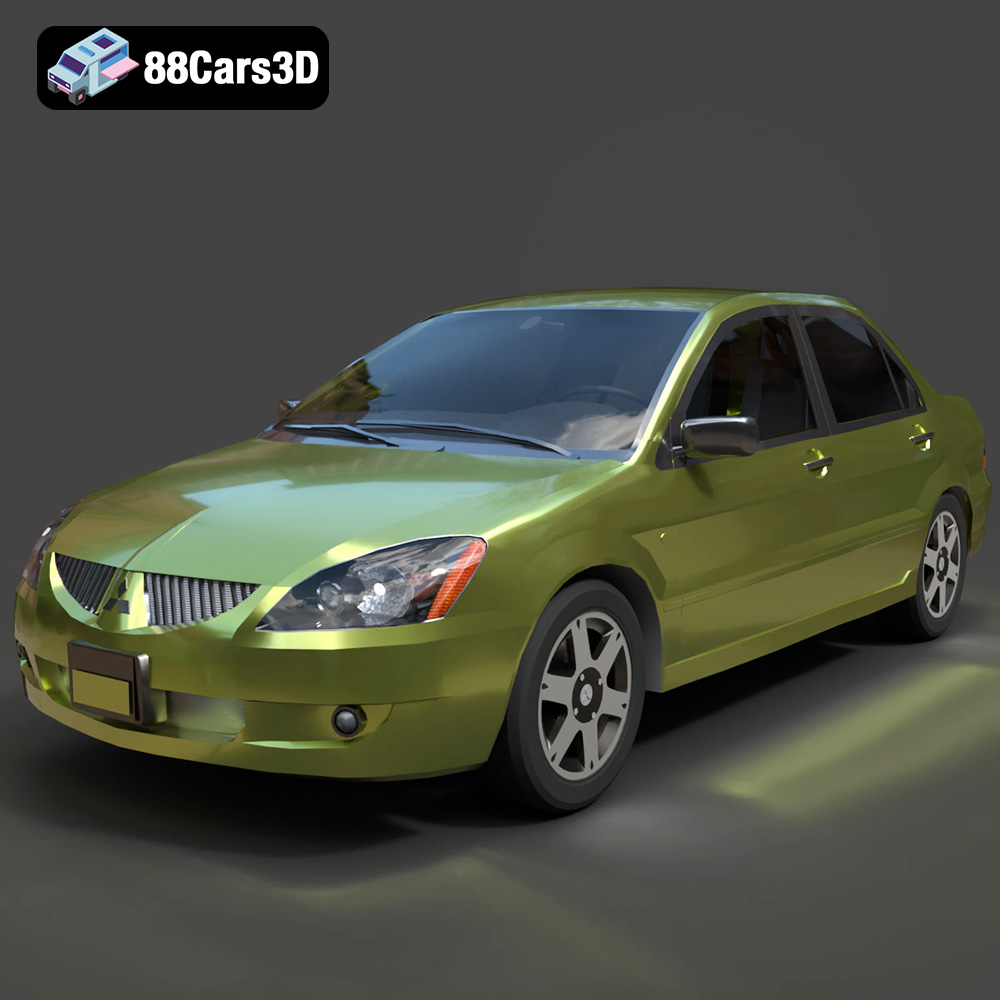
Texture: Yes
Material: Yes
Download the Mitsubishi Lancer IX-001 3D Model featuring clean geometry, realistic detailing, and a fully modeled interior. Includes .blend, .fbx, .obj, .glb, .stl, .ply, .unreal, and .max formats for rendering, simulation, and game development.
Price: $4.99

Texture: Yes
Material: Yes
Download the MINI Cooper S-007 3D Model featuring clean geometry, realistic detailing, and a fully modeled interior. Includes .blend, .fbx, .obj, .glb, .stl, .ply, .unreal, and .max formats for rendering, simulation, and game development.
Price: $4.99

Texture: Yes
Material: Yes
Download the Mercury Grand Marquis LS 1986 3D Model featuring clean geometry, realistic detailing, and a fully modeled interior. Includes .blend, .fbx, .obj, .glb, .stl, .ply, .unreal, and .max formats for rendering, simulation, and game development.
Price: $4.99

Texture: Yes
Material: Yes
Download the Mercedes-Benz SLS AMG 2010 3D Model featuring clean geometry, realistic detailing, and a fully modeled interior. Includes .blend, .fbx, .obj, .glb, .stl, .ply, .unreal, and .max formats for rendering, simulation, and game development.
Price: $4.99

Texture: Yes
Material: Yes
Download the Renault Twizy ZE 3D Model featuring clean geometry, realistic detailing, and a fully modeled interior. Includes .blend, .fbx, .obj, .glb, .stl, .ply, .unreal, and .max formats for rendering, simulation, and game development.
Price: $4.99

Texture: Yes
Material: Yes
Download the Porsche 911 GT3 3D Model featuring clean geometry, realistic detailing, and a fully modeled interior. Includes .blend, .fbx, .obj, .glb, .stl, .ply, .unreal, and .max formats for rendering, simulation, and game development.
Price: $4.99

Texture: Yes
Material: Yes
Download the Porsche 911 997 GT3 RS 4.0 2011 3D Model featuring clean geometry, realistic detailing, and a fully modeled interior. Includes .blend, .fbx, .obj, .glb, .stl, .ply, .unreal, and .max formats for rendering, simulation, and game development.
Price: $4.99

Texture: Yes
Material: Yes
Download the Pontiac GTO Cabrio 1967 3D Model featuring clean geometry, realistic detailing, and a fully modeled interior. Includes .blend, .fbx, .obj, .glb, .stl, .ply, .unreal, and .max formats for rendering, simulation, and game development.
Price: $4.99

Texture: Yes
Material: Yes
Download the Pontiac Firebird Convertible 1968 3D Model featuring clean geometry, realistic detailing, and a fully modeled interior. Includes .blend, .fbx, .obj, .glb, .stl, .ply, .unreal, and .max formats for rendering, simulation, and game development.
Price: $4.99

