Get 20% OFF All Premium 3D & STL Models!

The sleek lines, the shimmering paint, the intricate details – 3D car models are much more than mere digital assets; they are a fusion of art and engineering, bringing automotive dreams to life across a multitude of digital realms. From breathtaking cinematic visualizations to high-octane game experiences and cutting-edge AR/VR applications, the demand for exceptionally crafted 3D car models is constantly accelerating. But creating or choosing the right model involves a deep understanding of technical nuances, artistic principles, and workflow optimizations.
This comprehensive guide will take you on a journey through the intricate world of 3D car models. We’ll delve into the foundational aspects of robust modeling and topology, explore the magic of physically based rendering (PBR) materials, dissect advanced rendering workflows, and uncover critical optimization techniques for game engines and interactive environments. Whether you’re a seasoned 3D artist, a game developer, an automotive designer, or an aspiring student, understanding these facets is crucial for harnessing the full potential of these complex digital creations. Prepare to unlock the secrets behind crafting and deploying 3D car models that truly stand out.
At the heart of every high-quality 3D car model lies impeccable modeling and topology. Topology refers to the arrangement of polygons (usually quads) that define the surface of your model. For automotive designs, where smooth, continuous curves and sharp, precise edges are paramount, clean topology isn’t just a nicety – it’s an absolute necessity. It dictates how well a model will deform, how easily it can be UV mapped, and how efficiently it renders, especially when subdivision surfaces are applied.
A poorly constructed mesh, riddled with n-gons (polygons with more than four sides) or triangles in flat areas, can lead to undesirable pinching, render artifacts, and headaches during subsequent stages of the pipeline. The goal is to create a mesh that flows naturally with the car’s contours, ensuring that reflections appear smooth and accurate, which is particularly vital for the highly reflective surfaces of a vehicle. This attention to foundational detail significantly impacts the final visual fidelity and usability of the model.
Edge flow is the directional movement of edges across your model’s surface, and for cars, it’s about mimicking the real-world construction and aesthetic intent. Key principles include ensuring that edges follow the natural curves and creases of the vehicle, such as around wheel wells, door seams, and body panel transitions. Crucially, try to maintain an all-quadrilateral (quad) mesh structure, as quads subdivide predictably and smoothly, whereas triangles can lead to irregular deformation and pinching, particularly on curved surfaces. Supporting edge loops are essential for defining sharp details; these are extra loops of edges run parallel and very close to a hard edge to give it definition when subdivision modifiers (like TurboSmooth or Subdivision Surface) are applied. Without them, sharp edges would simply round off. For instance, the crisp lines around headlights or the precise panel gaps require meticulously placed supporting loops.
Common modeling approaches for cars include box modeling, starting from a primitive and refining it; spline modeling, tracing blueprints with curves and lofting surfaces; and NURBS/CAD conversion, where models originating from engineering software are converted to polygon meshes, often requiring significant retopology to optimize for rendering and real-time use. Regardless of the method, the final polygonal mesh must exhibit excellent edge flow to maintain the car’s integrity and visual appeal, especially when viewed up close or under high-definition rendering conditions.
The polygon count of a 3D car model is a critical factor influencing its performance and application. A high-polygon model, often exceeding 500,000 to several million polygons, is suitable for cinematic renders, product visualizations, or high-fidelity still images where every minute detail, like interior stitching or intricate engine components, must be visible. These models leverage subdivision surfaces to achieve ultimate smoothness. However, such a high poly count is impractical for real-time applications like games or AR/VR.
For game development and interactive experiences, an effective Level of Detail (LOD) strategy is indispensable. LODs are simplified versions of the high-poly model, designed to reduce geometric complexity as the car moves further away from the camera. A typical LOD setup might include:
Creating LODs can involve manual retopology, using decimation tools (like those found in Blender, 3ds Max, or Maya), or specialized tools within game engines. The key is to maintain visual fidelity at each distance while significantly reducing the performance overhead. Platforms like 88cars3d.com often provide models with pre-optimized LODs, ensuring they are versatile enough for various project requirements.
Once the geometry is perfect, the next step in bringing a 3D car model to life is through the magic of texturing and shading. Gone are the days of simple diffuse colors; modern rendering relies on Physically Based Rendering (PBR) materials. PBR is a shading model that aims to simulate the way light interacts with surfaces in the real world more accurately than traditional methods. This results in incredibly realistic and consistent materials that react correctly under any lighting condition, making a significant difference for automotive renders where reflections, refractions, and metallic sheens are paramount.
A well-executed PBR workflow transforms a bland gray model into a vibrant, tangible object, complete with intricate paint flakes, subtle wear and tear, and the distinctive tactile qualities of different materials like leather, rubber, glass, and chrome. Understanding the various maps and how they contribute to the final look is crucial for any artist striving for photorealism. This phase is where the car gains its visual personality and depth.
The core of PBR revolves around a set of texture maps that describe a surface’s properties. The two most common PBR workflows are Metallic-Roughness and Specular-Glossiness.
Software like Substance Painter, Quixel Mixer, and Mari are industry standards for painting these intricate texture maps. For car paint, artists often employ layered materials or specific shaders that mimic the metallic flake, clear coat, and base color, often with normal maps to simulate orange peel texture. Tires require detailed normal maps for tread patterns and roughness maps to convey their rubbery, slightly scuffed texture. Glass needs accurate transmission and reflection properties, often with subtle normal maps for fingerprints or smudges, while chrome demands very low roughness values and high metallic values. Texture resolutions range from 2K (2048×2048) for smaller details to 4K or even 8K for hero assets, impacting both visual detail and memory footprint.
UV mapping is the process of flattening a 3D model’s surface into a 2D space, allowing a 2D texture to be applied. For complex automotive geometry, effective UV mapping is paramount to avoid distortion, seams, and wasted texture space. Clean UVs are essential for PBR materials to display correctly, ensuring that details from normal maps and intricate paint patterns align perfectly with the model’s geometry. Poor UVs can lead to stretched textures, visible seams, or inefficient use of texture memory.
Strategies for cars often involve a combination of techniques:
After unwrapping, the UV islands must be efficiently packed into the 0-1 UV space to maximize texture resolution and minimize wasted pixels. Tools within 3ds Max, Blender, Maya, and dedicated UV software like RizomUV can automatically pack UVs, but manual adjustments are often necessary for optimal results. A checker map is typically used to visually verify that UVs are uniform and distortion-free across the entire model, ensuring that applied textures will appear correctly scaled and without stretching.
With a perfectly modeled and textured 3D car, the next crucial step is lighting and rendering. Lighting is arguably the most important element in achieving photorealism; it dictates mood, emphasizes form, and brings out the qualities of your PBR materials. Automotive rendering often focuses on showcasing the vehicle’s design, reflections, and luxurious finishes, demanding meticulous attention to how light interacts with its surfaces. This phase transcends technical setup to become a true artistic endeavor, where careful placement of light sources and environmental context transforms a digital model into a compelling visual narrative.
Whether for advertising, design reviews, or portfolio pieces, a professional render workflow is essential. It encompasses everything from studio-style setups to realistic outdoor environments, all while optimizing render settings to achieve the highest quality within reasonable timeframes.
For pristine product shots and design showcases, studio lighting is often preferred. The classic three-point lighting setup (key, fill, rim) provides a balanced and controlled illumination, highlighting the car’s contours. However, for automotive subjects, specific techniques are employed to enhance reflections and metallic finishes:
Integrating background plates (photographs) with HDRI lighting further enhances realism, ensuring the car appears seamlessly integrated into a specific scene. Matching the perspective and color balance between the 3D render and the backplate is vital for a convincing composite.
Achieving a photorealistic render also heavily relies on simulating real-world camera behavior. Matching focal length (e.g., 50mm, 85mm for a cinematic look), aperture (controlling depth of field), and shutter speed (for motion blur in animations) helps ground the render in reality. Depth of Field (DoF) is a powerful artistic tool, allowing you to selectively focus on the car while blurring the foreground and background, drawing the viewer’s eye to specific details. Overdoing DoF, however, can make the scene appear miniaturized, so a subtle approach is often best.
Render optimization involves a delicate balance between quality and render time. Modern physically based renderers use techniques like path tracing or photon mapping for global illumination. Key render settings to adjust include:
While cinematic renders aim for absolute photorealism, game engines prioritize real-time performance and interactivity. Integrating 3D car models into platforms like Unity and Unreal Engine requires a strategic approach to balance visual fidelity with demanding frame rate targets. Game assets, particularly vehicles, are complex due to their moving parts, multiple materials, and the need to interact with physics and other game systems. Optimization is not an afterthought; it’s an integral part of the game asset pipeline.
A well-optimized 3D car model can elevate a game’s visual quality without sacrificing performance, contributing to a smooth and immersive user experience. This involves meticulous planning from the modeling stage through to final asset integration, addressing factors like polygon count, texture memory, and draw calls.
Successfully bringing a 3D car model into a game engine like Unity or Unreal Engine requires several key optimizations:
Real-time rendering in game engines presents unique challenges that differ from offline rendering. Key areas to address include:
By addressing these challenges proactively, game developers can ensure that 3D car models contribute to a visually stunning and responsive game world.
The utility of high-quality 3D car models extends far beyond traditional rendering and game development. They are increasingly vital assets in emerging technologies like Augmented Reality (AR) and Virtual Reality (VR), as well as in manufacturing processes like 3D printing. Each application presents its own unique set of technical requirements and optimization strategies, transforming the same base model into a versatile tool across diverse industries. Understanding these specialized workflows is key to maximizing the value and reach of your 3D assets.
From experiencing a virtual car showroom in VR to physically printing a scale model, the foundational quality of the 3D asset remains paramount, but the subsequent steps for preparation are highly specialized. This adaptability highlights the profound impact of meticulously crafted 3D car models in today’s digital and physical product pipelines.
AR/VR applications demand extremely tight performance budgets, often more stringent than traditional games, especially for mobile AR. The goal is to maintain high frame rates (e.g., 90 FPS for VR to prevent motion sickness) with minimal latency.
When sourcing models from marketplaces such as 88cars3d.com, check for explicit AR/VR optimization or options to purchase simplified versions compatible with these platforms.
Preparing a 3D car model for 3D printing introduces a completely different set of technical considerations, focusing on physical manufacturability.
Software like Autodesk Meshmixer, Netfabb, or even Blender’s 3D Print Toolbox can be used for mesh inspection, repair, and preparing the model for slicing.
The world of 3D asset management is replete with various file formats, each with its strengths and specific applications. Understanding them is crucial for seamless workflows:
When acquiring models, always consider the target application and choose the format that best suits your needs. Many high-quality 3D car models available on platforms like 88cars3d.com are offered in multiple formats to ensure maximum compatibility and flexibility for artists and developers across various industries.
The journey from a conceptual idea to a fully realized, versatile 3D car model is a complex yet incredibly rewarding endeavor. We’ve traversed the intricate landscape of robust modeling topology, explored the nuances of physically based rendering, dissected the artistic and technical elements of photorealistic rendering, and dived into the critical optimizations required for interactive game engines, AR/VR experiences, and even physical 3D prints. Each stage demands a blend of artistic vision, technical proficiency, and an understanding of industry best practices.
The digital automotive frontier is constantly evolving, with new technologies and workflows emerging regularly. However, the foundational principles discussed – clean geometry, efficient UVs, realistic materials, and performance optimization – remain timeless pillars of high-quality 3D asset creation. By mastering these elements, artists and developers can ensure their 3D car models not only look stunning but also perform flawlessly across any medium.
Whether you’re crafting your next masterpiece or seeking to integrate world-class assets into your project, remember the power of quality. For those looking to accelerate their projects with professionally crafted, production-ready 3D car models, exploring reputable marketplaces like 88cars3d.com provides access to a meticulously curated selection designed to meet the highest standards of the industry. Embrace the challenge, hone your skills, and drive your digital automotive dreams forward.

Texture: Yes
Material: Yes
Download the Mitsubishi Outlander 2022 3D Model featuring clean geometry, realistic detailing, and a fully modeled interior. Includes .blend, .fbx, .obj, .glb, .stl, .ply, .unreal, and .max formats for rendering, simulation, and game development.
Price: $4.99
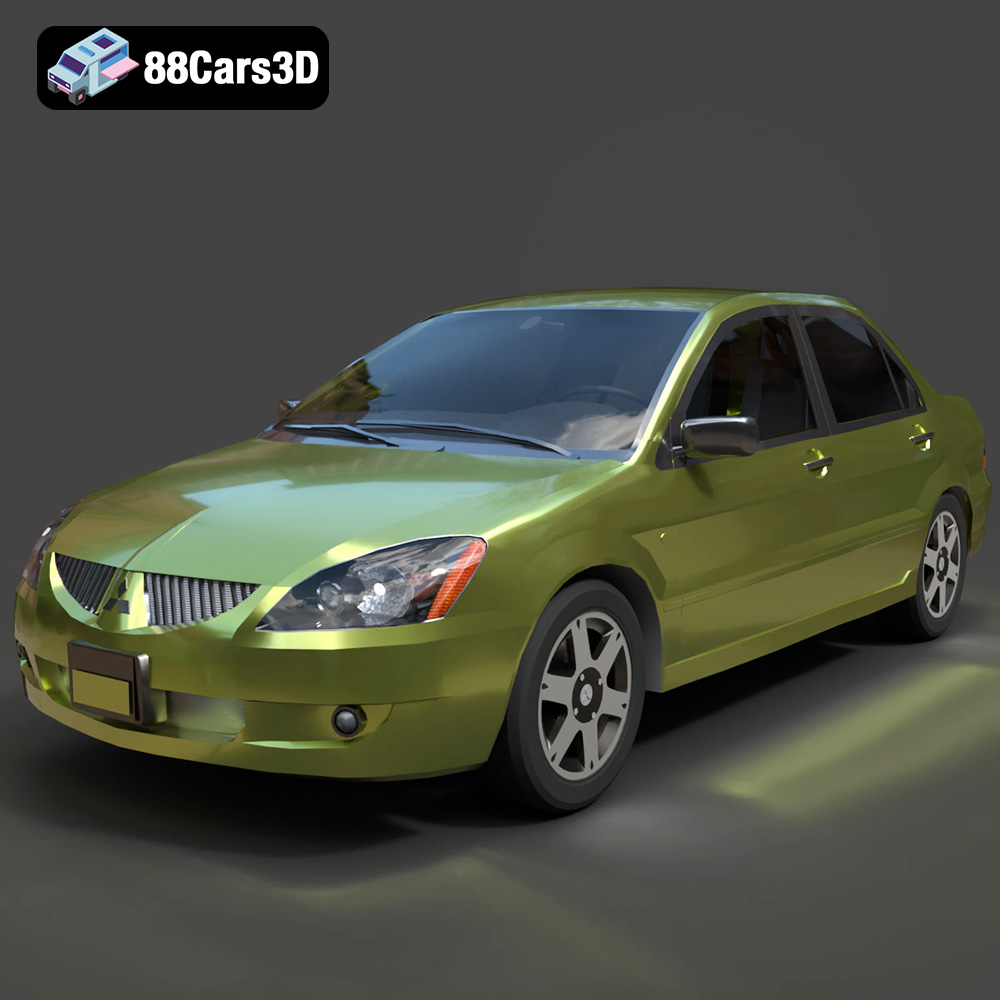
Texture: Yes
Material: Yes
Download the Mitsubishi Lancer IX-001 3D Model featuring clean geometry, realistic detailing, and a fully modeled interior. Includes .blend, .fbx, .obj, .glb, .stl, .ply, .unreal, and .max formats for rendering, simulation, and game development.
Price: $4.99

Texture: Yes
Material: Yes
Download the MINI Cooper S-007 3D Model featuring clean geometry, realistic detailing, and a fully modeled interior. Includes .blend, .fbx, .obj, .glb, .stl, .ply, .unreal, and .max formats for rendering, simulation, and game development.
Price: $4.99

Texture: Yes
Material: Yes
Download the Mercury Grand Marquis LS 1986 3D Model featuring clean geometry, realistic detailing, and a fully modeled interior. Includes .blend, .fbx, .obj, .glb, .stl, .ply, .unreal, and .max formats for rendering, simulation, and game development.
Price: $4.99

Texture: Yes
Material: Yes
Download the Mercedes-Benz SLS AMG 2010 3D Model featuring clean geometry, realistic detailing, and a fully modeled interior. Includes .blend, .fbx, .obj, .glb, .stl, .ply, .unreal, and .max formats for rendering, simulation, and game development.
Price: $4.99

Texture: Yes
Material: Yes
Download the Renault Twizy ZE 3D Model featuring clean geometry, realistic detailing, and a fully modeled interior. Includes .blend, .fbx, .obj, .glb, .stl, .ply, .unreal, and .max formats for rendering, simulation, and game development.
Price: $4.99

Texture: Yes
Material: Yes
Download the Porsche 911 GT3 3D Model featuring clean geometry, realistic detailing, and a fully modeled interior. Includes .blend, .fbx, .obj, .glb, .stl, .ply, .unreal, and .max formats for rendering, simulation, and game development.
Price: $4.99

Texture: Yes
Material: Yes
Download the Porsche 911 997 GT3 RS 4.0 2011 3D Model featuring clean geometry, realistic detailing, and a fully modeled interior. Includes .blend, .fbx, .obj, .glb, .stl, .ply, .unreal, and .max formats for rendering, simulation, and game development.
Price: $4.99

Texture: Yes
Material: Yes
Download the Pontiac GTO Cabrio 1967 3D Model featuring clean geometry, realistic detailing, and a fully modeled interior. Includes .blend, .fbx, .obj, .glb, .stl, .ply, .unreal, and .max formats for rendering, simulation, and game development.
Price: $4.99

Texture: Yes
Material: Yes
Download the Pontiac Firebird Convertible 1968 3D Model featuring clean geometry, realistic detailing, and a fully modeled interior. Includes .blend, .fbx, .obj, .glb, .stl, .ply, .unreal, and .max formats for rendering, simulation, and game development.
Price: $4.99

