Get 20% OFF All Premium 3D & STL Models!

The allure of a perfectly rendered car model is undeniable. From the gleaming curves reflecting the environment to the intricate details of its interior, a high-quality 3D automotive asset breathes life into virtual worlds. Whether you’re an automotive designer visualizing a new concept, a game developer crafting immersive experiences, or a visualization artist producing stunning marketing material, the demand for realistic and performant 3D car models is ever-growing. However, creating these masterpieces is far from simple; it requires a deep understanding of intricate workflows, technical specifications, and industry best practices.
The journey from a blank canvas to a production-ready 3D car model is a complex one, encompassing meticulous modeling, precise texturing, sophisticated rendering setups, and intelligent optimization. This comprehensive guide will take you through every critical stage, demystifying the technical aspects and providing actionable insights. We’ll delve into the nuances of clean topology, advanced UV mapping, physically based rendering (PBR) materials, cutting-edge rendering techniques, and crucial optimization strategies for real-time applications like games and AR/VR. By the end of this article, you’ll have a robust understanding of what it takes to produce, evaluate, and utilize professional-grade 3D car models across various industries.
The foundation of any high-quality 3D model, especially for complex subjects like cars, lies in its topology. Topology refers to the arrangement of polygons (faces, edges, and vertices) that make up a 3D mesh. For automotive models, clean and efficient topology isn’t just about aesthetics; it’s crucial for smooth deformation, predictable subdivision, and flawless rendering. Poor topology can lead to artifacts, pinching, and an inability to achieve the desired level of realism and detail, particularly on highly reflective surfaces where imperfections are easily visible.
When modeling a car, maintaining excellent edge flow is paramount. Edge flow describes how the edges of your polygons naturally guide the shape and contours of the model. For automotive designs, this means ensuring that edge loops follow the major curvature lines, panel gaps, and stylistic creases of the vehicle. This attention to detail allows for consistent light reflection and the seamless application of textures. A common pitfall is allowing edges to crisscross or terminate abruptly in critical areas, which can cause unsightly shading issues when the model is smoothed or rendered.
The industry standard for organic and complex hard-surface modeling, including automotive assets, is to use quad-dominant topology. Quads (four-sided polygons) are favored over triangles (three-sided) or N-gons (polygons with more than four sides) because they deform predictably and are essential for subdivision surface modifiers (e.g., Turbosmooth in 3ds Max, Subdivision Surface in Blender, or Smooth Mesh in Maya). These modifiers allow artists to create a low-polygon base mesh and then smoothly interpolate its surface, effectively increasing resolution and detail without manual modeling of every vertex. With quads, subdivisions result in clean, evenly distributed new polygons, whereas triangles can lead to irregular patterns and N-gons often cause unpredictable smoothing. The density of your quads should be thoughtfully distributed, with higher density in areas of curvature and detail, and lower density in flatter regions to optimize polygon count while maintaining visual integrity.
Achieving perfect edge flow for automotive models involves strategic placement of edge loops. These loops should cleanly define the boundaries of panels, the rims of wheel wells, door lines, and the sharp creases that give a car its distinctive character. For instance, creating a sharp edge on a fender requires at least two or three tightly grouped edge loops running parallel to each other. This creates a “holding edge” that maintains sharpness even after subdivision. Managing poles (vertices where more or less than four edges meet) is another critical aspect. While 3-edge poles and 5-edge poles are sometimes unavoidable, they should be strategically placed in flatter, less visible areas where their potential impact on shading is minimized. High-quality car models typically target a polygon count of 100,000 to 500,000 triangles for high-resolution rendering, ensuring enough geometric detail to capture every subtle curve and reflection, while game-ready models will adhere to much stricter budgets, often ranging from 50,000 to 150,000 triangles for a main vehicle.
Once your 3D car model’s topology is solid, the next crucial step is UV mapping. UVs are 2D coordinates that tell your 3D software how to project a 2D texture onto the 3D surface of your model. Without proper UVs, even the most detailed textures will appear stretched, distorted, or misaligned, drastically undermining the realism of your automotive asset. Car surfaces, with their complex curvatures and intricate details like grilles, headlights, and badges, present unique challenges for effective UV unwrapping. The goal is to create a clean, organized, and distortion-free UV layout that maximizes texture resolution and minimizes seams.
The process demands a strategic approach to unwrapping, careful seam placement, and efficient packing to ensure every pixel of your textures contributes meaningfully to the final visual quality. Understanding how different parts of the car will be textured (e.g., a large, smooth paint surface versus a highly detailed tire tread) influences how you approach their UVs. A well-executed UV map simplifies texturing, improves rendering performance, and ensures consistency across various applications.
Effective UV unwrapping for a car model involves a combination of techniques tailored to specific components. For large, relatively flat surfaces like the roof, hood, and doors, planar mapping might be appropriate, often projected from multiple angles and then stitched. For cylindrical parts like wheels and exhaust pipes, cylindrical mapping is ideal. Organic, irregular shapes, and often the main body shell, benefit from more custom unwrapping methods where seams are strategically placed. Key considerations for seam placement include hiding them in natural breaks (e.g., along door lines, under the car, or in panel gaps) and minimizing their visibility. Tools like Blender’s “Follow Active Quads” or 3ds Max’s “Pelt Mapping” can help maintain quad-like proportions in the UV layout, reducing distortion. Always use a checker pattern texture during unwrapping to visually inspect for stretching or compression of UVs; consistent checker size across the model indicates good texel density.
After unwrapping, the individual UV islands need to be efficiently arranged, or “packed,” within the 0-1 UV space (the primary square where textures reside). UV packing aims to minimize wasted space while preventing islands from overlapping, which is crucial unless intentional for shared textures. Automated packing tools in most 3D software can assist, but manual adjustments often yield superior results for complex models. Texel density (pixels per unit of surface area) is another critical factor. Consistency in texel density across the entire model ensures that all parts receive an equal level of texture detail, preventing some areas from looking blurry while others are sharp. For high-fidelity rendering, texture resolutions typically range from 4K (4096×4096) to 8K (8192×8192) for major components like the car body, with smaller components like badges or headlights using 1K or 2K textures. For game assets, more aggressive texture atlasing (combining multiple smaller textures onto one large sheet) is often employed to reduce draw calls, typically with resolutions around 2K or 4K per atlas. Some advanced workflows also utilize UDIMs (multi-tile UVs) for extreme detail, allowing for virtually unlimited texture resolution across different parts of a large model.
With a perfectly modeled and UV-mapped car, the next step is to give it a realistic surface appearance through PBR materials. Physically Based Rendering (PBR) is a shading and rendering approach that aims to simulate how light interacts with materials in the real world more accurately than older rendering techniques. This leads to more consistent and believable results under various lighting conditions, making it the gold standard for modern automotive rendering and game development. Understanding PBR is essential for creating materials that react realistically, from the metallic sheen of car paint to the subtle reflections of glass and the rough texture of rubber.
PBR relies on a set of standardized maps and parameters that represent real-world material properties like color, reflectivity, and roughness. These maps are then fed into a sophisticated shader network within your 3D software or game engine. Crafting these materials for a car model requires an eye for detail and an understanding of how different surfaces behave physically, ensuring the model looks stunning in any virtual environment. Platforms like 88cars3d.com ensure their 3D car models come with meticulously crafted PBR materials, saving artists significant time and effort in achieving high-fidelity renders.
There are two primary PBR workflows: Metallic-Roughness and Specular-Glossiness. Both aim for the same realistic outcome but achieve it using different sets of maps. The Metallic-Roughness workflow, widely adopted in game engines like Unity and Unreal Engine, and renderers like Cycles and Arnold, uses maps such as:
The Specular-Glossiness workflow, often found in V-Ray and Corona, uses:
While the underlying physics are similar, understanding which workflow your renderer or engine supports is crucial for correct material setup.
Car models demand complex shader networks to replicate their diverse materials accurately. The most iconic is the car paint shader, which typically consists of multiple layers: a base coat (the primary color), a clear coat (a highly reflective, transparent layer that protects the base coat), and often metallic flakes embedded within the clear coat or base. In renderers like V-Ray or Corona, this might involve a blend material or a dedicated car paint shader with specific controls for flake density, size, and reflectivity. Glass shaders require precise control over refraction, reflection (with accurate Fresnel falloff), and subtle tinting. Factors like dirt, dust, and raindrops can be added via blend layers or mask maps. Tire rubber needs a distinct rough texture with minimal reflectivity, often enhanced with subtle normal maps for tread patterns and wear. Interior materials like leather, fabric, and plastic each require their own PBR setup, focusing on their unique albedo, roughness, and subtle normal map details to convey their tactile qualities. Utilizing high-quality reference imagery and physically accurate texture values is paramount for achieving photorealistic results, making your 3D car models truly stand out.
Even with a perfectly modeled and textured 3D car model, its visual impact largely depends on how it’s lit, placed within an environment, and refined through post-processing. Lighting is arguably the most critical element in conveying mood, highlighting form, and establishing realism. A masterfully lit scene can transform a good model into an exceptional render, drawing the viewer’s eye to the car’s intricate details and elegant curves. Conversely, poor lighting can flatten the model, hide details, and make even the best materials look unconvincing. The environment the car is placed in also plays a vital role, providing realistic reflections and ambient light that ground the vehicle in its scene.
Beyond the render itself, post-processing is the final layer of polish that can dramatically enhance an image’s quality, mimicking photographic effects and correcting minor imperfections. This stage allows artists to fine-tune colors, contrast, and atmospheric effects, pushing the render closer to a photographic quality. Together, these three elements—lighting, environment, and post-processing—form a powerful triumvirate for creating truly captivating automotive renders.
For presenting 3D car models, two primary lighting approaches are common:
Modern render engines like Corona, V-Ray, Cycles (Blender), and Arnold all offer robust tools for both approaches, complete with advanced sampling and denoising capabilities to ensure clean, artifact-free renders.
The choice of camera lens and angle significantly impacts how a car is perceived. A telephoto lens (e.g., 85mm to 135mm focal length) is often preferred for automotive photography and rendering, as it minimizes perspective distortion, making the car look more powerful and elegant. Strategic camera angles can emphasize specific design elements or create dramatic compositions. Depth of Field (DoF) can be used selectively to draw attention to the car while subtly blurring the background, mimicking professional photography. However, use DoF sparingly for product renders where the entire car needs to be in focus.
After rendering, post-processing in software like Photoshop, Affinity Photo, or directly within the render buffer (e.g., Corona Image Editor, V-Ray Frame Buffer) is vital. Key post-processing techniques include:
Always render with an alpha channel (for transparent backgrounds) or in separate render passes (beauty, reflections, refractions, shadows) for maximum flexibility in compositing. This allows for non-destructive adjustments and greater artistic control over the final image, ensuring your visualization is truly polished.
While offline rendering allows for virtually unlimited polygon counts and complex shader networks, game engines and real-time applications like AR/VR impose strict performance budgets. The goal in these contexts is to achieve the highest possible visual fidelity while maintaining smooth frame rates and efficient resource utilization. This requires a dedicated approach to optimization, transforming high-detail studio models into lean, game-ready assets. Unoptimized 3D car models can quickly bog down a game, causing lag, stuttering, and a poor user experience. Therefore, understanding and implementing optimization strategies is just as crucial as the initial modeling and texturing phases.
The optimization process involves reducing geometric complexity, streamlining materials, and preparing assets for efficient rendering within environments like Unity or Unreal Engine. It’s a balance between visual quality and performance, often requiring compromises and clever techniques to create convincing experiences within tight technical constraints.
One of the most effective optimization techniques is implementing Levels of Detail (LODs). This involves creating multiple versions of the same 3D car model, each with a progressively lower polygon count. The highest detail LOD is used when the car is close to the camera, while progressively lower detail LODs are swapped in as the car moves further away. For example, a main car model might have 100,000-150,000 triangles (LOD0), dropping to 20,000-50,000 triangles (LOD1), then 5,000-10,000 triangles (LOD2), and finally a very low-poly version of 1,000-3,000 triangles (LOD3) for distant views. LODs significantly reduce the geometric load on the GPU. Tools like Simplygon or integrated LOD systems in Unity/Unreal Engine facilitate this process.
Another critical aspect is draw call management. A draw call is an instruction from the CPU to the GPU to draw a batch of geometry. Each material and each separate mesh typically generates a draw call. For a complex car model with many parts and materials, this can add up rapidly, straining the CPU. Strategies to reduce draw calls include:
Efficient draw call management is vital for maintaining a smooth frame rate in dynamic game environments with many moving vehicles.
Texture atlasing is a powerful optimization technique where multiple textures (e.g., textures for the car body, wheels, interior elements) are combined into a single, larger texture map. This allows many different parts of the model to reference the same material, drastically reducing the number of draw calls. For example, instead of having separate 1K textures for the car body, tires, and windows, these might all be mapped to different regions of a single 4K atlas. This not only improves performance but can also optimize memory usage and caching.
For AR/VR applications, optimization requirements are even more stringent due to the need for stereoscopic rendering (rendering two views simultaneously) and very high, consistent frame rates (e.g., 90 FPS for comfortable VR). In addition to aggressive LODs and draw call reduction, specific considerations for AR/VR include:
For game developers and AR/VR creators, sourcing optimized 3D car models from marketplaces like 88cars3d.com can be a significant time-saver, as many models are provided with game-ready optimizations, multiple LODs, and PBR texture sets suitable for real-time engines.
The digital landscape of 3D modeling involves a multitude of file formats, each with its strengths, weaknesses, and specific applications. Navigating these formats is crucial for ensuring compatibility across different software, enabling smooth collaboration, and preparing assets for diverse uses, from high-fidelity rendering to real-time interactive experiences and even physical production via 3D printing. A comprehensive understanding of these formats and their implications for geometry, materials, and animations is essential for any professional working with 3D car models. The ability to correctly import, export, and convert between formats is a foundational skill that impacts workflow efficiency and the integrity of the 3D asset.
Furthermore, preparing a 3D model for 3D printing introduces an entirely new set of technical requirements, transforming a virtual asset into a tangible object. This involves meticulous checks and repairs to ensure the mesh is watertight, manifold, and structurally sound for fabrication.
The 3D industry uses several key file formats, each serving distinct purposes:
Understanding these formats allows artists to choose the right one for their project needs, ensuring maximum compatibility and data integrity when sharing or utilizing 3D car models.
Translating a beautiful virtual car model into a physical 3D print requires specific mesh preparation. Unlike rendering, which can forgive some geometric imperfections, 3D printing demands a perfectly “watertight” and “manifold” mesh to ensure successful fabrication. Key steps and considerations include:
By meticulously preparing your 3D car models with these steps, you can confidently transform your digital creations into high-quality physical objects, whether for prototyping, collectible models, or educational purposes.
The journey through the world of 3D car models is a testament to the intricate blend of artistic vision and rigorous technical execution required in modern digital content creation. From meticulously crafting clean topology and perfect edge flow to precisely unwrapping UVs, designing sophisticated PBR materials, and mastering the art of lighting and rendering, each stage is critical to achieving photorealistic and performant results. Furthermore, the specialized demands of real-time applications like game engines and AR/VR necessitate a deep understanding of optimization techniques, while preparing models for 3D printing opens up entirely new avenues for physical manifestation.
The continuous evolution of software, rendering technologies, and hardware pushes the boundaries of what’s possible, yet the fundamental principles we’ve explored remain timeless. Whether your goal is to create breathtaking automotive renders for marketing, develop immersive driving experiences in games, build compelling AR/VR visualizations, or prototype new designs through 3D printing, the path to success lies in a meticulous approach and a commitment to detail. Embrace the challenges, leverage the right tools, and never stop refining your skills. The demand for high-quality, technically sound 3D car models will only continue to grow, offering exciting opportunities for those who master this intricate craft. Continue to explore, experiment, and elevate your creations, and remember that quality assets form the bedrock of any outstanding visualization project.

Texture: Yes
Material: Yes
Download the Mitsubishi Outlander 2022 3D Model featuring clean geometry, realistic detailing, and a fully modeled interior. Includes .blend, .fbx, .obj, .glb, .stl, .ply, .unreal, and .max formats for rendering, simulation, and game development.
Price: $4.99
Texture: Yes
Material: Yes
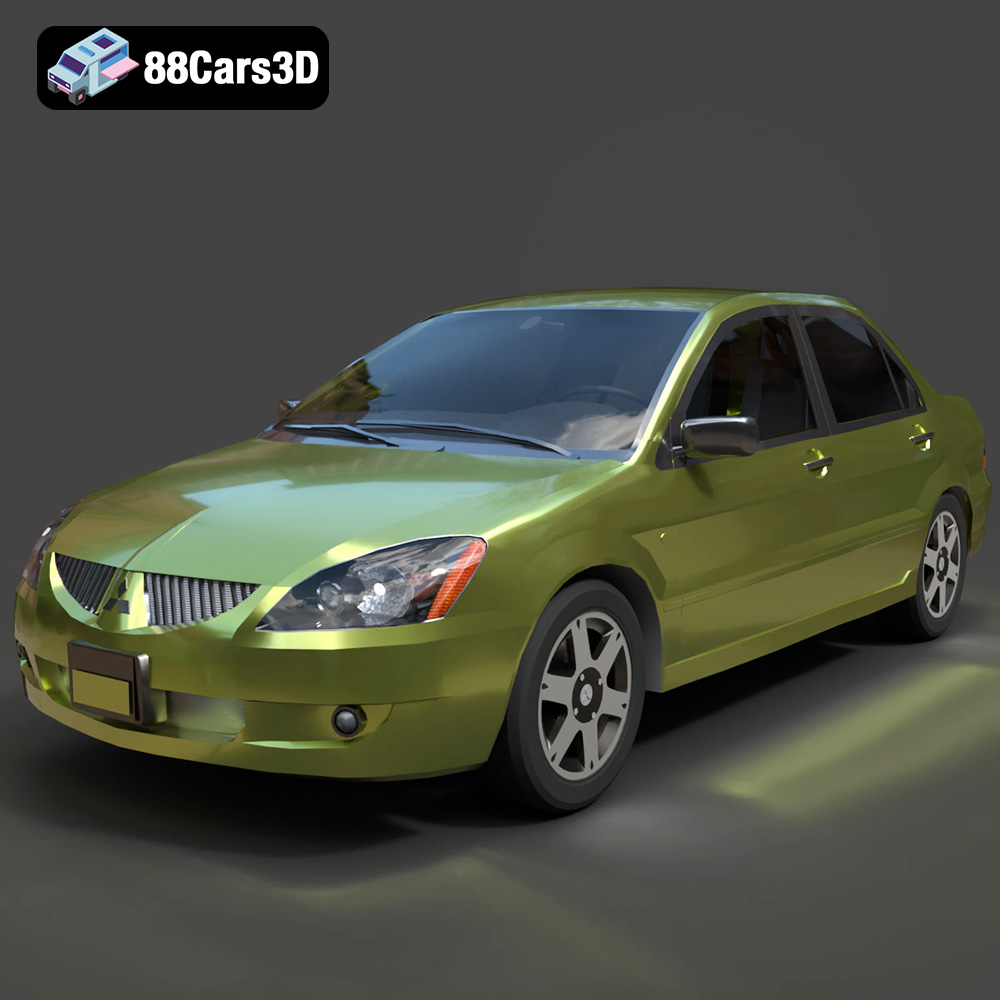
Download the Mitsubishi Lancer IX-001 3D Model featuring clean geometry, realistic detailing, and a fully modeled interior. Includes .blend, .fbx, .obj, .glb, .stl, .ply, .unreal, and .max formats for rendering, simulation, and game development.
Price: $4.99

Texture: Yes
Material: Yes
Download the MINI Cooper S-007 3D Model featuring clean geometry, realistic detailing, and a fully modeled interior. Includes .blend, .fbx, .obj, .glb, .stl, .ply, .unreal, and .max formats for rendering, simulation, and game development.
Price: $4.99

Texture: Yes
Material: Yes
Download the Mercury Grand Marquis LS 1986 3D Model featuring clean geometry, realistic detailing, and a fully modeled interior. Includes .blend, .fbx, .obj, .glb, .stl, .ply, .unreal, and .max formats for rendering, simulation, and game development.
Price: $4.99

Texture: Yes
Material: Yes
Download the Mercedes-Benz SLS AMG 2010 3D Model featuring clean geometry, realistic detailing, and a fully modeled interior. Includes .blend, .fbx, .obj, .glb, .stl, .ply, .unreal, and .max formats for rendering, simulation, and game development.
Price: $4.99

Texture: Yes
Material: Yes
Download the Renault Twizy ZE 3D Model featuring clean geometry, realistic detailing, and a fully modeled interior. Includes .blend, .fbx, .obj, .glb, .stl, .ply, .unreal, and .max formats for rendering, simulation, and game development.
Price: $4.99

Texture: Yes
Material: Yes
Download the Porsche 911 GT3 3D Model featuring clean geometry, realistic detailing, and a fully modeled interior. Includes .blend, .fbx, .obj, .glb, .stl, .ply, .unreal, and .max formats for rendering, simulation, and game development.
Price: $4.99

Texture: Yes
Material: Yes
Download the Porsche 911 997 GT3 RS 4.0 2011 3D Model featuring clean geometry, realistic detailing, and a fully modeled interior. Includes .blend, .fbx, .obj, .glb, .stl, .ply, .unreal, and .max formats for rendering, simulation, and game development.
Price: $4.99

Texture: Yes
Material: Yes
Download the Pontiac GTO Cabrio 1967 3D Model featuring clean geometry, realistic detailing, and a fully modeled interior. Includes .blend, .fbx, .obj, .glb, .stl, .ply, .unreal, and .max formats for rendering, simulation, and game development.
Price: $4.99

Texture: Yes
Material: Yes
Download the Pontiac Firebird Convertible 1968 3D Model featuring clean geometry, realistic detailing, and a fully modeled interior. Includes .blend, .fbx, .obj, .glb, .stl, .ply, .unreal, and .max formats for rendering, simulation, and game development.
Price: $4.99

