Get 20% OFF All Premium 3D & STL Models!

The sleek lines of a supercar, the rugged stance of an off-roader, or the classic curves of a vintage automobile – there’s an undeniable allure to car design. Translating this allure into the digital realm requires a blend of artistic vision and rigorous technical mastery. In the world of 3D modeling, creating photorealistic and highly functional 3D car models is one of the most demanding yet rewarding challenges. These intricate digital assets are the backbone of everything from immersive video games and cutting-edge automotive visualizations to interactive AR/VR experiences and even precise 3D printing prototypes.
This comprehensive guide delves deep into the multifaceted journey of crafting and utilizing exceptional 3D car models. We’ll explore the critical modeling techniques that ensure flawless surfaces, unravel the complexities of UV mapping and PBR material creation, and dissect the workflows for achieving breathtaking automotive rendering. Furthermore, we’ll navigate the crucial optimizations required for seamlessly integrating these assets into game engines and AR/VR applications, alongside practical considerations for file formats and 3D printing. Whether you’re a seasoned 3D artist, an aspiring game developer, or an automotive designer, prepare to elevate your understanding and execution of 3D automotive assets.
Creating a compelling 3D car model begins with a fundamental understanding of form, precision, and efficiency. Unlike organic models, vehicles demand perfect symmetry, smooth reflections, and an unwavering adherence to real-world dimensions. The initial modeling phase sets the stage for everything that follows, from texturing to animation, and any shortcuts taken here will inevitably surface as glaring imperfections later on. The goal is not just to replicate a car’s appearance, but to capture its essence with clean, functional geometry.
For professional-grade models, particularly those intended for close-up shots in automotive rendering or interactive experiences, clean topology is paramount. This means meticulously constructing the mesh primarily with quad polygons, avoiding n-gons and triangles where possible, as these can lead to pinching, shading errors, and difficulties with subdivision surfaces. Focus on establishing robust edge loops that follow the natural curves and contours of the car, especially around high-stress areas like wheel arches, door cut lines, and headlight housings. This careful placement of geometry ensures that the model can be smoothly subdivided without artifacts, producing the pristine reflections critical for realism.
The aesthetic appeal of any 3D car model hinges significantly on its surface quality, which is directly influenced by its topology and edge flow. Good topology ensures that light reflects correctly across the car’s body, preventing unsightly ripples or unnatural highlights. Edge loops should closely trace the natural creases, folds, and hard edges of the vehicle, providing control points for crisp transitions and defining the shape with precision. For instance, around door seams or the lip of a wheel well, dense edge loops are essential to maintain sharpness, while broader panels benefit from more evenly spaced quads to facilitate smooth curvature.
When working with subdivision surface modifiers (like TurboSmooth in 3ds Max or Subdivision Surface in Blender), well-planned edge flow allows the mesh to smooth out gracefully, maintaining volume and detail without collapsing. A common technique involves adding “support loops” or “holding edges” near critical areas to control the sharpness of an edge after subdivision. For example, a single edge might define a fender’s edge, but adding two or three parallel loops very close to it will prevent it from becoming too soft when subdivided, preserving the intended design language. Professional models often target a base mesh polygon count that is manageable for artists (e.g., 50,000 to 150,000 polygons for a high-detail car body) before subdivision, which can multiply the count significantly for final render quality.
To achieve pinpoint accuracy and a true-to-life representation, professional 3D car model creation often leverages real-world data. Blueprints, detailed schematics, and high-resolution reference images are indispensable for nailing the proportions and dimensions of a vehicle. Artists meticulously set up these references in their 3D software (e.g., as background images in 3ds Max viewports or Blender’s reference images) to guide the modeling process, ensuring every curve and angle aligns with the source material.
The gold standard for automotive precision, however, comes from Computer-Aided Design (CAD) data. Many high-end 3D car models begin as complex NURBS (Non-Uniform Rational B-Spline) surfaces, directly exported from engineering software. While NURBS offer mathematical precision, they are not always ideal for animation, real-time engines, or certain rendering workflows. The process of converting these CAD surfaces into a polygon mesh, known as “retopology,” is a highly specialized skill. It involves tracing a clean, quad-based mesh over the dense, often triangulated, CAD data, carefully constructing optimal edge flow for animation and subdivision. This method ensures both aesthetic perfection and technical robustness, providing the foundation for the high-quality 3D car models found on platforms like 88cars3d.com.
Once the geometric foundation of your 3D car model is solid, the next crucial step is to give it realistic surface detail and color. This is where UV mapping and texture creation come into play. UV mapping is the process of flattening the 3D surface of your model into a 2D space, much like unfolding a cardboard box, so that 2D textures can be painted onto it. Without proper UVs, textures will appear stretched, distorted, or misaligned, completely undermining the realism achieved in the modeling phase. Coupled with the latest in Physically Based Rendering (PBR) material workflows, this stage is where your digital vehicle truly comes to life.
Effective UV mapping requires strategic planning, especially for complex objects like cars with their myriad distinct panels and components. The goal is to create UV islands that are as undistorted as possible, with seams placed in less visible areas to prevent visual breaks in textures. Following UV mapping, the focus shifts to creating or acquiring high-resolution textures that adhere to PBR principles, accurately simulating how light interacts with different materials. This involves generating multiple maps—like Albedo, Roughness, Metallic, and Normal—each contributing to a comprehensive shader network that defines the visual properties of car paint, glass, rubber, chrome, and more.
Unwrapping a complex object like a car involves a combination of techniques and careful seam placement. For large, relatively flat panels such as the hood, roof, or sides, planar projection can be a good starting point, followed by careful cutting of seams. Cylindrical or spherical projections are useful for parts like wheels or mirrors. For intricate areas, a technique called “pelt mapping” (available in tools like 3ds Max’s UV Editor or Blender) allows you to “peel” the surface open from strategic seams, laying it flat for optimal texture application. The key is to minimize stretching, which can be visualized using a checkerboard pattern overlay on your UVs.
After unwrapping, the UV islands must be efficiently packed into the 0-1 UV space. This means arranging them to maximize the use of texture real estate, ensuring consistent texel density across the entire model. Texel density refers to the number of texture pixels per unit of 3D space. Maintaining a uniform texel density ensures that all parts of the car appear equally detailed. For very high-detail models or those requiring extreme close-ups, multi-tile UVs using the UDIM workflow (e.g., in Maya or ZBrush) allow you to spread the UVs across multiple texture maps, enabling resolutions far beyond a single 8K texture, providing unparalleled detail for automotive rendering and visualization.
PBR materials are the cornerstone of modern, realistic rendering, ensuring that your 3D car model interacts with light in a physically plausible manner, regardless of the lighting environment. The core principle of PBR is energy conservation, meaning that light reflected from a surface (specular) plus light absorbed (diffuse) cannot exceed the incoming light. Key maps include:
For car paint, a complex shader network often involves multiple layers: a base metallic paint layer with metallic flakes (often achieved with procedural noise or a dedicated flake map), topped with a clear coat layer that has its own distinct roughness and reflectivity. Glass requires careful handling of refraction and transparency, while rubber textures need a fine balance of roughness and subtle normal map detail. Software like Blender’s Shader Editor, 3ds Max’s Slate Material Editor, or Maya’s Hypershade allow artists to build sophisticated node-based shader networks, combining these maps with procedural effects to achieve truly convincing results. High-resolution textures, often 4K or even 8K, are typically used for hero assets in automotive rendering to capture every nuance of the material.
With a meticulously modeled and textured 3D car model, the next stage is to transform it into a stunning visual masterpiece through rendering. This process is where all the hard work in modeling and texturing culminates, demanding a keen eye for composition, lighting, and cinematic quality. Automotive rendering is a highly specialized field, requiring not just technical knowledge of rendering engines but also an artistic understanding of photography and visual storytelling. The goal is to make the digital car indistinguishable from its real-world counterpart, capturing every gleam, reflection, and shadow with absolute fidelity.
A successful render hinges on more than just high-quality geometry and textures; it’s about creating a believable environment and carefully sculpting light to highlight the vehicle’s design. This involves choosing the right High Dynamic Range Image (HDRI) for global illumination and reflections, strategically placing supplementary lights, and composing the shot to emphasize the car’s most appealing features. Furthermore, understanding advanced shading techniques and leveraging post-processing tools are critical for adding that final layer of polish, pushing renders from “good” to “extraordinary.”
Lighting is arguably the most critical element in automotive rendering. It dictates mood, emphasizes form, and brings out the nuances of the PBR materials. High Dynamic Range Images (HDRIs) are indispensable here, providing realistic environmental lighting and complex reflections that bounce off the car’s reflective surfaces. An HDRI acts as a spherical panorama of light information, casting ambient light and incredibly detailed reflections that significantly enhance realism. Choosing an HDRI that complements the car’s design and intended mood (e.g., a studio environment for sleek renders, an outdoor scene for context) is crucial.
Beyond the HDRI, supplementary lighting is often used to sculpt the form, create specific highlights, and deepen shadows. A classic “three-point lighting” setup (key, fill, and rim lights) can be adapted, or artists might use large area lights to simulate softbox studio lighting, focusing on accentuating the car’s contours. Shadow catchers and reflection planes are vital for integrating the car seamlessly into a backplate image or a simulated environment, ensuring realistic ground shadows and reflections. Renderers like Corona, V-Ray (for 3ds Max/Maya), Cycles (Blender), and Arnold (Maya) offer powerful tools for photorealistic lighting, enabling precise control over light color, intensity, and falloff to achieve cinematic results.
To truly sell the illusion, advanced shading techniques go beyond standard PBR maps. Car paint, for instance, is often a layered material, combining a metallic base coat (which can include subtle metallic flakes for sparkle) with a glossy clear coat. The clear coat layer needs its own roughness and index of refraction (IOR) to simulate realistic depth and reflections. Glass materials require accurate refraction and reflection properties, often with subtle imperfections or tinting. Materials like tires benefit from subtle subsurface scattering for a more organic feel, especially in softer rubber areas.
Once rendered, the image is rarely final. Post-processing in tools like Adobe Photoshop, After Effects, or Nuke is essential for refining the aesthetic. Artists export various render passes (also known as AOV – Arbitrary Output Variables or Render Elements), such as Z-depth for depth of field effects, Normal pass for re-lighting, Reflection and Refraction passes for fine-tuning reflections and glass, Ambient Occlusion for enhancing subtle shadows, and ID masks for selective color grading. Techniques like color correction, adding subtle bloom or lens flares, chromatic aberration, and vignetting can elevate a raw render to a polished, professional advertisement-quality image, creating the stunning visuals expected from top-tier automotive rendering.
While cinematic rendering demands peak quality, interactive experiences like video games, virtual reality (VR), and augmented reality (AR) prioritize performance above all else. A beautifully detailed 3D car model that renders perfectly in an offline raytracer can bring a real-time engine to its knees. The challenge lies in maintaining visual fidelity while drastically reducing the computational overhead. This requires a strategic approach to mesh density, texture management, and shader complexity, ensuring smooth frame rates without sacrificing the immersive quality of the experience. Game developers and AR/VR creators must meticulously balance poly count, draw calls, and texture memory to deliver engaging, lag-free interactions.
Optimization is not an afterthought; it’s an integral part of the asset pipeline, especially when working with complex assets like vehicles. Techniques like Level of Detail (LODs), texture atlasing, and careful material setup are crucial for squeezing maximum performance from hardware. Furthermore, AR and VR environments introduce unique constraints, demanding even stricter adherence to optimization best practices to prevent motion sickness and ensure a fluid user experience. When sourcing models from marketplaces such as 88cars3d.com, it’s beneficial to look for models that are already structured with optimization in mind, often indicated by clean topology and multiple LODs.
For high-performance applications like video games, one of the most effective optimization techniques is implementing Level of Detail (LODs). This involves creating multiple versions of a single 3D car model, each with a progressively lower polygon count. As the car moves further away from the camera, the engine automatically switches to a lower LOD version, reducing the number of vertices and triangles that need to be processed. For a hero car in a racing game, you might have LOD0 (full detail, e.g., 100,000-200,000 triangles), LOD1 (medium detail, 30,000-50,000 triangles), and LOD2 (low detail, 5,000-15,000 triangles), with even lower versions for distant objects. Tools like Unity, Unreal Engine, and Blender’s Decimate modifier facilitate LOD creation.
Another critical optimization is reducing “draw calls,” which are instructions sent from the CPU to the GPU to render an object. Each unique material or separate mesh typically incurs a draw call. By combining multiple small meshes into a single larger mesh (batching) and consolidating multiple textures into a single “texture atlas,” developers can significantly reduce draw calls. For example, all the small interior components (buttons, dials, vents) could share one material and one texture atlas, dramatically improving performance. Using material instances (e.g., in Unreal Engine) allows for color variations or slight material tweaks without creating entirely new materials, further saving draw calls.
AR/VR experiences impose even more stringent performance requirements than traditional games, typically demanding frame rates of 90 FPS or higher to prevent motion sickness. This necessitates aggressive optimization strategies for 3D car models. Polygon counts must be kept significantly lower, often in the range of 10,000-50,000 triangles for an entire car, especially for mobile AR platforms. Texture resolutions might also need to be reduced (e.g., 1K or 2K instead of 4K/8K).
Baked lighting, where lighting information is pre-calculated and stored in lightmap textures, is highly effective for AR/VR as it reduces real-time lighting calculations. Instead of complex dynamic shadows, simpler cascaded shadow maps or baked shadows are preferred. Transparent materials like glass can be expensive; sometimes, faking transparency with an alpha-blended texture or simpler shader is necessary. For AR, the model’s scale and orientation are crucial for proper integration into the real world. Formats like USDZ (for Apple’s ARKit) and GLB (for Android’s ARCore/Google’s WebXR) are optimized for AR/VR, supporting efficient PBR material representation and offering compact file sizes for quick loading on mobile devices.
The journey of a 3D car model doesn’t end with rendering or game integration. These versatile assets often need to be shared across different software, platforms, and even physical manufacturing processes. Understanding the nuances of various file formats is essential for seamless collaboration and deployment. Each format comes with its own strengths and limitations regarding geometry, materials, animations, and scene information. Furthermore, when the digital model needs to transcend the screen and become a tangible object, specific preparations are required for 3D printing, demanding a completely different set of technical considerations to ensure a successful physical output.
Navigating the ecosystem of 3D file formats requires knowledge of which formats are best suited for particular applications, from architectural visualization to game development and AR experiences. Beyond compatibility, the integrity of the data—ensuring materials, UVs, and scale are preserved—is paramount during export and import. When moving into the realm of physical production, preparing a model for 3D printing involves transforming it into a “watertight” mesh, free of errors that could compromise print quality or structural integrity. This transition from virtual to physical underscores the model’s versatility and the technical expertise required at every stage.
The world of 3D data exchange is dominated by a few key file formats, each with its own advantages:
When exporting, always ensure correct unit scales, bake transformations, and embed media (textures) if the format supports it, to maintain integrity across platforms. Platforms like 88cars3d.com typically provide models in multiple formats to cater to diverse user needs and workflows.
Transforming a digital 3D car model into a physical object via 3D printing introduces a unique set of technical requirements. The primary concern is ensuring the mesh is “watertight” or “manifold.” This means the model must be a completely enclosed volume, with no holes, inverted normals, non-manifold edges (edges shared by more than two faces), or self-intersecting geometry. Any of these errors will cause issues during the slicing process, leading to print failures or inaccurate physical models.
Steps for 3D printing preparation:
Considering the final material and printing technology (e.g., FDM, SLA, SLS) is also vital, as each has specific considerations for overhangs, supports, and surface finish. Successfully preparing a digital model for physical manifestation is a testament to the model’s robustness and the artist’s attention to detail.
The journey through the intricate world of 3D car models is a testament to the blend of artistic vision and profound technical knowledge required in today’s digital landscape. We’ve explored the fundamental importance of clean topology and precise modeling for creating flawless automotive surfaces, delved into the strategic art of UV mapping and the scientific principles behind PBR materials that bring lifelike realism to textures, and unpacked the sophisticated workflows for achieving breathtaking automotive rendering.
Furthermore, we’ve navigated the critical optimization strategies essential for delivering seamless interactive experiences in games and the demanding environments of AR/VR, ensuring performance without sacrificing immersion. Finally, understanding the nuances of various file formats and the specific preparations for successful 3D printing showcases the vast versatility and potential applications of high-quality digital car assets. Each stage, from the first polygon to the final render or printed part, demands meticulous attention to detail and a commitment to best practices.
Whether your goal is to produce cinematic visualizations, populate a new virtual world, create immersive AR/VR applications, or bring your designs to life through 3D printing, the foundation lies in exceptional 3D car models. By mastering these techniques and leveraging the right resources, you equip yourself to achieve professional-grade results. To kickstart your next project with meticulously crafted assets, explore the extensive collection of high-quality 3D car models available on 88cars3d.com, designed to meet the rigorous demands of any professional workflow.

Texture: Yes
Material: Yes
Download the Mitsubishi Outlander 2022 3D Model featuring clean geometry, realistic detailing, and a fully modeled interior. Includes .blend, .fbx, .obj, .glb, .stl, .ply, .unreal, and .max formats for rendering, simulation, and game development.
Price: $4.99
Texture: Yes
Material: Yes
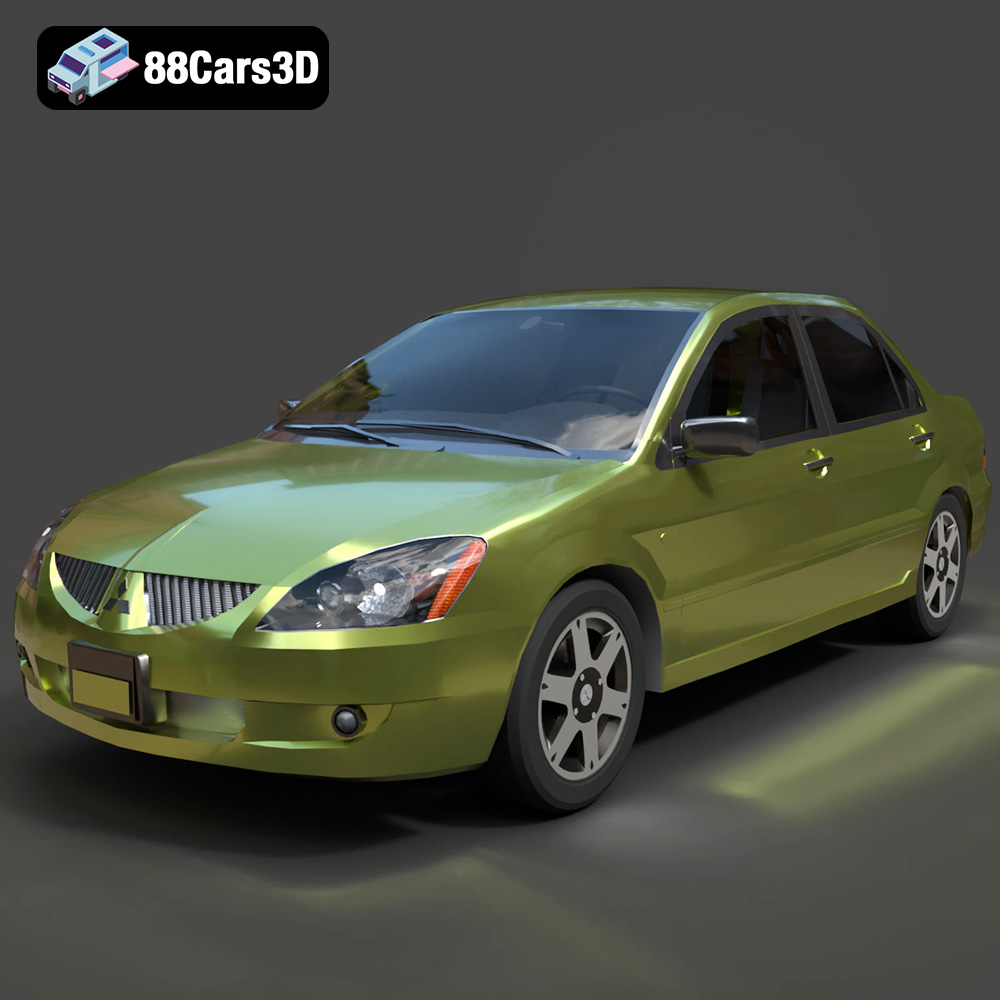
Download the Mitsubishi Lancer IX-001 3D Model featuring clean geometry, realistic detailing, and a fully modeled interior. Includes .blend, .fbx, .obj, .glb, .stl, .ply, .unreal, and .max formats for rendering, simulation, and game development.
Price: $4.99

Texture: Yes
Material: Yes
Download the MINI Cooper S-007 3D Model featuring clean geometry, realistic detailing, and a fully modeled interior. Includes .blend, .fbx, .obj, .glb, .stl, .ply, .unreal, and .max formats for rendering, simulation, and game development.
Price: $4.99

Texture: Yes
Material: Yes
Download the Mercury Grand Marquis LS 1986 3D Model featuring clean geometry, realistic detailing, and a fully modeled interior. Includes .blend, .fbx, .obj, .glb, .stl, .ply, .unreal, and .max formats for rendering, simulation, and game development.
Price: $4.99

Texture: Yes
Material: Yes
Download the Mercedes-Benz SLS AMG 2010 3D Model featuring clean geometry, realistic detailing, and a fully modeled interior. Includes .blend, .fbx, .obj, .glb, .stl, .ply, .unreal, and .max formats for rendering, simulation, and game development.
Price: $4.99

Texture: Yes
Material: Yes
Download the Renault Twizy ZE 3D Model featuring clean geometry, realistic detailing, and a fully modeled interior. Includes .blend, .fbx, .obj, .glb, .stl, .ply, .unreal, and .max formats for rendering, simulation, and game development.
Price: $4.99

Texture: Yes
Material: Yes
Download the Porsche 911 GT3 3D Model featuring clean geometry, realistic detailing, and a fully modeled interior. Includes .blend, .fbx, .obj, .glb, .stl, .ply, .unreal, and .max formats for rendering, simulation, and game development.
Price: $4.99

Texture: Yes
Material: Yes
Download the Porsche 911 997 GT3 RS 4.0 2011 3D Model featuring clean geometry, realistic detailing, and a fully modeled interior. Includes .blend, .fbx, .obj, .glb, .stl, .ply, .unreal, and .max formats for rendering, simulation, and game development.
Price: $4.99

Texture: Yes
Material: Yes
Download the Pontiac GTO Cabrio 1967 3D Model featuring clean geometry, realistic detailing, and a fully modeled interior. Includes .blend, .fbx, .obj, .glb, .stl, .ply, .unreal, and .max formats for rendering, simulation, and game development.
Price: $4.99

Texture: Yes
Material: Yes
Download the Pontiac Firebird Convertible 1968 3D Model featuring clean geometry, realistic detailing, and a fully modeled interior. Includes .blend, .fbx, .obj, .glb, .stl, .ply, .unreal, and .max formats for rendering, simulation, and game development.
Price: $4.99

