Get 20% OFF All Premium 3D & STL Models!

The world of 3D visualization and real-time graphics is constantly evolving, and at its heart lies the demand for exquisitely detailed and technically sound 3D models. Nowhere is this more apparent than in the automotive industry, where photorealism, precision, and performance are paramount. From breathtaking marketing renders to immersive game experiences and innovative AR/VR applications, high-quality 3D car models are the unsung heroes driving innovation. However, creating and optimizing these complex assets is a nuanced skill, requiring a deep understanding of modeling, texturing, rendering, and performance optimization across various platforms.
This comprehensive guide will take you on an in-depth journey through the technical intricacies of 3D automotive modeling. We’ll explore the foundational principles of clean topology, demystify advanced UV mapping strategies, delve into the science of Physically Based Rendering (PBR) materials, and dissect the workflows for stunning visualization. Furthermore, we’ll equip you with the knowledge to optimize your models for demanding real-time environments like game engines and AR/VR, and even prepare them for the physical world through 3D printing. Whether you’re an aspiring 3D artist, a seasoned game developer, or an automotive designer, mastering these techniques will elevate your craft and unlock new possibilities for your projects.
The cornerstone of any professional 3D car model is its underlying mesh topology. Good topology isn’t just about looking clean; it’s about functionality, ensuring that the model deforms correctly, subdivides smoothly, and is easy to edit. For automotive models, which are characterized by sleek curves, sharp creases, and precise panel gaps, impeccable topology is non-negotiable. It dictates how light reflects off surfaces, how textures warp, and ultimately, how realistic the final product appears. A model with poor topology can lead to unsightly pinching, artifacts during rendering, and significant headaches during animation or real-time implementation.
Understanding the hierarchy of polygons – favoring quads over n-gons and triangles – is critical. While triangles are unavoidable in some instances (especially for optimized game meshes), the primary flow should be quadrangular. This allows for predictable subdivision, crucial for creating high-resolution versions from a base mesh. Edge loops must flow logically along the contours of the car, defining its primary curves and secondary details. This includes carefully planning the placement of poles (vertices where more or less than four edges meet) to avoid causing undesirable surface distortion or pinching in highly curved areas. Proper edge flow ensures that when you apply a subdivision surface modifier (like Turbosmooth in 3ds Max or Subdivision Surface in Blender), the model retains its intended shape and smoothness without unexpected bumps or creases.
Clean topology for automotive assets adheres to several core principles. First and foremost, aim for an all-quad mesh as much as possible, especially for the main body panels. Quads facilitate smooth subdivision and predictable deformation. N-gons (polygons with more than four sides) should be strictly avoided on surfaces that will be subdivided or deformed, as they can cause triangulation issues and unpredictable shading. Triangles should be strategically used in flat, non-deforming areas or where polygon reduction is paramount, but never on primary curvature.
Second, maintaining uniform polygon density, where appropriate, contributes to better surface quality and consistent texturing. Avoid overly stretched or compressed polygons unless absolutely necessary for specific detailing. Third, pay close attention to the placement of “poles” – vertices where edges converge. While poles are necessary, strategically placing them in flatter areas or away from prominent curves will minimize their impact on surface smoothness. A common technique is to route edge loops around complex areas, creating clear, continuous flows that define the curvature and sharp lines of the vehicle. This meticulous approach ensures that even under close scrutiny, the car’s surfaces appear perfectly smooth and realistic, reflecting light as a real vehicle would.
Edge flow in automotive modeling isn’t just about smooth surfaces; it’s about defining the character and precision of the vehicle’s design. Critical areas like the wheel wells, door seams, hood lines, and window frames demand carefully constructed edge loops. These loops act as guides, reinforcing sharp edges and maintaining the integrity of panel gaps even when the mesh is subdivided. For instance, creating “holding loops” – two or three closely spaced edge loops along a hard edge – ensures that the edge remains crisp after subdivision. The tighter the loops, the sharper the edge.
When modeling a fender or a complex curved door panel, the edge loops should follow the natural contours, allowing the surface to flow organically. This aids not only in visual quality but also in applying deformation if parts of the car (like doors or hoods) need to open. In 3ds Max, tools like “Graphite Modeling Tools” can assist in precise edge loop creation and manipulation. In Blender, the “LoopTools” add-on offers similar functionalities. The goal is to make the mesh editable, robust for various applications, and aesthetically pleasing even in its wireframe state. This level of topological mastery is what distinguishes a truly professional 3D car model, such as those found on platforms like 88cars3d.com, from amateur attempts.
Once your 3D car model boasts impeccable topology, the next critical step is UV mapping – the process of flattening your 3D mesh into a 2D space to apply textures. For automotive models, this is a particularly challenging yet rewarding phase. Cars feature a multitude of distinct surfaces: large, smooth body panels, intricate interior components, rubber tires, glass, and chrome elements. Each requires a thoughtful UV strategy to ensure texture details are applied accurately, without stretching, blurring, or visible seams. Effective UV mapping is crucial for achieving photorealistic PBR materials and for optimizing models for real-time environments.
Poor UV mapping can lead to stretched textures, visible seams that break visual continuity, and inefficient use of texture space. Conversely, well-planned UVs ensure consistent texel density across different parts of the model, allowing textures to appear sharp and uniform regardless of the camera’s distance. It also simplifies the texturing process, making it easier to paint directly onto the 3D model or to apply tileable textures without distortion. The goal is to create a clean, organized UV layout that maximizes texture resolution while minimizing the number of UV islands and the visibility of seams.
The approach to UV unwrapping for automotive models varies significantly depending on the part. For the large, smooth body panels, methods like “Unfold3D” or “Pelt Mapping” (available in software like 3ds Max, Maya, and Blender) are often favored. These techniques aim to minimize distortion while creating large, contiguous UV islands. Seams should be carefully placed in inconspicuous areas, such as along natural panel lines, under trim, or in hidden crevices, to make them less noticeable in the final render.
Interior components, often more angular or possessing unique shapes, might benefit from a combination of planar mapping (for flat surfaces) and cylindrical/spherical mapping for round elements like steering wheels or gear knobs. Tires, with their complex treads and sidewall details, are typically unwrapped cylindrically for the main shape, with additional planar projections for the sidewall text and tread patterns. For highly detailed models, using multiple UV maps or UDIMs (a system for using multiple texture tiles per object) can be essential. UDIMs are particularly useful for extremely high-resolution assets where a single 8K or 16K texture map isn’t sufficient to capture all the desired detail across vast surfaces like an entire car body. This allows for individual body panels to have their own 4K or 8K texture maps, while still being part of a single material, greatly enhancing fidelity.
While UDIMs are fantastic for high-end rendering, real-time applications like game engines demand a different approach: UV atlasing. UV atlasing involves consolidating multiple smaller UV islands, often from different material IDs, onto a single, larger texture map. The primary goal is to reduce the number of draw calls, which significantly impacts real-time performance. Each material on a model typically constitutes a separate draw call; by having fewer materials (and thus fewer texture maps), performance improves.
When creating a UV atlas for a game asset, it’s crucial to maximize the packed area within the 0-1 UV space without overlapping islands (unless intentional for specific effects, like mirrored parts). Software like RizomUV, UVLayout, or the built-in UV packers in Blender and 3ds Max can efficiently pack islands. Texture resolution considerations are also paramount. A main body atlas might be 4K or 2K, while interior elements could be atlased onto 2K or 1K maps. Understanding the target platform (mobile, PC, console) will inform these resolution choices. For car models intended for AR/VR, particularly on mobile devices, aggressive atlasing and lower texture resolutions (e.g., 1K or even 512px for less critical parts) are standard practice to maintain smooth framerates.
Achieving photorealism in 3D car models hinges on the quality of their Physically Based Rendering (PBR) materials. PBR is a shading and rendering technique that provides a more accurate representation of how light interacts with surfaces by mimicking real-world physics. It ensures that your materials look consistent and realistic under various lighting conditions, moving away from subjective “artistic” values towards measurable physical properties. For an automotive model, this means accurately simulating everything from the complex multi-layered clear coat of car paint to the subtle reflections on chrome and the intricate weave of interior fabrics.
The core of PBR revolves around properties like Base Color (or Albedo), Metallic, Roughness (or Glossiness), Normal, and Ambient Occlusion. These maps tell the renderer how light should bounce, absorb, and scatter on a surface. Mastering PBR involves not just understanding what each map does but also how they interact within a shader network to create convincing visual effects. A car’s surface is rarely a single, uniform material; it’s a symphony of reflections, refractions, and micro-surface details that, when meticulously crafted, bring the model to life.
Car paint is one of the most challenging and rewarding PBR materials to create. It’s not just a flat color; it’s a complex multi-layered shader involving a metallic base coat, often with embedded flakes, topped by a glossy, reflective clear coat. The most common PBR workflow for car paint utilizes the Metallic-Roughness pipeline.
* Base Color (Albedo): This map defines the diffuse color of the car’s metallic flake layer. For a metallic paint, this is where the primary color is defined, often with subtle variations or gradients.
* Metallic: A binary or grayscale map where white (1.0) represents metallic surfaces and black (0.0) represents dielectric (non-metallic) surfaces. For car paint, this applies to the metallic flakes layer, not the clear coat.
* Roughness: This map controls the micro-surface detail, influencing how sharp or blurry reflections appear. A high roughness value means diffuse reflections, while a low value means sharp, mirror-like reflections. The clear coat layer will have very low roughness.
* Normal Map: Essential for adding fine surface details like orange peel texture or subtle imperfections without adding geometric complexity. For car paint, this might simulate subtle dents or scratches.
* Clear Coat: Most modern PBR shaders include a dedicated clear coat layer. This layer simulates the transparent, glossy top coat of car paint, allowing reflections to appear over the metallic base. It typically has its own roughness, normal, and IOR (Index of Refraction) parameters. Some advanced shaders also allow for flake maps to simulate the metallic particles suspended within the paint.
Experimenting with these parameters and creating bespoke texture maps is key to achieving a truly convincing automotive finish.
Beyond the exterior, a car’s interior and glass surfaces present their own PBR challenges.
For interior materials like leather, fabric, and carbon fiber, robust shader networks are required:
* Leather: Typically uses Base Color for the primary hue, Roughness to define its sheen (often varying slightly across the surface), and a strong Normal or Displacement map to convey the grain and texture. Subsurface Scattering (SSS) can also be used subtly to simulate the light absorption and scattering properties of real leather.
* Fabric: Benefits from detailed Base Color maps that include weave patterns, combined with Roughness and Normal maps. Anisotropy can be used for specific fabrics like brushed metals or certain types of cloth to simulate directional reflections.
* Carbon Fiber: A combination of a dark Base Color, a low Roughness value for the glossy resin, and a highly detailed Normal map to show the woven pattern. Anisotropic reflections are crucial here to simulate the distinctive light interaction with the fiber weave.
Glass materials, such as windows and headlights, require careful attention to refraction and reflection:
* Windows: Often comprise a transparent material with varying degrees of tint (controlled by Base Color/Absorption) and a low Roughness value for clear reflections. The Index of Refraction (IOR), typically around 1.5-1.6 for glass, defines how light bends as it passes through the surface. Don’t forget realistic thickness for accurate refraction.
* Headlights/Taillights: These are complex, often involving multiple layers of glass/plastic, reflective chrome interiors, and intricate patterned lenses. Each layer needs its own PBR material with appropriate IOR and roughness. Emissive maps are used for the light sources themselves.
Utilizing dedicated material libraries and procedural textures in software like Substance Painter, Mixer, or directly within render engines like Corona Renderer, V-Ray, Cycles, or Arnold, can streamline the creation of these sophisticated shaders.
Once your 3D car model is meticulously textured with PBR materials, the next step is to bring it to life through high-fidelity rendering. Automotive visualization demands nothing less than photorealism, whether for marketing collateral, design reviews, or cinematic sequences. The rendering process involves carefully orchestrating lighting, environment, camera angles, and render engine settings to achieve a captivating final image or animation. This stage is where all the prior hard work on topology, UVs, and materials truly shines, showcasing the vehicle’s design and craftsmanship.
Different rendering engines offer unique strengths and workflows, but the core principles of lighting and material interaction remain universal. A successful automotive render isn’t just about raw horsepower; it’s about artistic vision combined with a deep technical understanding of how light behaves in a virtual space. From subtle reflections on the body paint to the nuanced shadows cast by the tires, every detail contributes to the overall realism and emotional impact of the visualization.
Effective lighting is the single most critical factor in a photorealistic render. For automotive studio renders, the goal is often to highlight the car’s form, reflections, and paint finish in a controlled environment.
1. **HDRI (High Dynamic Range Image) Lighting:** This is the backbone of most modern studio lighting setups. An HDRI provides both environmental lighting (diffuse illumination) and reflections, giving a realistic sense of scale and ambient light. Using high-quality studio HDRIs with softboxes and light tents will yield excellent results for showcasing automotive surfaces.
2. **Key, Fill, and Rim Lights:** Supplementing the HDRI with targeted artificial lights provides greater control.
* **Key Light:** The primary light source, defining the main direction of illumination and casting prominent shadows. For cars, a large, soft key light often works best to avoid harsh reflections.
* **Fill Light:** Softer, less intense lights used to reduce contrast and brighten shadows, revealing details in darker areas without flattening the image.
* **Rim Light:** Positioned behind the car, aimed towards the camera, to create a bright outline that separates the vehicle from the background, emphasizing its silhouette and form.
3. **Physically Accurate Lights:** Using lights with realistic properties, such as IES (Illuminating Engineering Society) profiles for area lights or photometric lights, enhances realism. These profiles simulate the light distribution patterns of real-world light fixtures.
4. **Reflector Planes and Gobos:** Large, white or silver planes can be placed strategically to bounce light onto specific areas of the car, enhancing reflections or filling in shadows. Gobos (go-betweens) are cutouts placed in front of lights to project patterns or shapes, adding visual interest or breaking up uniform lighting.
The environment itself, even if it’s a simple studio setup, needs consideration. A seamless cyclorama (infinity wall) or a reflective floor can greatly enhance the overall aesthetic.
While the principles of lighting are universal, the specific settings and optimizations vary between render engines.
* **Corona Renderer (3ds Max, Cinema 4D):** Known for its ease of use and physically accurate results. Optimization involves using the “Adaptive GI” solver, setting appropriate “Pass Limit” or “Time Limit,” and leveraging the built-in “Denoising” feature to clean up noise and reduce render times. Corona’s interactive rendering (IPR) is excellent for quick feedback.
* V-Ray (3ds Max, Maya, SketchUp): A industry standard. Key settings include “Image Sampler” (usually Progressive for quick feedback or Bucket for final renders), “Global Illumination” (Brute Force for primary bounces, Light Cache for secondary), and the “Denoising” engine. Optimizing geometry (proxy objects for large scenes) and materials (V-Ray specific shaders) is crucial.
* Cycles (Blender): Blender’s powerful unbiased renderer. Max samples, light paths (especially for bounces of diffuse, glossy, transmission), and adaptive sampling are important. Using the “OpenImageDenoise” or “NVIDIA OptiX” denoiser is highly recommended. GPU rendering is generally faster than CPU for Cycles.
* Arnold (Maya, 3ds Max): A robust, production-proven renderer. Focus on “Camera (AA) Samples” as the master control, then fine-tune “Diffuse Samples,” “Glossy Samples,” and “Transmission Samples” for specific material noise. Arnold’s “Adaptive Sampling” can significantly reduce render times.
Regardless of the renderer, always output to a high dynamic range format like EXR or TIFF (32-bit). These formats preserve all the light information, allowing for greater flexibility in post-processing and compositing. Render passes (e.g., diffuse, reflection, refraction, Z-depth, normal) are invaluable for precise control over the final image in compositing software.
The transition from high-fidelity rendering to real-time game engines like Unity and Unreal Engine introduces a completely new set of technical challenges and optimization strategies. While a marketing render might tolerate millions of polygons and 8K textures, game engines demand extreme efficiency to maintain smooth framerates (typically 60-90 FPS) across diverse hardware. The goal is to achieve the best possible visual quality within strict performance budgets, making smart compromises and leveraging engine-specific features. This involves significant adjustments to geometry, materials, and textures, all aimed at reducing draw calls, memory usage, and GPU workload.
Successfully optimizing 3D car models for games requires a systematic approach. It’s not just about reducing polygon counts; it’s about strategically simplifying the mesh, consolidating materials, and compressing textures while preserving the visual integrity of the vehicle. This stage is where the robust and clean topology established early on truly pays off, as it makes the process of simplification and LOD creation much smoother. Without proper optimization, even a single highly detailed car model can cripple a game’s performance, especially in scenes with multiple vehicles.
**Level of Detail (LODs):** This is a cornerstone of game optimization. Instead of rendering a single, high-polygon model at all distances, LODs create multiple versions of the same asset, each with a progressively lower polygon count.
* **LOD0:** The highest detail version, seen up close. For game-ready cars, this might range from 80,000 to 200,000 triangles, depending on the game’s fidelity and target platform.
* **LOD1:** A medium detail version, visible at mid-range distances (e.g., 20,000-50,000 triangles).
* **LOD2:** A low detail version, for objects further away (e.g., 5,000-15,000 triangles).
* **LOD3/LODn:** The lowest detail, often a simple silhouette, for very distant objects (e.g., 500-2,000 triangles).
Game engines automatically swap between these LODs based on the camera’s distance, ensuring performance without a noticeable drop in quality. Tools like “Simplygon” or built-in decimation modifiers in Blender/3ds Max assist in creating these simplified meshes.
**Draw Call Management:** A draw call is a command sent from the CPU to the GPU to render a set of objects. Too many draw calls can bottleneck performance.
* **Material Consolidation:** Reduce the number of materials on your car model. Instead of separate materials for each small component (e.g., a screw, a tiny badge), combine them into larger texture atlases. This means fewer materials, fewer shader passes, and fewer draw calls.
* **Mesh Merging:** Where possible, merge small, distinct meshes into larger single meshes. For example, combine all interior trim pieces into one mesh if they share a material.
* **Static Batching/Instancing:** For multiple identical car models in a scene, game engines use techniques like instancing or static batching to render them efficiently with a single draw call, greatly reducing CPU overhead.
Beyond visual meshes, car models in games require **collision meshes**. These are simplified, often invisible, meshes used for physics calculations and collision detection. They should be as simple as possible (e.g., a few convex hulls or primitive shapes) to minimize physics overhead, yet accurate enough to represent the car’s physical boundaries. Using the visible mesh for collision is highly inefficient.
**Texture Optimization:** Textures are a significant performance and memory hog.
* **Resolution:** Use appropriate resolutions. A car body might use 2K (2048×2048) or 4K textures, while interior details could be 1K or 512px. Small, unseen parts might even use 256px.
* **Compression:** Game engines compress textures (e.g., DXT/BC formats for desktop, ETC for mobile) to reduce VRAM usage. Understand these formats and how they affect visual quality.
* **Mipmaps:** Generate mipmaps (progressively lower-resolution versions of a texture) to prevent aliasing and improve rendering performance at a distance.
* **Texture Atlasing:** As discussed, combining multiple textures into one large atlas reduces draw calls and improves cache efficiency.
* **PBR Maps:** Ensure your PBR maps are correctly formatted (e.g., non-color data for normal, roughness, metallic maps).
**Asset Pipelines:** Importing a car model into a game engine (Unity, Unreal Engine) typically involves:
1. **Exporting:** Using formats like FBX or GLTF/GLB, ensuring proper scaling, rotations, and embedded textures/materials.
2. **Import Settings:** Adjusting LOD group settings, material import options, and collision generation.
3. **Material Conversion:** PBR materials created in external software need to be correctly converted to the engine’s native PBR shader system.
4. **Shader Optimization:** Use lightweight, optimized shaders provided by the engine. Avoid complex custom shaders unless absolutely necessary and thoroughly profiled.
The utility of a high-quality 3D car model extends far beyond traditional rendering and game development. Augmented Reality (AR) and Virtual Reality (VR) platforms demand specialized optimization for immersive experiences, while 3D printing allows the digital model to manifest in the physical world. Furthermore, the ability to seamlessly convert and utilize these models across various software and platforms hinges on a deep understanding of file formats and their specific strengths and limitations. Whether you’re showcasing a new vehicle design in an interactive AR app or prototyping a car part, adapting your 3D car model is key.
Each of these emerging applications presents its own unique set of technical requirements, often requiring further refinement and preparation of the base 3D model. The clean topology and organized UVs created in the initial stages become even more critical here, as they provide a stable foundation for extreme optimization or physical conversion. Sourcing well-structured 3D car models from platforms like 88cars3d.com provides a significant head start, offering a solid base that can be adapted for any of these specialized workflows.
AR/VR applications, especially on mobile devices (e.g., Apple ARKit, Google ARCore), demand even more aggressive optimization than typical game development. The goal is to maintain a high, consistent framerate (often 60-90 FPS per eye for VR) to prevent motion sickness and ensure a smooth, immersive experience.
* **Extreme Polygon Reduction:** Target polygon counts are significantly lower. A full car model for mobile AR might need to be below 50,000 triangles, with many components baked into textures. Desktop VR might allow for 100,000-200,000 triangles. LODs are essential, with aggressive culling for distant objects.
* **Baked Lighting:** Real-time dynamic lighting is computationally expensive. For AR/VR, baking ambient occlusion, indirect lighting, and even direct lighting into lightmap textures is a common practice. This pre-calculates lighting, making rendering much faster, though it sacrifices dynamic lighting flexibility.
* **Simplified PBR Materials:** While PBR is still used, complex shader networks with multiple clear coat layers or intricate anisotropic effects might need simplification. Prioritize efficiency. Mobile shaders often have fewer texture lookups and simpler calculations.
* **Texture Resolution & Atlasing:** Very careful texture management is needed. Lower resolutions (e.g., 1K or 512px for body, 256px for details) and aggressive texture atlasing are standard. Combine all car parts into as few materials/atlases as possible to minimize draw calls.
* **Specific File Formats:** GLB (GL Transmission Format Binary) and USDZ (Universal Scene Description Zip) are the preferred formats for AR/VR. They are optimized for web and mobile delivery, encapsulating geometry, materials, and sometimes animations in a single file. These formats handle PBR materials natively.
Converting a visual 3D model into a printable physical object requires a different kind of preparation, focusing on mesh integrity and physical properties.
* **Watertight Mesh:** The most critical requirement is a “watertight” or “manifold” mesh. This means the model must have no open edges, holes, or inverted normals. Every surface must be fully enclosed, like a solid object. Gaps or overlapping polygons will result in non-printable geometry.
* **Mesh Repair:** Tools like Blender’s 3D Print Toolbox add-on, Meshmixer, Netfabb, or the repair functions in software like Magics are invaluable for identifying and fixing non-manifold edges, intersections, and other mesh errors.
* **Wall Thickness:** Consider the minimum wall thickness required by your chosen 3D printer and material. Thin panels on a visual model might be too fragile or simply unprintable. You may need to thicken certain parts of the car body.
* **Scale and Orientation:** Ensure the model is scaled correctly to your desired physical size (e.g., in millimeters) and oriented appropriately for printing (often flat on the build plate to minimize supports).
* **Polygon Count (for FDM/SLA):** While visual models prioritize smooth curves with high poly counts, some 3D printers handle excessively dense meshes poorly or unnecessarily. Decimate the mesh slightly if it’s overly complex, but not so much that you lose fine details. For detailed resin (SLA) prints, higher polygon counts are generally fine.
* **No Internal Geometry:** Remove any internal components that won’t be visible or structurally necessary. This reduces print time and material usage.
The choice of file format is crucial for interoperability and asset pipeline efficiency.
* **FBX (Filmbox):** The industry-standard interchange format, especially for game development and animation. It supports geometry, materials, textures, animations, rigging, and cameras. Highly versatile for transferring models between 3ds Max, Maya, Blender, Unity, and Unreal Engine. Ensure embedded media and proper scaling during export.
* **OBJ (Wavefront Object):** A universal, widely supported format primarily for geometry and basic material assignments (via an accompanying MTL file). It’s robust but lacks animation or advanced PBR material support. Good for static mesh transfer.
* **GLB/GLTF (GL Transmission Format):** Modern, open standard optimized for web and real-time applications (AR/VR). GLB is the binary version, containing all assets in a single file. Supports geometry, PBR materials, animations, and skeletal data. Excellent for efficient delivery.
* **USD/USDZ (Universal Scene Description):** Developed by Pixar, USD is an extensible, powerful scene description format gaining traction. USDZ is its zipped, optimized version for AR (especially Apple’s ARKit). It can describe complex scenes with multiple layers, variants, and real-time PBR materials.
* **STEP/IGES (Standard for the Exchange of Product Model Data / Initial Graphics Exchange Specification):** CAD formats that store precise mathematical descriptions (NURBS) rather than polygon meshes. Essential for automotive design and engineering, but require conversion to polygon meshes for rendering or game engines.
When converting between formats, always double-check scaling, material assignments, and UV integrity. High-quality source models, like those available on 88cars3d.com, tend to convert much more smoothly due to their clean topology and organized structure, minimizing conversion errors and saving valuable time.
Mastering the creation and optimization of 3D automotive models is a deeply technical yet immensely rewarding endeavor. From the initial meticulous crafting of clean, quad-based topology and intelligent edge flow to the strategic unwrapping of UVs for consistent texture application, every step builds upon the last, contributing to the final product’s quality. The journey through Physically Based Rendering unlocks the secrets of photorealistic materials, allowing you to breathe lifelike textures into car paint, glass, and interior fabrics. Furthermore, understanding the nuances of lighting, rendering, and post-processing allows you to showcase these masterpieces in their best light.
Beyond static renders, the ability to adapt and optimize 3D car models for demanding real-time environments – be it high-performance game engines or cutting-edge AR/VR experiences – is a critical skill for today’s 3D professional. This includes implementing efficient LOD systems, managing draw calls, and preparing assets for lightweight, fast-rendering pipelines. And for those looking to bridge the digital and physical, preparing models for 3D printing opens up new avenues for prototyping and production.
The landscape of 3D visualization is dynamic and ever-expanding. By embracing these detailed technical workflows and best practices, you equip yourself with the tools to create exceptional 3D automotive models for any application. Continuous learning and experimentation are key. When starting new projects, consider leveraging professionally crafted assets from reputable sources like 88cars3d.com, which provide a robust and optimized foundation, allowing you to focus your expertise on further customization and innovative applications. The road ahead for 3D automotive artistry is exciting – drive forward with confidence!
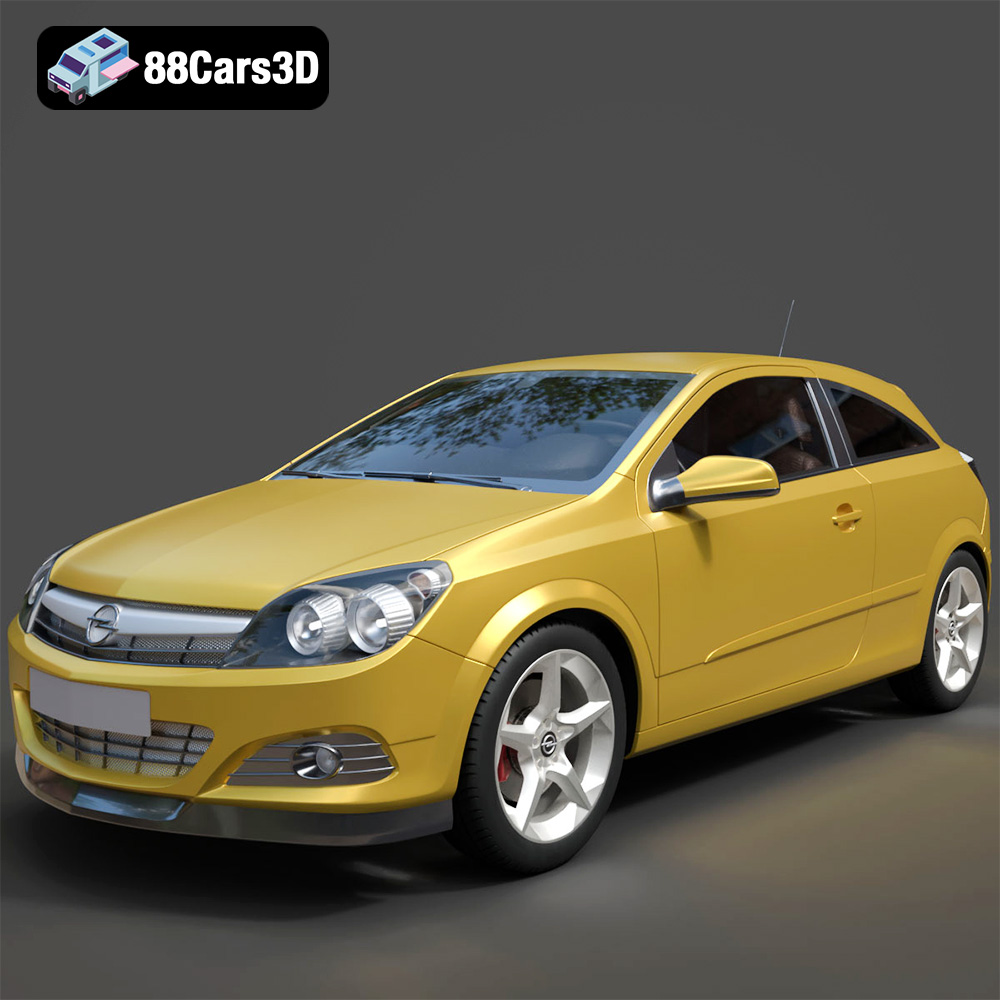
Texture: Yes
Material: Yes
Download the Opel Astra H GTC 3D Model featuring clean geometry, realistic detailing, and a fully modeled interior. Includes .blend, .fbx, .obj, .glb, .stl, .ply, .unreal, and .max formats for rendering, simulation, and game development.
Price: $4.99
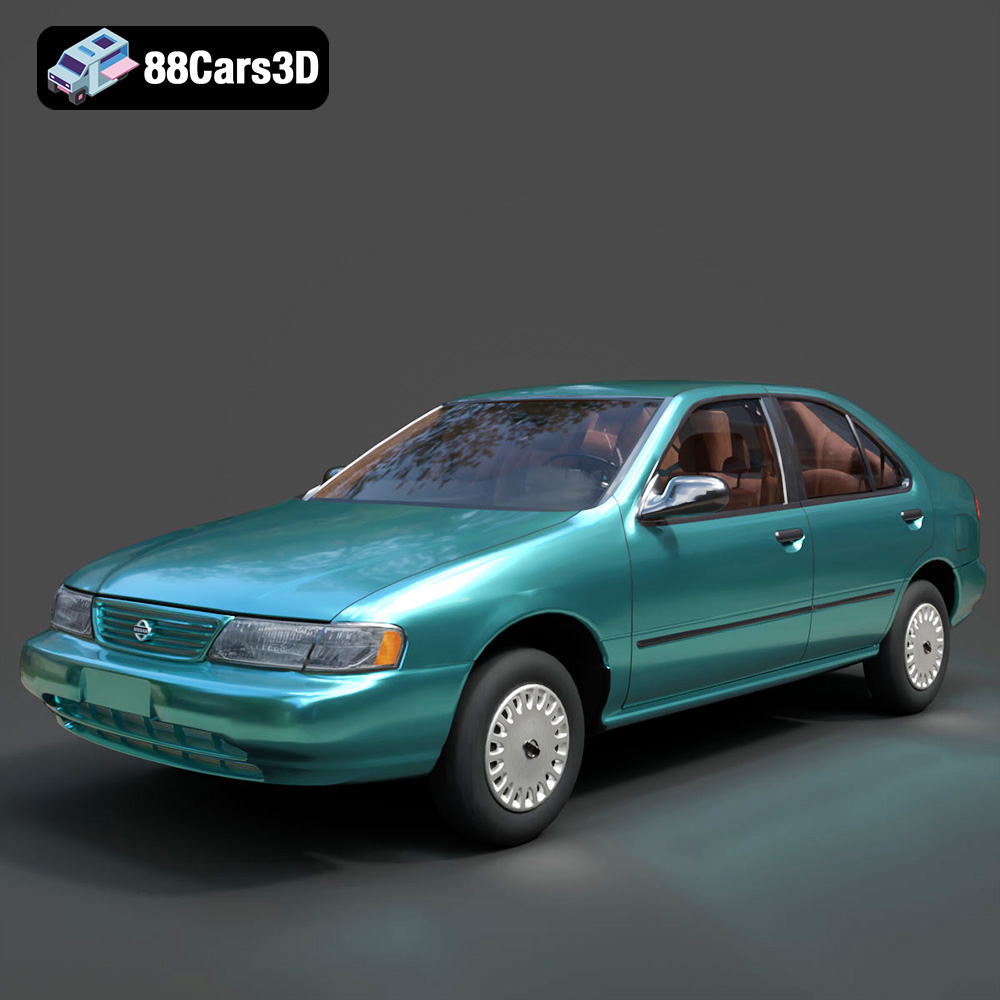
Texture: Yes
Material: Yes
Download the Nissan Sentra GXE 1996 3D Model featuring clean geometry, realistic detailing, and a fully modeled interior. Includes .blend, .fbx, .obj, .glb, .stl, .ply, .unreal, and .max formats for rendering, simulation, and game development.
Price: $4.99
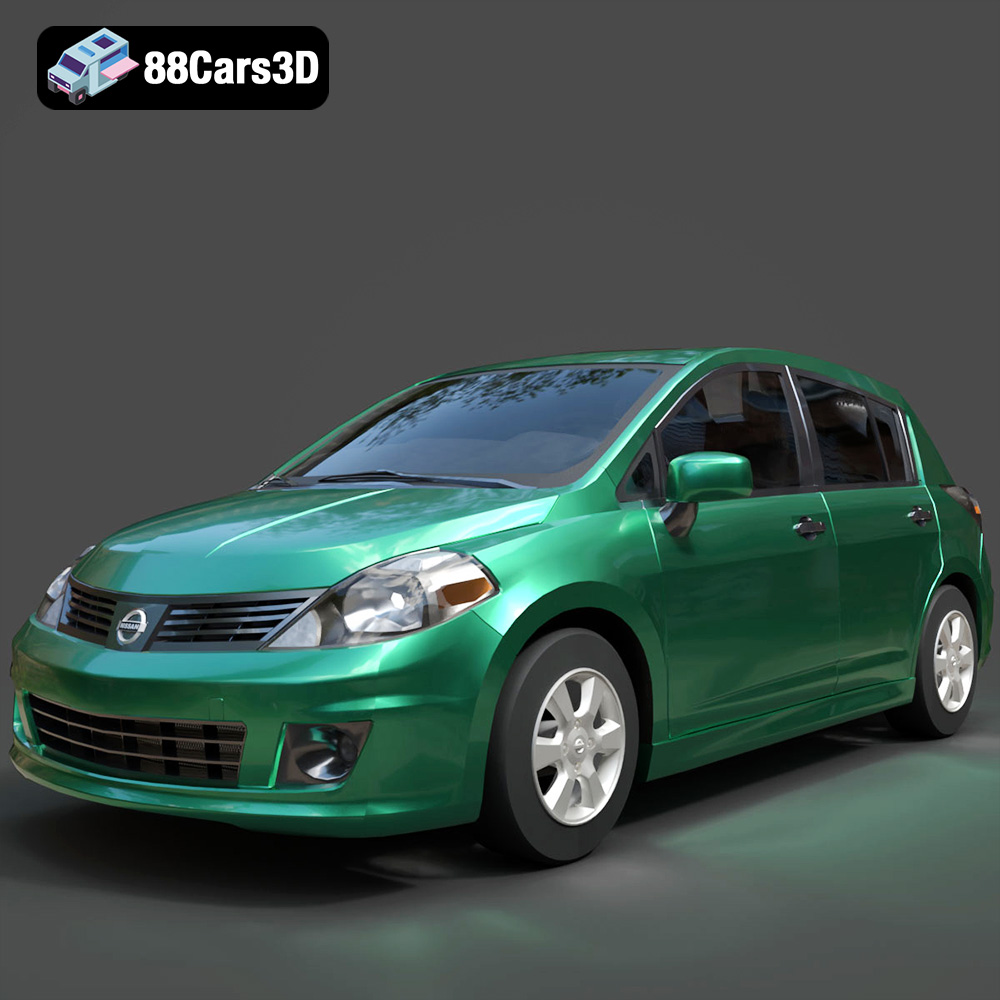
Texture: Yes
Material: Yes
Download the Nissan Tiida 3D Model featuring clean geometry, realistic detailing, and a fully modeled interior. Includes .blend, .fbx, .obj, .glb, .stl, .ply, .unreal, and .max formats for rendering, simulation, and game development.
Price: $4.99

Texture: Yes
Material: Yes
Download the Mitsubishi Outlander 2022 3D Model featuring clean geometry, realistic detailing, and a fully modeled interior. Includes .blend, .fbx, .obj, .glb, .stl, .ply, .unreal, and .max formats for rendering, simulation, and game development.
Price: $4.99
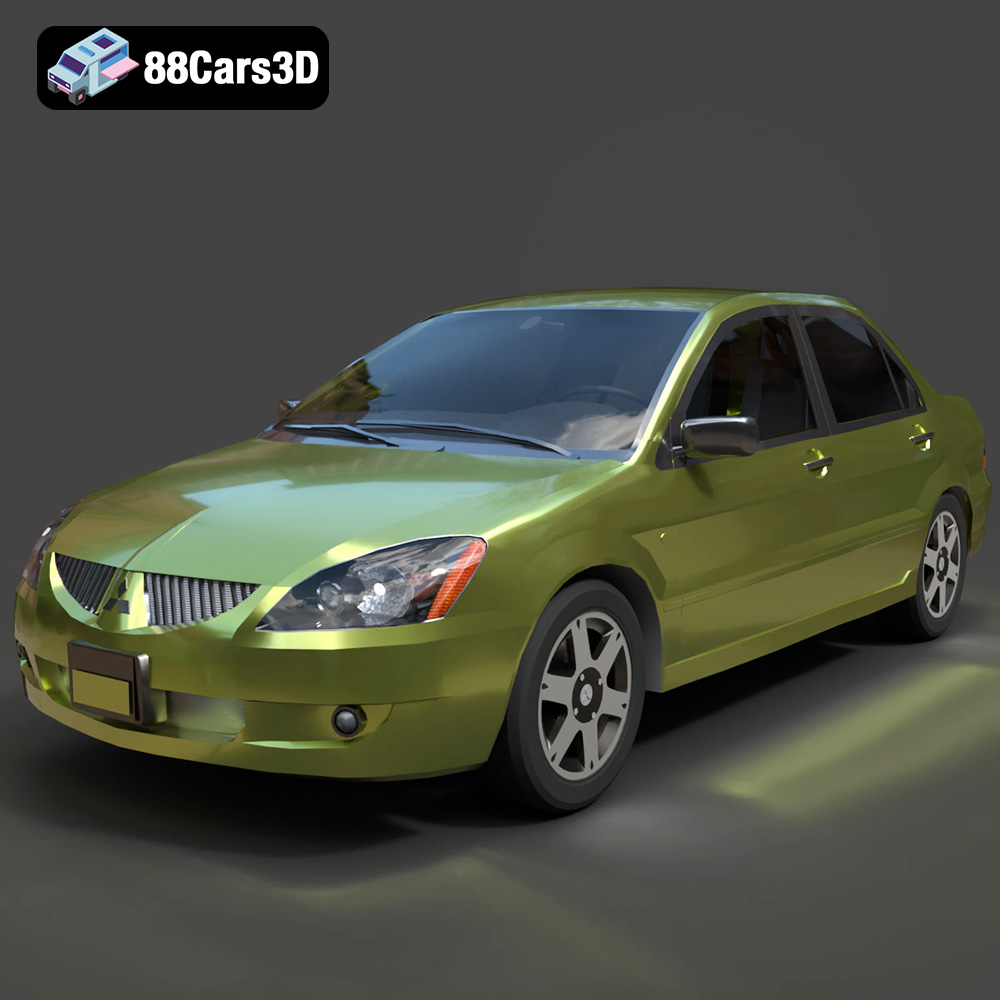
Texture: Yes
Material: Yes
Download the Mitsubishi Lancer IX-001 3D Model featuring clean geometry, realistic detailing, and a fully modeled interior. Includes .blend, .fbx, .obj, .glb, .stl, .ply, .unreal, and .max formats for rendering, simulation, and game development.
Price: $4.99

Texture: Yes
Material: Yes
Download the MINI Cooper S-007 3D Model featuring clean geometry, realistic detailing, and a fully modeled interior. Includes .blend, .fbx, .obj, .glb, .stl, .ply, .unreal, and .max formats for rendering, simulation, and game development.
Price: $4.99

Texture: Yes
Material: Yes
Download the Mercury Grand Marquis LS 1986 3D Model featuring clean geometry, realistic detailing, and a fully modeled interior. Includes .blend, .fbx, .obj, .glb, .stl, .ply, .unreal, and .max formats for rendering, simulation, and game development.
Price: $4.99

Texture: Yes
Material: Yes
Download the Mercedes-Benz SLS AMG 2010 3D Model featuring clean geometry, realistic detailing, and a fully modeled interior. Includes .blend, .fbx, .obj, .glb, .stl, .ply, .unreal, and .max formats for rendering, simulation, and game development.
Price: $4.99

Texture: Yes
Material: Yes
Download the Renault Twizy ZE 3D Model featuring clean geometry, realistic detailing, and a fully modeled interior. Includes .blend, .fbx, .obj, .glb, .stl, .ply, .unreal, and .max formats for rendering, simulation, and game development.
Price: $4.99

Texture: Yes
Material: Yes
Download the Porsche 911 GT3 3D Model featuring clean geometry, realistic detailing, and a fully modeled interior. Includes .blend, .fbx, .obj, .glb, .stl, .ply, .unreal, and .max formats for rendering, simulation, and game development.
Price: $4.99

