Get 20% OFF All Premium 3D & STL Models!

The sleek lines of a supercar, the rugged utility of an off-roader, the timeless elegance of a classic sedan – capturing the essence of automotive design in three dimensions is an art form that demands both artistic vision and profound technical mastery. In today’s dynamic digital landscape, high-quality 3D car models are no longer just eye candy for enthusiasts; they are indispensable assets across a multitude of industries. From photorealistic marketing renders that captivate audiences to immersive gaming experiences that blur the lines of reality, and from precise engineering visualizations to ground-breaking AR/VR applications, the demand for meticulously crafted automotive 3D models is soaring.
However, the journey from concept to a perfectly optimized, render-ready, or game-engine-compatible 3D car model is fraught with technical challenges. It requires a deep understanding of polygon efficiency, material science, lighting principles, and platform-specific optimizations. This comprehensive guide will take you on an in-depth exploration of the advanced techniques and industry best practices involved in creating, optimizing, and deploying professional 3D car models. We’ll delve into the intricacies of topology, UV mapping, PBR materials, rendering workflows, game engine optimization, and even specialized applications like AR/VR and 3D printing. Whether you’re a seasoned 3D artist, a game developer, an automotive designer, or a visualization professional, prepare to elevate your understanding and harness the full potential of high-fidelity 3D automotive assets.
At the heart of every great 3D car model lies impeccable topology. This isn’t just about making a model look good in a static shot; it’s about ensuring the mesh behaves predictably under subdivision, deforms smoothly during animation, and remains efficient for various real-time applications. Automotive surfaces, with their complex curves and precise panel gaps, demand particular attention to detail in their polygonal construction. Clean topology ensures that reflective surfaces appear smooth and unbroken, without unsightly pinches or distortions, which is paramount for achieving photorealism.
When modeling a car, the focus should always be on maintaining a quad-dominant mesh. While modern renderers can handle triangles, relying on quads (four-sided polygons) provides superior control over edge flow and subdivision surfaces. Triangles, especially when clustered or placed on curved surfaces, can lead to undesirable pinching and artifacts when subdivision modifiers (like TurboSmooth in 3ds Max or Subdivision Surface in Blender) are applied. Ngons (polygons with more than four sides) should be avoided entirely in areas that will be subdivided or deformed, as they can cause unpredictable shading and mesh behavior.
Achieving clean automotive topology involves several core principles. Firstly, maintain an even distribution of polygons across the surface. Areas of high curvature, such as wheel arches, fender flares, or the sharp creases of a car body, will naturally require a denser mesh to hold their form without subdivision. However, avoid unnecessarily dense mesh in flat areas. Secondly, ensure that edge loops follow the natural contours and design lines of the vehicle. These loops should define critical features like panel gaps, body lines, and character creases. A continuous edge loop around a panel gap, for instance, allows for easy selection, precise detailing, and prevents shading errors. Thirdly, manage poles efficiently. Poles are vertices where more or less than four edges meet. While 3-edge and 5-edge poles are often unavoidable, strategically placing them in flatter, less visually prominent areas (e.g., corners of a door, rather than the middle of a reflection line) minimizes their impact on surface smoothness. Aim to keep your mesh resolution just high enough to capture the form, relying on subdivision surfaces for final smoothness, which reduces the manual polygon count and improves flexibility.
Optimized edge flow is crucial for both visually appealing renders and functional animated models. For automotive models, this means ensuring that edge loops define the natural movement and flexing points of the vehicle. Consider suspension components, doors, or convertible tops – these areas need clear, continuous edge loops that facilitate smooth rotation or deformation without tearing or stretching. When applying subdivision modifiers, a well-planned edge flow ensures that the mesh subdivides uniformly, preserving the original shape while adding detail. For example, creating two or three “support loops” close to a hard edge (like the edge of a window frame or a sharp body line) allows the subdivision modifier to maintain that sharpness without adding excessive base polygons to the model. Conversely, widely spaced edge loops on a curved surface will result in a very smooth, organic transition. If you’re working with CAD data or scanned models, which often come with highly triangulated or messy topology, retopology becomes an essential step. Techniques like manual retopology, ZRemesher in ZBrush, or the Quad Remesher add-on in Blender allow artists to rebuild a clean, quad-based mesh over the existing high-density data, providing a much more usable and editable asset.
Beyond the perfect topology, it’s the meticulous application of textures and materials that truly breathes life into a 3D car model. UV mapping is the critical bridge that allows 2D images (textures) to be accurately wrapped onto the 3D surface of the model, dictating how colors, reflections, and surface imperfections will appear. Given the complex, often highly reflective surfaces of a car, precise UV unwrapping is paramount to avoid distortion and achieve photorealistic results. Combined with Physically Based Rendering (PBR) materials, UVs pave the way for stunning visual fidelity that accurately simulates real-world car paint, chrome, glass, and rubber.
The challenge with automotive UVs lies in managing the multitude of parts, varying material types, and the need for consistent texture density. A car typically consists of many distinct components—body panels, wheels, tires, windows, interior elements, lights, grilles—each requiring its own set of UVs. Overlapping UVs, common in game assets using texture atlases, must be carefully managed, especially for unique details or large, prominent surfaces. For high-end renders, unique UV space for nearly every component is often preferred to maximize texture resolution and minimize repetitive patterns, though this increases the number of texture maps needed.
Strategic UV unwrapping for automotive models involves a combination of techniques. For large, relatively flat panels like the hood or roof, a simple planar projection can work well, ensuring minimal distortion. Curved surfaces like fenders or door panels often benefit from cylindrical or spherical projections, followed by careful “peeling” or “unfolding” using tools like Blender’s Follow Active Quads or 3ds Max’s Pelt Mapping. The goal is to create UV islands that are as rectangular as possible, to maximize the use of texture space and make texturing easier. Crucially, aim for uniform texture density across all UV islands; a small part shouldn’t have drastically higher or lower pixel density than a large body panel, as this can lead to inconsistent detail levels or resolution issues. Seams should be strategically placed in areas that are less visible or along natural breaks in the geometry, such as along panel lines or under the car. For interior components, which often have intricate shapes, breaking them down into smaller, manageable UV islands can simplify the process, provided the seams are well-hidden.
PBR (Physically Based Rendering) has revolutionized material creation, ensuring that 3D assets respond realistically to light in any environment. For cars, this means creating intricate shader networks that accurately simulate the complex properties of automotive paints, metals, glass, and rubber. A standard PBR workflow typically involves several maps: an Albedo (or Base Color) map for the diffuse color, a Roughness map to control the microscopic surface irregularities (how shiny or dull a surface is), a Metallic map to define metallic properties, and a Normal map to add fine surface details without increasing polygon count. Additional maps like Ambient Occlusion (AO) can simulate subtle self-shadowing, while Specular or Gloss maps might be used in older workflows or for specific artistic control.
For car paint, a common PBR shader might combine a base metallic layer with a clear coat layer, each with its own roughness and color properties, mimicking real-world automotive finishes. Flake effects (for metallic paints) are often achieved with additional textures or procedural noise. Glass shaders require careful calibration of transmission, refraction, and absorption values, often using thin-film interference for realistic chromatic aberration at certain angles. Tires need detailed rubber materials, typically with a low metallic value and varying roughness, combined with normal maps for tread patterns and sidewall text. Software like 3ds Max (with Corona or V-Ray materials), Blender (Principled BSDF), and Maya (aiStandardSurface) provide robust node-based shader editors to construct these complex materials, allowing artists to layer effects and fine-tune every optical property for unparalleled realism. When sourcing 3D car models from platforms like 88cars3d.com, it’s beneficial to look for assets that come with meticulously crafted PBR materials, as this significantly streamlines the rendering process.
Once a 3D car model boasts impeccable topology and sophisticated PBR materials, the next crucial step is to bring it to life through photorealistic rendering. This involves more than just hitting the render button; it encompasses a carefully orchestrated workflow of lighting, environment setup, camera composition, and intelligent use of advanced rendering engines. The goal is to transform a static 3D model into an emotionally resonant image that rivals real-world photography, capturing the vehicle’s design intent, luxurious finishes, and dynamic presence. Whether for advertising, visualization, or concept presentation, a high-fidelity render is often the final showcase of a model’s quality.
Achieving this level of realism relies heavily on understanding how light interacts with surfaces, how reflections behave, and how a chosen environment can dramatically influence the mood and appearance of the car. Every detail, from the crispness of reflections on polished chrome to the subtle falloff of shadows, contributes to the overall believability. Modern rendering engines offer powerful tools to simulate these complex phenomena, but their effective use requires a methodical approach and a keen artistic eye.
For pristine studio renders, a controlled lighting environment is key. A common starting point is a classic three-point lighting setup (key, fill, back light), adapted for automotive surfaces. However, for truly captivating car renders, High Dynamic Range Image (HDRI) lighting is indispensable. HDRIs provide both illumination and complex, realistic reflections, enveloping the car in an authentic global illumination scenario. A studio HDRI, often a seamless white or grey environment with softboxes, creates beautiful, predictable reflections and gentle ambient lighting. For a more dramatic look, an HDRI of a specific location (e.g., a city street, a sunset vista) can immediately ground the car in a real-world context, casting appropriate colored light and reflections. Beyond the HDRI, artists often add targeted area lights or mesh lights to highlight specific design features, emphasize chrome accents, or create attractive reflections along body lines. Strategically placed reflection cards (simple geometry with emissive materials or high reflectivity) can be used to sculpt reflections and break up monotonous surfaces. A subtle ground plane, often a simple reflective material, helps anchor the car in the scene and provides realistic contact shadows, further enhancing the illusion of reality.
The choice of rendering engine significantly impacts both the workflow and the final output quality. Each engine has its strengths:
Regardless of the engine, optimizing render settings involves balancing quality and render time. Techniques like adaptive sampling, denoising (which significantly reduces noise in less time), and careful management of ray depth ensure high-quality output without excessively long render times. Understanding render elements or passes (e.g., reflection, refraction, alpha, Z-depth) is also crucial for advanced compositing in software like Photoshop or Nuke, allowing for precise post-production tweaks and artistic enhancements.
While high-fidelity renders prioritize visual perfection without strict polygon limits, real-time applications like video games, interactive configurators, and architectural visualizations demand a delicate balance between visual quality and performance. A beautifully detailed 3D car model can bring a powerful gaming rig to its knees if not optimized correctly. The goal is to achieve the highest possible visual fidelity while maintaining smooth frame rates and efficient resource usage across diverse hardware specifications. This requires a different mindset and a specialized set of techniques focused on polygon reduction, draw call minimization, and efficient texture management.
Game engine optimization is an ongoing process throughout the asset pipeline. It starts with careful modeling choices, continues through texturing, and culminates in engine-specific configurations. Understanding the limitations and capabilities of target platforms – whether it’s a high-end PC, a mobile device, or a console – is paramount. A model suitable for an Xbox Series X might be completely unviable for a mobile AR experience without significant optimization.
Levels of Detail (LODs) are fundamental for game optimization. Instead of displaying a single high-polygon model at all distances, LODs involve creating multiple versions of the same asset, each with a progressively lower polygon count. The game engine dynamically swaps between these versions based on the camera’s distance from the object. A car model might have 4-5 LODs: LOD0 (highest detail) for close-ups, LOD1 for mid-range, LOD2 for distant views, and even LOD3/4 for extreme distance or culling. This significantly reduces the computational load on the GPU. Automating LOD generation tools (available in Unity, Unreal Engine, or external software like InstaLOD) can streamline this process, though manual cleanup and optimization are often necessary for critical assets.
Draw calls are instructions sent from the CPU to the GPU to render a batch of triangles. Every unique material, mesh, or texture often constitutes a separate draw call. Minimizing draw calls is crucial for performance. Combining meshes where possible, and especially consolidating materials, can drastically reduce overhead. For instance, rather than having a separate material for each small car part (e.g., individual bolts, small grille pieces), consider assigning them to a single material and using a texture atlas.
Texture atlasing involves combining multiple smaller textures (e.g., paint, trim, emblem textures) into one larger texture sheet. All meshes that use these consolidated textures can then share a single material, reducing draw calls and optimizing memory usage. When combined with intelligent UV mapping, this technique is incredibly powerful for optimizing game assets. Other optimization techniques include instancing (rendering multiple identical objects with a single draw call), occlusion culling (not rendering objects blocked by others), and baking complex lighting information into lightmap textures to reduce real-time lighting calculations.
Integrating 3D car models into game engines like Unity and Unreal Engine requires specific workflows:
The utility of high-quality 3D car models extends far beyond traditional rendering and game development. They are becoming critical assets in emerging technologies like Augmented Reality (AR) and Virtual Reality (VR), offering immersive interactive experiences for automotive configurators, training simulations, and virtual showrooms. Furthermore, advancements in additive manufacturing have opened up new avenues for using 3D models for physical prototyping, scale models, and even functional parts through 3D printing. Each of these applications brings its own unique set of technical requirements and optimization challenges, demanding specific attention to detail from the 3D artist.
The interactive and physical nature of AR/VR and 3D printing means that even the most meticulously crafted model for rendering might need significant adaptation. Performance, real-world scale, and mesh integrity become paramount, often requiring a deeper dive into technical specifics than traditional visualization projects.
AR/VR environments place extremely high demands on performance. Maintaining a high, stable frame rate (typically 90 FPS or higher for VR to prevent motion sickness) is critical for immersion. This translates to severe polygon budget constraints, especially for mobile AR/VR devices. A model that looks great in a desktop game might be too heavy for a standalone VR headset or a smartphone AR application. Optimizations include:
For automotive AR/VR experiences, like car configurators, every interactive element must also be optimized. Rigging doors for opening/closing, changing paint colors, or swapping wheels needs to be fluid and instantaneous without causing performance hitches.
3D printing demands a completely different set of technical considerations, focusing on mesh integrity and physical properties. A model that renders perfectly might be unprintable due to subtle issues in its geometry. Key preparation steps include:
For complex car models, it’s often necessary to separate components (wheels, body, interior) for easier printing and assembly, or to add structural supports to prevent overhangs from collapsing during printing. These meticulous preparation steps ensure that the digital model translates flawlessly into a physical object.
In the vast ecosystem of 3D production, a 3D car model rarely stays confined to a single software application. It might be modeled in Blender, textured in Substance Painter, rendered in V-Ray for 3ds Max, and then optimized for Unreal Engine. Navigating this pipeline effectively requires a deep understanding of various 3D file formats, their capabilities, and the best practices for converting and maintaining asset integrity across different software and platforms. Choosing the right format for the right task is crucial for efficiency, data preservation, and ensuring that the quality of your 3D car models remains uncompromised from creation to deployment.
File format compatibility often dictates the smoothness of a workflow. A robust pipeline ensures that mesh data, UVs, materials, and even animations are transferred accurately, minimizing the need for manual recreation or extensive cleanup in subsequent stages. Overlooking these technical details can lead to wasted time, lost data, and frustrating compatibility issues.
To ensure smooth transfers and maintain the quality of your automotive models across different software, adhere to these best practices:
By diligently following these guidelines and understanding the nuances of each file format, artists and developers can ensure their high-quality 3D car models seamlessly transition between various stages of production and across different platforms, preserving their visual integrity and technical efficiency.
The journey through the world of 3D car models reveals a multifaceted discipline, demanding a powerful blend of artistic talent and technical precision. From the fundamental importance of clean topology and efficient UV mapping to the intricacies of PBR material creation, the art of rendering photorealistic automotive visuals, and the rigorous demands of real-time optimization for game engines and AR/VR, every stage presents unique challenges and opportunities. We’ve explored how flawless edge flow ensures smooth subdivision, how strategically crafted PBR shaders breathe life into surfaces, and how meticulous optimization techniques—like LODs and texture atlasing—are indispensable for delivering immersive interactive experiences.
Understanding the nuances of various file formats and adopting industry best practices for asset management are crucial for a streamlined workflow, ensuring your high-quality automotive assets translate seamlessly across diverse software environments and applications, from captivating renders to functional 3D prints. The continuous evolution of rendering technologies, game engines, and AR/VR platforms means that staying abreast of these technical details is not just advantageous—it’s essential for anyone serious about excelling in this dynamic field.
Whether you’re crafting the next iconic vehicle for a AAA game, designing cutting-edge automotive visualizations, or developing innovative AR experiences, the quality of your 3D car models directly impacts the success and impact of your project. By mastering the technical insights shared in this guide, you equip yourself with the knowledge to push the boundaries of realism and performance. For those seeking a head start or looking to expand their asset library with professional-grade, meticulously crafted 3D car models, platforms like 88cars3d.com offer a curated selection that adheres to these very standards of excellence. Invest in quality, refine your skills, and let your automotive creations drive forward the future of digital visualization.

Texture: Yes
Material: Yes
Download the Porsche 911 Carrera S 2005 3D Model featuring clean geometry, realistic detailing, and a fully modeled interior. Includes .blend, .fbx, .obj, .glb, .stl, .ply, .unreal, and .max formats for rendering, simulation, and game development.
Price: $4.99

Texture: Yes
Material: Yes
Download the Pontiac GTO 1967 3D Model featuring clean geometry, realistic detailing, and a fully modeled interior. Includes .blend, .fbx, .obj, .glb, .stl, .ply, .unreal, and .max formats for rendering, simulation, and game development.
Price: $4.99

Texture: Yes
Material: Yes
Download the Pontiac Fiero GT 1987 3D Model featuring clean geometry, realistic detailing, and a fully modeled interior. Includes .blend, .fbx, .obj, .glb, .stl, .ply, .unreal, and .max formats for rendering, simulation, and game development.
Price: $4.99

Texture: Yes
Material: Yes
Download the Plymouth Volare Wagon 3D Model featuring clean geometry, realistic detailing, and a fully modeled interior. Includes .blend, .fbx, .obj, .glb, .stl, .ply, .unreal, and .max formats for rendering, simulation, and game development.
Price: $4.99
Texture: Yes
Material: Yes
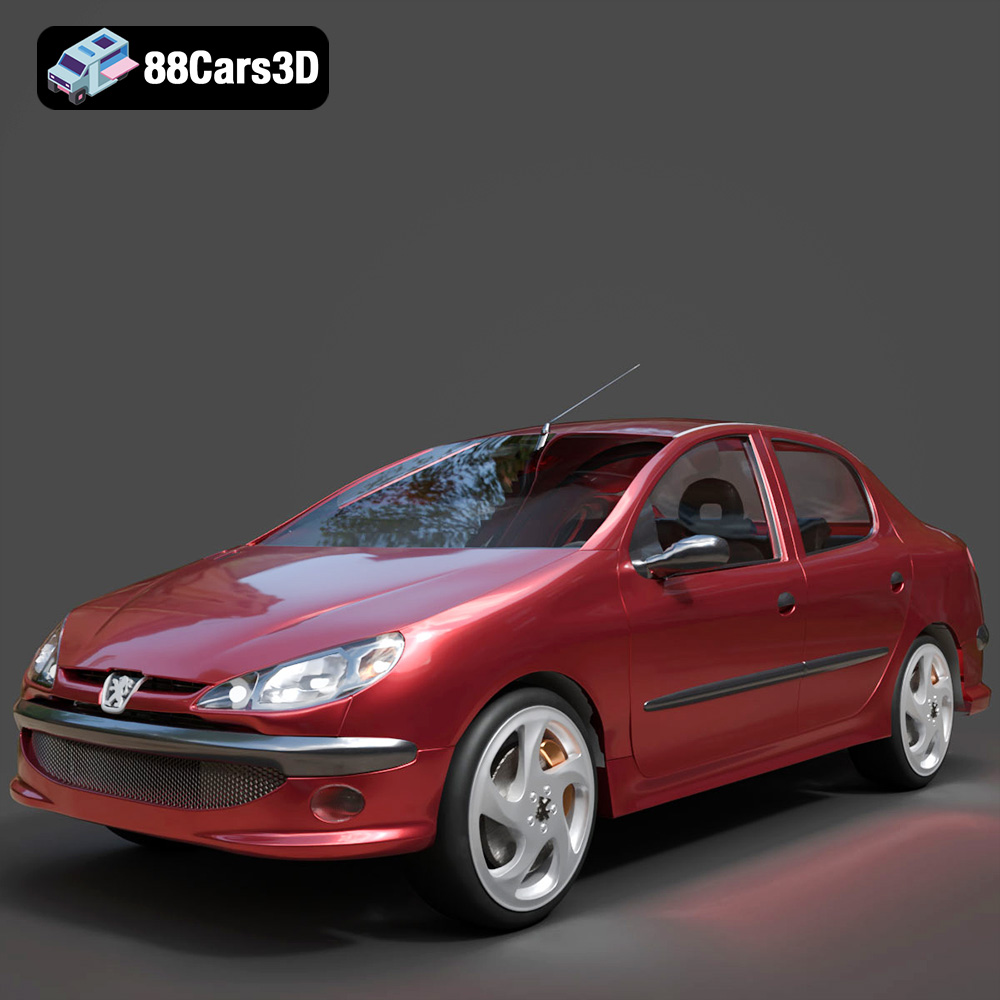
Download the Peugeot 206 Sedan 2002 3D Model featuring clean geometry, realistic detailing, and a fully modeled interior. Includes .blend, .fbx, .obj, .glb, .stl, .ply, .unreal, and .max formats for rendering, simulation, and game development.
Price: $4.99
Texture: Yes
Material: Yes
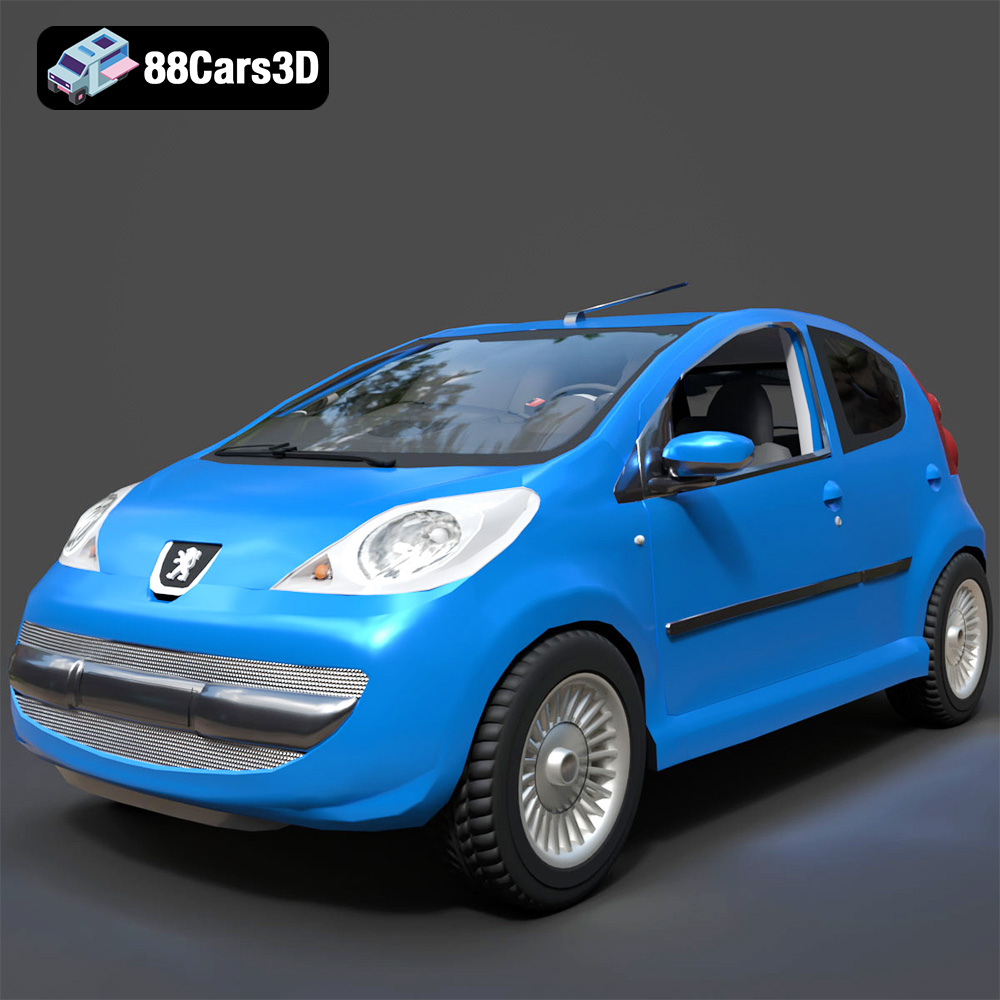
Download the Peugeot 107 2005 3D Model featuring clean geometry, realistic detailing, and a fully modeled interior. Includes .blend, .fbx, .obj, .glb, .stl, .ply, .unreal, and .max formats for rendering, simulation, and game development.
Price: $4.99
Texture: Yes
Material: Yes
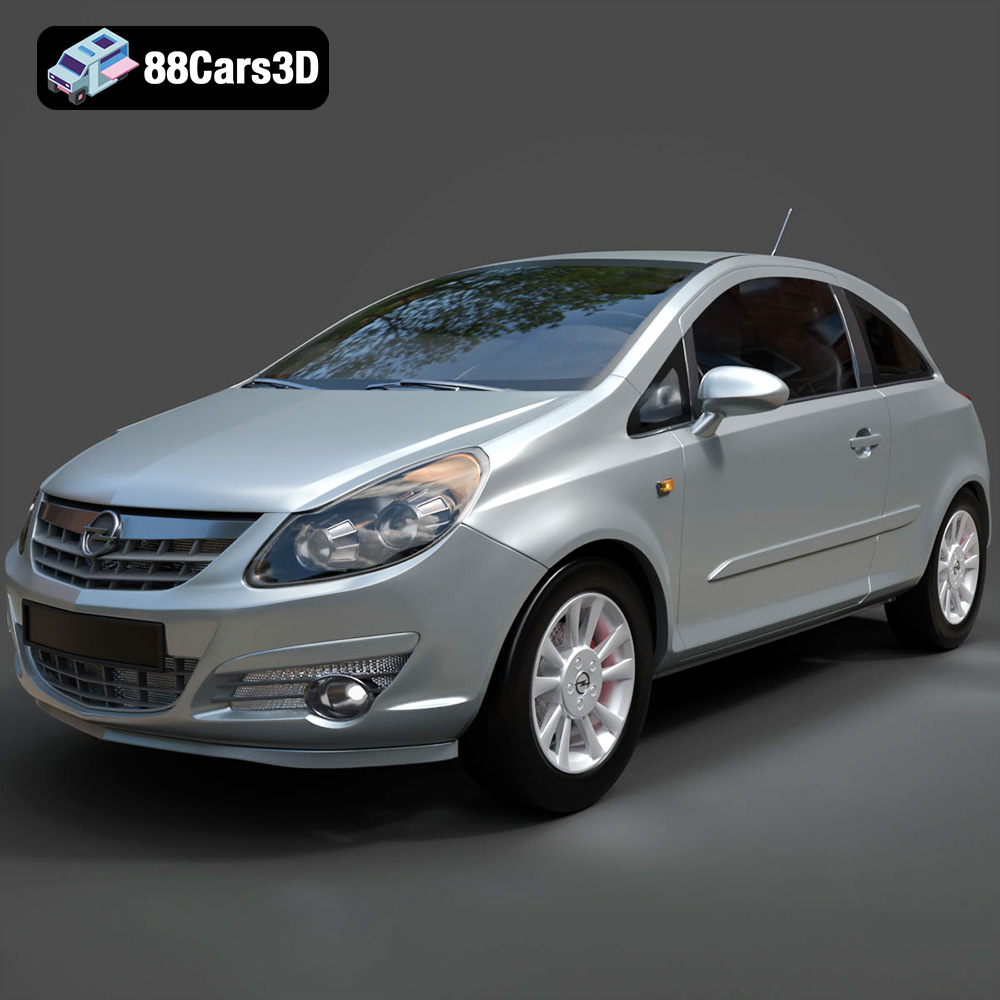
Download the Opel Corsa 2007 3D Model featuring clean geometry, realistic detailing, and a fully modeled interior. Includes .blend, .fbx, .obj, .glb, .stl, .ply, .unreal, and .max formats for rendering, simulation, and game development.
Price: $4.99
Texture: Yes
Material: Yes
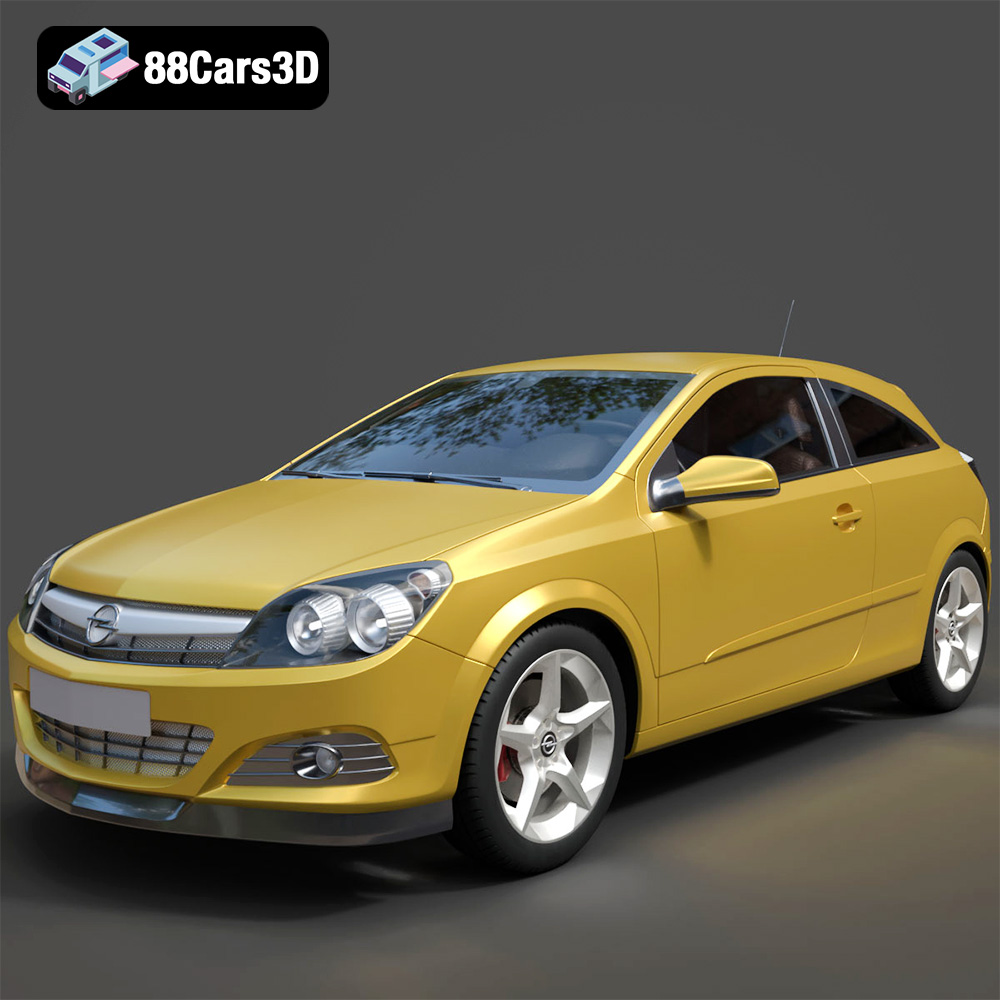
Download the Opel Astra H GTC 3D Model featuring clean geometry, realistic detailing, and a fully modeled interior. Includes .blend, .fbx, .obj, .glb, .stl, .ply, .unreal, and .max formats for rendering, simulation, and game development.
Price: $4.99
Texture: Yes
Material: Yes
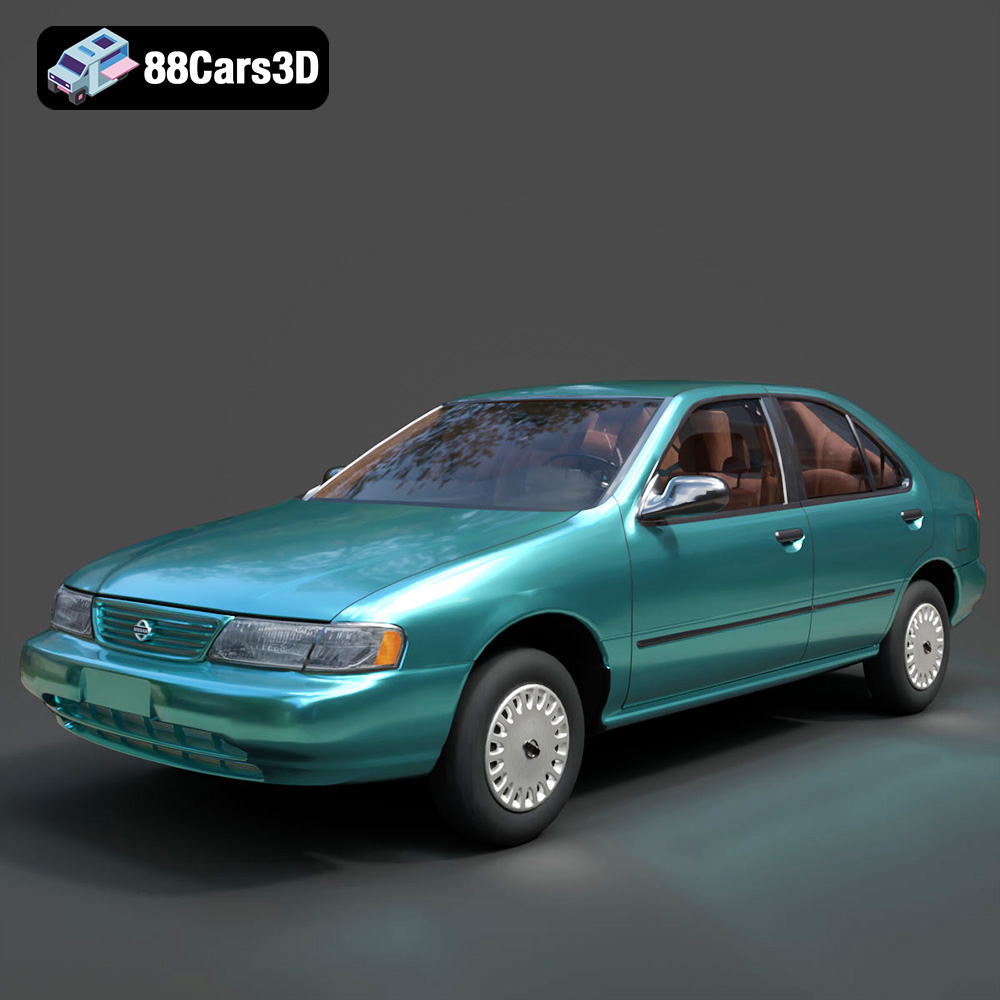
Download the Nissan Sentra GXE 1996 3D Model featuring clean geometry, realistic detailing, and a fully modeled interior. Includes .blend, .fbx, .obj, .glb, .stl, .ply, .unreal, and .max formats for rendering, simulation, and game development.
Price: $4.99
Texture: Yes
Material: Yes
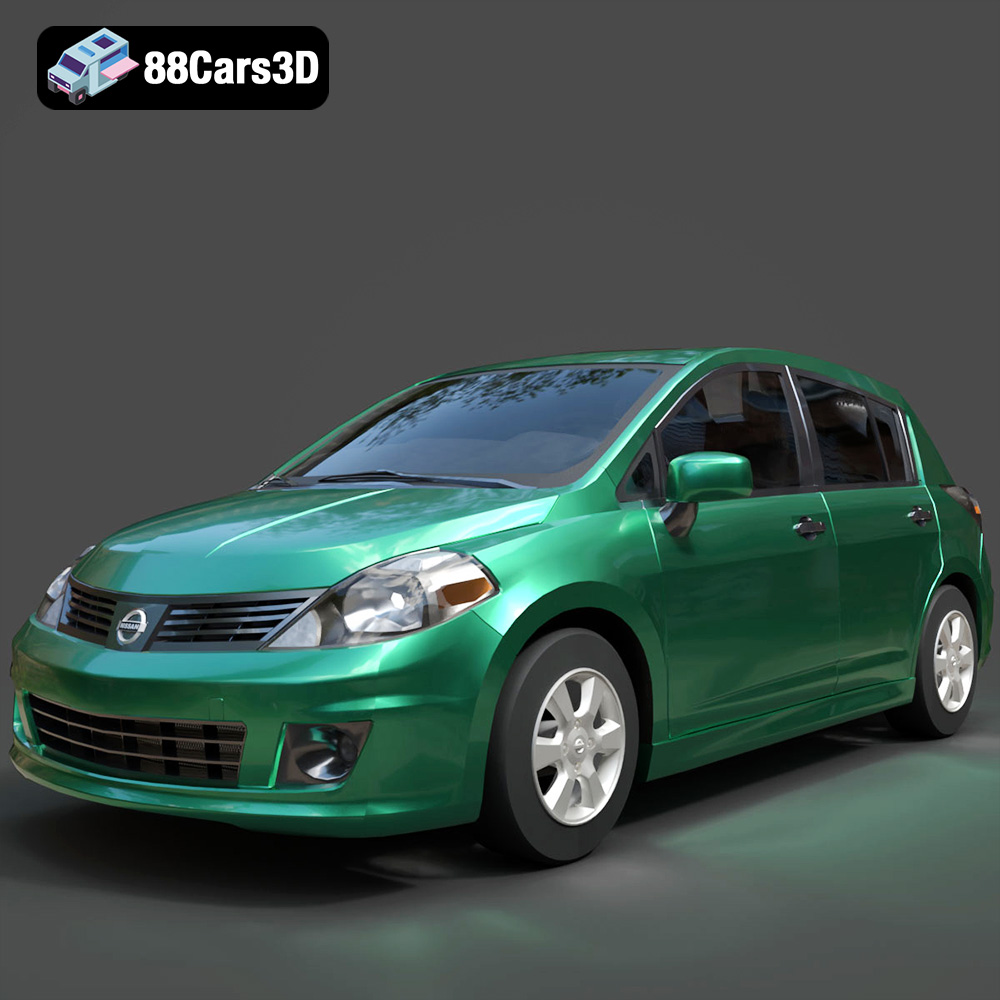
Download the Nissan Tiida 3D Model featuring clean geometry, realistic detailing, and a fully modeled interior. Includes .blend, .fbx, .obj, .glb, .stl, .ply, .unreal, and .max formats for rendering, simulation, and game development.
Price: $4.99

