Get 20% OFF All Premium 3D & STL Models!

The allure of a beautifully designed car, captured in its full three-dimensional glory, is a powerful motivator for artists, designers, and developers across various industries. From cinematic renders that blur the line between virtual and reality to high-octane racing games and interactive AR/VR experiences, 3D car models are central to modern digital visualization. However, creating and utilizing these models effectively is far more than just pushing polygons; it’s a intricate blend of technical precision, artistic vision, and workflow optimization.
This comprehensive guide delves deep into the multifaceted world of 3D car models. We’ll explore the foundational principles of clean topology, the nuances of UV mapping for flawless texturing, and the art of crafting physically accurate PBR materials. We’ll then transition into advanced rendering techniques, optimization strategies for game engines and real-time applications, and specialized considerations for AR/VR and 3D printing. Whether you’re an aspiring 3D artist, a game developer, an automotive designer, or a visualization professional, understanding these core concepts is crucial for achieving professional-grade results. By the end of this post, you’ll have a robust understanding of what makes a truly exceptional 3D car model and how to leverage it across diverse digital landscapes.
At the heart of any high-quality 3D car model lies its topology – the arrangement of vertices, edges, and faces that define its surface. For automotive models, which are characterized by their sleek curves, sharp creases, and reflective surfaces, flawless topology is paramount. Poor topology can lead to artifacts, pinching, and an inability to smoothly subdivide, ultimately compromising realism and animation potential. The goal is almost always quad-based topology, where every face is a four-sided polygon, as this allows for predictable subdivision and deformation.
Clean edge flow is equally critical. It dictates how light reflects off the surface and how the mesh deforms. For car bodies, edges should follow the natural contours of the vehicle, defining highlights, shadow lines, and panel gaps precisely. Complex areas like grilles, air intakes, and intricate lamp housings require careful planning to integrate seamlessly without creating undesirable surface distortions. Maintaining consistent quad density across the model helps ensure even detail distribution and predictable subdivision results. When you source models from reputable platforms like 88cars3d.com, you often get models meticulously crafted with these principles in mind, saving countless hours of rework.
Most photorealistic car models are created using subdivision surface modeling (SubD), also known as Catmull-Clark subdivision. This technique allows artists to model a relatively low-polygon base mesh and then smooth it out into a high-resolution, organic surface at render time or upon conversion. To control the smoothness and sharpness of edges, support loops (or control loops) are added. These extra edge loops run parallel to a desired sharp edge, pulling the subdivision surface tighter. For instance, around a door panel gap or a window frame, multiple support loops are used to define a crisp, clean edge that doesn’t soften excessively. Software like 3ds Max, Blender, and Maya all provide robust tools for SubD modeling, allowing artists to preview the subdivided result in real-time.
The polygon count of a 3D car model is a critical factor determined by its intended use. For cinematic renders or high-end visualization, models can easily reach several million polygons, allowing for extreme levels of detail, intricate panel gaps, and subtle surface variations that catch the light perfectly. In such scenarios, fidelity is king, and performance is a secondary concern, managed by powerful rendering hardware and optimized render settings.
Conversely, for game development or AR/VR applications, aggressive optimization is essential. A common target for a hero car in a racing game might be 50,000 to 150,000 polygons for its highest Level of Detail (LOD), with progressively lower poly counts for distant LODs. This often involves reducing unnecessary edge loops, collapsing small faces, and using normal maps to bake in high-resolution details from a high-poly sculpt onto a low-poly mesh. Balancing visual quality with real-time performance requires a deep understanding of mesh reduction techniques and careful planning of detail distribution.
Once a car model’s topology is solid, the next crucial step is UV mapping. UV mapping is the process of flattening the 3D surface of a model onto a 2D plane, creating a set of coordinates (U and V) that tell rendering software how to apply 2D textures to the 3D mesh. Without proper UVs, textures will appear stretched, distorted, or misaligned, ruining the realism of even the most meticulously modeled vehicle.
For complex car geometries, UV mapping requires strategic planning. Panels, glass, wheels, and intricate interior components each need careful unwrapping. The goal is to minimize seams, avoid overlaps, and ensure consistent texel density across the model. Texel density refers to the number of texture pixels per unit of 3D space. If different parts of your car have vastly different texel densities, some areas will appear blurry while others are sharp, creating an inconsistent look. Large, flat panels like the hood or roof benefit from seamless, large UV islands to prevent visible seams in the paintwork. Intricate parts like grilles or emblems may require more seams but should still be unwrapped to avoid stretching.
Modern 3D software offers a range of powerful UV tools. In 3ds Max, the Unwrap UVW modifier provides comprehensive control, allowing users to define seams, unwrap sections, and manipulate UV shells. Blender’s UV Editor features powerful tools like Smart UV Project, Follow Active Quads, and Average Island Scale, which can significantly speed up the unwrapping process. Maya’s UV Editor is similarly robust, offering tools for cutting, sewing, unfolding, and arranging UVs. Regardless of the software, the workflow typically involves: 1) Marking seams along logical edges where textures can split without being too noticeable (e.g., along panel gaps, under trim), 2) Unfolding the 3D mesh into 2D UV islands, 3) Arranging and packing these islands efficiently within the UV space (often a 0-1 coordinate range), and 4) Relaxing the UVs to minimize stretching and distortion.
For game engines, texture atlasing is a common optimization technique where multiple smaller textures are packed into a single, larger texture map. This reduces draw calls, improving real-time performance. For a car model, this might mean packing all the interior textures, or all the wheel textures, into one atlas. When sourcing game-ready models from platforms like 88cars3d.com, you’ll often find models already optimized with efficient texture atlases.
Conversely, for high-fidelity rendering, especially when dealing with extremely detailed models or scenes requiring very high texture resolutions (e.g., 4K, 8K, or even 16K textures for car paint), the UDIM workflow is frequently employed. UDIM (U-Dimension) allows artists to use multiple UV tiles (separate 0-1 UV spaces) for different parts of a single model. This means the car body could have one UDIM tile, the wheels another, and the interior yet another, each with its own high-resolution textures. This approach avoids the limitations of a single large texture, enables more detailed texturing without resolution compromises, and is widely supported by professional rendering engines and texturing software like Mari and Substance Painter.
Achieving photorealism in 3D car models hinges on the quality of their materials and shading. Physically Based Rendering (PBR) has become the industry standard for creating materials that react realistically to light, regardless of the lighting environment. PBR materials simulate the way light interacts with real-world surfaces, using parameters like Albedo (base color), Metallic, Roughness, Normal, and Ambient Occlusion maps.
Creating realistic car paint is a complex art form in itself. Modern automotive paint is often a multi-layered system, typically comprising a base coat (color, sometimes metallic flake), a clear coat (glossy, protective layer), and sometimes even additional layers. PBR shaders simulate this by using a clear coat layer, often with its own normal and roughness values, over the base material. The metallic flake effect is achieved by using a specialized noise texture or procedural shader to drive the metallic and roughness values in a subtle, microscopic way, mimicking how tiny metallic particles catch and reflect light. Glass, rubber, chrome, and carbon fiber each require unique PBR setups, carefully calibrated to their real-world counterparts.
Different 3D software and render engines implement PBR materials with varying levels of complexity and specific node setups. In Corona Renderer and V-Ray for 3ds Max or Maya, artists utilize dedicated physical materials like CoronaMtl or VRayMtl, which come with intuitive parameters for metallic, roughness, and clear coat layers. Blender’s Principled BSDF shader is a powerful all-in-one solution that encapsulates most PBR properties, making it easy to create a wide range of materials. Texturing software like Substance Painter and Substance Designer are indispensable for creating the detailed PBR texture maps (Albedo, Normal, Roughness, Metallic, etc.) that drive these shaders, often utilizing smart materials and procedural generators specific to automotive surfaces.
Achieving true photorealism requires meticulous calibration. This means not just plugging in textures but understanding what each map represents and ensuring its values are physically plausible. For example, the albedo map for a pure black rubber tire shouldn’t be completely black; rather, it should have a subtle gray value to reflect some light. Roughness maps are critical for defining surface micro-details, determining how sharp or diffuse reflections appear. Reference images and real-world material samples are invaluable for matching colors, reflectivity, and surface imperfections. Furthermore, proper color space management (e.g., using sRGB for albedo, raw/linear for roughness/normal maps) is crucial to prevent color shifts and ensure accurate light interaction in the render engine.
Rendering is the process of generating a 2D image from a 3D scene, and for automotive visualization, it’s where all the detailed modeling, UV mapping, and material work culminates. High-fidelity rendering aims to produce images that are indistinguishable from photographs, often used for marketing, design reviews, and virtual showrooms. The key components of a stunning render are lighting, camera setup, and optimized render settings.
Lighting is paramount for showcasing a car’s form and reflections. HDRI (High Dynamic Range Image) environments are frequently used to provide realistic, complex lighting and reflections, simulating real-world outdoor or studio environments. Complementing HDRIs, artists often employ studio-style lighting setups with area lights and reflectors to sculpt highlights and emphasize specific design lines. Physically accurate light sources, with correct intensity and falloff, ensure that shadows and reflections behave realistically. For example, using large, soft area lights mimics studio softboxes, creating elegant, sweeping reflections on the car body.
Camera settings are equally important for achieving a photographic look. Parameters like focal length (e.g., 85mm for a flattering perspective), aperture (for depth of field effects, blurring the background), and shutter speed (for motion blur in animated renders) directly influence the final image’s aesthetic. Strategic camera angles can highlight design features, while a careful composition draws the viewer’s eye to the most important elements of the vehicle. Render passes, such as reflection, refraction, diffuse, alpha, and ambient occlusion, are often generated during rendering for greater control during post-processing.
The rendering process doesn’t end when the image is generated. Post-processing and compositing in software like Adobe Photoshop, Affinity Photo, or Blackmagic Fusion are crucial steps to refine and enhance the final render. This involves color grading to set the mood, adjusting exposure and contrast, adding subtle lens effects like glare or chromatic aberration, and incorporating environmental elements or background plates. Using the render passes generated earlier, artists can precisely control reflections, shadows, and other elements, allowing for non-destructive adjustments and creative enhancements that elevate the image from good to spectacular. Small details, like a subtle vignette or a touch of grain, can significantly contribute to the photographic realism.
While cinematic renders prioritize visual fidelity above all else, game engines and real-time applications demand a delicate balance between visual quality and performance. A beautiful 3D car model is useless in a game if it causes the frame rate to plummet. Optimization involves a suite of techniques aimed at reducing the computational load while maintaining acceptable visual quality. This is particularly relevant for game assets, where efficiency directly impacts the user experience.
A primary optimization strategy is the implementation of Level of Detail (LODs). This involves creating multiple versions of the same model, each with a progressively lower polygon count. The highest LOD (LOD0) is used when the car is close to the camera, showcasing all its details. As the car moves further away, the engine automatically switches to lower LODs (LOD1, LOD2, etc.), which have significantly fewer polygons but appear visually similar from a distance. A typical car might have 3-5 LOD levels, drastically reducing the polygons rendered per frame without a noticeable loss of detail to the player. Platforms like 88cars3d.com often provide models with pre-made LODs, simplifying integration into game projects.
Choosing the right file format is crucial for efficient data transfer and compatibility with game engines. The FBX format (Filmbox) is the industry standard for transferring 3D assets between DCC (Digital Content Creation) software and game engines. It supports meshes, materials, textures, animations, and more, making it ideal for complete asset transfer. However, for modern web-based and real-time applications, GLB (glTF) has gained significant traction. GLB is an open standard that efficiently transmits 3D scenes and models with PBR materials, animations, and hierarchies, making it a “JPEG for 3D.” Its compact size and single-file nature are advantageous for quick loading times in web viewers and AR/VR experiences. Understanding the strengths of each format allows developers to select the most appropriate option for their specific project needs.
The versatility of high-quality 3D car models extends far beyond traditional static renders or interactive games. They are integral to emerging technologies like Augmented Reality (AR) and Virtual Reality (VR), as well as more tangible applications like 3D printing and sophisticated product configurators.
For AR/VR experiences, performance is paramount, often even more so than for traditional games, as sustained high frame rates are essential to prevent motion sickness. This means 3D car models for AR/VR must be extremely optimized. This translates to significantly lower polygon counts (often under 30,000-50,000 triangles for an entire car) and heavily optimized texture usage, frequently relying on texture atlases and baked lighting to minimize draw calls. Material complexity is also reduced, typically using simplified PBR shaders that are performant on mobile chipsets or standalone VR headsets. Apple’s USDZ format is the standard for AR content on iOS devices, while GLB/glTF is widely used for Android and web-based AR/VR. Models must be carefully scaled to real-world dimensions for accurate AR placement and positioned correctly within the VR environment to avoid disorientation.
Preparing a 3D car model for 3D printing introduces an entirely different set of technical requirements. Unlike rendering, which deals with virtual surfaces, 3D printing requires a physically manifold, “watertight” mesh – meaning there are no holes, internal geometry, or non-manifold edges. Every surface must have a defined inside and outside. Common issues include flipped normals, intersecting geometry, and open edges, all of which need to be resolved. Software like Meshmixer, Netfabb, or Blender’s 3D Print Toolbox can be used for mesh repair, identifying and fixing these problems. Furthermore, considerations like wall thickness become critical; parts need to be thick enough to be structurally sound when printed, and details must be sufficiently large to be resolved by the printer. Models also need to be scaled accurately for the physical world and, depending on the complexity, may require splitting into multiple parts for easier printing and assembly.
High-quality 3D car models are the backbone of interactive visualization platforms and online car configurators. These applications, often built using real-time engines like Unity or Unreal Engine, allow users to explore a car from every angle, change paint colors, swap wheels, view interior options, and even experience the car in different environments, all in real-time. This requires models that are not only visually stunning but also highly optimized for smooth interaction. The ability to dynamically load and unload different components (e.g., various wheel designs) is crucial for managing memory and performance. These tools empower customers to personalize their potential purchase, offering an immersive and engaging experience that traditional static images cannot match. Platforms like 88cars3d.com specifically cater to these needs by providing models that are ready for diverse visualization tasks, complete with clean UVs and PBR materials that allow for easy material swaps and customization.
For many professionals, creating a 3D car model from scratch is not feasible due to time constraints or resource limitations. Sourcing pre-made, high-quality 3D car models is a common and efficient solution. However, not all models are created equal. Knowing what to look for and how to integrate them into your workflow is key to success.
When selecting a 3D car model, the primary indicators of quality are its topology, UV mapping, and PBR material setup. A model with clean, quad-based topology will be easier to subdivide, modify, and animate without artifacts. Well-executed UV maps ensure that textures will apply correctly and can be easily repainted or swapped. PBR materials, provided with appropriate texture maps (Albedo, Normal, Roughness, Metallic, etc.), mean the model will look consistent and realistic across different render engines and lighting conditions. Reputable marketplaces such as 88cars3d.com explicitly state these features in their product descriptions, offering models with clean topology, realistic materials, UV mapping, and multiple file formats (FBX, OBJ, GLB, USDZ) to ensure broad compatibility.
Before purchasing or downloading a model, always inspect its wireframe. Look for dense areas of polygons in flat surfaces, triangles where quads should be, and uneven polygon distribution. Check the UV layout: are the islands neatly arranged without overlaps, and is the texel density relatively consistent? Review the material setup: are standard PBR maps included, and do they appear to be high resolution? If possible, load the model into your preferred 3D software to test its performance and ease of manipulation. A truly professional model will often have well-organized scene hierarchy, named objects, and possibly even pre-rigged components like wheels or doors.
Even with a high-quality purchased model, some customization or adaptation is usually necessary to fit specific project needs. This might involve:
Platforms like 88cars3d.com provide a robust starting point, offering models that are meticulously prepared, allowing artists and developers to focus on the creative aspects of their projects rather than spending valuable time on foundational cleanup and optimization. This empowers faster iteration and higher-quality final products.
The journey through the world of 3D car models is a testament to the blend of technical skill and artistic vision required in today’s digital landscape. We’ve explored the critical importance of clean topology and precise edge flow, which form the bedrock of any high-quality automotive model. From there, we delved into the meticulous art of UV mapping, essential for translating 2D textures onto complex 3D surfaces without distortion, and the science behind crafting photorealistic PBR materials that make surfaces truly come alive under any light.
Our exploration extended to the sophisticated workflows of high-fidelity rendering, where lighting, camera work, and render engine choices converge to produce breathtaking visuals. We also covered the crucial realm of optimization for game engines and real-time applications, emphasizing techniques like LODs and intelligent file format choices that ensure seamless performance. Finally, we touched upon the expanding frontiers of AR/VR, 3D printing, and interactive visualization, showcasing the diverse applications of a well-crafted 3D car model.
Mastering these techniques empowers you to create and utilize 3D car models that not only look stunning but also perform flawlessly across various platforms. Whether you’re aiming for a cinematic masterpiece, a high-performance game asset, or an interactive product configurator, the principles outlined here are your roadmap to success. Embrace continuous learning, experiment with different tools, and leverage the wealth of resources available. When you need a head start with meticulously crafted, ready-to-use assets, remember that marketplaces like 88cars3d.com are dedicated to providing the professional-grade 3D car models you need to drive your projects forward.
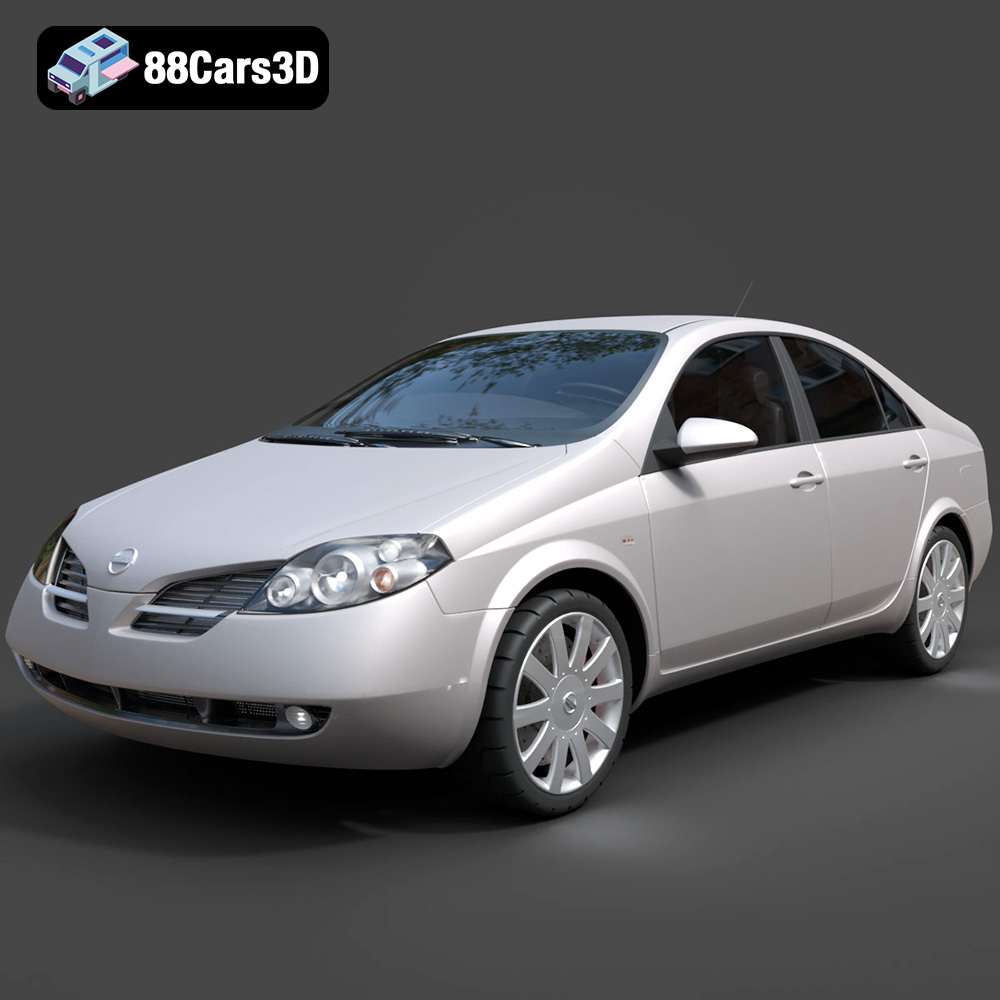
Texture: Yes
Material: Yes
Download the Nissan Primera 2005 3D Model featuring clean geometry, realistic detailing, and a fully modeled interior. Includes .blend, .fbx, .obj, .glb, .stl, .ply, .unreal, and .max formats for rendering, simulation, and game development.
Price: $4.99

Texture: Yes
Material: Yes
Download the Porsche 911 Carrera S 2005 3D Model featuring clean geometry, realistic detailing, and a fully modeled interior. Includes .blend, .fbx, .obj, .glb, .stl, .ply, .unreal, and .max formats for rendering, simulation, and game development.
Price: $4.99

Texture: Yes
Material: Yes
Download the Pontiac GTO 1967 3D Model featuring clean geometry, realistic detailing, and a fully modeled interior. Includes .blend, .fbx, .obj, .glb, .stl, .ply, .unreal, and .max formats for rendering, simulation, and game development.
Price: $4.99

Texture: Yes
Material: Yes
Download the Pontiac Fiero GT 1987 3D Model featuring clean geometry, realistic detailing, and a fully modeled interior. Includes .blend, .fbx, .obj, .glb, .stl, .ply, .unreal, and .max formats for rendering, simulation, and game development.
Price: $4.99

Texture: Yes
Material: Yes
Download the Plymouth Volare Wagon 3D Model featuring clean geometry, realistic detailing, and a fully modeled interior. Includes .blend, .fbx, .obj, .glb, .stl, .ply, .unreal, and .max formats for rendering, simulation, and game development.
Price: $4.99
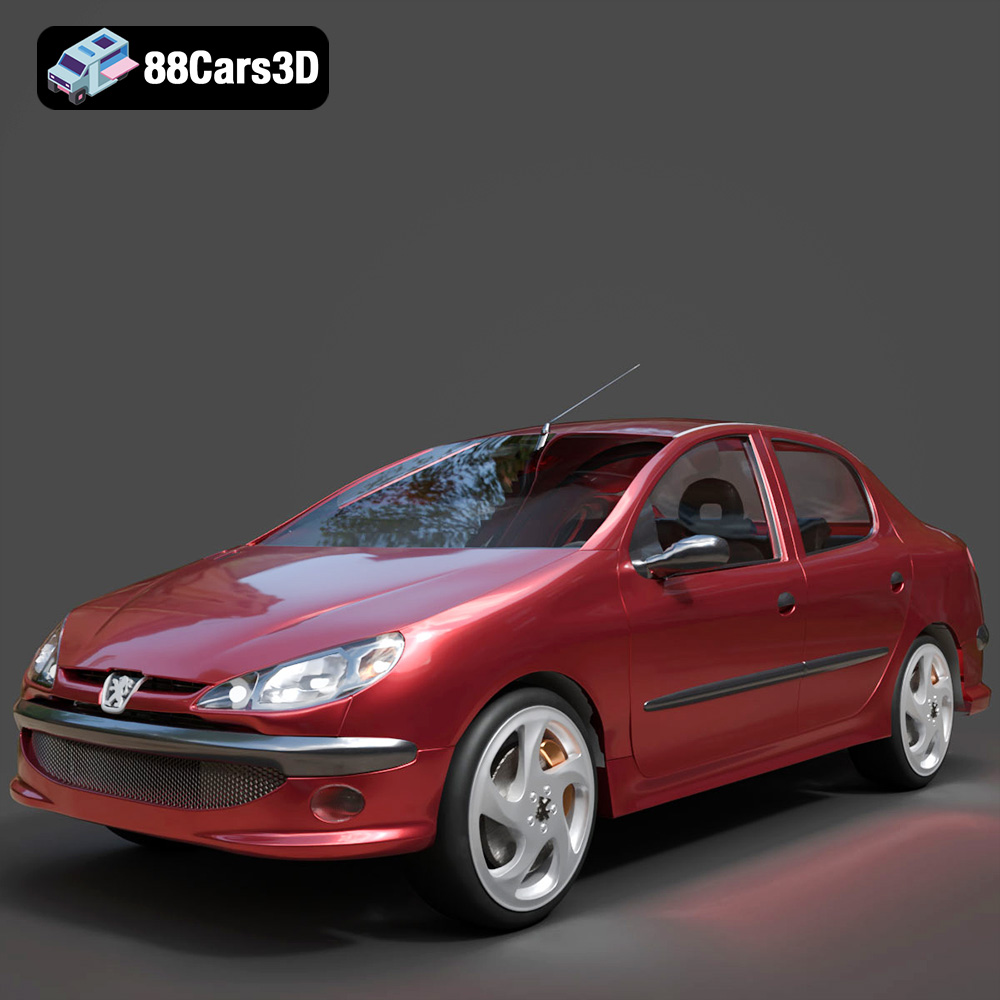
Texture: Yes
Material: Yes
Download the Peugeot 206 Sedan 2002 3D Model featuring clean geometry, realistic detailing, and a fully modeled interior. Includes .blend, .fbx, .obj, .glb, .stl, .ply, .unreal, and .max formats for rendering, simulation, and game development.
Price: $4.99
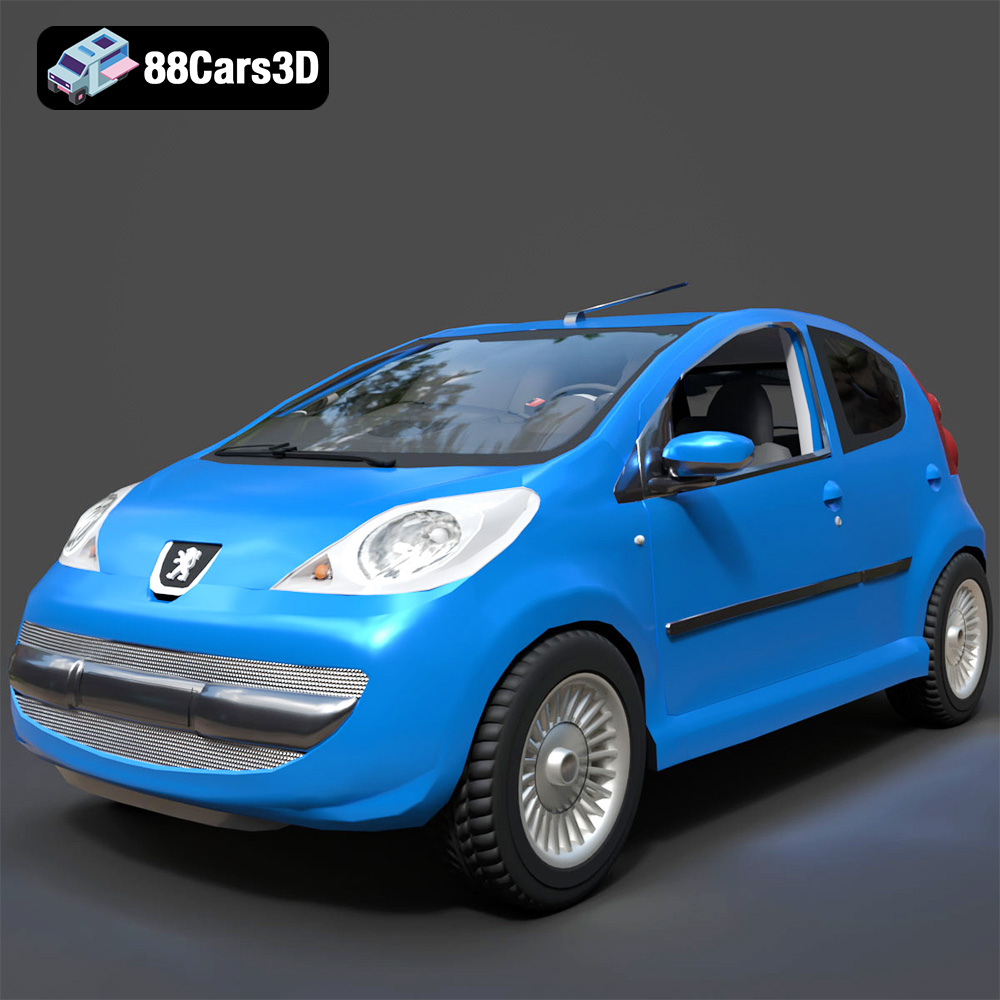
Texture: Yes
Material: Yes
Download the Peugeot 107 2005 3D Model featuring clean geometry, realistic detailing, and a fully modeled interior. Includes .blend, .fbx, .obj, .glb, .stl, .ply, .unreal, and .max formats for rendering, simulation, and game development.
Price: $4.99
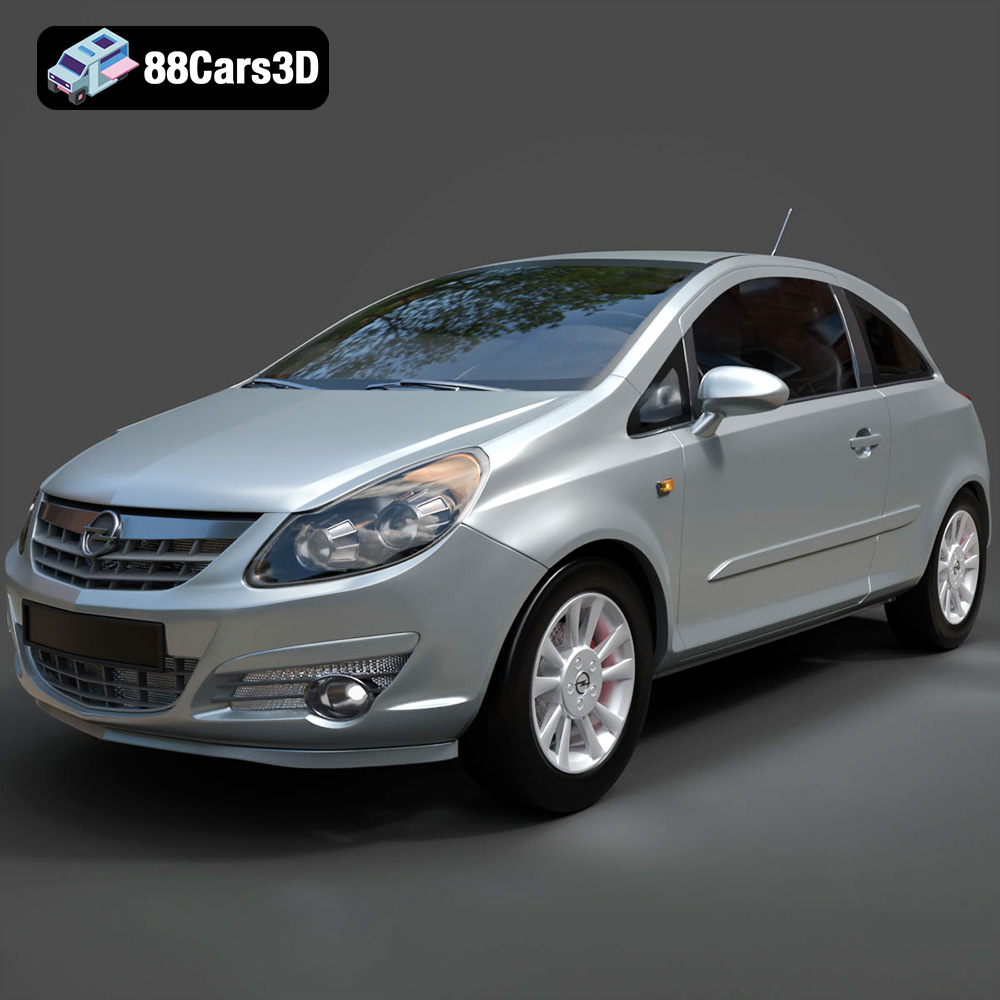
Texture: Yes
Material: Yes
Download the Opel Corsa 2007 3D Model featuring clean geometry, realistic detailing, and a fully modeled interior. Includes .blend, .fbx, .obj, .glb, .stl, .ply, .unreal, and .max formats for rendering, simulation, and game development.
Price: $4.99
Texture: Yes
Material: Yes
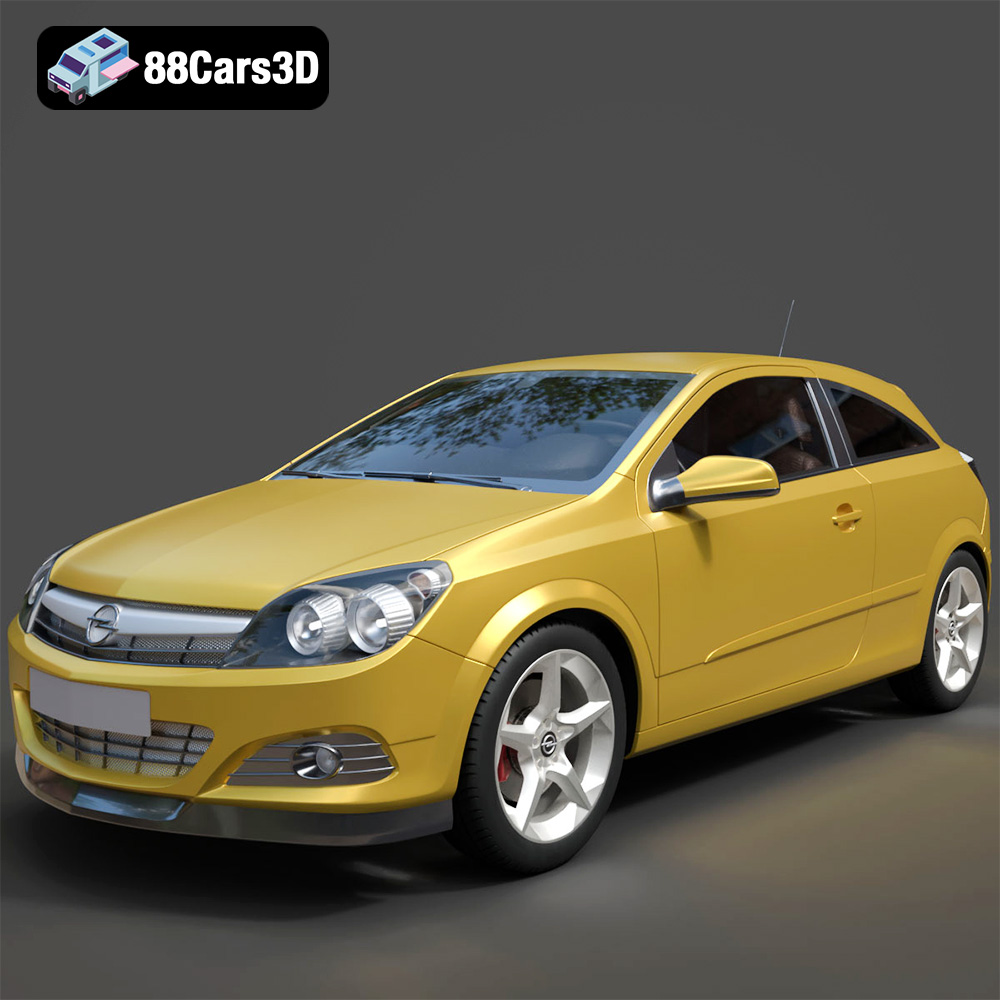
Download the Opel Astra H GTC 3D Model featuring clean geometry, realistic detailing, and a fully modeled interior. Includes .blend, .fbx, .obj, .glb, .stl, .ply, .unreal, and .max formats for rendering, simulation, and game development.
Price: $4.99
Texture: Yes
Material: Yes
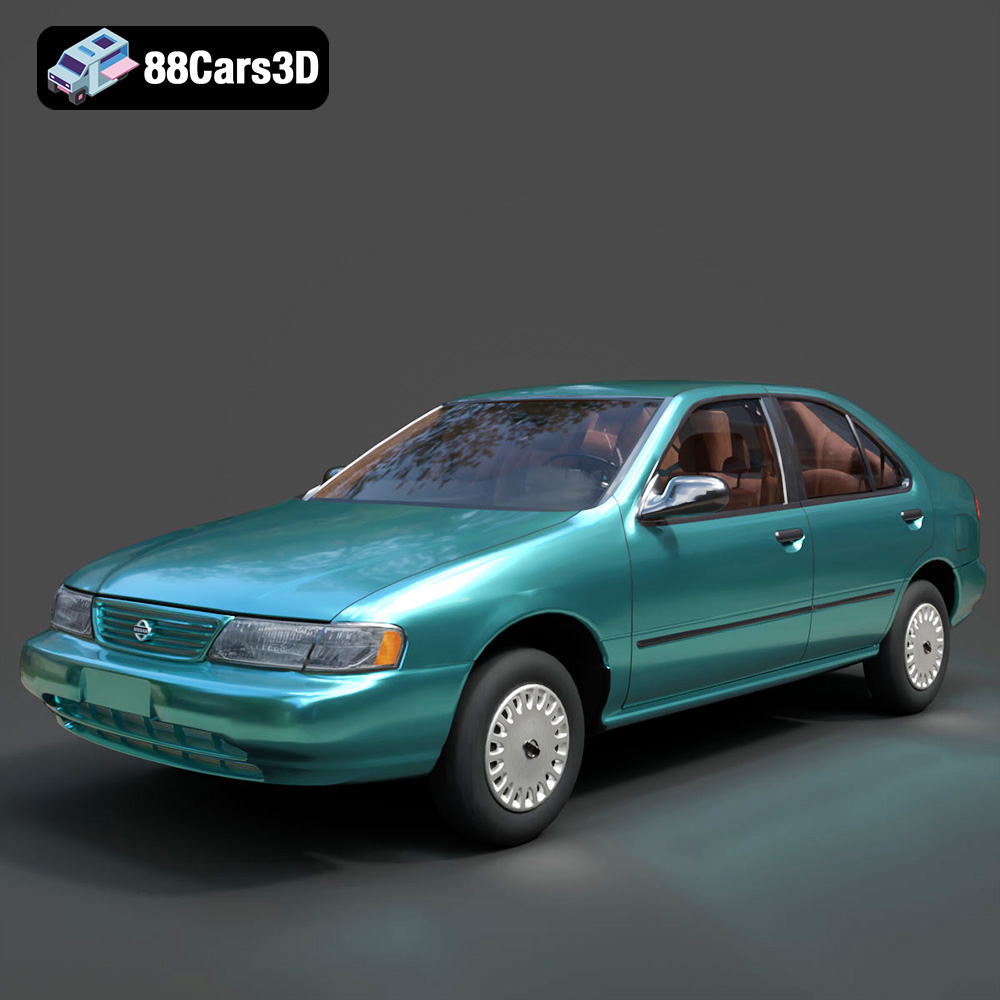
Download the Nissan Sentra GXE 1996 3D Model featuring clean geometry, realistic detailing, and a fully modeled interior. Includes .blend, .fbx, .obj, .glb, .stl, .ply, .unreal, and .max formats for rendering, simulation, and game development.
Price: $4.99

