The world of 3D car models is a vibrant intersection of art and engineering, constantly pushing the boundaries of realism and interactive experiences. From hyper-realistic cinematic renders that blur the line with reality to high-performance game assets designed for seamless real-time interaction, the demand for meticulously crafted automotive digital twins has never been higher. Whether you’re an automotive designer visualizing a new concept, a game developer building an immersive racing title, or a visualization professional creating compelling marketing materials, the quality of your 3D car models is paramount.
This comprehensive guide delves deep into the technical intricacies of creating, optimizing, and deploying top-tier 3D car models across various applications. We’ll explore the foundational principles of perfect topology and UV mapping, demystify the magic of PBR materials, navigate the complex world of rendering workflows, and reveal the secrets to optimizing assets for game engines, AR/VR, and even 3D printing. By the end, you’ll possess a deeper understanding of what constitutes a truly professional 3D car model and how to leverage them for unparalleled results in your projects. Platforms like 88cars3d.com specialize in providing these high-quality assets, ensuring artists and developers have access to production-ready models for their diverse needs.
The Foundation: Flawless Automotive Topology and Modeling
At the heart of any exceptional 3D car model lies impeccable topology. Automotive surfaces are renowned for their smooth, reflective qualities, which unforgivingly expose any imperfections in the mesh. Clean topology, characterized by well-distributed quad polygons and logical edge flow, is crucial for achieving smooth subdivision surfaces, distortion-free deformations, and proper shading. For high-fidelity models intended for automotive rendering, maintaining consistent edge loops around design lines, panel gaps, and complex curvature transitions is non-negotiable. Software like 3ds Max, Maya, and Blender offer robust polygonal modeling tools that, when used with precision, allow artists to sculpt these intricate forms with accuracy. Best practices include working with reference blueprints and images, starting with low-poly base meshes, and incrementally adding detail through subdivision while preserving clean quad flow.
Perfecting Edge Flow for Automotive Surfaces
Edge flow dictates how light reflects off the surface, how the mesh deforms, and how easily you can make adjustments. For cars, specific areas demand particular attention:
- Panel Gaps: Create tight, parallel edge loops along panel gaps to define sharp, realistic seams without pinching or rounding off. This often involves creating two or three loops close together.
- Curvature Transitions: Where surfaces change direction (e.g., fender flare to door panel), ensure edge loops follow these transitions smoothly. This prevents faceting and maintains the fluid aesthetic of automotive design.
- Crease Lines: For sharp creases, like those on hood lines or body kits, use supporting edge loops on either side of the main crease to hold its sharpness after subdivision. The closer these loops are, the sharper the crease will appear.
- Extrusions and Insets: For details like vents, grilles, or headlight recesses, ensure the topology flows cleanly into these areas, avoiding n-gons or triangles where possible, especially on surfaces that will be heavily subdivided.
A common technique is to build a “control cage” with a relatively low polygon count, then apply subdivision modifiers (e.g., Turbosmooth in 3ds Max, Subdivision Surface in Blender) to generate the final smooth mesh. This workflow ensures flexibility and non-destructive editing.
Polygon Budgets and Mesh Optimization
The ideal polygon count for a 3D car model varies drastically depending on its intended application. A model for cinematic automotive rendering might boast millions of polygons, while a real-time game asset requires stringent optimization.
- High-Detail Rendering (e.g., V-Ray, Corona, Arnold): Models can range from 500,000 to 5 million polygons or more, focusing on intricate details like interior stitching, engine components, and fine exterior panel gaps. The goal here is ultimate visual fidelity.
- Game Engines (e.g., Unity, Unreal Engine): Optimization is key. A hero car might have 80,000-150,000 polygons, while background vehicles could be 10,000-30,000. This is achieved through techniques like LODs (Levels of Detail), aggressive polygon reduction, and careful normal map baking to capture high-poly detail.
- AR/VR Applications: Similar to game engines, but often with even stricter polygon budgets, especially for mobile AR/VR. Models typically range from 20,000-100,000 polygons, prioritizing performance to maintain high frame rates.
- 3D Printing: Polygon count is less critical than mesh integrity. Models often need to be “watertight” (no holes, non-manifold geometry) and of sufficient resolution to capture small details without being excessively dense, which can slow down slicing software.
When sourcing models, check the wireframe and polygon count. High-quality vendors, like those on 88cars3d.com, often provide multiple versions or clearly state the polygon counts for different use cases, ensuring you get a model that fits your project’s specific performance requirements without compromising visual quality.
Mastering Materials: PBR Texturing and UV Mapping Excellence
Once the geometry is solid, the next crucial step is defining how light interacts with the surfaces. Physically Based Rendering (PBR) materials are the industry standard for achieving photorealistic results, simulating the physics of light rather than relying on arbitrary artistic values. PBR workflows require specific texture maps (Albedo/Base Color, Metallic, Roughness, Normal, Ambient Occlusion, etc.) that tell the renderer how light should bounce, absorb, and scatter. However, these textures are only as good as the underlying UV mapping, which determines how a 2D texture wraps around a 3D object.
Strategic UV Mapping for Complex Car Parts
Effective UV mapping is critical for applying textures without distortion, seams, or wasted texture space. For complex 3D car models, this involves careful planning and execution.
- Minimize Seams: Strategically place seams in less visible areas (e.g., under the car, along natural panel lines, hidden edges) to maintain visual continuity.
- Uniform Texel Density: Ensure that all parts of the model have a consistent texel density. This means that a texture pixel covers roughly the same real-world surface area across the entire model, preventing some areas from looking blurry and others overly sharp. Tools like RizomUV, UVLayout, and even native UV editors in Blender, 3ds Max, and Maya offer tools to achieve this.
- Optimal UV Space Utilization: Pack UV islands efficiently within the 0-1 UV space to maximize texture resolution and minimize wasted space. Avoid overlapping UVs unless absolutely necessary for specific effects (e.g., mirrored details that can share texture space, but be cautious with normal maps).
- Dedicated UV Sets: For highly detailed models, consider using multiple UV sets for different material types or resolutions. For instance, one set for general body panels, another for interior fabric, and a third for small intricate details like emblems or tire treads.
For high-performance game assets, texture atlasing (combining multiple textures into one larger sheet) is often used to reduce draw calls and improve rendering efficiency, requiring extremely careful UV packing across multiple objects.
Crafting Realistic PBR Shaders and Networks
Creating compelling PBR materials involves combining high-resolution texture maps with intelligent shader networks. Car paint, for instance, is one of the most challenging materials to reproduce due to its complex layered nature.
Utilizing software like Substance Painter or Quixel Mixer allows artists to procedurally generate PBR textures with incredible detail, wear, and tear, streamlining the texturing process for complex models.
Bringing Cars to Life: Advanced Automotive Rendering
The true showcase for a meticulously crafted 3D car model is a stunning render. Automotive rendering is an art form in itself, demanding a deep understanding of lighting, camera work, and shader behavior to achieve photorealistic results. The goal is often to create visuals indistinguishable from real-world photography, showcasing design, materials, and overall aesthetic appeal.
Lighting and Environment Setup for Photorealism
Lighting is paramount in automotive rendering. It defines the mood, highlights form, and reveals material properties. A successful lighting setup often involves a combination of techniques:
- HDRIs (High Dynamic Range Images): These are indispensable for realistic lighting. An HDRI provides both background environment and complex, real-world lighting information, generating accurate reflections and ambient light. Matching the HDRI to the desired scene (e.g., studio, outdoor, cityscape) is critical.
- Studio Lighting: Often used for clean, product-shot style renders. This involves a combination of softbox lights, rim lights, and fill lights to sculpt the car’s form and highlight key design elements. Area lights and mesh lights within the scene (e.g., Corona Lights, V-Ray Lights) are typically used.
- Physical Sun and Sky Systems: For outdoor scenes, renderers like V-Ray, Corona, Cycles, and Arnold offer robust physical sun and sky systems that accurately simulate global illumination based on time of day and geographical location.
- Light Linking/Excluding: Advanced control allows specific lights to affect only certain objects or exclude others, providing granular control over reflections and shadows on the car’s surface.
The environment setup also plays a crucial role. Even if the car is the focal point, a subtle ground plane, background elements, or a carefully placed reflection card can significantly enhance realism without distracting from the main subject.
Rendering with Industry-Standard Engines (Corona, V-Ray, Cycles, Arnold)
Each rendering engine has its strengths, but all aim for photorealism through advanced ray tracing and global illumination algorithms.
- Corona Renderer (3ds Max, Cinema 4D): Known for its ease of use, intuitive interface, and high-quality unbiased rendering. It’s often favored for its fast interactive rendering and material editor simplicity, making it a powerful choice for visualizing complex 3D car models quickly.
- V-Ray (3ds Max, Maya, SketchUp, Rhino, etc.): A long-standing industry standard, V-Ray offers immense flexibility and powerful features, including a wide array of lighting and material options. It’s highly optimized for production pipelines and capable of both biased and unbiased rendering, allowing for fine-tuning performance vs. quality.
- Cycles (Blender): Blender’s integrated physically-based renderer, Cycles, provides excellent results with CPU and GPU rendering capabilities. It supports node-based materials, volumetric rendering, and complex light paths, making it a strong contender for independent artists and studios.
- Arnold (Maya, 3ds Max, Cinema 4D, Houdini): Primarily a CPU-based, unbiased Monte Carlo path tracer. Arnold is celebrated for its robust handling of complex scenes, excellent subsurface scattering, and cinematic quality renders, often used in film and animation VFX pipelines.
Regardless of the engine, understanding concepts like samples, bounces, noise thresholds, and render passes is essential for optimizing render times and achieving desired visual fidelity. When acquiring assets from platforms like 88cars3d.com, check which render engine native files are provided for to ensure compatibility with your existing workflow.
Post-Processing and Compositing for Cinematic Results
A raw render is rarely the final product. Post-processing and compositing in software like Adobe Photoshop, After Effects, or Blackmagic Fusion are vital steps to elevate a render to a professional, cinematic level.
- Color Correction and Grading: Adjusting hue, saturation, contrast, and color balance to enhance mood and visual appeal.
- Exposure Adjustments: Fine-tuning brightness and dynamic range.
- Depth of Field (DoF): Adding realistic blur to foreground and background elements to guide the viewer’s eye. While often rendered in 3D, it can be refined in post.
- Motion Blur: Essential for realism in animations, simulating the blur caused by camera or object movement. Can be rendered in 3D or added in post for faster iterations.
- Lens Effects: Simulating real-world lens artifacts like chromatic aberration, vignetting, and lens flares to add realism and character.
- Glows and Glare: Enhancing emissive elements (headlights, taillights) and specular highlights.
- Compositing Render Passes: Many render engines can output various passes (e.g., Beauty, Diffuse, Specular, Reflection, Z-Depth, Object IDs, Normals). These passes can be layered and manipulated independently in compositing software, offering immense flexibility for tweaking the final image without re-rendering the entire scene.
This stage allows artists to refine the visual narrative, correct minor rendering imperfections, and add an artistic flourish that truly makes the image pop.
High-Performance Assets for Interactive Experiences: Game Engines & AR/VR
For real-time applications, the rules change significantly. While visual quality is still crucial, performance becomes the primary driver. Game assets and models for AR/VR environments demand extreme optimization to maintain high frame rates and responsiveness.
Game Engine Optimization: LODs, Culling, and Draw Calls
Integrating 3D car models into game engines like Unity or Unreal Engine requires a strategic approach to performance.
- Levels of Detail (LODs): This is fundamental. Create multiple versions of the model, each with progressively fewer polygons. The highest detail LOD0 is used when the car is close to the camera, LOD1 for mid-distance, and so on, down to a very low-poly LOD for distant views. The engine automatically switches between these based on distance, drastically reducing rendered geometry without noticeable visual degradation. A typical setup might include 3-5 LODs.
- Occlusion Culling: Prevents rendering of objects hidden behind other objects. Modern game engines use spatial partitioning techniques to determine what objects are visible from the camera’s perspective, saving rendering resources.
- Frustum Culling: Only renders objects within the camera’s view frustum (the visible cone). Objects outside this area are not drawn.
- Draw Calls: Every time the CPU tells the GPU to render a batch of vertices, it’s a draw call. Minimizing draw calls is crucial for performance. This is achieved by:
- Texture Atlasing: Combining multiple smaller textures into one large texture atlas, allowing multiple materials to be rendered with a single draw call.
- Batching: Grouping multiple meshes that share the same material to be rendered in one go.
- Instancing: Using a single mesh and material data to render multiple identical objects (e.g., a fleet of cars) with minimal overhead.
- Normal Maps and Baked Textures: Baking high-detail geometry (from a high-poly sculpt) onto normal maps and other textures (AO, curvature) for a low-poly mesh is standard practice. This gives the illusion of high detail without the polygon cost.
A well-optimized game asset ensures smooth gameplay and stable frame rates, which is critical for an engaging user experience.
Adapting 3D Car Models for AR/VR Environments
AR/VR experiences present unique challenges. In addition to general game optimization, specific considerations are vital:
- Very High Frame Rates: To avoid motion sickness, AR/VR requires extremely stable and high frame rates (e.g., 90 FPS or higher). This means even tighter polygon and draw call budgets than typical games.
- Stereoscopic Rendering: The scene must be rendered twice (once for each eye), effectively doubling the rendering workload. Optimization is paramount.
- Immersive Scale: Models must be accurately scaled in the engine to feel right in a virtual or augmented space. Incorrect scale can break immersion.
- Lighting and Reflection Probes: For realistic integration into real-world environments (AR) or consistent lighting in virtual environments (VR), proper use of reflection probes and light probes is essential to accurately capture and apply environmental lighting to the 3D car model.
- Platform-Specific Optimizations: Mobile AR (ARKit, ARCore) has even stricter performance limits than tethered VR headsets (Oculus Rift, HTC Vive) or desktop AR. Tailor the asset quality accordingly.
When preparing models for AR/VR, testing on target hardware is essential to identify and address performance bottlenecks early in the development cycle. File formats like GLB and USDZ are increasingly popular for AR/VR due to their efficiency and ability to package models, textures, and animations into a single, compact file.
Understanding File Formats for Interoperability (FBX, OBJ, GLB, USDZ)
The ability to seamlessly transfer 3D car models between different software packages and platforms is crucial. Various file formats cater to different needs:
- FBX (Filmbox): Developed by Autodesk, FBX is the de facto standard for exchanging 3D data between DCC (Digital Content Creation) applications like 3ds Max, Maya, Blender, and game engines like Unity and Unreal. It supports geometry, materials, textures, animations, rigging, and cameras, making it incredibly versatile.
- OBJ (Wavefront Object): A simpler, older format, OBJ primarily stores geometry (vertices, normals, UVs) and can reference external MTL (material) files. While widely supported, it lacks support for advanced features like animation or rigging. It’s excellent for static mesh exchange.
- GLB (Binary glTF): GLB is the binary version of glTF (Graphics Language Transmission Format), designed for efficient transmission and loading of 3D scenes and models by engines and viewers. It’s rapidly gaining traction as a standard for web-based 3D, AR/VR, and mobile applications because it packages models, textures, and animations into a single, self-contained file.
- USDZ (Universal Scene Description Zip): Developed by Apple and Pixar, USDZ is an augmented reality-centric format based on Pixar’s USD. It’s optimized for AR on iOS devices and packages geometry, materials, and animations for quick loading and interaction in AR experiences.
- STL (Stereolithography): Primarily used for 3D printing. It represents a 3D model as a series of connected triangles, describing the surface geometry without color or texture information.
Understanding these formats helps you choose the right one for your specific workflow, ensuring maximum compatibility and efficiency. High-quality 3D car models from marketplaces often come in multiple formats, providing flexibility for diverse projects.
Beyond the Screen: 3D Printing and Physical Prototyping
The utility of 3D car models extends beyond digital screens into the physical realm through 3D printing. This allows designers to create physical prototypes, scale models, or even custom parts, bringing digital designs to tangible reality.
Preparing Models for 3D Printing: Watertight Meshes and Scale
Preparing a 3D car model for 3D printing involves a different set of considerations compared to digital rendering or game development. The most critical aspect is ensuring mesh integrity.
- Watertight Geometry: A mesh must be “watertight” or manifold, meaning it has no holes, internal geometry, or overlapping faces. Every edge must be connected to exactly two faces. Non-manifold geometry will cause printing errors as the slicer software won’t know how to interpret ambiguous areas. Tools like Blender’s 3D Print Toolbox, MeshLab, or specialized software like Netfabb can help identify and repair these issues.
- Proper Scale and Units: Ensure your model is at the correct real-world scale and that your 3D software’s units (e.g., millimeters, centimeters) match the expectations of your 3D printing software and printer. Scaling issues can lead to tiny, unusable prints or models too large for the print bed.
- Minimum Wall Thickness: Consider the minimum wall thickness required by your specific 3D printing technology and material. Thin features that are perfectly visible digitally might be too fragile or simply won’t print with certain materials (e.g., FDM printers struggling with walls thinner than 0.8-1.2mm).
- Detail Level vs. Print Resolution: While a high-polygon model might look great on screen, excessively dense meshes can lead to unnecessarily large file sizes and longer processing times for slicer software. Optimize the mesh to retain necessary details at the target print resolution without being overly complex.
Paying close attention to these details ensures a successful and high-quality physical print.
Repairing Mesh Integrity and Support Structures
Even professional-grade 3D car models may require specific adjustments for 3D printing. It’s rare for a model optimized solely for rendering or gaming to be immediately print-ready.
- Mesh Repair:
- Inverted Normals: Ensure all face normals are pointing outwards. Inverted normals can confuse slicers.
- Non-Manifold Edges/Vertices: These are common issues where geometry doesn’t connect properly. Manual cleanup or automated repair tools are necessary.
- Internal Geometry: Remove any hidden internal faces or objects that won’t be visible but could cause printing issues or unnecessary material consumption.
- Intersecting Geometry: Ensure no two parts of the mesh are perfectly overlapping without being properly Boolean-unioned, as this can create non-manifold regions.
- Support Structures: Most 3D printing processes cannot print in thin air. Overhanging parts of the model require temporary support structures. While slicer software can often generate these automatically, advanced users might manually design supports for optimal print quality and easier post-processing, especially for delicate automotive components like wing mirrors or spoilers. Understanding how these supports attach and how they will be removed is crucial to avoid damaging the final print.
- Hollowing: For larger prints, hollowing out the interior of the model can save significant material and reduce print time, especially for resin printers. Just remember to add drain holes for resin to escape.
By addressing these technical details, you can transform a digital car model into a robust physical object, bridging the gap between virtual design and tangible reality.
Conclusion
The journey through the creation, optimization, and deployment of high-quality 3D car models reveals a complex yet rewarding process. From the fundamental importance of clean topology and precise UV mapping to the artistry of PBR materials and advanced automotive rendering, every stage demands technical expertise and attention to detail. We’ve seen how drastically performance requirements shift between a cinematic visualization, a real-time game asset, and an interactive AR/VR experience, highlighting the necessity of adaptable and optimized assets.
Whether your goal is photorealistic marketing visuals, immersive game environments, or tangible 3D printed prototypes, understanding these intricate workflows is key to achieving professional results. Investing in expertly crafted 3D car models not only saves valuable development time but also guarantees a level of quality that elevates your projects. Explore platforms like 88cars3d.com, where you can find a vast selection of production-ready 3D car models designed with these exact principles in mind, empowering you to bring your automotive visions to life with unparalleled fidelity and performance.
Featured 3D Car Models
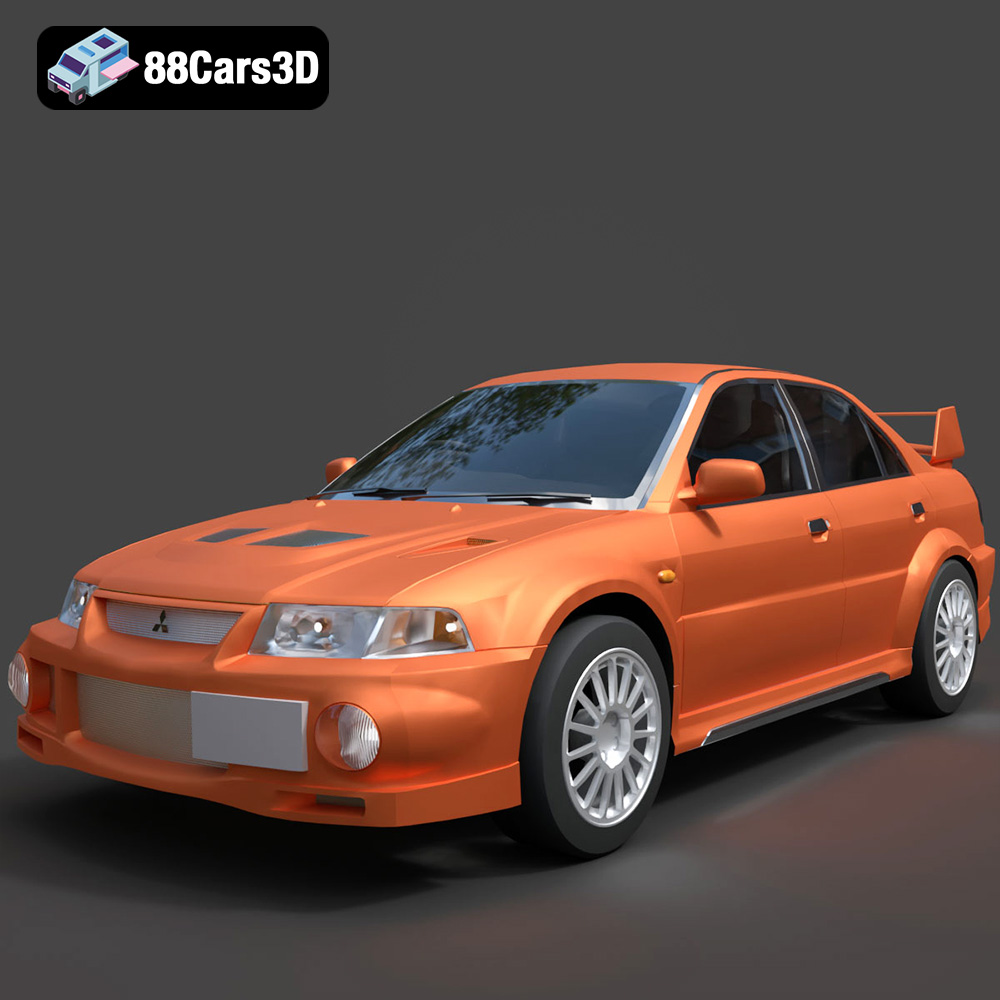
Texture: Yes
Material: Yes
Download the Mitsubishi Lancer Evolution VI 3D Model featuring clean geometry, realistic detailing, and a fully modeled interior. Includes .blend, .fbx, .obj, .glb, .stl, .ply, .unreal, and .max formats for rendering, simulation, and game development.
Price: $4.99
View Product
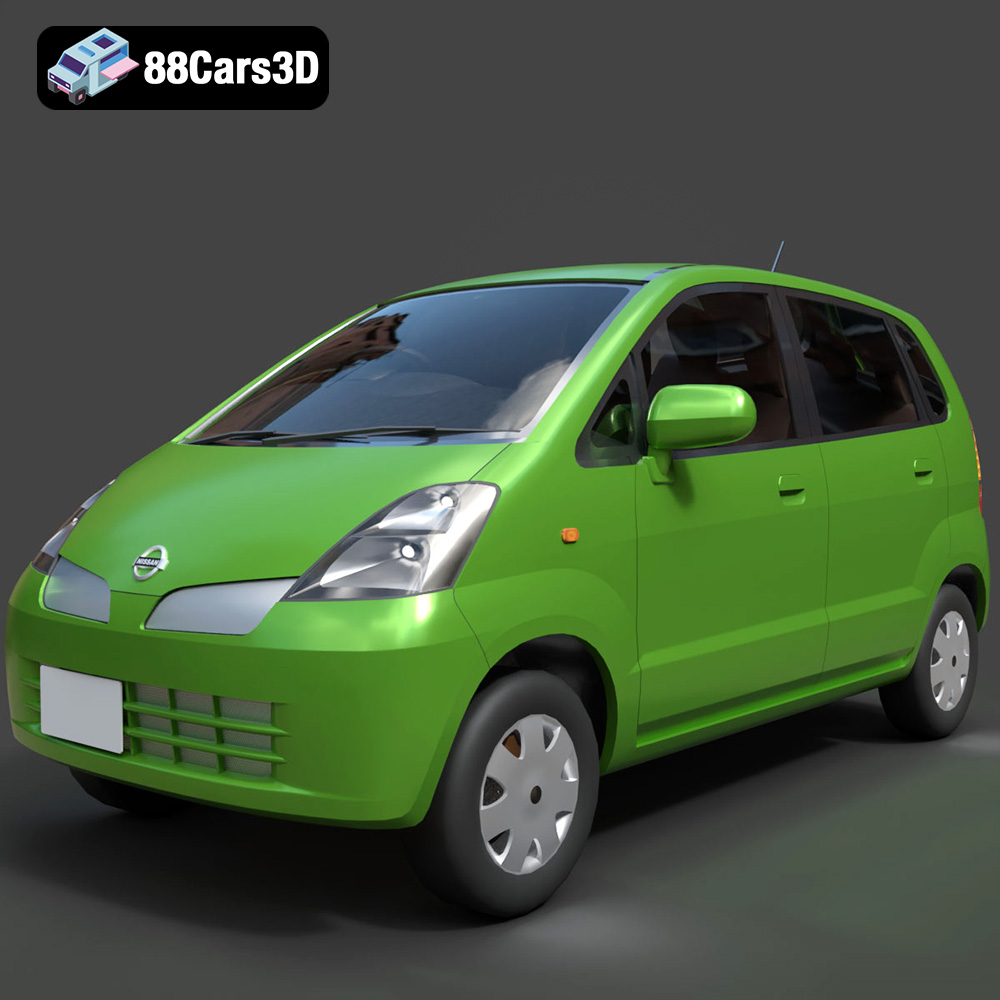
Texture: Yes
Material: Yes
Download the Nissan Moco 007 3D Model featuring clean geometry, realistic detailing, and a fully modeled interior. Includes .blend, .fbx, .obj, .glb, .stl, .ply, .unreal, and .max formats for rendering, simulation, and game development.
Price: $4.99
View Product
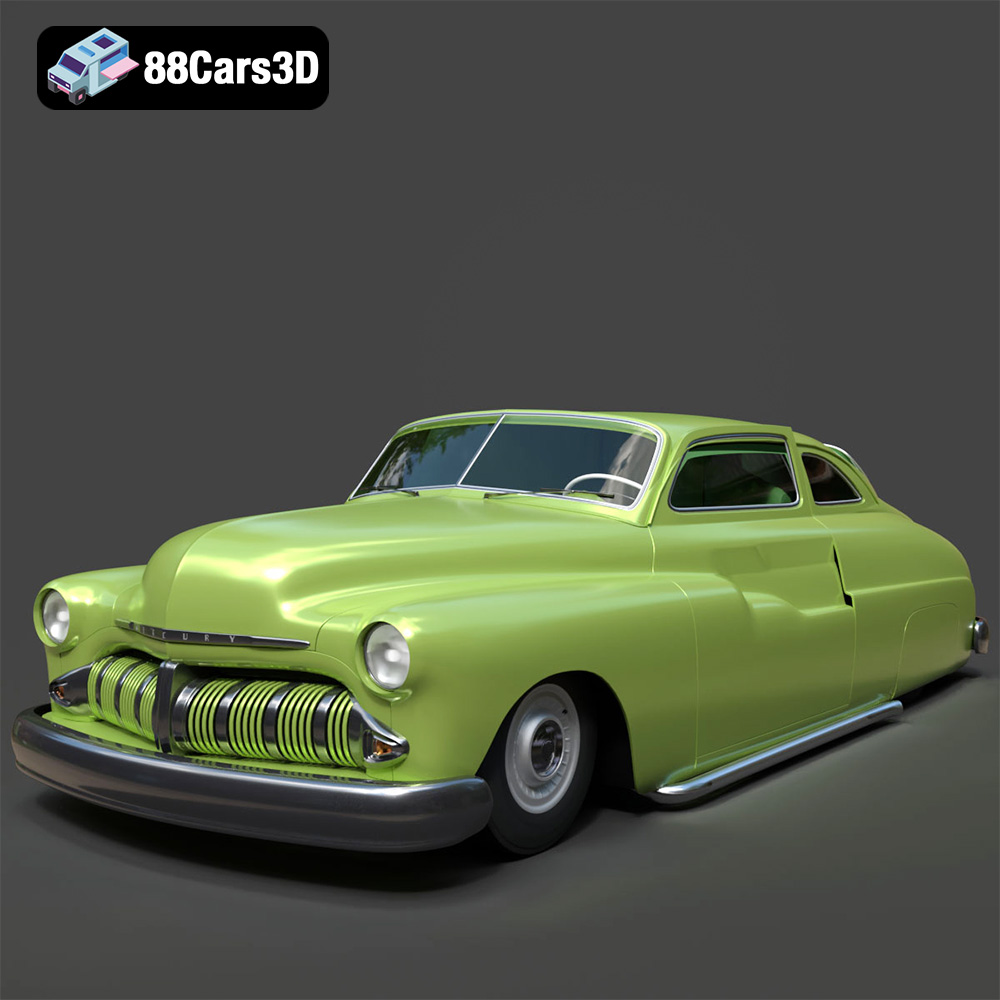
Texture: Yes
Material: Yes
Download the Mercury Coupe 1950 3D Model featuring clean geometry, realistic detailing, and a fully modeled interior. Includes .blend, .fbx, .obj, .glb, .stl, .ply, .unreal, and .max formats for rendering, simulation, and game development.
Price: $4.99
View Product
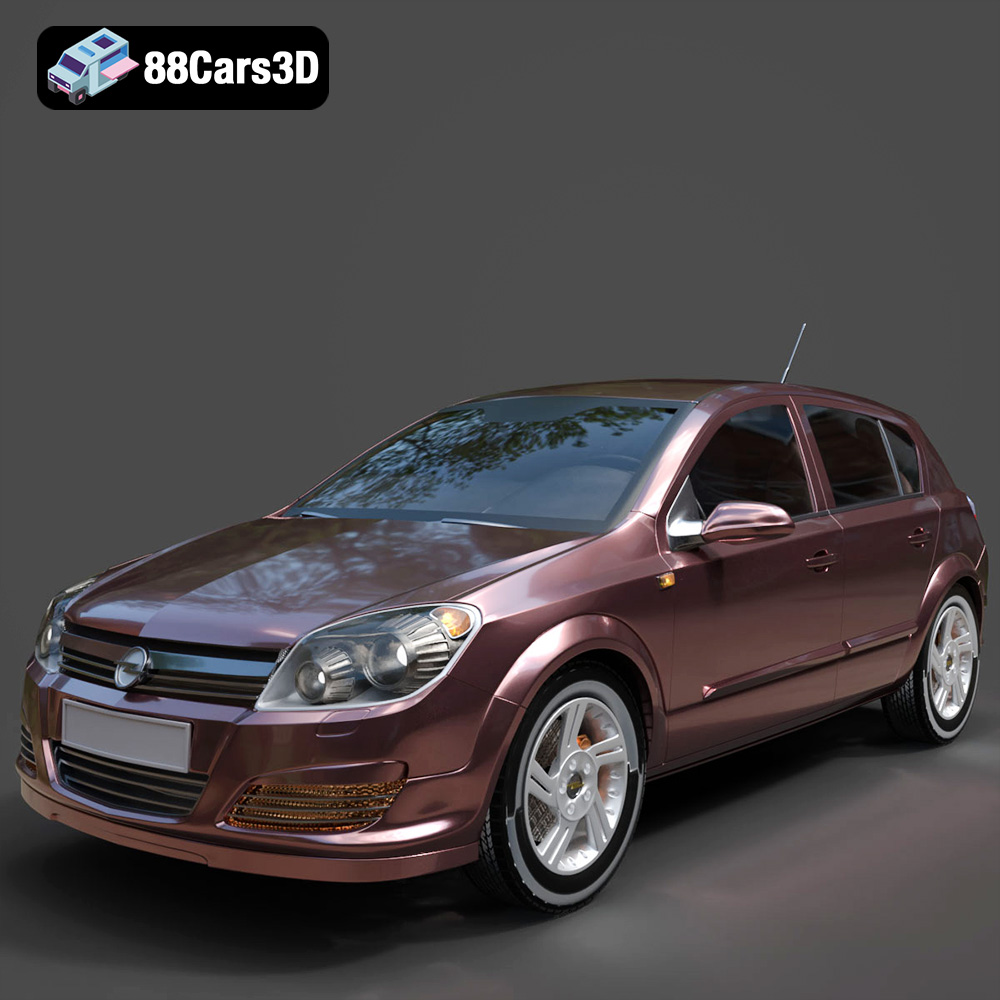
Texture: Yes
Material: Yes
Download the Opel Astra H 2006 3D Model featuring clean geometry, realistic detailing, and a fully modeled interior. Includes .blend, .fbx, .obj, .glb, .stl, .ply, .unreal, and .max formats for rendering, simulation, and game development.
Price: $4.99
View Product
Texture: Yes
Material: Yes
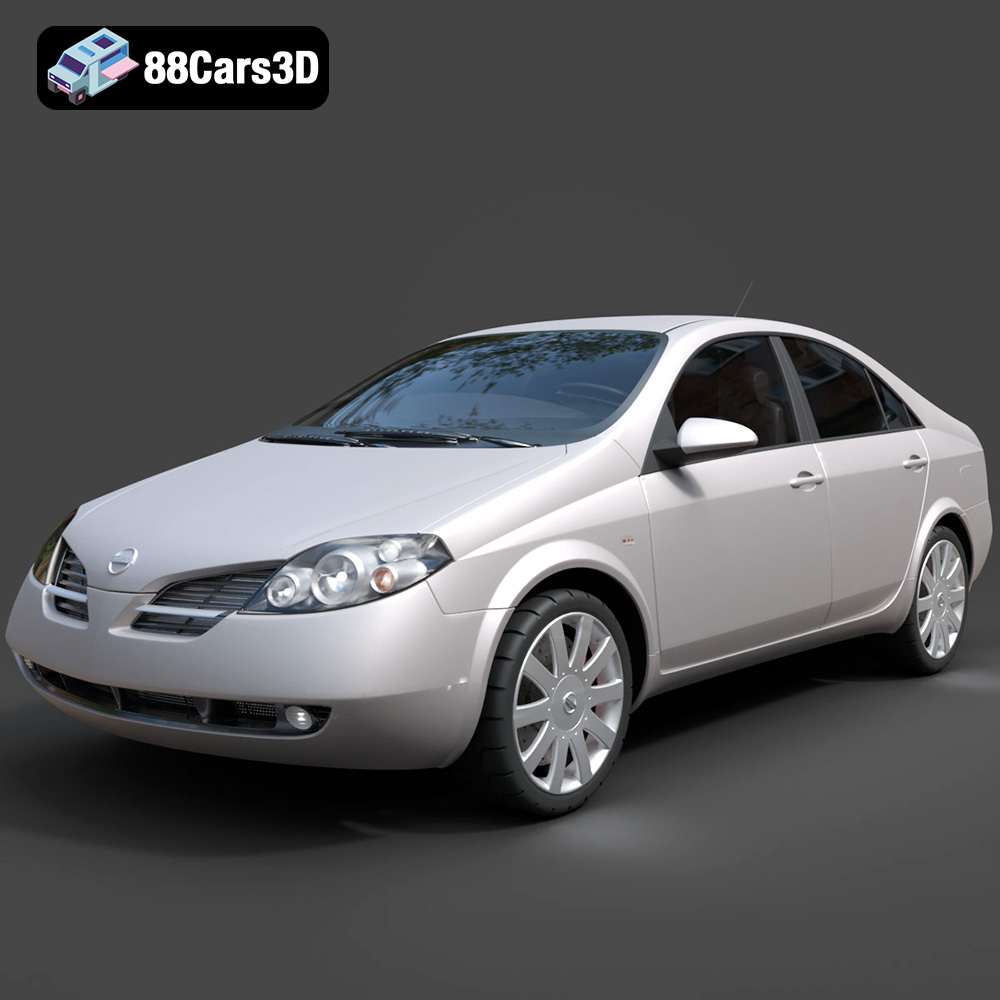
Download the Nissan Primera 2005 3D Model featuring clean geometry, realistic detailing, and a fully modeled interior. Includes .blend, .fbx, .obj, .glb, .stl, .ply, .unreal, and .max formats for rendering, simulation, and game development.
Price: $4.99
View Product

Texture: Yes
Material: Yes
Download the Porsche 911 Carrera S 2005 3D Model featuring clean geometry, realistic detailing, and a fully modeled interior. Includes .blend, .fbx, .obj, .glb, .stl, .ply, .unreal, and .max formats for rendering, simulation, and game development.
Price: $4.99
View Product

Texture: Yes
Material: Yes
Download the Pontiac GTO 1967 3D Model featuring clean geometry, realistic detailing, and a fully modeled interior. Includes .blend, .fbx, .obj, .glb, .stl, .ply, .unreal, and .max formats for rendering, simulation, and game development.
Price: $4.99
View Product

Texture: Yes
Material: Yes
Download the Pontiac Fiero GT 1987 3D Model featuring clean geometry, realistic detailing, and a fully modeled interior. Includes .blend, .fbx, .obj, .glb, .stl, .ply, .unreal, and .max formats for rendering, simulation, and game development.
Price: $4.99
View Product

Texture: Yes
Material: Yes
Download the Plymouth Volare Wagon 3D Model featuring clean geometry, realistic detailing, and a fully modeled interior. Includes .blend, .fbx, .obj, .glb, .stl, .ply, .unreal, and .max formats for rendering, simulation, and game development.
Price: $4.99
View Product
Texture: Yes
Material: Yes
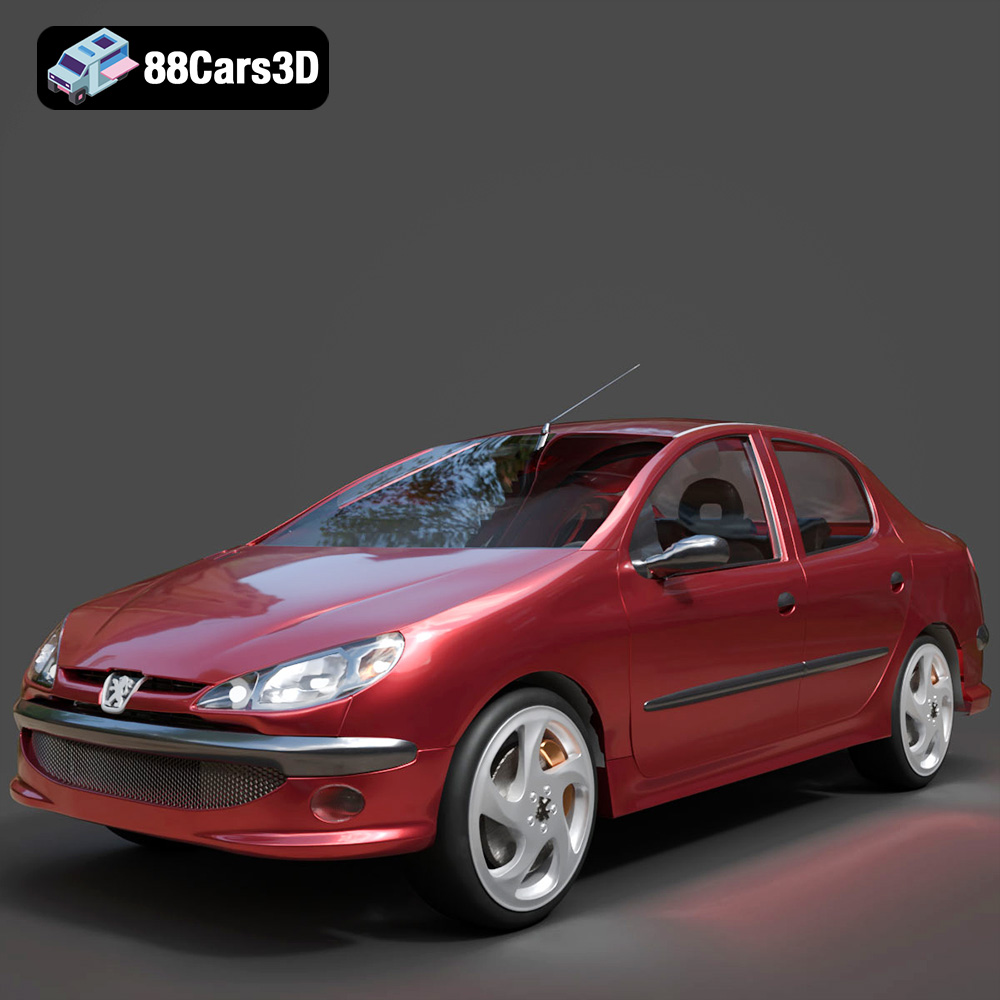
Download the Peugeot 206 Sedan 2002 3D Model featuring clean geometry, realistic detailing, and a fully modeled interior. Includes .blend, .fbx, .obj, .glb, .stl, .ply, .unreal, and .max formats for rendering, simulation, and game development.
Price: $4.99
View Product


