Get 20% OFF All Premium 3D & STL Models!

The sleek lines, the glimmer of chrome, the intricate details of an engine – automotive design has always pushed the boundaries of visual artistry. In the realm of 3D, bringing these machines to life demands an extraordinary blend of technical prowess and artistic vision. Whether you’re a seasoned game developer crafting the next racing sensation, an automotive engineer visualizing a new concept, an architect integrating vehicles into a scene, or a VR/AR designer building immersive experiences, the quality of your 3D car models is paramount.
This comprehensive guide delves deep into the multifaceted world of high-quality 3D car model development and application. We’ll explore the critical aspects that elevate a simple mesh to a photorealistic or game-ready masterpiece: from the foundational principles of clean topology and efficient UV mapping to the intricacies of PBR material creation, advanced rendering techniques, and performance optimization for various platforms. Prepare to unlock the secrets to crafting and utilizing automotive assets that truly stand out, ensuring your projects achieve unparalleled realism and performance. Let’s drive into the technical details that define excellence in automotive rendering and visualization.
At the heart of any exceptional 3D car model lies its topology – the arrangement of vertices, edges, and faces that define its geometric structure. For automotive models, which are characterized by complex curves, hard surfaces, and precise panel gaps, impeccable topology is non-negotiable. Good topology not only ensures a clean visual aesthetic but also dictates how well the model deforms (if animated), how effectively it subdivides for higher detail, and how easily it can be UV unwrapped and textured. The goal is always a clean, quad-based mesh, free from N-gons (faces with more than four sides) and excessive triangulation, especially in areas meant to be smooth.
A typical workflow for modeling a car begins with referencing blueprints and high-resolution images. Artists often start with low-polygon blocking to establish the overall silhouette and proportions before refining details. Tools like 3ds Max, Blender, and Maya offer robust modeling toolsets for this. The ‘box modeling’ or ‘polygon modeling’ approach allows for precise control over edge loops, which are critical for defining contours, creases, and panel lines. For smooth surfaces, the mesh should be dense enough to hold its shape without subdivision but sparse enough to be manageable. Sharp creases, like those along a fender or a door seam, require additional edge loops to “hold” the sharpness when subdivision modifiers are applied, preventing unwanted softening. This careful distribution of edges and faces is what we refer to as edge flow.
The industry standard for organic and hard-surface modeling alike is to work with quads (four-sided polygons). Quads subdivide predictably, allowing for smooth transitions and accurate surface curvature when using subdivision surface modifiers like OpenSubdiv, TurboSmooth (3ds Max), or Subdivision Surface (Blender). A model built with clean quad topology can easily be toggled between a low-poly cage and a high-poly, smooth mesh, making it adaptable for different stages of production and different end uses. For example, a base mesh of 50,000 polygons can become a 1.5 million polygon high-detail render mesh with just one or two levels of subdivision, all while maintaining its precise shapes and volumes.
Automotive design is replete with sharp, defined edges alongside sweeping, smooth surfaces. Achieving this contrast in 3D requires careful management of edge flow and subdivision. For truly sharp creases that maintain their crispness even after multiple levels of subdivision, artists typically employ what are known as support loops or “holding edges.” These are additional edge loops run parallel and very close to the edge intended to be sharp. When subdivided, the geometry between these close edges remains tight, preventing the edge from rounding off excessively.
Alternatively, some workflows utilize explicit creasing values (e.g., in Blender’s Subdivision Surface modifier or Maya’s Crease Set Editor) which allow you to assign a ‘sharpness’ value to specific edges without adding extra geometry. While effective, this method might not always transfer perfectly between different software packages or game engines that don’t support such metadata directly. For universal compatibility, support loops are generally preferred for crucial design lines. Understanding when to use subtle bevels versus hard creases is key to capturing the true essence of an automotive design.
Even experienced artists can fall into topology traps. Common issues include:
Maintaining a clean, efficient mesh from the outset saves countless hours down the line, ensuring a smooth transition to UV mapping, texturing, and final rendering or engine integration. This foundational work is what distinguishes amateur models from the high-fidelity assets found on platforms like 88cars3d.com.
Once the geometry is solidified, the next crucial step is to define how textures will wrap around the 3D model. This is where UV mapping comes in. UVs are 2D coordinates that tell your software exactly where each pixel of a texture map should land on the 3D surface. Without proper UVs, textures will appear stretched, distorted, or simply won’t display correctly. For detailed automotive models, meticulous UV unwrapping is essential for applying realistic paint finishes, intricate carbon fiber patterns, and detailed decals without visual artifacts. Combined with Physically Based Rendering (PBR) materials, UVs are the key to achieving photorealistic surface qualities.
PBR materials represent a paradigm shift in texturing, aiming to simulate how light interacts with surfaces in the real world more accurately than older rendering techniques. Instead of merely faking reflectivity or color, PBR shaders use a set of interconnected texture maps to define properties like base color (albedo), metallicness, roughness, normal details, and ambient occlusion. This approach ensures that materials look consistent and realistic under various lighting conditions and across different rendering engines, whether you’re using Corona Renderer, V-Ray, Cycles, or a real-time engine like Unity or Unreal.
Automotive models present unique UV unwrapping challenges due to their combination of large, curved panels and intricate details. The primary goal is to minimize stretching and overlap while maximizing texture resolution across important areas. Common strategies include:
Software like RizomUV, UVLayout, or the native UV editors in Blender, 3ds Max, and Maya offer powerful tools for creating clean UV maps, including pelt mapping, packing algorithms, and projection methods.
PBR materials rely on a set of standardized texture maps to convey physical properties. For automotive applications, these are critical:
Shading networks in software like 3ds Max (with Corona/V-Ray), Blender (Cycles), or Maya (Arnold) allow you to connect these maps to their respective channels in a PBR shader, layering details and achieving complex, realistic surfaces. For instance, a car paint shader might involve multiple layers: a base metallic layer, a clear coat with specific roughness and reflection properties, and perhaps a subtle flake texture driven by a procedural noise map.
The resolution of your texture maps directly impacts the visual fidelity of your model. For hero assets like a featured car, 4K (4096×4096) or even 8K (8192×8192) textures are common for the main body and other critical components. Lesser visible parts, like the underside of the chassis or engine components, might use 2K or 1K textures to save memory. Balancing visual quality with performance is key, especially for game assets or AR/VR applications.
Channel packing is an optimization technique where multiple grayscale texture maps (like Roughness, Metallic, Ambient Occlusion, and sometimes even Height) are combined into the Red, Green, and Blue channels of a single RGB image. For example, a common PBR workflow packs Roughness into Red, Metallic into Green, and Ambient Occlusion into Blue. This significantly reduces the number of texture samples a GPU needs to perform, saving VRAM and improving real-time performance. This technique is especially valuable for models used in game engines like Unity and Unreal, which actively encourage it for efficient resource management. When sourcing high-quality game assets, such as those available on 88cars3d.com, look for models that have already implemented these optimized texture workflows.
Bringing a 3D car model to life in a still image or animation involves more than just great modeling and texturing; it requires a deep understanding of lighting, camera work, and rendering techniques. Automotive rendering is an art form in itself, aiming to capture the dramatic presence and intricate details of a vehicle. Whether you’re aiming for photorealism for advertising, stylistic flair for concept art, or technical accuracy for visualization, the rendering workflow is where your model truly shines. This section explores the critical elements that contribute to a stunning final render, from setting up believable lighting to leveraging powerful render engines and applying professional post-processing.
The choice of render engine often depends on the software ecosystem and desired output. CPU-based engines like Corona Renderer and V-Ray (both highly integrated with 3ds Max) are renowned for their physically accurate global illumination and ease of use. GPU-based engines like Blender’s Cycles, Redshift, and Arnold (available in Maya and other DCCs) offer faster iterative rendering, particularly beneficial for animation. Regardless of the engine, the principles of lighting, material accuracy, and camera composition remain universal.
Effective lighting is perhaps the most critical component of a realistic render. For automotive subjects, a common and highly effective approach is using High Dynamic Range Images (HDRIs) coupled with targeted physical lights:
A typical studio lighting setup for a car might involve a large HDRI for overall ambience and reflections, one or two large area lights to define the main body contours, and smaller fill lights or rim lights to highlight edges or separate the car from the background. Experimenting with light temperature, intensity, and position is key to achieving the desired mood and visual impact.
Each major render engine offers unique strengths and workflows:
Regardless of the engine, understanding render passes (e.g., diffuse, reflection, refractions, Z-depth, normal, AO) is crucial. These passes allow for greater control during compositing, enabling precise adjustments to lighting, color, and effects without re-rendering the entire scene.
A raw render straight out of the engine is rarely the final image. Post-processing and compositing in software like Adobe Photoshop or DaVinci Resolve (Fusion) are essential steps to elevate a render to a professional standard. This is where you can:
By leveraging these techniques, artists can transform a technically accurate render into a visually compelling masterpiece, ready for marketing, presentations, or portfolio showcases. This final polish is often what makes the difference between a good render and a breathtaking one.
While cinematic rendering focuses on ultimate visual fidelity, real-time applications like video games, AR/VR experiences, and interactive configurators prioritize performance above all else. A beautifully detailed 3D car model that takes minutes to render will crash a game engine if not properly optimized. The challenge lies in achieving compelling visual quality within strict performance budgets for polygon count, texture memory, and draw calls. This section delves into the critical strategies for preparing car models for seamless integration and high performance in real-time environments such as Unity and Unreal Engine.
The optimization process starts with the base mesh and extends through texturing, material setup, and engine integration. It requires a meticulous approach to asset creation and a deep understanding of how game engines process and render geometry. The goal is to provide enough detail where it matters (e.g., the car’s exterior when close up) while aggressively reducing complexity everywhere else, without visibly compromising quality.
Level of Detail (LODs) is the cornerstone of real-time optimization for complex assets like cars. It involves creating multiple versions of the same model, each with a progressively lower polygon count. The game engine then dynamically switches between these versions based on the object’s distance from the camera:
Tools within Unity and Unreal Engine (e.g., LOD Group component) simplify the setup and automatic switching of LODs. Creating these LODs often involves manual decimation, re-topologizing, or using automatic polygon reduction tools, followed by baking normal maps from the higher-poly versions to retain detail. This ensures that the GPU only renders the necessary amount of detail, dramatically improving frame rates.
Dynamic Culling complements LODs. This refers to various techniques where the engine avoids rendering objects or parts of objects that are not visible to the camera (e.g., occlusion culling for objects hidden behind others, frustum culling for objects outside the camera’s view). While not directly part of the model creation, a well-optimized model facilitates more effective culling by having a clean hierarchy and appropriate bounding volumes.
Reducing draw calls is another critical optimization for real-time performance. A draw call occurs every time the CPU tells the GPU to render a batch of objects. Each new material typically incurs a new draw call. For a car with many individual parts and materials (body, wheels, windows, lights, interior elements), this can quickly add up.
By using texture atlases and material instances, a car model with potentially dozens of materials can be streamlined to use only a handful of draw calls, greatly improving rendering efficiency, especially when many cars are present in a scene.
The advent of real-time ray tracing in modern GPUs and game engines (Unity’s High Definition Render Pipeline, Unreal Engine 5’s Lumen) has brought unprecedented levels of realism to interactive experiences. While incredibly powerful, ray tracing is still computationally intensive, and optimizing game assets for it requires additional considerations:
When developing for AR/VR, the performance demands are even stricter due to the need for high, stable frame rates (90+ FPS) to prevent motion sickness. This means even more aggressive LODs, lower texture resolutions, and simpler materials become paramount. Models sourced from marketplaces like 88cars3d.com often come with these optimizations already implemented, saving developers valuable time.
The utility of high-quality 3D car models extends far beyond traditional renders and game engines. Augmented Reality (AR) and Virtual Reality (VR) are transforming how we interact with digital content, offering immersive experiences for training, visualization, and sales. Simultaneously, 3D printing has revolutionized prototyping and manufacturing, allowing digital designs to materialize into physical objects. Each of these applications imposes its own unique set of technical requirements and optimization strategies on 3D assets.
For AR/VR, the focus remains heavily on real-time performance and seamless integration into interactive environments, often with even stricter constraints than video games due to the high frame rate requirements for comfort. For 3D printing, the concerns shift to mesh integrity, physical dimensions, and material considerations. Understanding these specific needs is crucial for preparing a versatile 3D car model that can succeed across diverse mediums.
Developing 3D car models for AR/VR platforms demands an extreme focus on optimization to maintain the high, stable frame rates (typically 90 FPS or higher) required to prevent motion sickness and ensure a fluid user experience. Every polygon, every texture sample, and every shader instruction contributes to the performance budget. Key strategies include:
Achieving a balance between visual fidelity and buttery-smooth performance is the constant challenge in AR/VR development. Pre-optimized assets found on professional marketplaces are a significant advantage for designers working in this space.
Transforming a digital car model into a tangible object via 3D printing introduces an entirely different set of technical considerations. The fundamental requirement for 3D printing is a watertight (manifold) mesh – meaning every edge must be shared by exactly two faces, and there should be no holes, inverted normals, or self-intersecting geometry. If a mesh isn’t watertight, the printer software won’t know what’s ‘inside’ and ‘outside’ the object.
Unlike rendering, topology for 3D printing often tolerates triangles more readily than quads, as long as the mesh is solid. High polygon counts are generally fine as long as they don’t exceed the printer’s processing capabilities or file size limits for the slicing software.
3D printing offers unparalleled opportunities for rapid prototyping and creating scaled models of cars. Designers can quickly iterate on different body kits, aerodynamic elements, or interior layouts by printing physical versions. This allows for hands-on evaluation of form, fit, and aesthetic appeal in a way that purely digital models cannot match.
For architectural visualization, printing a scaled car to place within a physical model of a building or urban plan adds a layer of realism and context. For educational purposes, detailed cutaway models of engines or chassis can be printed for hands-on learning. The key is to prepare the digital model with the end physical output in mind: considering the limitations and strengths of the chosen printing technology and material. This foresight ensures that the journey from virtual asset to physical object is as smooth and successful as possible.
In the dynamic world of 3D, assets rarely stay confined to a single software application. A 3D car model might be created in Blender, textured in Substance Painter, rendered in V-Ray for 3ds Max, optimized for Unreal Engine, and then exported for an AR app or even 3D printing. This multi-tool pipeline necessitates a deep understanding of various file formats and the nuances of cross-platform compatibility. Ensuring that your meticulously crafted model retains its integrity – its geometry, UVs, materials, and hierarchy – across different software and engines is a critical technical skill.
The choice of file format for export can significantly impact the success of a project. Some formats are excellent for retaining full scene data but might be proprietary, while others are universal but can strip away crucial information. Navigating this landscape requires not just knowing which format to use, but also understanding the common pitfalls of data conversion and how to mitigate them.
A few file formats dominate the exchange of 3D assets due to their widespread support and ability to store various types of data:
Exporting and importing 3D assets is not always a flawless process. Maintaining data integrity requires careful attention to detail:
For complex projects involving multiple assets and iterations, robust asset management and version control become indispensable. Using systems like Git, Perforce, or specialized asset management software allows teams to track changes, revert to previous versions, and collaborate effectively without overwriting each other’s work.
Organizing your 3D car models with a consistent naming convention (e.g., `Car_Sports_Red_LOD0.fbx`, `Car_Sports_Red_Albedo.png`) and folder structure (e.g., `Models/Cars/SportsCar/Textures/`) is crucial for maintainability. When sourcing pre-made assets, such as the professionally prepared models from 88cars3d.com, pay attention to their included file formats and organizational structure, as this significantly impacts ease of integration into your pipeline. A well-organized, cleanly exported asset can save days of troubleshooting and ensure a smooth workflow across diverse applications.
The journey through the creation, optimization, and application of high-quality 3D car models reveals a complex yet rewarding landscape of technical artistry. We’ve explored the foundational importance of impeccable topology and edge flow, which underpins the visual integrity of any vehicle. We delved into the intricacies of UV mapping and the transformative power of PBR materials, which together breathe life into otherwise inert surfaces, ensuring realism under any lighting condition.
From crafting cinematic renders with advanced lighting and powerful render engines like Corona and V-Ray, to meticulously optimizing models for the demanding real-time environments of game engines like Unity and Unreal, the requirements are diverse and exacting. Furthermore, we examined the specialized considerations for extending these digital creations into immersive AR/VR experiences and tactile 3D printed prototypes, emphasizing performance and structural integrity. Finally, understanding the nuances of various file formats and maintaining data integrity across disparate software pipelines emerged as a critical skill for any professional in this field.
Mastering these technical aspects is not merely about achieving visual fidelity; it’s about unlocking the full potential of your creative vision and ensuring your 3D car models are versatile, performant, and truly impactful across a myriad of applications. Whether you’re an independent artist or part of a large studio, investing in understanding these principles will elevate your work significantly.
For those looking to accelerate their projects with professionally crafted, optimized assets, platforms like 88cars3d.com offer a curated selection of 3D car models designed with these very best practices in mind, ready for immediate use in automotive rendering, game development, AR/VR visualization, and even 3D printing. Embrace these techniques, leverage high-quality resources, and drive your projects towards unparalleled success.

Texture: Yes
Material: Yes
Download the Mazda MX-5 2025 3D Model featuring clean geometry, realistic detailing, and a fully modeled interior. Includes .blend, .fbx, .obj, .glb, .stl, .ply, .unreal, and .max formats for rendering, simulation, and game development.
Price: $4.99

Texture: Yes
Material: Yes
Download the Nissan Maxima 2009 3D Model featuring clean geometry, realistic detailing, and a fully modeled interior. Includes .blend, .fbx, .obj, .glb, .stl, .ply, .unreal, and .max formats for rendering, simulation, and game development.
Price: $4.99

Texture: Yes
Material: Yes
Download the Mitsubishi Colt 2025 3D Model featuring clean geometry, realistic detailing, and a fully modeled interior. Includes .blend, .fbx, .obj, .glb, .stl, .ply, .unreal, and .max formats for rendering, simulation, and game development.
Price: $4.99
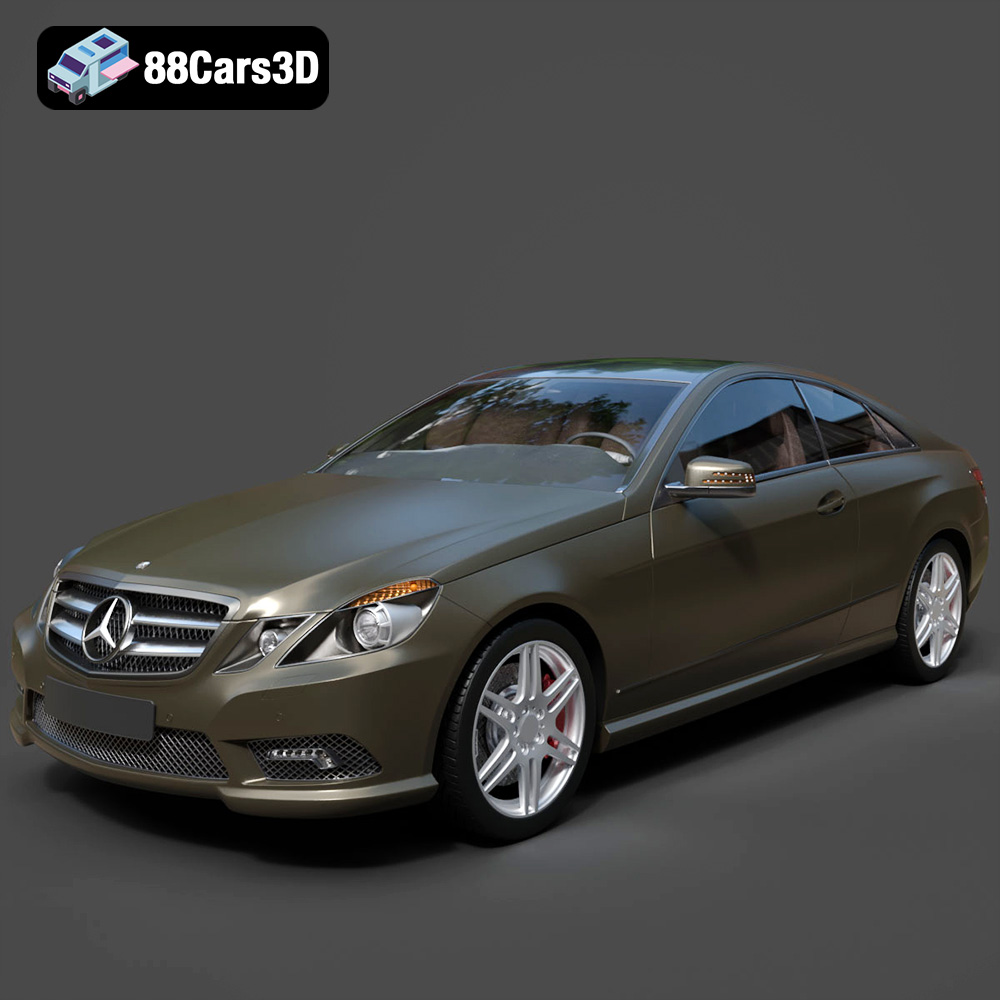
Texture: Yes
Material: Yes
Download the Mercedes-Benz E Coupe 2010 3D Model featuring clean geometry, realistic detailing, and a fully modeled interior. Includes .blend, .fbx, .obj, .glb, .stl, .ply, .unreal, and .max formats for rendering, simulation, and game development.
Price: $4.99
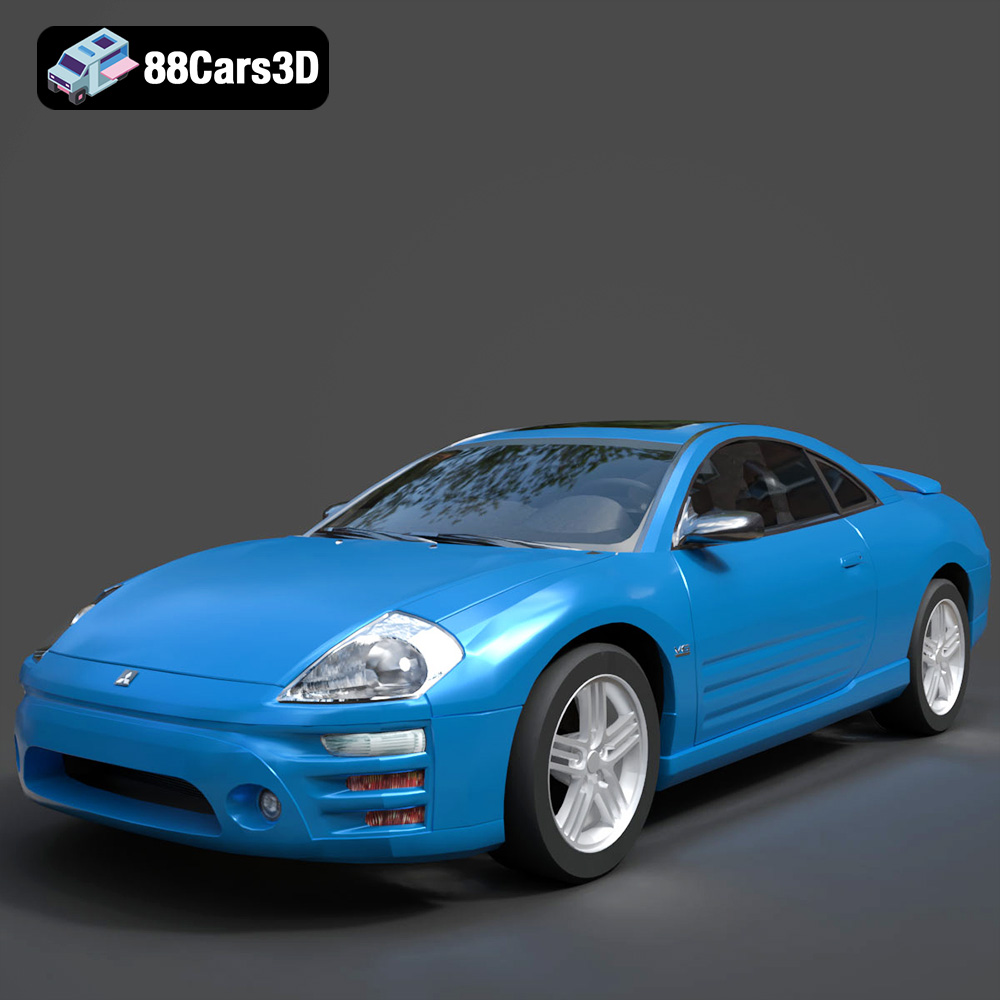
Texture: Yes
Material: Yes
Download the Mitsubishi Eclipse 2005 3D Model featuring clean geometry, realistic detailing, and a fully modeled interior. Includes .blend, .fbx, .obj, .glb, .stl, .ply, .unreal, and .max formats for rendering, simulation, and game development.
Price: $4.99
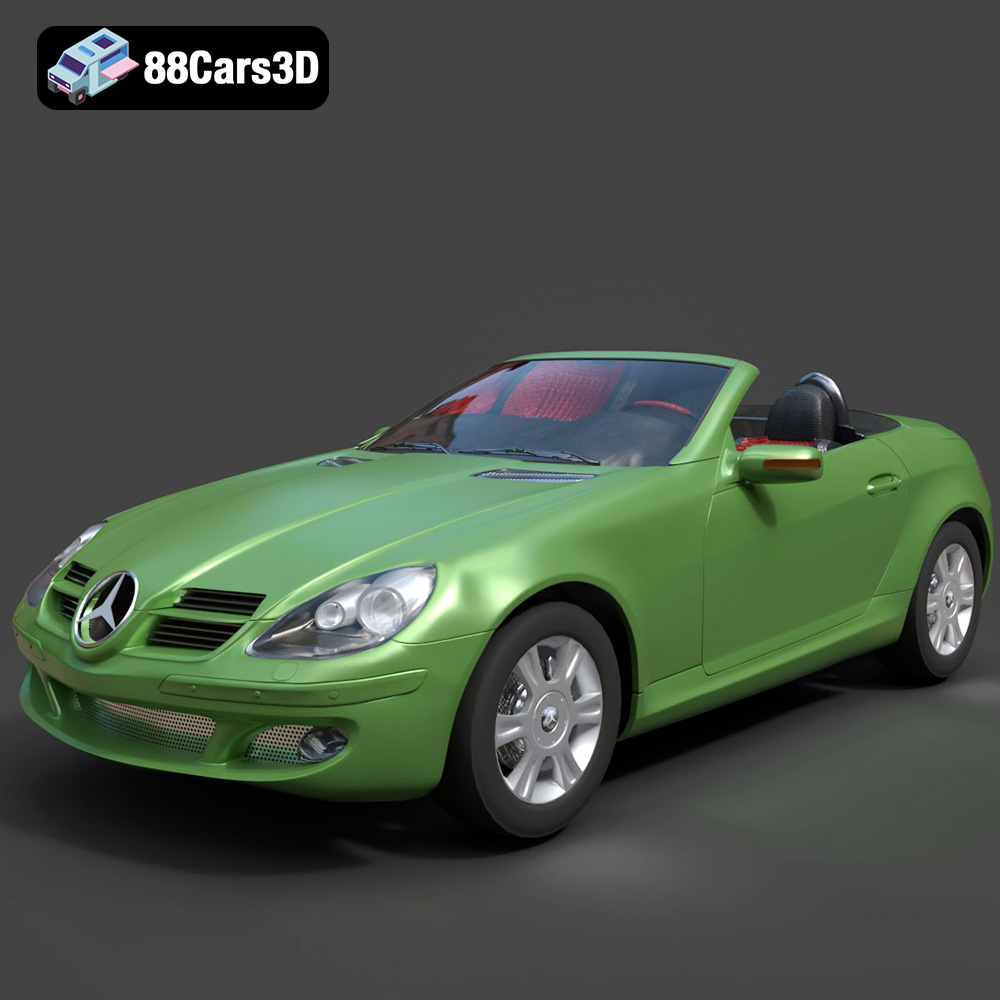
Texture: Yes
Material: Yes
Download the Mercedes-Benz SLK (R171) 3D Model featuring clean geometry, realistic detailing, and a fully modeled interior. Includes .blend, .fbx, .obj, .glb, .stl, .ply, .unreal, and .max formats for rendering, simulation, and game development.
Price: $4.99
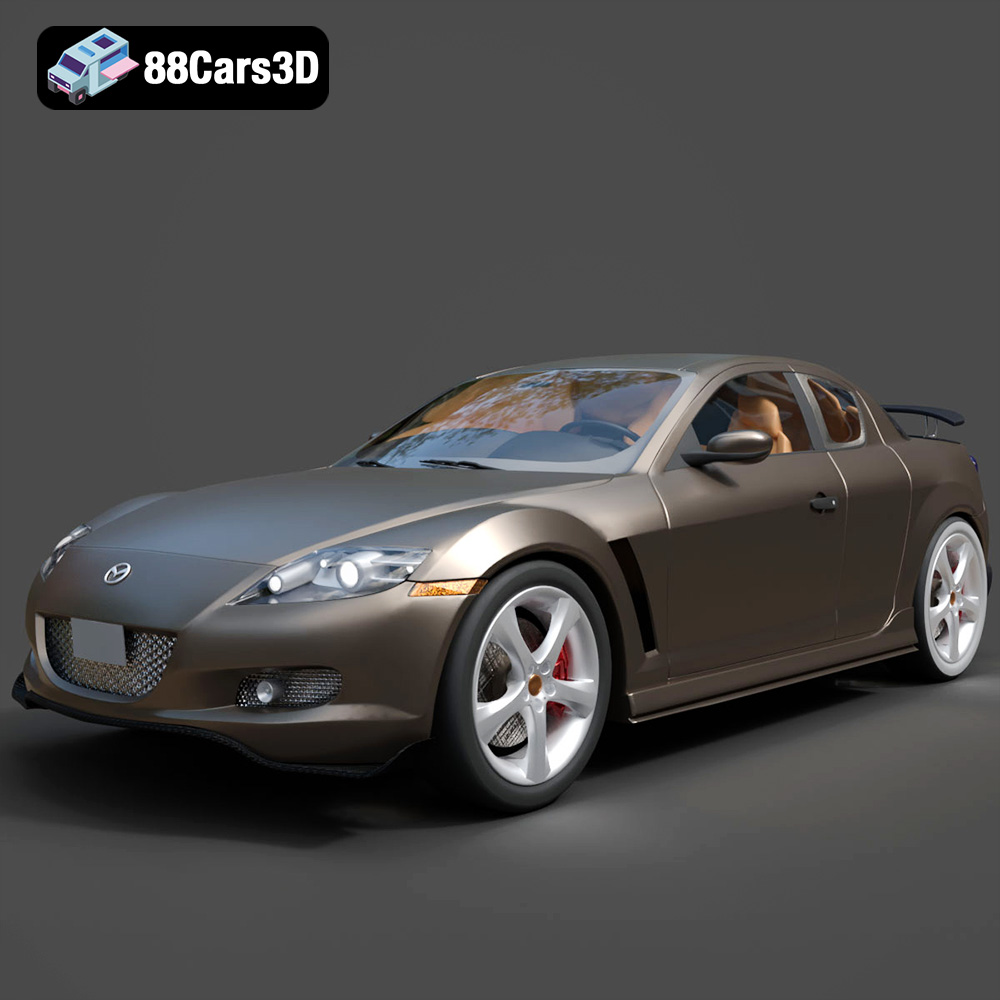
Texture: Yes
Material: Yes
Download the Mazda RX-8 2008 3D Model featuring clean geometry, realistic detailing, and a fully modeled interior. Includes .blend, .fbx, .obj, .glb, .stl, .ply, .unreal, and .max formats for rendering, simulation, and game development.
Price: $4.99

Texture: Yes
Material: Yes
Download the McLaren F1 1992 3D Model featuring clean geometry, realistic detailing, and a fully modeled interior. Includes .blend, .fbx, .obj, .glb, .stl, .ply, .unreal, and .max formats for rendering, simulation, and game development.
Price: $4.99

Texture: Yes
Material: Yes
Download the Mercedes-Benz C-class W203 2006 3D Model featuring clean geometry, realistic detailing, and a fully modeled interior. Includes .blend, .fbx, .obj, .glb, .stl, .ply, .unreal, and .max formats for rendering, simulation, and game development.
Price: $4.99
Texture: Yes
Material: Yes
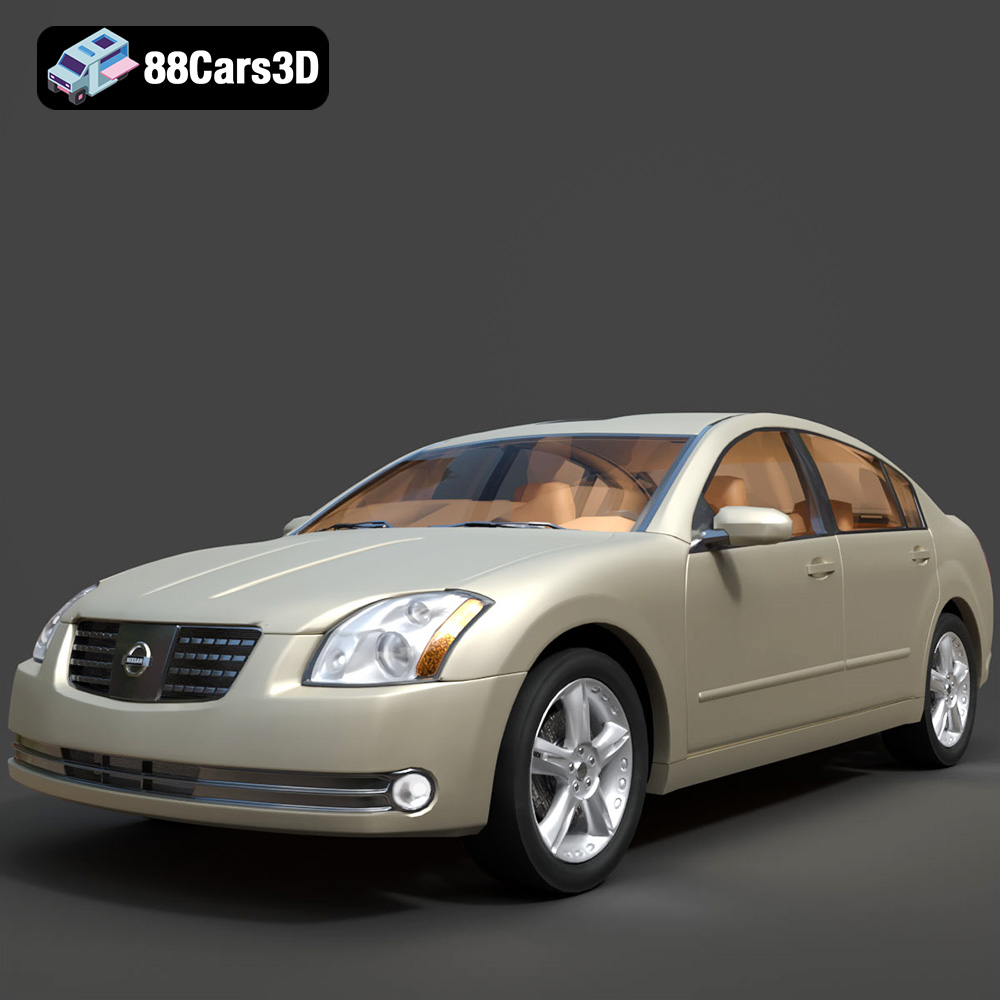
Download the Nissan Maxima-008 2025 3D Model featuring clean geometry, realistic detailing, and a fully modeled interior. Includes .blend, .fbx, .obj, .glb, .stl, .ply, .unreal, and .max formats for rendering, simulation, and game development.
Price: $4.99

