Get 20% OFF All Premium 3D & STL Models!

The allure of a beautifully designed automobile extends far beyond its physical presence. In the digital realm, a meticulously crafted 3D car model can evoke the same sense of wonder, speed, and luxury, serving as the cornerstone for everything from blockbuster video games to cutting-edge virtual reality experiences and photorealistic architectural visualizations. However, creating and deploying these intricate digital vehicles requires a profound understanding of specialized workflows, technical specifications, and industry best practices.
This comprehensive guide delves into the intricate world of high-quality 3D car models, breaking down the complex processes involved in their creation, optimization, and application across various industries. Whether you’re a seasoned 3D artist, an aspiring game developer, an automotive designer, or a visualization professional, you’ll gain invaluable insights into techniques that elevate your digital automotive projects from concept to stunning reality. We’ll cover everything from the foundational principles of topology and UV mapping to advanced PBR material creation, powerful rendering workflows, and critical game engine optimization strategies. Prepare to unlock the full potential of digital automotive artistry.
At the heart of every great 3D car model lies impeccable topology and intelligent edge flow. These foundational elements dictate not only the visual fidelity of your model but also its performance, ease of texturing, and ability to deform smoothly. For automotive models, which are characterized by complex curved surfaces, sharp creases, and precise panel gaps, clean topology is paramount. It ensures that reflections glide smoothly across the vehicle’s body, subtle contours are accurately represented, and the model holds up under various lighting conditions and rendering techniques.
A poorly constructed mesh, rife with N-gons (polygons with more than four sides), T-junctions (where an edge ends in the middle of another), or inconsistent polygon distribution, can lead to myriad problems. These issues include visible artifacts, pinching during subdivision, difficulty in applying textures, and increased processing overhead. Professional automotive models, like those you might find on platforms such as 88cars3d.com, are built with an acute awareness of these principles, providing a solid base for any project, from high-fidelity cinematic renders to optimized game assets.
When modeling hard-surface objects like cars, the primary goal is to maintain an all-quad (four-sided polygon) mesh. Quads are ideal for subdivision surfaces, which are frequently used to create smooth, organic curves from a lower-resolution base mesh. To achieve sharp edges and define distinct features, support loops or control loops are essential. These are additional edge loops placed close to the edges you want to harden, effectively “holding” the shape when subdivision is applied. For example, around a car’s wheel arches or door frames, multiple support loops are crucial to maintain their crispness without causing undesirable creasing elsewhere.
Another critical practice is to ensure an even distribution of polygons across the surface. This helps prevent stretching or compression of textures and ensures consistent detail levels. While Boolean operations can speed up initial blocking, they often leave messy topology that requires significant cleanup—a meticulous process of re-routing edges and converting N-gons back to quads. Always aim to minimize poles (vertices where more or less than four edges meet) in flat areas, as these can create visible shading artifacts, especially on reflective surfaces like car paint.
The level of detail required for a 3D car model significantly impacts its polygon count and overall modeling strategy. For cinematic rendering or high-end visualization, models can easily reach millions of polygons (e.g., 500,000 to 5 million+). Here, subdivision surface modeling in software like Blender, 3ds Max, or Maya allows artists to work with a relatively low-poly cage and achieve incredibly smooth, detailed results at render time. Every intricate detail, from individual bolts on a wheel to the stitching on an interior seat, might be modeled explicitly.
Conversely, for real-time applications such as video games or AR/VR experiences, polygon budgets are much tighter (e.g., 50,000 to 200,000 polygons for a hero vehicle). In these scenarios, a combination of direct polygonal modeling and baking high-detail normal maps from a sculpted or high-poly source is employed. This strategy allows complex surface information—like panel lines, vents, or small imperfections—to be represented by textures rather than actual geometry, drastically reducing the real-time processing load while maintaining visual fidelity. Understanding when to model and when to bake is a key skill for efficient asset creation.
Once a car model’s geometry is perfect, the next step towards photorealism involves its surface appearance, driven by meticulous UV mapping and sophisticated Physically Based Rendering (PBR) materials. UV mapping is the process of flattening the 3D surface of your model into a 2D space, allowing textures to be painted or applied without distortion. For complex, curved surfaces like those on a car, this can be a challenging task, requiring careful planning to minimize seams and maintain consistent texel density across different parts of the vehicle.
PBR materials, on the other hand, are the engine of modern rendering realism. They simulate how light interacts with surfaces in a physically accurate way, producing consistent results across various lighting conditions and rendering environments. Instead of relying on subjective color and specular maps, PBR workflows utilize maps like Albedo (base color), Roughness (micro-surface detail affecting reflections), Metallic (dielectric vs. metallic properties), Normal (fine surface detail), and Ambient Occlusion (contact shadows) to define a material’s properties. Mastering these elements is crucial for achieving truly believable digital automotive surfaces.
For a high-quality 3D car model, effective UV unwrapping is critical. Large, complex surfaces like the car body often benefit from UDIM workflows, which allow textures to be spread across multiple UV tiles. This approach provides significantly higher texel density and resolution compared to packing everything into a single 0-1 UV space, preventing pixelation on close-up shots. Tools like RizomUV, UVLayout, or the built-in UV editors in 3ds Max, Blender, and Maya offer advanced features for minimizing distortion, aligning UV shells, and optimizing UV space utilization.
For repetitive elements such as tire treads, bolts, or small interior buttons, overlapping UVs can be used to conserve texture space. These elements can share the same texture area, reducing the overall number of unique texture maps needed. Ensuring uniform texel density across all UV shells is paramount; this means that a square centimeter on the car body should occupy roughly the same amount of pixel space on the UV map as a square centimeter on a wheel or headlight. This consistency prevents texture stretching or blurriness and ensures that all parts of the car look equally detailed. Strategic seam placement, often along natural panel lines or hidden edges, helps to conceal where the 3D mesh is “cut” for unwrapping.
Creating compelling PBR texture sets is an art in itself. Software like Substance Painter and Substance Designer are industry standards, allowing artists to procedurally generate and paint incredibly detailed maps. For car paint, this involves crafting a complex shader network that simulates multiple layers: a base color, metallic flakes, and a clear coat. The clear coat itself often requires its own set of parameters for roughness, normal, and even subtle subsurface scattering for very thick coats. Headlights and taillights benefit from advanced shaders that incorporate transparency, refraction, and emissive properties, often combined with intricate normal maps to simulate internal lens patterns.
Texture resolution also plays a vital role. While 2K (2048×2048 pixels) textures are common for individual components, 4K or even 8K textures might be used for large surfaces like the car body in high-fidelity projects. The choice of resolution impacts both visual quality and memory footprint, making it a critical consideration for both rendering and game optimization. When sourcing high-quality models from marketplaces such as 88cars3d.com, you often find these intricate PBR materials and high-resolution textures pre-applied, saving countless hours of setup time and ensuring professional-grade results from the outset.
Once a 3D car model is meticulously crafted and textured, the next crucial step is to render it into stunning, photorealistic images or animations. Rendering is the process of generating a 2D image from a 3D model, simulating light interactions, material properties, and camera effects. The choice of rendering software and the approach to lighting and environment setup profoundly impact the final visual quality. Modern renderers, whether CPU-based or GPU-accelerated, offer powerful tools for achieving unparalleled realism, particularly with the physically accurate data provided by PBR materials.
A successful rendering workflow doesn’t just involve pressing a render button; it encompasses careful scene setup, sophisticated lighting design, camera calibration, and the judicious use of render passes for post-production. Understanding the strengths and nuances of different renderers—like Corona, V-Ray, Cycles, and Arnold—allows artists to select the best tool for their specific needs, whether it’s speed, realism, or specific artistic control. The goal is to make the digital car indistinguishable from its real-world counterpart, capturing every nuance of light and shadow.
Each major 3D software package offers robust rendering solutions. In 3ds Max, popular renderers like Corona Renderer and V-Ray excel at photorealistic visualization. A typical setup involves using a High Dynamic Range Image (HDRI) for global illumination and reflections, providing a realistic environment. Physical cameras are employed to simulate real-world camera properties like aperture, shutter speed, and ISO, giving control over depth of field and motion blur. Corona’s interactive light mix feature, for instance, allows real-time adjustment of individual light sources even after the render is complete, offering incredible flexibility.
Blender‘s Cycles renderer, a physically based path tracer, is renowned for its unbiased rendering quality, while Eevee provides real-time rendering capabilities for quick previews and stylized renders. Node-based materials in Blender offer immense flexibility for creating complex shaders. In Maya, Arnold Renderer, a Monte Carlo ray tracing renderer, is a go-to for professional animation and visual effects due to its robust handling of complex scenes, volumetrics, and physically accurate shading. Regardless of the software, the principle remains: create a realistic environment, apply physically accurate materials, and light the scene thoughtfully to highlight the car’s form and details, often using IES profiles for realistic light falloff from headlights and taillights.
To achieve truly professional-grade renders, artists often leverage advanced techniques beyond basic scene setup. Render passes (also known as AOV – Arbitrary Output Variables) are individual image layers output by the renderer, separating elements like diffuse color, reflections, refractions, normals, depth, and material IDs. These passes are then composited in software like Adobe Photoshop, Nuke, or Fusion, allowing for non-destructive adjustments and fine-tuning. For example, reflections can be intensified, shadows softened, or specific materials color-corrected without re-rendering the entire image.
Motion blur, crucial for conveying speed in animated shots, and depth of field, which guides the viewer’s eye, are typically handled by the renderer. Post-processing is where the final magic happens: color grading enhances the mood, lens flares and glares add cinematic realism, sharpening brings out details, and subtle film grain or chromatic aberration can give the image a natural, photographic feel. By meticulously combining rendering prowess with sophisticated post-production, artists can transform a digital car model into a captivating visual masterpiece, often leveraging the high-quality base models available on platforms like 88cars3d.com to focus their efforts on these artistic refinements.
While cinematic renders prioritize absolute visual fidelity, game development demands a delicate balance between stunning visuals and real-time performance. Integrating high-quality 3D car models into game engines like Unity or Unreal Engine requires a strategic approach to optimization. The goal is to maintain visual appeal while ensuring a smooth, high frame rate experience for players across a range of hardware. This involves careful management of polygon counts, draw calls, texture memory, and shader complexity.
Unoptimized assets can quickly bring even the most powerful gaming rigs to their knees, leading to stuttering gameplay and a poor user experience. Therefore, a significant part of a game artist’s workflow is dedicated to optimizing every aspect of the 3D car model, from its geometry to its materials and textures. This ensures that the digital vehicles not only look fantastic but also perform efficiently, contributing to an immersive and responsive gaming world.
One of the most effective game optimization techniques is the implementation of Levels of Detail (LODs). This involves creating multiple versions of the same 3D car model, each with a progressively lower polygon count. The game engine then dynamically switches between these LODs based on the car’s distance from the camera. For example, a hero car might have LOD0 (100,000+ polys), LOD1 (50,000 polys), LOD2 (20,000 polys), and LOD3 (5,000 polys for distant views). Both manual and automated LOD generation tools (e.g., in Unity or Unreal Engine) are available, though manual tweaking often yields better visual transitions.
Draw calls are another critical performance metric. Each time the CPU tells the GPU to render a batch of objects, it’s a draw call. Reducing draw calls is crucial, as too many can bottleneck performance. Strategies include merging meshes (combining multiple smaller meshes into one larger mesh where appropriate) and using texture atlasing (packing multiple smaller textures into one larger texture map, allowing several objects to share the same material). For repetitive elements like wheels, bolts, or suspension components, instancing is highly effective. Instead of sending unique data for each instance to the GPU, the engine sends the mesh and material data once, then provides transform data for each instance, drastically reducing overhead.
Beyond geometry, material and texture optimization are vital for game assets. Textures consume significant memory, so efficient compression is essential. Game engines typically use various block compression formats (e.g., BC1-BC7 on DirectX, ETC/ASTC on mobile platforms) to reduce texture file sizes without significant visual degradation. Careful selection of texture resolutions is also key; using 1K or 2K textures where 4K or 8K might be used for cinematic renders.
Material instances are another powerful tool. Instead of creating entirely new materials for slight variations (e.g., a red car paint vs. a blue car paint), a base material is created, and instances are derived from it, allowing parameters like color to be changed without duplicating the entire shader code. This reduces shader compilation times and memory footprint. Lastly, baking complex surface details (like intricate panel lines, vents, or minor imperfections) from a high-poly sculpt onto the normal map of a lower-poly game mesh is a standard practice. This gives the illusion of high detail without increasing polygon count, ensuring that even optimized game assets retain impressive visual quality.
The utility of high-quality 3D car models extends far beyond traditional rendering and gaming. With the rise of immersive technologies like Augmented Reality (AR) and Virtual Reality (VR), along with advancements in manufacturing through 3D printing, these digital assets are finding exciting new applications. Each of these fields presents unique technical requirements and optimization challenges that demand tailored approaches to model preparation and deployment. A versatile 3D car model is one that can be adapted and optimized for these diverse platforms without sacrificing its core fidelity.
Whether showcasing a new vehicle design in a virtual showroom, allowing users to experience a car in their driveway via AR, or creating a physical prototype through 3D printing, the underlying digital model must be robust and adaptable. Understanding the specific needs of each application is crucial for maximizing the impact and functionality of your automotive 3D models. For professionals needing a head start, marketplaces like 88cars3d.com provide models specifically designed with these varied applications in mind, offering multiple formats and optimization levels.
AR/VR optimization presents some of the most stringent performance constraints. Especially for mobile AR (e.g., Apple ARKit, Google ARCore) or standalone VR headsets (e.g., Meta Quest), poly counts and draw calls must be drastically lower than for PC-based gaming. A common target for AR/VR might be under 50,000 polygons for an entire car model. Techniques like aggressive LODs, texture atlasing, and meticulous material optimization are amplified here. Shaders need to be as simple as possible, often relying on baked lighting (pre-rendered light information stored in textures) rather than real-time lights to save computational resources.
Immersion is key in AR/VR. This means ensuring stable frame rates (often 60-90 FPS per eye), minimizing latency, and optimizing visual clarity. Specific rendering techniques like single-pass stereo rendering and foveated rendering (where only the area the user is looking at is rendered at full resolution) are critical for VR. For AR experiences, models are often exported in formats like USDZ (Apple) or GLB (Google), which are optimized for web and mobile delivery and often include compressed textures and simplified materials by default. Maintaining a sense of scale and accurate real-world integration for AR requires precise model scaling and pivot alignment.
3D printing a car model requires a completely different approach to mesh preparation. The core requirement for 3D printing is a “manifold” mesh – essentially, a solid, watertight object with no holes, inverted normals, or non-manifold edges (edges shared by more than two faces). Software like Blender’s 3D Print Toolbox, Meshmixer, or Netfabb can be used to analyze and repair meshes, checking for common issues such as non-manifold geometry, open boundaries, and intersecting faces. Wall thickness is another critical consideration, as printing materials have minimum thickness requirements to avoid breakage. Interiors might need to be hollowed out to save material costs, requiring internal support structures.
Details that are perfectly fine in a digital render (e.g., razor-thin panel gaps or extremely fine grilles) might be too small or fragile to print accurately and may need to be thickened or simplified for the physical world. The final model is typically exported in STL (stereolithography) or OBJ format, which are widely accepted by 3D printing slicer software. Understanding the limitations and capabilities of different 3D printing technologies (FDM, SLA, SLS) will also guide the preparation process, ensuring the digital design translates successfully into a tangible object.
For automotive designers and marketers, 3D car models are indispensable tools for professional visualization. This ranges from high-fidelity marketing imagery and interactive configurator tools to virtual showrooms and design reviews. In this context, accuracy, realism, and often, configurability are paramount. Automotive designers use these models to iterate on new concepts, explore different color and material combinations, and present their vision to stakeholders long before a physical prototype is built. Interactive configurators allow potential customers to customize a vehicle in real-time, viewing different paint colors, wheel options, and interior trims, often in a web browser or a dedicated application.
The demand for high-quality assets that can be easily integrated into these advanced visualization pipelines is constant. Platforms offering premium 3D car models, such as 88cars3d.com, cater directly to this need by providing models with meticulously clean topology, PBR materials, and often multiple levels of detail. These assets streamline the visualization workflow, allowing designers and marketing teams to focus on presentation and innovation rather than spending valuable time on basic modeling tasks. This professional application underscores the value of robust, versatile 3D car models as a cornerstone of modern automotive design and sales strategies.
Navigating the ecosystem of 3D file formats can be a challenge, especially when aiming for seamless compatibility across different software, renderers, and game engines. Each format has its strengths, limitations, and specific use cases, impacting how geometry, materials, textures, and animations are stored and interpreted. Understanding these distinctions is crucial for anyone working with 3D car models, as incorrect exports or conversions can lead to lost data, broken materials, or significant re-work.
Establishing an efficient asset pipeline requires careful consideration of file formats to ensure maximum flexibility and data integrity. From industry-standard interchange formats to emerging real-time and web-optimized options, the choice of format dictates the model’s journey from creation to its final application. Mastering these conversions and understanding their implications is a key technical skill for modern 3D artists and developers.
A seamless asset pipeline relies on meticulous attention to detail during export and import. When exporting, critical settings include axis orientation (e.g., Z-up vs. Y-up), unit scale (meters, centimeters), and whether to embed media (textures) or reference them externally. Inconsistent settings can lead to models appearing rotated, scaled incorrectly, or missing textures when imported into a new environment. For game engines, ensuring that material slots are correctly assigned and that PBR texture maps are linked to their respective channels is crucial.
Material conversion between different renderers or game engines is a common challenge. A shader created in Corona for 3ds Max won’t directly translate to Unreal Engine’s PBR system without adjustment. Often, only the base textures (Albedo, Normal, Roughness, Metallic) can be directly reused, while the shader graph itself needs to be rebuilt to match the target environment’s material system. Data validation after import—checking mesh integrity, UVs, and material assignments—is a vital final step to catch any conversion errors early. High-quality 3D car models from reputable sources are typically provided in multiple formats with clean geometry and PBR materials, significantly easing these conversion challenges and accelerating your projects.
The journey from a conceptual idea to a fully realized, deployable 3D car model is a testament to both artistic skill and deep technical understanding. We’ve explored the foundational importance of clean topology and intelligent edge flow, the intricate art of UV mapping, and the scientific precision behind PBR materials that bring digital surfaces to life. We delved into the powerful rendering workflows that transform models into photorealistic imagery and the crucial optimization strategies required for fluid game development and immersive AR/VR experiences.
Every step, from defining polygon counts to choosing the right file format for export, plays a pivotal role in the model’s success across its diverse applications, whether it’s for 3D printing, professional visualization, or real-time simulation. The landscape of 3D modeling and rendering is ever-evolving, but the core principles of quality, efficiency, and adaptability remain constant.
To embark on your next automotive project with confidence, leveraging high-quality, pre-optimized assets can provide an invaluable head start. Platforms like 88cars3d.com offer a curated selection of professional-grade 3D car models, meticulously crafted with clean topology, realistic PBR materials, and multiple file formats, ready to be integrated into your renders, games, or AR/VR applications. Invest in quality assets and elevate your digital automotive creations to their highest potential. The road ahead is filled with endless creative possibilities.

Texture: Yes
Material: Yes
Download the Nissan Fuga 2003 3D Model featuring clean geometry, realistic detailing, and a fully modeled interior. Includes .blend, .fbx, .obj, .glb, .stl, .ply, .unreal, and .max formats for rendering, simulation, and game development.
Price: $4.99

Texture: Yes
Material: Yes
Download the Mazda MX-5 2025 3D Model featuring clean geometry, realistic detailing, and a fully modeled interior. Includes .blend, .fbx, .obj, .glb, .stl, .ply, .unreal, and .max formats for rendering, simulation, and game development.
Price: $4.99

Texture: Yes
Material: Yes
Download the Nissan Maxima 2009 3D Model featuring clean geometry, realistic detailing, and a fully modeled interior. Includes .blend, .fbx, .obj, .glb, .stl, .ply, .unreal, and .max formats for rendering, simulation, and game development.
Price: $4.99

Texture: Yes
Material: Yes
Download the Mitsubishi Colt 2025 3D Model featuring clean geometry, realistic detailing, and a fully modeled interior. Includes .blend, .fbx, .obj, .glb, .stl, .ply, .unreal, and .max formats for rendering, simulation, and game development.
Price: $4.99
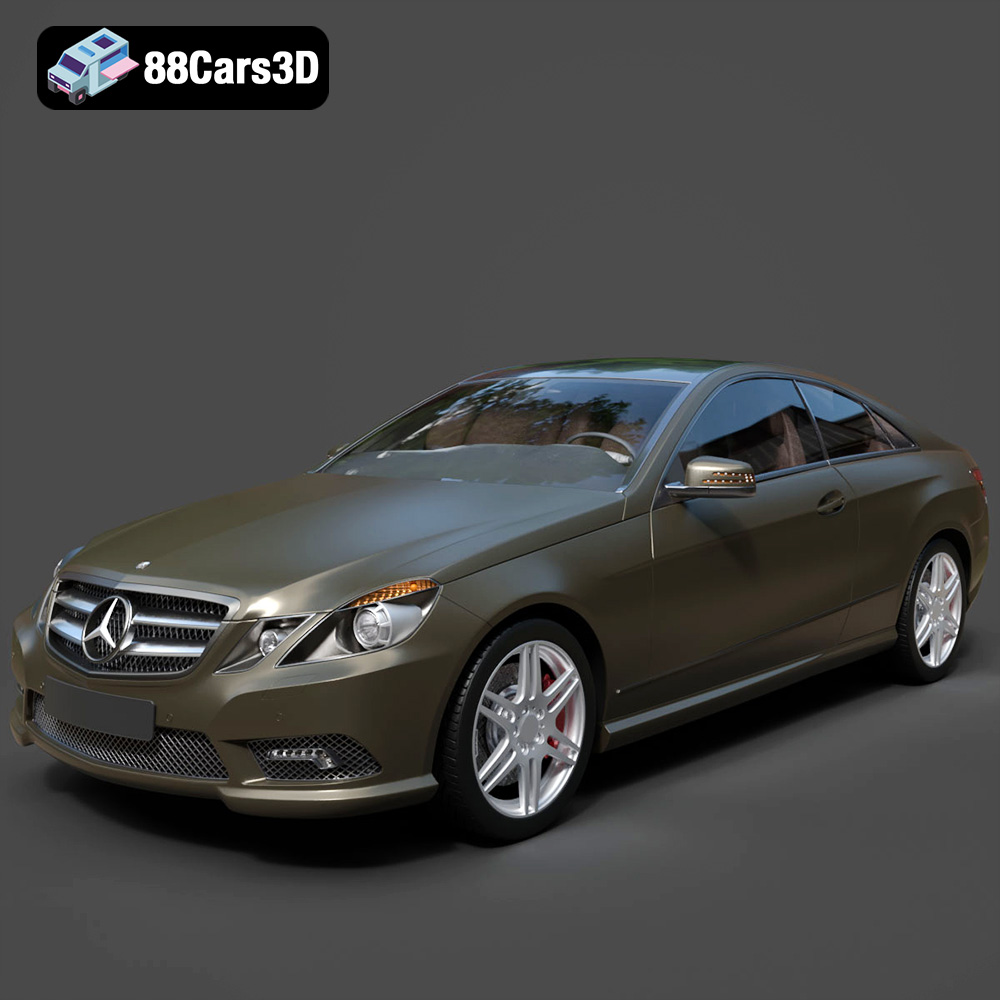
Texture: Yes
Material: Yes
Download the Mercedes-Benz E Coupe 2010 3D Model featuring clean geometry, realistic detailing, and a fully modeled interior. Includes .blend, .fbx, .obj, .glb, .stl, .ply, .unreal, and .max formats for rendering, simulation, and game development.
Price: $4.99
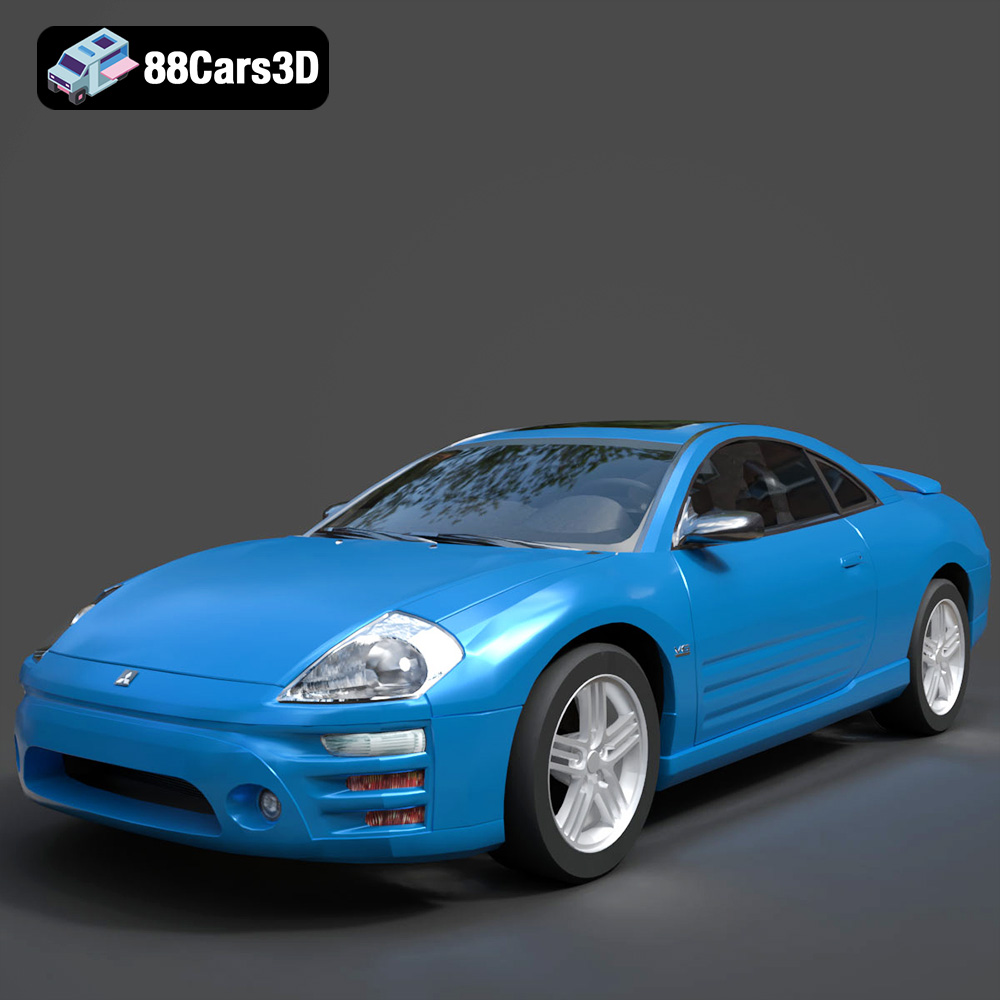
Texture: Yes
Material: Yes
Download the Mitsubishi Eclipse 2005 3D Model featuring clean geometry, realistic detailing, and a fully modeled interior. Includes .blend, .fbx, .obj, .glb, .stl, .ply, .unreal, and .max formats for rendering, simulation, and game development.
Price: $4.99
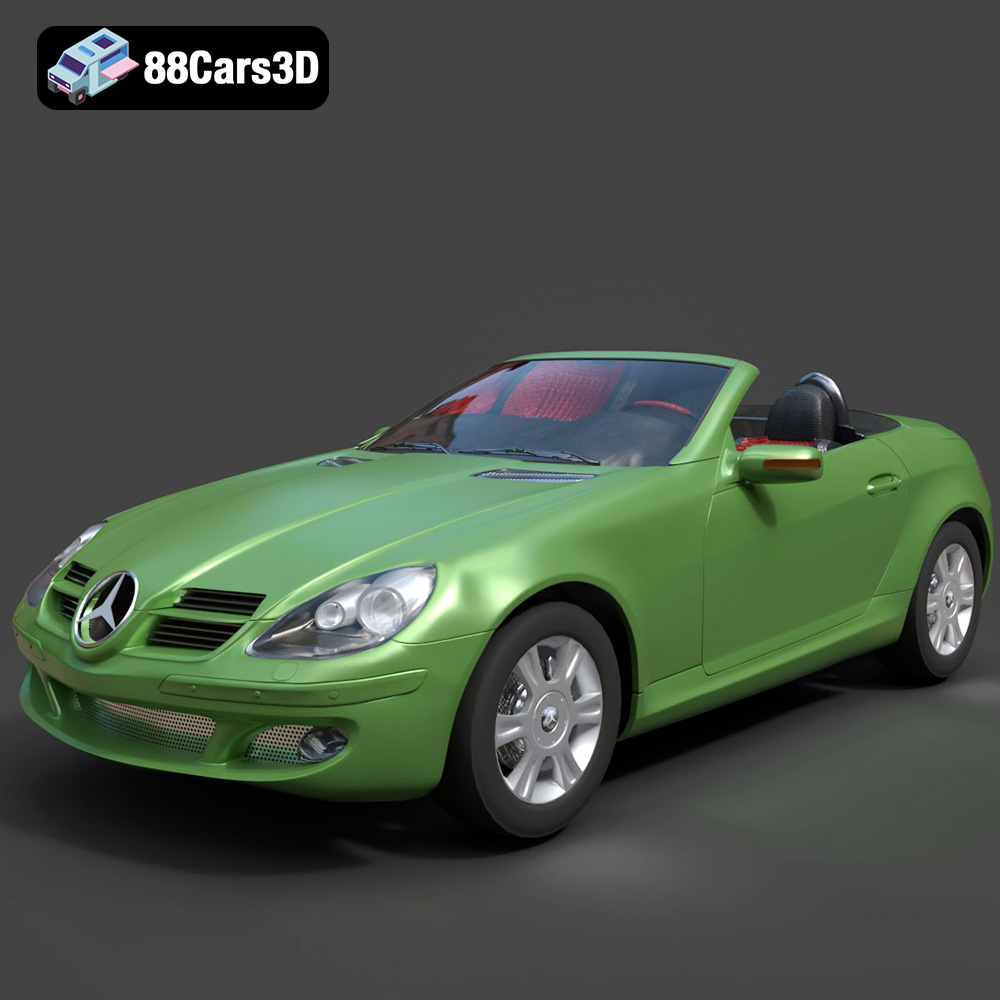
Texture: Yes
Material: Yes
Download the Mercedes-Benz SLK (R171) 3D Model featuring clean geometry, realistic detailing, and a fully modeled interior. Includes .blend, .fbx, .obj, .glb, .stl, .ply, .unreal, and .max formats for rendering, simulation, and game development.
Price: $4.99
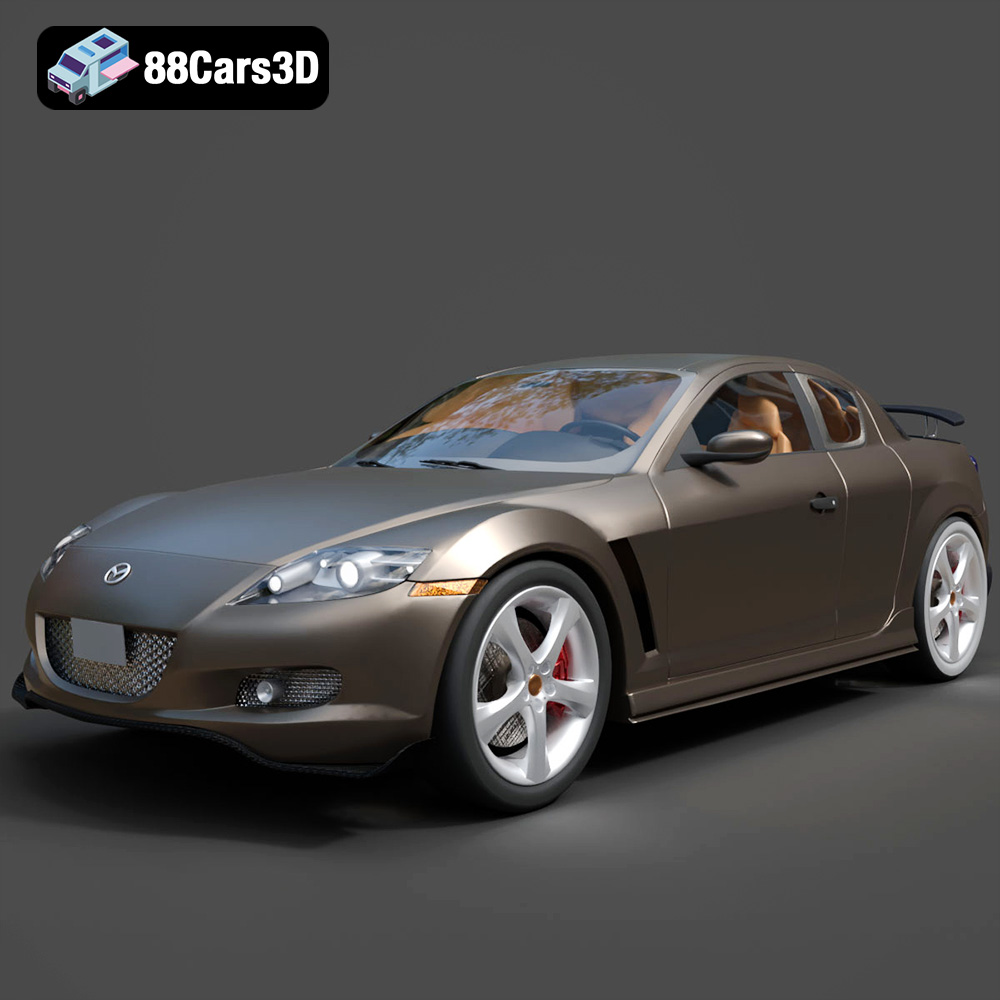
Texture: Yes
Material: Yes
Download the Mazda RX-8 2008 3D Model featuring clean geometry, realistic detailing, and a fully modeled interior. Includes .blend, .fbx, .obj, .glb, .stl, .ply, .unreal, and .max formats for rendering, simulation, and game development.
Price: $4.99

Texture: Yes
Material: Yes
Download the McLaren F1 1992 3D Model featuring clean geometry, realistic detailing, and a fully modeled interior. Includes .blend, .fbx, .obj, .glb, .stl, .ply, .unreal, and .max formats for rendering, simulation, and game development.
Price: $4.99

Texture: Yes
Material: Yes
Download the Mercedes-Benz C-class W203 2006 3D Model featuring clean geometry, realistic detailing, and a fully modeled interior. Includes .blend, .fbx, .obj, .glb, .stl, .ply, .unreal, and .max formats for rendering, simulation, and game development.
Price: $4.99

