Get 20% OFF All Premium 3D & STL Models!

The allure of meticulously crafted automotive design extends far beyond the physical realm. In today’s digital landscape, high-quality 3D car models are indispensable assets, serving as the bedrock for everything from breathtaking cinematic renders and immersive game environments to cutting-edge AR/VR experiences and precise 3D prints. Whether you’re an independent artist, a game development studio, an automotive design professional, or an architect creating stunning visualizations, understanding the intricate technical journey of a 3D car model from raw concept to polished final output is paramount.
This comprehensive guide delves into the advanced techniques and best practices that elevate a basic car model into a production-ready masterpiece. We’ll explore the critical role of clean topology, the artistry of UV mapping, the science behind PBR materials, and the strategic optimizations required for diverse applications. From achieving photo-realistic automotive rendering in industry-standard software like 3ds Max and Blender to preparing models as high-performance game assets for Unity and Unreal Engine, we’ll cover the essential workflows. By the end of this journey, you’ll possess a deeper understanding of what constitutes a truly exceptional 3D car model and how to leverage its full potential across various industries, including sourcing high-quality assets from platforms like 88cars3d.com.
At the heart of any professional 3D car model lies its topology – the arrangement of polygons that form the mesh. For automotive subjects, known for their sleek, reflective surfaces and precise curves, immaculate topology is not just a best practice; it’s a necessity. Poor topology leads to shading artifacts, deformation issues, and difficulties in sculpting or animating. The goal is to create an all-quad mesh with consistent edge loops that follow the natural contours and design lines of the vehicle. This ensures smooth subdivision, accurate reflections, and predictable deformation during any rigging or animation phase. A typical high-quality automotive model might range from 150,000 to 500,000 polygons for exterior details, with interior components pushing it significantly higher. Low-poly variants for games would aim for 20,000-80,000 polygons, achieved through careful decimation and normal map baking.
Understanding and applying proper edge flow is crucial for capturing the subtle nuances of car body panels, headlights, and grilles. Edge loops should encircle areas of curvature, define hard edges, and converge gracefully. This meticulous approach pays dividends when the model is subdivided for rendering, providing perfectly smooth surfaces without pinching or bumps. It also simplifies the UV mapping process and ensures that texture details are distributed evenly without stretching. Maintaining a uniform density of polygons, especially in areas of high curvature, helps in achieving consistent smoothing and prevents the dreaded “faceted look” even at high subdivision levels. Professional models are often sculpted with a subdivision surface workflow in mind, starting with a relatively low-poly base and then adding detail through iterative subdivision and refinement, preserving the integrity of the underlying mesh.
Creating a clean quad mesh involves disciplined modeling techniques. Start with blocking out the primary shapes using simple primitives, then meticulously refine the form with tools like extrusion, edge loops, and careful vertex manipulation. Always strive to avoid triangles and N-gons (polygons with more than four sides), as these can introduce unpredictable shading and subdivision issues. When adding details like cut lines for doors or panel gaps, ensure that new edge loops are propagated cleanly across the surface, maintaining the overall flow. For example, a crisp character line along the fender should be defined by a series of tight, parallel edge loops that follow its entire length. In 3ds Max, tools like Graphite Modeling Tools, Swift Loop, and Chamfer are invaluable for this. In Blender, the Loop Cut and Slide tool, along with careful use of the Knife tool and Bevel modifier, are fundamental. The key is to repeatedly check the model’s shading with a matte grey material and a studio HDRI to reveal any imperfections or inconsistent reflections caused by poor topology.
Subdivision surface modeling (e.g., Turbosmooth in 3ds Max, Subdivision Surface modifier in Blender) is indispensable for automotive models. It allows artists to work with a relatively low-polygon base mesh while achieving incredibly smooth, high-fidelity surfaces at render time. However, this comes with performance implications. Each level of subdivision significantly increases polygon count. For a model with 50,000 base polygons, two levels of subdivision can easily push it past 800,000 polygons, and three levels into the millions. While this is acceptable for high-end rendering, it’s prohibitive for real-time applications. For game assets, understanding the balance between visual fidelity and polygon budget is critical. Techniques like baking normal maps from a high-poly subdivided mesh onto a low-poly base are essential for maintaining detail without the performance overhead. This process captures the surface detail, including the subtle curvatures and panel gaps, within a texture that can be applied to a game-optimized mesh.
Once the topology is solid, the next crucial step for any professional 3D car model is meticulous UV mapping. UV mapping is the process of unwrapping the 3D mesh into a 2D plane, creating a set of coordinates (UVs) that tell the renderer how to apply textures correctly. For the complex, often highly reflective surfaces of a car, a well-executed UV layout is paramount. Poor UVs lead to visible seams, stretching, distortion, and difficulties in texture painting. The goal is to create contiguous UV islands with minimal distortion and efficient use of texture space, often referred to as a UV atlas. This is particularly important for large, smooth areas like body panels, where any seam can become glaringly obvious under reflective lighting. The process requires strategic planning, identifying areas that can be discreetly seamed and unfolded to minimize visible breaks in material consistency.
Building upon the foundation of solid UVs, the creation of Physically Based Rendering (PBR) materials is what truly brings a 3D car model to life. PBR shaders are designed to simulate how light interacts with real-world materials, providing predictable and realistic results across various lighting conditions. This involves creating a suite of textures – Albedo (or Base Color), Metallic, Roughness, Normal, and sometimes Ambient Occlusion (AO), Height, or Displacement maps – that accurately describe the surface properties. For automotive surfaces, this means nailing the highly reflective, often metallic paint, the subtle sheen of rubber tires, the transparency and reflectivity of glass, and the varied textures of interior fabrics and plastics. The quality of these textures, combined with the precision of the UVs, dictates the final visual fidelity and realism of the model, whether for static renders or interactive experiences.
Strategic UV unwrapping for a car typically involves breaking the model down into logical components: body panels, windows, wheels, tires, interior elements, and small details. Each component may have its own UV space or be part of a larger atlas, depending on the desired texture resolution and application. For body panels, projection methods like planar or cylindrical mapping followed by careful relaxing and straightening of UV shells are common. The key is to hide seams in natural breaks or inconspicuous areas, such as along panel lines or under trim. Tools like 3ds Max’s Unwrap UVW modifier or Blender’s UV Editor offer robust features for automatic unwrapping, manual seam cutting, and distortion reduction. Aim for consistent texel density across all UV islands to ensure uniform texture resolution. For example, if a large body panel takes up 20% of the UV space, a smaller headlight might only take 1%, but their relative detail levels should be appropriate for their visible size on the model. For high-resolution models, multiple UV sets or UDIMs might be used to overcome resolution limitations of single textures, allowing for extreme detail on large surfaces.
Crafting realistic PBR materials for automotive surfaces requires a deep understanding of real-world material properties. For car paint, this means a base metallic material with varying roughness depending on the clear coat and desired finish (glossy, matte, satin). Flakes and pearl effects can be achieved through complex shader networks or specific texture maps. Tire materials require a diffuse texture for tread patterns, a roughness map to simulate rubber’s varied surface, and often a normal map for fine details. Glass needs accurate refractive and reflective properties, often achieved with a blend of transparent and reflective shaders, ensuring that light bends correctly when passing through it. Software like Substance Painter and Marmoset Toolbag are invaluable for creating and baking PBR textures, allowing artists to paint directly onto the 3D model and generate all necessary maps simultaneously. In 3ds Max with Corona Renderer or V-Ray, building complex car paint shaders involves layering reflective coats, clear coats, and metallic flakes. In Blender’s Cycles or Eevee, the Principled BSDF shader provides an excellent starting point, which can be further customized with nodes to achieve advanced effects like iridescence or multi-layered paint finishes. Attention to detail in roughness and metallic maps is paramount, as these maps control how light interacts with the surface, dictating realism.
Achieving photo-realistic automotive rendering is an art and a science, demanding a confluence of high-quality models, meticulously crafted materials, sophisticated lighting, and advanced render settings. The goal is to transcend the “computer-generated” look and present the 3D car model as if it were a photograph of a real vehicle. This involves a deep dive into specific renderer capabilities, understanding how light behaves in virtual spaces, and mastering the subtle art of scene composition. Whether you’re aiming for studio-quality product shots, dynamic action sequences, or immersive environmental visualizations, a systematic approach to rendering is essential. The choice of renderer – be it Corona, V-Ray, Cycles, or Arnold – dictates specific workflows and optimization strategies, but the underlying principles of physically accurate lighting and material response remain universal. High-resolution output, often 4K or 8K, is common for hero shots, requiring careful memory management and render farm considerations.
Beyond the technical prowess, successful automotive rendering also leans heavily on artistic vision. This includes selecting compelling camera angles that highlight the car’s design, establishing a narrative through lighting, and creating an environment that complements the vehicle without overshadowing it. Considerations like depth of field, motion blur, and chromatic aberration, when used judiciously, can significantly enhance realism. Furthermore, understanding color theory and composition helps in crafting images that are not just technically sound but also aesthetically pleasing and emotionally resonant. The iterative process of test rendering, adjusting, and refining is crucial, often involving A/B testing different lighting setups or material tweaks until the desired visual impact is achieved.
Each major renderer offers unique strengths and workflows. Corona Renderer, known for its ease of use and physically accurate results, excels with its interactive rendering, allowing real-time adjustments to lighting and materials. Its denoiser is highly effective, reducing render times significantly. For automotive scenes, Corona’s physical camera settings are intuitive for matching real-world photography. V-Ray, a long-standing industry standard, offers unparalleled control and flexibility. Its layered material system is excellent for complex car paint shaders, and its comprehensive light types and global illumination solutions are powerful. V-Ray’s IPR (Interactive Production Rendering) feature, similar to Corona, allows for rapid iteration. For Blender users, Cycles offers robust physically based rendering, tightly integrated with Blender’s node-based material system. It leverages CPU and GPU rendering, with features like adaptive sampling and denoising for efficiency. For Maya and 3ds Max users, Arnold (from Autodesk) is another top-tier choice, particularly strong in its handling of complex geometry and realistic light scattering, making it ideal for intricate details and precise reflections. Regardless of the renderer, using physically accurate light sources (e.g., area lights, photometric lights) and HDRI environments for global illumination is fundamental for achieving realistic reflections and ambient lighting that automotive models demand.
Lighting is arguably the most critical element in automotive rendering. A well-lit scene can make even a moderately detailed model look stunning, while poor lighting can undermine the best efforts. High Dynamic Range Images (HDRIs) are a cornerstone of modern automotive rendering, providing both realistic environmental lighting and complex reflections from a single source. An HDRI acts as an infinite light source, accurately capturing the nuances of real-world lighting conditions (e.g., bright sunny day, overcast sky, indoor studio). Pairing a strong HDRI with strategically placed artificial lights (e.g., softboxes, spotlights) allows for artistic control, emphasizing design lines and creating dramatic highlights and shadows. For instance, a subtle rim light can accentuate the car’s silhouette, while a large softbox can create smooth, elegant reflections on its body panels. When setting up an environment, consider the background elements – whether it’s a 3D scene, a backplate image, or a simple gradient – ensuring it complements the vehicle and reinforces the desired mood. Always use a reflective ground plane to ground the vehicle in its environment, creating realistic contact shadows and reflections. Testing different HDRIs from studio setups to outdoor scenes is essential to find the perfect mood and reflection quality for your automotive visualization.
While photo-realistic renders delight the eye, preparing 3D car models for real-time applications like video games or interactive simulators demands a completely different set of technical considerations centered on performance. Game assets must be lightweight, efficient, and optimized to run smoothly at high frame rates across various hardware specifications. This involves significant reductions in polygon count, strategic texture management, and careful implementation of engine-specific features. A high-poly model designed for rendering, with millions of polygons, is simply unusable in a game engine like Unity or Unreal Engine without extensive optimization. The challenge lies in maintaining visual fidelity while adhering to strict performance budgets for draw calls, memory usage, and GPU processing. When sourcing models from marketplaces such as 88cars3d.com, always check if the assets are already optimized for game engines, as this can save hundreds of hours of work.
The optimization process for game assets is iterative and multidisciplinary. It requires collaboration between 3D artists, technical artists, and engine programmers to balance artistic vision with technical constraints. Understanding the target platform (PC, console, mobile, VR) is crucial, as each has different performance envelopes. For instance, mobile games will require significantly lower polygon counts and texture resolutions than a high-end PC title. Furthermore, the overall game design – whether it’s an open-world racer with dozens of cars on screen or a cinematic experience with a single hero car – will dictate the level of detail required. Implementing a robust optimization pipeline early in development prevents costly rework and ensures a smooth player experience. This includes automating parts of the optimization process where possible, such as LOD generation, and establishing clear guidelines for asset creation.
Level of Detail (LODs) are paramount for game optimization. This technique involves creating multiple versions of a single model, each with a progressively lower polygon count. The game engine then automatically switches between these LODs based on the camera’s distance from the object. For example, a hero car might have LOD0 (high poly, ~80k-150k triangles) visible up close, LOD1 (~30k-50k triangles) for medium distances, LOD2 (~10k-20k triangles) for far distances, and LOD3 (a simplified billboard or even a single plane) for extreme distances. This dramatically reduces the number of polygons the GPU has to process for objects further away. Tools in Unity and Unreal Engine (e.g., Unity’s LOD Group component, Unreal’s Static Mesh Editor with LOD settings) simplify the implementation of LODs. Crucially, each LOD should share the same UVs and material slots to avoid texture popping. Another critical performance metric is draw calls, which represent the number of times the CPU tells the GPU to render an object. Each material, mesh, and light source can contribute to draw calls. Reducing draw calls is vital; strategies include combining meshes with shared materials, using texture atlases, and ensuring efficient material setups.
Texture atlasing is a technique where multiple smaller textures are combined into a single, larger texture atlas. This reduces the number of material calls and texture swaps required by the GPU, significantly improving performance. For example, all the interior textures of a car (dashboard, seats, steering wheel) could be packed into one atlas. Mesh merging involves combining multiple separate mesh objects (e.g., all the small components of a car’s dashboard) into a single mesh. This reduces draw calls and can improve rendering efficiency, especially if they share the same material. However, careful consideration is needed, as merging meshes can sometimes complicate LOD generation or animation. Finally, collision meshes are simplified, often invisible, versions of the car model used by the game engine’s physics system. They are typically very low-poly (e.g., a simple box or convex hull for the main body) to minimize physics calculation overhead. Unlike the visual mesh, the collision mesh does not need to look good; it only needs to accurately represent the car’s physical boundaries for interactions with the environment and other objects. Creating efficient collision meshes is vital for realistic physics simulations and stable gameplay, ensuring optimal performance for interactive 3D car models.
The versatility of 3D car models extends far beyond traditional rendering and gaming, finding powerful applications in cutting-edge fields like Augmented Reality (AR) and Virtual Reality (VR), as well as the rapidly evolving domain of 3D printing. Each of these applications presents its own unique set of technical requirements and optimization challenges. For AR/VR, the emphasis is on achieving real-time immersion with minimal latency and high frame rates, often on mobile devices or standalone headsets with limited processing power. For 3D printing, the focus shifts to mesh integrity, watertight geometry, and physical printability, moving from a purely digital asset to a tangible object. These diverse use cases highlight the importance of adaptable 3D assets that can be repurposed and optimized for various pipelines, demanding meticulous attention to detail at every stage of the modeling process. The underlying quality of the 3D model, particularly its topology and material setup, dictates its suitability for these advanced applications.
Preparing a 3D car model for AR/VR or 3D printing often requires specific technical adjustments that are not typically needed for standard rendering. For AR/VR, this means even more aggressive polygon reduction, careful use of PBR materials suitable for real-time display, and precise scale and origin setup to ensure accurate placement in virtual or augmented space. For 3D printing, it involves ensuring the mesh is a solid, manifold object without holes or self-intersections, along with considerations for wall thickness and support structures. These specialized workflows require artists to be aware of the limitations and capabilities of the target hardware or manufacturing process. The ability to transform a single high-fidelity 3D car model into formats ready for an immersive AR showroom tour or a physical collectible figurine showcases the true power and adaptability of professional digital assets.
For AR/VR experiences, performance is paramount to avoid motion sickness and maintain immersion. Frame rates must be consistently high (e.g., 90 FPS for VR) to prevent lag. This necessitates aggressive optimization:
These factors ensure a smooth, realistic, and truly immersive user experience with 3D car models in AR/VR applications.
Unlike screen-based visualization, 3D printing requires a model to be a physically coherent, “watertight” object. This means every surface must enclose a volume without any holes, gaps, or self-intersecting geometry. Here’s a breakdown of the preparation process:
Thorough preparation is essential to avoid print failures and achieve a high-quality physical replica of your 3D car models.
The journey of a 3D car model doesn’t end with its creation in a single software package. To be truly versatile, it must be compatible with a multitude of platforms, engines, and applications. This necessitates a deep understanding of various file formats, their strengths, limitations, and the processes involved in converting between them while preserving data integrity. Whether transferring models from 3ds Max to Blender, importing into Unity or Unreal Engine, or preparing for AR/VR deployment, knowing which format to use and how to handle conversions is a critical technical skill. Issues such as lost UVs, corrupted normals, or incorrect material translations can severely hamper a project if not managed proactively. The chosen format also dictates the ease of sharing, memory footprint, and the extent of embedded data (like animations or PBR materials). This technical aspect often goes unnoticed but is foundational to the interoperability of 3D car models across the digital ecosystem.
Finally, even the most technically perfect render can be elevated through the art of post-processing and compositing. This final stage involves refining the raw rendered image to achieve a cinematic look, correct color imbalances, add atmospheric effects, and integrate the render seamlessly into a background. Post-processing can dramatically enhance the mood, realism, and overall visual impact of an automotive rendering. It’s where the subtle nuances of color grading, lens effects, and atmospheric haze can transform a good render into an exceptional one. While PBR materials and realistic lighting lay the groundwork, post-processing provides the finishing touches that often define the final professional polish. This process typically involves dedicated image manipulation software like Adobe Photoshop or specialized compositing tools like Adobe After Effects or Nuke, allowing for non-destructive adjustments and advanced layering techniques.
The digital world of 3D relies on a diverse array of file formats, each serving specific purposes:
Understanding the nuances of each and how to perform clean conversions is essential for maximizing the utility of your 3D car models across different pipelines.
Post-processing is the final polish that can make a huge difference in the perceived realism and artistry of a render. It begins with rendering out passes (also known as render elements or AOV/Arbitrary Output Variables), such as diffuse, reflection, refraction, specularity, global illumination, Z-depth, ambient occlusion, and material IDs. These passes provide granular control in compositing software.
This non-destructive workflow allows for maximum flexibility, enabling artists to refine the final image without re-rendering the entire scene, making it an indispensable part of high-end automotive visualization.
The journey of mastering 3D car models is a testament to the intricate blend of technical skill, artistic vision, and relentless optimization. From the foundational principles of clean topology and efficient UV mapping to the advanced techniques of PBR material creation, photo-realistic rendering, and specialized preparation for game engines, AR/VR, and 3D printing, every stage demands precision and an understanding of specific industry demands. We’ve explored how meticulous edge flow creates flawless surfaces, how PBR materials breathe life into textures, and how strategic optimization ensures seamless performance across diverse interactive platforms.
The digital automotive landscape is constantly evolving, driven by innovation in rendering technologies, game engines, and immersive experiences. By embracing these advanced workflows and best practices, artists and developers can push the boundaries of realism and interactivity. Whether your goal is a stunning promotional render, a high-performance game asset, an interactive AR showroom experience, or a tangible 3D-printed collectible, the principles outlined here provide a robust framework for success. For those looking to accelerate their projects with professionally crafted assets, platforms like 88cars3d.com offer a curated selection of high-quality 3D car models that adhere to these very standards, ready to be integrated into your next groundbreaking project. Continue to experiment, learn, and refine your craft, and you’ll undoubtedly drive excellence in the world of digital automotive design.

Texture: Yes
Material: Yes
Download the Nissan 350Z 3D Model featuring clean geometry, realistic detailing, and a fully modeled interior. Includes .blend, .fbx, .obj, .glb, .stl, .ply, .unreal, and .max formats for rendering, simulation, and game development.
Price: $4.99

Texture: Yes
Material: Yes
Download the Nissan Skyline V35 2001 3D Model featuring clean geometry, realistic detailing, and a fully modeled interior. Includes .blend, .fbx, .obj, .glb, .stl, .ply, .unreal, and .max formats for rendering, simulation, and game development.
Price: $4.99

Texture: Yes
Material: Yes
Download the Mercedes-Benz S-Klasse 221-007 3D Model featuring clean geometry, realistic detailing, and a fully modeled interior. Includes .blend, .fbx, .obj, .glb, .stl, .ply, .unreal, and .max formats for rendering, simulation, and game development.
Price: $4.99

Texture: Yes
Material: Yes
Download the Mercedes W124 Sedan 3D Model featuring clean geometry, realistic detailing, and a fully modeled interior. Includes .blend, .fbx, .obj, .glb, .stl, .ply, .unreal, and .max formats for rendering, simulation, and game development.
Price: $4.99
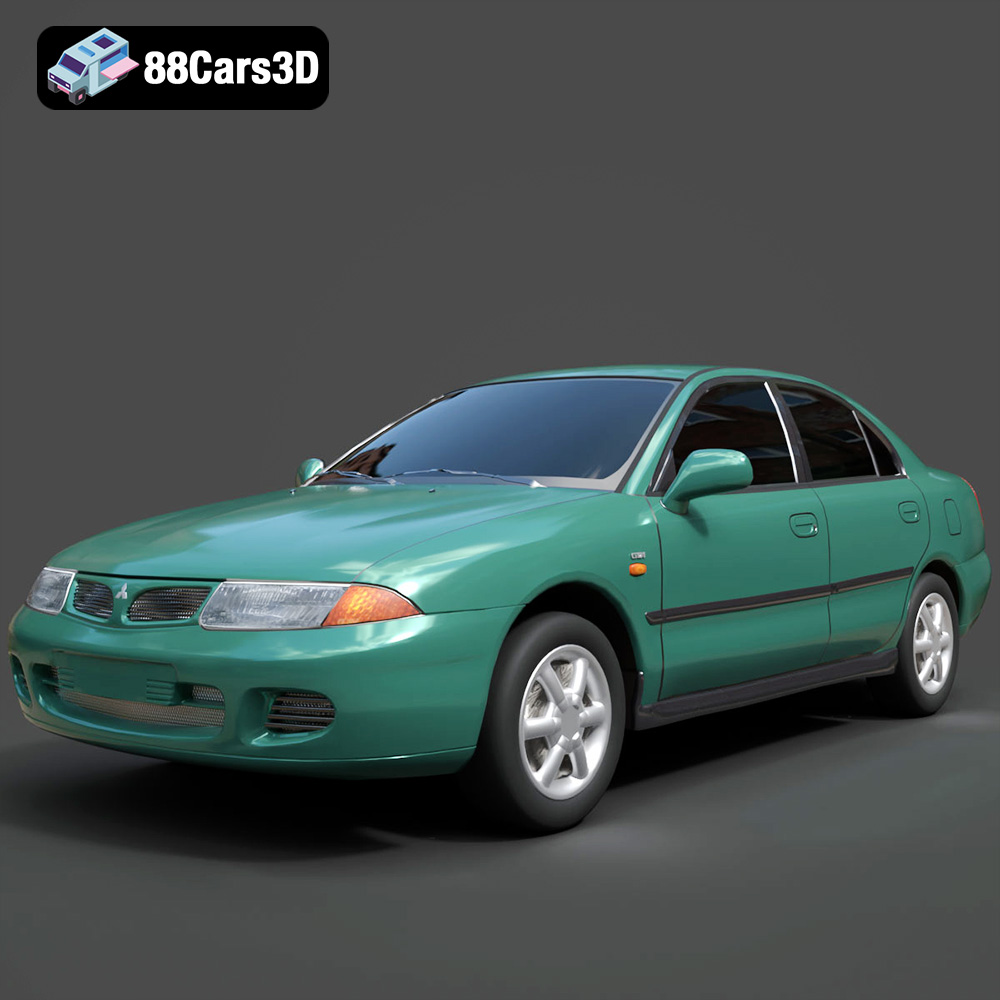
Texture: Yes
Material: Yes
Download the Mitsubishi Carisma 3D Model featuring clean geometry, realistic detailing, and a fully modeled interior. Includes .blend, .fbx, .obj, .glb, .stl, .ply, .unreal, and .max formats for rendering, simulation, and game development.
Price: $4.99
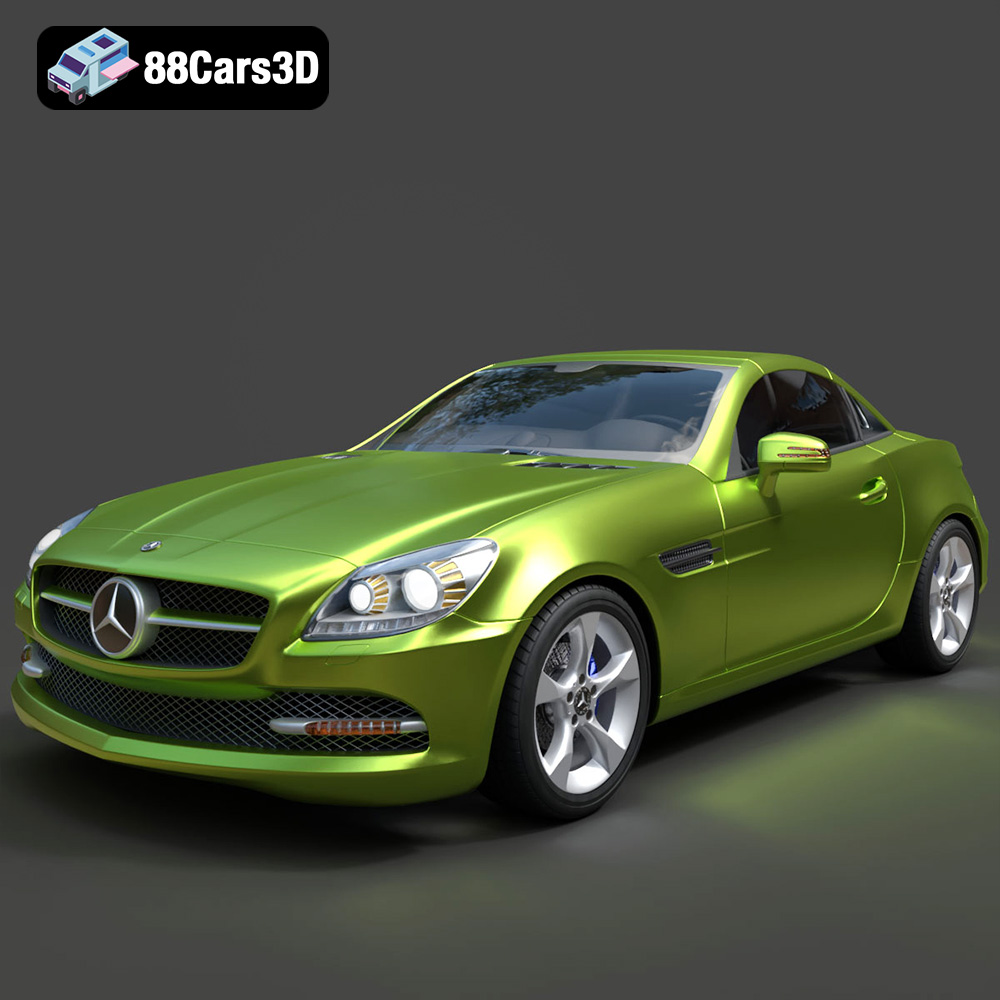
Texture: Yes
Material: Yes
Download the Mercedes-Benz SLK-Class 3D Model featuring clean geometry, realistic detailing, and a fully modeled interior. Includes .blend, .fbx, .obj, .glb, .stl, .ply, .unreal, and .max formats for rendering, simulation, and game development.
Price: $4.99
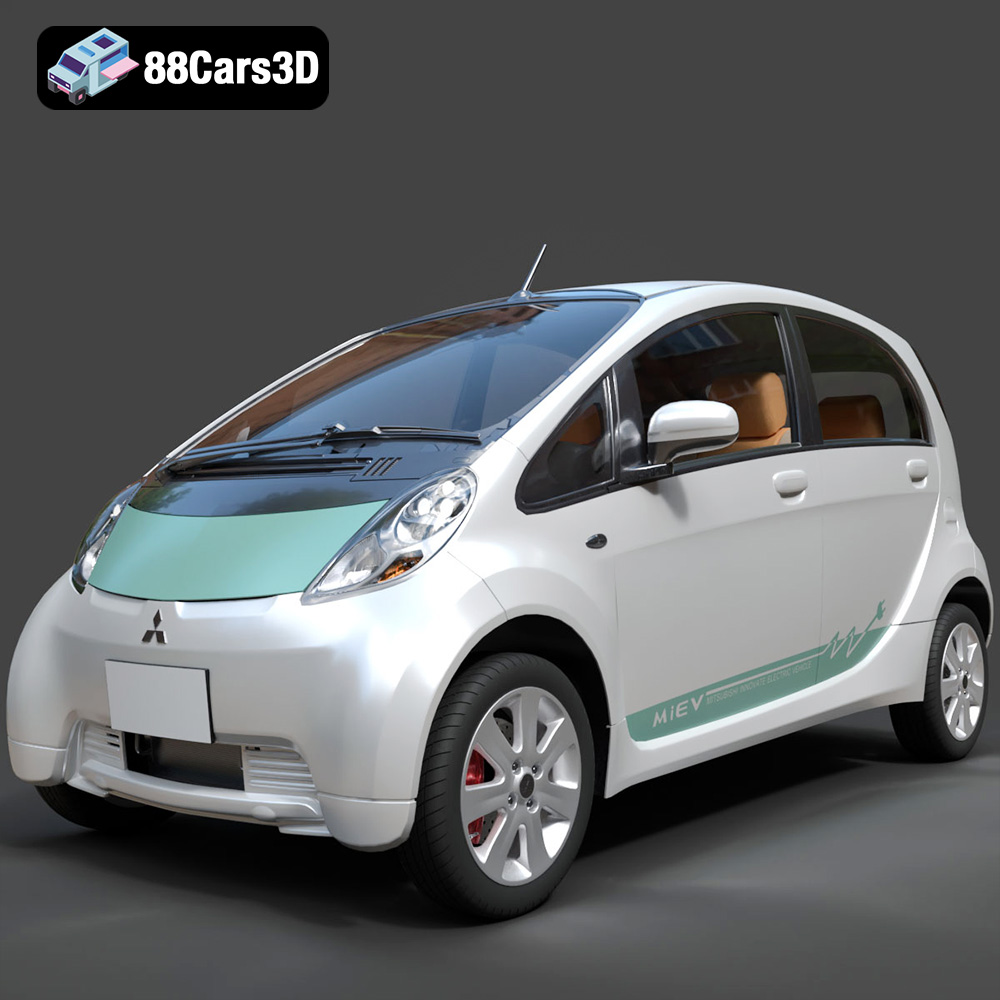
Texture: Yes
Material: Yes
Download the Mitsubishi i-MiEV 2025 3D Model featuring clean geometry, realistic detailing, and a fully modeled interior. Includes .blend, .fbx, .obj, .glb, .stl, .ply, .unreal, and .max formats for rendering, simulation, and game development.
Price: $4.99
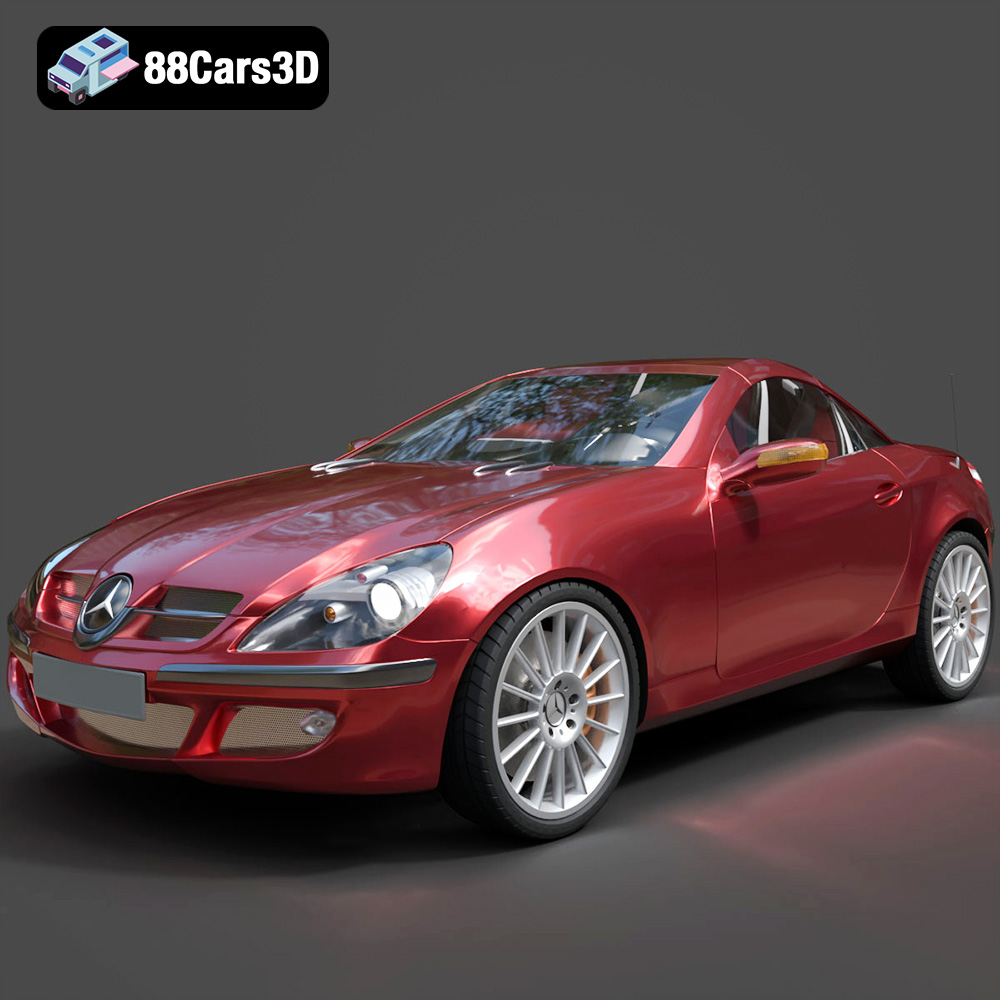
Texture: Yes
Material: Yes
Download the Mercedes-Benz SLK-Klasse 3D Model featuring clean geometry, realistic detailing, and a fully modeled interior. Includes .blend, .fbx, .obj, .glb, .stl, .ply, .unreal, and .max formats for rendering, simulation, and game development.
Price: $4.99
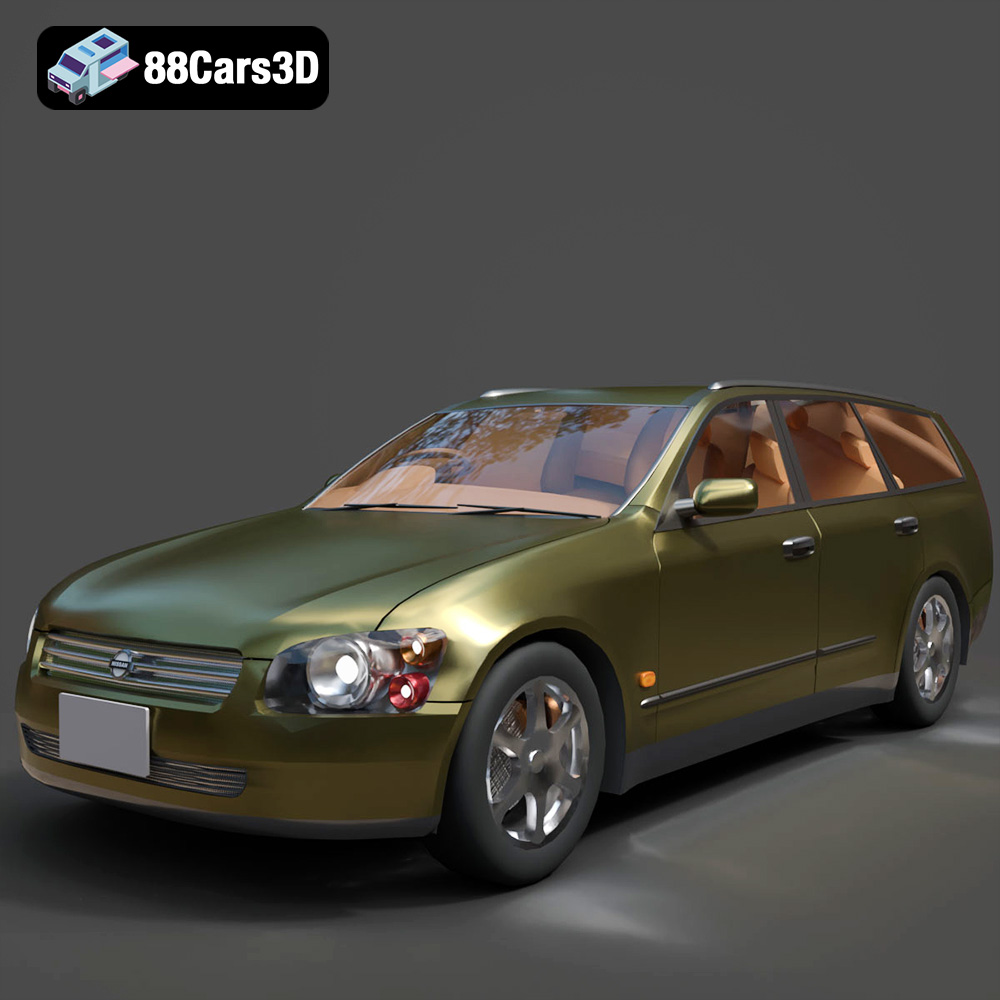
Texture: Yes
Material: Yes
Download the Nissan Stagea 2001 3D Model featuring clean geometry, realistic detailing, and a fully modeled interior. Includes .blend, .fbx, .obj, .glb, .stl, .ply, .unreal, and .max formats for rendering, simulation, and game development.
Price: $4.99

Texture: Yes
Material: Yes
Download the Mitsubishi 3000 GT 1993 3D Model featuring clean geometry, realistic detailing, and a fully modeled interior. Includes .blend, .fbx, .obj, .glb, .stl, .ply, .unreal, and .max formats for rendering, simulation, and game development.
Price: $4.99

