Get 20% OFF All Premium 3D & STL Models!

In the vibrant and ever-evolving world of 3D, the demand for exceptionally high-quality 3D car models has never been greater. From cinematic automotive renders that blur the line between virtual and reality, to immersive game environments and cutting-edge AR/VR experiences, robust and meticulously crafted vehicle assets are the backbone of countless projects. Achieving this level of excellence requires a deep understanding of the entire 3D pipeline, from the foundational principles of topology and UV mapping to advanced rendering techniques and meticulous optimization strategies for real-time applications.
This comprehensive guide delves into the intricate technical aspects of creating, optimizing, and utilizing premium 3D car models across various industries. Whether you’re a seasoned 3D artist aiming to refine your craft, a game developer seeking to enhance performance, an automotive designer exploring new visualization methods, or a student embarking on your 3D journey, this article will equip you with invaluable insights. We’ll explore the best practices, common challenges, and specific software techniques that empower professionals to deliver outstanding results, ensuring your automotive assets stand out in a competitive digital landscape.
The journey to a flawless 3D car model begins with its underlying structure: the topology and edge flow. For automotive models, this is especially critical due to the complex curvature, sharp creases, and precise panel gaps that define a vehicle’s aesthetic. Clean topology ensures that your model deforms predictably, subdivides smoothly without pinching, and shades correctly under any lighting condition. It’s the silent hero behind every hyper-realistic render and smoothly animated game asset.
The goal is to maintain an all-quad mesh wherever possible, as quads subdivide much more cleanly than triangles or N-gons. When modeling the sleek body panels of a car, artists must meticulously plan edge loops to follow the natural contours and creases of the vehicle. These loops guide the subdivision surface algorithms, ensuring that fender flares retain their smooth curves, and door edges maintain their crispness. Neglecting proper edge flow can lead to unsightly shading artifacts, particularly when using subdivision modifiers (like Turbosmooth in 3ds Max or Subdivision Surface in Blender) which are essential for achieving render-ready smoothness.
Subdivision surface modeling is paramount for automotive models. The core principle involves starting with a relatively low-polygon base mesh and using subdivision algorithms to smooth it out for the final render. Key to this technique is the strategic placement of ‘support loops’ or ‘control loops’ near sharp edges. For example, around a car’s window frame or headlight housing, adding two or three closely spaced edge loops parallel to the main edge will allow the subdivision surface to retain a sharp corner, preventing it from becoming overly rounded. Artists using Blender, Maya, or 3ds Max constantly manage these loops, often employing tools like ‘Connect Edges’ or ‘Multi-Cut’ to refine the mesh.
Avoiding poles (vertices with more or less than four connecting edges) on large, flat, or curving surfaces is also crucial. While unavoidable in some areas, placing them in less visible or flatter regions prevents unsightly pinches or distortions when the mesh is subdivided. A typical high-quality render-ready car model might have a polygon count ranging from 50,000 to 300,000 faces in its base mesh (before subdivision), while a highly detailed LOD0 version for games could range from 30,000 to 150,000 faces, depending on the required detail and target platform.
Achieving realistic panel gaps is one of the most challenging aspects of automotive modeling. These aren’t just lines; they are carefully engineered separations between body panels. Techniques include modeling individual panels as separate objects or using a single mesh with strategically placed edge loops and slight offsets to simulate depth. Boolean operations, while tempting for creating cutouts (like headlights or grilles), often result in messy, non-quad topology that requires significant clean-up. Experienced artists often prefer to model these features manually, meticulously routing edge flow around cutouts to maintain a pristine mesh structure.
For elements like grilles, vents, and intricate badges, modeling the geometry directly is often preferred for high-fidelity renders, ensuring true physical depth and realistic reflections. However, for game assets or lower LODs, normal maps derived from high-poly sculpts are commonly used to fake this detail, saving significant polygon counts. A clean, well-structured mesh not only looks better but is also easier to UV map, texture, and animate, reducing headaches further down the pipeline.
Once the topology is perfected, the next critical step is to apply realistic surface details through advanced UV mapping and Physically Based Rendering (PBR) material creation. This is where the model truly comes alive, showcasing intricate paint finishes, realistic glass, and detailed rubber textures. For complex subjects like cars, this stage demands precision and an understanding of how light interacts with different materials.
UV mapping for cars is particularly challenging due to their large, curved surfaces and numerous intricate components. Every single polygon needs to be assigned a unique, non-overlapping space on a 2D texture map. Poor UV mapping leads to distorted textures, visible seams, and an unprofessional finish. The goal is to maximize texture resolution usage, minimize stretching, and strategically place seams where they are least visible, often along hard edges or hidden areas.
For car bodies, a combination of unwrapping strategies is often employed. Large, relatively flat panels like the hood or roof might use planar mapping. Curved surfaces like fenders and doors benefit from cylindrical or spherical projections, followed by meticulous manual tweaking in UV editors (like those in 3ds Max, Blender, or Maya). Road-mapping tools allow artists to “cut” the mesh along desired edges and then “unfold” it, much like disassembling a cardboard box. Tools like RizomUV or Maya’s automatic UV tools can provide a good starting point, but manual refinement is almost always necessary for optimal results.
Managing UV seams is paramount. They should be strategically placed in areas that are less visible or where texture breaks are natural, such as along panel gaps, under trim pieces, or on the underside of the vehicle. For extremely high-resolution textures required for close-up renders, artists might utilize UDIMs (U-Dimension) – a system that allows multiple UV tiles, each with its own texture map, to be applied to a single mesh. This enables astonishing detail, with each UDIM often carrying 4K or 8K textures, without having to pack all information into a single, massive map.
PBR materials are the industry standard for achieving photorealistic results, accurately simulating how light behaves on various surfaces. The core of PBR involves several texture maps:
Software like Substance Painter or Mari are often used for texturing, allowing artists to paint directly onto the 3D model, generating all necessary PBR maps. For the car paint itself, intricate shader networks are often built in render engines like Corona Render, V-Ray, Cycles, or Arnold. These networks simulate multiple layers: a base coat, a clear coat with reflection properties, and flake layers for metallic or pearlescent finishes. Parameters like IOR (Index of Refraction) for glass, scattering for headlights, and anisotropy for brushed metals are meticulously adjusted to achieve unparalleled realism.
Choosing appropriate texture resolutions is a balancing act between detail and performance. For hero assets in high-fidelity renders, primary surfaces like car paint and large decals might use 4K or even 8K textures. Smaller, detailed elements like tire treads, grilles, or interior components could use 2K or 4K. When creating game assets, optimization is key. Texture atlasing is a powerful technique where multiple smaller textures (e.g., for different interior parts, engine components, or small exterior details) are combined into a single, larger texture map. This significantly reduces the number of draw calls in a game engine, boosting performance by allowing the GPU to process fewer material changes.
With a perfectly modeled and textured 3D car model, the next stage is to bring it to life through a compelling render. High-fidelity automotive rendering is an art form that combines technical mastery with an artistic eye for lighting, composition, and post-processing. The goal is to create images that are indistinguishable from real-world photography, showcasing the vehicle’s design and materials in their best light.
The choice of render engine significantly influences the workflow and final output. Popular choices include Corona Renderer and V-Ray (often paired with 3ds Max or Maya), Cycles (Blender’s integrated renderer), and Arnold (Maya, 3ds Max, Houdini). Each offers distinct advantages in terms of speed, feature set, and integration, but all adhere to PBR principles for accurate light simulation.
Effective lighting is the single most important factor in achieving realism. For automotive rendering, High Dynamic Range Images (HDRIs) are indispensable. An HDRI captures real-world lighting information, including intensity and direction, and projects it onto the scene, providing incredibly realistic reflections and ambient lighting. For a car, this means accurate reflections of a sky, surrounding environment, or even a studio backdrop on its glossy surfaces. Combining HDRIs with physical sun and sky systems (e.g., Corona Sun & Sky, V-Ray Sun) allows for dynamic daylight scenarios with physically accurate shadows and atmospheric effects. For studio shots, a multi-light setup mimicking traditional photography studios, often involving large softboxes and rim lights, is used to highlight contours and separate the car from the background.
Reflection probes or environment maps within game engines like Unity or Unreal Engine serve a similar purpose, baking reflections from the surrounding environment onto objects. Proper placement and resolution of these probes are crucial for the car’s paint and chrome to reflect its surroundings believably.
Just like in real photography, camera settings and composition play a pivotal role. Using a physical camera model in your 3D software (e.g., Corona Camera, V-Ray Physical Camera) allows you to control parameters like focal length, aperture, shutter speed, and ISO. A longer focal length (e.g., 85mm-135mm) can create a more flattering perspective for cars, reducing distortion. Adjusting the aperture controls the depth of field (DoF), allowing you to beautifully blur the background and foreground, drawing the viewer’s eye to the car. Understanding automotive photography principles—such as leading lines, rule of thirds, and dynamic angles—can dramatically elevate the visual impact of your renders. A strong composition highlights the car’s design, emphasizing its lines and proportions.
Optimizing render settings is crucial for balancing image quality with render times. Modern renderers offer features like adaptive sampling, which intelligently focuses computational power on noisy areas of the image, leading to faster, cleaner results. Denoising technologies (e.g., NVIDIA OptiX, Intel Open Image Denoise) are now standard, significantly reducing noise in renders and cutting down render times by allowing artists to stop rendering earlier. High-quality renders often involve multiple render passes or AOVs (Arbitrary Output Variables), such as diffuse, reflection, refraction, Z-depth, normal, and Cryptomatte. These passes provide granular control in post-processing, allowing artists to tweak specific elements (e.g., reflections on the car paint, bloom on headlights) without re-rendering the entire scene. Understanding these technical controls is key to producing professional-grade automotive rendering.
While photorealistic renders are essential for marketing and visualization, the demands of real-time applications like video games, AR/VR experiences, and interactive configurators are entirely different. Here, the primary challenge is to maintain visual fidelity while adhering to strict performance budgets, measured in frames per second (FPS). A high-polygon, complex render model is simply too heavy for a real-time engine to process efficiently. This necessitates meticulous optimization strategies, ensuring that every polygon, texture, and shader contributes meaningfully to the visual experience without bogging down the system. Platforms like 88cars3d.com specialize in providing models that are already optimized for these demanding environments, saving developers countless hours.
Level of Detail (LOD) is a cornerstone of game optimization. The concept involves creating multiple versions of the same 3D car model, each with a progressively lower polygon count and simplified materials. As the camera moves further away from the car, the engine dynamically switches to a lower LOD version, reducing the computational load.
Creating LODs can be a manual process, involving careful mesh decimation and normal map baking from the high-poly version, or semi-automated using tools within Unity, Unreal Engine, or dedicated mesh optimization software. Manual creation often yields better visual quality and preserves critical details more effectively.
In game engines, a “draw call” is a command sent from the CPU to the GPU to render a specific batch of objects. Minimizing draw calls is crucial for performance. Each material on a model typically incurs at least one draw call. For a complex car with many separate materials (paint, glass, chrome, plastic, rubber, interior elements), this can quickly add up. To reduce draw calls, artists utilize texture atlasing, combining multiple smaller textures (and their corresponding PBR maps) into a single, larger texture atlas. All parts of the car that share this atlas can then use a single material, significantly reducing draw calls. Similarly, merging small meshes into a single object can also help reduce draw calls by enabling batching, as long as it doesn’t hinder LOD transitions or interactivity.
For realistic physics and collision detection in games, using the detailed visual mesh is highly inefficient. Instead, simplified collision meshes are created. These are often convex hulls or simplified geometric primitives (cubes, spheres, capsules) that approximate the car’s shape. They are invisible to the player but are used by the game engine’s physics system to calculate collisions and interactions. This separation of visual and physics geometry ensures accurate collisions without the performance hit of complex poly-counts. For driving simulations, a specialized physics asset with correctly placed rigid bodies and constraints is often created to simulate weight distribution, suspension, and wheel physics accurately.
The utility of a well-crafted 3D car model extends far beyond static renders or even traditional video games. As technology evolves, these assets are finding new homes in interactive applications, immersive experiences, and even physical production. Understanding the nuances of preparing models for these diverse applications opens up a world of possibilities for 3D artists and developers.
The versatility of high-quality 3D car models makes them invaluable assets across various sectors. For instance, automotive configurators use these models to allow customers to customize their dream car in real-time. Training simulations for mechanics or emergency services can leverage detailed models for interactive learning. Architectural visualization often places cars within scenes to provide scale and context. Each application presents its own unique technical requirements and optimization challenges, demonstrating the broad appeal of assets from marketplaces like 88cars3d.com.
Augmented Reality (AR) and Virtual Reality (VR) experiences demand extremely high performance due to the need for sustained high frame rates (typically 72-90 FPS) to prevent motion sickness. This means AR/VR optimized 3D car models must have aggressive polygon count reductions, highly optimized UVs, and efficient PBR materials. Baked lighting (pre-calculating lighting information into textures) is frequently used to avoid expensive real-time light calculations. Interactive elements, such as opening doors, turning wheels, or changing paint colors, require clean hierarchies and pivots for animation, as well as robust scripting. The model also needs to be compatible with AR/VR specific formats like GLB/glTF for web AR and USDZ for Apple’s ARKit.
Shader complexity is also scrutinized. Simple, optimized PBR shaders are preferred over complex multi-layered materials. Transparency and refraction can be particularly expensive, requiring careful implementation. For mobile AR applications, texture resolutions might be scaled down to 1K or 2K to conserve memory and bandwidth, ensuring a smooth experience on less powerful devices.
Converting a render-ready 3D car model into a printable object requires a different set of considerations. The most critical aspect is ensuring the mesh is “watertight” or “manifold,” meaning it has no holes, non-manifold edges, or inverted normals. 3D printing requires a perfectly enclosed volume for the slicer software to generate toolpaths. Tools like Meshmixer, Netfabb, or the 3D Print Toolbox in Blender are invaluable for analyzing and repairing meshes. Checking wall thickness is also vital; thin parts that might look fine on screen could be too fragile or simply not print at all. Internal cavities or complex overlapping geometry might need to be filled or simplified. Exporting in formats like STL or OBJ is standard for 3D printing, with careful attention paid to scale and unit consistency.
The 3D industry uses a multitude of file formats, each with its strengths and weaknesses. Understanding these is key to seamless interoperability:
When converting between formats, it’s crucial to check for data loss, especially regarding pivot points, scale, and material assignments. Always export with clean settings, baking transformations and collapsing modifiers where appropriate to ensure compatibility.
High-quality 3D car models are the backbone of the automotive industry’s digital marketing and design processes. Companies use them for photorealistic brochures, interactive online configurators allowing customers to customize colors, wheels, and interiors in real-time, and immersive virtual showrooms. Engineering teams leverage them for design reviews, aerodynamics simulations, and crash testing visualizations before physical prototypes are built. Advertising agencies create stunning cinematic commercials without needing to transport physical cars or build expensive sets. The ability to iterate quickly, visualize changes instantly, and deploy assets across various platforms makes these models indispensable tools for innovation and engagement.
The journey from a blank canvas to a high-fidelity, production-ready 3D car model is a testament to technical skill, artistic vision, and meticulous attention to detail. We’ve explored the critical stages: from establishing a robust foundation with impeccable topology and edge flow, to breathing life into surfaces with advanced UV mapping and PBR materials. We then delved into the art of achieving hyper-realistic automotive rendering through sophisticated lighting and camera techniques, and finally, optimized these complex assets for the demanding environments of game engines, AR/VR, and even 3D printing.
The ability to create and manage these assets effectively is a cornerstone of modern digital content creation across diverse industries, from entertainment to engineering. Whether your goal is a breathtaking cinematic render, a high-performance game asset, or an interactive AR experience, the principles and techniques discussed here provide a solid framework for success. Embracing these best practices ensures that your visualization projects stand out, delivering both aesthetic brilliance and technical efficiency.
To kickstart or elevate your projects with premium, meticulously crafted 3D car models that meet these rigorous standards, explore the extensive collection available on 88cars3d.com. Each model is designed with clean topology, realistic materials, and diverse file format compatibility, providing a robust foundation for your creative endeavors. Invest in quality assets and unlock the full potential of your 3D automotive visions today.

Texture: Yes
Material: Yes
Download the Nissan 350Z 3D Model featuring clean geometry, realistic detailing, and a fully modeled interior. Includes .blend, .fbx, .obj, .glb, .stl, .ply, .unreal, and .max formats for rendering, simulation, and game development.
Price: $4.99

Texture: Yes
Material: Yes
Download the Nissan Skyline V35 2001 3D Model featuring clean geometry, realistic detailing, and a fully modeled interior. Includes .blend, .fbx, .obj, .glb, .stl, .ply, .unreal, and .max formats for rendering, simulation, and game development.
Price: $4.99

Texture: Yes
Material: Yes
Download the Mercedes-Benz S-Klasse 221-007 3D Model featuring clean geometry, realistic detailing, and a fully modeled interior. Includes .blend, .fbx, .obj, .glb, .stl, .ply, .unreal, and .max formats for rendering, simulation, and game development.
Price: $4.99

Texture: Yes
Material: Yes
Download the Mercedes W124 Sedan 3D Model featuring clean geometry, realistic detailing, and a fully modeled interior. Includes .blend, .fbx, .obj, .glb, .stl, .ply, .unreal, and .max formats for rendering, simulation, and game development.
Price: $4.99
Texture: Yes
Material: Yes
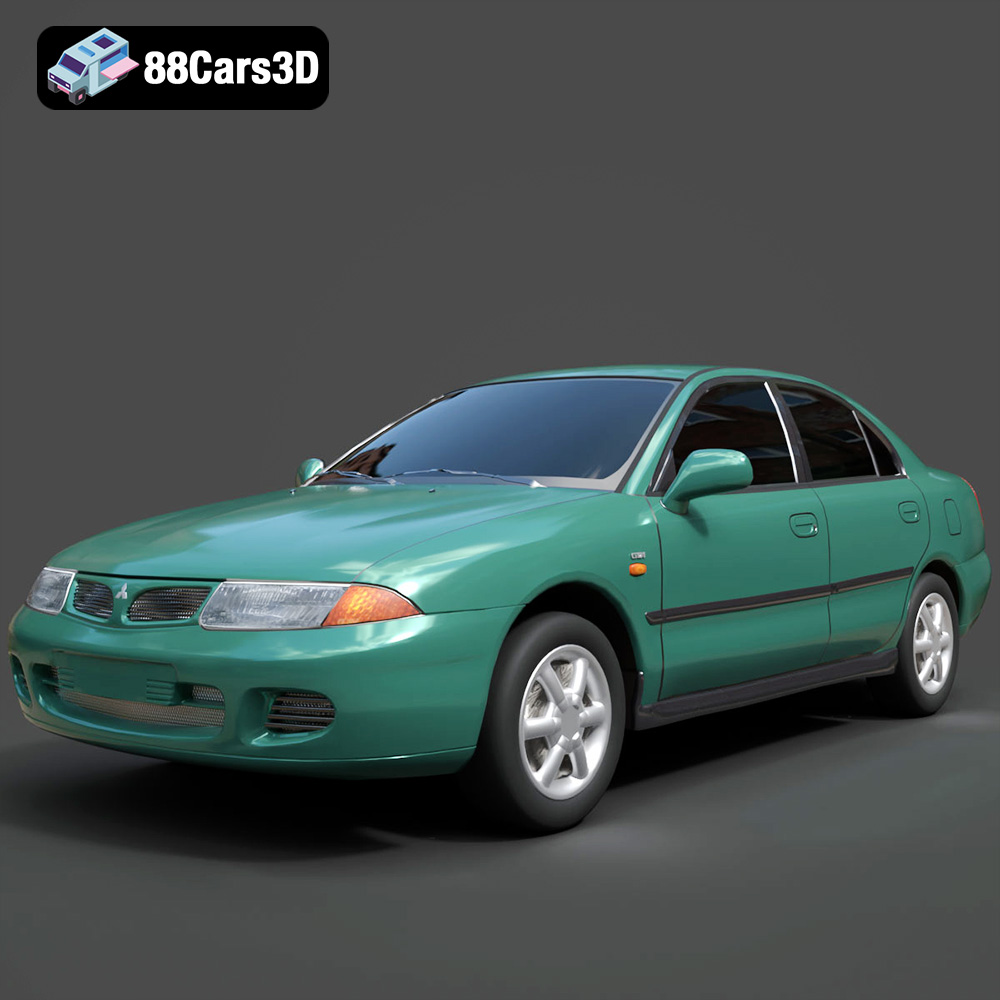
Download the Mitsubishi Carisma 3D Model featuring clean geometry, realistic detailing, and a fully modeled interior. Includes .blend, .fbx, .obj, .glb, .stl, .ply, .unreal, and .max formats for rendering, simulation, and game development.
Price: $4.99
Texture: Yes
Material: Yes
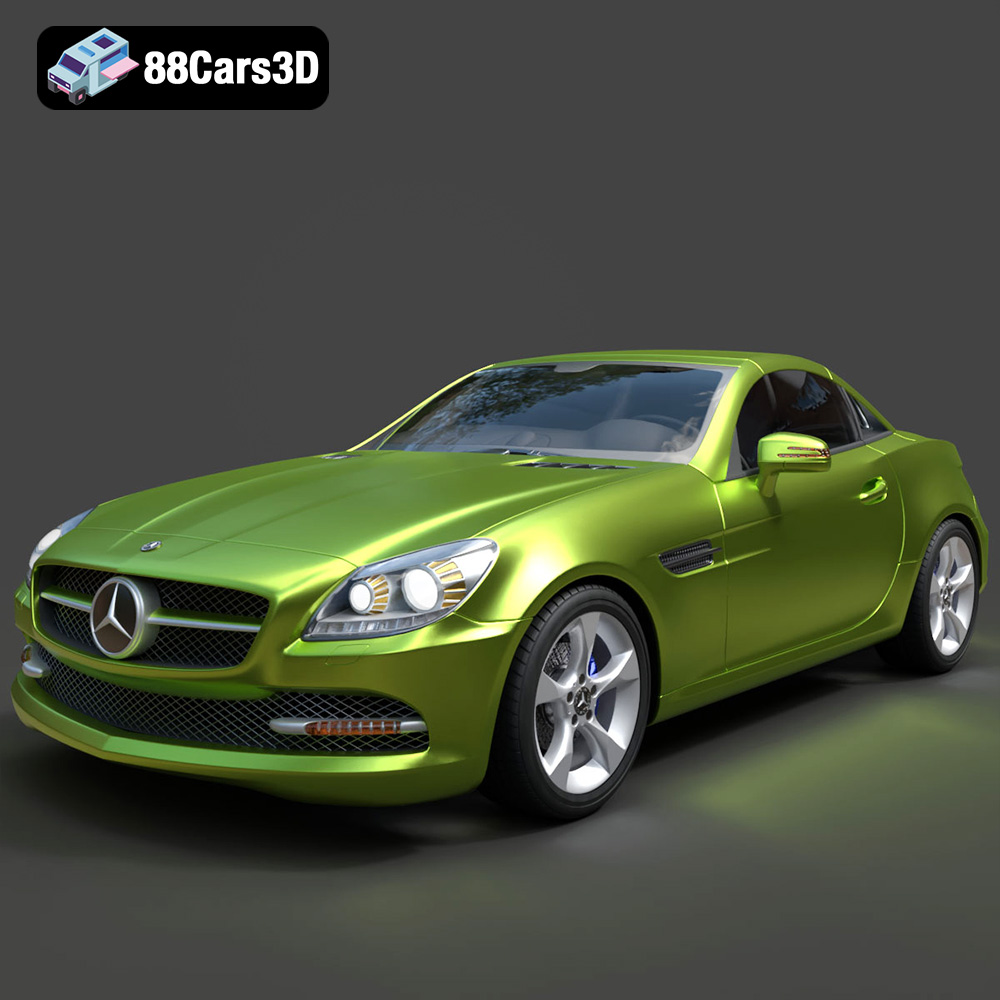
Download the Mercedes-Benz SLK-Class 3D Model featuring clean geometry, realistic detailing, and a fully modeled interior. Includes .blend, .fbx, .obj, .glb, .stl, .ply, .unreal, and .max formats for rendering, simulation, and game development.
Price: $4.99
Texture: Yes
Material: Yes
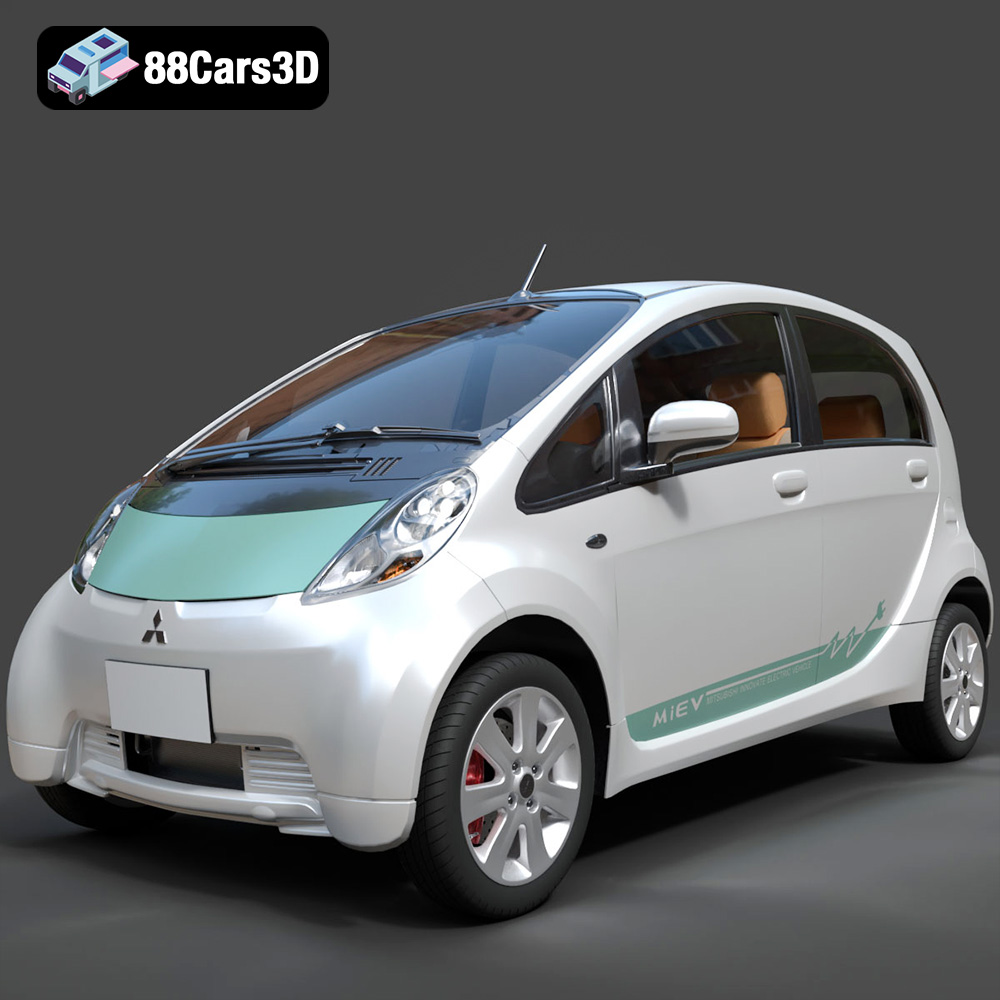
Download the Mitsubishi i-MiEV 2025 3D Model featuring clean geometry, realistic detailing, and a fully modeled interior. Includes .blend, .fbx, .obj, .glb, .stl, .ply, .unreal, and .max formats for rendering, simulation, and game development.
Price: $4.99
Texture: Yes
Material: Yes
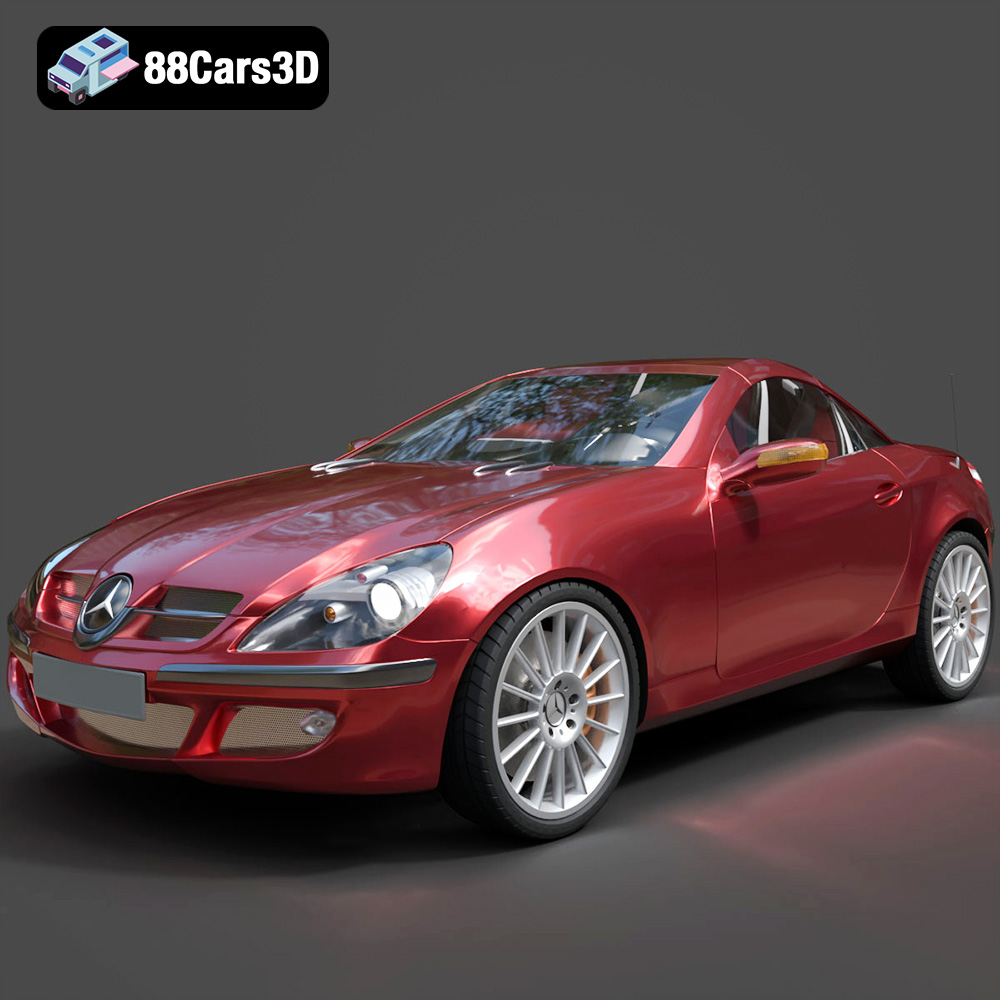
Download the Mercedes-Benz SLK-Klasse 3D Model featuring clean geometry, realistic detailing, and a fully modeled interior. Includes .blend, .fbx, .obj, .glb, .stl, .ply, .unreal, and .max formats for rendering, simulation, and game development.
Price: $4.99
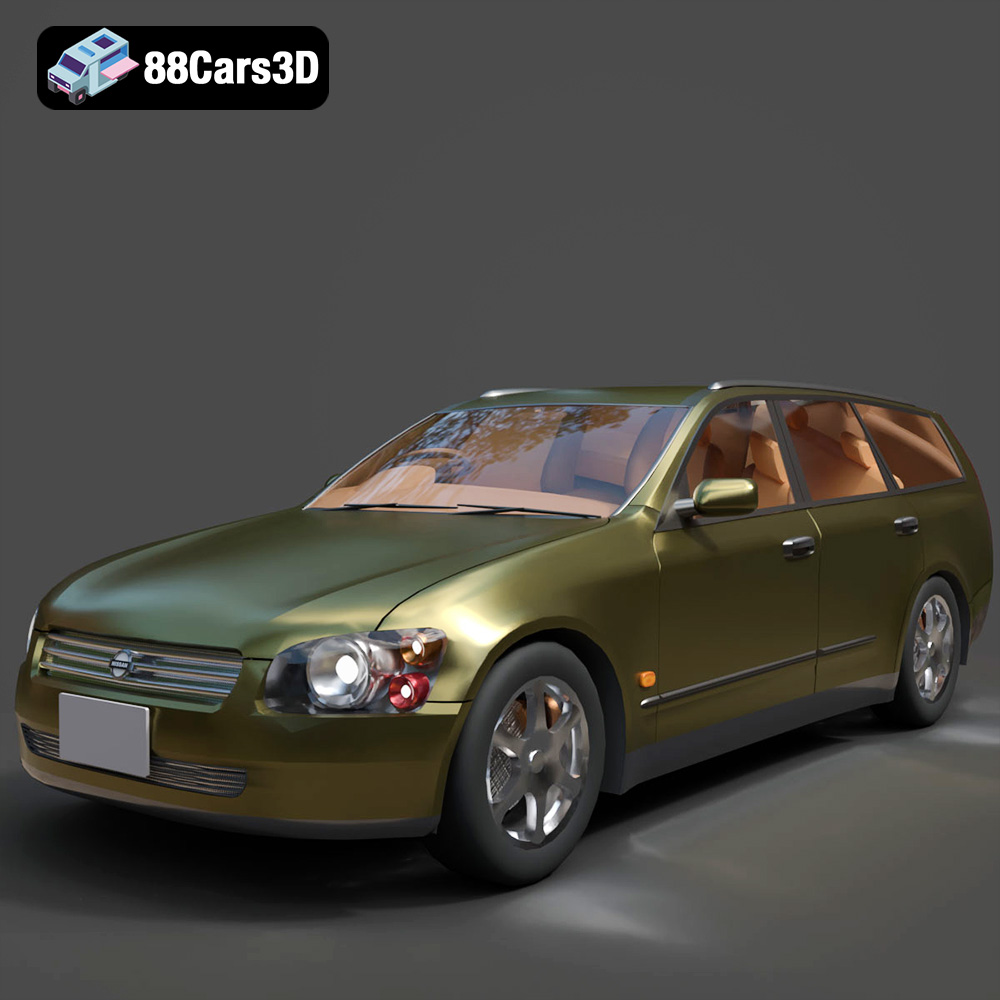
Texture: Yes
Material: Yes
Download the Nissan Stagea 2001 3D Model featuring clean geometry, realistic detailing, and a fully modeled interior. Includes .blend, .fbx, .obj, .glb, .stl, .ply, .unreal, and .max formats for rendering, simulation, and game development.
Price: $4.99

Texture: Yes
Material: Yes
Download the Mitsubishi 3000 GT 1993 3D Model featuring clean geometry, realistic detailing, and a fully modeled interior. Includes .blend, .fbx, .obj, .glb, .stl, .ply, .unreal, and .max formats for rendering, simulation, and game development.
Price: $4.99

