Get 20% OFF All Premium 3D & STL Models!

In the dynamic worlds of automotive design, game development, cinematic visualization, and emerging AR/VR experiences, the demand for hyper-realistic and impeccably crafted 3D car models has never been higher. These digital assets are far more than mere visual representations; they are complex constructs of geometry, materials, and textures, meticulously engineered to perform flawlessly across a spectrum of platforms and purposes. Whether you’re an automotive engineer validating a new design, a game developer pushing the boundaries of realism, or an architect integrating vehicles into a stunning visualization, the quality of your 3D car models dictates the success and impact of your project.
This comprehensive guide delves into the intricate technicalities behind creating, optimizing, and deploying high-quality 3D car models. We’ll navigate the critical stages from foundational modeling principles and advanced UV mapping techniques to sophisticated PBR material creation, real-time game engine optimization, and preparation for novel applications like AR/VR and 3D printing. By understanding these workflows and best practices, you’ll be equipped to leverage the full potential of these powerful digital assets, ensuring your projects stand out with unparalleled visual fidelity and technical robustness.
The journey to a photorealistic 3D car model begins with its underlying mesh – the topology. For automotive models, which are characterized by sleek curves, sharp creases, and reflective surfaces, superior topology is not just a preference; it’s a critical requirement. Clean and efficient geometry ensures smooth subdivision, accurate reflections, and seamless deformation, which are paramount for high-quality renders and real-time performance.
The bedrock of a robust 3D car model lies in its polygon structure. Professional models predominantly utilize quad-based topology, meaning the mesh is constructed primarily from four-sided polygons. While triangles are unavoidable in some intricate areas and Ngons (polygons with more than four sides) are generally to be avoided, a predominantly quad mesh provides superior control over subdivision surfaces. When smoothed with algorithms like Catmull-Clark, quads produce predictable, flowing surfaces crucial for capturing the subtle curvature of a car body without pinching or artifacts.
Edge flow is equally vital. It refers to the direction and continuity of edges, dictating how light reflects off the surface and how the model deforms. For car panels, edge loops should follow the natural contours of the vehicle, defining creases, panel gaps, and stylistic lines with precision. This allows for clean bevels and maintains the integrity of the design even at high subdivision levels. For instance, a complex area like a car door handle or a fender flare requires careful routing of edge loops to support its shape. Polygon counts vary significantly depending on the intended use: a high-resolution render model might range from 200,000 to over 1 million polygons, while a detailed game asset could be optimized to 50,000-150,000 polygons for its highest Level of Detail (LOD0).
Accuracy is paramount in automotive modeling. Professional artists meticulously work with blueprints, schematics, and high-resolution reference images from all angles. Importing these references directly into 3D software like 3ds Max, Blender, or Maya and scaling them accurately to real-world dimensions (e.g., 4.8 meters for a typical sedan) provides a solid foundation for proportional correctness. This ensures that the digital model not only looks right but also aligns with real-world specifications.
Beyond external panels, attention to detail extends to interior components, undercarriage, and engine bay elements. While exterior models for rendering often prioritize a complete shell with detailed wheels, brake calipers, and headlights, a game asset might require a simplified interior, or specific parts to be baked into normal maps to save polygon count. Understanding the project’s requirements from the outset guides the level of detail necessary, allowing for efficient modeling without over-engineering.
Once the geometric foundation is solid, the next crucial step is to prepare the model for texturing and define how light interacts with its surfaces. This involves strategic UV mapping and the creation of physically based rendering (PBR) materials, which together give the 3D car model its photorealistic appearance.
UV mapping is the process of unwrapping the 3D mesh into a 2D space, allowing textures to be painted or applied without distortion. For the intricate surfaces of a car, this requires a methodical approach. The car body typically needs large, contiguous UV islands to minimize seams and stretching, especially for reflective paint finishes. Techniques like planar mapping for flat surfaces, cylindrical mapping for wheels, and spherical mapping for round elements are often combined with manual adjustments in UV editors (available in 3ds Max, Blender, Maya).
Maintaining a consistent texel density across all UV islands is vital. This ensures that texture resolution is uniform, preventing some areas from appearing blurry while others are crisp. For highly detailed models, artists often employ Multi-UDIM workflows, where different parts of the car (body, interior, wheels, engine) are assigned separate UV tiles. This allows for very high-resolution textures (e.g., 4K or 8K per UDIM) without being limited by a single texture map, crucial for rendering microscopic details like paint flakes or leather grain. Platforms like 88cars3d.com often provide models with expertly unwrapped UVs, saving countless hours for artists.
Physically Based Rendering (PBR) has become the industry standard for achieving realistic materials. PBR materials accurately simulate how light interacts with surfaces based on real-world physical properties. Key maps in a PBR workflow include:
For a car, PBR material creation is a layered process. Car paint, for instance, involves a base color layer, a metallic flake layer, and a clear coat layer, each with its own roughness and normal characteristics. Chrome requires a high metallic value and very low roughness. Glass needs specific transmission and refraction properties. Using shader networks in software like 3ds Max with Corona Renderer or V-Ray, Blender’s Principled BSDF, or Arnold shaders, artists can build complex material definitions that react realistically to lighting. Typical texture resolutions for primary car surfaces range from 4K to 8K, ensuring incredible detail even in close-up renders.
A perfectly modeled and textured 3D car model only truly comes alive when illuminated and presented with artistic flair. Automotive rendering is a specialized skill that combines technical knowledge of render engines with a keen eye for photography and visual storytelling. The goal is to make the digital vehicle indistinguishable from its real-world counterpart.
Effective lighting is the cornerstone of any compelling automotive render. For studio-style shots, artists often employ techniques inspired by real-world photography. High Dynamic Range Imagery (HDRI) is foundational, providing realistic global illumination and reflections from an environment captured from a real location or studio setup. This instantly grounds the car in a believable lighting scenario.
Beyond HDRIs, area lights and photometric lights (which simulate real-world light fixtures using IES profiles) are used to sculpt the form of the car, highlight specific design elements, and create dramatic reflections. A classic three-point lighting setup (key light, fill light, back light) is a common starting point for product renders, tailored to bring out the car’s contours. For more immersive renders, integrating the 3D car model into a backplate (a photographic background image) requires careful matching of perspective, focal length, and lighting direction to achieve a seamless composite. Software like Corona Renderer, V-Ray for 3ds Max, Cycles for Blender, and Arnold for Maya offer robust tools for these sophisticated lighting setups.
Achieving photorealistic renders within a reasonable timeframe involves careful optimization of render settings. Each render engine has its specific parameters for sample rates, global illumination bounces, and noise threshold. Modern denoisers (like NVIDIA OptiX or Intel Open Image Denoise) are invaluable for cleaning up noisy renders efficiently. Understanding when to increase samples for complex areas like glass or reflections, and when to reduce them for simpler surfaces, is key to balancing quality and render time.
The rendering process doesn’t end when the image is computed. Post-processing and compositing are crucial for refining the final image. Artists render various passes (or AOV – Arbitrary Output Variables) such as Cryptomatte (for easy object selection), Z-Depth (for depth of field), Normals, Reflection, Refraction, and Ambient Occlusion. These passes are then brought into compositing software like Adobe Photoshop, Affinity Photo, or Blackmagic Fusion/Nuke. Here, adjustments like color grading, exposure correction, adding lens flares, sharpening, chromatic aberration, and vignette effects are applied. This stage allows for artistic fine-tuning, elevating a technically correct render into a visually stunning masterpiece. Final output resolutions for professional automotive renders often range from 1920×1080 for web use up to 4K or 8K for print and high-definition screens.
While offline rendering aims for ultimate visual fidelity without strict time constraints, real-time applications like video games and AR/VR experiences demand constant performance at 60 frames per second or higher. This shift requires a significant focus on optimization, transforming high-fidelity models into lightweight, efficient assets that maintain visual quality within tight technical budgets.
The primary challenge in game development is to render complex scenes in real-time. For 3D car models, this means intelligent polygon reduction without compromising critical visual details. Level of Detail (LOD) systems are fundamental. Multiple versions of the same car model are created, each with a progressively lower polygon count. The game engine then swaps between these LODs based on the camera’s distance from the object (e.g., LOD0 for close-up, LOD1 for mid-distance, LOD2 for far away, and often a billboard or simplified mesh for extreme distance).
Polygon reduction techniques include manual retopology for critical areas and automated decimation tools. However, decimated meshes often require normal maps baked from the high-polygon version onto the low-polygon version to retain surface detail. Further optimization involves reducing draw calls – the number of instructions the CPU sends to the GPU. This can be achieved through texture atlasing (combining multiple smaller textures into one larger map) and mesh combining (merging separate car parts into a single mesh). A high-quality game-ready car model, such as those found on 88cars3d.com, will often include several LODs and optimized material setups. Typical polygon counts for a game car’s LOD0 might range from 10,000 to 50,000, with LODs dropping to a few thousand or even hundreds.
AR/VR environments present even stricter performance budgets than traditional video games, especially for mobile AR or standalone VR headsets. The need for a smooth, high-frame-rate experience (often 90+ FPS) to prevent motion sickness means polygon counts and texture memory must be exceptionally low. For a single car in AR/VR, typical polygon budgets might be between 15,000 to 70,000 triangles for the entire model, with texture resolutions often capped at 2K or 1K.
Specific optimizations include minimizing material count, using unlit materials where possible to reduce shader complexity, and leveraging efficient rendering techniques like single-pass stereo rendering in VR. For interactive AR/VR, real-time reflections are vital for automotive realism; these are often achieved through lightweight methods like reflection probes or screen-space reflections rather than computationally expensive ray tracing. Additionally, file formats like GLB (glTF Binary) and USDZ are specifically optimized for web and mobile AR/VR applications, ensuring quick loading times and broad compatibility across devices.
The digital ecosystem for 3D car models is incredibly diverse, with various industries requiring different file formats and specific preparations. Understanding these requirements ensures that a high-quality model can be seamlessly integrated into any workflow, from interactive experiences to physical manufacturing.
The choice of 3D file format significantly impacts how a model can be used and shared. Each format has its strengths and limitations:
When converting between formats, care must be taken to preserve all relevant data. Material definitions, especially PBR setups, can be lost or misinterpreted, often requiring manual recreation in the target software. Scale and pivot points can also be issues. When sourcing models from marketplaces such as 88cars3d.com, checking the included file formats ensures compatibility with your project pipeline and minimizes conversion headaches.
Beyond digital displays, 3D car models can also transition into the physical realm through 3D printing. However, this requires specific preparation to ensure the model is “manifold” – meaning it’s a completely watertight mesh with no holes, non-manifold edges, or intersecting geometry. 3D printing software needs a solid, enclosed volume to generate toolpaths.
Key considerations include:
The standard file format for 3D printing is STL (.stl), though OBJ is also widely accepted. By carefully preparing a high-quality 3D car model, artists and designers can bring their digital creations to life, holding a tangible representation of their virtual design.
The journey from a conceptual idea to a fully realized, high-quality 3D car model is a testament to both artistic skill and deep technical understanding. We’ve explored the critical stages: from crafting impeccable topology and masterfully unwrapping UVs, to creating photorealistic PBR materials and orchestrating sophisticated rendering workflows. We then delved into the crucial optimizations required for real-time applications in gaming and the emerging frontiers of AR/VR, concluding with the practical considerations for diverse file formats and the exciting potential of 3D printing.
The demand for these versatile digital assets will only continue to grow. Whether for cutting-edge visualization, immersive game environments, or future automotive design iterations, investing in high-quality 3D car models is a strategic decision. Such models save countless hours in production, ensure consistent visual excellence, and provide the flexibility needed for multi-platform deployment.
For artists, developers, and designers seeking to elevate their projects with premium 3D car models, platforms like 88cars3d.com offer an invaluable resource. By providing models with clean topology, realistic PBR materials, optimized UV mapping, and multiple file formats, they empower creators to jump straight into production with assets that are built to perform. Embrace the precision, unleash the power, and drive your projects forward with the unparalleled quality of expertly crafted 3D car models.

Texture: Yes
Material: Yes
Download the Nissan 350Z 3D Model featuring clean geometry, realistic detailing, and a fully modeled interior. Includes .blend, .fbx, .obj, .glb, .stl, .ply, .unreal, and .max formats for rendering, simulation, and game development.
Price: $4.99

Texture: Yes
Material: Yes
Download the Nissan Skyline V35 2001 3D Model featuring clean geometry, realistic detailing, and a fully modeled interior. Includes .blend, .fbx, .obj, .glb, .stl, .ply, .unreal, and .max formats for rendering, simulation, and game development.
Price: $4.99

Texture: Yes
Material: Yes
Download the Mercedes-Benz S-Klasse 221-007 3D Model featuring clean geometry, realistic detailing, and a fully modeled interior. Includes .blend, .fbx, .obj, .glb, .stl, .ply, .unreal, and .max formats for rendering, simulation, and game development.
Price: $4.99

Texture: Yes
Material: Yes
Download the Mercedes W124 Sedan 3D Model featuring clean geometry, realistic detailing, and a fully modeled interior. Includes .blend, .fbx, .obj, .glb, .stl, .ply, .unreal, and .max formats for rendering, simulation, and game development.
Price: $4.99
Texture: Yes
Material: Yes
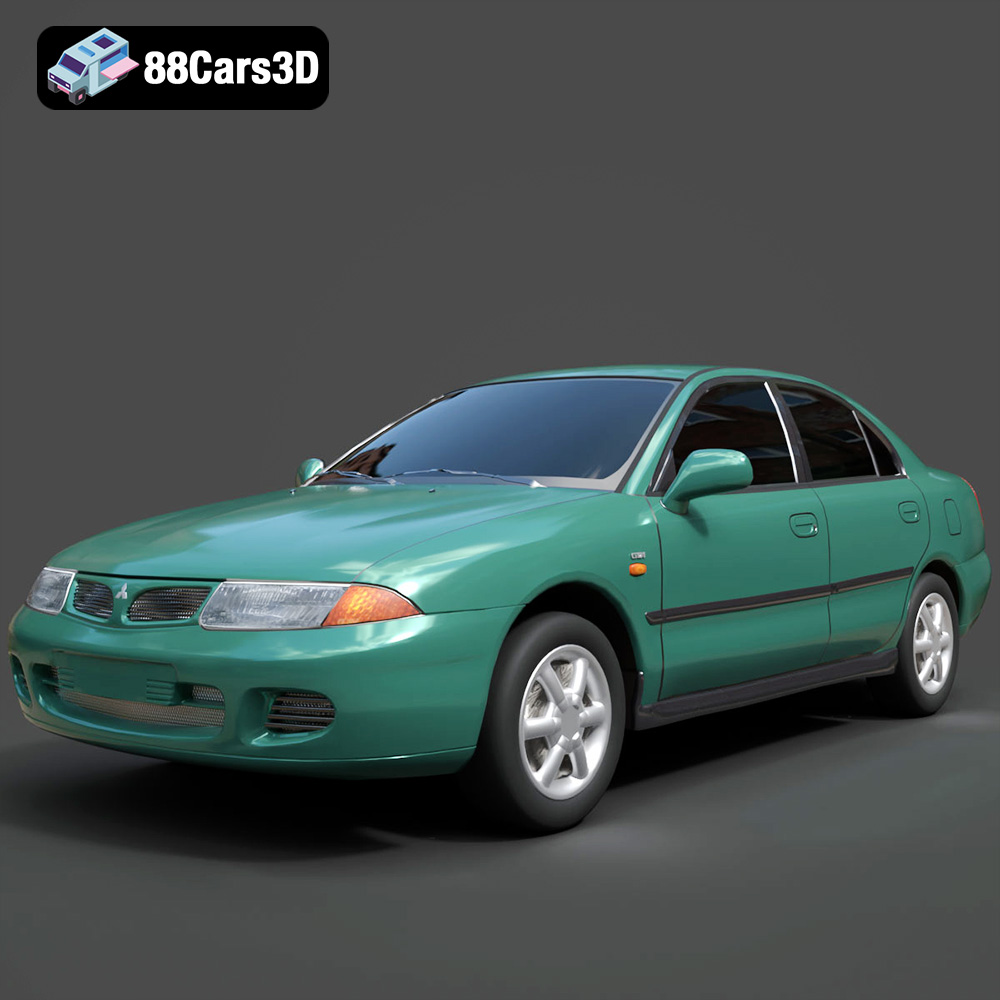
Download the Mitsubishi Carisma 3D Model featuring clean geometry, realistic detailing, and a fully modeled interior. Includes .blend, .fbx, .obj, .glb, .stl, .ply, .unreal, and .max formats for rendering, simulation, and game development.
Price: $4.99
Texture: Yes
Material: Yes
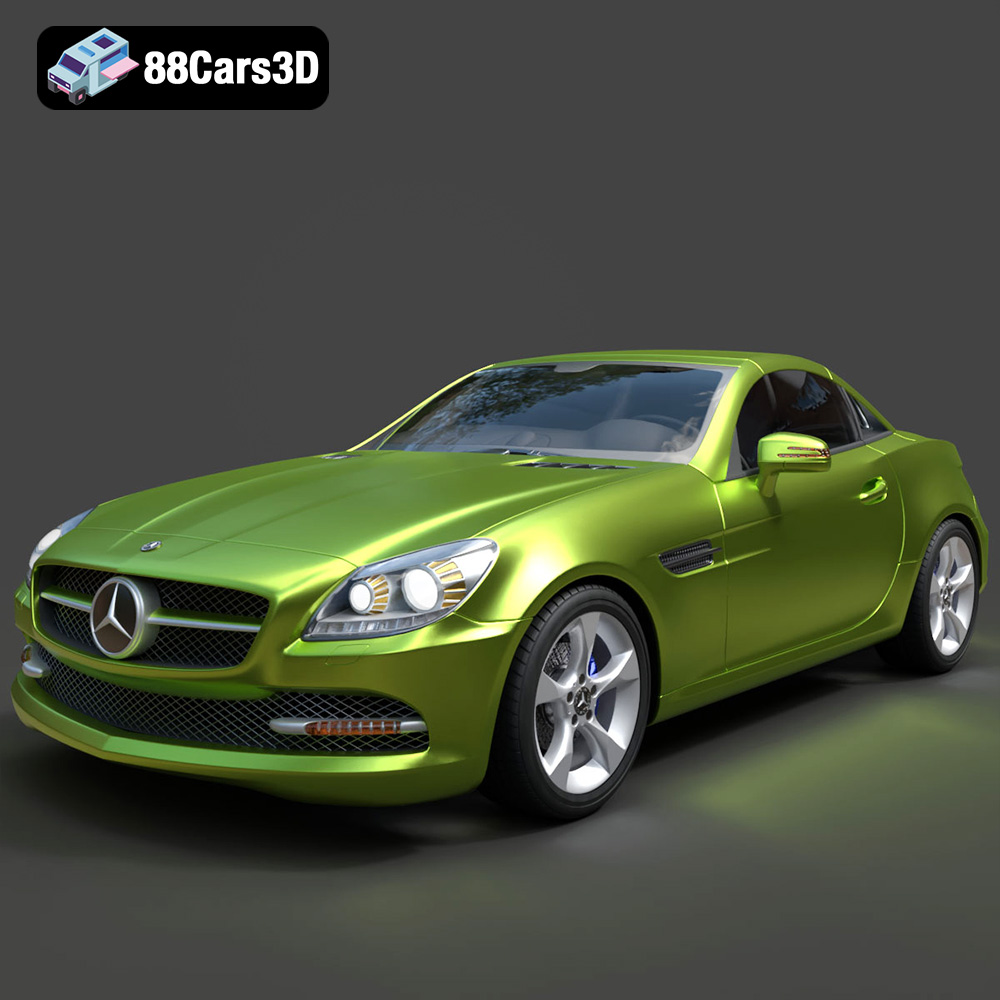
Download the Mercedes-Benz SLK-Class 3D Model featuring clean geometry, realistic detailing, and a fully modeled interior. Includes .blend, .fbx, .obj, .glb, .stl, .ply, .unreal, and .max formats for rendering, simulation, and game development.
Price: $4.99
Texture: Yes
Material: Yes
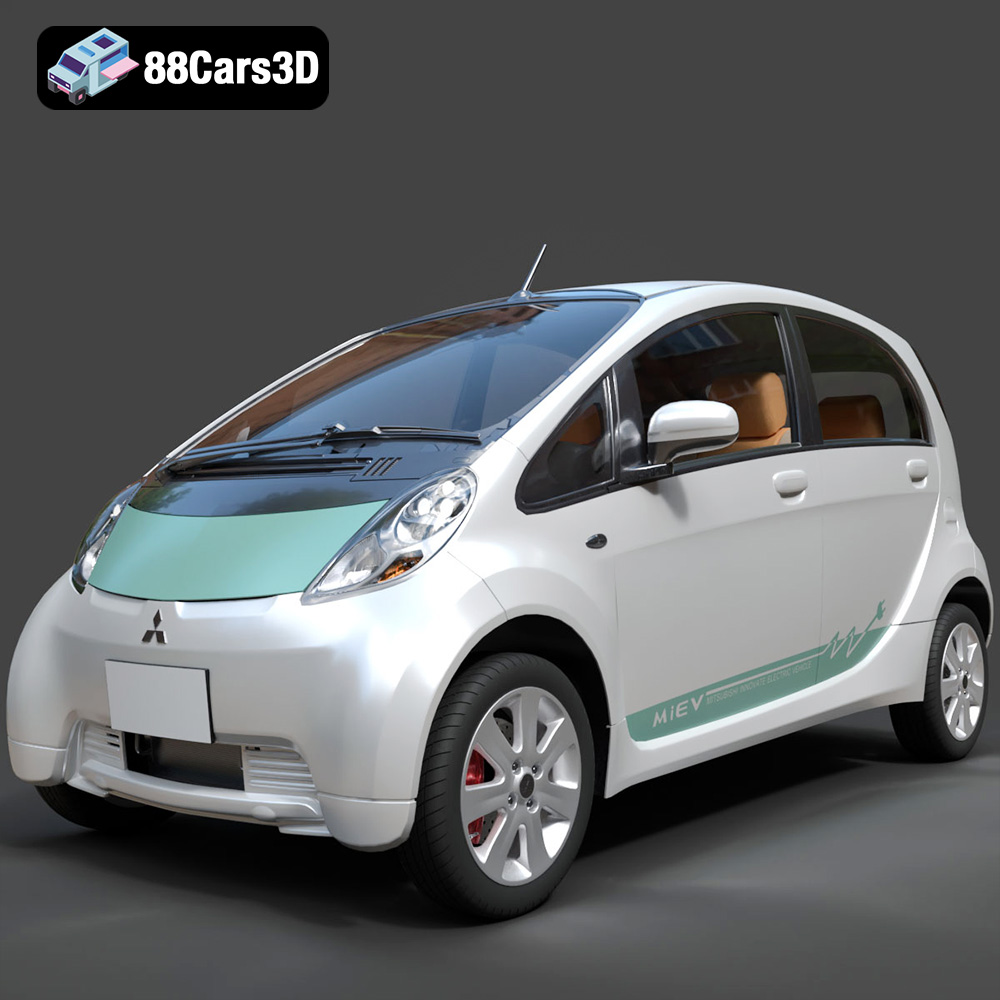
Download the Mitsubishi i-MiEV 2025 3D Model featuring clean geometry, realistic detailing, and a fully modeled interior. Includes .blend, .fbx, .obj, .glb, .stl, .ply, .unreal, and .max formats for rendering, simulation, and game development.
Price: $4.99
Texture: Yes
Material: Yes
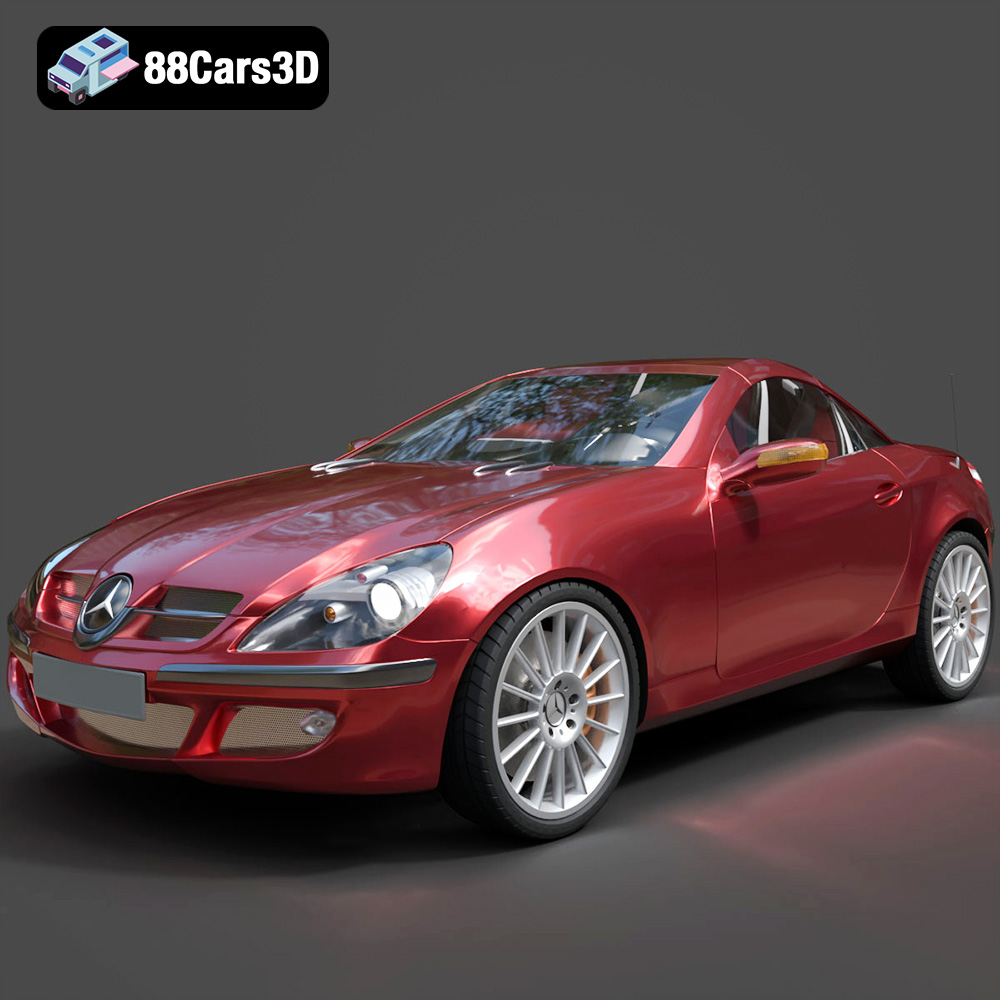
Download the Mercedes-Benz SLK-Klasse 3D Model featuring clean geometry, realistic detailing, and a fully modeled interior. Includes .blend, .fbx, .obj, .glb, .stl, .ply, .unreal, and .max formats for rendering, simulation, and game development.
Price: $4.99
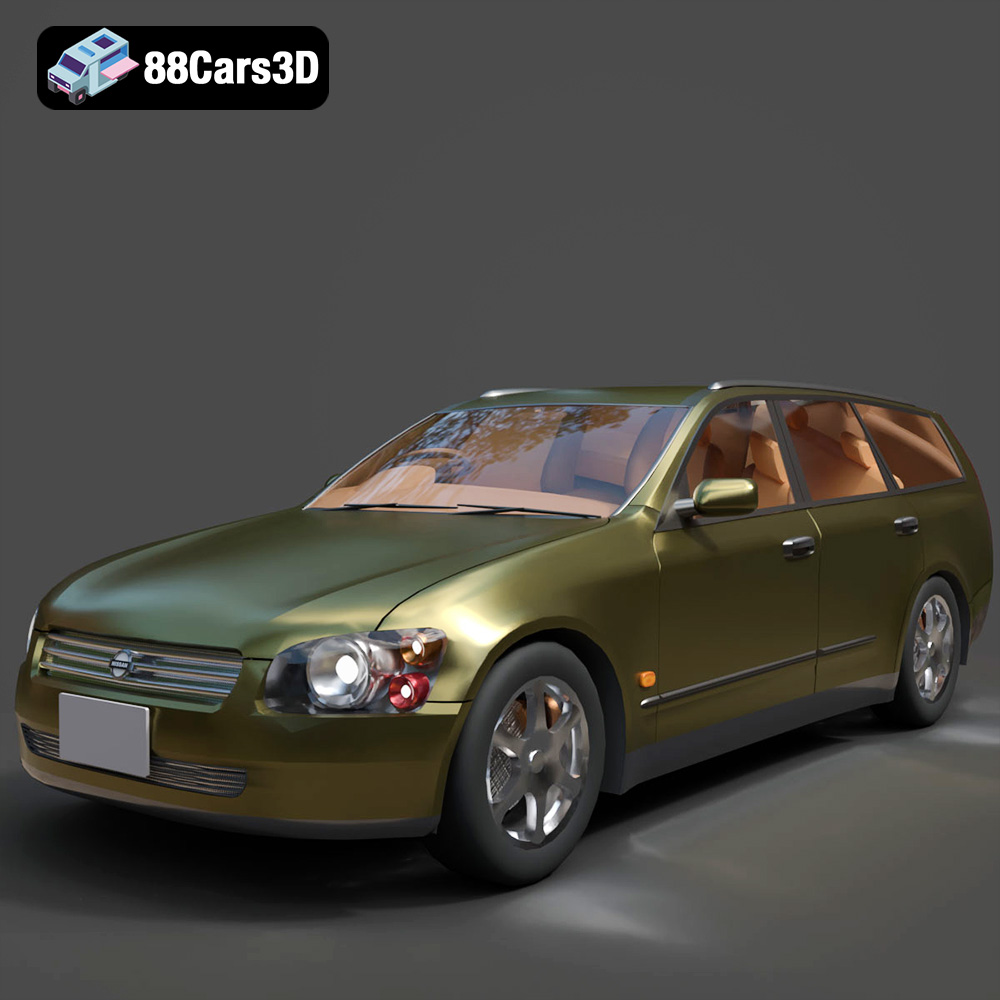
Texture: Yes
Material: Yes
Download the Nissan Stagea 2001 3D Model featuring clean geometry, realistic detailing, and a fully modeled interior. Includes .blend, .fbx, .obj, .glb, .stl, .ply, .unreal, and .max formats for rendering, simulation, and game development.
Price: $4.99

Texture: Yes
Material: Yes
Download the Mitsubishi 3000 GT 1993 3D Model featuring clean geometry, realistic detailing, and a fully modeled interior. Includes .blend, .fbx, .obj, .glb, .stl, .ply, .unreal, and .max formats for rendering, simulation, and game development.
Price: $4.99

