Get 20% OFF All Premium 3D & STL Models!

The sleek lines, the shimmering paint, the powerful stance – 3D car models are more than just digital assets; they are a convergence of art, engineering, and cutting-edge technology. From breathtaking photorealistic renders that define automotive advertising to meticulously optimized assets driving the next generation of video games and immersive AR/VR experiences, the demand for high-quality, technically sound 3D vehicles is ceaseless. But creating such models, or even selecting the right ones for your project, is a nuanced discipline that requires a deep understanding of several specialized workflows.
This comprehensive guide will take you on a journey through the intricate world of 3D car models, unraveling the complexities from foundational modeling principles to advanced rendering techniques and crucial optimization strategies for real-time applications. Whether you’re a seasoned 3D artist aiming to refine your craft, a game developer seeking to enhance visual fidelity without compromising performance, or an automotive designer exploring new visualization frontiers, this article will equip you with the knowledge to push the boundaries of your projects. We’ll delve into the secrets of clean topology, the artistry of PBR materials, the magic of cinematic rendering, and the pragmatism of game engine optimization, ensuring your 3D cars don’t just look good, but perform flawlessly across every medium.
At the heart of any exceptional 3D car model lies immaculate topology. Good topology isn’t merely about aesthetics; it’s the structural blueprint that dictates how your model deforms, how light interacts with its surfaces, and how easily it can be textured and animated. For automotive models, which are characterized by complex curves, sharp panel gaps, and subtle surface variations, a clean and intentional edge flow is paramount. Without it, even the most stunning textures and lighting won’t mask underlying geometric imperfections.
The goal is to maintain an all-quad workflow as much as possible, especially on deformation-critical areas and large, smooth surfaces. Triangles can introduce pinching, shading artifacts, and make future modifications challenging. Aim for uniform polygon density across surfaces to ensure consistent subdivision smoothing and prevent uneven deformation. Avoid ngons (polygons with more than four sides) as they can lead to unpredictable shading and triangulation issues upon export or subdivision.
Achieving clean topology on a car body means meticulously guiding edge loops to define the contours and features. Edge loops should flow naturally along the curvature of the vehicle, defining panel lines, wheel arches, vents, and character lines with precision. For instance, the edges defining a fender flare should run smoothly around the curve, maintaining consistent spacing. This allows for clean subdivision (e.g., using a TurboSmooth modifier in 3ds Max or Subdivision Surface modifier in Blender) which creates a smooth, high-fidelity surface without introducing bumps or ripples. Artists often use reference images, blueprints, and even CAD data as a starting point, tracing the major forms and gradually adding detail.
Polygon count is a critical consideration, varying significantly depending on the intended application. For high-fidelity rendering, models might range from 200,000 to over a million polygons to capture every minute detail, like the reflections in complex car paint or intricate interior components. However, for real-time game engines or AR/VR applications, these counts are far too high. A high-quality in-game car model might target 50,000-100,000 polygons for the main body, with multiple Levels of Detail (LODs) further reducing the count for distant objects. For mobile AR/VR, the budget could be as low as 10,000-30,000 polygons for an entire vehicle. This strategic reduction involves simplifying geometry while preserving the silhouette and critical features, often through manual retopology or automated decimation tools combined with normal map baking to retain surface detail. When sourcing models from marketplaces like 88cars3d.com, pay close attention to the provided polycount and topology details to ensure they align with your project’s requirements.
Once the geometry is solidified, the next crucial step is to prepare the model for texturing through UV mapping and then to create physically-based rendering (PBR) materials that accurately simulate real-world surfaces. UV mapping is the process of unwrapping the 3D mesh into a 2D layout, like flattening a cardboard box, so that 2D textures can be painted onto it without distortion. PBR materials then utilize a suite of texture maps to define how light interacts with the surface, resulting in remarkably realistic results.
Effective UV unwrapping for a car model requires careful planning. The goal is to minimize seams, avoid stretching, and maintain a consistent texel density across all surfaces. Texel density refers to the number of pixels per unit of 3D space, and maintaining consistency ensures that textures appear equally sharp across the entire model. For large, continuous surfaces like the car body, it’s often best to use a few large UV islands rather than many small ones, minimizing visible seams. However, strategic seam placement along natural breaks (like panel lines or hidden edges) can help conceal them. Overlapping UVs can be used for mirrored parts (e.g., wheels, door handles) to save texture space, but care must be taken to avoid issues with unique details or baked ambient occlusion. For extremely detailed models, multi-tile UVs (like UDIMs) allow for multiple high-resolution textures to be applied to different parts of the model, offering immense detail without compromising texture resolution for any single area. Software like 3ds Max, Blender, and Maya offer robust UV editing tools, including automatic unwrappers and manual painting tools to refine layouts.
PBR revolutionized material creation by providing a physically accurate framework for how light interacts with surfaces. There are two primary PBR workflows: Metallic-Roughness and Specular-Glossiness. The Metallic-Roughness workflow, widely adopted in game engines like Unity and Unreal Engine, uses maps for Base Color (albedo), Metallic (0 for dielectrics, 1 for metals), Roughness (surface microsurface detail), Normal (fine surface detail), and Ambient Occlusion (contact shadows). The Specular-Glossiness workflow uses Diffuse, Specular (reflectivity color), and Glossiness (inverse of roughness). Understanding these maps is crucial for creating convincing materials.
Car paint is one of the most challenging materials to reproduce due to its complex layered structure. A typical car paint shader often involves a base coat (diffuse color), metallic flakes (controlled by a noise or procedural map, influencing metallic and roughness properties), and a clear coat (a highly reflective, slightly rough layer on top). Advanced shaders in renderers like Corona, V-Ray, and Arnold allow for layered material setups to accurately simulate these effects, including iridescence and Fresnel reflections. Other critical materials include realistic tire rubber (subtle roughness variations, normal maps for tread detail), believable glass (accurate IOR, tint, and subtle dirt/smudges), and convincing chrome (high metallic, low roughness, highly reflective). Texture resolutions for these maps are often 4K or 8K for high-detail renders, while game assets might use 2K or 1K atlases to conserve memory. File formats like PNG, TGA, and EXR are common, with EXR being preferred for HDR data like displacement or emission maps due to its higher bit depth.
Once your 3D car model is meticulously crafted and textured, the next step is to bring it to life through cinematic rendering. This stage is where technical precision meets artistic vision, transforming a static model into a captivating image or animation. High-quality automotive rendering requires a deep understanding of lighting, camera work, rendering engine specifics, and post-processing techniques to achieve photorealism and emotional impact.
Lighting is arguably the most critical element in automotive rendering. It defines the mood, highlights the car’s design, and reveals the intricacies of its materials. High Dynamic Range Images (HDRIs) are indispensable, providing realistic environmental lighting and reflections. A good HDRI can instantly place your car in a believable outdoor or studio setting. Complementary to HDRIs, physical lights (area lights, spot lights) are used to accentuate specific features, create dramatic highlights, or simulate studio lighting setups. A classic three-point lighting setup (key, fill, back light) provides a solid foundation, but automotive rendering often involves a more complex array of subtle light sources to bring out reflections along the body panels, define contours, and create visual interest. Pay close attention to how reflections behave on the car’s surface; they are crucial for conveying shape and material properties. For example, a long, soft area light overhead can create stunning reflections that emphasize the curvature of the roof and hood.
Just like in traditional photography, camera settings and composition play a vital role. Choose appropriate focal lengths (e.g., 50mm-100mm for a natural perspective) to avoid distortion. Depth of field can isolate the car from the background, drawing focus to its details. Compositional rules like the rule of thirds, leading lines, and negative space help create visually balanced and appealing shots. Automotive photography often emphasizes low angles and dynamic perspectives to convey speed and power. For renderers like Corona, V-Ray, Cycles, and Arnold, optimizing render settings is crucial for both quality and speed. This involves balancing ray depth (how many times light bounces), sampling levels (quality of anti-aliasing and noise reduction), and global illumination settings. Utilizing features like adaptive sampling and denoising (e.g., NVIDIA OptiX denoiser in Corona/V-Ray or Intel Open Image Denoise in Blender Cycles) can significantly reduce render times without compromising quality. Render passes (or AOVs – Arbitrary Output Variables) allow you to output individual components of the render, such as diffuse, reflection, refractions, and masks, which are invaluable for post-processing.
The rendering process doesn’t end when the image is computed. Post-processing in software like Adobe Photoshop or After Effects is where many renders truly come to life. This stage involves color correction, contrast adjustments, sharpening, and adding subtle effects like bloom, chromatic aberration, or lens flares. Using render passes, artists can non-destructively adjust specific elements, fine-tune reflections, or selectively apply effects. For instance, adjusting the reflection pass can enhance the metallic sheen, or using an ambient occlusion pass can deepen contact shadows. Compositing multiple elements, such as a backplate photograph and the rendered car, requires careful attention to perspective, color matching, and realistic integration to create a seamless final image. This meticulous attention to detail at every stage, from lighting to the final pixel, is what elevates a good render to a truly stunning one, making your 3D car models indistinguishable from real-world photography.
While cinematic renders prioritize raw visual fidelity, real-time applications like video games, interactive configurators, and AR/VR experiences demand a different approach: unparalleled optimization. A beautiful 3D car model is only truly effective in these environments if it runs smoothly, maintaining high frame rates without sacrificing visual quality. This requires a strategic blend of geometry reduction, texture management, and smart shader setups.
One of the most critical optimization techniques is the implementation of Levels of Detail (LODs). This involves creating multiple versions of your 3D car model, each with a progressively lower polygon count. The game engine then automatically switches between these LODs based on the camera’s distance from the object. For a hero car that the player interacts with up close, you might have LOD0 at 50,000-100,000 triangles. LOD1 could be 20,000-40,000 triangles for mid-range distance, LOD2 at 5,000-10,000 triangles for distant views, and LOD3 perhaps under 2,000 triangles for extremely far-off instances. This ensures that the engine only renders the necessary detail, dramatically reducing the computational load. LODs can be generated manually through retopology, or semi-automatically using decimation tools found in 3ds Max, Blender, or dedicated software like Simplygon, followed by baking normal maps from the high-poly mesh onto the lower-poly LODs to retain surface detail. When considering 3D car models for your game, ensure that they are either provided with proper LODs or designed in a way that allows for easy LOD generation, a feature often highlighted by marketplaces like 88cars3d.com.
Another significant performance bottleneck in real-time rendering is the number of draw calls. Each time the GPU has to switch materials or textures, it incurs a draw call overhead. To minimize this, texture atlasing is widely employed. This involves combining multiple smaller textures (e.g., textures for the wheels, interior, and various car components) into one larger texture atlas. By doing so, a single material can reference this atlas, reducing the number of distinct materials and, consequently, draw calls required to render the car. This is particularly effective for car interiors with many small, distinct parts. Similarly, using material instances in engines like Unreal Engine allows for variations of a base material without creating entirely new materials, further reducing draw calls. Optimizing texture resolutions (e.g., 2K for large atlases, 1K for smaller, less prominent parts) and choosing efficient texture formats (like DXT for compressed textures) are also crucial for managing GPU memory.
AR/VR applications impose even stricter performance budgets than traditional games due to the need for high, consistent frame rates (e.g., 60-90 FPS per eye) to prevent motion sickness. This often means even lower polygon counts for LOD0, fewer unique materials, and careful management of shader complexity. Baked lighting, where static light and shadow information is pre-calculated into lightmaps or vertex colors, is frequently used instead of dynamic real-time lighting to save performance. Mobile AR/VR (e.g., applications for iOS/Android) further restricts resources, often requiring target polycounts below 30,000 triangles for an entire vehicle and very modest texture budgets. File formats optimized for web and AR/VR, such as GLB (for glTF) and USDZ (Apple’s AR format), are increasingly important, as they efficiently package geometry, materials, and textures into a single, compact file, perfect for quick loading and deployment.
The utility of high-quality 3D car models extends far beyond static renders or traditional games. From tangible 3D prints to interactive web configurators and immersive AR/VR experiences, these assets serve a multitude of purposes across various industries. Understanding the specific requirements for each application and the nuances of different file formats is key to maximizing the versatility of your 3D models.
Turning a digital 3D car model into a physical object via 3D printing introduces a unique set of technical considerations. The primary goal is to ensure the mesh is “watertight” or “manifold” – meaning it has no holes, intersecting geometry, or flipped normals, forming a completely enclosed volume. Non-manifold edges or faces can confuse 3D printers and lead to failed prints. Wall thickness is another critical factor; thin areas of the model might be too fragile or simply won’t print correctly, requiring the modeler to thicken them. Scale is also paramount; the digital model must be accurately scaled to the desired real-world size. Tools like Netfabb, Meshmixer, or specific repair functionalities within 3ds Max or Blender are often used to inspect, analyze, and repair meshes for 3D printing. This stage also involves considering the specific printer technology (FDM, SLA, SLS) and material properties, as they influence design choices like support structures and tolerances. For intricate car parts or full-scale prototypes, meticulous preparation ensures a successful physical output.
The digital ecosystem of 3D applications relies heavily on various file formats, each with its strengths and limitations. Choosing the correct format is crucial for seamless interoperability and preserving data integrity.
Understanding these formats allows artists and developers to export and import their 3D car models effectively, ensuring that all vital data – from geometry and UVs to PBR material definitions – is correctly transferred between different software packages or deployed to various platforms. For maximum compatibility and ease of use, platforms like 88cars3d.com often provide their high-quality 3D car models in multiple popular formats, ensuring you have the right asset for any project.
The applications for expertly crafted 3D car models are incredibly diverse:
The breadth of these applications underscores the growing importance of not just creating, but also understanding and optimizing 3D car models for specific use cases. Each application demands a tailored approach to polycount, texture resolution, and rendering technique, emphasizing the versatility required in modern 3D production.
The journey of a 3D car model, from its foundational topology to its final render or game-ready asset, is a testament to the blend of technical skill and artistic vision. We’ve explored the critical importance of clean geometry and intelligent edge flow, ensuring that every curve and crease of an automotive design is faithfully represented. We then delved into the artistry of UV mapping and PBR material creation, understanding how meticulously crafted textures and shader networks breathe life into digital surfaces, mimicking the intricate properties of real-world car paint, glass, and metal.
Further, we navigated the complexities of cinematic rendering, mastering lighting setups, camera techniques, and post-processing to achieve breathtaking photorealistic visualizations. Finally, we tackled the crucial realm of real-time optimization, with strategies like LODs, texture atlasing, and careful asset management becoming indispensable for seamless integration into game engines and demanding AR/VR environments. We also touched upon the practicalities of 3D printing and the significance of various file formats for broad compatibility across diverse applications.
The world of 3D car models is constantly evolving, driven by advancements in hardware and software. By embracing these principles and continuously refining your workflows, you’ll be well-equipped to create stunning, high-performance 3D automotive assets that meet the demands of any project. Whether you’re building from scratch or leveraging pre-made assets, a solid understanding of these technical underpinnings will elevate your work. For those seeking a head start with expertly crafted, production-ready 3D car models designed for a multitude of purposes, consider exploring high-quality resources available on platforms such as 88cars3d.com.

Texture: Yes
Material: Yes
Download the Nissan 350Z 3D Model featuring clean geometry, realistic detailing, and a fully modeled interior. Includes .blend, .fbx, .obj, .glb, .stl, .ply, .unreal, and .max formats for rendering, simulation, and game development.
Price: $4.99

Texture: Yes
Material: Yes
Download the Nissan Skyline V35 2001 3D Model featuring clean geometry, realistic detailing, and a fully modeled interior. Includes .blend, .fbx, .obj, .glb, .stl, .ply, .unreal, and .max formats for rendering, simulation, and game development.
Price: $4.99

Texture: Yes
Material: Yes
Download the Mercedes-Benz S-Klasse 221-007 3D Model featuring clean geometry, realistic detailing, and a fully modeled interior. Includes .blend, .fbx, .obj, .glb, .stl, .ply, .unreal, and .max formats for rendering, simulation, and game development.
Price: $4.99

Texture: Yes
Material: Yes
Download the Mercedes W124 Sedan 3D Model featuring clean geometry, realistic detailing, and a fully modeled interior. Includes .blend, .fbx, .obj, .glb, .stl, .ply, .unreal, and .max formats for rendering, simulation, and game development.
Price: $4.99
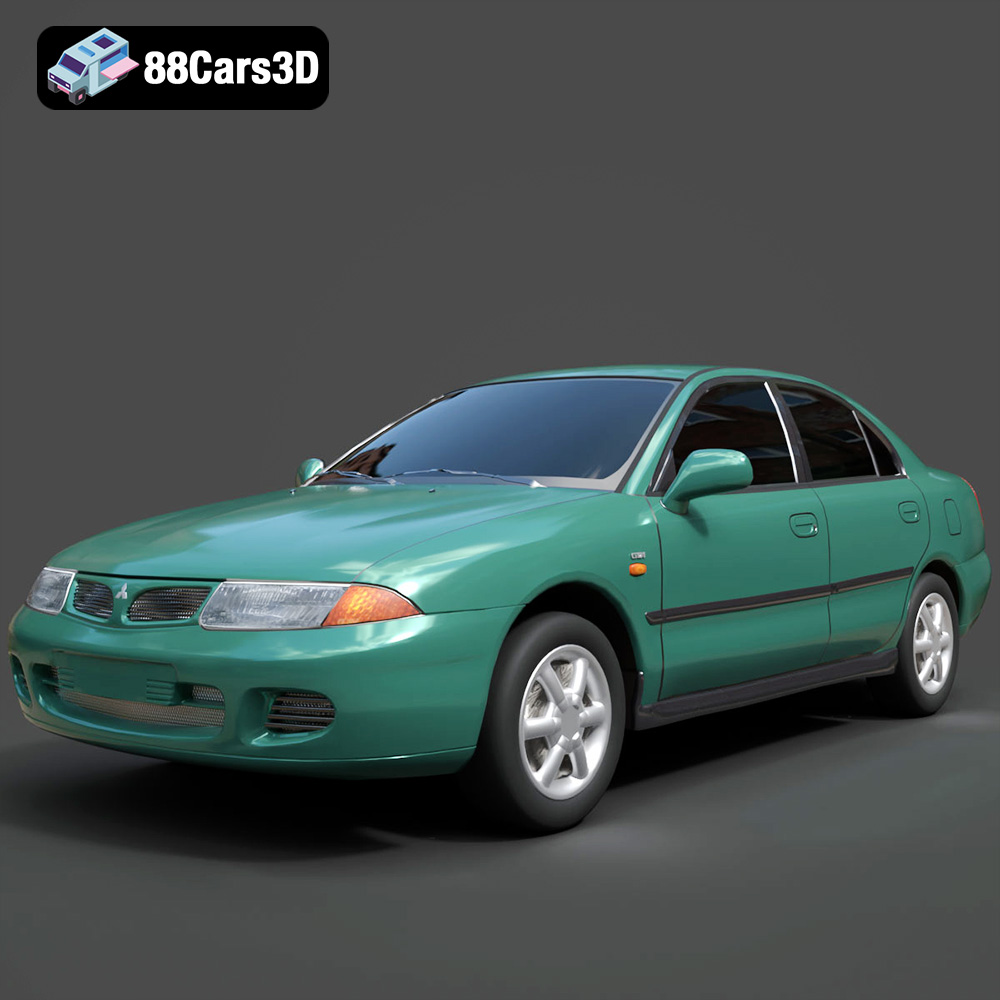
Texture: Yes
Material: Yes
Download the Mitsubishi Carisma 3D Model featuring clean geometry, realistic detailing, and a fully modeled interior. Includes .blend, .fbx, .obj, .glb, .stl, .ply, .unreal, and .max formats for rendering, simulation, and game development.
Price: $4.99
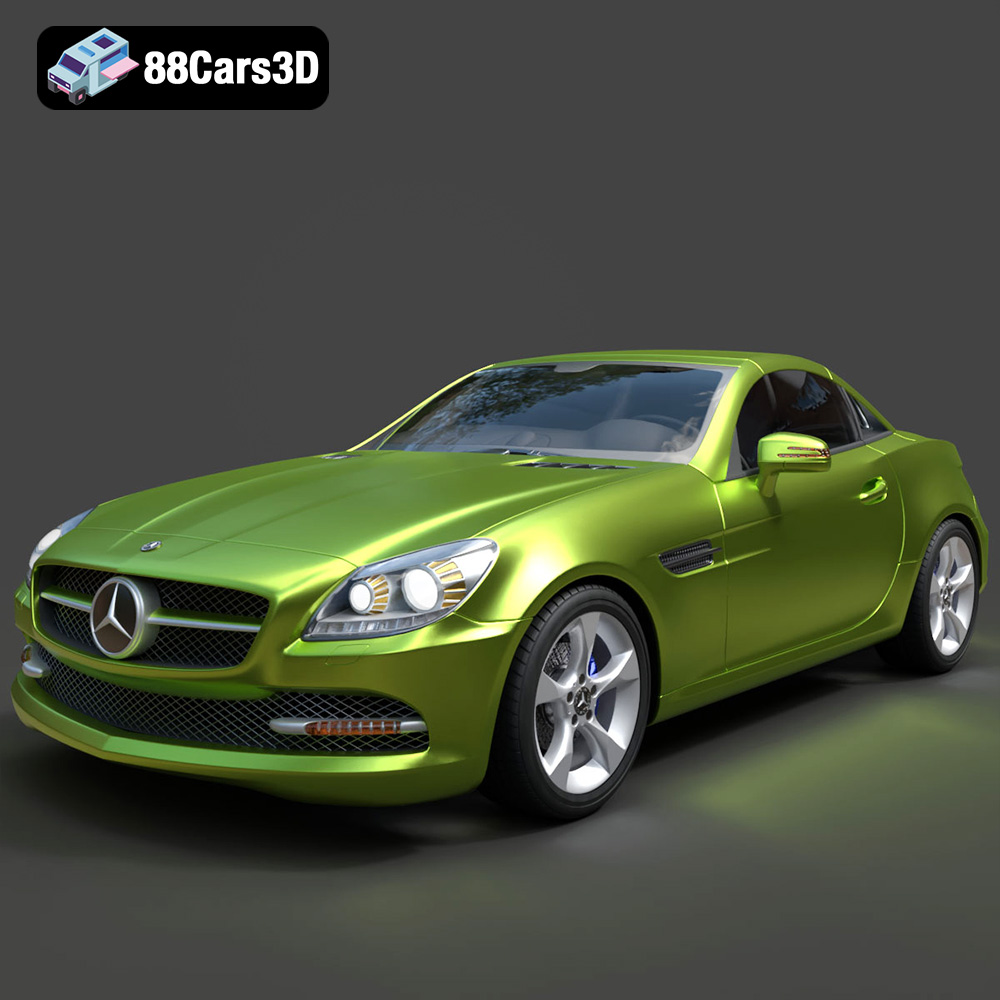
Texture: Yes
Material: Yes
Download the Mercedes-Benz SLK-Class 3D Model featuring clean geometry, realistic detailing, and a fully modeled interior. Includes .blend, .fbx, .obj, .glb, .stl, .ply, .unreal, and .max formats for rendering, simulation, and game development.
Price: $4.99
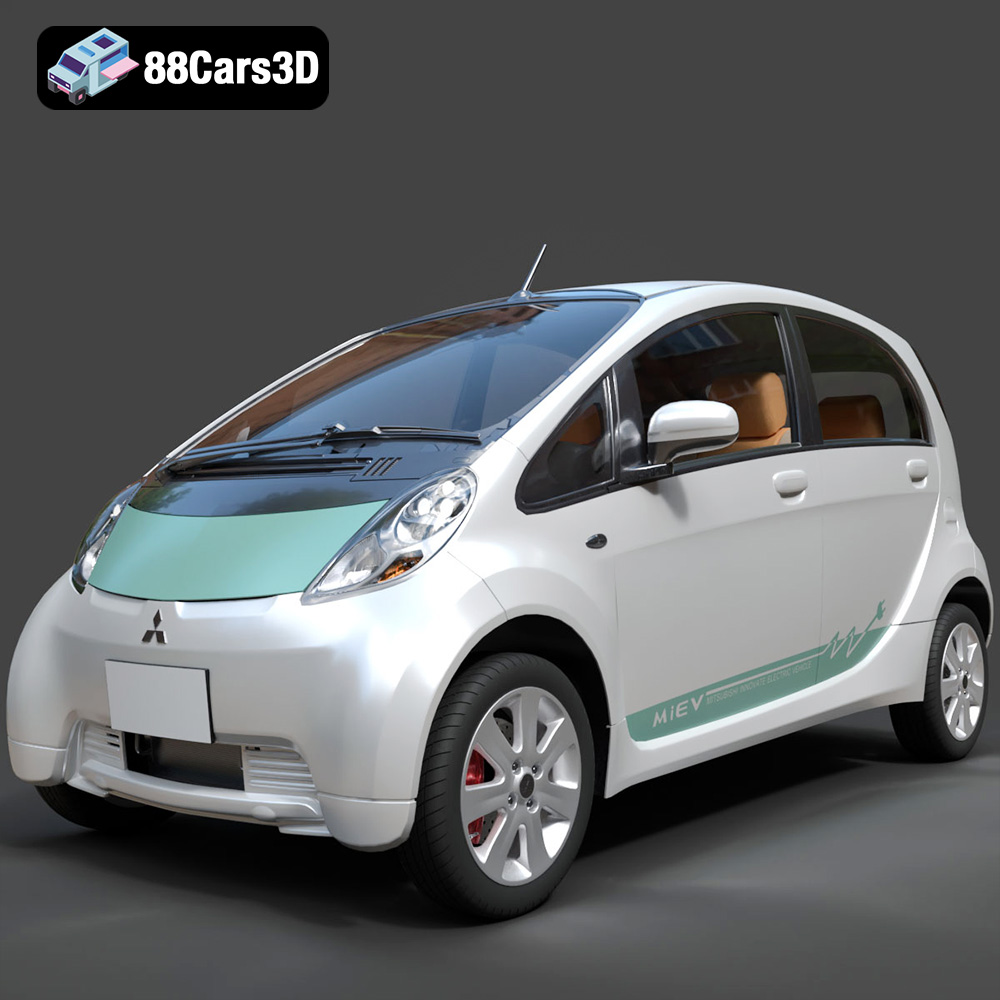
Texture: Yes
Material: Yes
Download the Mitsubishi i-MiEV 2025 3D Model featuring clean geometry, realistic detailing, and a fully modeled interior. Includes .blend, .fbx, .obj, .glb, .stl, .ply, .unreal, and .max formats for rendering, simulation, and game development.
Price: $4.99
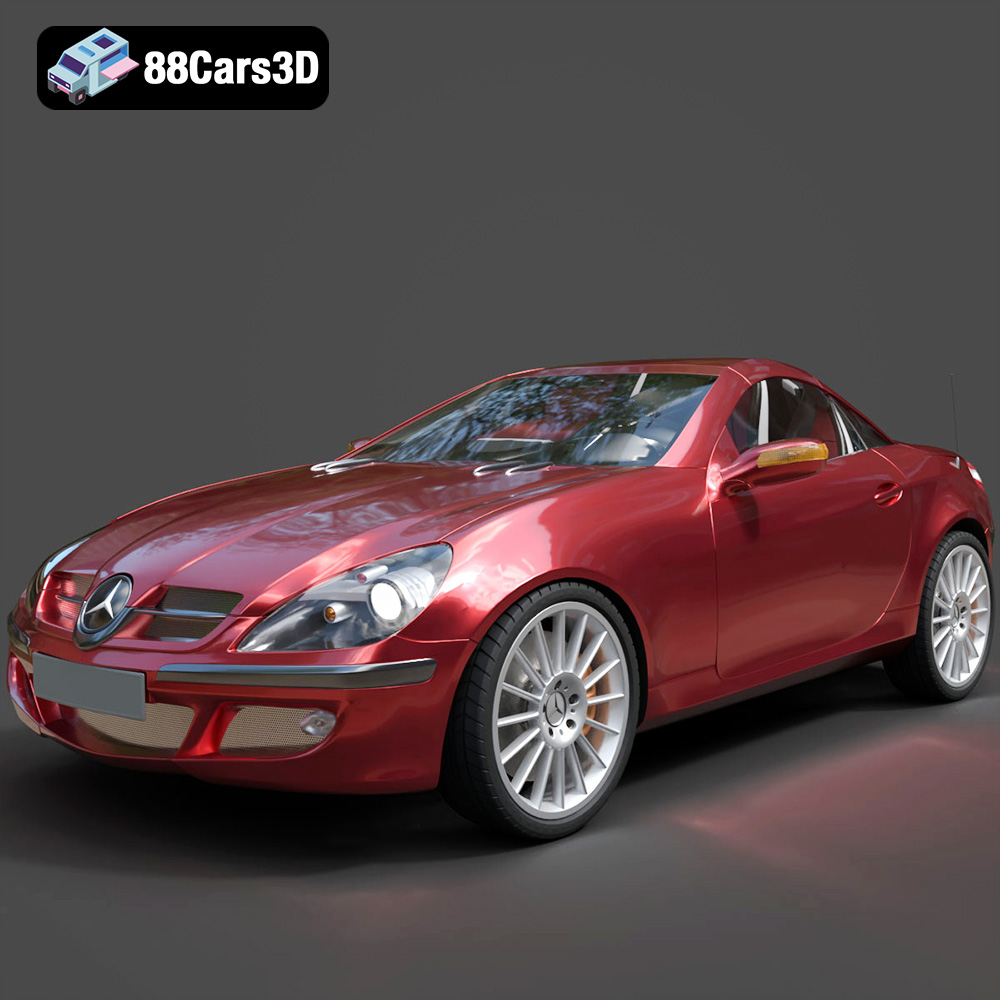
Texture: Yes
Material: Yes
Download the Mercedes-Benz SLK-Klasse 3D Model featuring clean geometry, realistic detailing, and a fully modeled interior. Includes .blend, .fbx, .obj, .glb, .stl, .ply, .unreal, and .max formats for rendering, simulation, and game development.
Price: $4.99
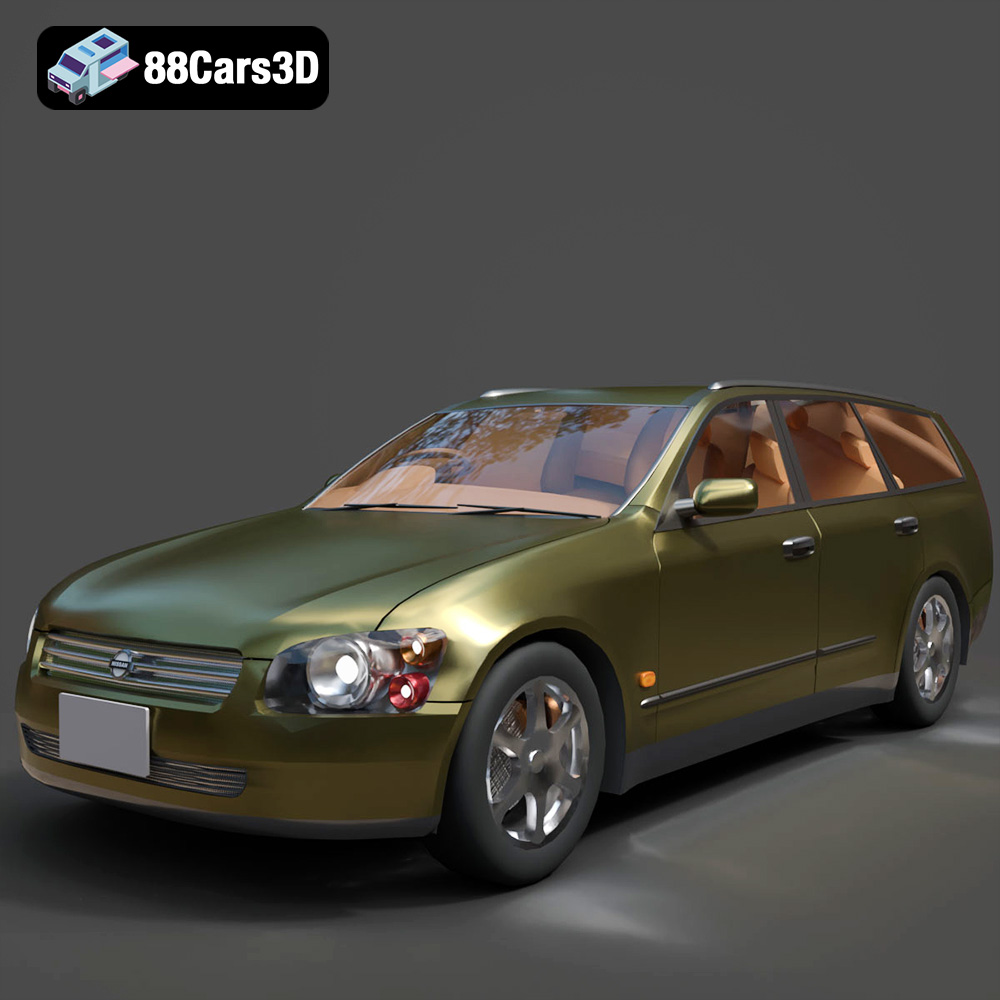
Texture: Yes
Material: Yes
Download the Nissan Stagea 2001 3D Model featuring clean geometry, realistic detailing, and a fully modeled interior. Includes .blend, .fbx, .obj, .glb, .stl, .ply, .unreal, and .max formats for rendering, simulation, and game development.
Price: $4.99

Texture: Yes
Material: Yes
Download the Mitsubishi 3000 GT 1993 3D Model featuring clean geometry, realistic detailing, and a fully modeled interior. Includes .blend, .fbx, .obj, .glb, .stl, .ply, .unreal, and .max formats for rendering, simulation, and game development.
Price: $4.99

