Get 20% OFF All Premium 3D & STL Models!

The sleek lines, the reflective gleam of the paint, the intricate details of an engine – few subjects capture the imagination of 3D artists and designers quite like automotive models. From high-stakes advertising campaigns and cinematic visual effects to immersive game worlds and cutting-edge AR/VR experiences, high-quality 3D car models are indispensable. However, translating the complexity and allure of a real-world vehicle into a digital asset that performs flawlessly across diverse platforms is a monumental task.
It demands a deep understanding of intricate workflows, from the foundational principles of topology and precise UV mapping to advanced PBR material creation and sophisticated rendering techniques. Whether you’re an aspiring automotive designer, a seasoned game developer, a visualization expert, or a student eager to master the craft, the journey to creating and utilizing professional-grade 3D car models is filled with technical nuances.
This comprehensive guide will take you on a deep dive into the technical intricacies of developing, optimizing, and deploying 3D automotive assets. We’ll explore everything from the initial modeling stages and topology best practices to advanced rendering workflows, game engine optimization, and even preparing models for 3D printing and immersive AR/VR environments. Prepare to unlock the secrets to creating truly stunning and versatile 3D vehicles.
At the heart of any exceptional 3D car model lies impeccable topology and edge flow. These are not merely aesthetic considerations; they are fundamental to how your model deforms, how smooth its surfaces appear under subdivision, and how effectively textures can be applied. For automotive subjects, which are defined by their pristine, often reflective surfaces and precise panel gaps, clean topology is paramount. Poor edge flow can lead to unsightly pinching, shading artifacts, and difficulties in animation or UV mapping, rendering even the most detailed textures ineffective.
The goal is to create a mesh that faithfully represents the car’s intricate curves and sharp creases with an optimal polygon count. This means strategically placing edge loops to support sharp angles and ensuring that polygons are evenly distributed across smooth surfaces. A well-constructed mesh will also be easier to work with when making design adjustments or creating variations of the model.
Automotive design often begins in CAD software using Non-Uniform Rational B-Splines (NURBS). NURBS surfaces are mathematically perfect, ideal for manufacturing and ensuring absolute precision. Programs like SolidWorks, Rhino, and CATIA excel in this domain. However, NURBS models are not directly suitable for real-time rendering in game engines or for traditional subdivision surface modeling in DCC (Digital Content Creation) tools like 3ds Max, Blender, or Maya. For visualization and game development, these precise CAD models often need to be converted or retopologized into polygon meshes.
Subdivision surfaces (often referred to as ‘sub-D’ modeling) are the standard for polygonal 3D car models. They allow artists to create a low-polygon cage that, when subdivided, produces smooth, high-resolution surfaces. This workflow is incredibly efficient as it allows for easy control over mesh density and facilitates clean deformation. The challenge lies in converting the precise, flowing surfaces of a NURBS model into a quad-based polygonal mesh that retains all the original design integrity, often requiring careful manual or semi-automated retopology to ensure perfect edge flow.
When modeling a car, focus on maintaining an all-quad topology whenever possible. While triangles are unavoidable in some scenarios (especially when triangulating for game engines), they should be avoided on large, smooth, deforming surfaces as they can introduce pinching and unnatural creasing. Ngons (polygons with more than four sides) should be eliminated entirely as they lead to unpredictable subdivision results and shading errors.
Crucial for automotive models are supporting edge loops. These are extra edge loops placed close to a sharp corner or crease to ‘hold’ the shape when a subdivision modifier is applied, preventing it from rounding off excessively. For instance, around a window frame or a panel gap, you’ll want at least two or three parallel edge loops to define that crisp edge. Aim for a consistent mesh density where possible; sudden changes in polygon size can lead to shading issues. For a hero asset, a polygon count ranging from 50,000 to 300,000 triangles (after subdivision/triangulation) is typical, while game-ready models or background assets might require far fewer, sometimes in the range of 10,000 to 50,000 triangles for their highest LOD. Platforms like 88cars3d.com often provide models with optimized topology, ready for various applications.
Once your 3D car model’s topology is solid, the next critical step is preparing it for texturing and shading. This involves meticulous UV mapping and the creation of physically based rendering (PBR) materials. These two elements work in tandem: accurate UVs ensure that your textures are applied without distortion, and well-calibrated PBR materials ensure that your car reflects light and interacts with its environment in a hyper-realistic manner. For automotive subjects, where highly reflective surfaces and intricate details are commonplace, perfection in these stages is non-negotiable.
The visual impact of a rendered car hinges significantly on the quality of its textures and shaders. From the subtle metallic flakes in the paintwork to the refraction through glass and the coarse texture of tires, every surface demands careful consideration. A professional approach to UVs and PBR not only enhances realism but also optimizes your workflow for re-texturing or adapting models to different lighting scenarios.
UV mapping a car model is a labor of precision. It involves unwrapping the 3D surface into a 2D plane, much like cutting and flattening a cardboard box, so that 2D texture images can be painted onto it. For a complex subject like a car, effective UV unwrapping strategy is key. Instead of attempting a single, giant unwrap, it’s best to break the car down into logical UV islands. Common separations include the main body panels, interior components, wheels (rims and tires separately), glass, lights, and smaller details like badges or grilles.
The goal is to minimize visible seams and place them in inconspicuous areas, such as along natural panel lines, hidden edges, or underneath components. Crucially, aim for consistent texel density across all UV islands. Texel density refers to the number of pixels per unit of 3D space. If your body panels have a high texel density (many pixels per square inch) but your wheels have a low one, the textures on the wheels will appear blurry when rendered up close. Tools like Blender’s UV Editor, 3ds Max’s Unwrap UVW, and Maya’s UV Editor offer robust features for precise unwrapping, including packing algorithms to maximize UV space utilization and minimize texture waste.
PBR (Physically Based Rendering) materials are the cornerstone of modern photorealistic rendering. They simulate how light interacts with surfaces based on real-world physical properties, making them consistent and realistic across different lighting conditions. The two primary PBR workflows are Metalness/Roughness and Specular/Glossiness.
For automotive models, creating a convincing car paint shader is often the most complex aspect. It typically involves layering multiple material properties:
Beyond paint, focus on accurate PBR textures for other components:
Understanding the nuances of each texture map (Albedo, Normal, Roughness, Metalness, AO, Displacement) and how they interact in your chosen render engine’s shader network (e.g., Blender’s Node Editor, 3ds Max’s Material Editor, Maya’s Hypershade) is crucial for achieving truly realistic results.
With a perfectly modeled and textured 3D car, the next step is to illuminate it and capture its essence through rendering. Lighting is arguably the single most critical factor in achieving photorealism. A perfectly sculpted model with exquisite PBR materials can look flat and unconvincing under poor lighting, while even a moderately detailed model can shine under expert illumination. Automotive rendering demands a keen eye for subtle reflections, environmental interaction, and the interplay of light and shadow that defines a vehicle’s form and surface qualities.
The choice of render engine, the strategic setup of your environment, and the final post-processing steps all contribute to the overarching photorealistic outcome. Professional workflows often involve multiple passes and meticulous adjustments to ensure every detail of the car is presented in its best light.
Two primary approaches dominate automotive lighting: studio setups and High Dynamic Range Image (HDRI) environments, often combined for maximum control.
For ultimate realism, many artists combine both. An HDRI provides the overall natural ambient light and reflections, while a few targeted studio lights are added to enhance specific details, create stronger highlights, or add rim lighting to separate the car from the background. This hybrid approach gives you the best of both worlds: naturalistic ambiance with artistic control.
The choice of render engine significantly impacts your workflow, rendering speed, and the final image quality. Each engine has its strengths:
Regardless of the engine, focus on key settings:
Understanding these tools and techniques allows you to push the boundaries of realism in your automotive renders.
While offline rendering aims for absolute photorealism without strict time constraints, real-time applications like video games and AR/VR experiences demand a delicate balance between visual fidelity and performance. A beautifully rendered 3D car model for a static image simply won’t suffice if it causes frame rate drops or crashes in an interactive environment. Optimization isn’t about compromise; it’s about intelligent resource management to deliver the best possible visual experience within strict hardware and software limitations. This is where truly “game-ready” or “AR/VR-optimized” assets prove their worth.
Successfully deploying 3D car models in real-time requires a deep understanding of polygon budgets, texture memory, draw calls, and specialized real-time rendering techniques. The techniques discussed here are crucial for anyone working on interactive automotive configurators, driving simulators, or virtual showrooms.
Game engines like Unity and Unreal Engine are powerful platforms, but they require assets to be streamlined. Here’s how to optimize 3D car models for these environments:
Creating these typically involves manual simplification or automatic decimation tools, followed by baking normal maps from the high-poly model to retain surface detail on lower LODs.
When sourcing 3D car models from marketplaces like 88cars3d.com, look for assets explicitly labeled as “game-ready” or “optimized” as they often come with pre-configured LODs and optimized texture sets.
AR/VR environments often impose even tighter performance budgets than traditional games, especially on mobile devices or standalone VR headsets (like Oculus Quest). The goal is to maintain a high, stable frame rate (e.g., 60-90 FPS per eye) to prevent motion sickness and ensure immersion.
Careful planning and iterative testing on target hardware are essential for successful AR/VR automotive experiences.
The journey of a 3D car model extends far beyond rendering on a screen. Its versatility allows it to transcend digital boundaries and manifest as physical objects through 3D printing, or to be seamlessly integrated into diverse software environments through robust file format compatibility. Furthermore, the final visual polish often comes in the post-production phase, where subtle enhancements transform a good render into an exceptional one. Understanding these facets ensures your 3D assets are truly future-proof and adaptable to any project.
Whether you’re crafting prototypes, collectible scale models, or pushing the boundaries of digital artistry, knowledge of these advanced applications and workflows is invaluable. It transforms a specialized asset into a multi-purpose tool for designers, engineers, and artists alike.
Converting a high-detail rendering model into a 3D printable object requires a different set of considerations than preparing it for real-time engines. The primary goal is to ensure the model is “watertight” and structurally sound for physical fabrication.
Once prepared, the model is usually exported as an STL (Standard Tessellation Language) or OBJ file, which is then imported into a slicer program (e.g., Cura, PrusaSlicer). The slicer generates the G-code instructions for the 3D printer.
The digital landscape of 3D content relies heavily on various file formats, each with its strengths and intended use. For 3D car models, understanding these formats ensures maximum compatibility and streamlined workflows:
When obtaining models from a source like 88cars3d.com, you’ll typically find them provided in multiple formats to suit various pipelines.
Finally, Post-Processing and Compositing are crucial for pushing your renders from good to breathtaking. This stage involves taking the raw render output (and often multiple render passes/AOVs) into a 2D image editing or compositing software (e.g., Photoshop, After Effects, Nuke, DaVinci Resolve). Key tasks include:
The smallest post-production tweaks can significantly elevate the impact and realism of your final automotive visualization.
The journey of creating, optimizing, and deploying 3D car models is a testament to the intricate blend of art and engineering in the digital realm. We’ve traversed the landscape from the foundational principles of clean topology and precise UV mapping to the advanced nuances of PBR material authoring and the strategic lighting techniques that breathe life into static meshes. We’ve also delved into the critical world of performance optimization for demanding real-time environments like game engines and AR/VR, understanding that visual fidelity must walk hand-in-hand with computational efficiency.
Furthermore, the discussion extended to the practicalities of 3D printing, demonstrating how digital assets can manifest physically, and the indispensable role of robust file formats in ensuring compatibility across diverse software ecosystems. Finally, we touched upon the magic of post-production, where careful adjustments transform a mere render into a captivating visual narrative.
Mastering these workflows requires dedication, technical acumen, and an artistic eye. Each stage is interconnected, and a weakness in one area can undermine the efforts in another. As you embark on your own automotive 3D projects, remember to prioritize clean foundations, leverage physically accurate materials, optimize judiciously, and always strive for that extra layer of polish. Platforms offering high-quality, pre-optimized 3D car models, like 88cars3d.com, can provide an excellent starting point, saving valuable time and ensuring a professional base for your creative endeavors. Embrace the challenge, and the world of high-fidelity automotive visualization will be at your fingertips.

Texture: Yes
Material: Yes
Download the Nissan 350Z 3D Model featuring clean geometry, realistic detailing, and a fully modeled interior. Includes .blend, .fbx, .obj, .glb, .stl, .ply, .unreal, and .max formats for rendering, simulation, and game development.
Price: $4.99

Texture: Yes
Material: Yes
Download the Nissan Skyline V35 2001 3D Model featuring clean geometry, realistic detailing, and a fully modeled interior. Includes .blend, .fbx, .obj, .glb, .stl, .ply, .unreal, and .max formats for rendering, simulation, and game development.
Price: $4.99

Texture: Yes
Material: Yes
Download the Mercedes-Benz S-Klasse 221-007 3D Model featuring clean geometry, realistic detailing, and a fully modeled interior. Includes .blend, .fbx, .obj, .glb, .stl, .ply, .unreal, and .max formats for rendering, simulation, and game development.
Price: $4.99

Texture: Yes
Material: Yes
Download the Mercedes W124 Sedan 3D Model featuring clean geometry, realistic detailing, and a fully modeled interior. Includes .blend, .fbx, .obj, .glb, .stl, .ply, .unreal, and .max formats for rendering, simulation, and game development.
Price: $4.99
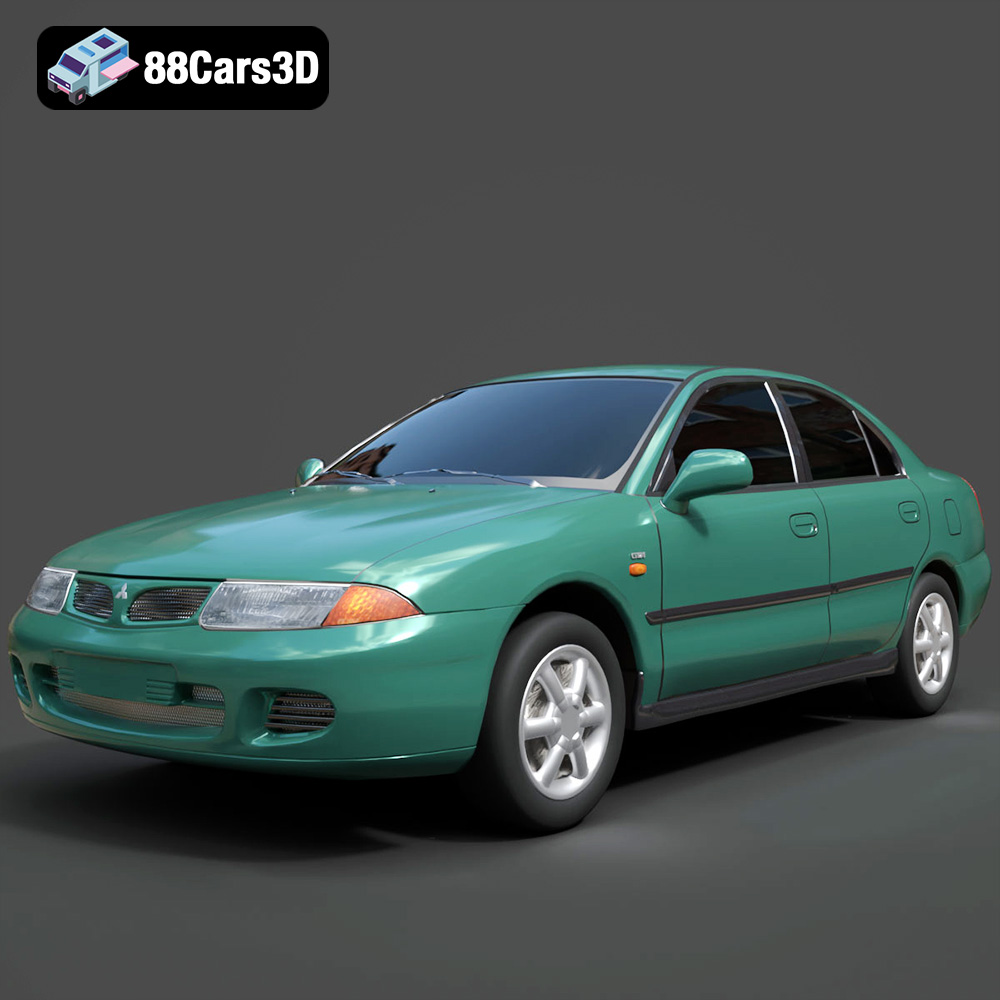
Texture: Yes
Material: Yes
Download the Mitsubishi Carisma 3D Model featuring clean geometry, realistic detailing, and a fully modeled interior. Includes .blend, .fbx, .obj, .glb, .stl, .ply, .unreal, and .max formats for rendering, simulation, and game development.
Price: $4.99
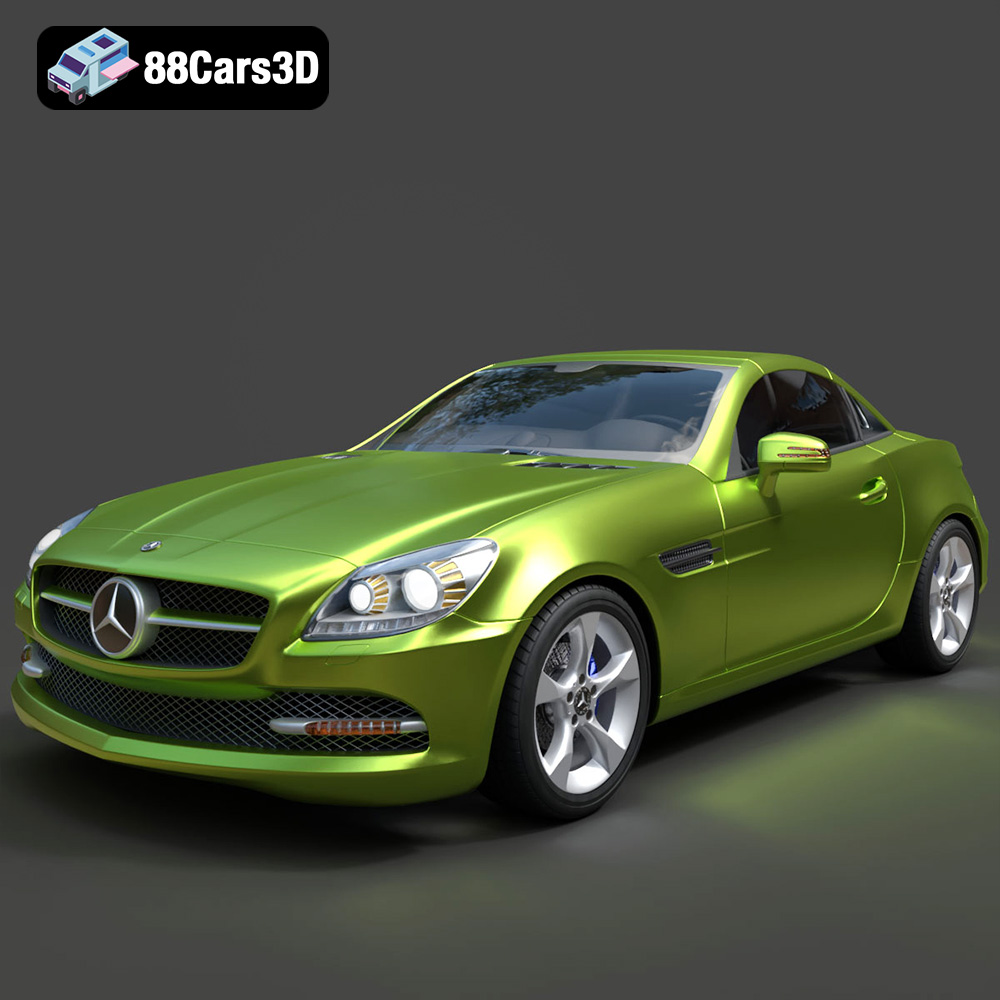
Texture: Yes
Material: Yes
Download the Mercedes-Benz SLK-Class 3D Model featuring clean geometry, realistic detailing, and a fully modeled interior. Includes .blend, .fbx, .obj, .glb, .stl, .ply, .unreal, and .max formats for rendering, simulation, and game development.
Price: $4.99
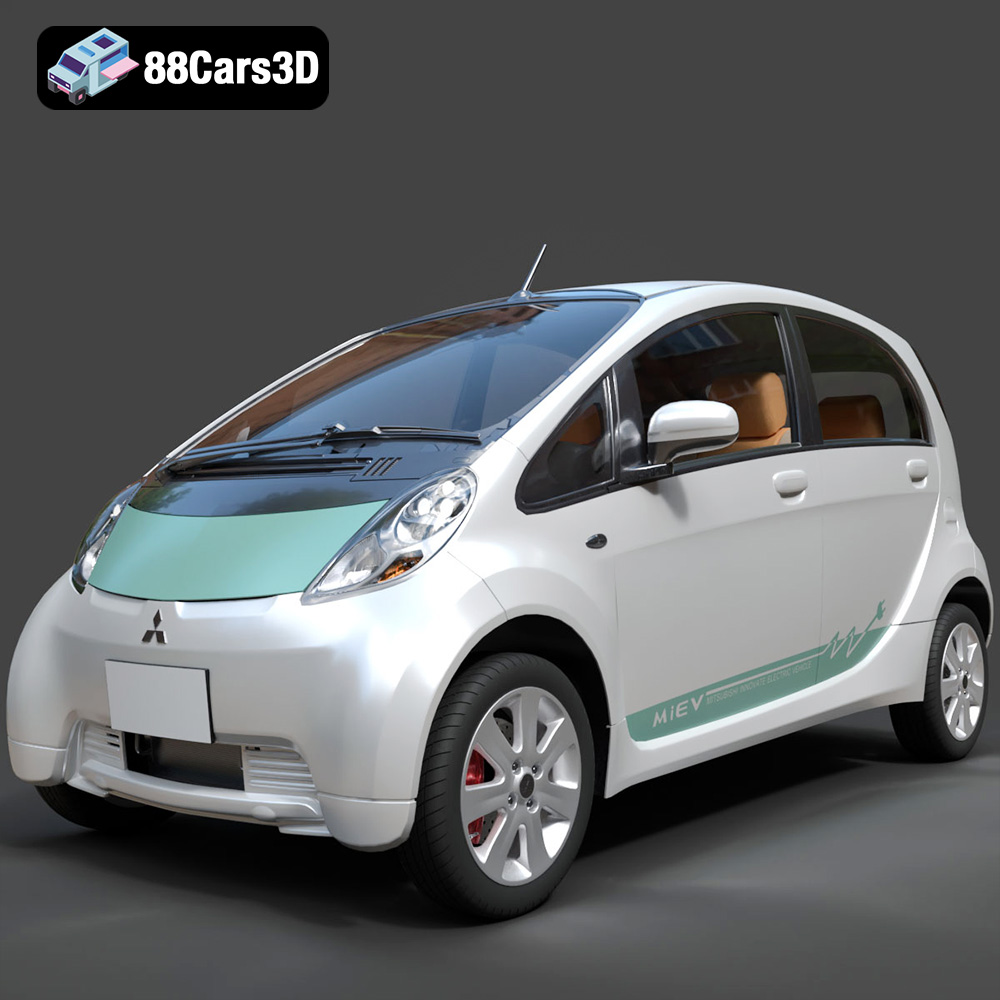
Texture: Yes
Material: Yes
Download the Mitsubishi i-MiEV 2025 3D Model featuring clean geometry, realistic detailing, and a fully modeled interior. Includes .blend, .fbx, .obj, .glb, .stl, .ply, .unreal, and .max formats for rendering, simulation, and game development.
Price: $4.99
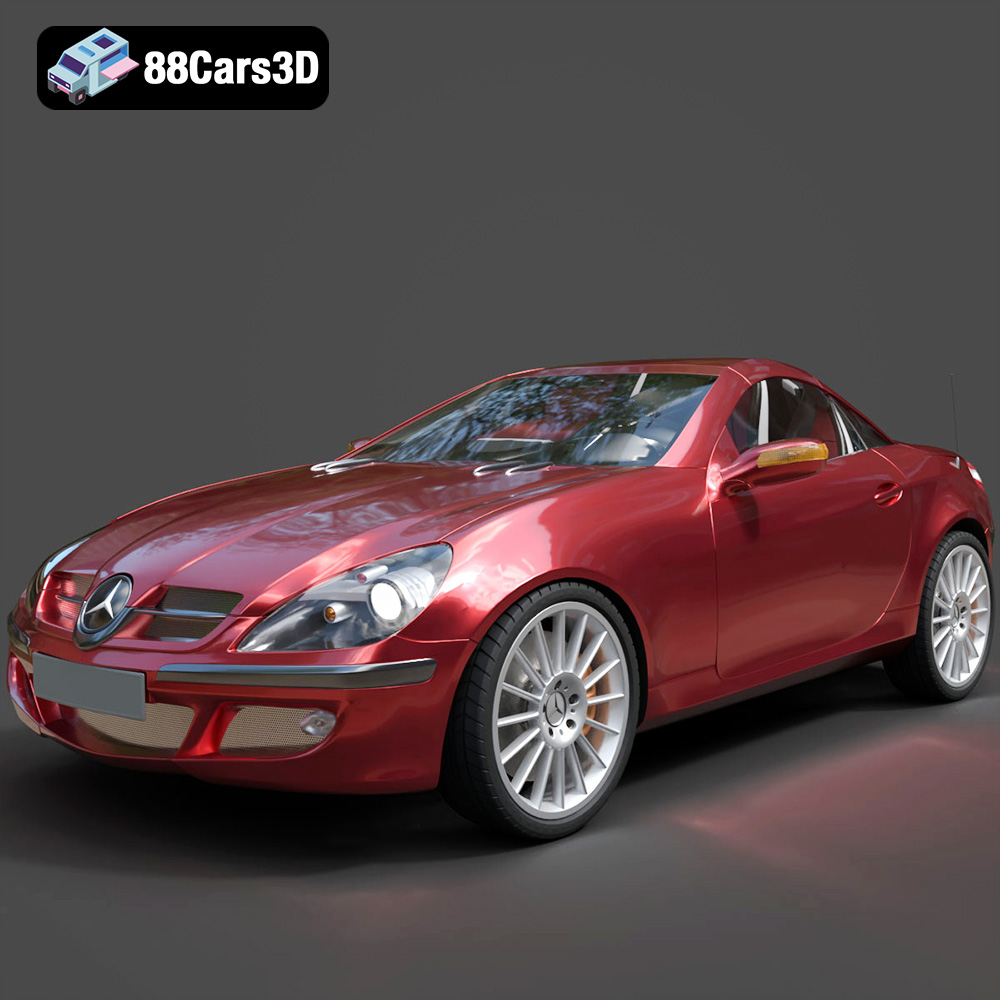
Texture: Yes
Material: Yes
Download the Mercedes-Benz SLK-Klasse 3D Model featuring clean geometry, realistic detailing, and a fully modeled interior. Includes .blend, .fbx, .obj, .glb, .stl, .ply, .unreal, and .max formats for rendering, simulation, and game development.
Price: $4.99
Texture: Yes
Material: Yes
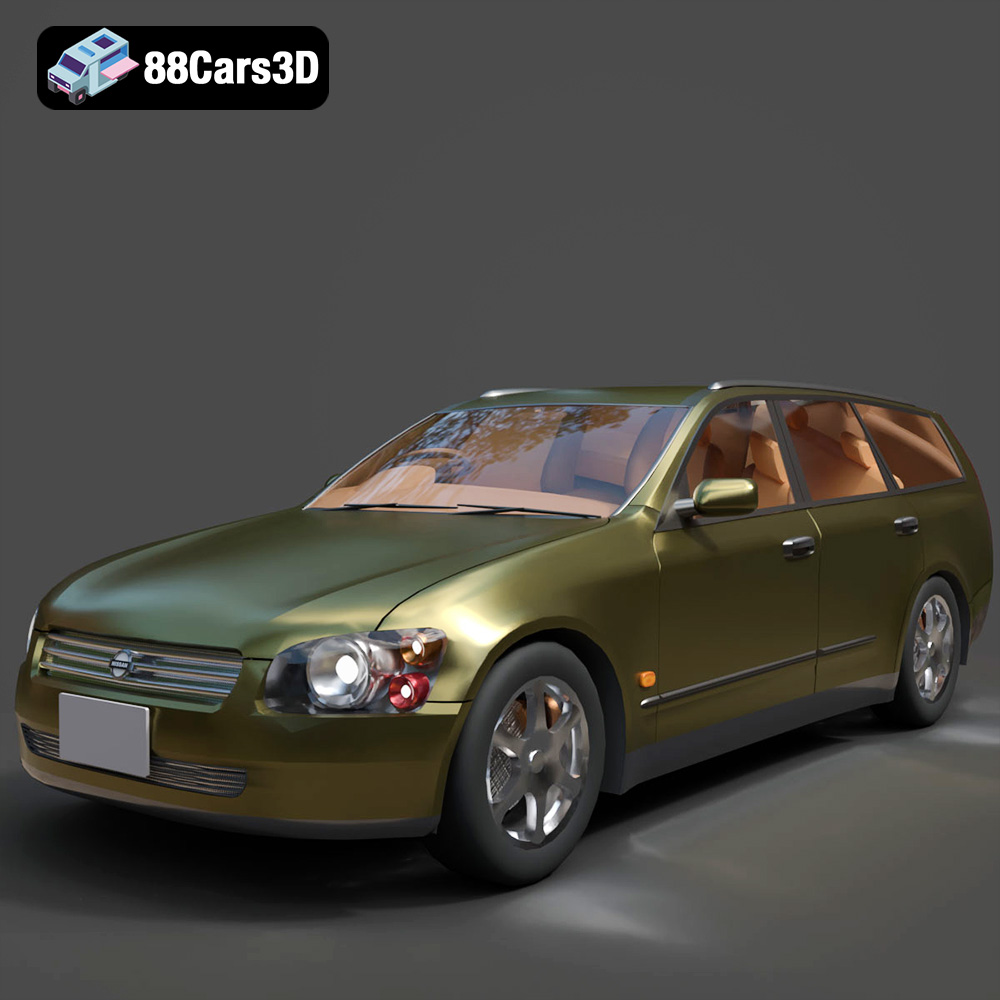
Download the Nissan Stagea 2001 3D Model featuring clean geometry, realistic detailing, and a fully modeled interior. Includes .blend, .fbx, .obj, .glb, .stl, .ply, .unreal, and .max formats for rendering, simulation, and game development.
Price: $4.99

Texture: Yes
Material: Yes
Download the Mitsubishi 3000 GT 1993 3D Model featuring clean geometry, realistic detailing, and a fully modeled interior. Includes .blend, .fbx, .obj, .glb, .stl, .ply, .unreal, and .max formats for rendering, simulation, and game development.
Price: $4.99

