Get 20% OFF All Premium 3D & STL Models!

The sleek lines, intricate details, and powerful presence of a modern automobile present one of the most compelling challenges and rewarding subjects for 3D artists. From concept design and photorealistic rendering to interactive game environments and cutting-edge AR/VR experiences, high-quality 3D car models are indispensable. Mastering the creation, optimization, and deployment of these complex assets requires a deep understanding of various technical disciplines – a journey that can seem daunting but is incredibly fulfilling.
This comprehensive guide will take you through the essential workflows and advanced techniques necessary to excel in the world of automotive 3D. We’ll delve into the foundational principles of topology, demystify the art of UV mapping and PBR material creation, explore professional rendering strategies, and uncover the secrets to optimizing models for real-time applications like game engines and augmented reality. Whether you’re an aspiring 3D artist, a seasoned game developer, an automotive designer, or a visualization professional, this article aims to equip you with the knowledge to elevate your projects and understand what truly defines a premium 3D car model, such as those found on marketplaces like 88cars3d.com.
The backbone of any exceptional 3D car model lies in its topology – the arrangement of vertices, edges, and faces that define its surface. For automotive subjects, clean and efficient topology is paramount. It dictates how well the model deforms (if animated), how smoothly it renders under subdivision, and how easily UVs can be unwrapped. Starting with accurate blueprints and reference images is critical. Precision in matching dimensions, curves, and panel gaps ensures that the final model is not just visually appealing but also geometrically accurate, crucial for both rendering and subsequent manufacturing or simulation processes.
The standard approach for automotive modeling often involves subdivision surface modeling (e.g., using a Turbosmooth modifier in 3ds Max, Subdivision Surface in Blender, or Smooth Mesh in Maya). This technique relies on a low-polygon “cage” that is then smoothed at render time, preserving sharp details through strategically placed control loops. Maintaining quad-only topology (faces with four edges) is a best practice, as it provides predictable smoothing and superior edge flow compared to triangles or N-gons (faces with more than four edges). A typical high-detail production model, before subdivision, might range from 50,000 to 150,000 polygons, which can easily smooth into millions of triangles after subdivision, providing stunning realism without overwhelming the base mesh.
Accuracy begins with meticulous setup. Before even placing your first vertex, establish a robust reference system. Collect high-resolution blueprints and photographs from various angles (front, back, top, side, perspective). In software like 3ds Max, Blender, or Maya, these images are loaded onto image planes or as background images, then carefully scaled and aligned. Use a real-world scale for your scene (e.g., meters or centimeters) to avoid issues with lighting, physics, or exports later on. For instance, a standard sedan might be approximately 4.8 meters long, 1.8 meters wide, and 1.4 meters tall. Consistently working to this scale from the outset prevents scaling headaches during rendering or engine integration. Pay close attention to subtle curves and proportional relationships, as even minor discrepancies can lead to an “off” look in the final model.
Subdivision surface modeling is the cornerstone of realistic automotive surfaces. It allows artists to define complex curved forms with relatively few polygons. The key is to control the “tightness” of curves and panel gaps using strategically placed edge loops. For example, to create a sharp crease for a door seam or the edge of a fender, you’ll need at least two or three edge loops running parallel and close together. The closer these loops are, the sharper the crease will appear when subdivided. Conversely, widely spaced loops produce smooth, flowing surfaces. Focus on establishing logical edge flow that follows the contours and design lines of the car, particularly around complex areas like headlights, grilles, and wheel arches. This not only ensures smooth deformation but also simplifies the subsequent UV unwrapping process and allows for easy iteration and refinement of the model’s form.
Once the geometric form of your 3D car model is perfected, the next crucial step is to prepare it for texturing and shading. This involves two core processes: UV mapping and PBR material creation. UV mapping is the art of flattening the 3D surface of your model onto a 2D plane, creating a set of coordinates (UVs) that tell the software where to apply textures. A well-organized UV layout is essential for preventing texture distortion and maximizing texture resolution. PBR (Physically Based Rendering) materials, on the other hand, define how light interacts with the model’s surface, mimicking real-world physics to achieve unparalleled photorealism. These two elements work in tandem to transform a raw mesh into a visually stunning asset.
For complex assets like car bodies, UV mapping requires careful planning. You’ll typically unwrap different parts of the car separately – the main body, interior, wheels, glass, chrome accents – to avoid stretching and allocate appropriate texture space. High-resolution texture sets (e.g., 4096×4096 or even 8192×8192 pixels) are common for main body panels to capture fine details like metallic flakes, paint imperfections, or subtle surface variations. PBR materials rely on several texture maps: Albedo (or Base Color), Normal, Roughness, Metalness, and optionally Ambient Occlusion or Height maps. Each map plays a specific role in defining the surface properties, from its color and bumpiness to how shiny or reflective it is. Understanding the interplay between these maps is key to achieving believable realism.
Effective UV mapping for a car model involves segmenting the object into logical, less distorted sections. Think about where natural seams would occur or where cuts would be least visible. For the main body, projections like cylindrical or planar mapping can be a good start, followed by meticulous manual tweaking and cutting seams along panel lines, under the car, or within crevices. Tools like Blender’s Smart UV Project, 3ds Max’s Unwrap UVW, or Maya’s UV Editor are indispensable. For extremely high-detail models, artists often use UDIMs (U-Dimension) – a system that allows multiple UV tiles to be used across a single mesh, effectively increasing the overall texture resolution beyond the limits of a single 0-1 UV space. This is particularly useful for the car body, allowing for separate 4K or 8K textures for the hood, fenders, and roof, minimizing pixel density issues and enabling incredible detail.
Creating convincing PBR materials for a car involves more than just plugging in textures. It’s about understanding the physical properties of real-world materials. For car paint, for instance, you’d typically need a complex shader that combines a base metallic layer with clear coat properties. The Metalness map defines where the surface is metallic (e.g., car body) or dielectric (e.g., glass, plastic). The Roughness map dictates how diffused or sharp reflections are, crucial for showing wear, dust, or varying finishes. A car’s surface is rarely uniformly smooth; subtle imperfections, micro-scratches, and dust patterns can be introduced via intricate Normal and Roughness maps. Software like Substance Painter is excellent for painting these maps directly onto the 3D model, allowing for a highly iterative and realistic texturing workflow. Attention to detail, such as different PBR setups for tire rubber, window glass, chrome trim, and interior fabrics, is what truly sells the realism of a high-quality 3D car model.
Once your 3D car model is meticulously detailed and textured, the ultimate test of its quality comes in the rendering phase. This is where all the hard work in modeling and texturing culminates in a photorealistic image or animation. Advanced rendering workflows involve strategic lighting, camera setup, selection of the right render engine, and meticulous post-processing to achieve a truly breathtaking result. The goal is to simulate how light behaves in the real world, bouncing, reflecting, and refracting across the car’s intricate surfaces, revealing its form and material properties in the most appealing way possible. This stage often requires patience and a keen artistic eye, combining technical understanding with aesthetic judgment.
Render engines like Corona Renderer, V-Ray, Cycles (Blender), and Arnold offer diverse capabilities, each with its strengths in terms of speed, realism, and feature sets. Choosing the right engine often depends on the project’s specific requirements, budget, and existing software ecosystem. Beyond the engine itself, mastering lighting techniques—from studio setups with softboxes and area lights to high-dynamic-range image (HDRI) environments for natural outdoor scenes—is crucial. Camera settings, mimicking real-world photography principles like focal length, aperture, and depth of field, are equally vital for framing and presenting the car model effectively. A professional rendering output usually includes various render passes (e.g., diffuse, reflection, refraction, Z-depth) that allow for granular control during the post-processing and compositing stage in software like Adobe Photoshop or Affinity Photo.
Lighting is the single most important factor in achieving photorealism for automotive rendering. A classic studio setup often involves a three-point lighting system (key, fill, back light) combined with large, soft area lights or light panels to simulate professional studio environments. HDRI lighting is superb for integrating cars into realistic outdoor or indoor environments, providing natural illumination and reflections. Experiment with different HDRI maps to find one that complements the car’s paint and design. For instance, a sunset HDRI can create warm, dramatic reflections, while an overcast sky HDRI offers soft, even lighting that emphasizes body lines. Camera work is equally critical: use a focal length typically between 70mm and 135mm for realistic perspective without distortion. Shallow depth of field can beautifully isolate the car from its background, drawing the viewer’s eye to the main subject. Consider subtle camera angles and compositional rules to make the car look dynamic and powerful.
Each render engine has its nuances. Corona Renderer and V-Ray, often used with 3ds Max, are known for their ease of use, speed, and photorealistic output, especially in architectural and product visualization. Blender’s Cycles and Maya’s Arnold are powerful, unbiased renderers excellent for a wide range of applications, offering incredible detail and complex material support. Regardless of the engine, optimizing render settings (e.g., noise threshold, samples, ray depth) is essential for balancing quality and render time. Post-processing is not merely an afterthought but an integral part of the workflow. By rendering out multiple passes (e.g., Reflection, Specular, AO, Z-Depth, CryptoMatte), artists gain immense control in compositing software. This allows for fine-tuning reflections, adding subtle glares, enhancing color grading, and even changing specific material properties without re-rendering the entire scene. This non-destructive approach dramatically speeds up iteration and refinement, leading to a polished final image.
While photorealistic rendering focuses on static images or pre-rendered animations, interactive applications like game engines and AR/VR environments demand a completely different approach to 3D car models. The challenge here is to achieve high visual fidelity while maintaining real-time performance. Every polygon, every texture, and every draw call contributes to the computational load, and exceeding performance budgets leads to choppy frame rates and a poor user experience. This necessitates rigorous optimization techniques, balancing visual quality with efficiency. The goal is to make the car look fantastic and behave realistically, all while running smoothly on target hardware, be it a high-end gaming PC, a mobile phone, or a standalone VR headset.
Optimization for interactive use involves strategic polygon reduction, careful UV packing, texture atlasing, and the implementation of Levels of Detail (LODs). A typical game asset might aim for a poly count ranging from 50,000 to 200,000 triangles for a hero vehicle, whereas a mobile AR/VR model might need to be drastically lower, perhaps 30,000 to 80,000 triangles. Textures are usually clamped to powers of two (e.g., 2048×2048 or 4096×4096) and carefully compressed. Modern game engines like Unity and Unreal Engine provide a wealth of tools for importing, optimizing, and rendering these assets, but the initial preparation in a 3D modeling package is crucial. High-quality game assets like those available on 88cars3d.com are specifically prepared with these considerations in mind.
Levels of Detail (LODs) are fundamental for performance in real-time environments. Instead of rendering a single high-polygon model at all distances, LODs swap out simpler versions of the mesh as the camera moves further away. A common setup for a detailed car model might involve:
Each LOD requires a carefully decimated mesh that retains key silhouettes. Tools like ProOptimizer in 3ds Max, Blender’s Decimate modifier, or third-party solutions can automate this, but manual cleanup is often needed. Realistic collision meshes (often convex hulls or simple box colliders) are also created separately, keeping poly counts very low (e.g., 100-500 triangles) to minimize physics simulation overhead.
Texture optimization is as critical as polygon reduction. Texture atlasing, where multiple smaller textures (e.g., engine parts, interior details) are combined into a single larger texture map, significantly reduces draw calls. Each material requires a draw call, so consolidating materials by atlasing their textures reduces rendering overhead. Compression formats (e.g., DXT for desktop, ASTC for mobile) are applied to reduce file size and memory footprint without severe visual degradation. For AR/VR, especially on mobile devices, texture resolutions must be judiciously chosen, often capping at 2048×2048 or even 1024×1024 for less prominent parts. Real-time shaders are simplified compared to offline renderers. PBR shaders for game engines typically use a standard Metallic-Roughness workflow, but often with fewer complex layers. Custom shaders might be employed for unique effects like car paint flake or advanced glass, but they must be carefully profiled to ensure they don’t impact performance. Baking high-resolution normal maps from the original sculpt or LOD0 onto lower LODs is standard practice to retain surface detail.
The utility of high-quality 3D car models extends far beyond digital rendering and interactive experiences. They are increasingly vital for physical prototyping through 3D printing, large-scale interactive installations, and advanced visualization applications like architectural fly-throughs or product configurators. Each of these applications presents unique technical requirements and challenges, demanding specific preparation and optimization strategies. The fundamental quality of the model – its clean topology, accurate dimensions, and well-defined surfaces – remains crucial, but the final output format and intended use dictate how the model is processed and prepared.
For 3D printing, the primary concern is mesh integrity: the model must be “watertight” and free of errors. This often means converting intricate surface details into solid, manifold geometry. For large-scale visualization, considerations shift towards handling immense scene complexity, often involving multiple highly detailed vehicles within expansive environments, requiring efficient instancing and rendering techniques. These applications underscore the versatility of professional 3D car models and highlight why detailed, multi-purpose assets from platforms like 88cars3d.com are so valuable.
When preparing a 3D car model for 3D printing, the primary concern is ensuring the mesh is “watertight” or “manifold.” This means every edge is shared by exactly two faces, there are no holes, inverted normals, self-intersecting geometry, or isolated vertices/edges. Non-manifold geometry will cause errors or gaps in the printed object. Most modeling software (e.g., Blender’s 3D Print Toolbox, 3ds Max’s STL Check modifier, Maya’s Mesh > Cleanup) has tools to identify and repair these issues. For extremely detailed surfaces, consider the minimum feature size your chosen 3D printer can achieve; overly fine details might be lost or break off. Scaling is also critical: ensure your model is correctly scaled to the desired physical dimensions (e.g., 1:18 scale, 1:24 scale). Finally, remember that 3D printing often requires merging all separate components of the car (body, wheels, interior) into a single unified mesh, or at least ensuring they perfectly intersect, to produce a structurally sound print.
Advanced visualization often involves integrating highly detailed car models into complex scenes for marketing, urban planning, or product configurators. This demands not only photorealism but also flexibility. For real-time configurators, models must be optimized similarly to game assets but might allow for higher poly counts if running on powerful hardware. Key features include dynamic material swapping (e.g., changing paint colors, wheel types), interactive camera controls, and often physics-based interactions. For high-fidelity pre-rendered architectural walkthroughs or marketing animations, the full, unsacrificed detail of a production-ready model is often utilized, pushing rendering quality to its absolute limit. Lighting and environment setup become paramount here, often requiring complex global illumination solutions and high-resolution background plates or 3D environments to seamlessly integrate the car into its context. The ability to import and export these models into various design and rendering packages ensures compatibility across diverse project requirements.
The journey of a 3D car model from conception to its final application often involves traversing multiple software packages and platforms. This necessitates a deep understanding of various file formats and their respective strengths, limitations, and compatibility issues. Choosing the right format for export and understanding how data is translated between applications is crucial for maintaining the integrity of your model’s geometry, UVs, materials, and animations. A seamless workflow relies on minimizing data loss and maximizing fidelity during conversion, ensuring that the visual quality achieved in your modeling software translates effectively to rendering engines, game development platforms, or AR/VR viewers.
The landscape of 3D file formats can be complex, with some specializing in raw mesh data, others in scene information, and newer formats focusing on real-time and web-based applications. Common formats like FBX and OBJ serve as industry workhorses for general 3D data exchange, while GLB and USDZ are emerging as standards for compact, portable assets optimized for web and mobile AR/VR. Understanding how each format handles critical data such as normal maps, material properties (especially PBR textures), and hierarchy is key to avoiding common pitfalls and ensuring your high-quality 3D car models are truly versatile and ready for any project.
Converting between file formats isn’t always straightforward. Common issues include:
To mitigate these, always perform a visual check of the imported model, verify material assignments, and test animations if applicable. When sourcing 3D car models from marketplaces such as 88cars3d.com, look for listings that specify multiple file formats and provide clear details about material setup and included components to ensure maximum compatibility and ease of use in your chosen workflow.
The journey of creating, optimizing, and deploying high-quality 3D car models is a multifaceted discipline, demanding a blend of artistic vision and rigorous technical expertise. From the foundational principles of clean topology and precise UV mapping to the intricacies of PBR material creation, advanced rendering, and real-time optimization for game assets and AR/VR, each step is critical in producing truly exceptional results. We’ve explored how strategic polygon budgeting, careful texture atlasing, and the intelligent use of LODs can transform a high-detail render asset into a performant interactive model. Furthermore, understanding specific requirements for applications like 3D printing and navigating the complexities of various file formats ensures that your models are versatile and future-proof.
The demand for realistic and optimized automotive rendering and visualization is constantly growing across industries. By mastering these techniques, you not only enhance your artistic capabilities but also become an invaluable asset in fields ranging from game development and film production to product design and architectural visualization. Remember that practice and continuous learning are key. Start with robust, clean models, explore different rendering engines, and experiment with optimization strategies. For those looking to kickstart their projects with industry-leading assets, exploring high-quality, pre-optimized 3D car models from reputable sources like 88cars3d.com can provide an excellent foundation, saving valuable time and allowing you to focus on scene creation and storytelling.

Texture: Yes
Material: Yes
Download the Mitsubishi Galant 2009 3D Model featuring clean geometry, realistic detailing, and a fully modeled interior. Includes .blend, .fbx, .obj, .glb, .stl, .ply, .unreal, and .max formats for rendering, simulation, and game development.
Price: $4.99

Texture: Yes
Material: Yes
Download the Nissan Primera Wagon 3D Model featuring clean geometry, realistic detailing, and a fully modeled interior. Includes .blend, .fbx, .obj, .glb, .stl, .ply, .unreal, and .max formats for rendering, simulation, and game development.
Price: $4.99

Texture: Yes
Material: Yes
Download the Mercedes-Benz S63 AMG Cabriolet 2017 3D Model featuring clean geometry, realistic detailing, and a fully modeled interior. Includes .blend, .fbx, .obj, .glb, .stl, .ply, .unreal, and .max formats for rendering, simulation, and game development.
Price: $20.99

Texture: Yes
Material: Yes
Download the Nissan Skyline R34 2002 3D Model featuring clean geometry, realistic detailing, and a fully modeled interior. Includes .blend, .fbx, .obj, .glb, .stl, .ply, .unreal, and .max formats for rendering, simulation, and game development.
Price: $4.99

Texture: Yes
Material: Yes
Download the Nissan Skyline 3D Model featuring clean geometry, realistic detailing, and a fully modeled interior. Includes .blend, .fbx, .obj, .glb, .stl, .ply, .unreal, and .max formats for rendering, simulation, and game development.
Price: $9.99

Texture: Yes
Material: Yes
Download the Mercedes-Benz S-Klasse W116 3D Model featuring clean geometry, realistic detailing, and a fully modeled interior. Includes .blend, .fbx, .obj, .glb, .stl, .ply, .unreal, and .max formats for rendering, simulation, and game development.
Price: $4.99
Texture: Yes
Material: Yes
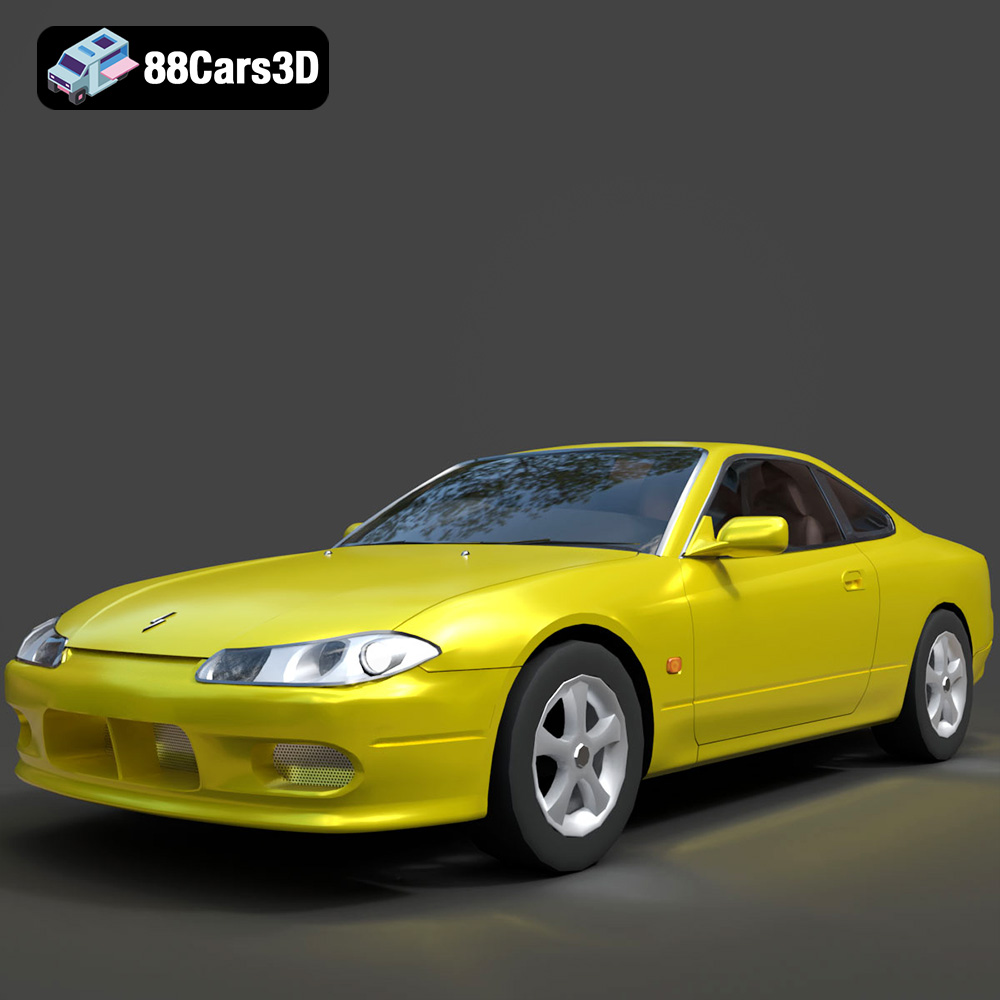
Download the Nissan Silvia 3D Model featuring clean geometry, realistic detailing, and a fully modeled interior. Includes .blend, .fbx, .obj, .glb, .stl, .ply, .unreal, and .max formats for rendering, simulation, and game development.
Price: $4.99
Texture: Yes
Material: Yes
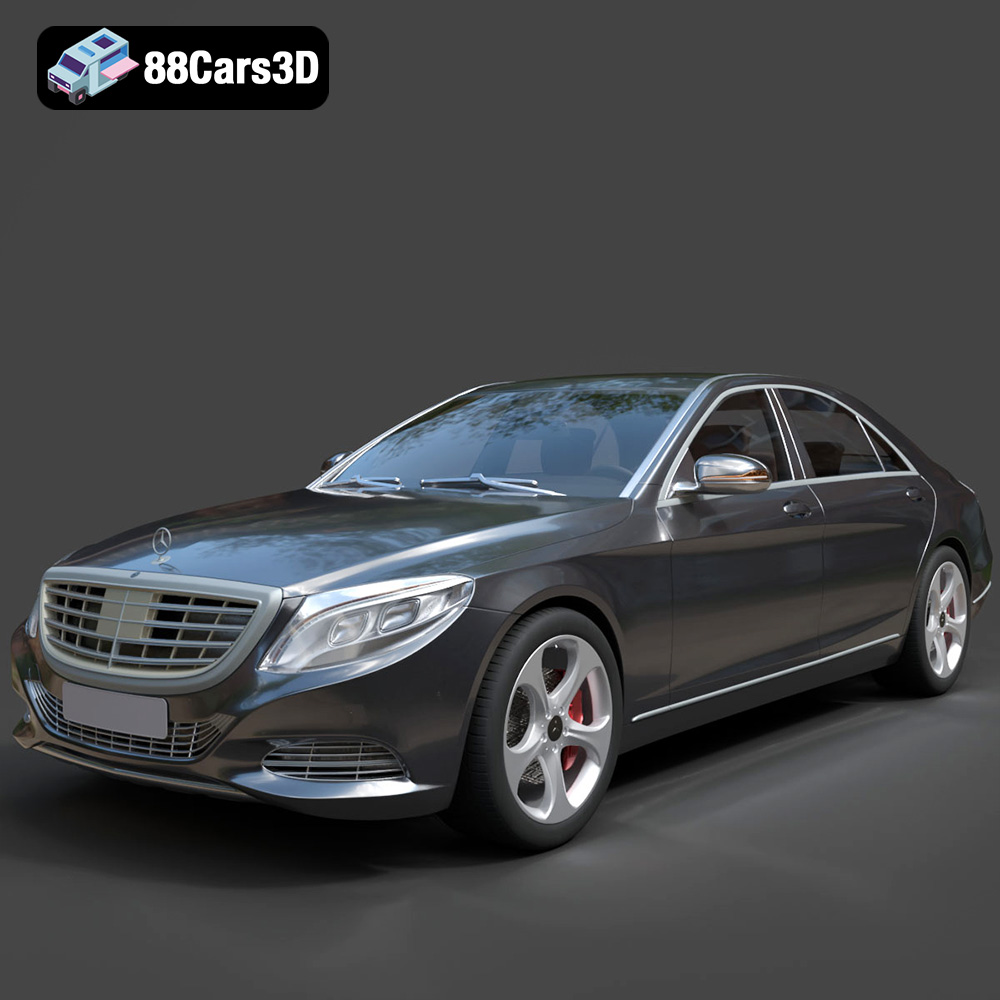
Download the Mercedes-Benz S-Class 2014 3D Model featuring clean geometry, realistic detailing, and a fully modeled interior. Includes .blend, .fbx, .obj, .glb, .stl, .ply, .unreal, and .max formats for rendering, simulation, and game development.
Price: $6.99
Texture: Yes
Material: Yes
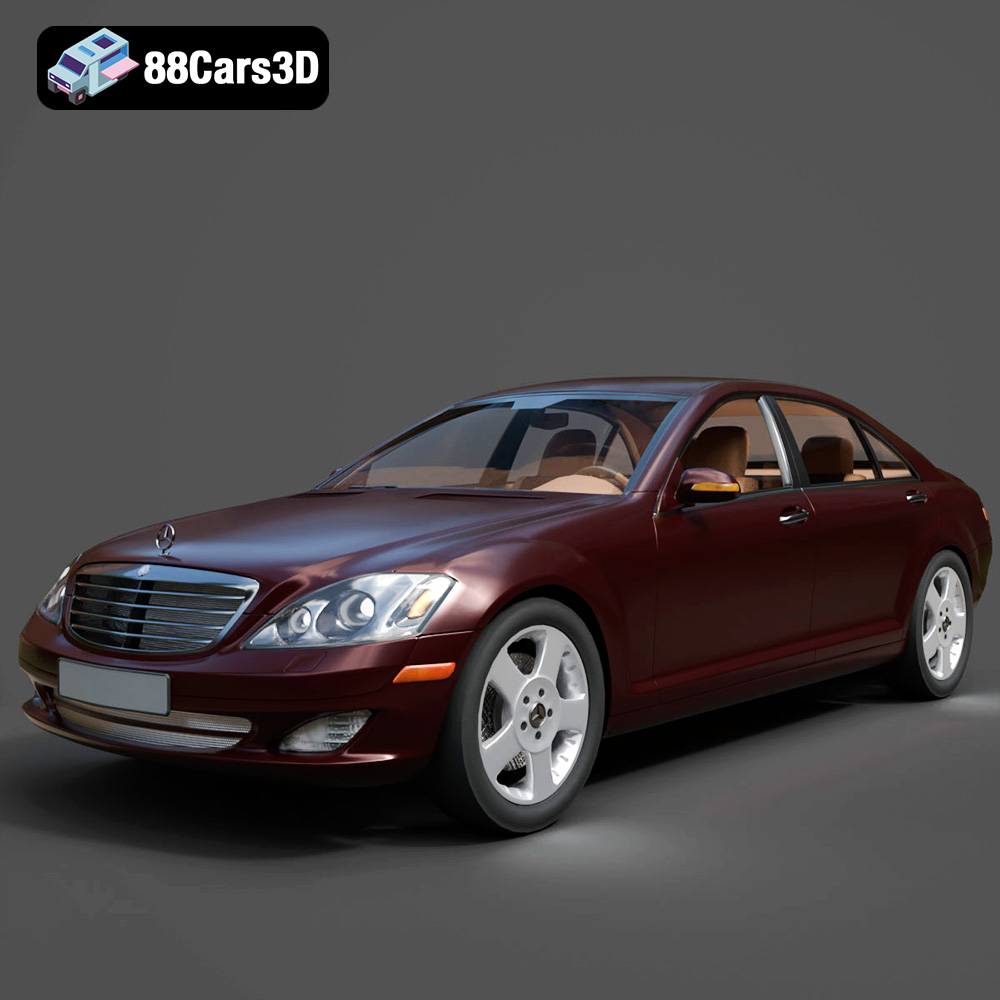
Download the Mercedes-Benz S-Klasse W221 2008 3D Model featuring clean geometry, realistic detailing, and a fully modeled interior. Includes .blend, .fbx, .obj, .glb, .stl, .ply, .unreal, and .max formats for rendering, simulation, and game development.
Price: $4.99
Texture: Yes
Material: Yes
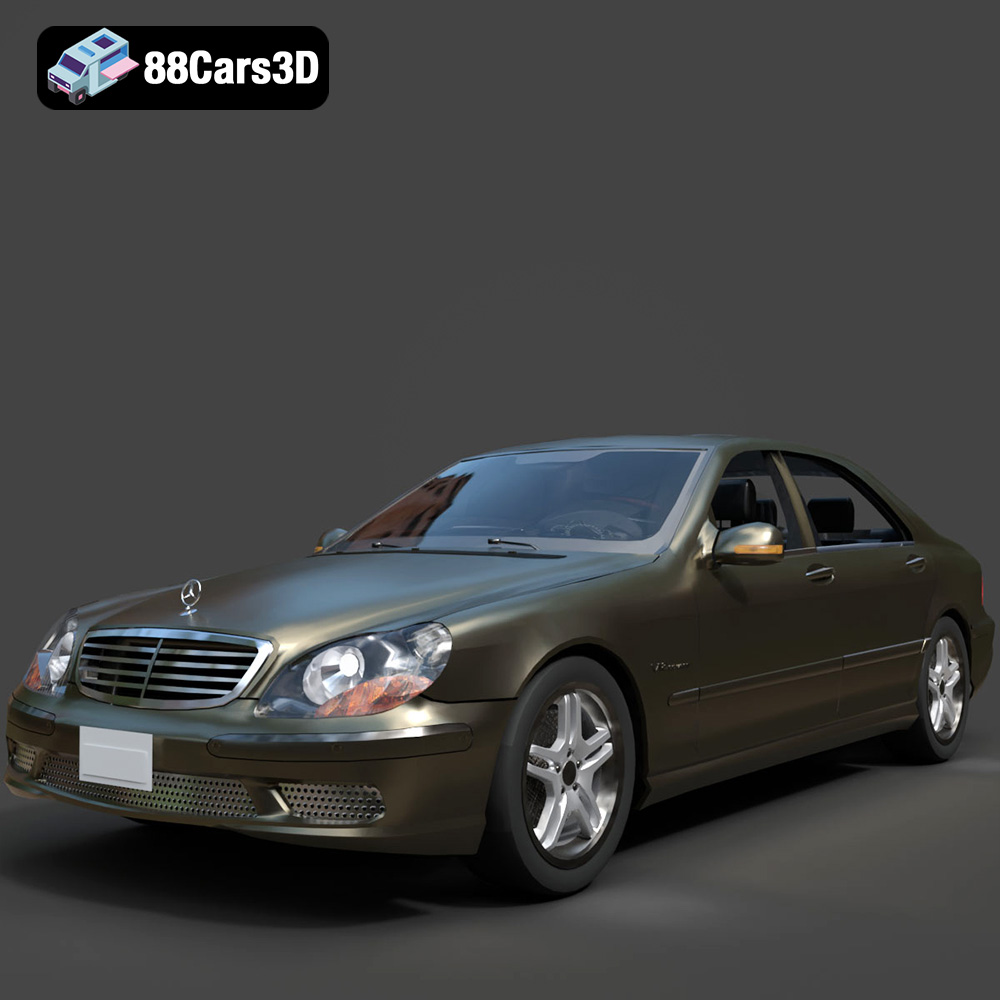
Download the Mercedes-Benz S-Klasse W220 3D Model featuring clean geometry, realistic detailing, and a fully modeled interior. Includes .blend, .fbx, .obj, .glb, .stl, .ply, .unreal, and .max formats for rendering, simulation, and game development.
Price: $4.99

