Get 20% OFF All Premium 3D & STL Models!

The allure of a perfectly rendered automobile, whether cruising through a sprawling digital city, gleaming in a product configurator, or taking center stage in a high-octane game, is undeniable. But behind every breathtaking automotive visualization lies a meticulous process of 3D modeling, texturing, rendering, and optimization. Crafting high-quality 3D car models is a challenging yet deeply rewarding endeavor, demanding a blend of artistic vision and technical prowess. From maintaining pristine topology to orchestrating complex PBR materials and ensuring real-time performance, every stage requires precision and an understanding of industry best practices.
This comprehensive guide delves deep into the advanced techniques and workflows essential for creating, enhancing, and deploying exceptional 3D automotive assets. We’ll navigate the intricate world of subdivision surface modeling, demystify advanced UV mapping, unlock the secrets of physically based rendering (PBR), and explore the nuances of photorealistic lighting. Furthermore, we’ll tackle critical optimization strategies for game engines and AR/VR, and even touch upon preparing models for 3D printing. Whether you’re an aspiring 3D artist, a seasoned game developer, an automotive designer, or a visualization professional, prepare to elevate your skills and push the boundaries of what’s possible with 3D car models.
At the foundation of every exceptional 3D car model lies impeccable topology and edge flow. Automotive surfaces are characterized by their smooth, flowing curves and sharp, defined creases. Achieving this delicate balance requires a deep understanding of polygon distribution and how it influences deformation, shading, and the overall aesthetic of the model. Poor topology can lead to artifacts, pinching, and an overall unrealistic appearance, especially when using subdivision surfaces. Our goal is always to maintain clean quad topology, minimizing n-gons (polygons with more than four sides) and triangular polygons where possible, as they can introduce shading issues.
Subdivision surface modeling (Sub-D) is the go-to technique for automotive models due to its ability to create smooth, organic shapes from a relatively low-polygon base mesh. Software like 3ds Max, Blender, and Maya all offer robust Sub-D tools. The key is to start with a clean, low-poly cage and strategically add edge loops to control curvature and introduce sharp details. A common pitfall is adding too many unnecessary edge loops too early, which makes editing cumbersome. Focus on defining the major forms first, then gradually introduce details. When working with complex panel lines and vents, ensure your edge flow follows these details, rather than cutting across them randomly. Aim for an even distribution of polygons where possible to avoid stretching or compression of UVs and textures.
Automotive design is defined by its elegant curves and crisp lines. To replicate this in 3D, controlling edge loops is paramount. For smooth, flowing surfaces, an even spacing of edge loops allows the subdivision algorithm to create a natural curve. For sharp creases, such as those found around door panels, headlights, or body lines, you need to introduce “supporting” or “control” edge loops very close to the main edge. These extra edges act as a constraint, forcing the subdivision surface to retain sharpness. While bevels and chamfers can add realism to hard edges by providing a slight rounding, they must be applied judiciously. Over-beveling can soften details unnecessarily. For critical panel gaps, ensure enough edge loops are present to define both sides of the gap, allowing for a realistic offset and shadow.
The “perfect” polygon count is always a balance between visual fidelity and performance requirements. For high-end cinematic renders or detailed product visualizations, a high polygon count (often several million triangles after subdivision) is acceptable. However, for real-time applications like games, AR/VR, or interactive configurators, strict polygon budgets are crucial. When sourcing models from marketplaces such as 88cars3d.com, pay attention to the stated polygon counts and whether LODs are included. A professional workflow often involves creating a high-poly sculpt for baking normal maps and ambient occlusion, and a separate, optimized low-poly mesh for real-time use. This allows you to retain maximum detail visually without bogging down the rendering engine. Iterative refinement and targeted mesh reduction techniques are vital here, identifying areas where polygon density can be reduced without compromising the silhouette.
UV mapping is the bridge between your 3D model and its 2D textures. For complex automotive surfaces, effective UV mapping is critical for preventing texture distortion, maximizing texture resolution, and optimizing performance, especially in game engines. Poor UVs can lead to blurry textures, noticeable seams, and inefficient material usage, undermining even the most exquisitely modeled car.
Unlike organic models, hard-surface objects like cars often benefit from a combination of unwrapping techniques. Planar mapping is ideal for flat or near-flat surfaces, such as the sides of a door or the roof. Cylindrical or spherical projections can work well for parts like wheels or rounded bumpers, though they often require additional cuts. The most versatile technique for complex, curved body panels is often “pelt mapping” or “unfold” methods available in most 3D software. This allows you to define seams and then “unwrap” the selected polygons as if peeling an orange, aiming for minimal stretching. The key is to place seams strategically where they will be least visible, such as along natural breaks in the geometry or hidden edges. After unwrapping, always use a checker map pattern to visually verify uniform texel density and minimal distortion across your UV layout.
UV atlasing involves consolidating multiple UV shells (individual unwrapped pieces) onto a single, larger UV texture map. This technique is immensely beneficial for performance in game engines and real-time applications. By having fewer texture maps, you reduce draw calls – the number of times the CPU has to tell the GPU to draw something – which can significantly improve frame rates. For a car, you might create one atlas for the main body, another for interior elements, and a third for wheels and undercarriage components. When creating an atlas, ensure there’s adequate padding (empty space) between UV shells to prevent texture bleeding, especially when using mipmaps. Automated packing tools in software like Blender, Maya, or 3ds Max can help optimize the use of UV space, but manual adjustments are often necessary for critical components to ensure proper texel density and prevent distortion. When sourcing production-ready 3D car models, such as those available on 88cars3d.com, always check for optimized UV layouts and atlased textures.
Strategic seam placement is crucial for minimizing their visual impact. For automotive models, consider placing seams along existing panel gaps, sharp creases, or hidden areas like the underside of trim pieces. The goal is to make seams invisible or, at the very least, unobtrusive. Equally important is maintaining uniform texel density. Texel density refers to the number of pixels per unit of 3D surface area. Inconsistent texel density means some parts of your model will look sharp while others appear blurry if they share the same texture map. Tools exist in most 3D applications to visualize and normalize texel density. For critical areas like the car body, a higher texel density might be desired, while less visible areas like the undercarriage might use a slightly lower density, as long as the overall look remains consistent. High-quality 3D car models prioritize uniform texel density to ensure consistent visual fidelity across the entire asset.
Physically Based Rendering (PBR) has become the industry standard for creating realistic materials. It simulates how light interacts with surfaces in a physically accurate manner, leading to more believable and consistent results across different lighting conditions and renderers. Mastering PBR materials, especially for the complex surfaces of an automotive model, is key to achieving photorealistic renders.
PBR relies on a set of standardized texture maps that define how light reflects and absorbs on a surface. The two main PBR workflows are Metallic/Roughness and Specular/Glossiness. The Metallic/Roughness workflow (common in game engines and many renderers like Blender’s Principled BSDF, Substance Painter) uses a Metallic map (0=dielectric, 1=metallic) and a Roughness map (0=smooth/glossy, 1=rough/matte) along with an Albedo (base color) map. The Specular/Glossiness workflow (often used in V-Ray, Corona, and traditional production pipelines) uses a Specular map (color of reflections) and a Glossiness map (inverse of roughness). Both workflows abide by energy conservation principles, meaning a surface cannot reflect more light than it receives. This inherent realism makes PBR essential for convincing automotive renders, as it accurately depicts how car paint, chrome, and glass behave under varying light.
Car paint is one of the most challenging materials to replicate realistically due to its multi-layered nature and subtle optical effects. A typical car paint shader involves several components:
Building such complex shaders often involves node-based material editors, creating intricate networks that combine various maps and procedural textures.
Beyond the primary car paint, numerous other materials contribute to a car’s realism. For elements like grilles, vents, and interior speaker covers, opacity maps can be used to create holes or perforations without adding excessive geometry. Normal maps are indispensable for adding fine surface detail like fabric weaves, subtle dashboard textures, tire treads, or carbon fiber patterns without increasing polygon count. Displacement maps, while more computationally expensive, can add true geometric detail for elements like embossed logos or aggressive tire treads, though they are usually reserved for high-end offline renders. Decals for logos, badges, or racing stripes are often applied using separate texture projections or mask-based blending within the shader network. Each material requires careful consideration of its PBR properties (metallic, roughness, normal, displacement, opacity) to achieve a convincing representation. For instance, a rubber tire will have high roughness and no metallic value, while polished chrome will have low roughness and a high metallic value, accurately reflecting its surroundings.
Once your 3D car model is meticulously crafted and textured, the next step is to bring it to life through photorealistic rendering. This involves carefully orchestrating lighting, camera angles, and rendering settings to produce images that are indistinguishable from real-life photographs. The choice of render engine, be it Corona, V-Ray, Cycles, or Arnold, significantly influences the workflow and final output.
Lighting is arguably the most critical element in automotive rendering. It defines the mood, highlights the car’s sculpted forms, and reveals material properties.
The goal is to enhance the car’s form and reveal its materials naturally, avoiding harsh shadows or blown-out highlights.
Each render engine offers its unique strengths and workflows:
Regardless of the engine, understanding global illumination, sampling settings (to balance noise and render time), and outputting render passes (for compositing) are universal skills. When purchasing 3D car models, like those available on 88cars3d.com, often they come pre-configured with materials for specific render engines, streamlining your workflow significantly.
Just like in photography, thoughtful camera work is vital for a compelling render.
Post-processing in software like Photoshop or Affinity Photo is the final step, where color grading, levels adjustments, sharpening, and subtle effects like lens flares further enhance the photorealism and artistic vision.
Bringing a high-fidelity 3D car model into a real-time environment like a game engine or an AR/VR experience requires significant optimization. The goal is to maintain visual quality while ensuring smooth performance, measured in frames per second (FPS). This involves meticulous attention to polygon counts, texture memory, and efficient rendering techniques.
Level of Detail (LOD) is a crucial optimization technique for real-time assets. It involves creating multiple versions of a single model, each with a progressively lower polygon count. The game engine then automatically switches between these LODs based on the camera’s distance from the object.
Proper LOD implementation can save millions of polygons in a complex scene, drastically improving performance without a noticeable drop in visual quality for the player. Tools in Unity, Unreal Engine, and dedicated modeling software allow for automated LOD generation, though manual tweaking is often required for optimal results.
Both Unity and Unreal Engine offer powerful tools and best practices for optimizing automotive assets:
For pre-made 3D car models from platforms like 88cars3d.com, check if they are already optimized and include textures specifically prepared for Unity or Unreal, which can save immense development time.
Augmented Reality (AR) and Virtual Reality (VR) impose even stricter performance constraints than traditional games due to the need for very high frame rates (typically 90+ FPS) to prevent motion sickness.
AR/VR optimization is about finding the sweet spot between visual fidelity and absolute minimum performance requirements, making every polygon and texture pixel count.
The utility of a high-quality 3D car model extends far beyond rendering and game development. These digital assets can be transformed for physical manufacturing through 3D printing, integrated into diverse visualization projects, or converted for seamless compatibility across various software ecosystems. Understanding these applications broadens the scope and value of your 3D assets.
Translating a digital 3D car model into a physical object via 3D printing introduces a unique set of technical requirements. Unlike rendering, where a thin plane can represent a panel, 3D printing demands a physically sound, “watertight” mesh.
Preparing a detailed 3D car model for 3D printing often involves duplicating the model, simplifying internal structures, and explicitly joining parts that might be separate for digital rendering into a single, cohesive shell. Some models from 88cars3d.com are even specifically designed or adapted for 3D printing, providing an excellent starting point.
The 3D industry uses a myriad of file formats, each with its strengths and specific use cases. Understanding their nuances is crucial for seamless data exchange.
When acquiring models, always verify the provided file formats align with your target software and intended use. Good marketplaces will specify these details clearly, ensuring compatibility and reducing conversion headaches.
3D car models are indispensable tools in professional visualization across various sectors.
In each of these applications, the emphasis on realism, material accuracy, and efficient handling of the asset remains paramount. The ability to seamlessly integrate a 3D car model into diverse scenes, adjusting its lighting and materials to match the environment, is a hallmark of professional visualization.
The journey through the world of 3D automotive modeling is one of continuous learning and technical mastery. We’ve explored the critical importance of clean topology and edge flow for creating smooth, realistic surfaces, delved into advanced UV mapping strategies for efficient texturing, and demystified the intricacies of PBR material creation for truly photorealistic renders. From orchestrating complex lighting setups to optimizing models for demanding real-time environments like game engines and AR/VR, and even preparing them for tangible existence through 3D printing, each stage demands precision and a deep understanding of the underlying principles.
The techniques discussed here — whether it’s crafting supporting edge loops, building layered car paint shaders, implementing LODs, or ensuring watertight meshes for print — are the bedrock upon which stunning automotive visualizations are built. By embracing these best practices, you equip yourself with the skills to produce 3D car models that not only look incredible but also perform flawlessly across a multitude of platforms and applications. For those looking to accelerate their projects without compromising on quality, platforms like 88cars3d.com offer a treasure trove of meticulously crafted 3D car models, providing a solid foundation for your next masterpiece. Continue to experiment, refine your workflows, and push the boundaries of what’s possible in the dynamic realm of 3D automotive design.

Texture: Yes
Material: Yes
Download the Mitsubishi Galant 2009 3D Model featuring clean geometry, realistic detailing, and a fully modeled interior. Includes .blend, .fbx, .obj, .glb, .stl, .ply, .unreal, and .max formats for rendering, simulation, and game development.
Price: $4.99

Texture: Yes
Material: Yes
Download the Nissan Primera Wagon 3D Model featuring clean geometry, realistic detailing, and a fully modeled interior. Includes .blend, .fbx, .obj, .glb, .stl, .ply, .unreal, and .max formats for rendering, simulation, and game development.
Price: $4.99

Texture: Yes
Material: Yes
Download the Mercedes-Benz S63 AMG Cabriolet 2017 3D Model featuring clean geometry, realistic detailing, and a fully modeled interior. Includes .blend, .fbx, .obj, .glb, .stl, .ply, .unreal, and .max formats for rendering, simulation, and game development.
Price: $20.99

Texture: Yes
Material: Yes
Download the Nissan Skyline R34 2002 3D Model featuring clean geometry, realistic detailing, and a fully modeled interior. Includes .blend, .fbx, .obj, .glb, .stl, .ply, .unreal, and .max formats for rendering, simulation, and game development.
Price: $4.99

Texture: Yes
Material: Yes
Download the Nissan Skyline 3D Model featuring clean geometry, realistic detailing, and a fully modeled interior. Includes .blend, .fbx, .obj, .glb, .stl, .ply, .unreal, and .max formats for rendering, simulation, and game development.
Price: $9.99

Texture: Yes
Material: Yes
Download the Mercedes-Benz S-Klasse W116 3D Model featuring clean geometry, realistic detailing, and a fully modeled interior. Includes .blend, .fbx, .obj, .glb, .stl, .ply, .unreal, and .max formats for rendering, simulation, and game development.
Price: $4.99
Texture: Yes
Material: Yes
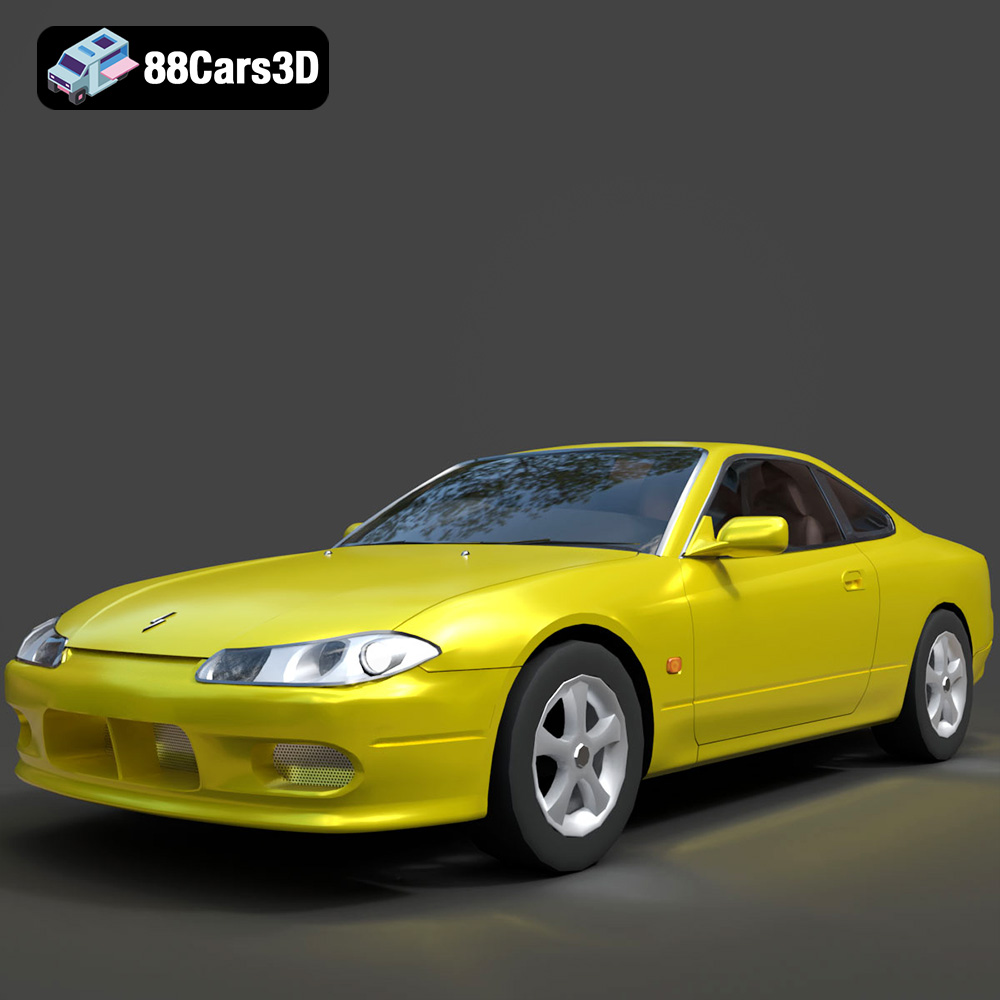
Download the Nissan Silvia 3D Model featuring clean geometry, realistic detailing, and a fully modeled interior. Includes .blend, .fbx, .obj, .glb, .stl, .ply, .unreal, and .max formats for rendering, simulation, and game development.
Price: $4.99
Texture: Yes
Material: Yes
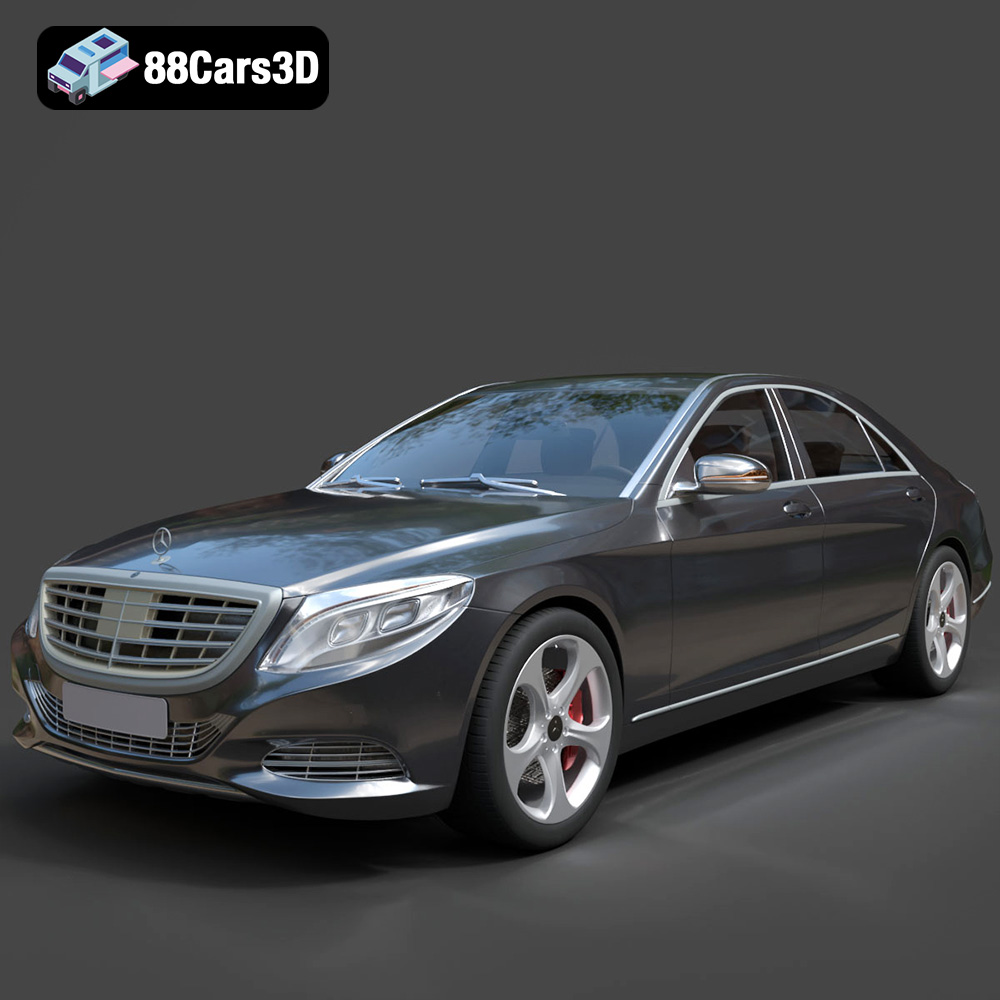
Download the Mercedes-Benz S-Class 2014 3D Model featuring clean geometry, realistic detailing, and a fully modeled interior. Includes .blend, .fbx, .obj, .glb, .stl, .ply, .unreal, and .max formats for rendering, simulation, and game development.
Price: $6.99
Texture: Yes
Material: Yes
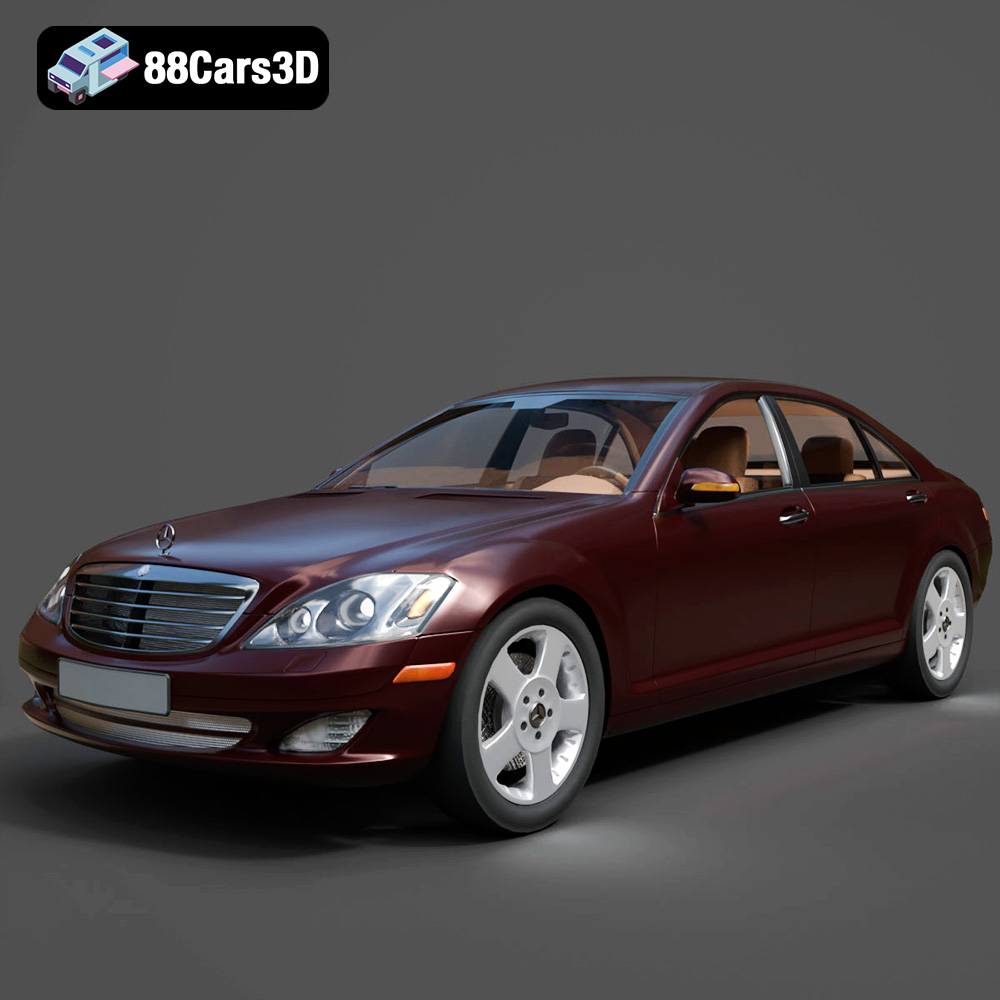
Download the Mercedes-Benz S-Klasse W221 2008 3D Model featuring clean geometry, realistic detailing, and a fully modeled interior. Includes .blend, .fbx, .obj, .glb, .stl, .ply, .unreal, and .max formats for rendering, simulation, and game development.
Price: $4.99
Texture: Yes
Material: Yes
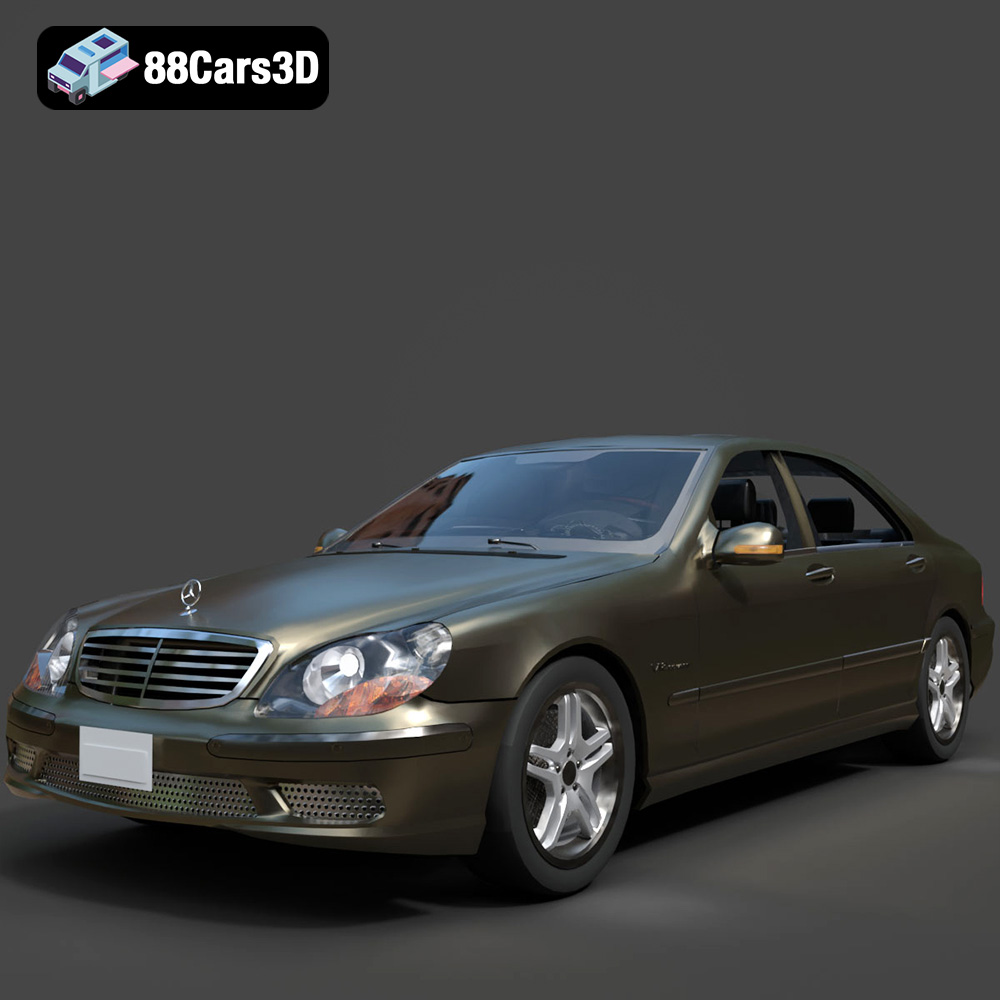
Download the Mercedes-Benz S-Klasse W220 3D Model featuring clean geometry, realistic detailing, and a fully modeled interior. Includes .blend, .fbx, .obj, .glb, .stl, .ply, .unreal, and .max formats for rendering, simulation, and game development.
Price: $4.99

