Get 20% OFF All Premium 3D & STL Models!

The world of 3D visualization and real-time applications is constantly evolving, with photorealism and performance becoming increasingly critical. For automotive projects, whether it’s a breathtaking marketing render, an immersive game experience, or an interactive AR/VR showcase, the quality of your 3D car model is paramount. It forms the very foundation upon which all subsequent work — from texturing and lighting to animation and interactivity — is built. A poorly constructed model can lead to endless headaches, from rendering glitches and performance bottlenecks to frustrating material issues and limitations in detail. Conversely, a meticulously crafted 3D car model elevates your project, conveying professionalism, realism, and a seamless user experience.
This comprehensive guide delves into the intricate technical details behind creating, optimizing, and utilizing high-quality 3D car models. We’ll explore the essential elements that distinguish professional-grade assets, covering everything from the foundational principles of topology and UV mapping to the advanced techniques of PBR material creation, rendering workflows, and crucial game engine optimizations. We’ll also touch upon the nuances of preparing models for diverse applications like AR/VR and 3D printing, ensuring your automotive creations shine across all platforms. By the end of this journey, you’ll possess a deeper understanding of what goes into truly exceptional 3D car models and how to leverage them for maximum impact in your projects.
At the core of any high-quality 3D car model lies its topology – the arrangement of vertices, edges, and faces that define its geometric structure. For automotive models, which are characterized by sleek curves, sharp edges, and complex paneling, impeccable topology isn’t just a best practice; it’s a necessity. Clean topology ensures smooth subdivision, accurate deformation, and efficient UV unwrapping, directly impacting the final visual fidelity and performance of your asset. Ignoring this fundamental principle can lead to pinched surfaces, shading artifacts, and difficulties in animation or modification down the line. Professional modelers meticulously plan their edge flow to accurately capture the intricate design language of a vehicle.
Effective edge flow is crucial for maintaining the continuity of curves and surfaces, especially critical for the reflective surfaces of a car. Edges should ideally follow the natural contours and creases of the vehicle, forming consistent loops around features like headlights, grilles, and wheel arches. This approach allows for predictable subdivision, where adding more geometry (e.g., using a Subdivision Surface modifier in Blender or a TurboSmooth modifier in 3ds Max) results in a smoother, more detailed mesh without introducing undesirable artifacts or “bumps.” Quads (four-sided polygons) are the preferred primitive for their predictable subdivision behavior, making them ideal for organic and hard-surface modeling alike. While triangles are unavoidable in final triangulated meshes for real-time engines, the base mesh should primarily consist of quads to facilitate modeling and UV unwrapping. For example, a crisp body line on a car would require several parallel edge loops running along its length to hold its form after subdivision, gradually transitioning to fewer edges in flatter areas.
Striking the right balance between detail and performance is a constant challenge, particularly with 3D car models. A high polygon count allows for intricate details and smooth curves, ideal for high-resolution renders and cinematic sequences. For a hero shot render, polygon counts can exceed 500,000 to 1 million triangles for a single car, capturing every fillet, panel gap, and subtle curvature with precision. These models often utilize multiple subdivision levels. However, for real-time applications like games or AR/VR experiences, excessively high polygon counts can cripple performance, leading to low frame rates and unresponsive interactions. Game-ready models require careful optimization, often ranging from 30,000 to 150,000 triangles for a primary vehicle, depending on the platform and desired level of detail. This involves techniques like manual retopology, decimation, and baking normal maps from high-poly sculpts onto optimized low-poly meshes. Understanding the target platform’s limitations and requirements is key to determining the appropriate polygon budget without sacrificing visual quality.
Once the geometric structure is solid, the next crucial step is UV mapping – the process of flattening the 3D surface of your model into a 2D plane, allowing textures to be applied accurately. For complex automotive surfaces with varying curvature, materials, and intricate details, effective UV mapping is a significant undertaking. Poor UVs lead to stretched, distorted, or misaligned textures, severely compromising the realism of your 3D car model. Well-executed UVs ensure uniform texel density, minimize seams, and facilitate efficient material application, which is vital for PBR workflows.
Automotive models present unique challenges for UV unwrapping due to their smooth, curved panels and sharp, distinct edges. A common strategy involves breaking the car into logical, manageable pieces, much like how a real car is assembled (body panels, wheels, interior, glass, etc.). Each component can then be unwrapped individually. For large, smooth surfaces like body panels, projection mapping (e.g., planar or cylindrical projections followed by manual adjustments) or advanced unwrapping tools (like Pelt Mapping in 3ds Max or Smart UV Project in Blender) are often employed to minimize distortion. Critical areas like the main body panels benefit from “straightened” UV shells to make texture painting easier and prevent stretching. Seams should be strategically placed in inconspicuous areas, such as along sharp edges, under trim pieces, or where different materials naturally meet, to hide them effectively. Overlapping UVs can be used for mirrored parts (e.g., left and right sides of the car if they are identical) to save texture space, provided unique details aren’t required on both sides.
Efficient UV space utilization is about maximizing the space within the 0-1 UV coordinate range (the “UV square”) to get the most detail out of your textures. This means arranging UV shells without excessive empty space between them, but also ensuring adequate padding to prevent texture bleeding. Texel density, or the number of texture pixels per unit of 3D space, is a critical concept. Consistent texel density across the entire model ensures that all parts of the car appear equally detailed, preventing some areas from looking blurry while others are sharp. For an automotive asset, key visible areas like the main body, headlights, and wheels should have higher texel density, while less visible areas like the underside of the chassis might have lower density to save texture resolution. Tools within software like 3ds Max, Maya, or Blender allow artists to visualize and uniformize texel density across different UV shells. A common texture resolution for a high-quality car model might include a 4096×4096 (4K) map for the body, 2048×2048 (2K) for wheels, and 1024×1024 (1K) for interior details, depending on the overall asset budget and target platform.
Realistic rendering of automotive surfaces hinges on the accurate creation of Physically Based Rendering (PBR) materials. PBR workflows simulate how light interacts with surfaces in a physically accurate manner, resulting in highly believable reflections, refractions, and diffuse lighting. This approach ensures your 3D car models look consistent and correct under any lighting conditions, making them ideal for high-end visualization, game development, and AR/VR experiences.
There are two primary PBR workflows: Metallic-Roughness and Specular-Glossiness. The Metallic-Roughness workflow, favored by engines like Unity and Unreal Engine, and renderers like Substance Painter, uses a ‘Metallic’ map (0 for dielectric, 1 for metallic) and a ‘Roughness’ map (0 for perfectly smooth, 1 for perfectly rough) to define surface properties. This workflow is generally considered more intuitive for artists. The Specular-Glossiness workflow uses ‘Diffuse,’ ‘Specular,’ and ‘Glossiness’ maps. ‘Specular’ defines the color and intensity of specular reflections, while ‘Glossiness’ is the inverse of roughness. While both can achieve similar results, consistency within your pipeline is crucial. For automotive paint, a common challenge is simulating clear coat, which often involves a layered shader setup in advanced renderers or utilizing specific clear coat parameters available in PBR material setups. Platforms like 88cars3d.com typically provide models with PBR textures, streamlining integration into various rendering pipelines.
Complex automotive finishes often require layered materials. A car paint shader, for example, typically consists of a base metallic layer, a flake layer (for metallic paints), and a clear coat layer. Each layer contributes to the final look, with the clear coat providing depth and realistic reflections. Beyond the base PBR maps (Albedo/Base Color, Metallic, Roughness/Glossiness, Normal), detail maps play a vital role in adding micro-surface realism. A Normal Map, baked from a high-poly model, adds surface detail without increasing polygon count, essential for subtle panel gaps, badges, and intricate design elements. Ambient Occlusion (AO) maps can simulate soft shadows in crevices, enhancing depth. Displacement Maps (or Parallax Occlusion Maps for real-time) can add actual geometric detail or simulate it, respectively, for features like tire treads or subtle interior textures. Decals for logos, warning labels, and license plates are also applied as separate texture layers, carefully blended over the base paint or material using alpha channels. Effective shader networks in software like 3ds Max (with Corona or V-Ray), Blender (Cycles), or Maya (Arnold) allow for the intricate layering and blending of these various textures and material properties, achieving unparalleled realism.
Creating photorealistic images of 3D car models is the pinnacle of architectural and automotive visualization. It’s a precise art that combines technical knowledge of rendering engines with an artistic eye for lighting, composition, and post-processing. A professional rendering workflow transforms a well-modeled and textured asset into a captivating visual story, showcasing the vehicle’s design and features in the most flattering light.
Lighting is arguably the most critical component of a realistic render. For automotive visualization, High Dynamic Range Images (HDRIs) are indispensable for simulating real-world environments. An HDRI acts as both a light source and a reflection map, providing realistic environmental lighting and complex, subtle reflections on the car’s polished surfaces. Pairing HDRIs with targeted area lights, spot lights, or mesh lights allows for precise control over highlights, shadows, and mood. For instance, a large, soft area light can mimic studio softboxes to create elegant reflections, while a subtle spot light can emphasize a specific design element. Global Illumination (GI) is essential to simulate how light bounces off surfaces, contributing to soft, natural ambient lighting and color bleeding. In renderers like Corona Renderer or V-Ray for 3ds Max, or Cycles in Blender, careful adjustment of light temperatures, intensities, and falloff contributes significantly to the final aesthetic. A well-designed studio setup, often involving a seamless cyclorama or a simple backdrop, helps to isolate the vehicle and control reflections.
Just as in real-world photography, camera settings are fundamental. Focal length dictates perspective and distortion; a longer focal length (e.g., 85mm-135mm) often preferred for cars, provides a more flattering, less distorted view. Depth of Field (DOF) can draw attention to specific parts of the car by blurring the background and foreground. Motion blur adds dynamism to animated shots. Once rendered, the raw image undergoes crucial post-processing. This typically involves adjusting exposure, contrast, white balance, and color grading to achieve the desired mood and visual impact. Software like Adobe Photoshop or Affinity Photo is used for this. Compositing allows for combining render passes (e.g., beauty, reflections, shadows, and ambient occlusion) for greater control. Adding subtle effects like bloom (for light sources), lens flares, chromatic aberration, or even integrating the car into a real photographic backplate with matching lighting and perspective can significantly enhance realism. Understanding these compositing techniques ensures the final image goes beyond a mere render and becomes a polished, professional visualization.
The demand for high-quality 3D car models in interactive real-time environments, such as video games, simulators, and interactive product configurators, has skyrocketed. Unlike static renders, game engines like Unity and Unreal Engine require models that are not only visually appealing but also highly optimized to maintain smooth frame rates and efficient resource usage. Achieving this balance involves a suite of specialized techniques that minimize draw calls, reduce memory footprint, and ensure consistent performance across diverse hardware.
Level of Detail (LOD) is a crucial optimization technique for real-time assets. It involves creating multiple versions of the same 3D car model, each with progressively lower polygon counts and simpler materials. The engine automatically switches between these LODs based on the object’s distance from the camera. For example, a car very close to the camera might use a high-poly LOD0 (100,000+ triangles), while a car further away uses a medium-poly LOD1 (30,000 triangles), and a distant car uses a very low-poly LOD2 (5,000 triangles) or even a billboard. This dramatically reduces the number of polygons the GPU needs to process at any given time. Relatedly, minimizing draw calls is paramount. Each time the CPU tells the GPU to render an object, it’s a draw call. A single car with 20 different materials and separate meshes for each part (body, wheels, windows, calipers, etc.) could generate 20+ draw calls. Combining meshes and using fewer materials (via texture atlasing) are direct ways to reduce these calls, thereby improving performance significantly.
Texture atlasing is a powerful optimization where multiple smaller textures (e.g., textures for the door handles, side mirrors, and emblems) are combined into a single, larger texture map. Instead of using several materials, each with its own texture, the engine can now draw all those details using a single material and texture atlas. This drastically reduces draw calls and memory overhead. When sourcing high-quality models from marketplaces such as 88cars3d.com, look for models that already provide optimized texture sets or are prepared for atlasing. Material instancing (or shared materials in Unity) further reduces draw calls by allowing multiple objects to share the same base material, but with different parameters (e.g., color variations). For example, a car model might have a base paint material, and instead of creating a new material for each color option, you create material instances that simply change the base color parameter, leveraging the same shader and reducing GPU overhead. Efficient texture compression (e.g., DXT1, DXT5, BC7) is also vital for reducing texture memory footprint without significant visual degradation.
A truly high-quality 3D car model is versatile, capable of being deployed across a multitude of platforms and applications beyond traditional rendering or gaming. This versatility hinges on understanding different file formats, optimizing for specific real-time experiences like AR/VR, and preparing models for physical fabrication through 3D printing. The ability to seamlessly transition a single asset across these diverse use cases maximizes its value and reach.
The 3D industry uses a variety of file formats, each with its strengths and weaknesses. Common formats include:
Converting between these formats can be straightforward but sometimes requires careful attention to material conversions, normal orientation, and scale. Platforms like 88cars3d.com often provide models in multiple common formats to ensure broad compatibility.
**AR/VR Optimization:** For Augmented and Virtual Reality, performance and immersion are critical. Models must be highly optimized for mobile chipsets (for mobile AR/VR) or standalone headsets, meaning stringent polygon and texture budgets (e.g., 20,000-50,000 triangles for a hero car, 1K-2K textures). This requires aggressive LODs, texture atlasing, and careful material setup to use mobile-friendly PBR shaders. Furthermore, lighting in AR/VR often relies on real-time global illumination and reflection probes to ground the object in its environment. For AR, accurate scale and world-space alignment are vital to convincingly place the virtual car into the real world. Many AR/VR experiences use glTF/GLB or USDZ formats due to their efficiency and PBR support.
**3D Printing Preparation:** Preparing a 3D car model for 3D printing involves a different set of considerations entirely. The model must be “watertight,” meaning it has no holes, non-manifold edges, or inverted normals – effectively a solid volume. This often requires mesh repair tools found in software like Meshmixer, Blender (with 3D Print Toolbox addon), or Netfabb. Wall thickness is crucial; thin parts that look fine on screen might be too fragile or simply not print at all. Internal geometry should be removed unless intentionally designed for infill or specific features. For complex automotive models, splitting the model into several printable parts (e.g., body, wheels, interior) can simplify the printing process and allow for multi-material printing. Exporting to STL or OBJ formats is common for 3D printing, with OBJ often preferred for its ability to handle color information (if desired).
The journey from a blank canvas to a high-fidelity 3D car model is a complex interplay of artistic skill, technical precision, and meticulous optimization. We’ve traversed the critical stages, from establishing flawless topology and intelligent UV mapping to crafting believable PBR materials and mastering advanced rendering techniques. We also delved into the essential optimizations required for real-time applications like games and AR/VR, alongside the specific considerations for preparing models for diverse file formats and physical 3D printing. Each step, from managing polygon counts to strategically placing UV seams, plays a vital role in the final quality and versatility of your automotive asset.
Investing in or meticulously creating models that adhere to these industry best practices is not just about aesthetics; it’s about efficiency, performance, and future-proofing your projects. High-quality 3D car models are the bedrock of compelling visualizations, immersive game experiences, and cutting-edge interactive applications. By understanding the intricate technical details discussed, you’re better equipped to evaluate, utilize, and even create 3D assets that truly stand out. Whether you’re a seasoned professional or an aspiring artist, prioritizing quality in your 3D car models will undoubtedly accelerate your creative endeavors and open up new possibilities. Explore marketplaces that specialize in professional-grade assets, like 88cars3d.com, to find the perfect foundation for your next automotive masterpiece.

Texture: Yes
Material: Yes
Download the Mitsubishi Galant 2009 3D Model featuring clean geometry, realistic detailing, and a fully modeled interior. Includes .blend, .fbx, .obj, .glb, .stl, .ply, .unreal, and .max formats for rendering, simulation, and game development.
Price: $4.99

Texture: Yes
Material: Yes
Download the Nissan Primera Wagon 3D Model featuring clean geometry, realistic detailing, and a fully modeled interior. Includes .blend, .fbx, .obj, .glb, .stl, .ply, .unreal, and .max formats for rendering, simulation, and game development.
Price: $4.99

Texture: Yes
Material: Yes
Download the Mercedes-Benz S63 AMG Cabriolet 2017 3D Model featuring clean geometry, realistic detailing, and a fully modeled interior. Includes .blend, .fbx, .obj, .glb, .stl, .ply, .unreal, and .max formats for rendering, simulation, and game development.
Price: $20.99

Texture: Yes
Material: Yes
Download the Nissan Skyline R34 2002 3D Model featuring clean geometry, realistic detailing, and a fully modeled interior. Includes .blend, .fbx, .obj, .glb, .stl, .ply, .unreal, and .max formats for rendering, simulation, and game development.
Price: $4.99

Texture: Yes
Material: Yes
Download the Nissan Skyline 3D Model featuring clean geometry, realistic detailing, and a fully modeled interior. Includes .blend, .fbx, .obj, .glb, .stl, .ply, .unreal, and .max formats for rendering, simulation, and game development.
Price: $9.99

Texture: Yes
Material: Yes
Download the Mercedes-Benz S-Klasse W116 3D Model featuring clean geometry, realistic detailing, and a fully modeled interior. Includes .blend, .fbx, .obj, .glb, .stl, .ply, .unreal, and .max formats for rendering, simulation, and game development.
Price: $4.99
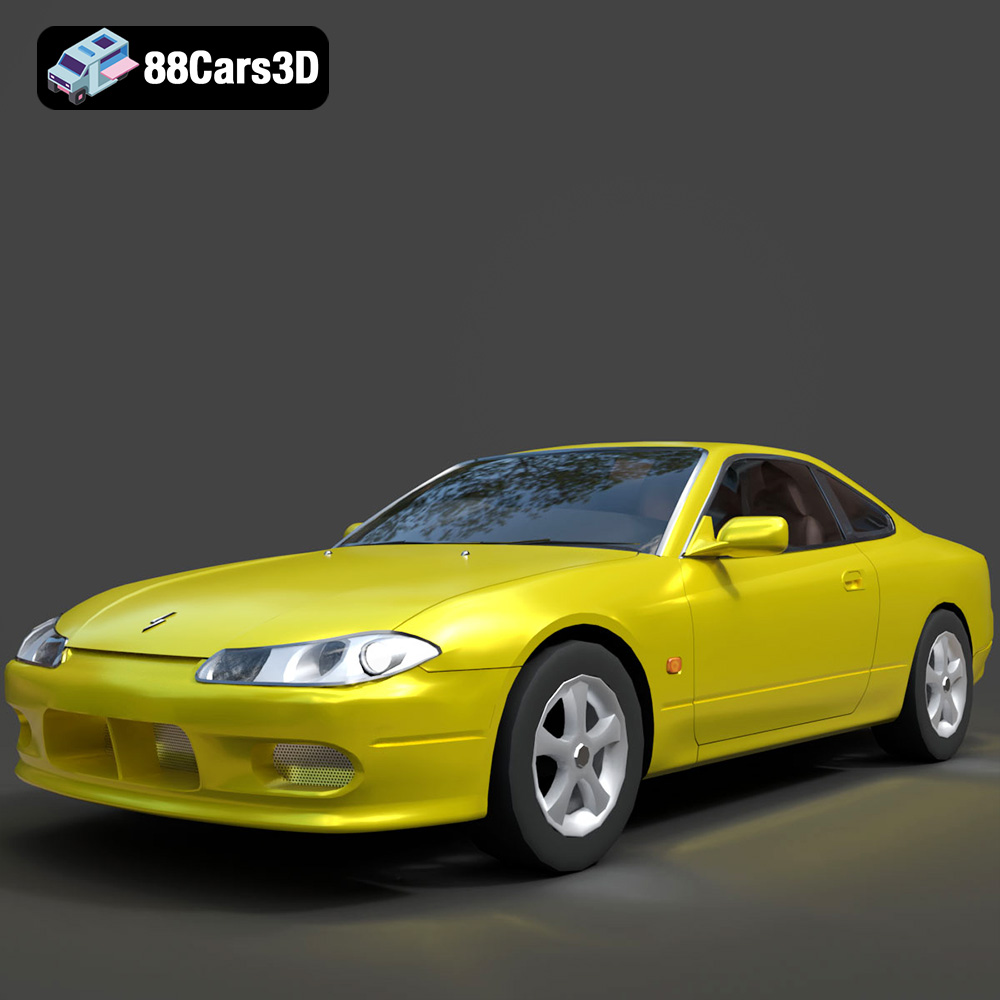
Texture: Yes
Material: Yes
Download the Nissan Silvia 3D Model featuring clean geometry, realistic detailing, and a fully modeled interior. Includes .blend, .fbx, .obj, .glb, .stl, .ply, .unreal, and .max formats for rendering, simulation, and game development.
Price: $4.99
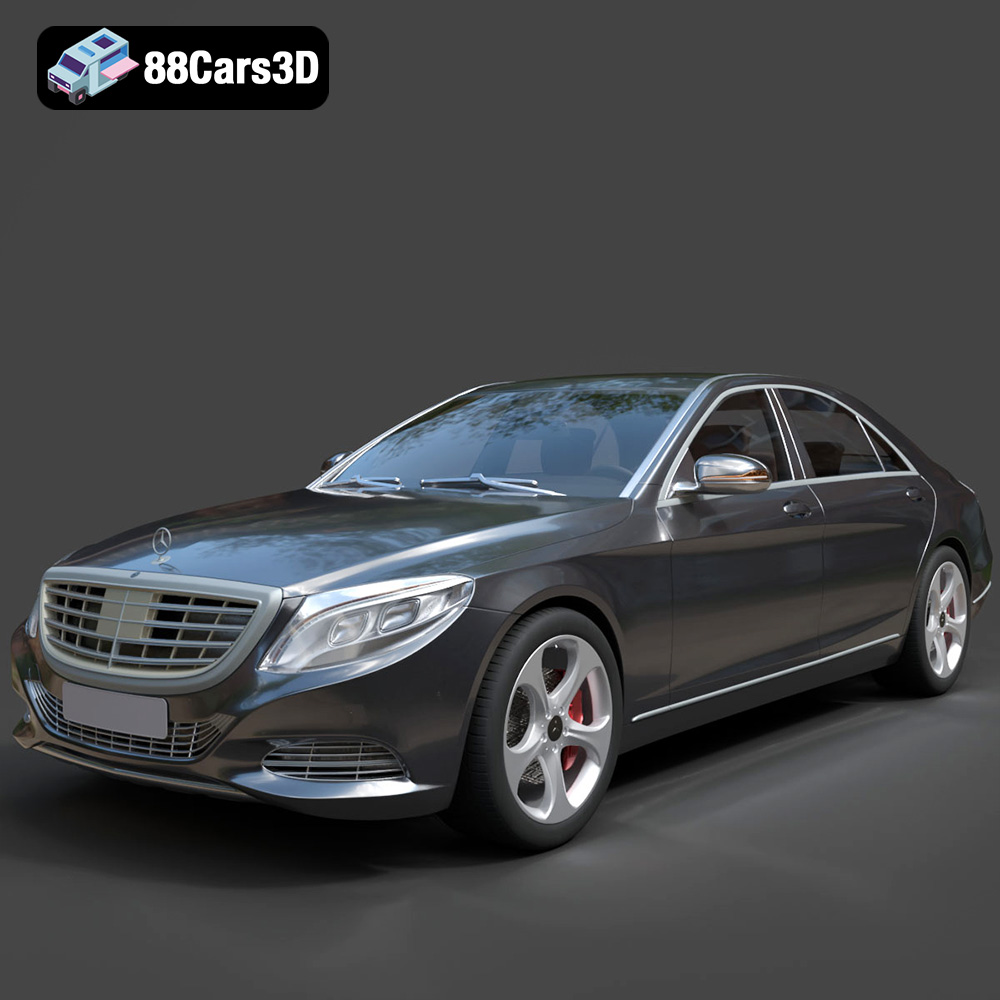
Texture: Yes
Material: Yes
Download the Mercedes-Benz S-Class 2014 3D Model featuring clean geometry, realistic detailing, and a fully modeled interior. Includes .blend, .fbx, .obj, .glb, .stl, .ply, .unreal, and .max formats for rendering, simulation, and game development.
Price: $6.99
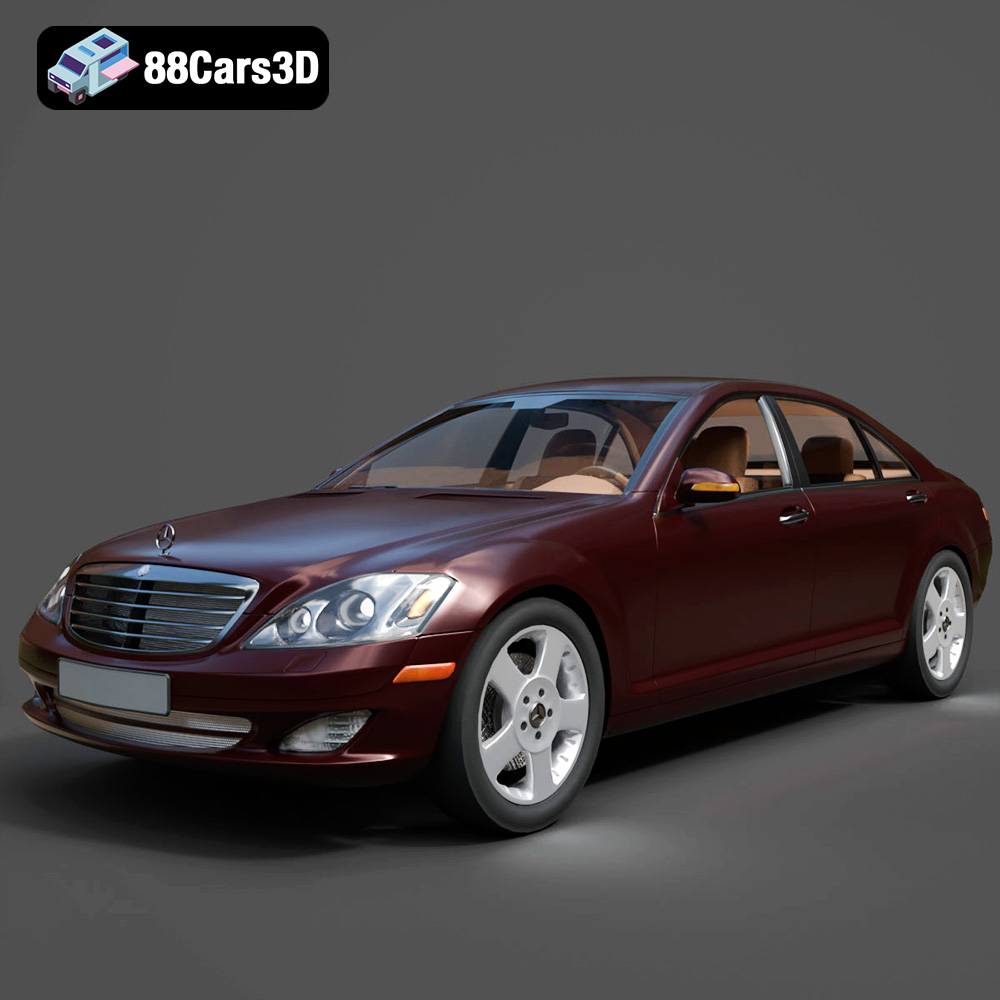
Texture: Yes
Material: Yes
Download the Mercedes-Benz S-Klasse W221 2008 3D Model featuring clean geometry, realistic detailing, and a fully modeled interior. Includes .blend, .fbx, .obj, .glb, .stl, .ply, .unreal, and .max formats for rendering, simulation, and game development.
Price: $4.99
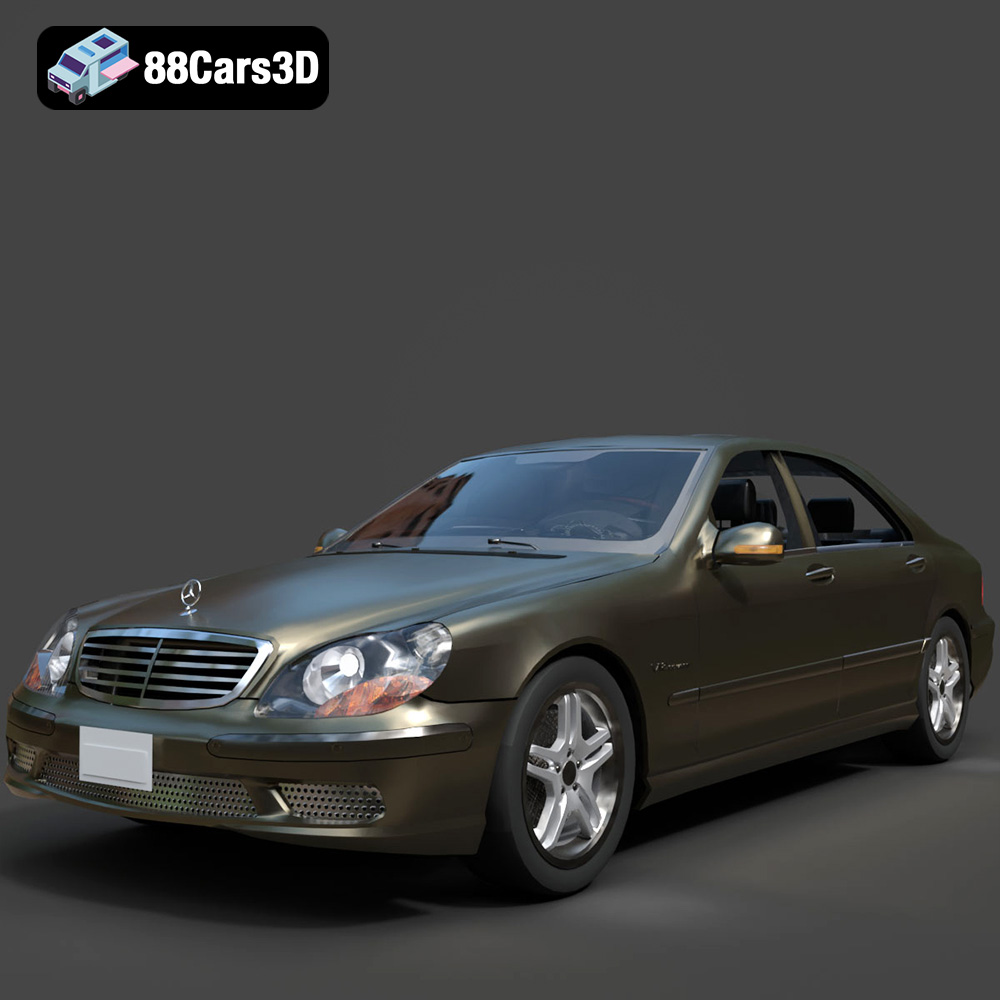
Texture: Yes
Material: Yes
Download the Mercedes-Benz S-Klasse W220 3D Model featuring clean geometry, realistic detailing, and a fully modeled interior. Includes .blend, .fbx, .obj, .glb, .stl, .ply, .unreal, and .max formats for rendering, simulation, and game development.
Price: $4.99

