Get 20% OFF All Premium 3D & STL Models!

The world of 3D automotive modeling is a fascinating blend of art and engineering, demanding meticulous attention to detail and a deep understanding of technical workflows. From the sleek curves of a classic car to the futuristic lines of a concept vehicle, creating realistic and performant 3D car models is crucial for industries ranging from film and advertising to game development, architectural visualization, and cutting-edge AR/VR experiences. The demand for high-quality, production-ready assets has never been greater, and mastering the craft involves much more than just pushing polygons.
This comprehensive guide delves into the intricate technical aspects of creating, optimizing, and rendering stunning 3D car models. We’ll explore the foundational principles of clean topology, demystify the art of UV mapping, unpack the science behind Physically Based Rendering (PBR) materials, and navigate the complexities of rendering workflows and real-time engine optimization. Whether you’re an aspiring 3D artist, a seasoned game developer, or an automotive designer looking to elevate your visualization pipeline, understanding these core concepts is paramount. By the end of this deep dive, you’ll have a robust framework for approaching complex automotive projects, ensuring your models are not only visually impressive but also technically sound and versatile across various applications. Platforms like 88cars3d.com stand as a testament to the level of detail and quality achievable when these best practices are diligently followed.
At the heart of any exceptional 3D car model lies impeccable topology. Topology refers to the arrangement of polygons (faces, edges, and vertices) that make up a 3D mesh. For automotive models, clean topology is not just about aesthetics; it’s fundamental for smooth surface deformation, realistic reflections, efficient UV mapping, and seamless integration with subdivision surface modifiers. Without a solid topological foundation, even the most detailed textures and advanced rendering techniques will struggle to hide underlying mesh imperfections.
The organic and often complex curves of a car’s body panels present unique challenges. Automotive surfaces are characterized by subtle undulations, sharp creases, and precise panel gaps, all of which must be accurately represented. Poor topology can lead to pinching, unwanted bumps, or a “lumpy” appearance when the model is subdivided or lit. This is especially true for highly reflective surfaces like car paint, where any deviation in surface normal can be glaringly obvious. Professional 3D car models demand a quad-based workflow, minimizing triangles and avoiding N-gons (polygons with more than four sides), as these can introduce unpredictable shading artifacts and hinder proper mesh deformation.
Achieving clean automotive topology hinges on several core principles. Firstly, maintaining an all-quad mesh is critical. Quads subdivide predictably, ensuring smooth transitions and consistent mesh density. Secondly, judicious use of edge loops is essential. Edge loops should follow the natural contours and design lines of the car, defining critical features such as panel gaps, headlight recesses, window frames, and wheel arches. These loops act as control points for shaping the surface and provide structure for adding detail.
Supporting edge loops are another vital component. These are additional edge loops placed very close to a sharp edge or crease. When a subdivision surface modifier (like Turbosmooth in 3ds Max or Subdivision Surface in Blender) is applied, these supporting loops help maintain the sharpness of the original edge, preventing it from becoming overly soft or rounded. Without them, all edges would smooth out uniformly, destroying the crispness inherent in automotive design. Finally, ensuring an even distribution of polygons across the surface helps prevent stretching or pinching and contributes to a uniform subdivision result, crucial for realistic automotive rendering.
The modeling process typically begins with meticulous reference setup using blueprints, schematics, and high-resolution photographs. Software like 3ds Max, Blender, or Maya provides tools for aligning these references in orthographic views. Most high-quality automotive models are created using a combination of box modeling and poly-by-poly techniques. Box modeling involves starting with a simple primitive and gradually refining its shape, while poly-by-poly focuses on building the mesh section by section, often tracing over reference images to establish precise curves.
Key tools for this workflow include: Extrude for pulling out new geometry, Inset for creating internal faces, Loop Cut for adding resolution along an edge loop, and Slide Edge for adjusting edge positions without altering the overall surface. Maintaining symmetry is paramount for cars, so utilizing a Symmetry modifier (3ds Max) or Mirror modifier (Blender) is a standard practice, allowing artists to model one half of the car and automatically mirror it to the other. Handling complex areas like fender flares, intricate grilles, and aerodynamic vents requires careful planning of edge flow to ensure both visual accuracy and topological integrity, especially when preparing for game engines where performance is key.
Once the 3D model’s topology is solid, the next crucial step is UV mapping. UV mapping is the process of unfolding the 3D mesh into a 2D space, allowing 2D textures to be accurately painted or projected onto the model’s surface. For the complex, often seamless surfaces of a car, impeccable UVs are paramount for achieving high-fidelity textures, preventing distortion, and ensuring that PBR materials are applied correctly. Poor UV mapping can lead to stretched textures, visible seams, or inefficient use of texture space, undermining the visual quality of even the most detailed models.
Automotive models pose particular challenges due to their intricate shapes and the need for incredibly smooth, uniform surfaces. Car paint, for instance, relies heavily on consistent texture projection to display reflections and subtle variations without artifacts. Interior components, engine parts, and undercarriage details all require careful unwrapping to allow for detailed texturing without overwhelming the artist with hundreds of tiny, fragmented UV shells. Strategic UV unwrapping is key to managing this complexity and ensuring a streamlined texturing workflow.
Effective UV unwrapping for a car model typically involves segmenting the model into logical parts. The main body panels might be unwrapped separately from the windows, tires, interior elements, and small details like emblems or lights. This modular approach allows for better organization and optimization. When making cuts (seams) for unwrapping, the goal is to place them in less visible areas, such as along panel gaps, under the vehicle, or where different materials meet. This minimizes their visual impact when textures are applied.
Ensuring uniform texel density is another critical aspect. Texel density refers to the number of texture pixels per unit of 3D space. Maintaining a consistent texel density across all UV shells ensures that textures appear with the same resolution, regardless of the size of the model part. Tools in Blender, 3ds Max, and Maya allow for checking and normalizing texel density. Various projection types—planar for flat surfaces, cylindrical for tires or exhaust pipes, and spherical for rounded elements—are used in conjunction with “unfold” operations to flatten complex geometry as cleanly as possible. For very complex, organic shapes, dedicated unwrapping software like RizomUV or UVLayout can offer more advanced control and automation.
After unwrapping, the UV shells are arranged in the 0-1 UV space (the square texture canvas). The primary goal here is to maximize the use of this space while minimizing wasted areas between shells. Avoiding overlapping UVs is crucial, especially for models destined for baked lighting or unique texture details, as overlapping areas would share the same texture space, leading to conflicts. However, intentional overlapping can be used for mirrored parts (e.g., left and right side doors if they share the exact same texture) to save texture memory.
For game assets and real-time applications, UV atlasing is a powerful optimization technique. This involves consolidating multiple smaller textures from different parts of the model into a single, larger texture map (an atlas). By placing various UV shells from different objects (like an entire car’s interior, or all its small components) onto one UV map and using a single material, the number of draw calls in a game engine can be significantly reduced, leading to improved performance. Common texture resolutions for high-quality 3D car models range from 2K (2048×2048) for smaller elements, to 4K (4096×4096) for major body panels, and even 8K (8192×8192) for extremely detailed hero shots or close-up renders, often split across multiple UV sets (UDIMs) for ultra-high fidelity models.
The visual realism of a 3D car model largely hinges on its materials and shaders. Physically Based Rendering (PBR) has become the industry standard for achieving lifelike surfaces because it simulates how light interacts with materials in the real world. Unlike older, artistic-driven workflows, PBR materials adhere to physical laws, making them look consistently realistic across different lighting conditions and rendering environments. Understanding PBR is non-negotiable for creating convincing automotive finishes, from the glossy sheen of clear-coat paint to the subtle texture of rubber and the metallic glint of chrome.
Automotive materials are particularly challenging due to their diverse properties: highly reflective metals, complex multi-layered paints, translucent glass, and various fabric and plastic textures. Each requires a precise calibration of PBR values and texture maps to accurately simulate its appearance. A key benefit of PBR is its portability; once a material is created correctly, it can be transferred between different PBR-compliant renderers (e.g., Corona, V-Ray, Cycles, Arnold) with predictable results, provided the underlying textures are consistent. This consistency is crucial for professional visualization pipelines.
There are two primary PBR workflows: Metal/Roughness and Specular/Glossiness. The Metal/Roughness workflow, favored by many real-time engines and content creation tools, uses a Base Color map (albedo), a Metallic map (0 for dielectric, 1 for metal), and a Roughness map (0 for perfectly smooth, 1 for rough). The Specular/Glossiness workflow uses a Diffuse map, a Specular map (color of reflections), and a Glossiness map (inverse of roughness). While both can produce excellent results, Metal/Roughness is generally simpler to manage and more intuitive for artists.
Calibrating PBR values for automotive finishes is an art in itself. Car paint, for example, is a complex material often involving a base color layer, a metallic flake layer, and a clear coat. This is often simulated using layered shaders or dedicated car paint materials in renderers. Chrome requires a high metallic value and very low roughness. Rubber will be a dielectric material with moderate roughness. Glass needs specific transmission properties and accurate IOR (Index of Refraction) values (e.g., 1.5-1.6 for common glass). Reference photos and real-world material samples are invaluable for correctly setting these properties and ensuring your PBR materials are accurate.
Texturing tools like Substance Painter and Quixel Mixer are indispensable for creating the complex PBR texture maps required for automotive models. These applications allow artists to paint directly onto the 3D model, generating all necessary PBR maps (Albedo, Normal, Roughness, Metalness, Ambient Occlusion, Height) simultaneously. They offer extensive libraries of smart materials and procedural generators, making it possible to create realistic wear, dirt, scratches, and decals with efficiency.
In 3D software, node-based shader editors (such as Blender’s Cycles/Eevee Node Editor, 3ds Max’s Slate Material Editor, or Maya’s Hypershade) provide granular control over material properties. Artists can build intricate shader networks, combining multiple texture maps, procedural noises, and utility nodes to create highly specialized materials. For instance, a sophisticated car paint shader might involve multiple layers: a base coat color, a metallic flake normal map, a clear coat with accurate reflections and subtle orange peel effect, and even a slight dirt layer in crevices controlled by an ambient occlusion map. These advanced techniques ensure that the 3D car models achieve a level of realism that truly stands out.
Rendering is where all the meticulous modeling, UV mapping, and material work comes to life. High-fidelity automotive rendering demands a keen eye for lighting, composition, and a deep understanding of the chosen rendering engine. The goal is to produce images and animations that are indistinguishable from real-world photography, showcasing the vehicle’s design, materials, and emotional impact. Whether for advertising, design reviews, or cinematic sequences, a well-executed render can dramatically elevate a project.
Modern renderers, both CPU and GPU based, offer incredible power and realism. Applications like Corona Renderer, V-Ray, Blender Cycles, and Arnold are staples in the industry, each with its strengths and specific workflows. The choice of renderer often depends on the project’s requirements, preferred software, and desired level of realism and speed. However, regardless of the engine, the principles of effective lighting, environment setup, and post-processing remain universal for achieving stunning automotive rendering.
Effective lighting is the single most critical factor in a realistic automotive render. High Dynamic Range Image (HDRI) lighting is a cornerstone, providing realistic environmental reflections and global illumination from real-world lighting scenarios. An HDRI acts as both a light source and a background, imbuing the car with accurate reflections and ambient light that matches the environment. Complementing HDRIs, a traditional three-point lighting setup (key light, fill light, back light) can be used for studio shots to sculpt the car’s form and highlight specific features.
Physical lights, such as area lights or spot lights, are used to create specific accents, mimic studio strobes, or simulate headlights and taillights. Attention to light temperature and color is crucial; cool blue tones for ambient light, warmer tones for artificial light sources. The environment itself plays a significant role. This could be a simple studio backdrop, a physical 3D environment, or a backplate (a 2D image) composited with the rendered vehicle. Ensuring that the lighting matches the chosen background environment is paramount for seamless integration and overall realism, a key aspect in professional visualization.
Each renderer offers unique features and optimization strategies.
Post-processing and compositing in software like Adobe Photoshop, After Effects, or Nuke are the final stages, where subtle adjustments to exposure, color grading, contrast, depth of field, and the addition of lens flares or motion blur can dramatically enhance the final image, pushing it from a good render to an exceptional one.
While offline rendering prioritizes ultimate visual fidelity, real-time applications like video games, interactive configurators, and AR/VR experiences demand a careful balance between visual quality and performance. A beautifully detailed 3D car model for a cinematic render might have millions of polygons and dozens of 8K textures, which would bring a game engine to its knees. Optimization is not about sacrificing quality entirely but intelligently managing resources to maintain smooth frame rates and responsiveness.
The unique demands of game engines (Unity, Unreal Engine) and immersive AR/VR platforms require a different approach to asset creation. Every polygon, texture, and draw call contributes to the computational load. Therefore, artists must employ a suite of techniques to reduce the complexity of their models while preserving as much visual detail as possible. This often involves creating multiple versions of the same asset and carefully managing how the engine renders them, ensuring that users experience fluid, high-quality graphics across various hardware specifications.
Polygon count is a primary performance bottleneck. While a high-poly sculpt might reach millions of polygons, a game-ready model needs to be significantly optimized. Target polygon counts vary by platform: mobile AR/VR might target 10,000-50,000 triangles for an entire car, console games 50,000-200,000, and high-end PC titles or dedicated VR experiences might push 200,000-500,000 triangles for a hero vehicle. This reduction is achieved through manual retopology (rebuilding the mesh with fewer polygons while maintaining shape) or automatic decimation tools (e.g., in Blender, Maya, ZBrush, Instant Meshes).
To further manage polygon budgets, Level of Detail (LODs) are indispensable. An LOD system involves creating multiple versions of a single asset, each with a progressively lower polygon count and simpler textures. The game engine then automatically switches between these LODs based on the camera’s distance from the object. For example, a car might have LOD0 (high poly) for close-ups, LOD1 (medium poly) for mid-range, and LOD2 (low poly) for distant views. The visual fidelity of the high-poly model can be largely preserved on the low-poly versions by baking normal maps, ambient occlusion maps, and other detail maps from the high-poly mesh onto the low-poly one. This creates the illusion of high detail without the computational cost, making it possible to include many 3D car models in a scene without performance degradation.
Once optimized, models are imported into game engines using formats like FBX (the most common interchange format) or GLTF/GLB (increasingly popular for web and AR). In Unity or Unreal Engine, various settings must be configured for optimal performance. Draw calls, which are instructions from the CPU to the GPU to render an object, are another major bottleneck. Reducing draw calls often involves:
For AR/VR optimization, frame rate targets are often higher (e.g., 90 frames per second or more to prevent motion sickness). This requires even more aggressive optimization: using mobile shaders, carefully managing transparent materials, and utilizing occlusion culling (where objects hidden behind others are not rendered). Sourcing models from marketplaces like 88cars3d.com can greatly accelerate this process, as many models are provided in game-ready, optimized formats with LODs already prepared.
The 3D landscape is diverse, featuring numerous file formats, each with its strengths and specific use cases. Navigating these formats and ensuring compatibility across different software and platforms is crucial for a smooth production pipeline. A high-quality 3D car model should ideally be available in several widely supported formats to maximize its utility across various projects and industries. Understanding the nuances of these formats is essential for any professional working with 3D assets.
Furthermore, preparing a 3D car model for physical output through 3D printing introduces an entirely new set of technical requirements. Unlike digital rendering, where visual fidelity is paramount, 3D printing demands geometric integrity, manifold meshes, and adherence to physical constraints. Ignoring these details can lead to failed prints, wasted material, and frustrating rework. Whether for prototyping, scale models, or custom parts, converting a digital asset into a physical object requires specialized knowledge.
The most common and important 3D file formats for automotive models include:
When exporting or importing between software, always pay attention to scale, axis conventions (Y-up vs. Z-up), and whether textures are embedded or externally linked to prevent missing assets or scale discrepancies. Platforms like 88cars3d.com typically offer models in several of these formats to ensure maximum compatibility for their users.
Transforming a digital 3D car model into a physical object requires a series of critical preparation steps. The most important concept is a “manifold” mesh. A manifold mesh is watertight; it has no holes, no non-manifold (T-junctions) edges, and all normals point consistently outwards. Any issues like open edges, flipped normals, or intersecting geometry can lead to errors during slicing and failed prints. Tools like Blender’s 3D Print Toolbox, Meshmixer, or Netfabb are invaluable for analyzing and repairing mesh integrity.
Other key considerations for 3D printing include:
By meticulously addressing these technical details, artists and designers can successfully bridge the gap between digital realism and physical manifestation, creating tangible automotive models from their 3D designs.
The journey through creating high-quality 3D car models is a testament to the blend of technical prowess and artistic vision required in today’s demanding digital landscape. We’ve explored the critical importance of clean topology and precise edge flow for maintaining surface integrity and realistic reflections. We’ve demystified the art of UV mapping, understanding how strategic unwrapping and atlasing enable pristine texture application and optimize performance across diverse platforms.
Furthermore, we delved into the science of PBR materials, crafting lifelike automotive finishes, and navigated the powerful workflows of modern rendering engines to produce stunning visualizations. For real-time applications, we uncovered the essential strategies of polygon reduction, LODs, and game engine optimization, ensuring models are not only visually compelling but also performant for game assets and immersive AR/VR experiences. Finally, we examined the crucial aspects of file format compatibility and the rigorous preparation required for successful 3D printing. Each of these stages is interconnected, and mastery in one area often enhances the others.
Developing expertise in these areas is a continuous process that demands attention to detail, a commitment to best practices, and a willingness to embrace new technologies. For artists and developers seeking to jumpstart their projects with professional-grade assets, platforms like 88cars3d.com offer a curated selection of meticulously crafted 3D car models, built with these very principles in mind. By applying the techniques and insights shared in this guide, you are well-equipped to create, optimize, and render automotive models that not only meet but exceed industry standards, bringing your creative visions to life with unparalleled realism and efficiency.

Texture: Yes
Material: Yes
Download the Mercedes E-Class w124 Kombi 3D Model featuring clean geometry, realistic detailing, and a fully modeled interior. Includes .blend, .fbx, .obj, .glb, .stl, .ply, .unreal, and .max formats for rendering, simulation, and game development.
Price: $4.99

Texture: Yes
Material: Yes
Download the Mercedes-Benz CL6540-005 3D Model featuring clean geometry, realistic detailing, and a fully modeled interior. Includes .blend, .fbx, .obj, .glb, .stl, .ply, .unreal, and .max formats for rendering, simulation, and game development.
Price: $4.99

Texture: Yes
Material: Yes
Download the Mercedes E-Class w124 Coupe 3D Model featuring clean geometry, realistic detailing, and a fully modeled interior. Includes .blend, .fbx, .obj, .glb, .stl, .ply, .unreal, and .max formats for rendering, simulation, and game development.
Price: $4.99

Texture: Yes
Material: Yes
Download the Mercedes-Benz E-Klasse 63 AMG 3D Model featuring clean geometry, realistic detailing, and a fully modeled interior. Includes .blend, .fbx, .obj, .glb, .stl, .ply, .unreal, and .max formats for rendering, simulation, and game development.
Price: $4.99

Texture: Yes
Material: Yes
Download the Mini Cabrio 2025 3D Model featuring clean geometry, realistic detailing, and a fully modeled interior. Includes .blend, .fbx, .obj, .glb, .stl, .ply, .unreal, and .max formats for rendering, simulation, and game development.
Price: $4.99

Texture: Yes
Material: Yes
Download the Nissan 350Z 3D Model featuring clean geometry, realistic detailing, and a fully modeled interior. Includes .blend, .fbx, .obj, .glb, .stl, .ply, .unreal, and .max formats for rendering, simulation, and game development.
Price: $4.99

Texture: Yes
Material: Yes
Download the Mercedes-Benz E-Klasse Coupe 3D Model featuring clean geometry, realistic detailing, and a fully modeled interior. Includes .blend, .fbx, .obj, .glb, .stl, .ply, .unreal, and .max formats for rendering, simulation, and game development.
Price: $4.99

Texture: Yes
Material: Yes
Download the Benza MERS-007 3D Model featuring clean geometry, realistic detailing, and a fully modeled interior. Includes .blend, .fbx, .obj, .glb, .stl, .ply, .unreal, and .max formats for rendering, simulation, and game development.
Price: $4.99
Texture: Yes
Material: Yes
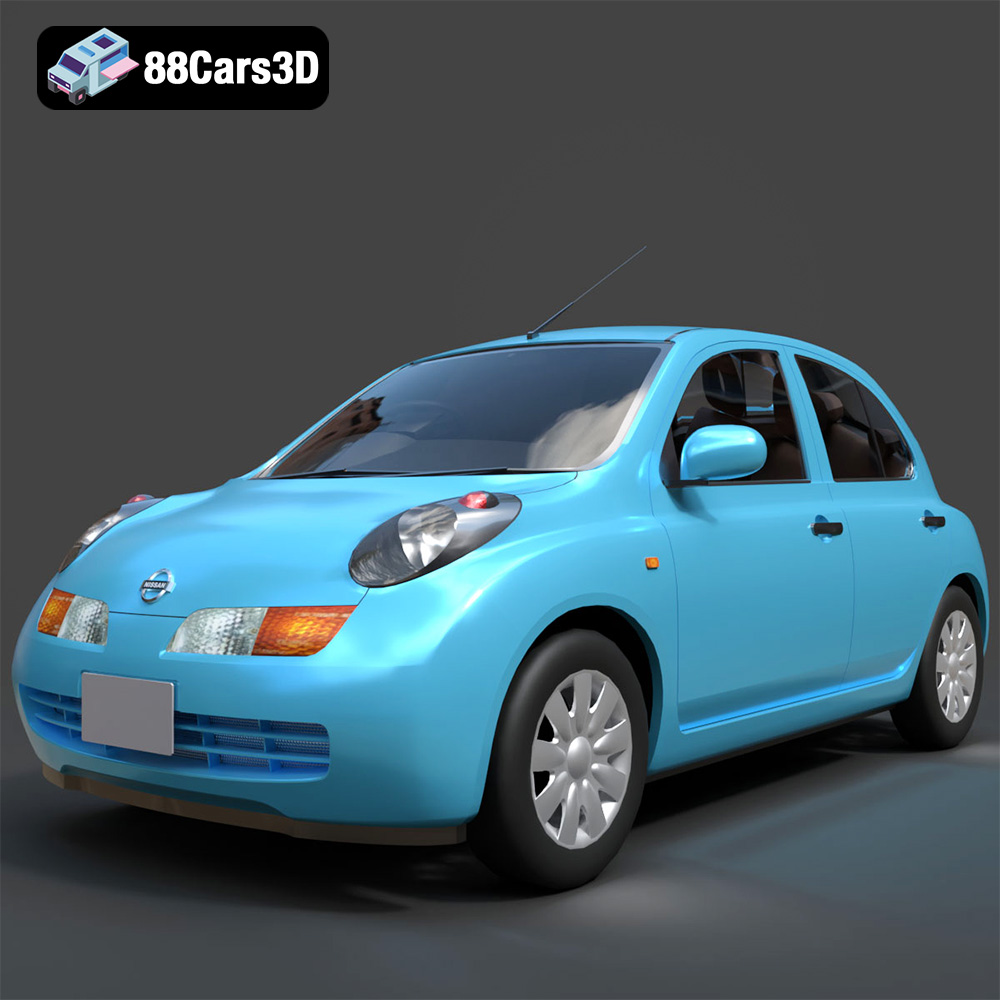
Download the Nissan March 2025 3D Model featuring clean geometry, realistic detailing, and a fully modeled interior. Includes .blend, .fbx, .obj, .glb, .stl, .ply, .unreal, and .max formats for rendering, simulation, and game development.
Price: $4.99
Texture: Yes
Material: Yes
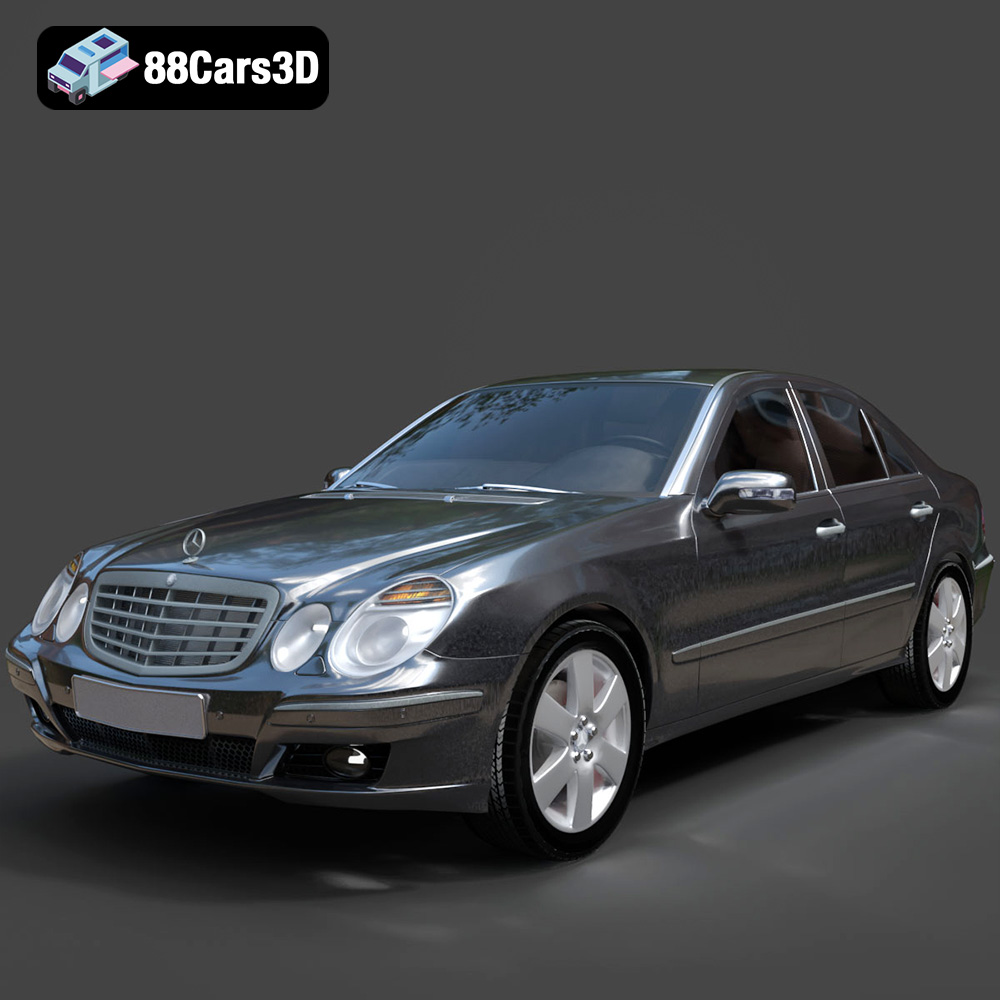
Download the Mercedes E-Class 2007 3D Model featuring clean geometry, realistic detailing, and a fully modeled interior. Includes .blend, .fbx, .obj, .glb, .stl, .ply, .unreal, and .max formats for rendering, simulation, and game development.
Price: $4.99

