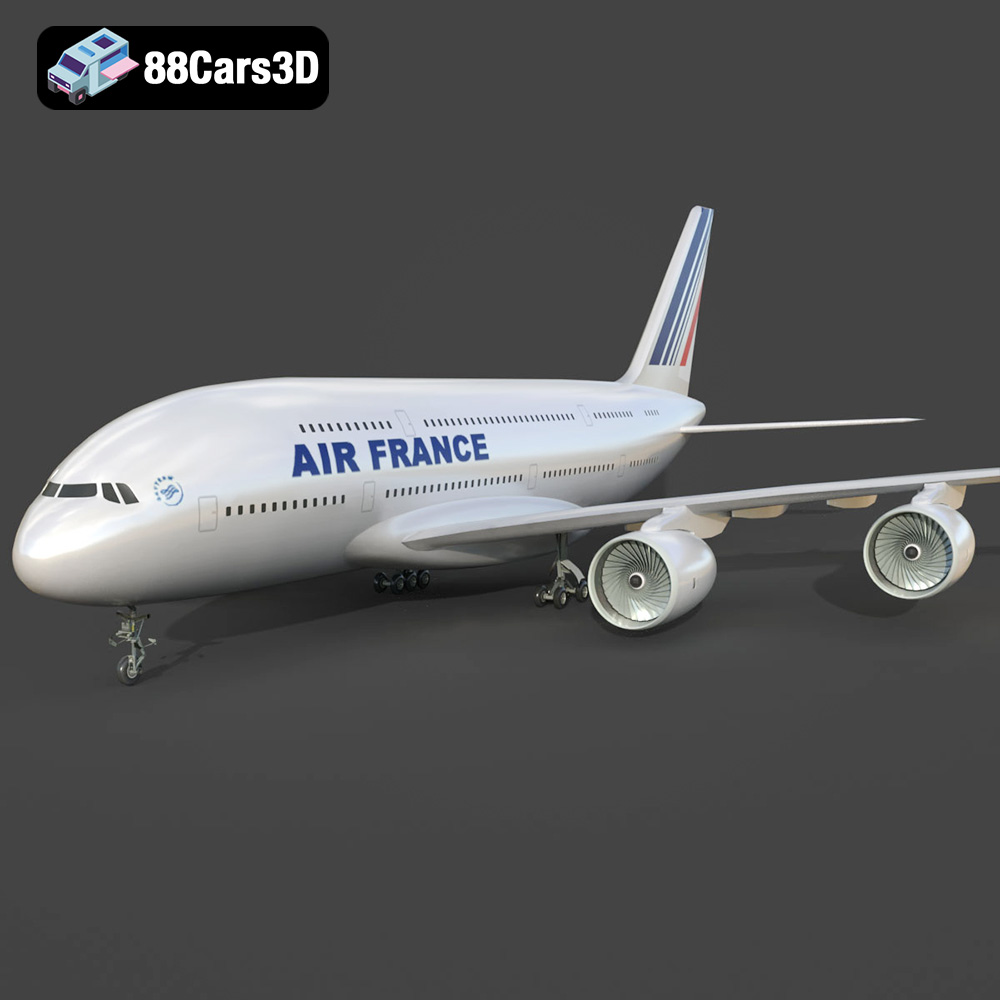
The Versatility of High-Quality 3D Car Models: From Photorealistic Renders to Immersive Game Worlds
In the rapidly evolving landscape of digital design and interactive media, 3D car models have transcended their initial role as mere visual representations. Today, they are foundational assets in a multitude of industries, powering everything from cinematic automotive rendering for advertising campaigns to meticulously crafted vehicles in cutting-edge video games. The demand for highly detailed, technically sound, and versatile 3D vehicle assets is higher than ever, driven by the constant pursuit of realism and immersive experiences.
Whether you’re a professional visualization artist striving for photorealism, a game developer building vast open worlds, an architect integrating vehicles into urban plans, or a product designer iterating on new concepts, the quality of your 3D car models dictates the fidelity and impact of your work. This comprehensive guide will delve into the technical intricacies, diverse applications, and best practices surrounding high-quality 3D vehicle assets, showcasing their indispensable value across various digital domains. From modeling pipelines and file formats to advanced rendering techniques and game engine integration, we’ll explore the ecosystem that allows these digital creations to come to life, empowering creators to achieve their most ambitious visions with assets sourced from trusted platforms like 88cars3d.com.
The Foundation of Digital Automotive Design: High-Quality 3D Car Models
At the heart of any compelling digital automotive project lies a meticulously crafted 3D model. These aren’t just pretty pictures; they are complex data structures representing every curve, panel gap, and interior detail of a vehicle. The initial investment in a high-quality model saves countless hours down the line, ensuring accuracy, scalability, and optimal performance across various applications.
The Imperative of Accuracy and Detail
For professional applications, accuracy is paramount. An advertising agency producing a new car commercial requires a model that perfectly matches the real-world vehicle, down to the exact curvature of the headlights and the texture of the dashboard. This level of detail extends to:
- Geometric Precision: Smooth, clean topology is crucial. Models should be built with attention to edge flow, minimizing distortions and facilitating smooth subdivisions. This often means models are created using NURBS (Non-uniform rational B-spline) or SubD (Subdivision Surface) modeling techniques, converted to polygon meshes for rendering or real-time use.
- Material Authenticity: Photorealistic renders demand materials that accurately simulate real-world properties—metallic paints with flake effects, realistic tire rubber, reflective glass, and finely detailed interior fabrics. PBR (Physically Based Rendering) workflows are standard, utilizing albedo, normal, roughness, metallic, and ambient occlusion maps.
- Scale and Proportions: Models must be built to real-world scale. This ensures correct lighting interactions, physics simulations in game engines, and seamless integration into architectural scenes or AR applications.
- Interior and Engine Bay Fidelity: Depending on the use case, interiors can range from basic placeholder geometry to fully functional, interactive dashboards. Engine bays, if visible, require similar attention to detail, especially for showcasing engineering prowess.
From Concept to Photorealism: The Modeling Pipeline
The creation of a high-quality 3D car model is a multi-stage process, typically involving specialized software and skilled artists:
- Reference Gathering: Extensive photographic and blueprint references are collected to ensure accuracy. This includes interior shots, exterior angles, close-ups of specific features, and technical drawings.
- Blocking Out and Base Mesh Creation: The fundamental shapes and proportions are established, often starting with simple primitives and gradually refining the form. Tools like 3ds Max, Maya, or Blender are commonly used for this stage.
- High-Polygon Modeling: Detailed sculpting and refinement of the mesh occur here, focusing on capturing intricate curves, panel lines, and surface variations. For complex surfaces, procedural modeling techniques or CAD data conversion might be employed.
- UV Unwrapping: Creating a 2D layout of the 3D model’s surfaces, allowing textures to be applied without distortion. Efficient UV layouts are critical for texture quality and memory usage.
- Texturing and Shading: Applying PBR textures and setting up advanced materials to simulate real-world surfaces. Software like Substance Painter is frequently utilized for this, baking details from high-poly models onto optimized low-poly meshes.
- Rigging and Animation (Optional): For interactive models or animations, rigging involves creating a skeletal system (bones) that allows parts like doors, wheels, or suspension components to move realistically.
Each stage requires a keen eye for detail and technical proficiency, culminating in a versatile asset ready for diverse applications, a standard you can expect from the professional offerings at 88cars3d.com.
Understanding 3D Model File Formats
The world of 3D modeling relies on a variety of file formats, each with specific strengths, use cases, and compatibility considerations. Choosing the correct format is crucial for maintaining data integrity, optimizing workflows, and ensuring seamless integration into your target application. Whether you’re working on a cinematic render, a real-time game, an AR/VR experience, or preparing for 3D printing, understanding these formats is key to unlocking the full potential of your 3D car models.
Universal Interoperability: .blend, .fbx, .obj
- .blend (Blender Native File): This is Blender’s native file format, storing an entire Blender scene, including all 3D models, textures, materials, lighting, cameras, animations, and even scripts. It’s fully editable within Blender, making it ideal for users who primarily work within the Blender ecosystem or for sharing projects with other Blender artists. While .blend files are excellent for preserving all project data, they are not universally compatible with other 3D software without direct import plugins or conversion. They are perfect for providing a complete, editable source file.
- .fbx (Filmbox): Developed by Autodesk, FBX has become an industry-standard interchange format, especially prevalent in game development and animation pipelines. It supports not only mesh data but also materials, textures, animations, skinning, and camera data. Its robust support for animation and scene hierarchy makes it ideal for exporting animated 3D car models to game engines like Unreal Engine and Unity, or to other DCC (Digital Content Creation) tools like Maya or 3ds Max. The .fbx format is designed for efficient data transfer and is highly optimized for real-time environments, making it a go-to choice for game assets.
- .obj (Wavefront OBJ): A classic and widely supported format, .obj is a simpler text-based format primarily used for transferring 3D geometry data (vertices, normals, texture coordinates, and faces). It typically does not embed textures or material properties directly but references them via an accompanying .mtl (material) file. Its universality makes it excellent for cross-software compatibility, ensuring that basic mesh data can be opened in almost any 3D application. However, its lack of support for advanced features like animation, rigging, or complex material setups means it’s often used for static models or as a fallback option when other formats fail.
Specialized Applications: .glb, .stl, .ply
- .glb (GL Transmission Format Binary): GLB is the binary version of glTF, a royalty-free specification for the efficient transmission and loading of 3D scenes and models by applications. GLB files embed everything—geometry, textures, materials, and animations—into a single file, making them highly optimized for AR (Augmented Reality), VR (Virtual Reality), and browser-based display. Their compact size and efficiency make them perfect for web 3D viewers, social media filters, and mobile AR applications where quick loading and real-time performance are critical. Many 3D car models destined for interactive web showcases will utilize .glb.
- .stl (Stereolithography): STL is the de facto standard file format for 3D printing. It represents a 3D model as a series of connected triangles (a tessellated surface) without any color, texture, or material information. While simple, its ubiquity ensures compatibility with virtually all 3D printers and slicing software. When preparing a 3D car model for additive manufacturing, converting it to .stl is a necessary step, ensuring the geometry is watertight and manifold for successful printing.
- .ply (Polygon File Format / Stanford Triangle Format): PLY is a versatile format for storing 3D data, particularly useful for scanned data and models with properties beyond just geometry. It can store not only vertices, faces, and normals but also color, transparency, confidence values, and other attribute types. While not as universally used as .obj or .fbx for general modeling, it’s favored in scientific, medical, and reverse engineering fields for its ability to store detailed information from 3D scanners or CAD systems. For precision mesh data or models with complex vertex attributes, .ply is an excellent choice.
Engine-Ready and Editable Project Files: .unreal, .max
- .unreal (Unreal Engine Asset): While not a single file format in the traditional sense like .fbx or .obj, a “.unreal” asset refers to an optimized, engine-ready asset specifically imported and configured within Unreal Engine. When you import an .fbx or .obj into Unreal, the engine processes and stores it in its proprietary asset format, tailored for real-time rendering, collision detection, and interaction within the engine’s environment. This typically includes a static mesh, material instances, textures, and collision data. An “Unreal-ready” 3D car model from 88cars3d.com implies it has been rigorously prepared and optimized for direct integration into Unreal Engine projects, saving developers significant setup time.
- .max (3ds Max Project File): This is the native file format for Autodesk 3ds Max, a powerful 3D modeling, animation, and rendering software widely used in architectural visualization, product design, and game development. Like .blend, a .max file stores an entire project scene, including models, lights, cameras, materials, textures, animations, and modifiers. It provides complete editability within 3ds Max, making it invaluable for professionals who use this software for their primary workflow. For detailed animation, complex scene setups, or advanced rendering configurations using renderers like V-Ray or Corona, the .max format offers maximum flexibility and control.
Each of these formats serves a distinct purpose, and a comprehensive marketplace like 88cars3d.com often provides models in multiple formats to cater to diverse professional needs, ensuring users have the right tools for their specific projects.
Mastering Automotive Rendering for Stunning Visualizations
Automotive rendering is where art meets engineering, transforming raw 3D models into photorealistic images and animations that are indistinguishable from real-life photographs. This discipline is critical for marketing, product visualization, and design reviews, conveying the aesthetics and engineering of a vehicle with unparalleled fidelity.
The Art of Lighting and Shading for Vehicles
Achieving realism in automotive renders hinges on masterful control over lighting and materials:
- Realistic Lighting Environments: Vehicles react uniquely to light. Studio lighting setups, often using large softboxes and rim lights, highlight contours and reflections. Outdoor scenes leverage HDRI (High Dynamic Range Imaging) maps for realistic global illumination, capturing the nuances of sky, environment, and direct sunlight.
- Shader Complexity: Car paint is one of the most challenging materials to simulate. It often involves multiple layers: a base coat (color), a metallic flake layer, a clear coat for reflectivity and gloss, and even an underlying primer. Advanced shaders account for fresnel reflections, clear coat thickness, and microscopic imperfections.
- Detail Shading: Every component, from tire rubber to chrome accents, requires a specific PBR material setup. Attention to micro-surface details (normal maps for subtle bumps, roughness maps for varying specular reflections) significantly enhances realism.
Advanced Rendering Techniques: HDRI, Ray Tracing, and GI
Modern render engines employ sophisticated techniques to achieve photorealism:
- HDRI (High Dynamic Range Imaging): HDRI panoramas capture real-world lighting information, including both brightness and color across a vast dynamic range. When used as an environment map in a 3D scene, they provide incredibly realistic reflections and global illumination, making the vehicle appear naturally integrated into the chosen environment.
- Ray Tracing: This physically accurate rendering technique simulates the path of light rays as they bounce off surfaces, calculating reflections, refractions, and shadows with precision. Modern GPUs and real-time ray tracing advancements allow for interactive photorealistic rendering previously only achievable offline.
- Global Illumination (GI): GI simulates how light bounces indirectly off surfaces, illuminating areas not directly hit by a light source. This creates soft shadows, color bleeding, and a more natural overall illumination, crucial for believable indoor or shadowed outdoor scenes.
Software Workflows: 3ds Max, Blender, and V-Ray/Cycles
Leading 3D software and render engines provide powerful tools for automotive visualization:
- 3ds Max with V-Ray/Corona: Autodesk 3ds Max is an industry staple, especially for architectural visualization and high-end automotive rendering. Paired with V-Ray or Corona Renderer, it offers unparalleled control over lighting, materials, and rendering settings, capable of producing stunning, hyper-realistic results for print and video.
- Blender with Cycles/Eevee: Blender, a powerful open-source suite, has gained significant traction. Its Cycles renderer offers physically accurate ray tracing, capable of competing with commercial solutions. Eevee, Blender’s real-time renderer, provides immediate feedback for lighting and material adjustments, streamlining the workflow for quick iterations or real-time presentations.
- Substance Painter for Texturing: This specialized software is invaluable for creating PBR textures. Artists can paint directly onto the 3D car model, layer materials, and generate complex maps (normal, roughness, metallic) with high efficiency, ensuring consistent material quality across different render engines.
By leveraging these tools and techniques, artists can transform a 3D car model into a captivating visual narrative, showcasing every design nuance and engineering marvel, a skill set heavily relied upon by the creators whose works populate 88cars3d.com.
Integrating 3D Car Models into Game Development and Real-time Engines
The role of 3D car models in game development is evolving rapidly. Beyond static props, vehicles are often central to gameplay, requiring robust integration into real-time engines like Unreal Engine and Unity. This demands not just visual fidelity but also strict optimization for performance and interactivity.
Optimizing Assets for Performance: Poly Counts and LODs
Real-time environments have different constraints than offline rendering. Performance is paramount:
- Polygon Count Management: Game assets, especially vehicles, must strike a balance between visual detail and performance budget. While cinematic renders might use millions of polygons, a game-ready vehicle might range from 50,000 to 200,000 polygons, with careful optimization of interior and exterior details.
- Levels of Detail (LODs): To manage polygon budgets dynamically, LODs are crucial. This involves creating multiple versions of the same 3D car model, each with progressively fewer polygons. The engine automatically switches between these versions based on the camera’s distance, rendering the high-detail model up close and simplified versions further away. A typical setup might include LOD0 (full detail), LOD1 (medium detail), LOD2 (low detail), and LOD3 (imposter or billboard for extreme distances).
- Efficient UV Layouts and Texture Atlases: Optimal UV layouts prevent texture stretching and allow for efficient packing of multiple textures into a single texture atlas, reducing draw calls and improving rendering performance.
PBR Texturing and Material Setup for Game Engines
Physically Based Rendering is the standard for realism in modern game engines:
- Standard PBR Workflow: Game assets utilize a suite of texture maps (Albedo/Base Color, Normal, Roughness, Metallic, Ambient Occlusion) to define a material’s appearance. These maps interact with the engine’s lighting system to produce realistic surface properties under various lighting conditions.
- Material Instancing: Game engines allow for material instances, which are variations of a base material. This enables developers to create multiple color schemes or damaged versions of a vehicle without duplicating the entire material graph, saving memory and allowing for dynamic changes.
- Optimized Texture Resolutions: Textures need to be appropriately sized. While a hero vehicle might use 4K or 8K textures for its main body, smaller details or less prominent parts might use 2K or 1K textures to conserve memory.
Unreal Engine and Unity Workflows for Vehicle Integration
Integrating 3D car models into game engines involves specific steps to ensure functionality:
- Importing and Scaling: Models are imported (often as .fbx files) into the engine and checked for correct scale. Unreal Engine and Unity typically use centimeters as their default unit.
- Collision Meshes: Every interactive vehicle requires a collision mesh, a simplified version of the geometry used for physics calculations. This can be automatically generated by the engine or custom-built for more precision.
- Rigging and Physics Assets: For drivable vehicles, a skeletal rig is essential, allowing wheels to spin, suspension to articulate, and doors to open. A physics asset (e.g., Unreal’s Chaos Vehicle system or Unity’s Wheel Colliders) is then configured to simulate realistic vehicle dynamics.
- Material Setup and Lighting: PBR materials are applied, and textures are linked. The vehicle is then placed in the game world, where it interacts with the engine’s real-time lighting system, including global illumination and reflections.
Developing high-performance game assets requires a deep understanding of these optimization techniques and engine-specific workflows, ensuring that vehicles not only look incredible but also perform flawlessly within interactive experiences. This level of preparation is a hallmark of the premium 3D car models available on 88cars3d.com.
Beyond Rendering: 3D Car Models in AR/VR and 3D Printing
The utility of high-quality 3D car models extends far beyond traditional rendering and game development, finding critical applications in emerging technologies like Augmented Reality (AR), Virtual Reality (VR), and 3D printing. These platforms offer new ways to interact with, visualize, and even physically produce digital automotive designs.
Developing Immersive Experiences with Vehicle Assets
AR and VR are transforming how we experience and interact with vehicles, offering immersive showrooms, interactive training simulations, and dynamic design reviews:
- Virtual Showrooms and Configurators: Automakers are increasingly using VR to allow customers to virtually explore car models, customize colors, trims, and options in a fully immersive environment. AR apps let users place a 3D car model into their real-world driveway via a smartphone, visualizing it at actual size.
- Training and Maintenance Simulations: Complex vehicle systems can be explored in VR, providing mechanics and engineers with hands-on training for assembly, disassembly, and troubleshooting without needing a physical prototype. Interactive car models allow users to “operate” components virtually.
- Optimizing for AR/VR Performance: Similar to game development, AR/VR applications demand highly optimized assets. Low polygon counts, efficient PBR texture atlases, and streamlined material setups are crucial to maintain smooth frame rates and avoid motion sickness in immersive headsets. Formats like .glb are particularly suited for these applications due to their efficiency and embedded data.
- Real-time Reflection Probes and Lightmaps: For realistic visuals in AR/VR, vehicles must react credibly to their environment. Real-time reflection probes capture surroundings and apply them to reflective surfaces, while pre-calculated lightmaps can bake ambient lighting, improving visual fidelity without high performance cost.
Preparing Models for Additive Manufacturing
3D printing offers the ability to bring digital designs into the physical world, creating prototypes, scale models, and custom parts directly from 3D car models.
- Watertight Geometry: The most crucial requirement for 3D printing is a “watertight” or “manifold” mesh. This means the model must have no holes, inverted normals, or self-intersecting geometry. Every edge must connect two faces, defining a clear inside and outside surface for the 3D printer to interpret.
- Wall Thickness Considerations: Physical constraints of 3D printers mean that features must have a minimum wall thickness to be printable. Thin panels, fine grilles, or delicate mirrors on a 3D car model might need to be thickened or simplified for successful printing.
- Scale and Resolution: Models need to be scaled correctly to the desired print size. The resolution of the mesh (triangle density) should be appropriate for the printer’s capabilities; overly detailed meshes increase file size unnecessarily, while too-low resolution results in faceted surfaces.
- File Format (.stl): As discussed, .stl is the standard for 3D printing. Most 3D modeling software includes tools to convert and prepare models for .stl export, often including mesh repair and simplification utilities.
- Slicing Software: After export, the .stl file is imported into slicing software (e.g., Cura, PrusaSlicer) which generates toolpaths and G-code instructions for the 3D printer, enabling the creation of physical prototypes from digital designs.
The flexibility of 3D car models allows them to serve these diverse and technically demanding applications, proving their value as fundamental digital assets. For professionals needing versatile models ready for these advanced uses, resources like 88cars3d.com offer assets prepared with these specific requirements in mind.
Case Studies and Best Practices for Professional 3D Car Model Utilization
Understanding the technical aspects of 3D car models is one thing; seeing them in action within professional contexts highlights their true impact. From high-stakes advertising to intricate product development, high-quality vehicle assets are instrumental to success.
Automotive Advertising Campaigns
The automotive industry is a prime example of where automotive rendering excels. Instead of costly physical photoshoots, which involve transporting vehicles, setting up elaborate lighting, and dealing with environmental variables, agencies now heavily rely on 3D models.
- Virtual Photoshoots: Brands like Audi, Mercedes-Benz, and Porsche frequently use 3D renders for their global advertising. A single highly detailed 3D car model can be placed into any virtual environment imaginable—a bustling city street, a serene mountain pass, or a sleek studio—with perfect lighting and camera angles, producing limitless permutations for print, web, and video campaigns. This offers immense flexibility and cost savings.
- Dynamic Animations: Beyond static images, 3D models enable stunning animations. Imagine a virtual camera seamlessly sweeping around a car, highlighting its design features, then transitioning to an X-ray view revealing the engine or interior components. This level of dynamic storytelling is only feasible with precise 3D assets.
- Regional Adaptations: A single campaign concept can be quickly adapted for different markets by changing vehicle specifications, colors, or even the environment, all without a single physical shoot.
Virtual Product Prototyping
Before a single physical component is manufactured, 3D car models play a critical role in the automotive design and engineering process, enabling rapid iteration and visualization.
- Design Reviews and Iteration: Designers can quickly visualize new concepts, evaluate different body shapes, interior layouts, and component placements in a virtual environment. This speeds up the design cycle and allows for feedback incorporation much earlier.
- Aerodynamic Simulation: High-fidelity 3D models can be exported to CAD software or specialized simulation tools (e.g., CFD – Computational Fluid Dynamics) to analyze airflow, drag, and downforce, optimizing performance before physical testing.
- Manufacturing Planning: Engineers use 3D models to plan assembly lines, check for clearances, and ensure that all parts fit together correctly, identifying potential manufacturing issues virtually.
Independent Game Development Success Stories
For indie game studios, accessing high-quality game assets is a game-changer. It allows small teams to compete visually with larger studios without extensive in-house modeling resources.
- Accelerated Development: Instead of spending months modeling and texturing a diverse fleet of vehicles, indie developers can acquire production-ready 3D car models, allowing them to focus on gameplay, level design, and unique mechanics.
- Visual Fidelity: High-quality assets elevate the overall visual appeal of independent titles, making them more attractive to players and publishers. Many successful indie racing games or open-world titles leverage marketplaces for their vehicle assets.
- Modding Communities: For games that support user-generated content, providing well-structured 3D models can empower modders to create new vehicles or customize existing ones, extending the longevity and appeal of a title.
These case studies underscore the transformative power of high-quality 3D car models across various professional domains. Whether for breathtaking automotive rendering, robust game assets, or advanced visualization, the right models sourced from platforms like 88cars3d.com are an invaluable asset for any creative or technical endeavor.
Conclusion
The journey through the intricate world of 3D car models reveals their profound impact across countless industries. From the meticulous precision required for photorealistic automotive rendering in advertising to the performance optimization essential for immersive game assets, these digital creations are more than just visual elements; they are vital tools that drive innovation, accelerate development, and captivate audiences.
We’ve explored the critical importance of accurate geometry, authentic materials, and intelligent optimization strategies. We’ve navigated the diverse landscape of file formats, understanding how each serves specific technical needs—be it the universality of .obj, the game-ready nature of .fbx, or the AR/VR efficiency of .glb. Furthermore, we’ve touched upon the complex workflows in leading software like 3ds Max and Blender, and the integration challenges and opportunities presented by real-time engines such as Unreal Engine and Unity.
The versatility of 3D car models extends into emerging fields like AR/VR for interactive experiences and 3D printing for physical prototyping, showcasing their adaptability and future-proofing in an ever-evolving digital landscape. For professionals and enthusiasts alike, accessing a reliable source for high-quality, technically sound 3D car models is paramount. Platforms like 88cars3d.com stand as a testament to this need, offering a curated selection of assets that meet the rigorous demands of today’s cutting-edge projects. By understanding and leveraging the power of these sophisticated digital assets, creators can unlock new levels of realism, performance, and creative potential.
Featured 3D Car Models