

Mastering the Skies: Elevating Your Projects with High-Fidelity 3D Aircraft Models
In the dynamic worlds of game development, cinematic rendering, immersive AR/VR experiences, and high-stakes flight simulation, the quality of your 3D assets can make or break a project. Beyond just visual appeal, professional-grade 3D models must adhere to stringent technical standards, offering clean geometry, optimized performance, and versatile compatibility. The pursuit of photorealism and functional accuracy demands assets that are not merely pretty, but meticulously engineered.
Imagine needing a highly detailed training aircraft – perhaps for a flight simulator that requires accurate cockpit elements, or a cinematic sequence demanding intricate exterior detail for a close-up shot. Sourcing or creating such a complex asset from scratch is a monumental task, often consuming significant time and resources. This is where pre-built, professionally optimized 3D models become invaluable. They serve as a powerful foundation, allowing creators to accelerate their workflows and focus on innovation rather than basic asset production. The Airplane TRN-007 3D Model from 88cars3d.com is a prime example of such an asset, designed to meet the rigorous demands of modern 3D production pipelines across a spectrum of applications.
Understanding 3D Model File Formats
The journey of any 3D asset begins and often continues through various file formats, each serving a specific purpose and offering unique advantages. Understanding these formats is crucial for any professional working with 3D models, as it dictates compatibility, functionality, and performance across different software and platforms. The Airplane TRN-007 3D Model provides a comprehensive suite of these formats, ensuring maximum flexibility for diverse project needs.
.blend – The Blender Powerhouse
The `.blend` format is Blender’s native file type. It encapsulates not just the 3D geometry, but an entire Blender scene, including materials, textures, lighting setups, cameras, animations, modifiers, and even scripts. For users deeply integrated into the Blender ecosystem, this format offers unparalleled editability and control. If you need to fine-tune materials, adjust the mesh, tweak lighting for a specific render, or integrate the model into a complex Blender animation, the `.blend` file is your go-to. It preserves all the intricate details of the asset’s construction within Blender, making it perfect for artists who wish to customize or extend the model’s capabilities.
.fbx – The Industry Workhorse for Interoperability
Autodesk’s `.fbx` (Filmbox) format is arguably the most widely adopted interchange format in the 3D industry. It’s renowned for its ability to store not only 3D model data (meshes, UVs, materials, textures) but also animation data, skeletal rigs, and even camera and light information. This makes `.fbx` indispensable for transferring assets between different 3D software packages like Maya, 3ds Max, Blender, and crucially, game engines such as Unreal Engine and Unity. Its robust support for complex scene data ensures that models like the Airplane TRN-007 can be seamlessly imported into real-time environments, preserving their visual integrity and rigging information, which is essential for interactive simulations and games.
.obj – The Universal Standard for Geometry
The `.obj` (Wavefront Object) format is one of the oldest and most universally supported 3D file formats. It’s a simple, text-based format primarily used to store geometric data (vertices, normals, texture coordinates) and group information. While it lacks support for advanced features like animation or rigging, its widespread compatibility makes it a safe bet for basic mesh transfer between virtually any 3D software. For simple static renders or when starting a project in a new application, an `.obj` version of the Airplane TRN-007 ensures fundamental compatibility and a clean mesh to build upon.
.glb – Optimized for AR, VR, and Web
`.glb` (GLB File Format) is the binary representation of the GL Transmission Format (`.gltf`). It’s specifically designed for efficient transmission and loading of 3D scenes and models in web and AR/VR applications. `.glb` files package all necessary data – geometry, materials, textures, animations – into a single file, reducing HTTP requests and enabling faster loading times. This optimization makes it ideal for showcasing the Airplane TRN-007 in browser-based configurators, interactive web experiences, or integrating it into augmented and virtual reality training scenarios where performance is paramount.
.stl – The 3D Printing Standard
The `.stl` (Stereolithography) format is the de facto standard for 3D printing. It represents 3D models as a series of connected triangles, describing only the surface geometry without color, texture, or material information. While not suitable for rendering or animation, an `.stl` version of the Airplane TRN-007 would be essential for creating physical prototypes, scale models, or custom parts using additive manufacturing. It ensures that the model’s exterior dimensions and shape are accurately translated for physical fabrication.
.ply – Precision Mesh for Analysis
The `.ply` (Polygon File Format) is another format for storing 3D data, particularly useful for high-resolution scanned data or for applications requiring precise mesh information. It can store a variety of properties beyond just geometry, including color per vertex, normal vectors, and even transparency. For engineering analysis, reverse engineering, or specialized scientific visualization, a `.ply` file of the Airplane TRN-007 provides a robust and detailed representation of the aircraft’s surface, often used in CAD environments or for detailed structural assessments.
.unreal – Engine-Ready for Real-Time
While not a universal file extension in the same vein as `.fbx` or `.obj`, the inclusion of “unreal” typically signifies an asset that has been specifically prepared and configured for direct import and optimal performance within Unreal Engine. This often means pre-configured materials, collision meshes, LODs (Levels of Detail), and potentially even Blueprints or animation assets. For a model like the Airplane TRN-007, an “unreal” package would significantly streamline the integration process into an Unreal-based flight simulator or game, saving countless hours of setup and optimization time.
.max – The 3ds Max Professional Environment
Similar to `.blend` for Blender, the `.max` format is the native file type for Autodesk 3ds Max. It stores the complete 3ds Max scene, including all models, modifiers, materials, textures, lighting, cameras, and animation data. For professionals using 3ds Max for high-end rendering, complex animation, or detailed architectural visualization, the `.max` file of the Airplane TRN-007 offers the full editable source, allowing for deep customization, integration into existing 3ds Max projects, and leveraging advanced rendering features of V-Ray, Corona, or Arnold.
The provision of the Airplane TRN-007 in these diverse formats underscores its versatility and the commitment to professional utility, allowing artists and developers to pick the exact tool they need for their specific workflow challenges.
The Anatomy of a Professional 3D Model: Beyond the Mesh
A truly professional 3D model, whether it’s an airplane or a complex automotive rendering, is far more than just a collection of polygons. It’s a meticulously crafted digital object designed for specific applications, incorporating several layers of technical excellence. The Airplane TRN-007 3D Model exemplifies this multi-faceted approach, providing a robust foundation for any serious project.
Clean Geometry and Optimized Topology
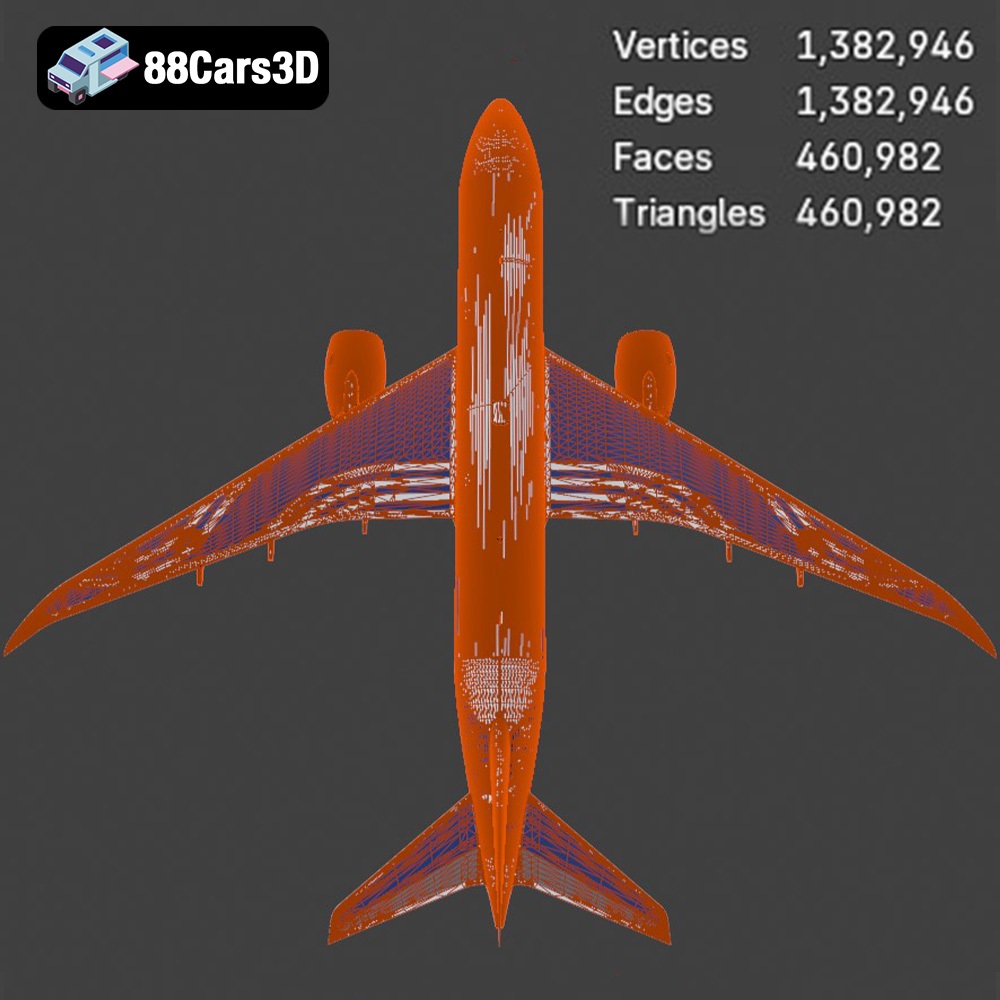
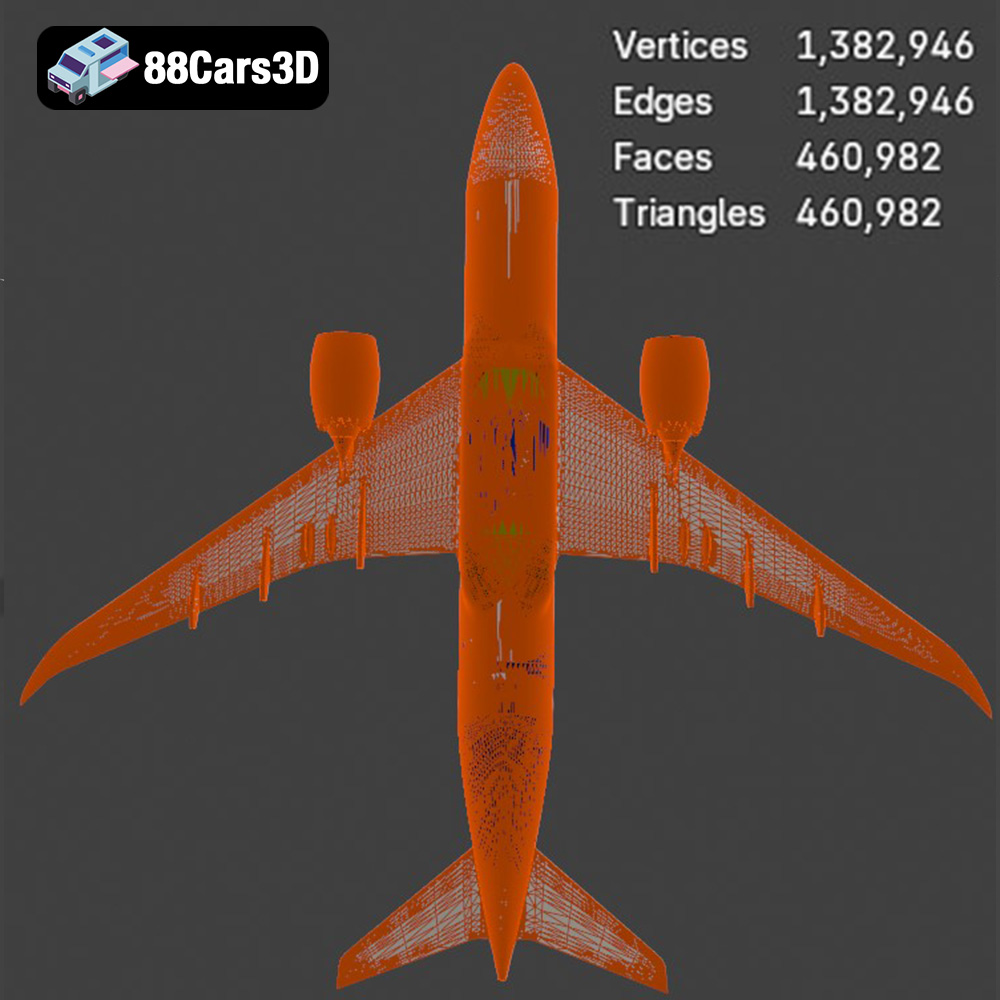
At its core, a 3D model relies on its geometry. Clean geometry means that meshes are well-formed, free of non-manifold edges, inverted normals, and unnecessary vertices. Optimized topology refers to the strategic arrangement of polygons (quads, primarily) to ensure smooth deformations during animation, efficient rendering, and ease of editing. For an aircraft like the TRN-007, this translates to smooth curves along the fuselage, precisely defined wing edges, and realistic cockpit elements that don’t break or distort when viewed from different angles or under subdivision. This attention to detail is crucial for both high-fidelity rendering and real-time performance, where polygon count needs to be balanced against visual quality.
Realistic Materials and PBR Textures
The visual realism of any 3D model largely depends on its materials and textures. Physically Based Rendering (PBR) workflows have become the industry standard, accurately simulating how light interacts with surfaces. This involves texture maps for properties like Albedo (color), Roughness (surface smoothness), Metallic (how metallic a surface is), Normal (fine surface details), and Ambient Occlusion (contact shadows). The Airplane TRN-007 3D Model features realistic materials and textures applied throughout, indicating that it uses a PBR workflow to achieve an authentic look that holds up in various lighting conditions, from bright outdoor scenes to controlled studio environments. This ensures that the model looks consistent and correct across different rendering engines.
Precise UV Mapping and Unwrapping
UV mapping is the process of flattening the 3D surface of a model into a 2D space, allowing textures to be applied accurately. Good UV unwrapping ensures there are no stretched or distorted textures, minimizes seams, and makes efficient use of texture space. For a complex model like an aircraft, well-organized UVs are paramount, especially for detailed decals, panel lines, and intricate cockpit instrument textures. The “carefully modeled exterior and cockpit components” with “realistic materials and textures applied throughout” of the TRN-007 suggests that its UVs have been meticulously crafted, making it ready for high-resolution texture application without visual artifacts.
Integrating the Airplane TRN-007 into Professional Workflows
The true value of a versatile 3D asset lies in its seamless integration into established professional pipelines. The Airplane TRN-007 3D Model, with its multiple file formats and optimized structure, is designed to enhance efficiency across various software ecosystems. Let’s explore how it fits into common professional workflows.
Leveraging in 3ds Max for Cinematic Rendering
For cinematic visualization and high-end advertising, 3ds Max remains a cornerstone, often paired with powerful renderers like V-Ray or Corona. The `.max` file included with the Airplane TRN-007 means artists can open the model directly in 3ds Max, complete with its materials and potentially a basic lighting setup. From there, it’s straightforward to:
- Refine Materials: Artists can tweak PBR material parameters to match specific scene lighting or stylistic requirements, adding dust, scratches, or wear effects.
- Animate: The logically grouped and named parts make it easy to rig and animate components like landing gear, flaps, ailerons, and rudder, creating realistic flight sequences.
- Scene Integration: The model can be seamlessly integrated into complex environments, whether it’s an airport tarmac, an aerial combat scene, or a tranquil flight over a digital landscape, leveraging 3ds Max’s robust scene management and rendering capabilities.
This direct workflow significantly cuts down on import/export issues and material conversion headaches, accelerating the rendering pipeline for compelling visuals.
Customization and Scene Building in Blender
Blender has emerged as a powerhouse for independent artists and studios, offering a comprehensive suite for modeling, sculpting, animation, and rendering. The `.blend` file for the Airplane TRN-007 provides a fully editable Blender scene. This allows users to:
- Deep Customization: Modify the mesh, add custom decals, change paint schemes, or even integrate the aircraft into a larger Blender project. The clean geometry ensures that any modifications can be made without introducing artifacts.
- Physics Simulations: Use Blender’s physics engine for realistic cloth simulations (e.g., flags on the tarmac) or rigid body dynamics (e.g., ground vehicles interacting with the aircraft).
- Eevee or Cycles Rendering: Utilize Blender’s powerful renderers, Eevee for real-time visualization or Cycles for physically accurate photorealistic output, making the TRN-007 look stunning in any context.
The native Blender file empowers artists with complete control over the asset, fostering creativity and flexibility.
Game Development with Unreal Engine and Unity
For game developers, performance and ease of integration are paramount. The Airplane TRN-007 addresses this with its `.fbx` and specific `.unreal` formats. In Unreal Engine:
- Direct Import: The `.unreal` package likely includes pre-configured assets, PBR materials correctly set up, and possibly even basic collision meshes, allowing for drag-and-drop integration. The `.fbx` provides a reliable alternative for importing the model, animations, and skeletal structures.
- Performance Optimization: The “optimized for performance across various platforms” description suggests careful poly count management and potentially LODs (Levels of Detail) that ensure the aircraft runs smoothly in real-time environments without sacrificing visual fidelity up close.
- Flight Mechanics Integration: Developers can integrate the TRN-007 with existing flight mechanics systems, blueprinting flight controls, instrumentation, and interactive cockpit elements, creating a compelling simulation or gameplay experience.
Similar benefits extend to Unity, where the `.fbx` format is equally effective, allowing developers to import, set up materials, and integrate the aircraft into game scenes with minimal fuss, providing excellent game assets from the outset.
Real-World Applications and Use Cases
The versatility of a well-crafted 3D model like the Airplane TRN-007 extends to a wide array of industries and applications. Its balanced design, offering both high fidelity and optimized performance, makes it suitable for diverse professional demands.
High-Fidelity Flight Simulation Projects
One of the most immediate and impactful applications for a training aircraft model is in flight simulation. Modern simulators, whether for professional pilot training or consumer entertainment, demand extreme accuracy. The TRN-007’s “carefully modeled exterior and cockpit components” are critical here. Trainees need to interact with realistic instrument panels, experience accurate visual cues during flight, and practice maneuvers in an environment that closely mirrors reality. The model’s clean geometry and realistic materials contribute to an immersive experience, making it an ideal asset for developing advanced simulation modules or even full-fledged standalone simulators.
Immersive AR/VR Training Applications
Augmented Reality (AR) and Virtual Reality (VR) are revolutionizing training across many sectors, including aviation. Imagine mechanics interacting with a virtual TRN-007 in AR, overlaying schematics onto the physical aircraft, or pilots undergoing pre-flight checks in a VR environment. The `.glb` format is specifically optimized for these real-time, often web-based, immersive experiences. The TRN-007’s structure, with logically grouped and named parts, facilitates interactive elements such as opening hatches, inspecting engines, or practicing maintenance procedures in a safe, controlled virtual space.
Game Development Environments (Unity, Unreal Engine)
From large-scale open-world games to focused combat flight simulators, game developers constantly seek high-quality assets that perform well. The TRN-007’s optimization for platforms like Unreal Engine and Unity, coupled with its `.fbx` and `.unreal` formats, makes it a perfect game asset. It can serve as a player-controlled vehicle, an AI-controlled NPC, or a detailed background element. Its balanced poly count and PBR materials ensure it looks great within a game’s engine while maintaining smooth frame rates, crucial for an engaging player experience.
Architectural and Scene Visualization
While an aircraft might seem out of place in architectural visualization (arch-viz), it plays a vital role in contextualizing scenes. An airport design visualization, a new hangar concept, or an urban planning project showing air traffic flow can all benefit from a realistic aircraft model. The TRN-007 can be placed on a runway, in a hangar, or even depicted in flight to add scale, realism, and a sense of purpose to a static render or animation. Its high-fidelity rendering capabilities ensure it integrates seamlessly into photorealistic architectural scenes, enhancing the overall presentation.
Cinematic Visualization and Marketing
For film, television, commercials, and marketing materials, the visual fidelity of 3D models is paramount. The Airplane TRN-007, described as “highly accurate and professionally optimized,” is perfectly suited for cinematic close-ups and dramatic aerial sequences. Whether it’s for an animated commercial promoting a flight school, a visual effects shot in a movie, or a detailed product showcase, its clean geometry, realistic materials, and organized structure allow for stunning renders and complex animations. This versatility makes it an invaluable asset for content creators aiming for impactful visual storytelling.
Optimizing for Performance and Fidelity
The delicate balance between visual fidelity and performance is a constant challenge in 3D production. A professional 3D model must be designed with optimization in mind from the ground up, ensuring it delivers stunning visuals without bogging down real-time applications or inflating render times unnecessarily. The Airplane TRN-007 3D Model strikes this balance effectively.
Strategic Polygon Budgeting and LODs
Every polygon consumes resources, especially in real-time engines. Strategic polygon budgeting involves deciding where detail is most needed. For the TRN-007, this means higher detail in the cockpit and critical exterior areas, and potentially lower detail in less visible or distant parts. For game engines, Levels of Detail (LODs) are essential. LODs are simplified versions of the model that automatically swap in as the camera moves further away. This drastically reduces the poly count for distant objects, boosting performance without a noticeable drop in quality. While not explicitly listed as an included feature, a professionally optimized model like the TRN-007 is typically built with LOD implementation in mind, or can be easily generated from its clean base mesh.
Efficient UV Mapping and Texture Atlasing
Texture memory and draw calls are also significant performance factors. Efficient UV mapping ensures that textures are applied without distortion and that texture space is utilized optimally. Texture atlasing, where multiple smaller textures are combined into a single larger one, can reduce draw calls and improve rendering efficiency, especially in game engines. The “realistic materials and textures applied throughout” of the TRN-007 implies a well-thought-out texture strategy that contributes to both visual quality and performance.
Clean Hierarchies and Naming Conventions
A well-organized model is easier to work with, debug, and integrate. “All parts are logically grouped and named for quick adjustments and rigging,” which is a hallmark of a professional asset. This clean hierarchy allows animators to quickly identify and manipulate aircraft components (e.g., “LeftWing_Flap,” “LandingGear_Front_Wheel”), programmers to attach scripts to specific parts, and artists to easily customize elements without digging through a disorganized scene. This fundamental aspect of organization is vital for collaborative projects and long-term maintainability.
Choosing the Right Assets for Your Project
In the vast landscape of 3D content, the decision to purchase a pre-made asset versus creating one from scratch often boils down to time, budget, and expertise. For complex models like aircraft, the advantages of high-quality, pre-optimized assets are compelling. They offer a significant head start, allowing creative teams to focus on storytelling, animation, or interactive logic rather than the arduous process of modeling, texturing, and rigging.
When selecting 3D models, look for:
- Technical Accuracy: Does the model accurately represent the real-world object?
- Clean Geometry: Is the mesh well-constructed, with good topology and no errors?
- Optimized Performance: Is it suitable for your target platform (rendering, real-time)?
- Versatile File Formats: Does it come in formats compatible with your workflow?
- Professional Materials: Does it utilize PBR textures for realistic rendering?
- Ease of Use: Is it logically organized and ready for integration?
The Airplane TRN-007 3D Model embodies these qualities, making it a sound investment for any professional project. For studios and individual artists seeking reliable and high-fidelity 3D assets, marketplaces like 88cars3d.com offer curated selections, ensuring that you receive production-ready models that streamline your workflow and elevate your final output. Whether you’re building the next generation of flight simulators or crafting stunning cinematic visuals, having access to such a meticulously engineered asset is a game-changer.
Conclusion
The demands of modern 3D production require more than just visually appealing models; they demand technically robust, optimized, and versatile assets. The Airplane TRN-007 3D Model stands as a testament to this philosophy, offering a high-fidelity training aircraft meticulously crafted for diverse professional applications. From its comprehensive range of file formats – including native `.blend` and `.max`, universal `.fbx` and `.obj`, and specialized `.glb` for AR/VR, `.stl` for printing, and `.unreal` for game engines – to its clean geometry, PBR materials, and logical organization, it’s built to integrate seamlessly into any pipeline.
Whether you’re developing cutting-edge flight simulations, creating immersive AR/VR training experiences, building realistic game environments, or producing cinematic visualizations, the TRN-007 provides a solid foundation. It saves invaluable development time and resources, allowing artists and developers to focus on creative execution rather than the tedious process of asset creation from the ground up. By choosing professionally optimized 3D models like the Airplane TRN-007 from trusted sources like 88cars3d.com, you are not just purchasing an asset; you are investing in efficiency, quality, and the ability to bring your most ambitious projects to life with unparalleled realism and performance.
Featured 3D Model
Airplane TRN-007 3D Model
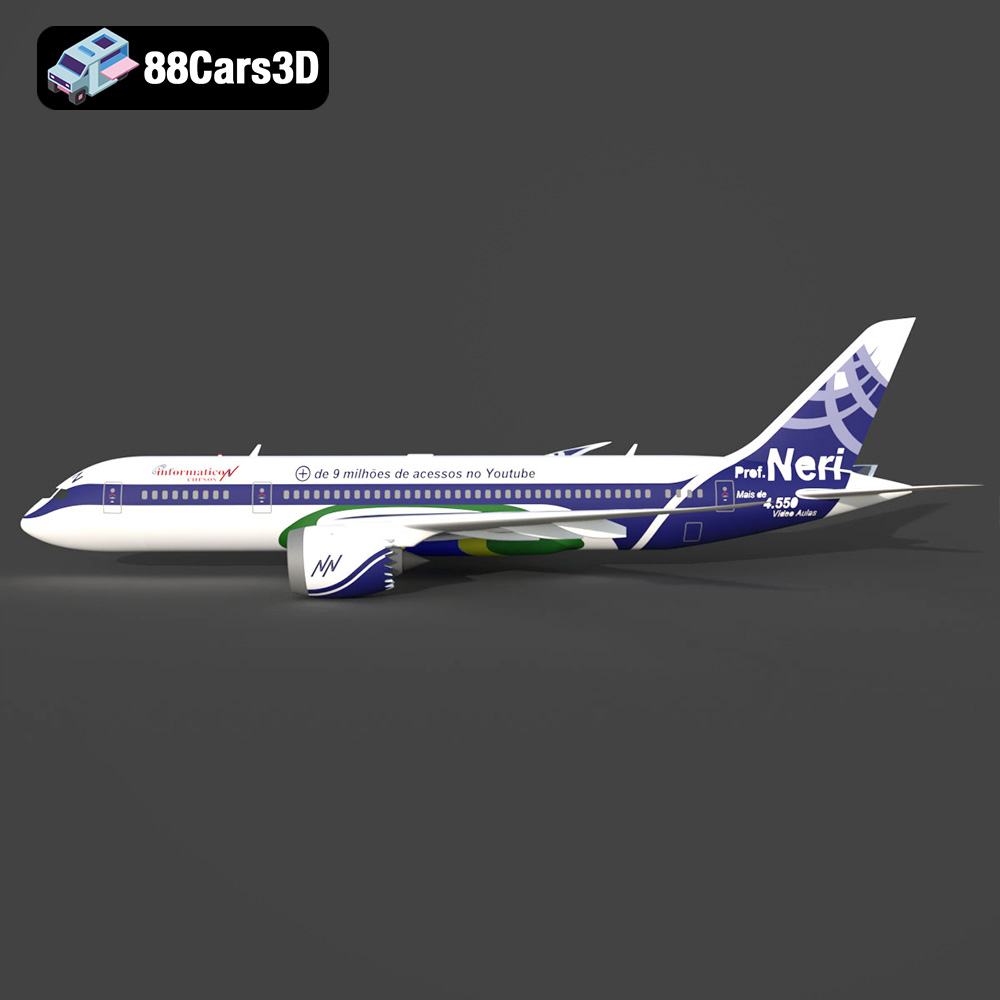
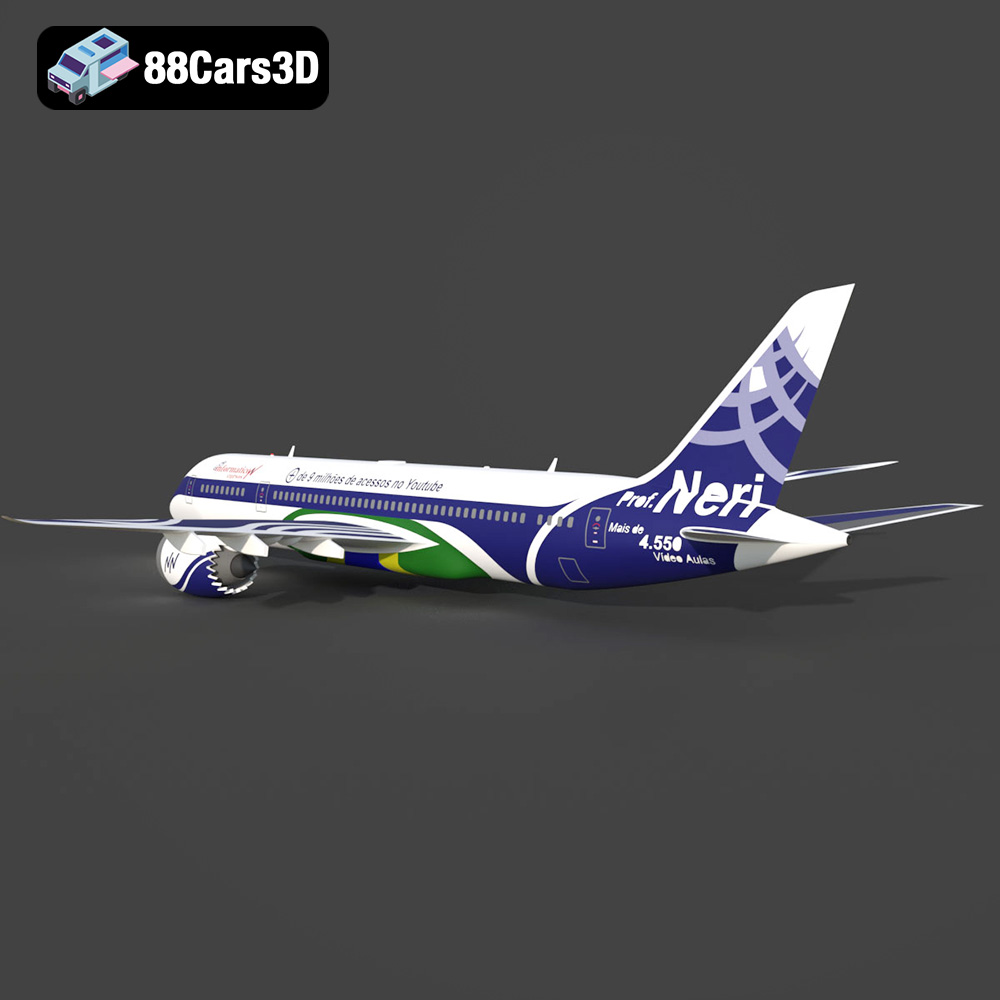
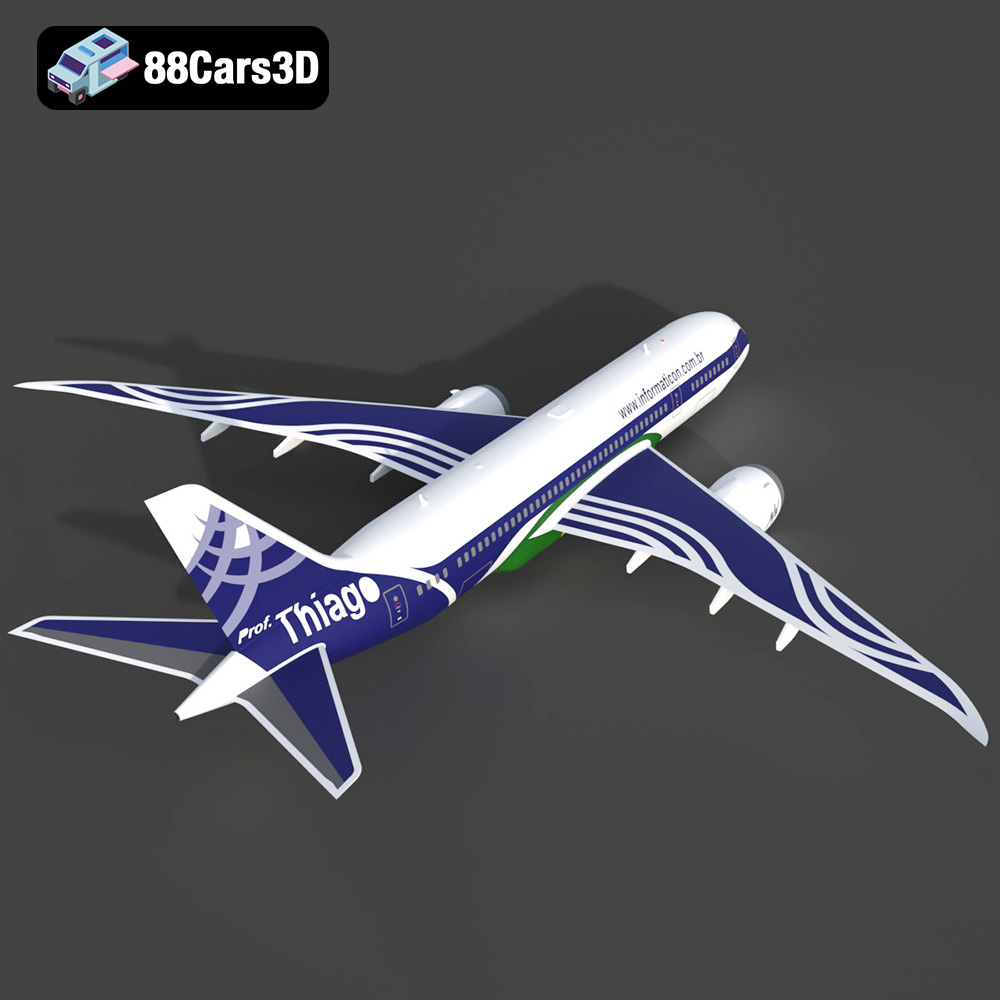
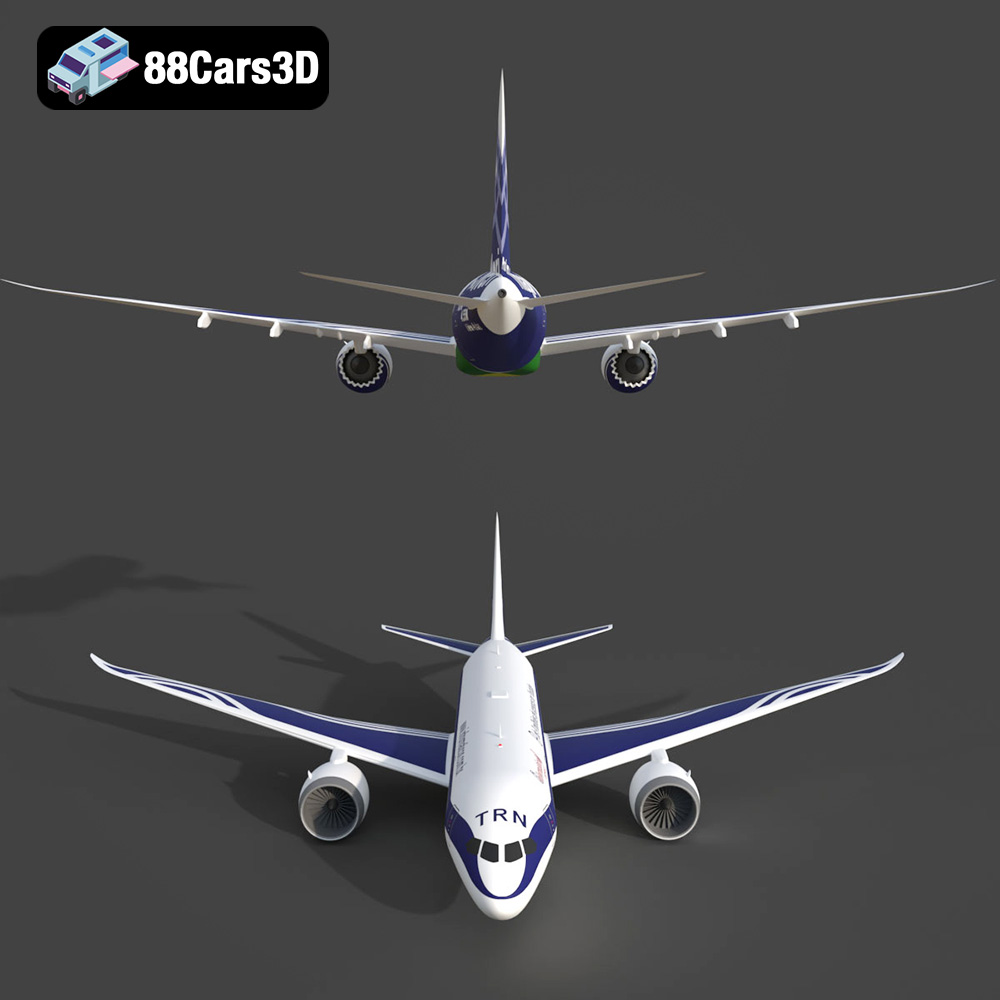
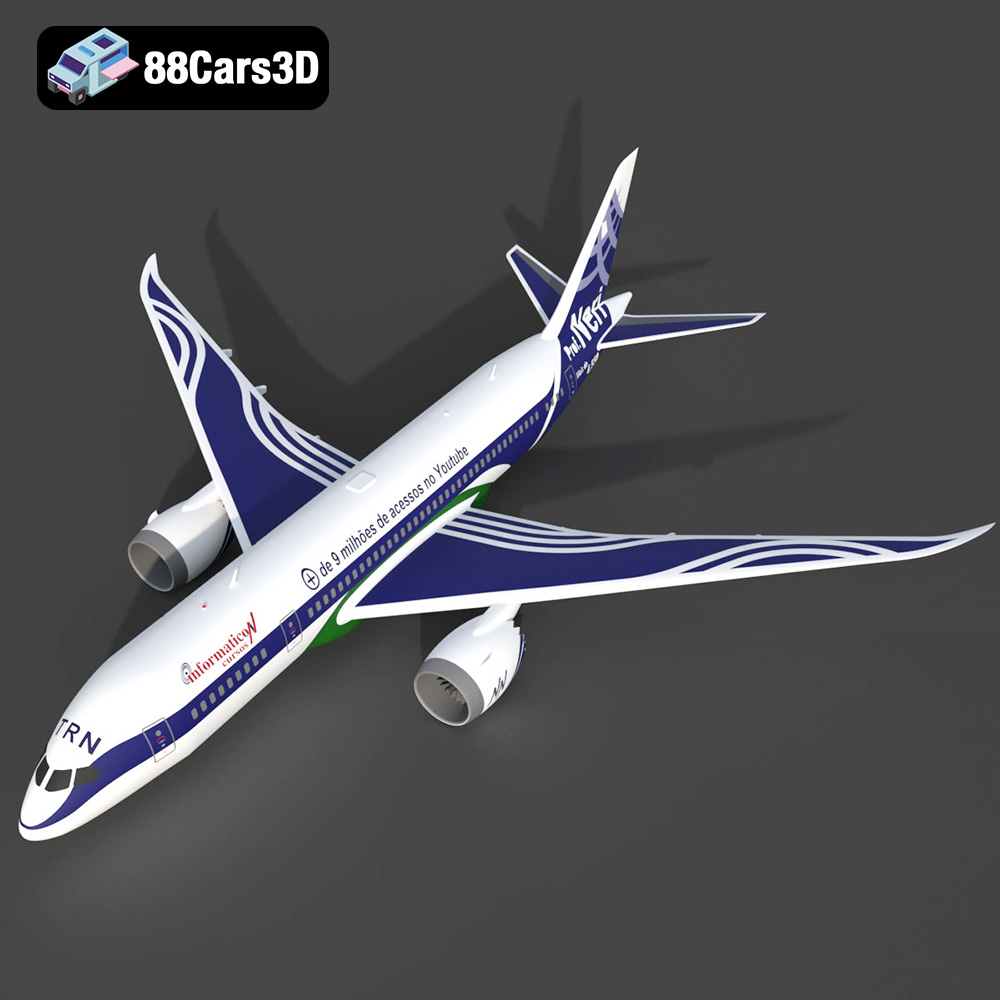
The Airplane TRN-007 3D Model provides a highly accurate and professionally optimized representation of a training aircraft. Built with precision, this asset features carefully modeled exterior and cockpit components, ensuring suitability for close-up renders and detailed simulations. The geometry is clean and optimized for performance across various platforms. This model is structured for ease of use, featuring realistic materials and textures applied throughout. The asset is ready for immediate integration into production pipelines, including cinematic visualization, flight simulation, and game environments. All parts are logically grouped and named for quick adjustments and rigging. Applications: This versatile asset is ideal for high-fidelity rendering, serious flight simulation projects, architectural and scene visualization, immersive AR/VR training applications, and real-time game development environments (Unity, Unreal Engine).
$10
Product Image Gallery

Related Tags
.aircraft
.airplane
.arvr
.aviation
.blend
.fbx
.gameasset
.glb
.max
.obj
.ply
.rendering
.simulation
.stl
.trainingplane
.trn007
.unreal
