Mastering 3D Car Models: From Automotive Rendering to Game-Ready Assets
The digital age has revolutionized how we design, visualize, and interact with automobiles. At the heart of this transformation lies the 3D car model – a complex digital artifact that bridges the gap between conceptual design and tangible experience. From breathtaking automotive advertising renders that captivate audiences, to high-fidelity vehicles populating immersive video games, or even precise models for AR/VR configurators, the demand for high-quality 3D car models is insatiable. Professionals across various industries, including industrial design, film, marketing, and game development, constantly seek assets that deliver both visual realism and technical versatility. Understanding the intricacies of these models, from their underlying topology to their optimized deployment across diverse platforms, is crucial for anyone looking to excel in digital automotive visualization.
This comprehensive guide delves deep into the technical landscape of 3D car models. We will explore the critical role of asset quality, demystify various file formats and their specific use cases, and uncover advanced techniques for achieving photorealistic rendering. Furthermore, we’ll address the unique challenges of optimizing these complex models for real-time game engines and walk through practical workflows from acquisition to final output. Whether you’re a seasoned 3D artist, a game developer, or an automotive designer, this article aims to equip you with the knowledge needed to harness the full potential of 3D car models, ensuring your projects stand out in a competitive digital world. For those seeking a reliable source of professionally crafted models, 88cars3d.com offers an extensive collection tailored for a wide array of applications.
The Foundation of Digital Automotive Excellence: Why High-Quality 3D Car Models Matter
In the realm of digital content creation, the quality of your foundational assets directly dictates the quality of your final output. This is especially true for 3D car models, where precision, realism, and technical cleanliness are paramount. A superior 3D car model isn’t just visually appealing; it’s engineered for performance and adaptability across various demanding applications.
Precision in Design and Prototyping
For automotive designers and engineers, 3D car models are more than just pretty pictures; they are virtual prototypes. High-quality models derived from CAD data ensure accuracy down to the millimeter, allowing for detailed analysis of aerodynamics, ergonomics, and structural integrity long before physical production begins. This level of precision enables rapid iteration, reduces costly errors, and accelerates the design cycle significantly. Features like crisp panel gaps, accurate reflections on curved surfaces, and meticulous interior detailing are crucial for making informed design decisions and presenting concepts with compelling realism to stakeholders.
Elevating Visual Fidelity in Media
In advertising, film, and architectural visualization, the goal is often photorealism that blurs the line between digital and reality. High-quality 3D car models, boasting clean topology, expertly crafted UVs, and PBR-ready materials, are indispensable for achieving this. Whether it’s showcasing a vehicle in a dramatic movie scene, highlighting its features in a glossy commercial, or placing it contextually within a new urban development, the model’s fidelity directly impacts the viewer’s perception. Imperfections like stretched textures, low-resolution geometry, or poor material definition immediately break immersion and detract from the professional appeal of the final render.
Performance and Immersion in Interactive Experiences
For game development, AR/VR applications, and real-time configurators, the challenge is to deliver stunning visual quality without sacrificing performance. High-quality 3D car models from sources like 88cars3d.com are typically optimized for these environments. This means they possess a balanced poly count, efficient UV layouts for texture atlasing, and often include multiple Levels of Detail (LODs) to scale gracefully based on viewing distance or platform capabilities. Clean models minimize rendering overhead, prevent visual glitches, and ensure smooth frame rates, which are critical for an immersive and responsive user experience. A poorly optimized model, regardless of its visual fidelity, can cripple an interactive application, leading to a frustrating user experience.
Understanding 3D Model File Formats
The world of 3D modeling involves a multitude of file formats, each designed with specific purposes, functionalities, and compatibilities in mind. Choosing the correct format is paramount for seamless workflow integration, data preservation, and optimal performance in your target application. Here, we delve into some of the most common and critical 3D model file formats.
.blend – Fully Editable Blender Scene with Materials
The .blend format is the native file type for Blender, the powerful open-source 3D creation suite. A .blend file saves not just the 3D model geometry, but the entire scene data, including materials (with their complex node setups), textures, lighting, cameras, animation data, physics simulations, and even the user interface layout. This makes it an incredibly rich and self-contained format, ideal for artists working exclusively within the Blender ecosystem or for sharing fully editable projects among Blender users. When acquiring a .blend file, you gain full access to the artist’s original setup, allowing for extensive modifications, re-texturing, re-rigging, and animation. Its primary limitation is its compatibility; it’s not natively supported by most other 3D software or game engines without export.
.fbx – Ideal for Unreal, Unity, and Real-Time Pipelines
The .fbx (Filmbox) format, originally developed by Kaydara and now owned by Autodesk, has become the industry standard for interoperability, especially in game development and animation. FBX excels at carrying not just mesh data, but also crucial animation data, skeletal rigs, skinning information, blend shapes, cameras, lights, and basic material properties. It supports both binary and ASCII encoding. Its strength lies in its ability to transfer complex animated scenes between different 3D software packages (like 3ds Max, Maya, Blender) and directly into game engines such as Unreal Engine and Unity. When exporting to FBX, attention must be paid to settings like tangent space, smoothing groups, and embedding media to ensure integrity upon import into the target application. It’s the go-to format for complex, animated asset pipelines.
.obj – Universal Format for Cross-Software Compatibility
The .obj (Wavefront OBJ) format is one of the oldest and most universally supported 3D file formats. It’s a simple, text-based format primarily used to store 3D geometry – vertices, UV coordinates, vertex normals, and faces. While it can reference external material files (with a .mtl extension) and texture maps, it doesn’t store animation, rigging, or scene data. Its widespread support across virtually every 3D application makes it an excellent choice for basic mesh exchange, especially when fidelity of geometry is the main concern and animation or complex materials are not needed or will be reconstructed in the destination software. Its simplicity means it’s often a robust fallback when more complex formats fail.
.glb – Optimized for AR, VR, and Browser-Based Display
The .glb (GL Transmission Format Binary) is the binary version of the glTF format, an open standard developed by the Khronos Group. GLB is designed for efficient transmission and loading of 3D scenes and models, particularly optimized for web-based, AR (Augmented Reality), and VR (Virtual Reality) applications. It packs all necessary assets – geometry, textures, PBR (Physically Based Rendering) materials, animations, and scene graph information – into a single, self-contained binary file. This makes it incredibly compact and fast to load, ideal for viewing 3D content directly in browsers or integrating into lightweight real-time experiences. GLB is rapidly gaining traction as a universal format for the metaverse and interactive web 3D.
.stl – Suitable for 3D Printing Output
The .stl (Stereolithography) format is the de-facto standard for 3D printing. It represents a 3D model’s surface geometry using a collection of interconnected triangles, without any color, texture, or material information. Each triangle is defined by its three vertices and the normal vector to indicate surface orientation. While simple, its robustness and universal adoption by 3D printing software (slicers) make it indispensable for additive manufacturing. Models intended for 3D printing must be “watertight” – meaning they have no holes or gaps in their surface – to ensure a successful print, and STL files are excellent for representing this tessellated surface.
.ply – Precision Mesh Format for CAD or Analysis
The .ply (Polygon File Format, sometimes Stanford Triangle Format) is another common format for storing 3D data, particularly useful for scanned data, point clouds, and precision meshes. It can store a wider range of properties than OBJ, including color, transparency, normals, texture coordinates, and confidence values for each vertex or face. PLY supports both ASCII and binary representations, and its flexibility makes it a preferred choice for scientific visualization, CAD applications, and academic research where detailed attribute data attached to the geometry is critical. It’s often used when converting raw scan data into a usable mesh for reverse engineering or complex analysis.
.unreal – Engine-Ready Asset for Real-Time Environments
While not a universal standalone file format in the same vein as FBX or OBJ, .unreal refers to an asset that has been specifically prepared and optimized for direct integration into Unreal Engine projects. This often means the model has already been imported into an Unreal project, has its materials properly configured (using Unreal’s PBR shader system), collision meshes set up, LODs generated, and potentially even includes Blueprints for interactive functionality. When a model is labeled “.unreal” or “Unreal Engine Ready,” it signifies that the hard work of engine-specific optimization and setup has already been completed, allowing developers to drop it directly into their scenes with minimal further configuration. This level of preparation is a significant time-saver for game developers.
.max – Editable 3ds Max Project for Animation and Rendering
The .max format is the native scene file for Autodesk 3ds Max, a leading software for 3D modeling, animation, and rendering. Similar to .blend files, a .max file contains the complete scene data, including geometry, modifiers, intricate material setups (V-Ray, Corona, Standard, etc.), lights, cameras, animation keyframes, particle systems, and rendering settings. It offers the highest fidelity and editability for users within the 3ds Max ecosystem, allowing for complex scene management and professional-grade rendering and animation workflows. Like .blend, its primary use is within its native software environment, requiring export to other formats for cross-application use.
Crafting Realism: Advanced Automotive Rendering Techniques
Achieving photorealistic automotive renders is an art form that blends technical mastery with an artistic eye. It goes beyond simply applying a texture; it involves a deep understanding of materials, lighting, and post-processing. For truly stunning visuals, such as those seen in high-end automotive marketing, every detail matters.
Materials and Textures: The Skin of the Machine
The visual realism of a 3D car model largely depends on its materials and textures. Modern rendering pipelines extensively use Physically Based Rendering (PBR) workflows. This involves creating texture maps like Albedo (base color), Normal (for surface detail), Roughness (micro-surface imperfections), Metalness (how metallic a surface is), and Ambient Occlusion (soft shadows in crevices). For automotive finishes, the complexity escalates:
- Car Paint: This is arguably the most challenging material. It requires multiple layers – a base coat (color), a clear coat (glossy, reflective, often with Fresnel effect), and sometimes a flake layer (for metallic paints) – all interacting with light in a physically accurate way. Advanced shaders in renderers like V-Ray, Corona Renderer, Redshift, or Blender’s Cycles are crucial.
- Glass and Transparencies: Accurate refraction, reflection, and absorption are essential for windows, headlights, and taillights. Volumetric effects within glass or lens flares add to the realism.
- Chrome and Metals: Highly reflective, metallic surfaces require precise roughness maps and often rely on environmental reflections (HDRI) for believable sheen.
- Tire Rubber: This needs a subtle roughness, displacement/normal mapping for tread patterns, and often a slight dust or wear layer to avoid a perfectly clean, artificial look. Procedural textures can be powerful here for variations.
Understanding how light interacts with these surfaces, especially the complex multi-layered nature of car paint, is key to achieving that coveted photorealistic sheen.
Lighting and Environment: Setting the Scene
Lighting is the soul of any render. For automotive visualization, it defines mood, highlights form, and provides critical reflections.
- HDRI (High Dynamic Range Image): These 360-degree panoramic images capture real-world light information, including intensity and color. Using an HDRI as an environment map is a staple for automotive rendering, providing incredibly realistic global illumination and reflections that instantly ground the car in a believable scene. Studio HDRIs are also common for clean product shots.
- Physically Accurate Lights: Beyond HDRIs, supplementary lights (area lights, spot lights) are used to emphasize specific features, create sharp highlights, or simulate studio lighting setups. Understanding real-world lighting principles – key light, fill light, rim light – is paramount.
- Global Illumination (GI): Modern renderers use GI to simulate how light bounces around a scene, contributing to soft shadows, color bleeding, and overall environmental illumination. Fine-tuning GI settings is crucial for render quality versus render time.
The interplay between direct light, bounced light, and environmental reflections is what truly makes a car model “pop” in a render.
Post-Processing and Compositing: The Finishing Touches
No render is truly finished straight out of the renderer. Post-processing and compositing in software like Adobe Photoshop or After Effects are essential steps to elevate the raw render to a professional final image.
- Lens Effects: Adding subtle lens flares, chromatic aberration, or vignetting can simulate the imperfections of a real camera lens, enhancing realism.
- Color Grading: Adjusting color balance, contrast, and saturation helps set the mood, match brand aesthetics, and unify the image.
- Depth of Field (DoF): Carefully applied DoF draws the viewer’s eye to the main subject and adds a sense of photographic realism.
- Motion Blur: For dynamic shots, motion blur is critical for conveying speed and movement, whether rendered in-camera or added in post.
- Render Passes (AOVs – Arbitrary Output Variables): Professional workflows utilize render passes (e.g., diffuse, reflection, refraction, z-depth, object IDs, normals) to provide maximum control during compositing, allowing for isolated adjustments without re-rendering.
These final touches transform a good render into an exceptional one, ready for marketing campaigns or cinematic use.
Optimizing 3D Car Models for Real-Time Game Engines
While photorealistic renders prioritize visual fidelity above all else, real-time game engines demand a delicate balance between visual quality and performance. Optimizing 3D car models for games requires a specific technical skillset, focusing on efficiency without sacrificing too much detail. Many of the high-quality assets available at 88cars3d.com are pre-optimized for these demanding real-time environments.
Poly Count and LODs: Balancing Detail with Performance
One of the most critical aspects of game asset optimization is managing polygon count. A high-poly model suitable for cinematic renders will cripple a game engine’s frame rate.
- Target Poly Counts: Different platforms have different budgets. Mobile games might require car models in the tens of thousands of polygons, while high-end PC or console titles can support hundreds of thousands for primary vehicles, often with interiors. Secondary or background vehicles will have significantly lower poly counts.
- LOD (Level of Detail) Creation: This is an essential technique. Multiple versions of the same model are created, each with progressively fewer polygons. The game engine automatically swaps between these LODs based on the camera’s distance to the object. A detailed LOD0 is used when the car is close, while a much simpler LOD3 or LOD4 is used when it’s far away. This significantly reduces the rendering load on distant objects without a noticeable drop in visual quality. Effective LODs are crucial for open-world games with many vehicles.
- Normal Maps: To retain surface detail on lower-poly models, high-resolution details (like panel gaps, bolts, or surface imperfections) are baked from a high-poly model onto a normal map, which is then applied to the low-poly version. This gives the illusion of detail without adding extra geometry.
UV Mapping and Texture Atlasing: Efficiency is Key
Efficient UV mapping is vital for texture quality and rendering performance in game engines.
- Non-Overlapping UVs: For unique texture baking (like lightmaps, ambient occlusion, or specific wear and tear), UVs must be non-overlapping. Overlapping UVs are acceptable for repeating textures or mirrored geometry to save texture space.
- Texture Space Optimization: Maximizing the use of texture space within UV maps ensures that details are not pixelated. Strategic unwrapping to minimize seams and distortion is key.
- Texture Atlasing: Instead of having multiple small texture files for different parts of a car (e.g., body, wheels, interior), texture atlasing combines many small textures into one larger texture map. This reduces draw calls in the game engine, leading to better performance. For example, an entire car’s interior might use a single texture atlas.
Well-planned UVs are the foundation for high-quality, performant textures.
Collision Meshes and Physics Assets
For vehicles to interact realistically with the game world, they need accurate collision detection and physics simulation.
- Simple Collision: Often, a simplified, low-poly mesh (invisible to the player) is created to serve as the collision mesh. This could be a series of primitive shapes (boxes, capsules, spheres) or a convex hull that roughly approximates the car’s shape. This is crucial for efficient physics calculations.
- Complex Collision: For more detailed interactions, such as door openings or deformable body panels, more complex collision meshes or even per-poly collision can be used, though this comes with a higher performance cost.
- Physics Assets: In engines like Unreal, physics assets define how different parts of a vehicle react to collisions and forces. This includes setting up rigid bodies, constraints (e.g., for suspension), and material properties (friction, restitution). For a car, this ensures wheels turn, suspension compresses, and impacts cause realistic deformation or bounces.
Properly configured collision and physics assets are what make driving feel responsive and authentic in a game.
Practical Workflows: From Asset Acquisition to Final Output
Integrating a 3D car model into a complex project, whether for a high-end render or a real-time game, involves a structured workflow. This process ensures efficiency, consistency, and optimal results, leveraging tools like 3ds Max, Blender, and Unreal Engine.
Acquiring and Preparing 3D Models (Example: 88cars3d.com)
The journey begins with a quality asset. Platforms like 88cars3d.com provide a strong starting point with professionally prepared 3D car models.
- Initial Assessment: Upon acquiring a model, the first step is to assess its quality. Check for clean topology (quads preferred, minimal N-gons), proper scale, accurate UV maps, and logical object grouping/naming conventions.
- Mesh Cleanup: Even high-quality models might need minor adjustments for a specific project. This could involve deleting hidden geometry, fixing flipped normals, merging duplicate vertices, or retopologizing specific areas for optimal deformation.
- Unit Setup: Ensure the model’s scale matches your target software’s unit system (e.g., meters in Blender/Unreal, centimeters in 3ds Max). Inconsistent scaling can lead to lighting issues, physics glitches, or difficulty in scene integration.
- Pivots and Transforms: Verify that pivot points are logically placed (e.g., at the center of a wheel, or the base of a car), and that all transforms (position, rotation, scale) are frozen or reset to prevent unexpected behavior.
Integration into Rendering Software (e.g., 3ds Max/V-Ray, Blender/Cycles)
Once the model is prepared, it’s ready for rendering. This process is largely similar across various rendering software, with specific steps for material and lighting setup.
- Import and Scene Setup: Import the model using the appropriate format (e.g., FBX, OBJ, or native .max/.blend). Set up the scene scale, render resolution, and color management (e.g., ACES workflow).
- Material Assignment and Refinement: Assign PBR materials to different parts of the car. Load Albedo, Normal, Roughness, and Metalness maps. For car paint, this means configuring multi-layered shaders. Tweak parameters like IOR (Index of Refraction) for glass, and subsurface scattering for softer materials if present.
- Lighting and Environment: Set up your lighting, typically starting with an HDRI for ambient lighting and reflections. Add supplementary area lights or studio strobes to highlight specific features or create dramatic effects. Position lights to sculpt the car’s form.
- Camera Framing and Composition: Choose cinematic camera angles that showcase the car’s design. Use real-world camera settings (focal length, aperture, depth of field) to enhance realism. Apply composition rules like the rule of thirds.
- Render Settings Optimization: Adjust render settings for quality vs. speed. This involves configuring global illumination, anti-aliasing, and sampling rates. Perform test renders at lower resolutions to quickly iterate on lighting and materials before committing to a final high-resolution render.
Exporting to Game Engines (e.g., Unreal Engine)
For real-time applications, the export and integration process is highly specialized.
- FBX Export Settings: In your 3D software (Blender, 3ds Max), export the model as FBX. Crucial settings include:
- Geometry: Ensure “Smoothing Groups” are checked, “Tangents and Binormals” are exported, and “Triangulate” is often enabled for consistency.
- Embed Media: Option to embed textures (though often better to manage them separately in the engine).
- Units: Match the engine’s unit system (e.g., centimeters for Unreal).
- Animations/Skeletons: If the car has animated parts (e.g., doors, wheels), ensure these are exported correctly with their associated skeletons.
- Unreal Engine Import: In Unreal, use the “Import” function. During import, specify options like “Combine Meshes” (often unchecked for modular cars), “Generate Missing Collision” (for initial setup), and “Create Material” (usually best to create master materials manually).
- Material Setup (Master Materials and Instances): Create master materials that encapsulate common PBR shaders for car paint, glass, rubber, etc. Then, create material instances from these masters. This allows for quick iteration on colors and textures without recompiling shaders, enhancing performance.
- Collision and Physics Assets: Generate or import precise collision meshes. Configure physics assets for suspension, wheel rotation, and body deformation.
- Blueprint Integration: For interactive vehicles, create a Blueprint class in Unreal. Add the static mesh components for the car body and wheels. Implement logic for movement, steering, acceleration, and braking, connecting it to inputs and physics outputs. This transforms a static model into a drivable vehicle.
Case Studies and Best Practices in Automotive Visualization
The application of high-quality 3D car models extends across various industries, each demanding specific approaches and best practices to achieve desired outcomes. Understanding these diverse case studies illuminates the versatility and impact of advanced automotive visualization.
High-Fidelity Advertising Renders
Goal: To create emotionally compelling, photorealistic images or animations that showcase a vehicle’s design, features, and brand identity, driving consumer desire.
Best Practices:
- Uncompromising Realism: Every surface, reflection, and shadow must be meticulously crafted. Car paint shaders are complex, often involving multiple layers (base coat, clear coat, metallic flakes) to achieve an authentic look.
- Artistic Lighting: Lighting is designed not just for realism, but to emphasize curves, highlight unique design elements, and set a specific mood (e.g., dramatic studio shot, expansive outdoor scene). HDRIs combined with targeted area lights are standard.
- Contextual Storytelling: The car is placed in an environment that reinforces its brand message – luxury, adventure, urban sophistication. This might involve detailed environments or backplates with realistic integration.
- Post-Production Mastery: Extensive color grading, lens effects, and compositing of render passes are used to achieve the final polished, magazine-quality look.
Example: A virtual car launch for a new luxury SUV, where every texture, reflection, and environmental detail is controlled to create a flawless, aspirational presentation before physical prototypes are available.
Immersive Driving Experiences in Games
Goal: To provide players with a believable and engaging driving experience within interactive virtual worlds, balancing visual fidelity with smooth gameplay performance.
Best Practices:
- Optimized Geometry and LODs: Primary vehicles have moderate poly counts with multiple Levels of Detail (LODs) that seamlessly switch based on distance, ensuring smooth frame rates.
- Efficient UVs and Atlasing: Textures are carefully laid out and often atlased to minimize draw calls, improving rendering performance. Normal maps are used extensively to maintain detail on lower-poly meshes.
- Robust Physics and Collision: Accurate, but optimized, collision meshes and physics assets are implemented to ensure realistic handling, damage modeling, and interaction with the game world.
- Dynamic Materials: Car paint materials are often simplified PBR shaders that can be easily customized in-engine for player choice (color, finish, decals) without heavy performance impact.
Example: An open-world racing game where hundreds of cars, each with multiple LODs and optimized materials, populate the environment, allowing for high-speed chases and detailed vehicle customization without sacrificing frame rate.
AR/VR Vehicle Configurators
Goal: To enable potential buyers to virtually explore, customize, and visualize a car in real-time, either in a virtual environment or overlaid onto the real world.
Best Practices:
- Extreme Optimization for Mobile/Headsets: Models are aggressively optimized for lower-powered devices (smartphones, standalone VR headsets). This means very lean poly counts, minimal draw calls, and highly efficient texture workflows.
- Modular Design: Car components (wheels, spoilers, interior trim) are often separate assets that can be swapped out dynamically, facilitating customization.
- Dynamic Material Instancing: Colors, finishes, and material types (leather, fabric, wood) can be changed in real-time by swapping parameters within material instances, providing instant visual feedback to the user.
- Precise Scale and Tracking: For AR applications, the model must be perfectly scaled to the real world and accurately tracked to the environment to maintain immersion.
Example: A car manufacturer’s AR app that allows a customer to “place” a virtual model of a new sedan in their driveway, change its color, wheel options, and interior trim, and walk around it as if it were physically present.
Conclusion
The journey through the world of 3D car models reveals a fascinating intersection of art and engineering, where digital precision meets creative expression. From the initial acquisition of a high-quality asset to its final deployment in a photorealistic render or an immersive game environment, every technical detail plays a pivotal role. We’ve explored the foundational importance of clean topology, the critical distinctions between various file formats for different use cases, and the intricate dance of materials, lighting, and optimization that brings a virtual automobile to life.
Whether you’re crafting a breathtaking advertising campaign, developing the next blockbuster racing game, or building an innovative AR configurator, the quality and technical preparation of your 3D car models are paramount. Understanding specific workflows in software like 3ds Max, Blender, and Unreal Engine, along with mastering concepts such as PBR materials, LODs, and efficient UV mapping, are indispensable skills in today’s digital landscape. As technology continues to advance, the demand for highly detailed, versatile, and performant 3D car models will only grow.
For professionals and enthusiasts alike, investing in superior 3D car models is a direct investment in the success and visual impact of your projects. Resources like 88cars3d.com serve as vital hubs for acquiring the high-quality, technically sound assets necessary to meet these diverse and demanding requirements. By applying the knowledge and best practices outlined in this guide, you are well-equipped to navigate the complexities of 3D automotive visualization and drive your projects towards unparalleled digital excellence.
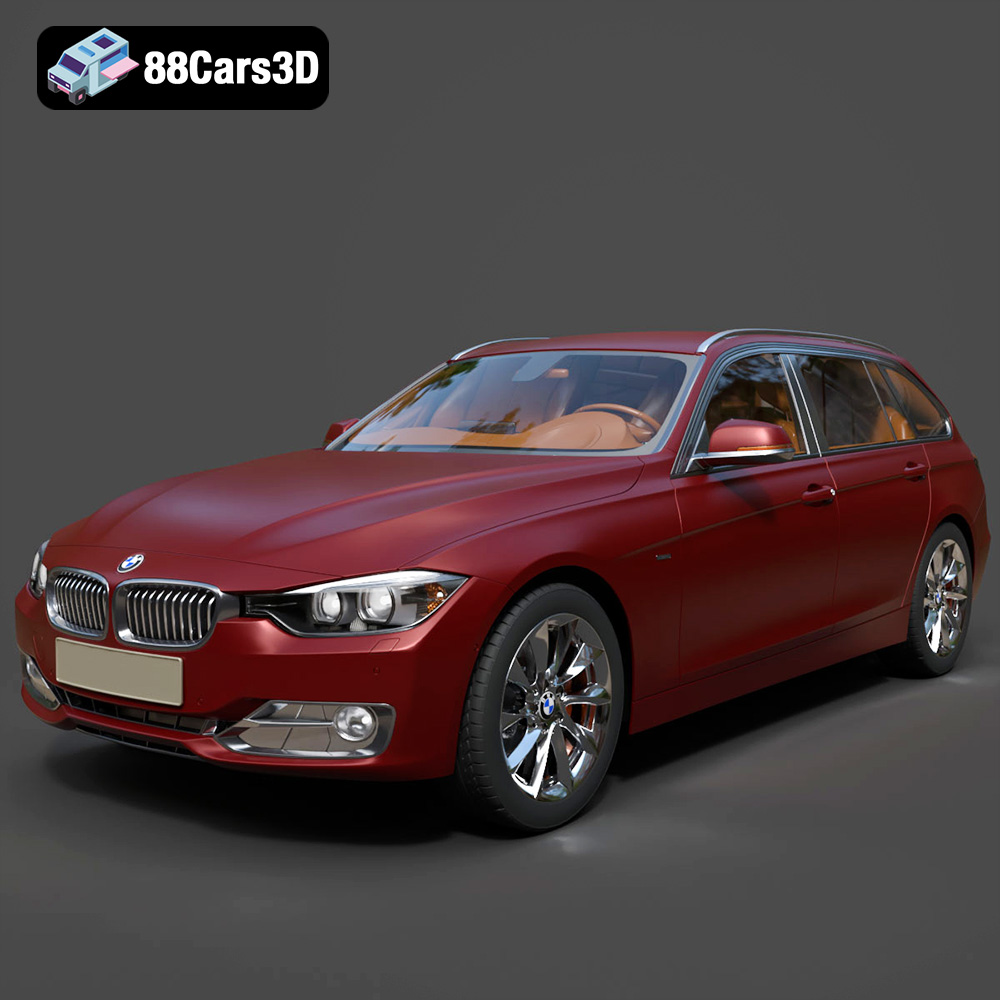
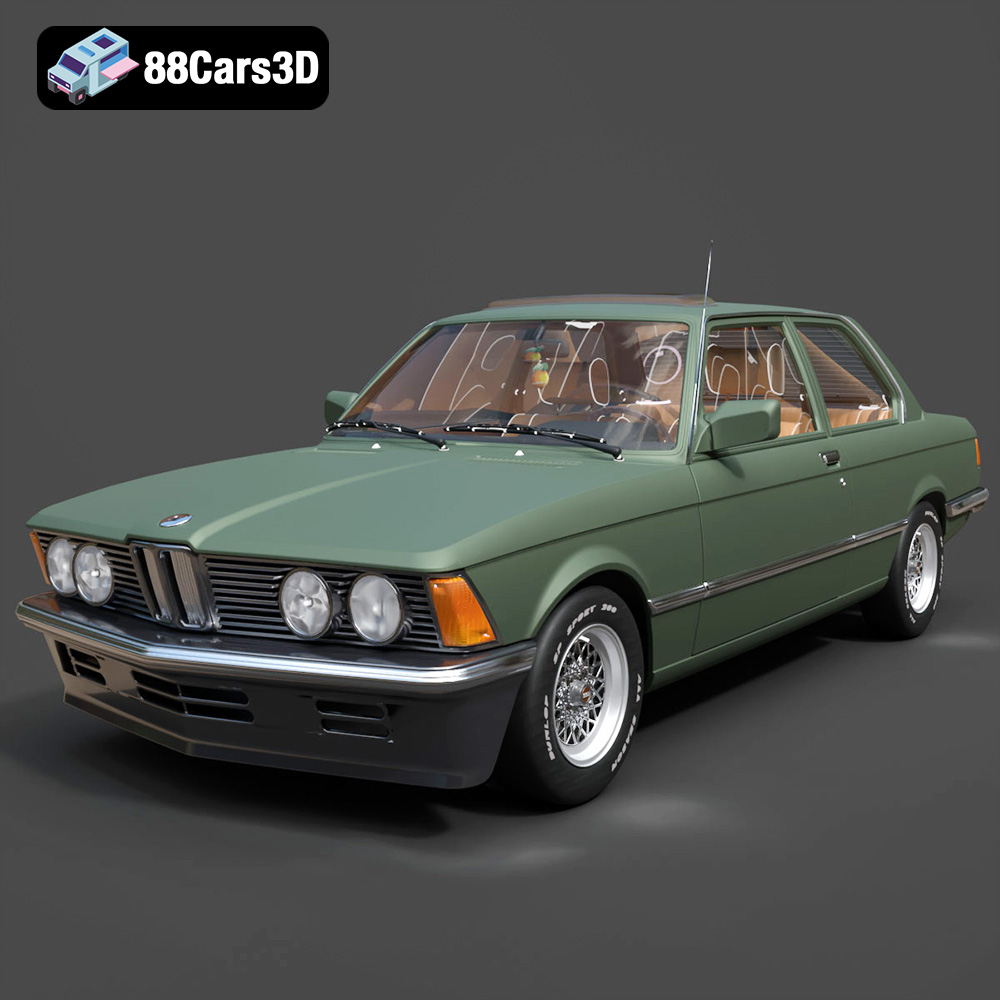
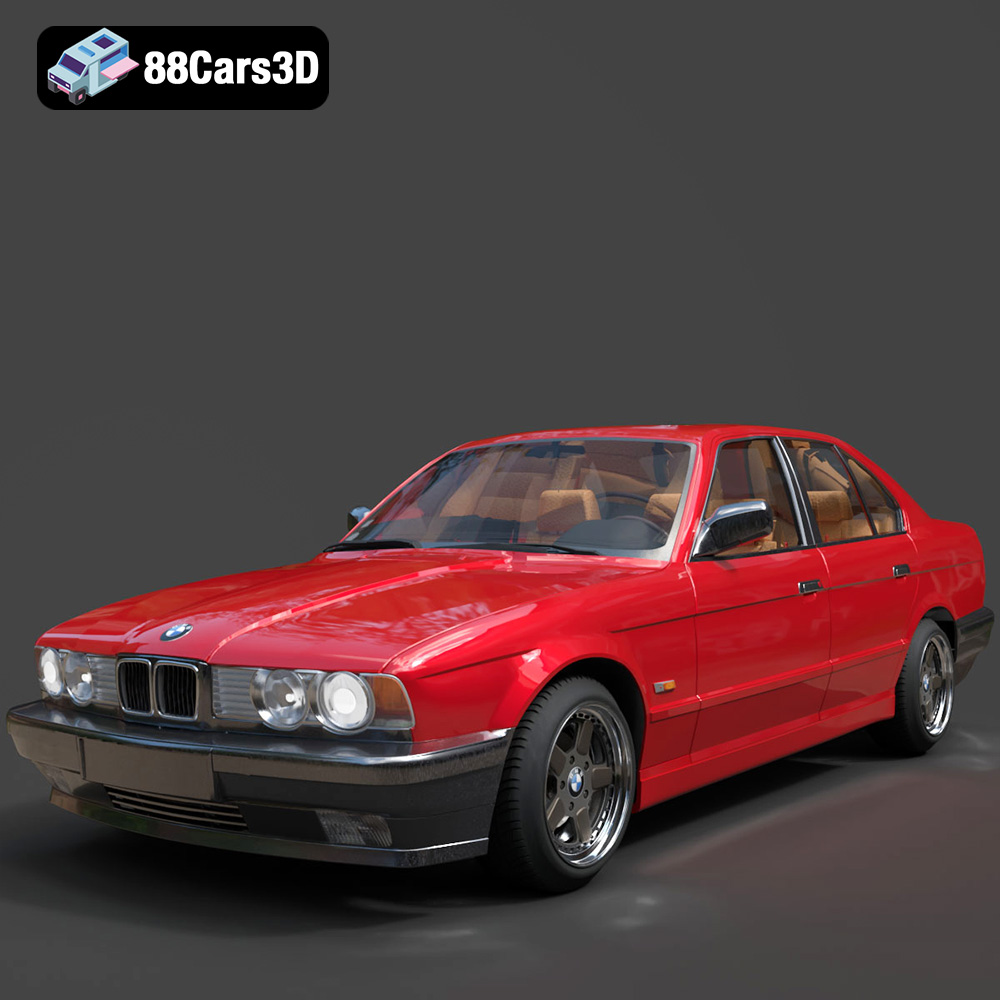
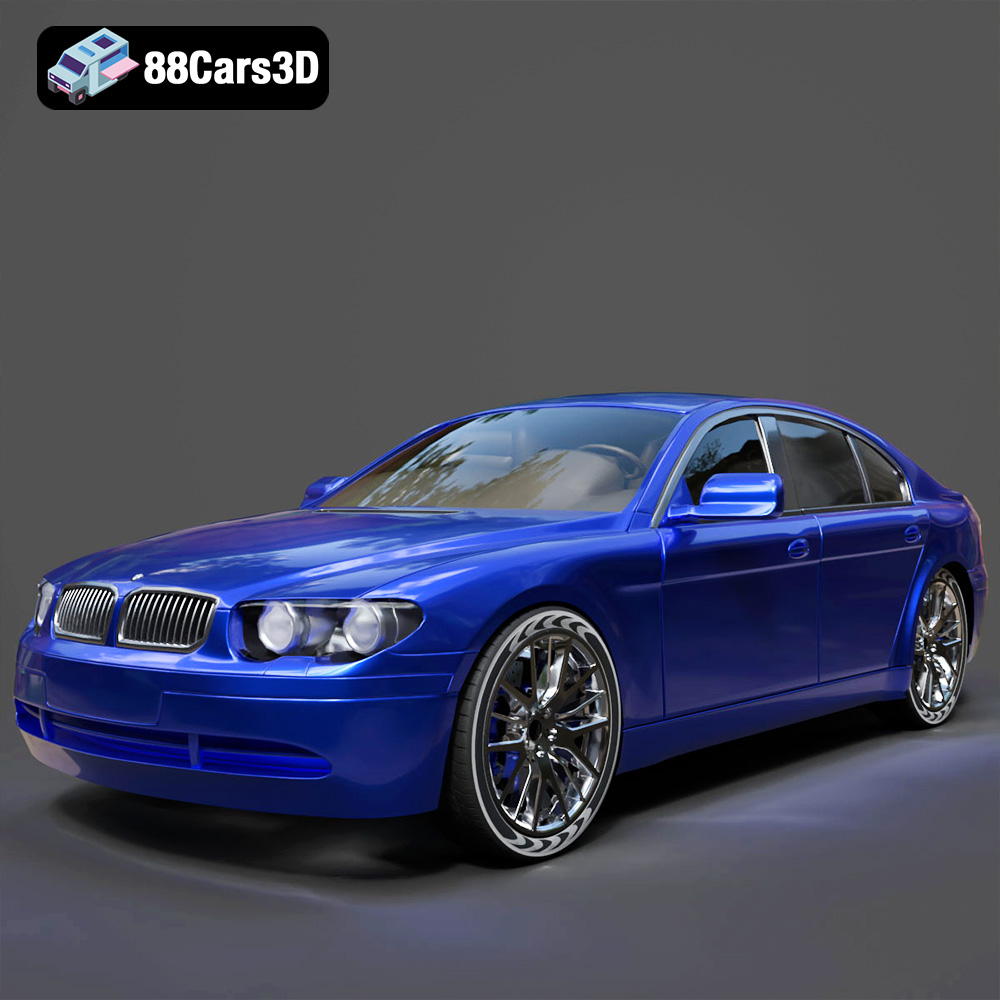
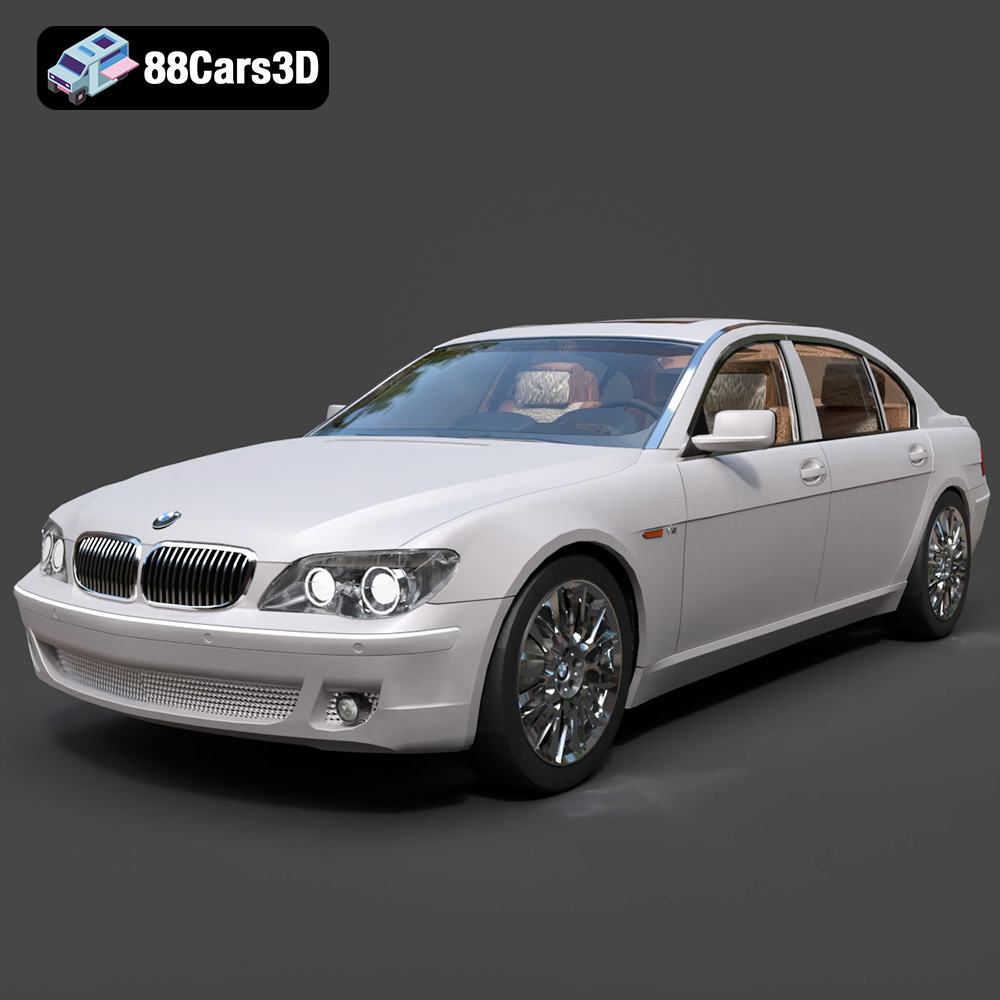
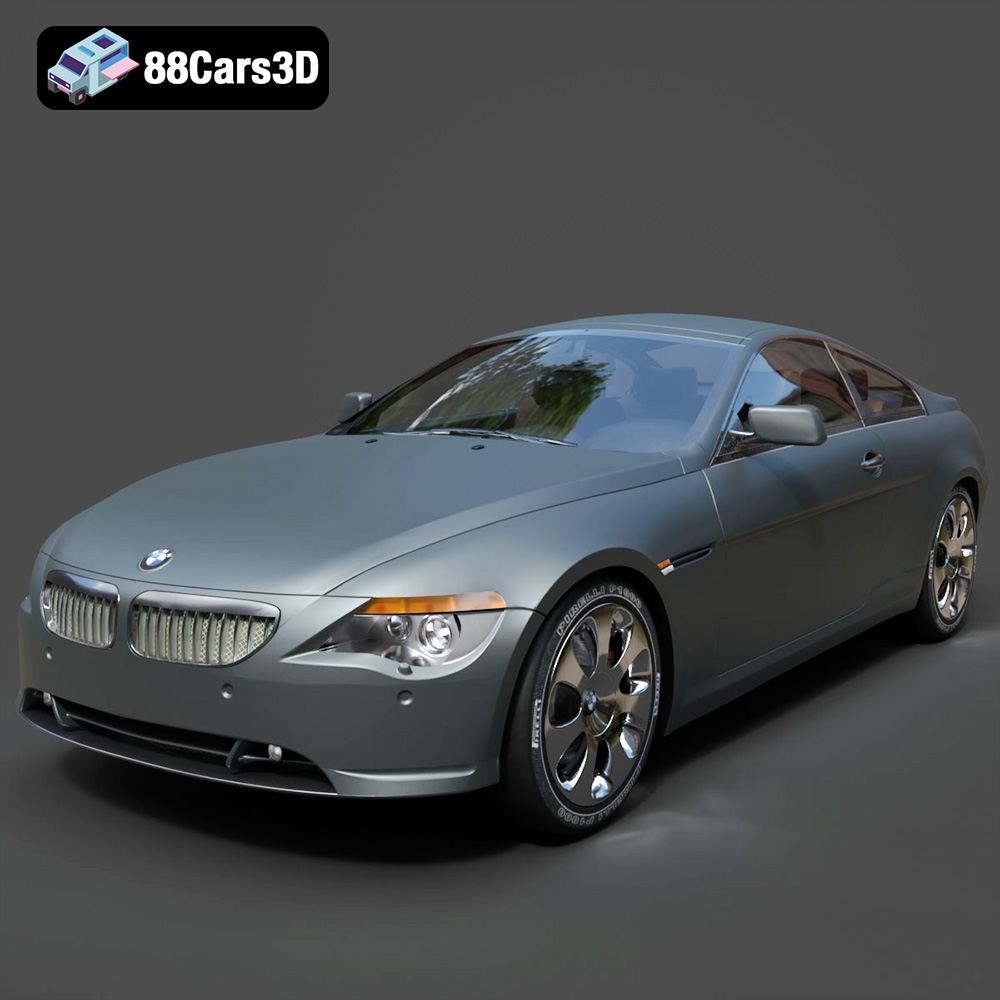
Featured 3D Car Models