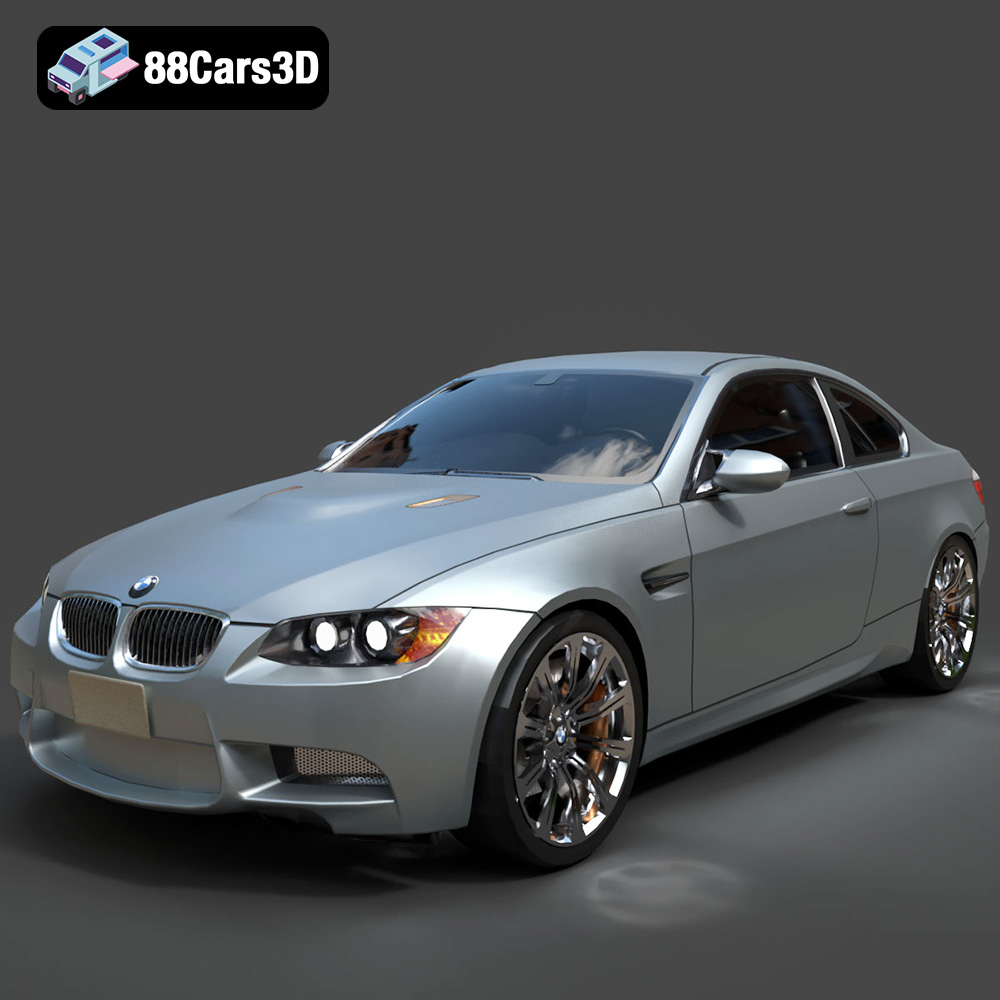
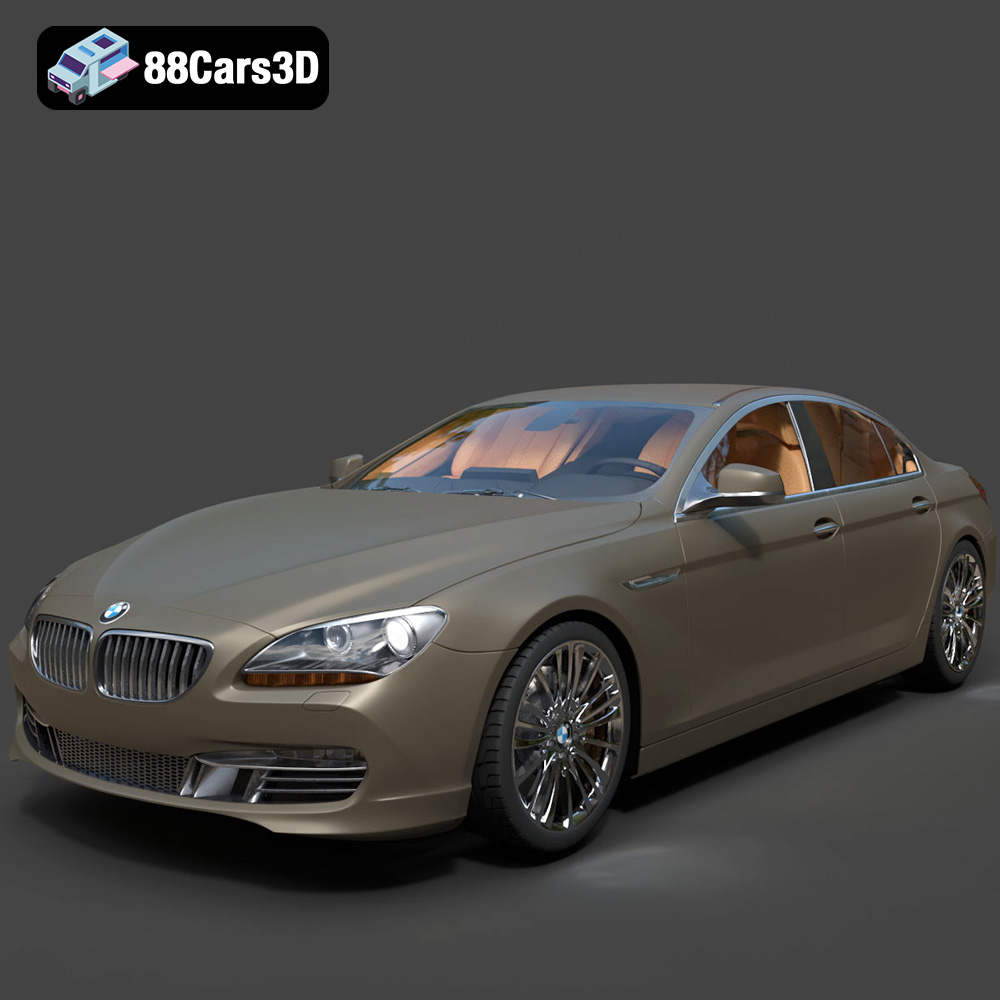
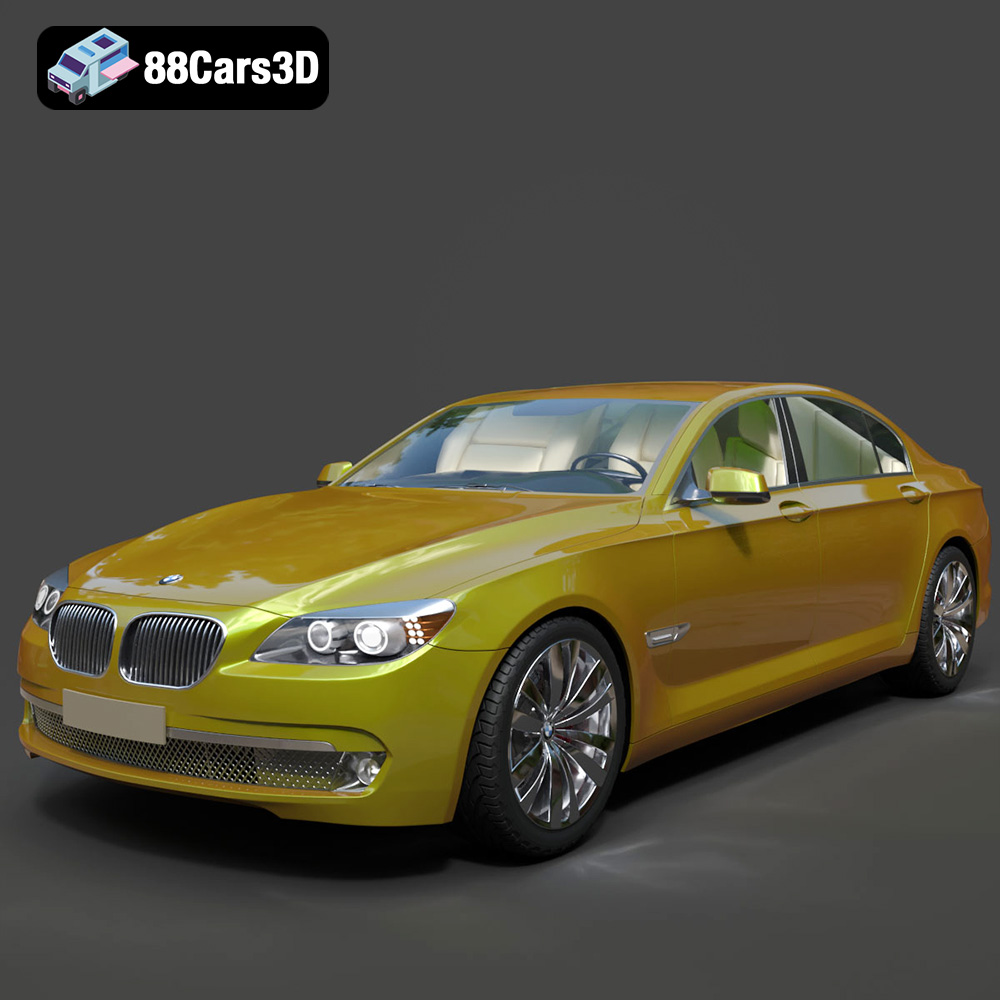
Driving Digital Dreams: The Essential Guide to 3D Car Models, Automotive Rendering, and Game Assets
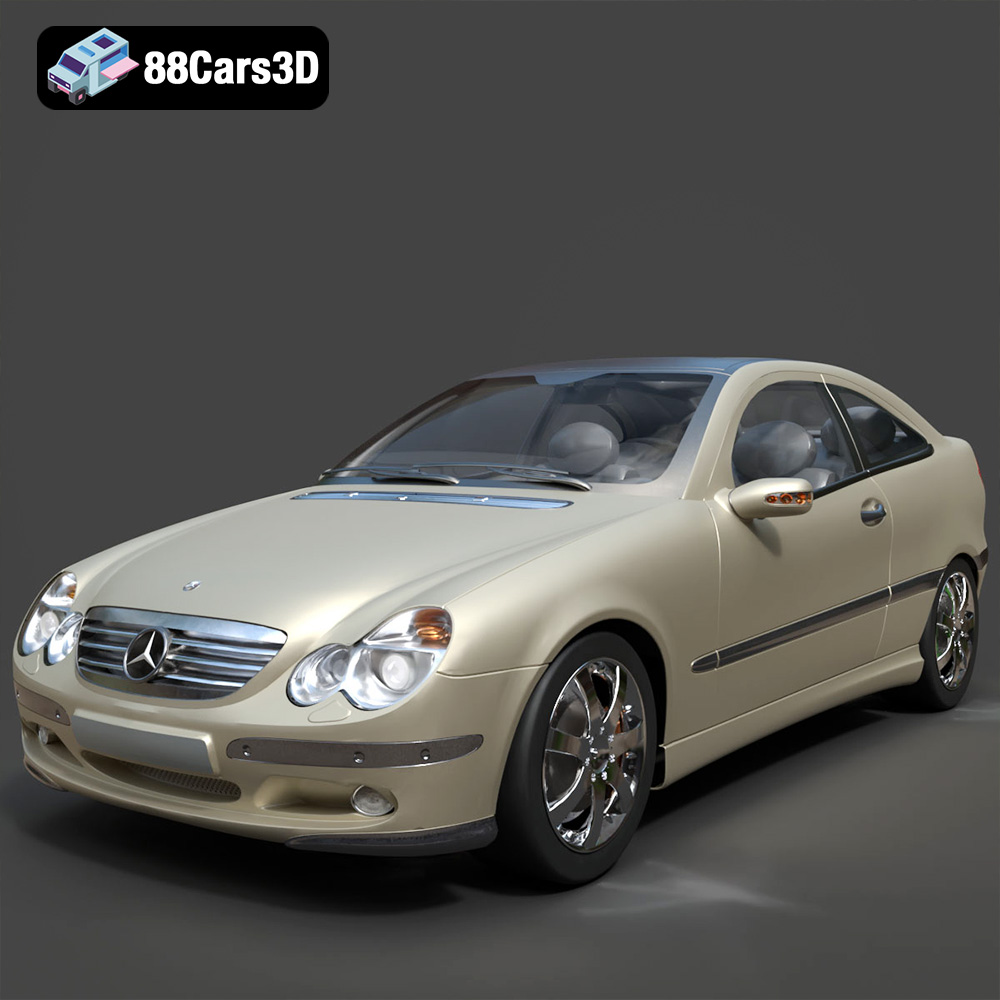
The digital landscape of automotive design, entertainment, and visualization is driven by precision and artistry. From sleek concept cars showcased in dazzling renders to high-octane vehicles tearing across virtual racetracks, the foundation of it all lies in impeccably crafted 3D car models. These digital assets are not merely representations; they are intricate works of engineering and art, serving as the cornerstone for everything from advertising campaigns and product development to immersive gaming experiences and virtual reality simulations. For professionals seeking top-tier quality, platforms like 88cars3d.com offer a curated selection of assets that meet the rigorous demands of modern digital production.
In this comprehensive guide, we will delve into the technical intricacies of creating, utilizing, and optimizing 3D car models. We’ll explore the critical role of various file formats, uncover the secrets to achieving photorealistic automotive rendering, and dissect the methodologies for transforming these detailed models into high-performance game assets. Whether you’re a seasoned 3D artist, a game developer, an automotive designer, or simply fascinated by the digital frontier of vehicle creation, understanding these core principles is essential for unlocking unparalleled visual fidelity and functionality in your projects.
The Foundation of Automotive Digital Artistry: High-Quality 3D Car Models
At the heart of every stunning automotive visualization or engaging driving game is a robust and meticulously constructed 3D car model. The quality of this model dictates everything that follows, from the realism of its reflections to its performance within a real-time engine. Building a production-ready car model is a complex endeavor that combines artistic vision with technical precision.
Precision Modeling: From CAD to Subdivision Surfaces
The journey often begins with real-world CAD (Computer-Aided Design) data, especially in professional automotive design studios. Engineers design vehicles with exact specifications, and this data provides an invaluable starting point. However, CAD models are typically NURBS-based (Non-Uniform Rational B-Splines) or solid geometry, which are excellent for manufacturing but not always optimal for rendering and real-time applications dueled to their complex surfacing and trim structures. Artists typically convert or re-topologize these into polygon meshes, often using subdivision surface modeling techniques in software like 3ds Max or Blender. This involves creating a low-polygon cage that defines the overall shape, which is then smoothed by the subdivision algorithm, resulting in clean, flowing surfaces ideal for reflections and deformations. This process ensures perfect surface continuity and crisp panel gaps, crucial for photorealism.
The Anatomy of a Production-Ready 3D Car Model
A truly high-quality 3D car model is more than just an exterior shell. It comprises numerous interconnected components, each requiring careful attention to detail. This includes the bodywork, meticulously modeled interior, detailed engine bay, undercarriage, wheels, tires with accurate tread patterns, intricate suspension systems, and functional elements like lights and wipers. Each part needs to be modeled with an appropriate polygon count, balanced between visual fidelity and computational efficiency. Furthermore, proper UV mapping is indispensable, ensuring textures can be applied without distortion across complex surfaces like dashboards or seat fabrics. These UVs must be laid out efficiently to maximize texture resolution and minimize wasted space, often spanning multiple UV sets for different material types or resolutions.
Why Detail Matters: Realism vs. Performance
The level of detail (LoD) in a 3D car model is a constant negotiation between desired realism and project performance requirements. For high-end cinematic rendering or product visualization, extreme detail is paramount. This means high polygon counts (often millions for a complete vehicle), intricate normal maps for fine surface details, and complex shader networks. However, for real-time applications like video games or AR/VR experiences, performance is king. Here, models must be heavily optimized, utilizing techniques such as baking high-poly details onto low-poly meshes via normal maps, judicious use of texture atlases, and implementing multiple Levels of Detail (LODs). LODs allow the engine to swap out complex models for simpler ones as the object moves further from the camera, dramatically improving frame rates without noticeable visual degradation for the end-user.
Understanding 3D Model File Formats
Navigating the world of 3D car models requires a solid understanding of the various file formats available. Each format serves specific purposes, offering unique advantages regarding compatibility, data integrity, and pipeline integration. Choosing the correct format can significantly impact your workflow, from initial modeling to final rendering or game deployment. This crucial decision hinges on the software you’re using, the target platform, and the specific data you need to preserve (geometry, materials, animations, scene data).
Formats for Production Workflows
- .blend (Blender): This is Blender’s native file format, ideal for anyone working within the Blender ecosystem. A .blend file can store an entire scene, including geometry, materials, textures, animations, rigging, cameras, lights, and even UI layouts. Its main advantage is that it’s a fully editable Blender scene, making it incredibly flexible for artists who want to modify every aspect of the model or integrate it into a larger Blender project. However, its compatibility is primarily limited to Blender itself, though Blender can export to many other formats.
- .max (3ds Max): The proprietary file format for Autodesk 3ds Max. Similar to .blend, a .max file holds all scene data, including geometry, modifiers, materials, textures (paths), lighting, camera setups, and animation curves. It is the go-to format for artists and studios primarily using 3ds Max for modeling, animation, and rendering. It offers full editability within 3ds Max, making it excellent for complex projects and iterative design. Like .blend, it requires the native software for full functionality, though 3ds Max also has robust export capabilities.
- .fbx (Filmbox): Developed by Autodesk, .fbx is an industry-standard interchange format, specifically designed for interoperability between 3D software applications. It is incredibly versatile and can store geometry, materials, textures (embedded or referenced), animations, rigs, and camera data. .fbx is the ideal choice for transferring complex animated models, especially between DCC (Digital Content Creation) tools like Maya, 3ds Max, Blender, and game engines like Unreal Engine and Unity. Its strength lies in its ability to encapsulate a wide range of data, making it perfect for real-time pipelines and game asset development. When exporting to FBX, attention must be paid to scale, axis conventions, and embedding options.
Formats for Universal Compatibility and Real-Time
- .obj (Wavefront OBJ): A universal and widely supported format, .obj is excellent for basic geometry transfer across almost any 3D software. It stores vertex positions, UV coordinates, normals, and material group information. Material properties are typically stored in a companion .mtl file. While .obj is robust for static mesh data, it does not support animation, rigging, or scene hierarchy in the same way as .fbx. It’s a reliable “lowest common denominator” for cross-software compatibility, often used when only mesh data and basic material assignment are needed.
- .glb (GL Transmission Format Binary): This is the binary version of glTF, optimized for efficient transmission and loading of 3D scenes and models. .glb files package all model data (geometry, materials, textures, animations) into a single file, making it highly suitable for web-based 3D applications, AR/VR experiences, and browser-based display. Its compact size and ease of integration into web technologies have made it a rapidly growing standard, particularly for interactive viewing of 3D car models online.
- .unreal (Unreal Engine Asset): While not a single file format in the traditional sense, when you import assets into Unreal Engine, they are converted into Unreal’s proprietary asset format. An .unreal asset typically refers to a compiled, engine-ready asset—be it a static mesh, skeletal mesh, material, or texture—that is fully integrated into the Unreal Engine’s content browser and pipeline. This means the engine has processed and optimized the asset for real-time environments, applying collision meshes, LODs, and proper material instances. While you can’t open an .unreal file directly in external software, it represents the final, optimized state of an asset within the engine.
Specialized Formats for Specific Needs
- .stl (Stereolithography): Predominantly used for 3D printing and rapid prototyping. An .stl file describes only the surface geometry of a 3D object using a collection of triangular facets. It doesn’t contain color, texture, or material information, making it compact but limited to physical output. It’s the standard format for sending models to 3D printers, ideal for creating physical prototypes of automotive components or scale models of cars.
- .ply (Polygon File Format / Stanford Triangle Format): This format is designed for storing 3D data from 3D scanners, CAD, or other precision modeling tools. .ply files can store a wide range of properties, including color, transparency, surface normals, and even texture coordinates, along with the geometry (polygons or point clouds). It’s a precision mesh format often used in scientific visualization, reverse engineering, and applications where detailed data capture and reconstruction are critical for high-fidelity assets.
Understanding these formats is crucial for efficient workflow and successful project delivery. Each format has its strengths and weaknesses, making the choice dependent on the specific requirements of the task at hand, whether it’s an intricate automotive rendering or a performance-optimized game asset.
Mastering Automotive Rendering for Photorealism
Photorealistic automotive rendering is an art form that demands a deep understanding of light, materials, and composition. It’s about more than just a good 3D model; it’s about recreating the subtle nuances of reality to evoke emotion and communicate design intent. The goal is to produce images so convincing they are indistinguishable from photographs.
Lighting Techniques for Captivating Car Renders
Lighting is arguably the most critical element in any render. For cars, it’s about showcasing reflections, accentuating body lines, and conveying mood. Artists frequently employ a combination of techniques:
- HDRI (High Dynamic Range Image) Lighting: HDRIs are spherical photographic maps of real-world environments, capturing a vast range of light intensities. They are invaluable for automotive rendering as they provide realistic ambient lighting, intricate reflections, and often, compelling background imagery. A high-quality studio HDRI, for instance, can perfectly simulate a controlled photography booth, while an exterior HDRI can place the car realistically within a bustling city or a serene landscape.
- Studio Lighting Setups: For product shots and detailed close-ups, virtual studio lighting is essential. This often involves a carefully placed array of virtual lights (spotlights, area lights, dome lights) that mimic physical studio equipment. Techniques like three-point lighting (key, fill, back light) are standard, augmented by rim lights to define edges and bounce cards to soften shadows. The goal is to sculpt the car’s form with light.
- Environment Integration: When placing a car in a detailed 3D environment, the lighting must seamlessly blend. This involves matching the direction, color temperature, and intensity of virtual lights to the environment’s actual light sources, ensuring the car feels grounded and naturally illuminated within its surroundings.
Advanced Material Creation: Paint, Glass, and Chrome Shaders
The materials applied to a 3D car model are what give it life. Automotive shaders are notoriously complex:
- Car Paint: Modern car paint shaders are multi-layered, simulating clear coat, base coat, metallic flakes (often using anisotropic reflections), and sometimes even a subtle orange peel effect. Physically Based Rendering (PBR) workflows are standard, requiring maps for base color, roughness, metallicness, and normal details. Advanced shaders can even simulate pearlescent or chameleon effects, changing color based on viewing angle.
- Glass: Car glass needs to accurately refract light, display reflections, and sometimes show slight tinting. Realistic glass shaders account for Fresnel reflections (where reflections are stronger at grazing angles) and often require interior geometry for accurate refraction. Imperfections like subtle dust or smudges can be added via roughness maps for heightened realism.
- Chrome and Metals: Chrome and other polished metals are characterized by their extreme reflectivity and often anisotropic reflections. PBR metallic workflows handle this by setting the metallic value to 1 and adjusting the roughness for different levels of polish, from mirror-like chrome to brushed aluminum.
- Rubber and Plastics: These materials require accurate roughness, normal mapping for texture, and sometimes subsurface scattering for softer plastics, adding to the overall believability of the model.
Post-Production Enhancements: Bringing Renders to Life
Even the most stunning raw render can be significantly improved with thoughtful post-production. This phase, typically done in software like Adobe Photoshop or Affinity Photo, involves:
- Color Correction and Grading: Adjusting overall color balance, contrast, and saturation to enhance mood and visual impact.
- Atmospheric Effects: Adding subtle volumetric fog, haze, or lens flares to create depth and realism.
- Glows and Glare: Enhancing highlights on chrome or lights, adding subtle bloom effects to create a photographic feel.
- Depth of Field: Simulating camera lens effects to draw attention to specific parts of the car.
- Sharpening and Noise Reduction: Fine-tuning the image clarity and removing any digital artifacts.
- Compositing Elements: Integrating the car render seamlessly into a backplate photograph, matching perspective, lighting, and reflections.
Mastering these techniques transforms a good render into a captivating visual masterpiece, often blurring the lines between digital art and photography.
Integrating 3D Car Models into Game Development
The transition of 3D car models from high-fidelity rendering environments to interactive real-time game engines is a complex process demanding significant optimization. Game developers need vehicles that look stunning while maintaining high frame rates across various hardware specifications. This is where the artistry of modeling meets the science of performance.
Optimization Strategies for Real-Time Performance
High-polygon models used for cinematic rendering are rarely suitable for direct import into game engines. Extensive optimization is required:
- LODs (Levels of Detail): As discussed earlier, LODs are crucial. A single 3D car model might have 3-5 different versions, ranging from a high-poly model for close-ups to a severely simplified mesh for distant views. This intelligent swapping ensures that the engine only renders the necessary polygons, significantly boosting performance.
- Poly Count Management: Aggressive poly reduction techniques are employed, often targeting non-visible geometry or areas that won’t be seen up close. Retopology, manual polygon reduction, and specialized optimization tools are common. For instance, a detailed wheel assembly might be 50,000 polygons in a cinematic render but reduced to 5,000-10,000 for in-game use, with fine details baked into normal maps.
- Texture Atlases and PBR Materials: Combining multiple small textures into larger “atlases” reduces draw calls, improving rendering efficiency. Physically Based Rendering (PBR) workflows are standard in modern game engines (Unreal Engine, Unity), requiring dedicated maps for albedo (base color), normal, roughness, metallic, and ambient occlusion. These maps allow realistic material representation with relatively few polygons.
- Collision Meshes: Vehicles require simplified collision meshes that are separate from the visual mesh. These invisible meshes dictate how the car interacts with the environment and other objects, allowing for accurate physics calculations without the overhead of complex visual geometry.
Setting Up Vehicles in Game Engines (Unreal Engine Focus)
Integrating a game-ready 3D car model into a game engine like Unreal Engine involves several steps:
- Import and Material Setup: The optimized model (typically as an .fbx) is imported into Unreal Engine. Materials are then created, linking the PBR texture maps to their respective slots (e.g., Base Color, Normal, Roughness, Metallic). Unreal’s powerful material editor allows for complex shader creation, including car paint effects, tire dirt, and glass imperfections.
- Skeletal Mesh and Rigging: For deformable parts like wheels, suspension, or doors, the car is often imported as a skeletal mesh with a simple bone hierarchy. This allows for animation of these components (e.g., wheel rotation, steering, suspension compression) and ensures proper physics simulation.
- Physics Asset and Collision: A physics asset is generated for the skeletal mesh, defining collision geometry for each bone. This is crucial for realistic vehicle dynamics. Custom collision meshes are often used for the main body for more accurate impacts.
- Vehicle Blueprint and Controls: In Unreal Engine, a “Vehicle Blueprint” is used to define the car’s behavior. This involves setting up wheel configurations, suspension parameters, engine power curves, gearbox ratios, and input mappings for player controls. Advanced blueprints can incorporate damage models, visual effects (smoke, tire marks), and audio cues.
Collision Detection and Physics for Realistic Driving
Realistic vehicle physics are paramount for an engaging driving experience. This involves:
- Wheel and Suspension Physics: Simulating spring and damper forces, tire friction, and grip levels based on various surfaces. Accurate suspension setups are critical for how the car handles bumps, turns, and jumps.
- Engine and Drivetrain: Replicating torque curves, gear shifting, and power delivery to the wheels. This includes front-wheel drive, rear-wheel drive, and all-wheel drive configurations.
- Aerodynamics: For high-performance vehicles, simulating downforce, drag, and lift can add another layer of realism, influencing top speed and cornering stability.
- Damage Models: More advanced games include visual and physical damage models, where impacts deform the 3D car model‘s geometry and potentially affect its performance, adding to immersion.
Through meticulous optimization and careful integration, a highly detailed 3D car model can be transformed into a thrilling, high-performance game asset, ready to deliver an exhilarating virtual driving experience.
Beyond Rendering: Diverse Applications of 3D Automotive Assets
The utility of high-quality 3D car models extends far beyond static renders and interactive games. Their versatility makes them indispensable tools across a multitude of industries, driving innovation in visualization, interaction, and production.
Augmented Reality and Virtual Reality Experiences
AR (Augmented Reality) and VR (Virtual Reality) are transforming how we interact with products, especially in the automotive sector. 3D car models are fundamental to creating these immersive experiences:
- Virtual Showrooms: Car manufacturers use VR to allow customers to explore new models in a virtual showroom, customize features, and even “sit inside” the car before it’s physically built. This requires highly optimized models with rich interiors and interactive elements.
- AR Car Configurators: AR applications enable users to project a 3D car model into their real-world environment via a smartphone or tablet. They can walk around it, change colors, and open doors, bringing the car directly into their driveway. This often utilizes .glb formats for efficient web and mobile deployment.
- Training and Simulation: For automotive technicians or emergency services, VR simulations provide a safe and cost-effective way to train on complex vehicle systems or accident response scenarios. These simulations rely on highly accurate and functional 3D models.
3D Printing and Rapid Prototyping
While 3D models are primarily digital, they bridge the gap to the physical world through 3D printing. This application is crucial in automotive design and engineering:
- Design Validation: Designers can quickly print scaled-down physical prototypes of new car designs or individual components from their 3D car models. This allows for tangible evaluation of form, ergonomics, and aesthetic appeal early in the design process.
- Functional Prototyping: More advanced 3D printing techniques can produce functional parts for testing, such as dashboard components, specialized brackets, or aerodynamic elements. The .stl or .ply formats are typically used for this purpose, providing precise mesh data for the printing process.
- Aftermarket Parts and Customization: The rise of accessible 3D printing enables enthusiasts and customizers to design and print their own unique accessories or replacement parts for vehicles, directly leveraging 3D model data.
Arch-Viz, Product Visualization, and Marketing
3D car models are powerful assets in architectural visualization (Arch-Viz), general product visualization, and marketing campaigns:
- Architectural Context: In Arch-Viz, placing realistic 3D cars in exterior renders of buildings or urban landscapes adds a sense of scale, realism, and lifestyle to the scene. These cars often need to match the specific era or style of the proposed architecture.
- Product Placement: Beyond just cars, 3D models of vehicles are often used to enhance presentations of other products, such as tires, accessories, or even entire smart city concepts, providing a relatable real-world context.
- Interactive Marketing: Modern advertising campaigns increasingly feature interactive 3D elements. Website viewers can spin a car around, zoom into details, and toggle features, offering a much richer experience than static images or videos.
- CGI in Film and Television: High-end 3D car models are routinely used in film and TV production for stunts, impossible camera angles, or creating vehicles that don’t yet exist in the physical world, seamlessly integrated with live-action footage.
Choosing the Right 3D Car Model for Your Project
The success of any project involving 3D car models hinges significantly on selecting the right asset. With a vast array of options available, discerning quality and suitability for your specific needs is paramount. This decision impacts everything from visual fidelity to development time and project budget.
Evaluating Model Quality: Topology, UVs, and Textures
When sourcing 3D car models, meticulous evaluation of their underlying structure is critical:
- Topology: Examine the wireframe. Good topology means clean, all-quad (four-sided) polygons with edge loops that follow the natural contours and deformations of the car. This ensures smooth subdivision, accurate reflections, and ease of animation or deformation. Poor topology with triangles or N-gons, especially on curved surfaces, can lead to rendering artifacts and difficulties in editing.
- UV Mapping: Check the UV layouts. Are they organized, non-overlapping, and free of stretching? Efficient UVs maximize texture resolution and prevent visual distortions. Complex models may utilize multiple UV sets for different material types or resolutions, which is a sign of a professional asset.
- Textures: Evaluate the texture maps for resolution, detail, and PBR accuracy. High-quality models will include comprehensive texture sets (Albedo, Normal, Roughness, Metallic, AO) that are consistent and designed for photorealism. Ensure the textures match the desired aesthetic and are appropriately sized for your target platform (e.g., 4K for high-res renders, 2K or less for games).
- Scale and Units: Verify that the model is built to real-world scale and uses standard units (e.g., centimeters or meters), which is crucial for proper integration into scenes and game engines.
- Material Setup: Good models come with well-organized materials, often pre-configured for popular renderers (V-Ray, Corona) or game engines (Unreal Engine). This saves significant setup time.
Customization vs. Ready-Made Assets
The choice between commissioning a custom 3D car model and purchasing a ready-made asset depends on several factors:
- Customization: If your project requires a unique, never-before-seen concept car, highly specific modifications, or extreme precision for a particular engineering simulation, a custom model built from scratch is often the best route. This offers unparalleled control but comes with higher costs and longer lead times.
- Ready-Made Assets: For widely available car models (production vehicles, classic cars) or for projects with tighter deadlines and budgets, purchasing pre-made assets is highly efficient. The key is to find models from reputable sources that meet professional quality standards. Premium marketplaces like 88cars3d.com specialize in offering high-quality, pre-optimized 3D car models that can be integrated quickly into various workflows for automotive rendering or use as game assets. They offer the advantage of immediate availability and often come with multiple file formats to suit diverse needs.
The Value Proposition of Premium Models from 88cars3d.com
Investing in premium 3D car models is an investment in efficiency, quality, and project success. High-quality assets, such as those found on 88cars3d.com, provide several distinct advantages:
- Time Savings: A production-ready model eliminates the need for extensive modeling, texturing, and optimization from scratch, allowing artists and developers to focus on rendering, animation, or game logic.
- Guaranteed Quality: Reputable marketplaces vet their models for clean topology, accurate UVs, and high-resolution textures, ensuring a professional foundation for your work.
- Versatility: Premium models often come with multiple file formats (.fbx, .obj, .blend, .max, .unreal, .glb) and LODs, making them adaptable for diverse applications from cinematic rendering to real-time VR.
- Consistency: For studios and agencies, using pre-vetted assets ensures a consistent level of quality across different projects and team members.
- Reduced Risk: You mitigate the risks associated with poor quality free assets, such as messy geometry, improper scaling, or broken textures, which can derail a project.
By carefully considering these factors, you can make informed decisions that elevate the visual impact and performance of your automotive-related digital projects.
Conclusion
The world of 3D car models is a dynamic convergence of art, engineering, and technology, empowering creators to push the boundaries of visual fidelity and interactive experiences. From the initial meticulous modeling and expert material creation to the intricate processes of automotive rendering and rigorous optimization for game assets, every stage demands a keen eye for detail and a deep understanding of technical workflows.
We’ve navigated the essential file formats that dictate compatibility and utility, explored the advanced lighting and shading techniques that bring digital vehicles to life, and uncovered the critical strategies for integrating these complex models into high-performance real-time environments. Furthermore, we’ve highlighted the expansive applications of these assets, from immersive AR/VR experiences to precise 3D printing and compelling marketing visualizations.
The quality of your foundational 3D car model is undeniably paramount. By prioritizing clean topology, efficient UVs, and PBR-accurate textures, and by leveraging trusted sources like 88cars3d.com for premium assets, you equip yourself with the tools necessary to achieve unparalleled realism and performance. As digital technologies continue to evolve, the demand for sophisticated 3D automotive content will only grow, making expertise in this domain an invaluable asset for any creative or technical professional.
Featured 3D Car Models