Get 20% OFF All Premium 3D & STL Models!

The quest for ultimate realism in digital automotive experiences, whether in high-fidelity games, advanced architectural visualizations, or cutting-edge virtual production, constantly pushes the boundaries of real-time rendering. At the heart of this pursuit lies the ability to accurately simulate the physical world – and few elements capture attention like the dynamic, destructive capabilities of vehicles and environments. Enter Unreal Engine’s Chaos Physics System, a robust, highly scalable physics solution designed to deliver unprecedented realism in simulations and destruction.
For 3D artists, game developers, and automotive visualization professionals, Chaos represents a paradigm shift. No longer are you limited to pre-canned animations or simplistic collision responses. With Chaos, vehicles can deform, crumple, and shatter with intricate detail, while environments can realistically collapse and react. This long-form guide will delve deep into the Unreal Engine Chaos Physics System, exploring its core functionalities, practical applications for automotive projects, and advanced techniques for creating stunningly realistic destruction and interactive simulations. We’ll cover everything from preparing your high-quality 3D car models (like those found on 88cars3d.com) to leveraging Nanite, Lumen, and Blueprint for truly immersive experiences, all while focusing on optimization for real-time performance.
Unreal Engine’s Chaos Physics System is a high-performance, multithreaded physics engine introduced to replace NVIDIA’s PhysX as the default physics solution. Developed in-house by Epic Games, Chaos offers a ground-up redesign focused on scalability, stability, and cinematic-quality destruction. Its modular architecture allows for incredible flexibility, enabling developers to simulate everything from large-scale environmental destruction to nuanced cloth dynamics and realistic vehicle behavior, all within the same unified framework.
One of Chaos’s significant advantages lies in its determinism, which is crucial for networked multiplayer games and consistent simulation results across different hardware. It also provides a comprehensive set of tools directly within the Unreal Editor, simplifying the workflow for creating complex physical interactions. Unlike its predecessor, Chaos is deeply integrated with other Unreal Engine systems like Nanite for virtualized geometry, Niagara for particle effects, and Lumen for global illumination, allowing for a cohesive and high-fidelity rendering pipeline. This integration ensures that physical events don’t just happen; they look and feel truly part of the world, illuminated correctly and generating realistic visual effects.
Chaos is not a monolithic system; it comprises several interconnected components that work in harmony. At its heart are the **Rigid Body Dynamics**, which govern the motion and interaction of solid objects. This is the foundation for everything from a rolling tire to a collapsing building. Building upon this, **Geometry Collection** is the cornerstone of destruction. It allows you to pre-fracture a static mesh into many smaller pieces, which then become individual rigid bodies managed by Chaos. When a Geometry Collection experiences sufficient force, these pieces activate and react dynamically.
Beyond rigid bodies and destruction, Chaos also handles **Soft Body Dynamics** for deformable objects, and **Cloth Simulation** for realistic fabric movement, which can be invaluable for simulating deformable car parts or interior elements. Furthermore, the **Field System** is a powerful mechanism for influencing Chaos simulations dynamically. Fields can apply forces, change attributes, or activate/deactivate destruction at specific locations or volumes, offering precise control over how and when objects break apart. Understanding how these components interact is key to mastering Chaos Physics for any automotive or interactive project, as detailed in the official Unreal Engine documentation.
Chaos was engineered with scalability in mind, capable of handling thousands of interacting objects concurrently. It leverages multi-threading extensively, distributing physics calculations across multiple CPU cores to maximize performance. However, with great power comes the responsibility of optimization. While Chaos can handle complex scenarios, uncontrolled destruction or excessively detailed Geometry Collections can quickly become performance bottlenecks, especially in real-time applications.
Developers must carefully balance visual fidelity with performance targets. This involves strategically setting fracture levels for Geometry Collections, implementing effective culling mechanisms, and utilizing LODs (Levels of Detail) for destructible meshes. For automotive visualizations and games, managing the number of active physics objects and the complexity of their interactions is crucial. Chaos’s robust profiling tools within Unreal Engine allow you to pinpoint performance hotspots and optimize your simulations for smooth, high-frame-rate experiences, whether targeting high-end PCs, consoles, or even demanding AR/VR platforms.
To leverage Chaos Physics effectively for automotive destruction, the quality and preparation of your 3D car models are paramount. A well-constructed model will not only look better but will also behave more predictably and performantly within the physics engine. Sourcing high-quality, game-ready assets from platforms like 88cars3d.com is an excellent starting point, as these models often feature clean topology, proper UV mapping, and optimized material IDs, which are essential for robust Chaos simulations.
The process begins with ensuring your model’s geometry is clean and watertight. Any gaps, non-manifold geometry, or overlapping faces can lead to unpredictable fracturing and physics behavior. For a car model, this means having distinct mesh components for body panels, windows, wheels, and interior elements. Each of these can potentially be its own destructible element or part of a larger Geometry Collection. Furthermore, understanding material assignments is critical; you’ll want separate material slots for the outer surfaces and the “inner” fractured surfaces to allow for realistic exposed materials upon destruction.
The core of Chaos destruction lies in the **Geometry Collection**. This asset type is created from an existing Static Mesh (or multiple meshes) and defines how it will break apart. Unreal Engine offers several methods for fracturing, each suited for different visual outcomes. The most common and versatile is **Voronoi fracturing**. This technique generates irregular, cell-like fragments by taking a series of random points within the mesh and creating boundaries equidistant from those points. You can control the number of fracture pieces, influencing the granularity of the destruction.
Beyond simple Voronoi, you can also employ **Uniform fracturing** for more regular breaks, or **Clustering** to group smaller fracture pieces into larger, more stable chunks until a certain stress threshold is met. For a car, you might want a high number of small pieces for glass, but larger, clustered pieces for the main chassis components. The key is to experiment with these methods and adjust parameters like “Minimum & Maximum Proximity” to control the scale and density of the fragments. Remember that more fragments mean more active physics objects post-destruction, impacting performance. The official Unreal Engine learning platform provides excellent guides on Geometry Collection creation and fracturing.
Realistic destruction isn’t just about how objects break; it’s also about how they look when they break. This is where meticulous material and UV mapping come into play. When a Geometry Collection fractures, new “inner” surfaces are exposed. To make these look convincing, you need to assign specific materials to these newly revealed surfaces. This is typically done by creating dedicated “interior” material IDs on your original static mesh, which the fracturing process will then apply to the internal faces of the generated fragments.
For a car model, this might involve an outer paint material and a separate, rougher metal or plastic material for the interior of the body panels. Similarly, glass would expose a jagged, perhaps lighter-colored glass edge. Proper UV mapping is essential for these interior materials to display textures correctly, such as scratched paint, exposed metal, or even internal wiring. Ensuring your base car model, especially from marketplaces like 88cars3d.com, has clean UVs and well-organized material slots will significantly streamline the process of setting up visually compelling destruction and damage effects.
Once your car models and environmental assets are prepared as Geometry Collections, the next step is to make them react dynamically within your Unreal Engine project. This involves setting up the triggers and forces that initiate destruction, often through the powerful Field System and integrated Blueprint scripting. Creating interactive and believable damage isn’t just about breaking things; it’s about controlling *how* and *when* they break, providing a nuanced and engaging experience.
For vehicle damage, you’ll typically want destruction to be collision-driven. This means detecting impacts and applying appropriate forces to the Geometry Collections. The amount of damage can be directly correlated with the impact force, velocity, and mass of the colliding objects. Imagine a high-speed crash where body panels crumple and detach, glass shatters, and internal components are revealed. This level of detail elevates game development and automotive visualization alike, providing a much more visceral and realistic interaction.
The **Field System** is your primary tool for orchestrating dynamic destruction and physical effects in Chaos. Fields allow you to apply various forces, strains, and influences to Geometry Collections and other physics objects within a defined area or volume. Common field types include:
These fields can be spawned dynamically via Blueprint, attached to moving objects (like a colliding vehicle), or placed statically in the environment. For a car crash scenario, you might spawn a Radial Strain Field at the point of impact, increasing the strain on the car’s Geometry Collection until it fractures. You can also use fields to enable/disable destruction, affect sleep states, or change solver parameters for specific objects, offering granular control over the physics simulation.
Blueprint visual scripting is indispensable for connecting Chaos Physics to interactive gameplay and dynamic events. By leveraging Blueprint, you can create sophisticated logic that controls when and how destruction occurs. Here’s a typical workflow for vehicle damage:
This Blueprint-driven approach allows for highly interactive and dynamic destruction that responds directly to player actions or simulation parameters, making for incredibly engaging automotive experiences. Learn more about Blueprint event handling and components at Unreal Engine’s official learning resources.
Beyond basic destruction, Chaos Physics empowers developers to achieve incredibly sophisticated simulations that push the boundaries of realism. Integrating Chaos with other advanced Unreal Engine features unlocks possibilities for highly dynamic and visually stunning automotive experiences, from fully deformable vehicle chassis to realistic material interactions and cinematic camera work.
The synergy between Chaos and tools like Nanite is particularly transformative. Nanite virtualized geometry allows for incredibly high-polygon models to be rendered efficiently, and this extends to the thousands of fragments generated by Chaos destruction. Previously, highly detailed destruction was prohibitively expensive; with Nanite, you can have highly tessellated car parts fracturing into numerous high-resolution pieces without crippling performance. This means car models from 88cars3d.com, with their clean topology and high detail, are perfectly suited for these advanced destruction workflows.
Chaos Physics provides a robust framework for simulating realistic vehicle dynamics. While Unreal Engine has a built-in Vehicle Movement Component, Chaos offers more granular control for those looking to implement custom or highly detailed physics. You can define intricate tire models (friction, slip, suspension travel), engine characteristics (torque curves, gear ratios), and even complex aerodynamic forces. This level of detail is crucial for realistic driving simulators or automotive engineering visualization, where accurate vehicle behavior is paramount.
Furthermore, Chaos’s **Soft Body Dynamics** open up new avenues for car deformation. Instead of just fracturing rigid body panels, you can configure parts of your car model, such as fenders or bumpers, to deform and crumple realistically upon impact without completely breaking off. This is achieved by creating a Soft Body simulation from a mesh and defining its internal structure and material properties, such as stiffness and elasticity. Imagine a fender bending and denting rather than shattering, or an airbag deploying with realistic inflation and deflation physics. This adds another layer of realism to damage models, moving beyond simple destruction to nuanced deformation.
The power of Chaos truly shines when integrated with other Unreal Engine systems:
This holistic approach, combining robust physics with cutting-edge rendering and cinematic tools, is what makes Unreal Engine and Chaos such a potent combination for automotive professionals and game developers seeking the pinnacle of real-time realism.
While Chaos Physics offers incredible potential for realism, it is a computationally intensive system. Achieving smooth, high-frame-rate performance in real-time applications requires a strategic approach to optimization. Balancing visual fidelity with performance is a constant challenge, but with the right techniques, you can harness Chaos’s power without compromising the user experience, especially crucial for demanding scenarios like AR/VR or high-resolution virtual production.
Optimization starts with understanding the performance profile of your Chaos simulations. Unreal Engine’s built-in profilers (like the Stat Chaos and Stat Physics commands) are invaluable for identifying bottlenecks. They can tell you how much CPU time is spent on physics calculations, collision detection, and scene management, allowing you to target your optimization efforts effectively. A common pitfall is having too many active physics objects or overly complex Geometry Collections, so careful management of these elements is key.
Just like static meshes, Geometry Collections can benefit immensely from **Levels of Detail (LODs)**. Instead of rendering every tiny fracture piece at full detail when it’s far from the camera, LODs allow you to swap in simplified versions of the Geometry Collection or its individual fragments.
Proper LOD setup, especially for high-polygon car models and their potential fragments, can dramatically improve performance without a noticeable drop in visual quality. Always consider the camera’s perspective and the maximum distance at which destruction will be perceived when defining your LOD strategies.
Beyond LODs, implementing intelligent culling strategies is crucial for managing the computational load of Chaos Physics.
For multiplayer games or networked simulations, Chaos also needs to be carefully managed for network replication. Replicating every single fracture piece and its physics state across a network can be extremely bandwidth-intensive. Strategies often involve:
These network considerations are vital for maintaining a smooth and synchronized experience in any networked application utilizing Chaos Physics.
The capabilities of Unreal Engine’s Chaos Physics System extend far beyond traditional gaming, finding powerful applications across various industries. For professionals working with high-quality 3D car models, integrating Chaos opens up new avenues for creating immersive, interactive, and highly realistic digital experiences. The demand for dynamic, physically accurate content is growing, and Chaos is at the forefront of meeting these needs.
In the realm of automotive visualization, Chaos allows for unprecedented levels of detail in showcasing vehicle resilience and safety. Imagine an interactive crash test simulation where engineers can dynamically adjust impact parameters and observe real-time deformation and component failure, or a marketing demo where a new vehicle’s ruggedness is demonstrated through extreme environmental interactions. These applications move beyond static renders, providing tangible, data-rich interactions.
In **game development**, Chaos Physics revolutionizes how vehicle combat, racing games, and open-world titles portray destruction. Players can experience truly dynamic car crashes where vehicles deform realistically, leaving behind debris and altering the environment. This leads to more engaging gameplay, where tactical destruction of cover or environmental hazards becomes a key element. From arcade racers with over-the-top explosions to hyper-realistic simulators with detailed damage models, Chaos provides the underlying technology.
For **automotive visualization**, the impact is equally profound. Designers and marketers can create interactive car configurators that go beyond swapping colors. Imagine a configurator where you can ‘test’ the vehicle’s structural integrity against various impacts, or simulate how different materials and body kits perform under stress. This adds an experiential layer to product showcasing, allowing potential buyers or engineers to engage with the digital twin of a vehicle in a truly meaningful way. Furthermore, creating cinematic trailers with spectacular, physically accurate destruction becomes much more achievable, leveraging Sequencer with Chaos baked simulations.
Chaos also plays a pivotal role in **virtual production** workflows. When working with LED walls and real-time environments, dynamic destruction and physical interactions add another layer of immersion for actors and directors. Simulating environmental damage or vehicle interactions in real-time allows for dynamic shot blocking and visual feedback on set, streamlining production and enhancing creative possibilities. The ability to quickly iterate on destructive scenarios is invaluable in a fast-paced virtual production environment.
In **training simulations**, particularly for emergency services, military, or automotive repair, Chaos enables highly realistic scenarios for disaster response or complex repair procedures. Trainees can interact with vehicles that react realistically to damage, requiring them to adapt and problem-solve in a dynamically changing environment. This hands-on, realistic training is far more effective than static simulations.
For **AR/VR optimization**, integrating Chaos Physics presents unique challenges and opportunities. While the computational overhead needs careful management, the sense of presence and immersion gained from physically accurate interactions is immense. Optimizing for AR/VR involves aggressive LODs, intelligent culling of physics objects, and potentially offloading some physics calculations to cloud services for complex scenarios. Ensuring that high-quality assets (like those available on 88cars3d.com) are well-optimized from the start is critical for achieving compelling and performant AR/VR automotive experiences with realistic physics.
Unreal Engine’s Chaos Physics System represents a monumental leap forward in real-time destruction and simulation, offering unparalleled fidelity and control for developers and artists across industries. From the visceral crumpling of a car’s chassis to the intricate shattering of glass, Chaos empowers you to bring a new level of realism and interactivity to your projects. We’ve explored its core components, the critical importance of preparing high-quality 3D car models (a task made easier with resources like 88cars3d.com), and how to implement dynamic destruction using fields and Blueprint scripting.
Furthermore, we delved into advanced techniques, demonstrating how Chaos synergizes with Nanite, Niagara, and Sequencer to create breathtaking visual experiences, and highlighted essential optimization strategies crucial for maintaining real-time performance. Whether you are building the next generation of realistic racing games, crafting immersive automotive visualization experiences, or innovating in virtual production and AR/VR, mastering Chaos Physics will be instrumental in achieving your creative and technical goals. Embrace the power of Chaos, experiment with its diverse toolset, and transform your digital automotive visions into physically accurate, dynamic realities.

Meta Description:
Texture: Yes
Material: Yes
Download the Porsche Cayenne 3D Model featuring realistic exterior styling and detailed interior design. Includes .blend, .fbx, .obj, .glb, .stl, .ply, .unreal, and .max formats for rendering, simulation, AR VR, and game development.
Price: $19.9
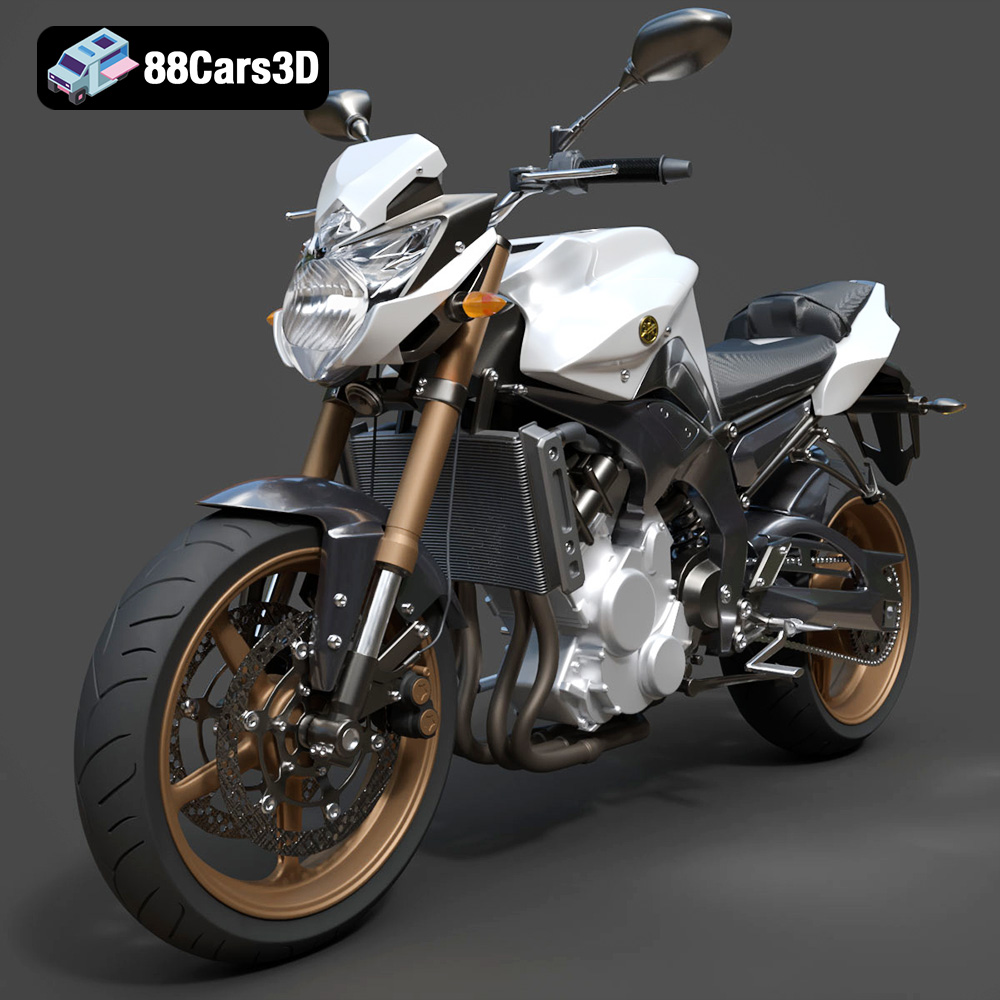
Texture: Yes
Material: Yes
Download the Yamaha FZ8 2011 3D Model featuring clean geometry, realistic detailing, and a fully modeled interior. Includes .blend, .fbx, .obj, .glb, .stl, .ply, .unreal, and .max formats for rendering, simulation, and game development.
Price: $19.99
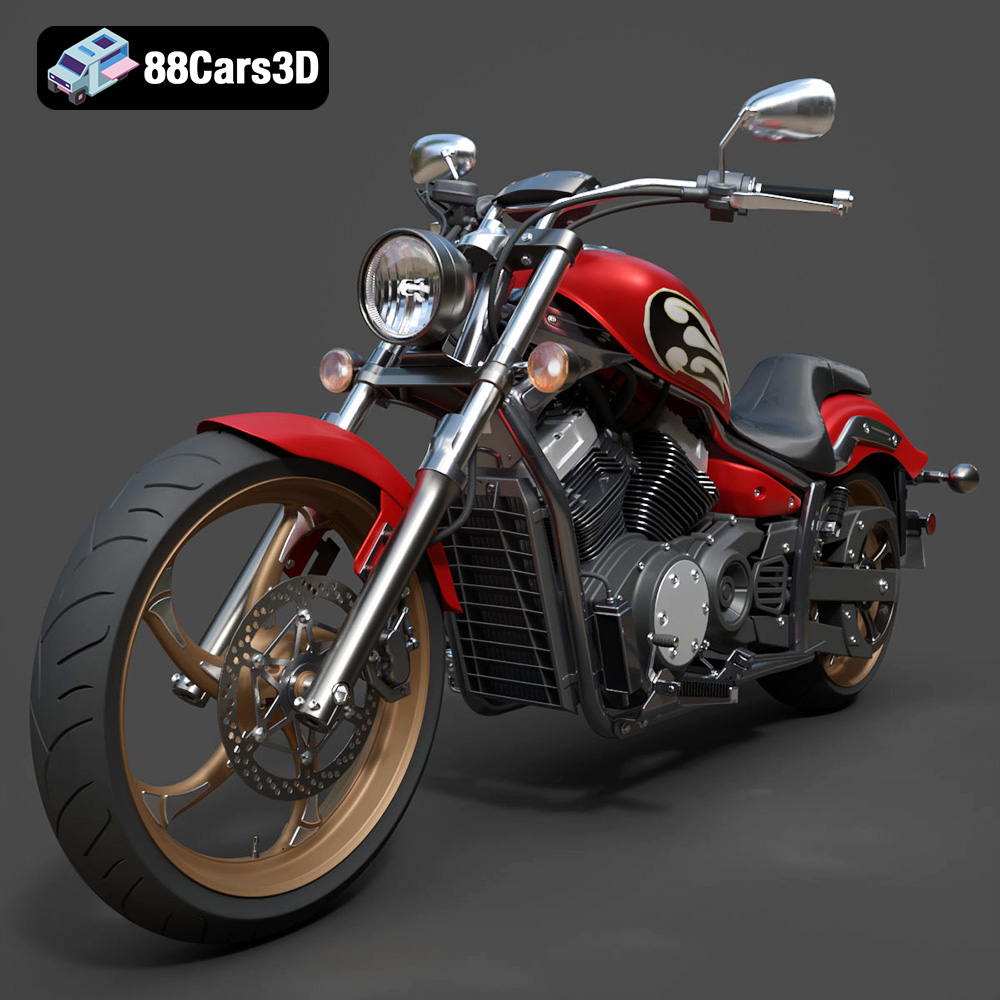
Texture: Yes
Material: Yes
Download the Yamaha Stryker 2012 3D Model featuring clean geometry, realistic detailing, and a fully modeled interior. Includes .blend, .fbx, .obj, .glb, .stl, .ply, .unreal, and .max formats for rendering, simulation, and game development.
Price: $19.99
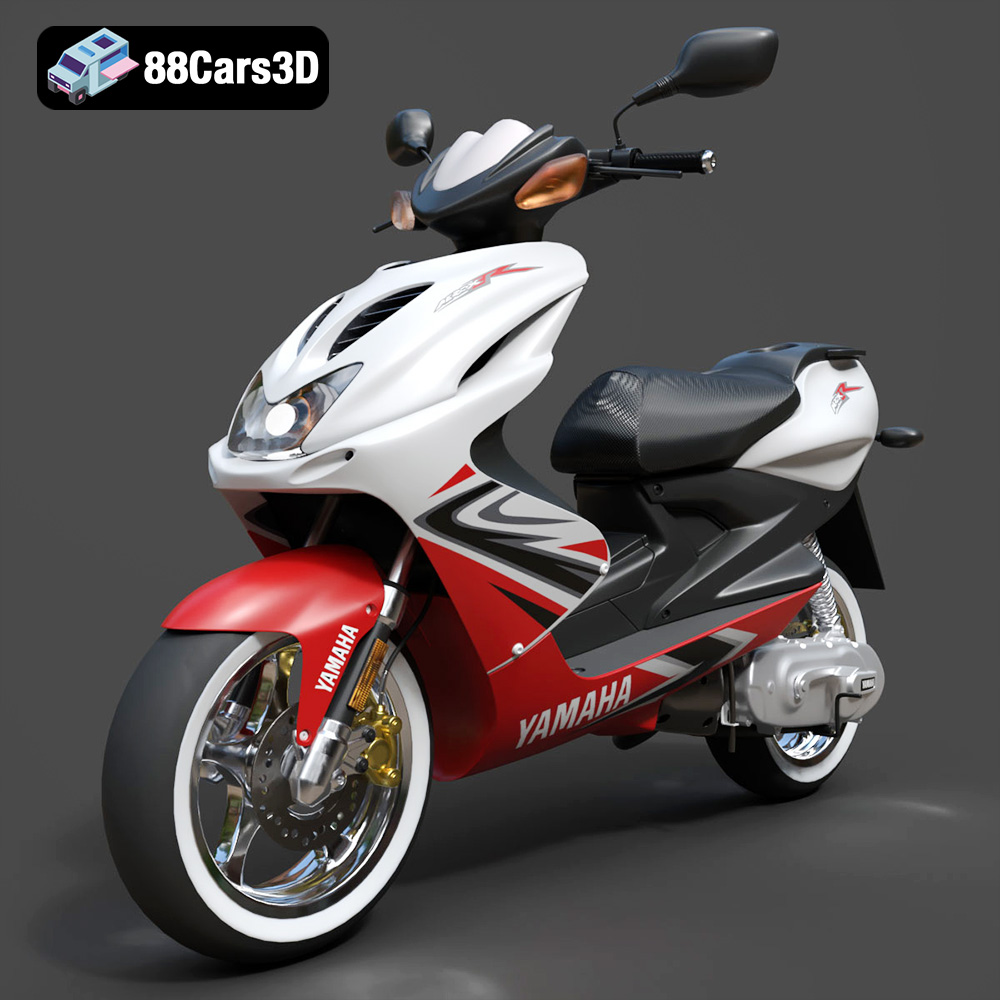
Texture: Yes
Material: Yes
Download the Yamaha Aerox R-002 2024 3D Model featuring clean geometry, realistic detailing, and a fully modeled interior. Includes .blend, .fbx, .obj, .glb, .stl, .ply, .unreal, and .max formats for rendering, simulation, and game development.
Price: $19.99
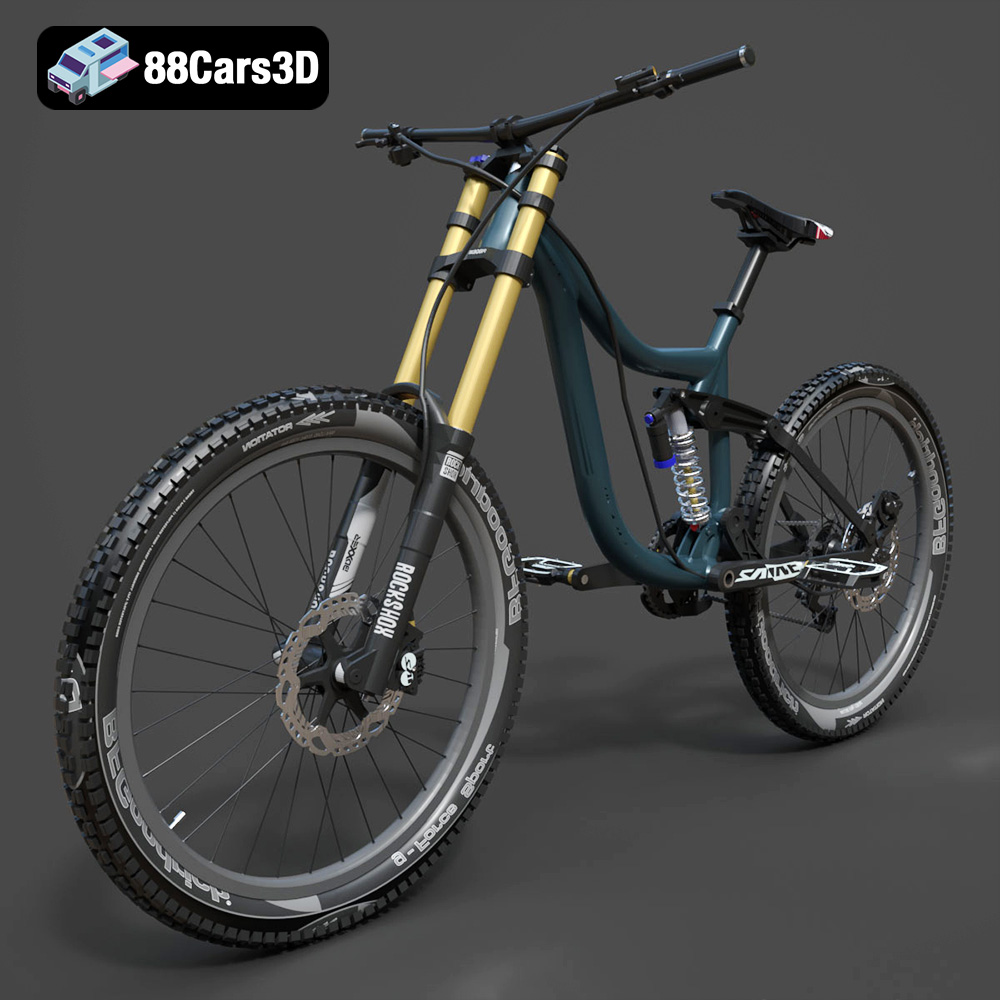
Texture: Yes
Material: Yes
Download the Mototsikly Downhill Bike-002 3D Model featuring clean geometry, realistic detailing, and precise mechanical components. Includes .blend, .fbx, .obj, .glb, .stl, .ply, .unreal, and .max formats for rendering, simulation, and game development.
Price: $19.99
Texture: Yes
Material: Yes
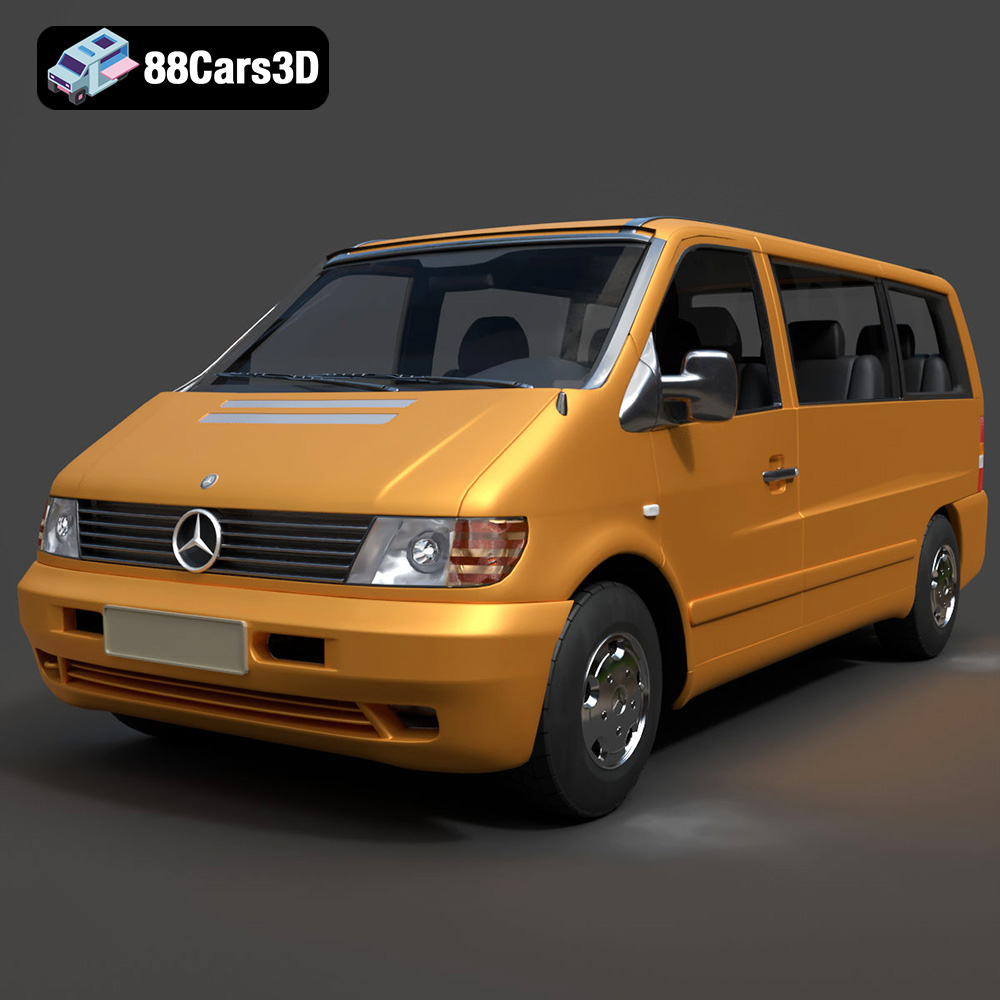
Download the Mercedes-Benz Vito Passenger Van 3D Model featuring clean geometry, realistic detailing, and a fully modeled interior. Includes .blend, .fbx, .obj, .glb, .stl, .ply, .unreal, and .max formats for rendering, simulation, and game development.
Price: $19.99
Texture: Yes
Material: Yes
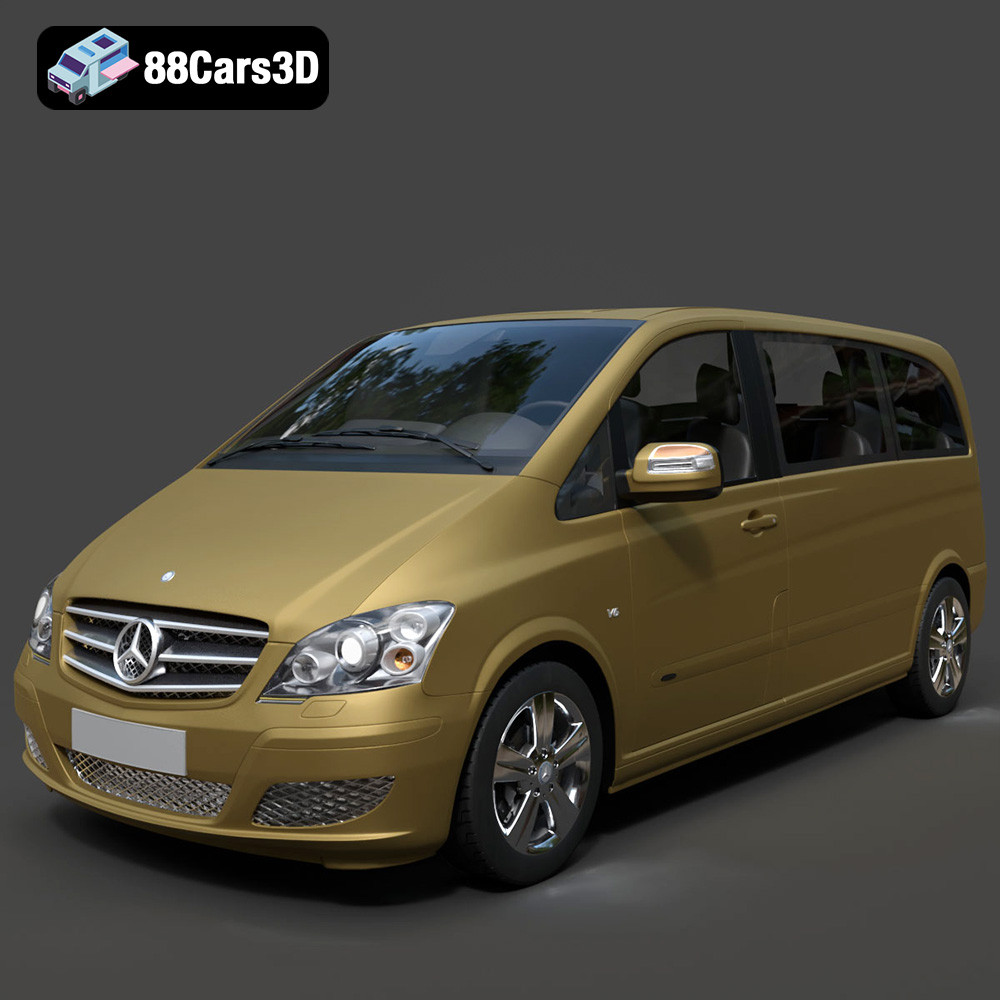
Download the Mercedes-Benz Viano 2010 3D Model featuring clean geometry, realistic detailing, and a fully modeled interior. Includes .blend, .fbx, .obj, .glb, .stl, .ply, .unreal, and .max formats for rendering, simulation, and game development.
Price: $19.99

Texture: Yes
Material: Yes
Download the Emt Avtobus 007 3D Model featuring clean geometry, realistic detailing, and a fully modeled interior. Includes .blend, .fbx, .obj, .glb, .stl, .ply, .unreal, and .max formats for rendering, simulation, and game development.
Price: $19.99
Texture: Yes
Material: Yes
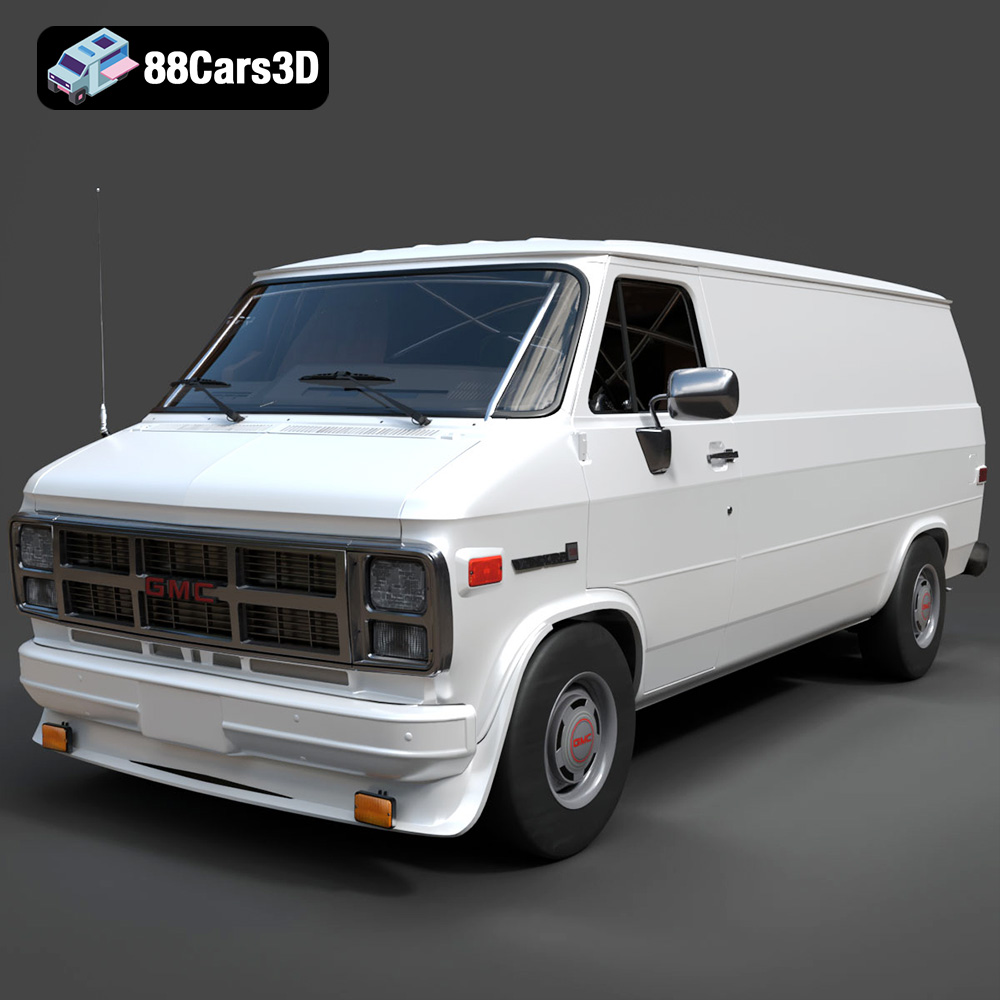
Download the GMC Vandura G-1500 1983 3D Model featuring clean geometry, realistic detailing, and a fully modeled interior. Includes .blend, .fbx, .obj, .glb, .stl, .ply, .unreal, and .max formats for rendering, simulation, and game development.
Price: $19.99

Texture: Yes
Material: Yes
Download the Ford E-450 Ambulance 3D Model featuring clean geometry, realistic detailing, and a fully modeled interior. Includes .blend, .fbx, .obj, .glb, .stl, .ply, .unreal, and .max formats for rendering, simulation, and game development.
Price: $19.99

