Get 20% OFF All Premium 3D & STL Models!

In the dynamic world of 3D visualization, simulation, and game development, the demand for high-fidelity, optimized 3D car models is ever-present. From the subtle glint of chrome on a luxury sedan in an advertising campaign to the bustling traffic in a sprawling open-world game, realistic vehicles are crucial for grounding digital environments in reality. Urban landscapes, in particular, rely heavily on accurate representations of common transport. This is where specialized assets, like the professional Generic Mini-Bus 3D Model, become indispensable tools for professionals across various industries.
The journey from concept to final render or in-game asset is paved with intricate technical considerations. Artists and developers constantly seek assets that not only look good but also perform efficiently and integrate seamlessly into diverse pipelines. A robust 3D model offers more than just visual appeal; it provides a foundational building block for complex scenes, interactive experiences, and accurate simulations. Whether you’re an architectural visualizer populating a street scene, a game developer crafting immersive urban environments, or an animator bringing stories to life, the quality of your 3D car models can significantly impact the final product’s realism and overall impact. Understanding the nuances of these assets and the file formats they come in is the first step towards unlocking their full potential.
The choice of file format for a 3D model is far more than a mere technicality; it dictates compatibility, optimizes workflow efficiency, and directly influences how an asset can be utilized across different software and platforms. Professionals need to be acutely aware of the strengths and ideal use cases for each format to ensure smooth project execution and optimal performance. The Generic Mini-Bus 3D Model, for instance, comes with a comprehensive suite of formats, catering to virtually any professional need.
The .blend format is Blender’s native file type, offering a complete and fully editable scene. When you receive a .blend file, you’re not just getting the mesh; you’re getting the entire Blender project. This includes lights, cameras, scene settings, animations, modifiers, and most importantly, the native materials often set up for Cycles or Eevee rendering. For Blender users, this is the most flexible format, allowing for deep customization, rigging adjustments, and direct access to the clean, quad-dominant topology of models like the Mini-Bus, ensuring smooth subdivisions and deformations. It’s ideal for artists who want to integrate the model directly into a Blender-centric workflow and leverage Blender’s powerful toolset.
.fbx (Filmbox) is arguably the most widely adopted format for exchanging 3D data between different software applications and game engines. Developed by Autodesk, it excels at preserving critical data such as geometry (meshes), materials, textures, animations (including skeletal animation and blend shapes), cameras, and lights. Its robust nature makes it the go-in-hand format for pipelines involving Unreal Engine, Unity, 3ds Max, Maya, and Cinema 4D. For a model like the Generic Mini-Bus, an .fbx file ensures that the logically organized hierarchy, properly set pivots, and efficient UV mapping are maintained, making it incredibly easy to import and set up in real-time environments or for complex animation sequences.
The .obj (Wavefront OBJ) format is a universal standard renowned for its simplicity and wide compatibility. It primarily stores geometry data, including vertices, normals, UV coordinates, and faces. While it can reference external material files (.mtl), it doesn’t embed materials or animations directly within the file itself. This makes it an excellent choice for basic mesh exchange when maximum cross-software compatibility is required, or when you intend to rebuild materials from scratch in your target application. The Mini-Bus’s .obj version provides a clean base mesh, suitable for almost any 3D software for rendering or further modeling tasks.
.glb (GL Transmission Format Binary) is the binary version of glTF, a modern, open-standard format specifically designed for efficient transmission and loading of 3D scenes and models by engines and applications. It packages geometry, materials, textures, and even animations into a single, self-contained file. Its compact size and ease of parsing make it exceptionally well-suited for augmented reality (AR), virtual reality (VR), and web-based 3D viewers. Using the .glb version of the Mini-Bus simplifies integration into web AR experiences or immersive VR simulations, ensuring optimized performance and quick loading times.
.stl (Stereolithography) is the de facto standard for 3D printing and rapid prototyping. It describes only the surface geometry of a 3D object as a collection of unconnected triangular facets. It does not carry color, texture, or material information. While simplistic, its widespread adoption by 3D printers and slicing software makes it indispensable for physical output. Converting the Generic Mini-Bus 3D Model to .stl allows for the creation of high-fidelity physical scale models, perfect for design reviews, educational tools, or unique desk ornaments.
The .ply (Polygon File Format or Stanford Triangle Format) is another format for storing 3D data, particularly useful for scanned data and high-precision meshes. It can store a wider range of properties for each vertex and face, including color, transparency, normals, and even confidence values or other data attributes. While not as universally used for general asset exchange as .fbx or .obj, it finds its niche in scientific visualization, CAD workflows, and applications requiring precise geometric analysis. For specialized simulations or reverse engineering workflows, the Mini-Bus’s .ply format offers robust data integrity.
The .unreal format, or more accurately, an Unreal Engine project setup, refers to assets pre-configured and organized within an Unreal Engine project structure. This typically includes properly imported static meshes, physically based rendering (PBR) materials, LODs (Levels of Detail), and potentially even basic Blueprints for interactive elements. This format is a massive time-saver for game developers, as it bypasses the manual import and setup process, providing an engine-ready asset that can be dragged and dropped into a scene. The Generic Mini-Bus 3D Model provided as an Unreal Engine project ensures immediate integration and optimized performance within this powerful real-time environment.
Lastly, the .max format is the native file type for Autodesk 3ds Max, a leading software in architectural visualization, animation, and game development. A .max file encapsulates the entire scene, including all geometry, modifiers, materials, textures, lights, cameras, animation data, and rendering settings (like V-Ray or Corona configurations). For professionals working within 3ds Max, this format offers the most control and flexibility for further refinement, animation, or rendering. The Mini-Bus’s .max file provides an editable project, allowing artists to leverage 3ds Max’s robust toolset for high-end rendering and detailed scene composition.
Beyond file formats, the intrinsic quality of a 3D model dictates its utility and longevity in a professional pipeline. A truly professional asset, such as the Generic Mini-Bus 3D Model available at 88cars3d.com, is built on a bedrock of technical excellence, ensuring both visual fidelity and optimal performance.
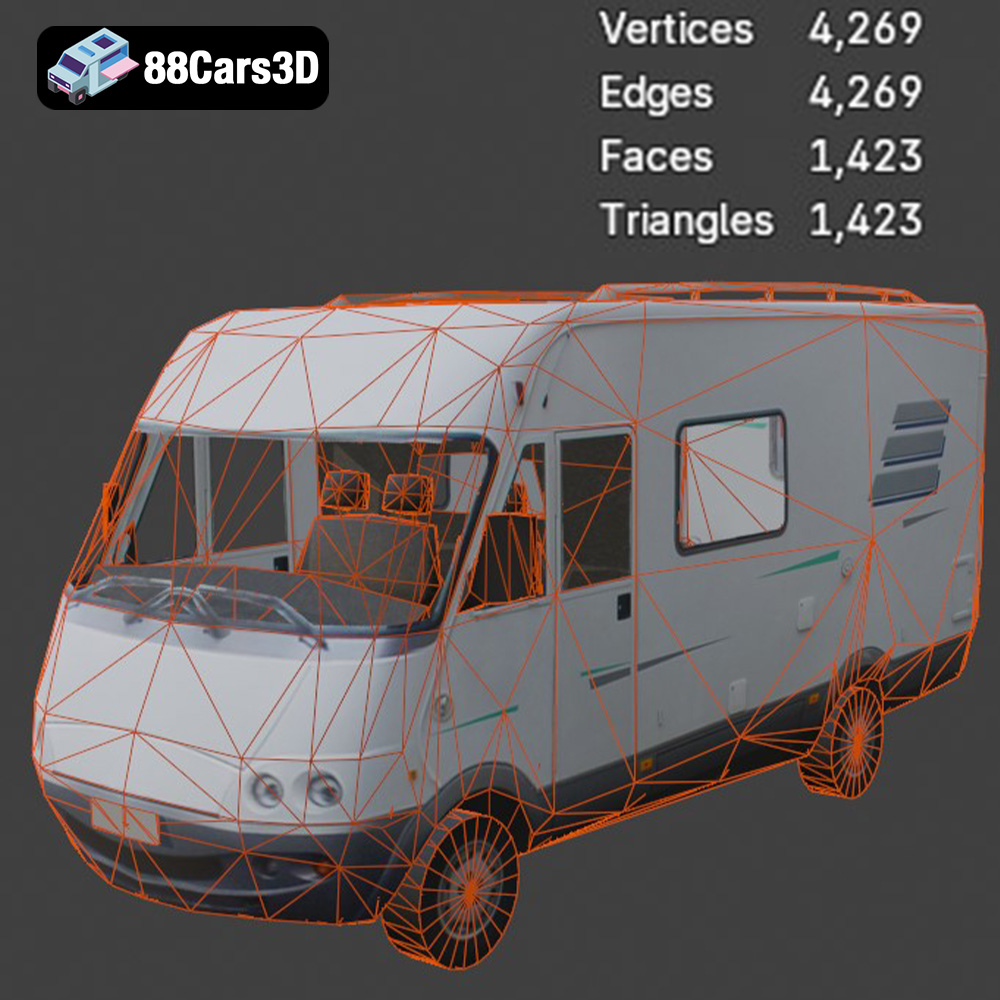
The cornerstone of a high-quality 3D model is its topology. Clean, quad-dominant geometry, as found in the Mini-Bus model, ensures smooth subdivisions, predictable deformations during animation, and ease of modification. Triangles are minimized where possible, and polygons are evenly distributed, avoiding stretched or compressed faces. This meticulous attention to mesh integrity is crucial for sub-D workflows and achieving photorealistic renders without artifacts. Furthermore, accurate real-world scale is paramount for seamless integration into existing scenes, architectural visualizations, or simulations where dimensional precision is critical. The Mini-Bus is designed to a precise scale, eliminating the need for tedious scaling adjustments upon import.
For any model intended for animation, a well-structured scene hierarchy and correctly set pivot points are non-negotiable. The Mini-Bus model is built with a logically organized hierarchy, meaning components like doors, wheels, steering wheel, and suspension elements are grouped and parented correctly. This structure is essential for rigging, allowing animators to easily select and manipulate individual parts without affecting the entire model. Properly set pivots, located at the rotational center of each animated part, ensure that rotations and translations behave as expected, saving countless hours in the animation process for tasks like opening doors or rotating wheels.
Texture application relies entirely on effective UV mapping. The Mini-Bus features efficient UV mapping, which means the 2D representation of its 3D surface is clean, free of overlaps, and optimized for straightforward texture painting and application. This not only simplifies the texturing process but also ensures optimal texture resolution and avoids distortion. When combined with physically based rendering (PBR) materials, which simulate how light interacts with surfaces in the real world (using maps like Albedo, Normal, Roughness, Metalness), the result is truly photorealistic. The materials provided with the Mini-Bus are designed to be PBR-ready, allowing artists to achieve stunning visual effects with minimal setup.
The versatility of a well-crafted 3D asset like the Generic Mini-Bus makes it invaluable across a multitude of professional domains. Its optimized geometry and detailed features open doors to diverse applications, from marketing to simulation.
In high-end automotive rendering, precision and aesthetic appeal are paramount. The Mini-Bus serves as an excellent vehicle for creating stunning studio renders, marketing visuals, or cinematic sequences. Its detailed exterior (headlights, taillights, roof-mounted AC) and customizable paint finishes allow artists to craft bespoke scenarios, whether it’s for a product launch or a promotional video. For architectural visualization, populating urban scenes with realistic traffic is crucial for believability. Integrating the Mini-Bus into renderings of cityscapes, bus stops, or commercial districts instantly adds life and context, enhancing the client’s understanding of the proposed environment. Its real-world scale ensures it fits perfectly into street layouts, and its optimized poly count allows for efficient rendering even in complex scenes.
The demands of game development are unique, balancing visual fidelity with performance optimization. The Generic Mini-Bus 3D Model, with its clean topology, efficient UVs, and multiple engine-ready formats (like .fbx and .unreal), is an ideal game asset. It can serve as a reliable vehicle for open-world environments, city simulators, racing games, or even as a prop in interactive training modules. Its separated components for animation (doors, wheels) simplify rigging for in-game mechanics, while optimized geometry ensures smooth framerates. Developers can easily modify liveries and graphics to match specific game factions or municipal transport systems, making it highly adaptable for various game design needs.
Augmented Reality (AR) and Virtual Reality (VR) thrive on immersive, low-latency experiences. The .glb format of the Mini-Bus is specifically tailored for these environments, offering an optimized, single-file solution for quick loading and efficient rendering on mobile devices or VR headsets. Imagine using the Mini-Bus in an AR app that visualizes urban planning changes or in a VR simulation for driver training, where realism is key to effective learning. Its optimized performance makes it suitable for real-time interaction, allowing users to explore or even operate the vehicle within an immersive digital space.
A professional 3D model isn’t just about its appearance; it’s about how easily it integrates into existing professional workflows. The Generic Mini-Bus 3D Model is designed for seamless use across industry-standard software, demonstrating its value in practical scenarios.
For artists working in architectural visualization or high-fidelity product rendering, 3ds Max remains a dominant force. The provided .max file for the Mini-Bus is a complete scene, ready for immediate use. Users can import it, set up V-Ray or Corona Renderer materials, adjust lighting, and create stunning photorealistic renders. The logically organized hierarchy means modifying the model, applying custom textures, or even adding subtle animations (like a door opening for a cinematic shot) is straightforward. Its clean topology responds beautifully to subdivision modifiers, allowing for incredibly smooth surfaces for close-up shots.
Blender’s open-source nature and powerful capabilities have made it a favorite for many indie developers and artists. The .blend file for the Mini-Bus offers full flexibility, allowing users to dive into the model’s structure, tweak materials, or re-rig components if needed. Artists can leverage Blender’s Cycles or Eevee render engines to produce beautiful visuals, or integrate the model into a game project developed entirely within Blender. The clean quad topology is perfectly suited for Blender’s modeling and sculpting tools, providing a solid foundation for any further artistic modifications or optimizations.
Unreal Engine is at the forefront of real-time rendering and interactive experiences. The dedicated .unreal asset for the Mini-Bus provides an optimized, engine-ready package, drastically cutting down on setup time. Developers can simply import the asset into their Unreal project, and it will likely come with pre-configured PBR materials, proper scaling, and potentially even LODs for performance optimization. This allows for quick integration into open-world maps, interactive simulations, or virtual production pipelines, enabling developers to focus on gameplay mechanics and environmental storytelling rather than asset preparation.
A static model, no matter how detailed, limits creative possibilities. The Generic Mini-Bus 3D Model is built with customization in mind, providing artists with the flexibility to adapt it to specific project requirements and achieve unparalleled realism.
The ability to easily change paint finishes, apply custom liveries, or integrate brand graphics is crucial for many projects. Whether it’s replicating a specific public transport scheme for a city simulation, designing a unique corporate shuttle for an architectural visualization, or creating distinct faction vehicles for a game, the Mini-Bus’s efficient UV mapping and material setup facilitate these changes. Artists can quickly swap out texture maps for different colors, add decals for logos or advertisements, and even simulate wear and tear to match the narrative context of their scene.
The realism of a 3D model often hinges on its materials. The Mini-Bus’s PBR-ready materials allow for precise control over properties like metalness, roughness, specularity, and transparency. This means artists can simulate various types of metal (polished chrome vs. brushed aluminum), different grades of glass (tinted vs. clear), or the subtle textures of rubber and plastic components. Adjusting these properties can dramatically alter the vehicle’s appearance, enabling a wide range of visual styles, from a brand-new showroom finish to a weather-beaten urban workhorse.
Beyond the model itself, the interaction of light with its surfaces is what truly brings it to life. With the Mini-Bus, artists can experiment with diverse lighting setups to create different atmospheric renders. Simulate a bright, sunny day with crisp shadows, a dramatic sunset casting long, warm hues, or a moody night scene illuminated by streetlights and the vehicle’s own detailed headlights. The transparent materials for lights and windows are designed to react realistically to light sources, enhancing the overall realism and cinematic quality of any scene it inhabits.
In a marketplace flooded with digital assets, the discerning professional understands the value of quality and reliability. Choosing a trusted source like 88cars3d.com for your 3D car models, including the versatile Generic Mini-Bus, ensures you receive assets that meet rigorous industry standards.
Developing a high-quality 3D model from scratch is a labor-intensive and costly endeavor. Sourcing pre-made, professional assets saves significant time and resources, allowing teams to focus on core project development rather than basic asset creation. The cost-effectiveness of purchasing a meticulously crafted model like the Mini-Bus far outweighs the expense of in-house development, especially when considering the multiple included file formats that cater to various pipelines.
When you acquire a 3D model from a reputable marketplace like 88cars3d.com, you’re not just buying a file; you’re investing in guaranteed quality. These models undergo rigorous checks for clean topology, accurate scale, efficient UVs, and proper hierarchy. This eliminates the uncertainty often associated with free or lower-quality assets, ensuring that what you receive is production-ready. Furthermore, reliable platforms typically offer support, providing peace of mind should any integration issues or questions arise.
The Generic Mini-Bus 3D Model exemplifies this commitment to excellence, offering unparalleled professional quality and versatility. It’s an essential asset for any digital project requiring a detailed and functional urban transport vehicle, ready to integrate into your next masterpiece.
The digital landscape is constantly evolving, with increasing demands for realism, efficiency, and versatility in 3D content creation. High-quality 3D car models are not merely decorative elements but critical components that drive immersion, functionality, and visual excellence across various industries. From architectural visualization and game development to AR/VR experiences and detailed simulations, the technical prowess embedded in a well-crafted asset is paramount.
The Generic Mini-Bus 3D Model stands as a testament to this principle, offering a robust, optimized, and highly versatile solution for professionals. Its clean topology, accurate real-world scale, organized hierarchy, and efficient UV mapping ensure seamless integration and exceptional performance in any pipeline. Coupled with its availability in a comprehensive range of industry-standard file formats—from .blend and .max for comprehensive studio work to .fbx and .unreal for game engines, and even .glb for web-based AR/VR, and .stl for 3D printing—it empowers artists and developers to achieve their creative visions without technical bottlenecks. Investing in professional 3D assets from platforms like 88cars3d.com is not just a purchase; it’s a strategic decision that accelerates workflows, elevates visual quality, and ensures the reliability needed for today’s demanding digital productions.
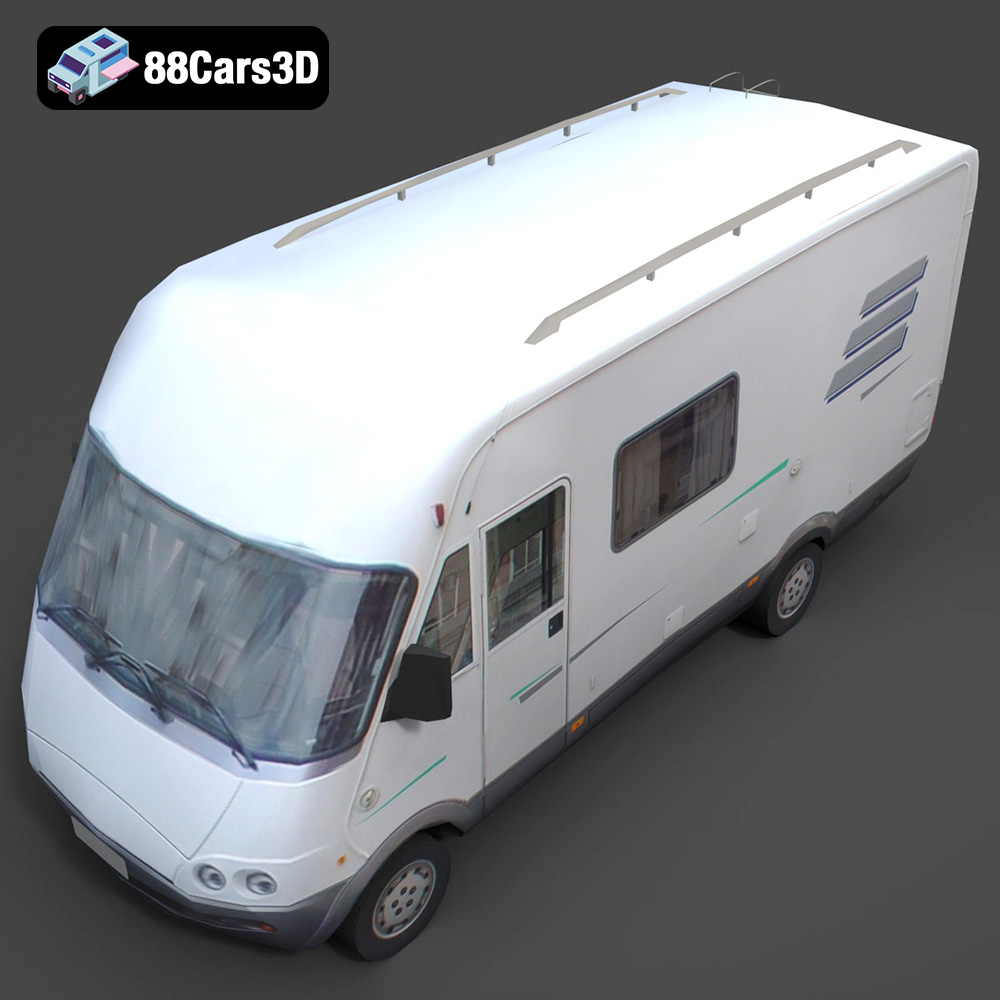
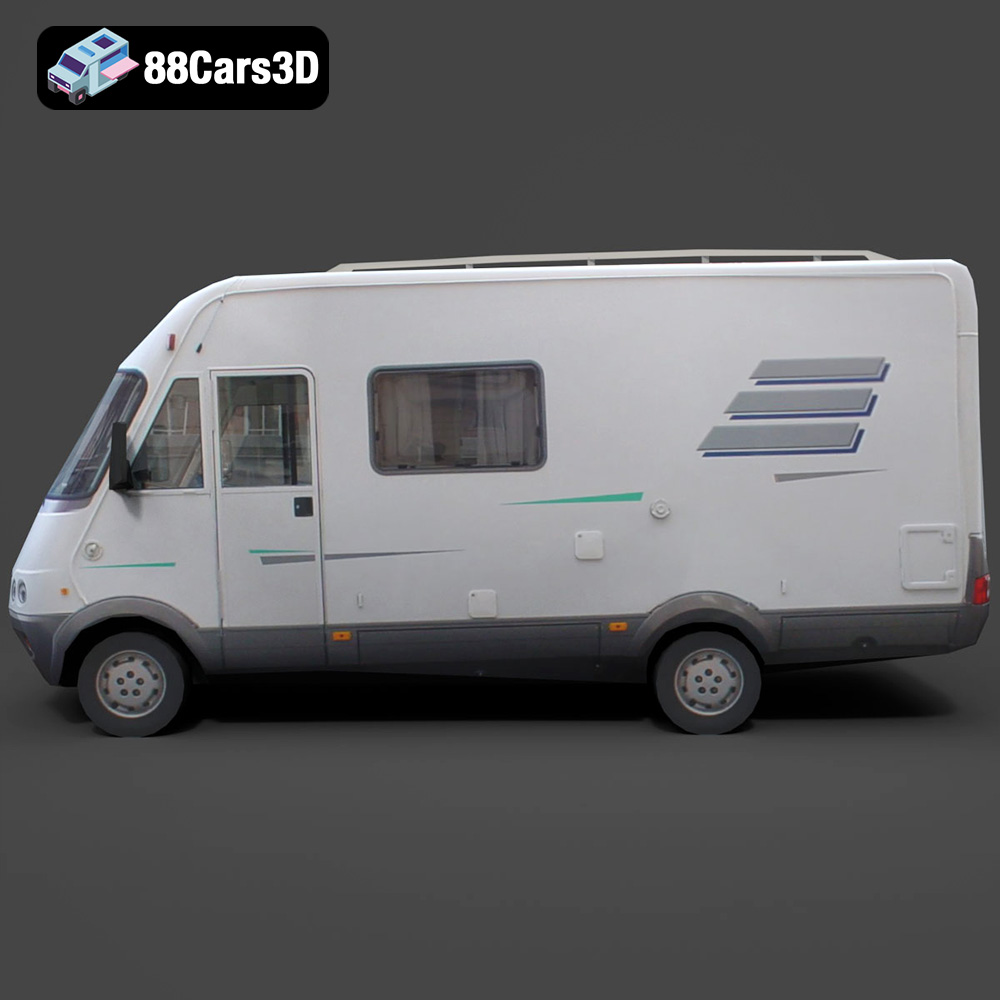
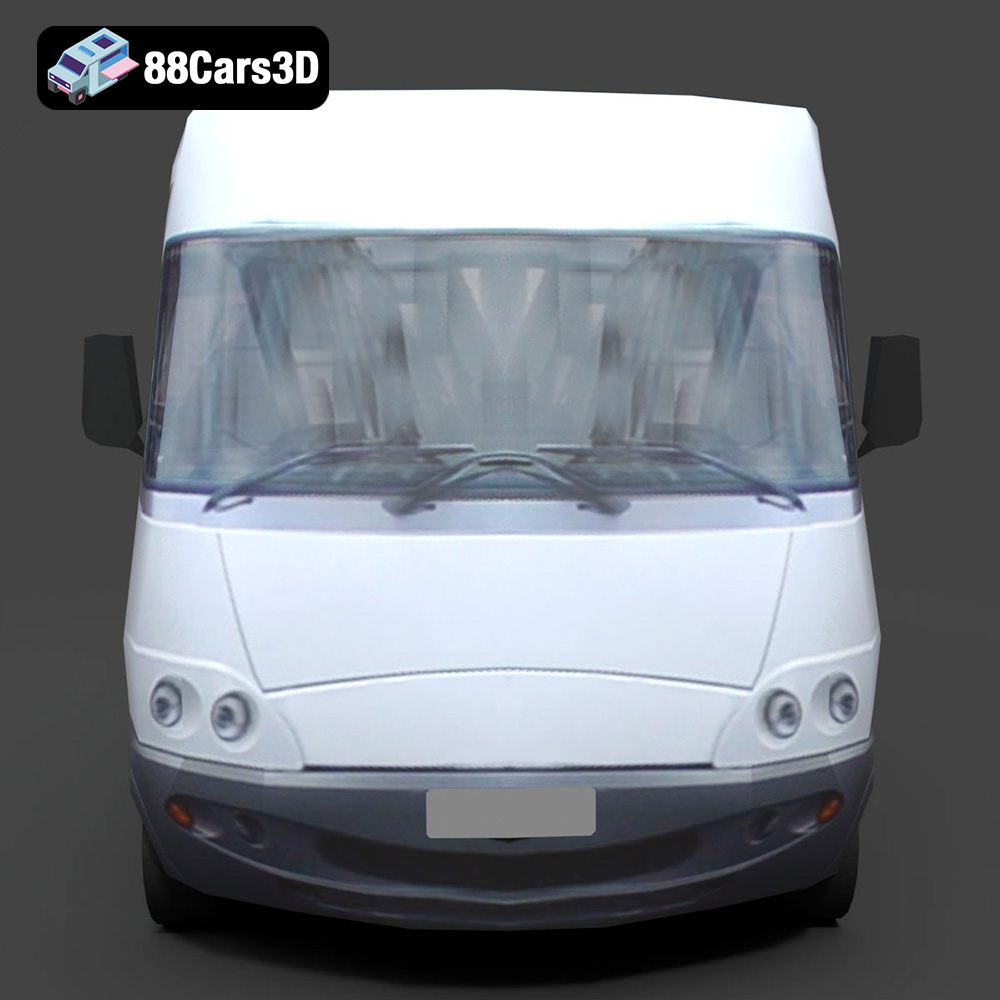
Experience the versatility and efficiency of our professional 3D model of a Mini-Bus. Designed with urban transport and passenger services in mind, this model features a clean, optimized geometry suitable for a wide range of applications. With balanced detailing and a realistic representation, it’s perfect for high-quality rendering, intricate animations, detailed simulations, and robust game development.
Exterior Features:
Interior / Mechanical Features:
Technical Advantages:
Applications:
Customization Options:
This Mini-Bus 3D model offers unparalleled professional quality and versatility, making it an essential asset for any digital project requiring a detailed and functional urban transport vehicle.
Included File Formats:
Tags:
.minibus.bus.van.commercialvehicle.rendering.simulation.gameasset.arvr.blend.fbx.obj.glb.stl.ply.unreal.max
$21.99