

Revolutionizing Digital Worlds: The Art of High-Fidelity 3D Models in Professional Production
In the expansive and ever-evolving landscape of 3D visualization, the demand for exceptionally crafted assets is paramount. From breathtaking cinematic sequences and immersive game environments to precise architectural walkthroughs and cutting-edge AR/VR experiences, the quality of a 3D model directly impacts the final output’s realism and effectiveness. Professionals across industries understand that foundational assets, especially those representing real-world objects, must exhibit meticulous attention to detail, robust technical construction, and broad compatibility.
At the heart of this digital craftsmanship lies the ability to translate physical objects into their virtual counterparts with unparalleled accuracy. This isn’t just about aesthetics; it’s about engineering. Every curve, every joint, every surface texture contributes to the believability and functional integrity of the model within its intended application. Whether it’s a sleek sports car or a finely tuned two-wheeler, the principles of high-quality 3D asset creation remain consistent.
Today, we delve into the world of precision 3D modeling through the lens of a remarkable example: the Bicycle 3D Model available on 88cars3d.com. This asset is a testament to what modern 3D modeling can achieve, offering a perfect blend of artistic realism and technical versatility. Designed for a diverse range of applications, from intricate rendering projects and dynamic game development to interactive AR/VR scenarios and detailed simulations, this model provides a professional-grade foundation for countless creative endeavors. Its clean geometry, balanced detail, and comprehensive file format support make it an indispensable tool for artists and developers aiming for visual excellence and seamless integration.
Understanding 3D Model File Formats: The Backbone of Digital Asset Exchange
The versatility of a 3D model often hinges on the range and quality of its included file formats. Each format serves a specific purpose, offering advantages for different stages of a project or diverse software environments. For a comprehensive asset like the Bicycle 3D Model, understanding these formats is key to unlocking its full potential across various professional workflows. Here’s a breakdown of the critical file types provided, and when to leverage each:
.blend – The Native Blender Powerhouse
The .blend format is the native file type for Blender, a popular open-source 3D creation suite. When you receive a .blend file, you’re getting the complete Blender scene, including the model, all associated materials, textures, lighting setups, and even animation rigs. This offers maximum editability and flexibility for Blender users. For the Bicycle 3D Model, this means artists can dive directly into the scene, modify frame colors, adjust material shaders, re-rig components, or expand upon existing animations with ease. It’s ideal for those who primarily work in Blender and require full access to the original project structure.
.fbx – The Universal Pipeline Bridge
.fbx (Filmbox) is arguably one of the most widely used proprietary 3D file formats, especially within game development and animation pipelines. Developed by Autodesk, it excels at transferring 3D model data, including geometry, materials, textures, skeletal animation, and rigging information, between different software packages. Its robust nature makes it an excellent choice for importing the Bicycle 3D Model into engines like Unreal Engine and Unity, or into other DCC (Digital Content Creation) tools like Maya, 3ds Max, or Cinema 4D. It maintains a good balance between data fidelity and compatibility, making it a go-to for complex scene transfers.
.obj – The Cross-Software Standard Bearer
The .obj (Wavefront OBJ) format is a universal, open standard for geometry definition. It primarily stores vertex data, face definitions, UV coordinates, and normals, making it highly compatible with nearly all 3D software. While it doesn’t typically store animation or complex material setups directly (it usually references external .mtl files for materials), its strength lies in its simplicity and widespread support. For the Bicycle 3D Model, an .obj file ensures that even if you’re using niche software or need a simple mesh for sculpting or retopology, you’ll have a clean, accessible starting point. It’s a foundational format for cross-software interoperability.
.glb – The AR/VR and Web-Optimized Solution
.glb (GLB format, derived from GL Transmission Format – glTF) is a relatively newer format gaining immense popularity, especially for web-based 3D applications, AR (Augmented Reality), and VR (Virtual Reality). It’s designed to be a “transmission format,” efficiently delivering 3D models with all their associated data (geometry, materials, textures, animations) in a single, self-contained file. This makes it incredibly fast to load and render in browser environments or mobile AR/VR applications. The Bicycle 3D Model in .glb format is perfectly optimized for immediate deployment into interactive web viewers or AR experiences, offering streamlined performance and visual quality.
.stl – The 3D Printing Workhorse
.stl (STereoLithography) is the de facto standard file format for 3D printing. It represents a 3D model as a series of connected triangles, describing only the surface geometry without color, texture, or other attributes. For anyone looking to physically manifest the Bicycle 3D Model, the .stl file provides a clean, watertight mesh ready for slicing software and subsequent additive manufacturing. Its simplicity ensures compatibility with virtually every 3D printer and CAD software.
.ply – Precision Mesh for CAD and Analysis
The .ply (Polygon File Format, or Stanford Triangle Format) is another common format for storing 3D data, particularly from 3D scanners. It’s capable of storing a wider range of properties than .obj, including color, transparency, and often normal vectors per vertex or face. While not as universally supported as .obj, it’s particularly valuable in scientific visualization, CAD workflows, and for models that require precise geometric analysis. The Bicycle 3D Model in .ply offers an alternative for highly precise measurements or specialized engineering applications.
.unreal – Engine-Ready for Real-Time Environments
The .unreal format, or more accurately, an Unreal Engine project setup, indicates a deeply integrated asset specifically prepared for Unreal Engine. This isn’t just a raw model; it often includes pre-configured materials, Blueprints, collision meshes, LODs (Levels of Detail), and optimized settings tailored for the engine’s real-time rendering pipeline. For game developers or real-time visualization specialists, having the Bicycle 3D Model supplied as an Unreal Engine-ready asset significantly reduces setup time and ensures optimal performance and visual fidelity within an Unreal project.
.max – The 3ds Max Professional’s Choice
Finally, the .max format is the native file type for Autodesk 3ds Max, a leading software in architectural visualization, animation, and game asset creation. Similar to .blend, a .max file contains the entire scene, including the model, materials, textures, lighting, cameras, and animation data. For 3ds Max users, this provides complete control over the Bicycle 3D Model, enabling complex rendering setups, advanced animation sequences, and seamless integration into existing 3ds Max projects. It’s ideal for those who need to leverage 3ds Max’s robust rendering engines like V-Ray or Corona, or its powerful animation toolset.
The provision of such a comprehensive array of file formats for the Bicycle 3D Model underscores its professional utility, ensuring that no matter your software of choice or project requirement, you have an optimized version ready for immediate use.
Crafting Realism: The Art and Engineering Behind a High-Quality Bicycle 3D Model
Achieving realism in a 3D model goes far beyond simply replicating shapes. It involves a sophisticated interplay of clean geometry, accurate scale, believable materials, and a well-thought-out structural hierarchy. The Bicycle 3D Model from 88cars3d.com exemplifies this philosophy, showcasing how meticulous design choices contribute to both visual fidelity and practical usability.
Topology and Mesh Optimization
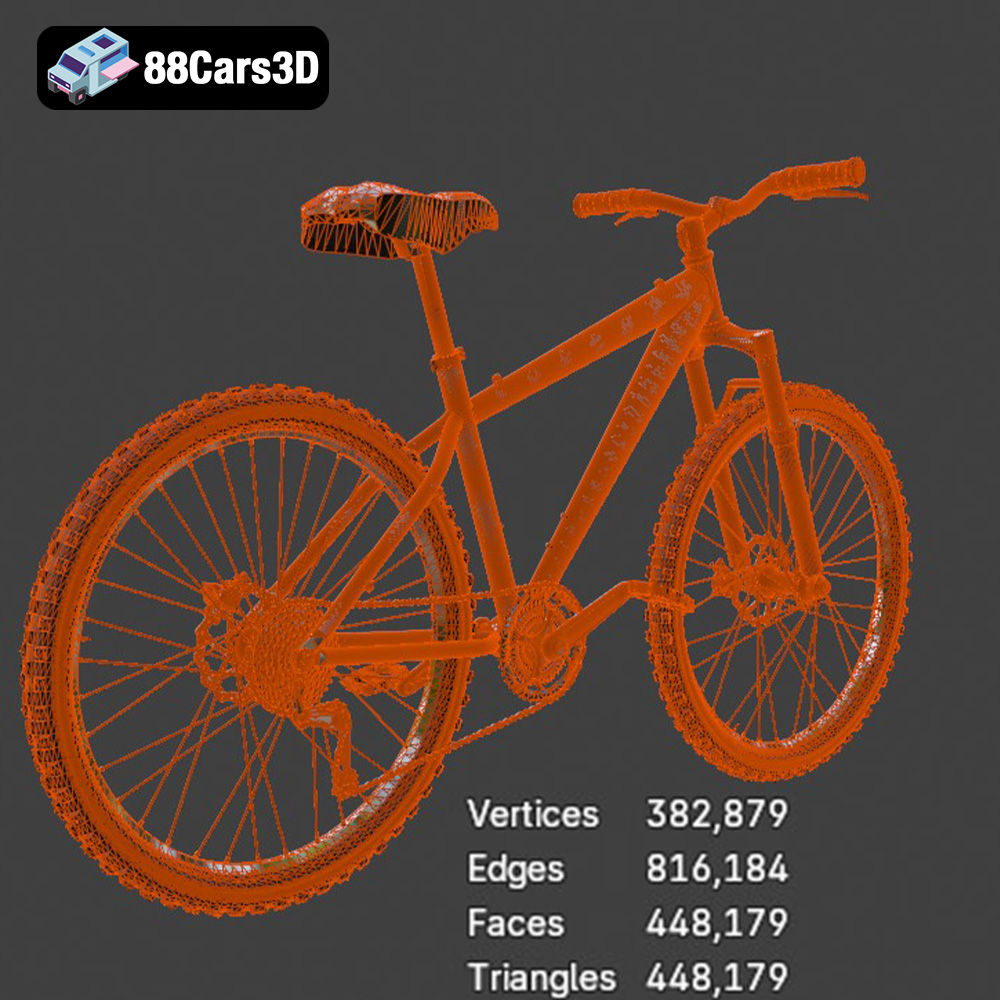
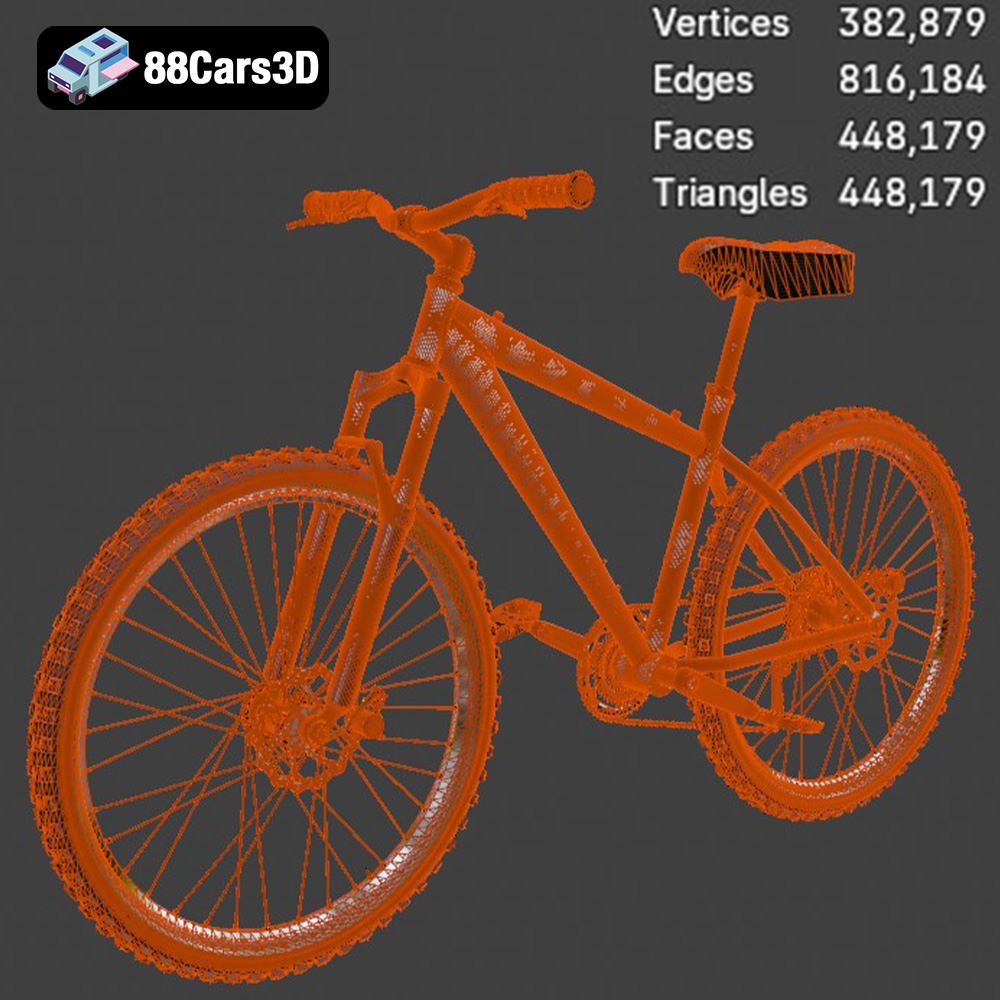
A truly professional 3D model starts with its foundation: the mesh topology. The description highlights “clean, quad-dominant topology for smooth subdivisions and deformations” and “optimized mesh quality for efficient rendering and interaction.” This is critical. Quad-dominant topology (using primarily four-sided polygons) is the gold standard for production-ready assets because it allows for predictable subdivision (smoothing) without artifacts, making the model easily deformable for animation. This optimized mesh quality ensures that whether the bicycle is seen up close in a cinematic render or as one of many objects in a real-time game environment, it maintains visual integrity without bogging down system performance. The balance of detail ensures intricate components like the chain and derailleur are convincing, while overall polygon count remains manageable.
Materiality and Surface Fidelity
Realism is deeply embedded in how light interacts with surfaces. The Bicycle 3D Model includes “high-quality materials simulating metal, rubber, and plastic finishes.” This implies sophisticated PBR (Physically Based Rendering) materials, which accurately represent how different substances reflect and absorb light in the real world. Whether it’s the subtle sheen of painted metal on the frame, the matte texture of the rubber tires, or the slight reflectivity of plastic components, these materials are crucial for grounding the model in reality. The ability to “easily modify frame colors, tire sidewall colors, and handlebar grips” further enhances customization, allowing artists to tailor the model to specific aesthetic requirements or branding guidelines.
Rigging for Dynamic Motion and Interaction
A static model is only half the story. For applications like animation, game development, and simulation, a model needs to be ready for movement. The “well-organized hierarchy with proper pivot points for animation and rigging” and “separated components for ease of animation (e.g., rotating wheels, steering handlebars)” are vital technical advantages. This means the model is prepped for animators to quickly rig and create realistic motion – wheels spin correctly on their axles, handlebars turn from the stem, and pedals rotate. This foresight in asset construction significantly reduces production time and effort, making the Bicycle 3D Model a truly production-ready asset for dynamic scenes.
Professional Workflows: Integrating the Bicycle 3D Model into Production
The true measure of a high-quality 3D model lies in its seamless integration into diverse professional workflows. The Bicycle 3D Model from 88cars3d.com is designed with this versatility in mind, making it an invaluable asset for a multitude of industries.
Cinematic Rendering and Architectural Visualization
For rendering and visualization specialists, accuracy and aesthetic quality are paramount. This bicycle 3D model excels here, offering “authentic frame design with realistic tubing and connections” and “fully detailed wheels, spokes, tires, and hubs.” In architectural visualization, a realistic bicycle can add life and narrative to an otherwise sterile scene, populating urban environments or residential spaces with believable everyday objects. For cinematic renders, where every detail is scrutinized, the “visible brake calipers and cables” and “pedals with defined tread patterns” ensure close-up shots hold up under the highest fidelity demands. Artists can import the .max or .blend files into their respective software, set up studio lighting, and achieve stunning, photorealistic results that enhance any digital narrative.
Game-Ready Assets for Interactive Environments
In game development, the challenge is balancing visual fidelity with performance. The Bicycle 3D Model is described as “optimized for use in racing games, open-world environments, and interactive simulations as a high-quality game asset.” Its “clean, quad-dominant topology” and “optimized mesh quality” are ideal for real-time engines like Unreal and Unity. With the included .fbx and .unreal formats, developers can quickly drop the model into their game engine, apply game-specific materials, set up collision meshes, and implement interactive elements like player control or AI pathfinding. The pre-separated components for animation also streamline the process of integrating it into physics-based vehicle systems or character animations, making it a robust game asset.
Preparing for AR/VR and 3D Printing
The emerging fields of Augmented Reality (AR) and Virtual Reality (VR) demand models that are both detailed and performant. The .glb format included with the Bicycle 3D Model is specifically “optimized for AR, VR, and web-based visualization,” ensuring efficient loading and smooth interaction in immersive experiences. For designers or hobbyists looking to bring the digital into the physical realm, the .stl format makes the model “suitable for 3D printing output.” This allows for the creation of physical prototypes, scale models, or even decorative pieces, bridging the gap between virtual design and tangible reality with ease and precision.
Beyond the Basics: Customization and Versatility in Digital Projects
A truly professional 3D asset provides more than just a static model; it offers a foundation for endless creative exploration through robust customization options. The Bicycle 3D Model from 88cars3d.com is engineered for this flexibility, empowering artists and designers to adapt it precisely to their project’s unique requirements.
Tailoring Visuals for Specific Scenes
The ability to “easily modify frame colors, tire sidewall colors, and handlebar grips” transforms the generic into the specific. Imagine an architectural visualization needing a bicycle to match a specific brand’s aesthetics, or a game environment requiring faction-specific color schemes. With easily accessible material parameters, artists can quickly adjust the visual properties without complex re-texturing. Furthermore, the option to “adjust material properties for different finishes (e.g., matte, gloss, metallic)” allows for precise control over realism and mood. A vintage bicycle might require a duller, more worn finish, while a modern racing bike demands a high-gloss, metallic sheen. This level of granular control over materiality is crucial for achieving photorealism and artistic expression, allowing the bicycle to seamlessly blend into any rendered scene or interactive environment.
Expanding Use Cases with Modular Design
The “separated components for ease of animation” and “well-organized hierarchy” are not just for movement; they also lend themselves to modularity. While not explicitly stated as modular, a well-organized model allows for individual components to be swapped out or even removed if a project only requires a specific part (e.g., just the wheels for a repair shop scene). This inherent flexibility means the Bicycle 3D Model can be easily adapted for a variety of niche uses beyond its primary purpose. Furthermore, the possibility to “integrate custom branding or graphics onto the frame” opens doors for advertising, product placement, or creating unique in-game assets that reflect specific lore or corporate identities. This adaptability extends the asset’s lifespan and value across multiple projects, demonstrating its long-term utility.
The Value of a Flexible Asset
In fast-paced production environments, time is a critical resource. A 3D model that allows for quick and easy customization translates directly into efficiency and cost savings. Instead of building a new bicycle model for every slightly different requirement, artists can leverage this versatile asset, saving countless hours. This flexibility also fosters creativity, enabling designers to experiment with various looks and feels without being constrained by a rigid, unmodifiable model. The Bicycle 3D Model’s robust design and extensive customization options underscore its value as a premium asset, offering a solid foundation upon which professional projects can confidently build.
Technical Deep Dive: Leveraging Software-Specific Advantages
The inclusion of native project files for key software like 3ds Max, Blender, and a dedicated Unreal Engine setup significantly streamlines professional workflows. These formats are more than just geometry; they encapsulate entire scene data, allowing users to hit the ground running with pre-configured materials, hierarchies, and sometimes even basic animation setups.
Mastering Animation and Rendering in 3ds Max
For users of Autodesk 3ds Max, the provided .max file offers an unparalleled advantage. This native file contains the complete scene, including the meticulously modeled bicycle, its PBR materials, and an optimized object hierarchy with correct pivot points. This means artists can immediately dive into advanced rendering using powerful engines like V-Ray or Corona Renderer, achieving photorealistic results with minimal setup time. The “separated components for ease of animation” are fully exploitable within 3ds Max’s robust animation tools. Animators can quickly link components, apply constraints, and create complex sequences—from a rider cycling through an urban landscape to close-up shots of the drivetrain in motion. The “accurate real-world scale” ensures seamless integration into existing 3ds Max scenes, be it an architectural visualization project or a detailed automotive rendering environment, maintaining consistent proportions with other 3D car models or objects from 88cars3d.com.
Blender’s Procedural Power and Eevee Realism
Blender users benefit immensely from the native .blend file. This asset arrives fully prepared within Blender, complete with materials, textures, and the clean quad-dominant topology essential for smooth subdivision and deformation. Blender’s powerful Cycles renderer can be used to generate stunning, physically accurate images, while its real-time Eevee renderer offers a high-fidelity preview environment for rapid iteration. The procedural capabilities of Blender’s node-based material system can be leveraged to further customize surfaces, adding wear and tear or specific grunge effects to the bicycle. Furthermore, Blender’s animation tools are highly capable, allowing for full exploitation of the model’s pre-configured hierarchy and pivot points to create dynamic rides or cinematic camera movements. The open-source nature of Blender, combined with this high-quality asset, provides an accessible yet powerful pipeline for any creative professional.
Unreal Engine Integration: Level Design and Interactivity
The dedicated .unreal (Unreal Engine project setup) asset is a game-changer for real-time visualization and game development. This isn’t merely an imported FBX; it’s a model optimized and configured specifically for Unreal Engine’s architecture. This means pre-setup materials utilizing Unreal’s PBR workflow, potentially pre-generated LODs (Levels of Detail) for performance optimization across distances, and perhaps even basic collision meshes for immediate physical interaction within the engine. Game developers can drag and drop the bicycle into their levels, confident that it will perform efficiently and look visually stunning. For interactive experiences, the organized components allow for quick integration with Blueprints, enabling player interaction such as mounting and dismounting, or applying physics simulations for realistic movement. This engine-ready format drastically cuts down on the technical preparation phase, allowing developers to focus on level design and gameplay mechanics rather than asset cleanup.
The 88cars3d.com Advantage: Sourcing Premium 3D Models
When embarking on any digital project, the quality of your foundational assets can make or break the final result. This is where specialized marketplaces like 88cars3d.com prove invaluable. While the name might suggest a primary focus on elaborate 3D car models, the platform consistently offers a broader selection of transportation-related assets, all held to the same high standard of technical excellence and artistic fidelity, as perfectly exemplified by the Bicycle 3D Model.
Professionals in fields ranging from architectural visualization to game development and cinematic production rely on trusted sources for assets that are not just visually appealing but also technically robust. The emphasis on “clean geometry,” “quad-dominant topology,” “accurate real-world scale,” and “well-organized hierarchy” across the products at 88cars3d.com directly addresses the pain points often associated with poorly constructed models. These attributes ensure ease of use, optimal performance, and predictable behavior within complex scenes, saving countless hours in cleanup and optimization.
Furthermore, the commitment to providing a comprehensive suite of file formats—including native .blend, .max, and .unreal files, alongside universal options like .fbx, .obj, .glb, .stl, and .ply—demonstrates an understanding of diverse industry pipelines. This broad compatibility ensures that whether you’re working in Blender, 3ds Max, Maya, Unreal Engine, Unity, or preparing for 3D printing or AR/VR, the asset integrates smoothly into your preferred workflow. This level of preparation is a hallmark of a marketplace dedicated to empowering its users with truly production-ready resources. By choosing assets from 88cars3d.com, artists and developers can confidently accelerate their projects, knowing they are starting with a foundation of professional-grade quality.
Conclusion: Powering Professional Projects with Uncompromised 3D Assets
In the demanding world of 3D content creation, the difference between good and great often lies in the quality of the underlying assets. The Bicycle 3D Model we’ve explored today stands as a prime example of a meticulously crafted asset, designed not just for visual appeal but for unparalleled versatility and technical robustness across a spectrum of professional applications. From its clean, quad-dominant topology and accurate real-world scale to its high-quality PBR materials and well-organized hierarchy for animation, every detail has been considered to ensure it meets the rigorous demands of modern digital production.
Whether your project calls for photorealistic architectural visualization, dynamic game environments, immersive AR/VR experiences, or precise technical simulations, this bicycle model offers a ready-made solution. Its comprehensive array of file formats, including native .blend, .max, and .unreal files, alongside industry standards like .fbx, .obj, .glb, .stl, and .ply, guarantees seamless integration into virtually any professional workflow. This eliminates the tedious process of asset preparation, allowing artists and developers to focus on creativity and innovation.
Ultimately, investing in high-quality 3D models like this bicycle from 88cars3d.com is an investment in efficiency, realism, and project success. It underscores the critical role that expertly crafted digital assets play in bringing compelling visual content and interactive experiences to life. For professionals seeking to elevate their work with top-tier 3D models, exploring the diverse and quality-assured collection at 88cars3d.com is a definitive step towards achieving uncompromised digital excellence.
Featured 3D Model
Bicycle 3D Model
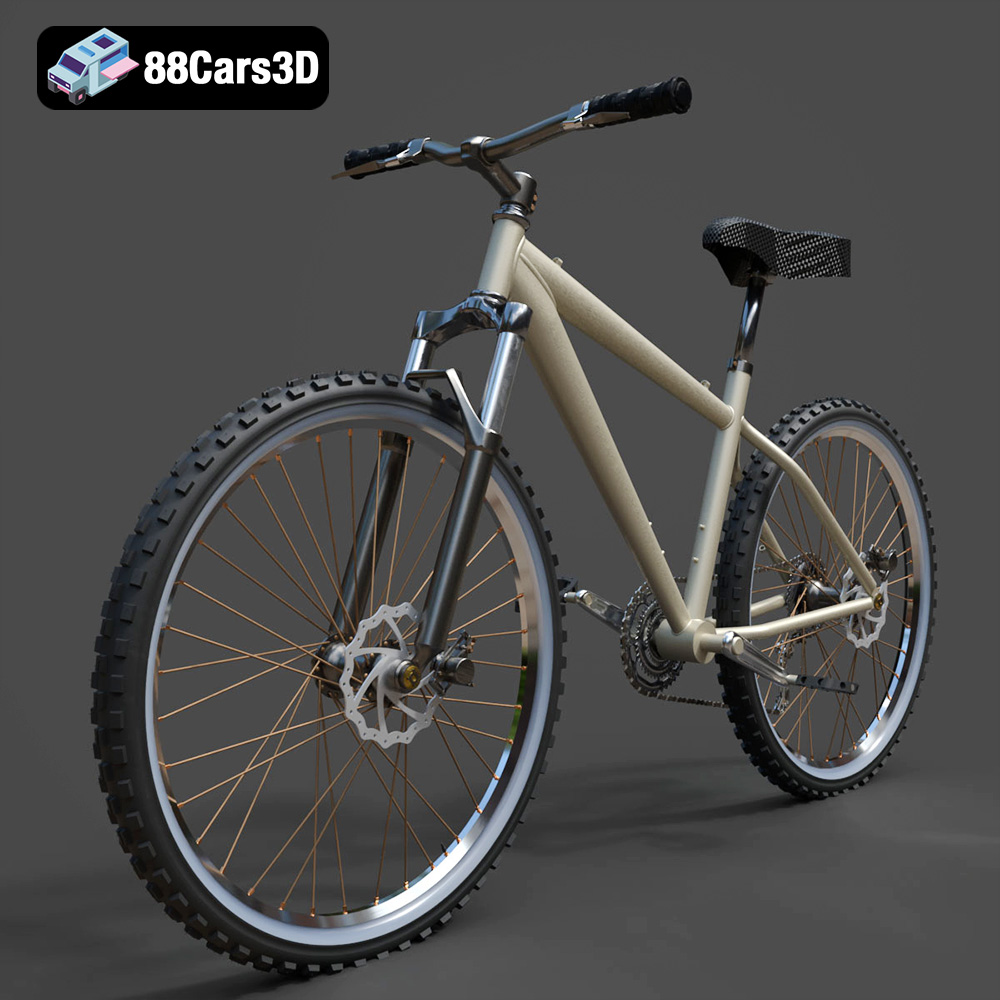
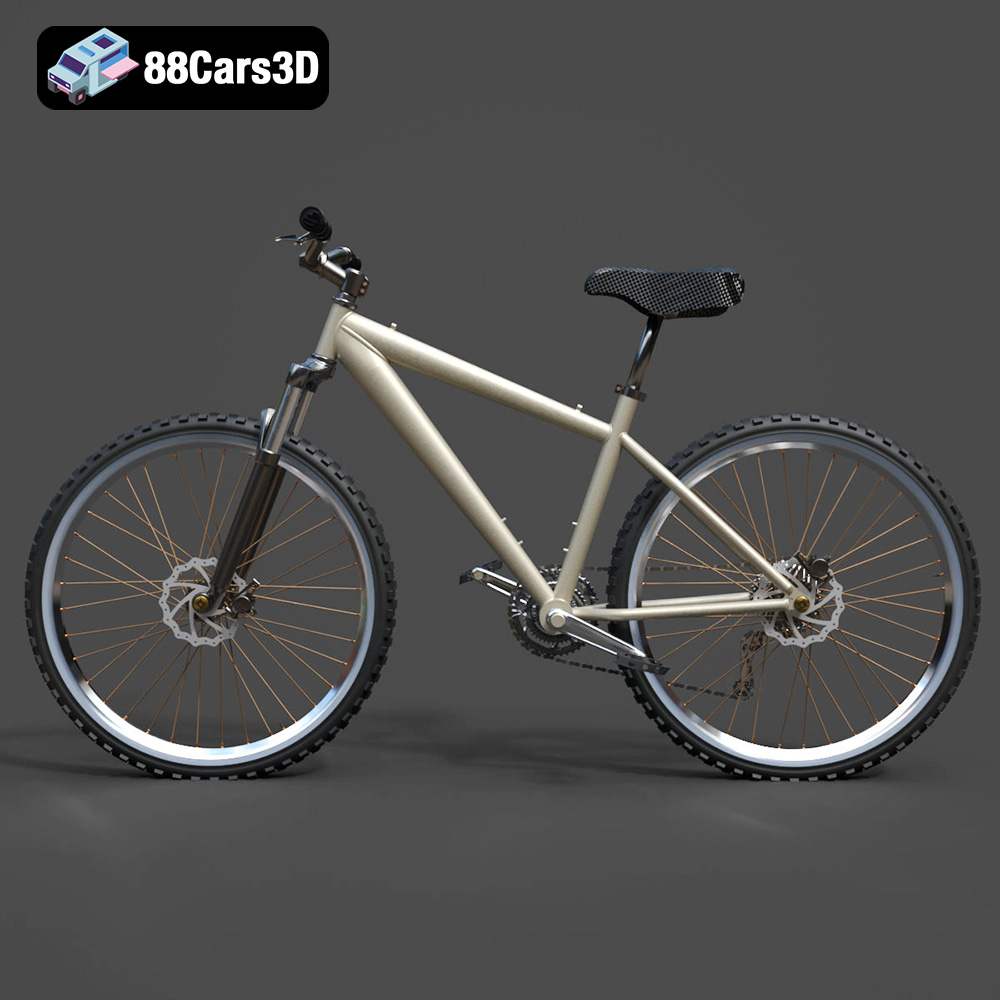
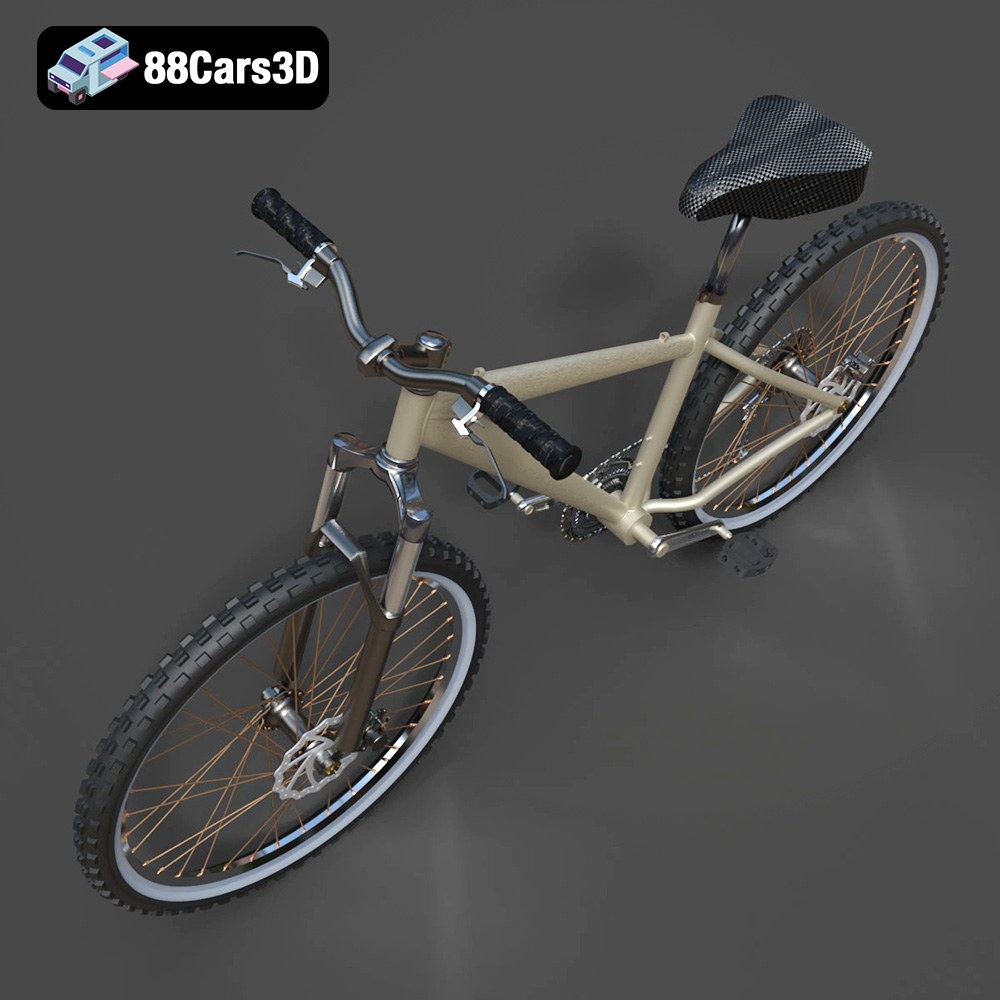
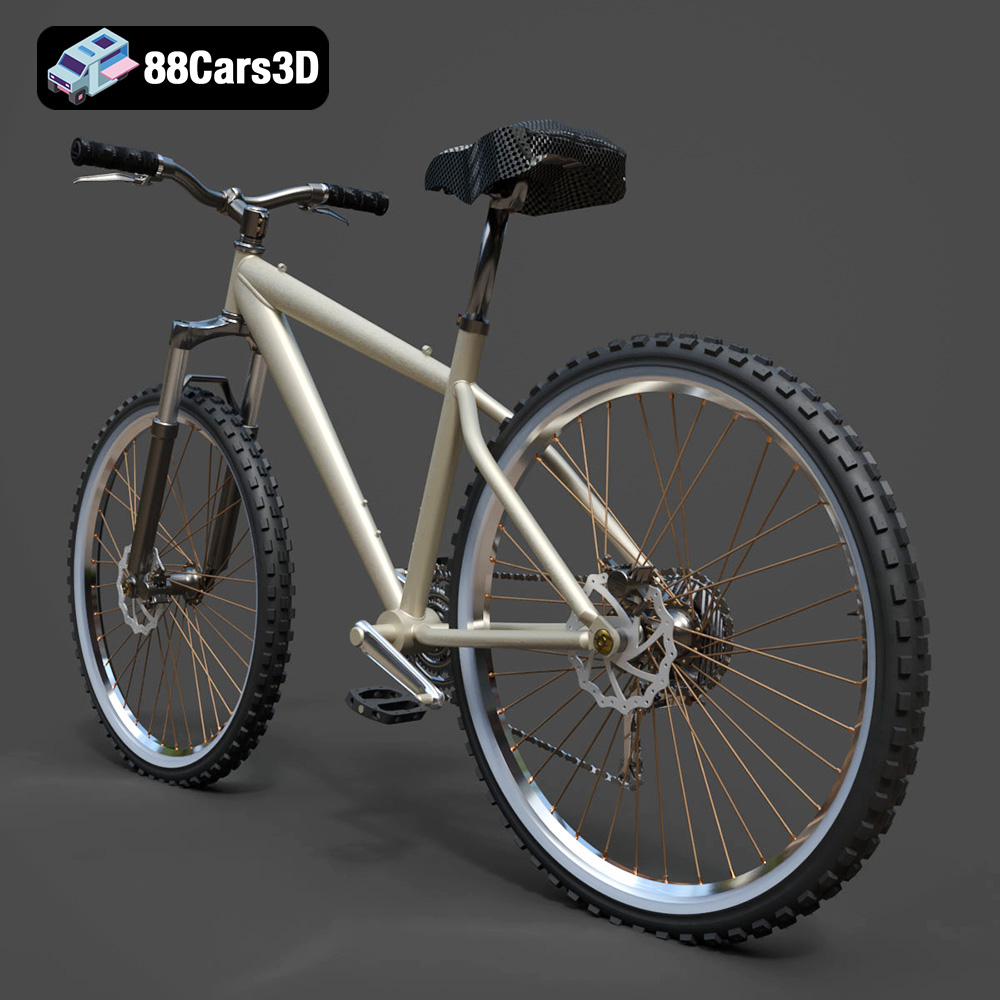
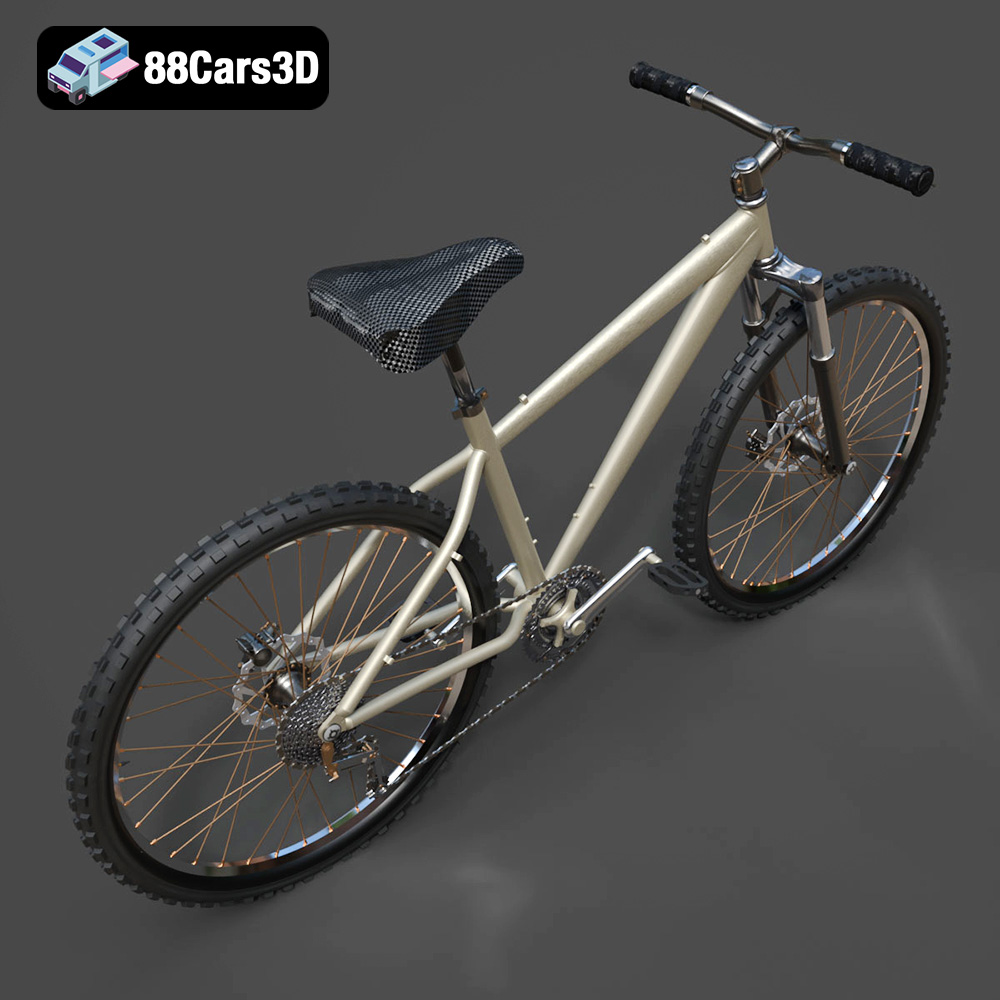
Presenting a meticulously crafted 3D model of a modern bicycle, designed for versatility and realism. This model captures the essential form and intricate details of a standard two-wheeler, making it perfect for a wide array of digital projects. Built with clean geometry and a balanced level of detail, it ensures optimal performance and visual fidelity. This asset is ideal for high-quality rendering, animations, detailed simulations, and seamless integration into game development environments.
Exterior Features:
- Authentic frame design with realistic tubing and connections
- Fully detailed wheels, spokes, tires, and hubs
- Functional handlebars, stem, and brake levers
- Pedals with defined tread patterns
- Realistic seat post and saddle
- Separated components for ease of animation (e.g., rotating wheels, steering handlebars)
- High-quality materials simulating metal, rubber, and plastic finishes
Interior / Mechanical Features:
- Detailed chain, sprockets, and derailleur system
- Visible brake calipers and cables
- Optimized mesh quality for efficient rendering and interaction
Technical Advantages:
- Clean, quad-dominant topology for smooth subdivisions and deformations
- Accurate real-world scale, ensuring seamless integration into existing scenes
- Well-organized hierarchy with proper pivot points for animation and rigging (e.g., wheels rotate on their axes)
Applications:
- Rendering & Visualization: Perfect for studio renders, architectural visualizations, and cinematic scenes needing realistic vehicle assets.
- Game Development: Optimized for use in racing games, open-world environments, and interactive simulations as a high-quality game asset.
- AR/VR: Enhances immersive experiences in augmented and virtual reality applications with a detailed and performant model.
- Simulation & Training: Suitable for educational platforms and technical training modules requiring accurate bicycle representations.
- 3D Printing: Can be easily converted to .stl format for physical model production and prototyping.
Customization Options:
- Easily modify frame colors, tire sidewall colors, and handlebar grips
- Adjust material properties for different finishes (e.g., matte, gloss, metallic)
- Integrate custom branding or graphics onto the frame
- Adapt lighting setups to achieve various visual moods and environments
This bicycle 3D model offers exceptional quality and flexibility, empowering artists and developers to create compelling visual content and interactive experiences. Its professional-grade construction ensures reliable performance across diverse digital platforms.
Included File Formats:
- .blend – Blender project with materials
- .fbx – Compatible with Unreal, Unity, and major 3D engines
- .obj – Universal format for nearly all 3D software
- .glb – Optimized for AR, VR, and web-based visualization
- .stl – Ready for 3D printing
- .ply – Mesh format for analysis and CAD workflows
- .unreal – Unreal Engine project setup
- .max – Editable 3ds Max scene for rendering and animation
Tags:
.bicycle,.bike,.transport,.rendering,.simulation,.gameasset,.arvr,.blend,.fbx,.obj,.glb,.stl,.ply,.unreal,.maxMercedes Benz CLS 500 3D Model
$19.99
Product Image Gallery
Related Tags
.arvr
.bicycle
.bike
.blend
.fbx
.gameasset
.glb
.max
.obj
.ply
.rendering
.simulation
.stl
.transport
.unreal
