

The Foundation of Digital Automotive Excellence: Precision 3D Components
In the dynamic world of 3D visualization, automotive design, and real-time game development, the difference between good and great often lies in the meticulous detail of each component. From the sweeping lines of a supercar body to the intricate textures of its interior, every element contributes to the overall realism and impact of a digital creation. Professional artists and developers understand that time is a precious commodity, and building every single asset from scratch, especially highly complex mechanical parts, is simply not feasible for most projects aiming for efficiency and top-tier quality.
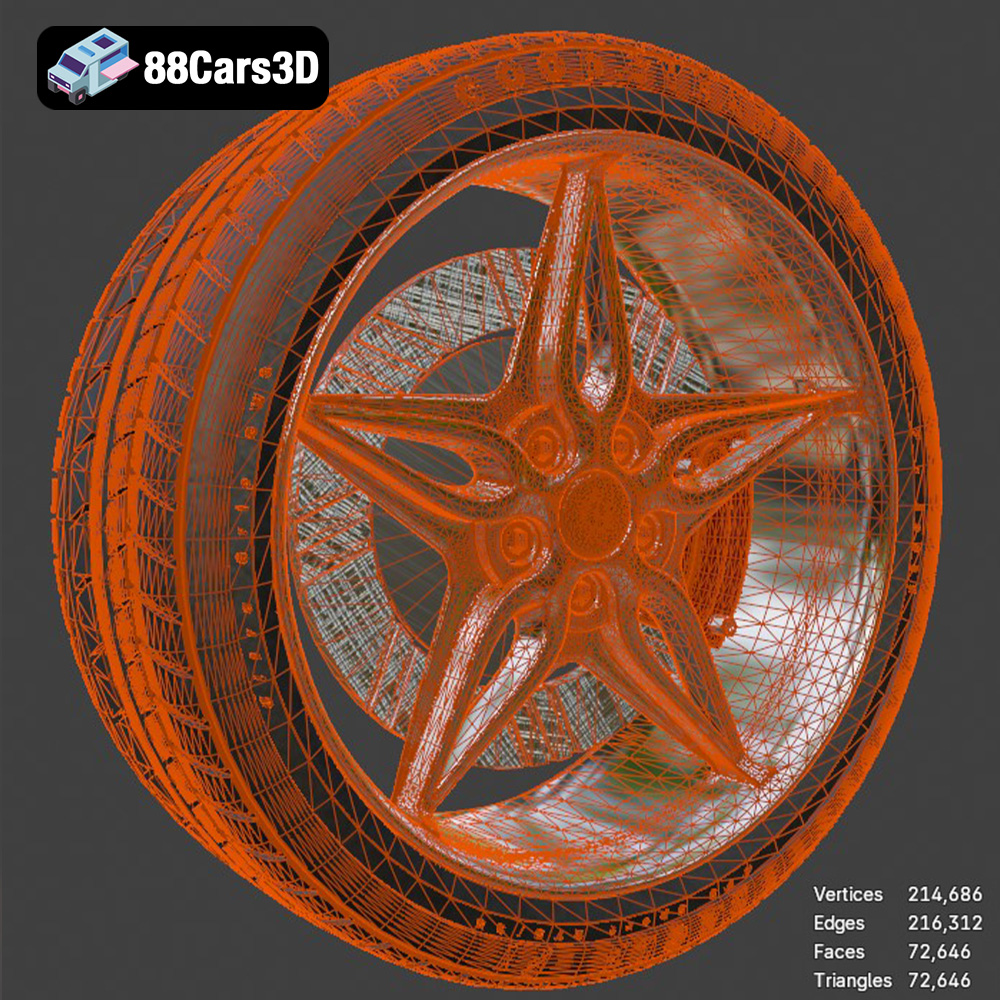
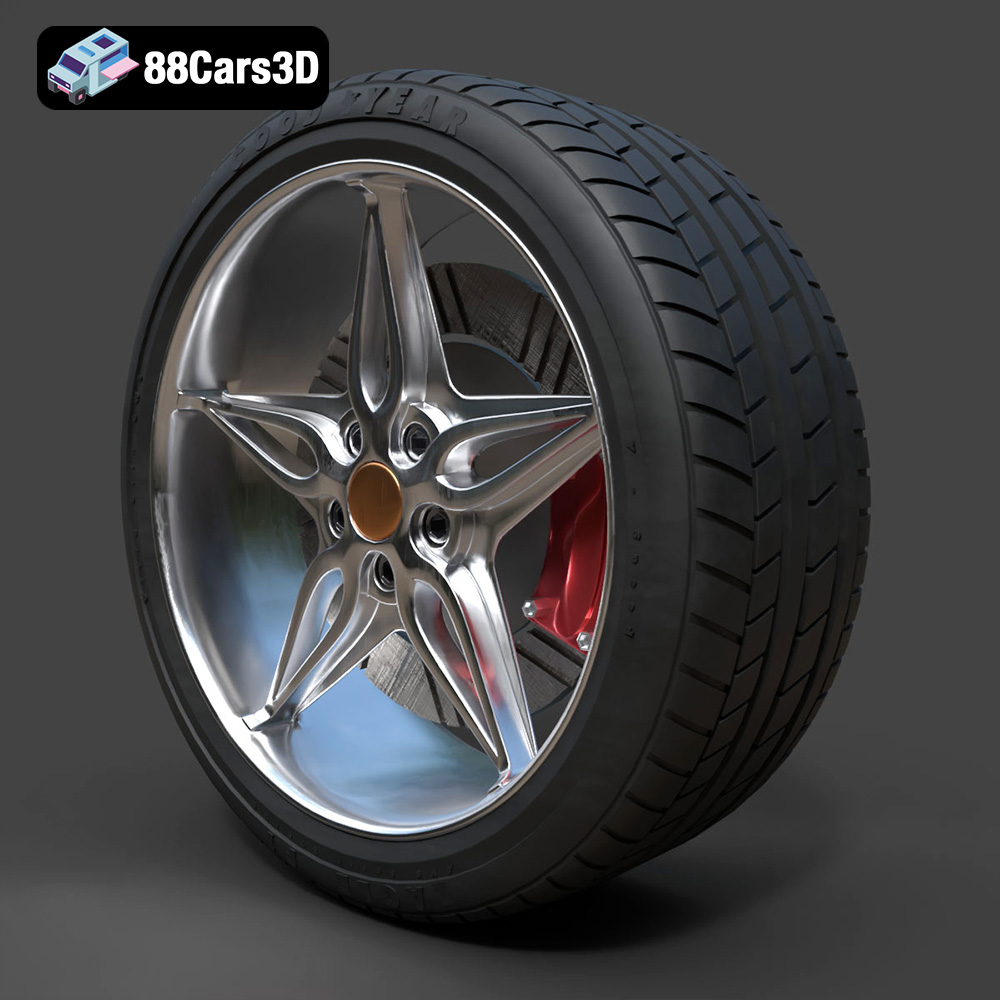
This is where high-quality, pre-engineered 3D models become indispensable. Imagine needing to render a stunning automotive scene, develop a realistic driving simulation, or craft an immersive AR experience. The visual integrity of a vehicle often hinges on the authenticity of its individual parts. For instance, a wheel, seemingly a straightforward component, is actually a complex interplay of design, engineering, and material science. It demands accurate proportions, clean topology, and physically based rendering (PBR) materials to truly come alive in a digital environment. Such precision is exemplified by assets like the Wheel-001 Component 3D Model, designed to meet the rigorous demands of professional production pipelines.
Why Detail Matters in Automotive Visualization
In automotive rendering and visualization, “good enough” is rarely good enough. Clients, consumers, and players expect photorealism, whether they’re viewing a marketing render, interacting with a vehicle configurator, or exploring a virtual showroom. The human eye is incredibly adept at spotting inconsistencies, especially in familiar objects like car wheels. A poorly modeled wheel can instantly break immersion, undermining hours of work on other aspects of a vehicle. This is why artists invest heavily in capturing the nuances of reflections, the subtle bevels of spokes, and the texture of a tire sidewall.
Models like the Wheel-001 Component 3D Model provide a critical advantage by offering this level of inherent detail. Its meticulous craftsmanship ensures that the component’s structure, accurate proportions, and technical specifications are faithfully replicated. This means fewer adjustments in post-production, more believable reflections, and ultimately, a more convincing final image or experience. For professionals working on high-stakes projects, starting with a component that already boasts this level of accuracy is not just a convenience; it’s a strategic necessity for achieving excellence.
The Role of Optimized Geometry and PBR Workflows
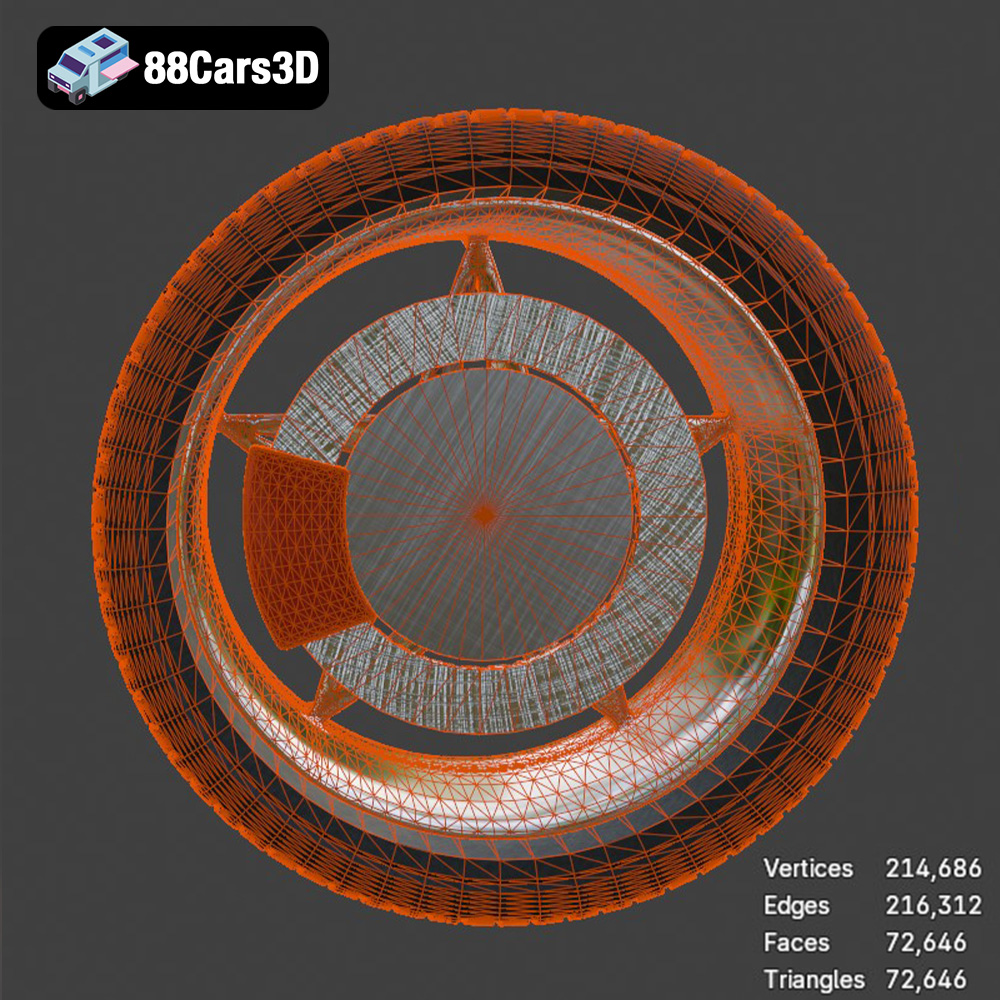
Beyond aesthetic detail, technical quality is paramount. “Clean, optimized geometry” refers to a 3D model that has an efficient polygon count and well-structured topology, meaning the mesh flows logically and avoids common issues like non-manifold edges or overlapping faces. This optimization is crucial for several reasons:
- Performance: Lower poly counts reduce rendering times in offline renderers and significantly boost frame rates in real-time applications like games or AR/VR experiences.
- Editability: Clean topology makes the model easier to modify, subdivide, or deform without introducing artifacts.
- UV Mapping: Well-laid-out UVs ensure textures apply correctly without stretching or distortion, which is vital for PBR workflows.
Speaking of PBR, or Physically Based Rendering, it’s the gold standard for material creation in modern 3D. PBR materials simulate how light interacts with surfaces in the real world, based on physical properties like roughness, metallicness, and albedo (color). This workflow ensures that materials look consistent and realistic across different lighting conditions and rendering engines. The Wheel-001 Component 3D Model, with its materials configured for physical accuracy, means that once imported into your chosen software, it will respond correctly to light, delivering stunning visual results whether under a studio HDRI or dynamic in-game lighting. This attention to both geometry and materials is what transforms a simple 3D object into a professional-grade asset.
Understanding 3D Model File Formats
The vast ecosystem of 3D software and applications often requires models to be compatible across different platforms. Understanding the nuances of various 3D file formats is crucial for seamless integration and optimal performance in diverse professional pipelines. The Wheel-001 Component 3D Model, like many high-quality assets available on marketplaces like 88cars3d.com, is offered in a comprehensive suite of formats, each serving distinct purposes and catering to specific workflows. Choosing the right format can save immense time and prevent technical headaches.
Versatility for Diverse Pipelines
- .blend – Fully editable Blender scene with materials:
The native file format for Blender, a powerful open-source 3D creation suite. A .blend file typically includes not just the mesh data but also materials, textures, lighting setups, cameras, animations, and even scene properties. For Blender users, this format offers the highest degree of editability and customization. You can directly open the file, inspect the clean topology, tweak PBR materials, adjust UVs, or even integrate it into an existing Blender project with minimal fuss. It’s the go-to for artists who want full control over the asset within their preferred environment.
- .fbx – Ideal for Unreal, Unity, and real-time pipelines:
FBX (Filmbox) is arguably the most widely adopted interchange format in the 3D industry, especially prevalent in game development. Developed by Autodesk, it supports not only geometry and materials but also animations, cameras, lights, and rigging information. This makes it incredibly versatile for transferring complex scenes between different 3D applications and, critically, into game engines like Unreal Engine and Unity. When importing an FBX, users can often specify which elements to bring in, and the format handles PBR textures and material assignments efficiently, making it “game-engine ready.”
- .obj – Universal format for cross-software compatibility:
OBJ (Object) is one of the oldest and most universally supported 3D formats. It primarily stores geometric data (vertices, normals, texture coordinates, and faces). While it’s highly compatible across virtually all 3D software, its simplicity means it doesn’t typically embed advanced features like animations, rigging, or complex material networks directly. Instead, material definitions (like color and texture map paths) are usually stored in a companion .mtl (material) file. OBJ is excellent for basic mesh exchange and when maximum compatibility is required, though it might necessitate manual re-creation of advanced materials in the target software.
- .glb – Optimized for AR, VR, and browser-based display:
GLB (GL Transmission Format Binary) is the binary version of glTF, a royalty-free specification for the efficient transmission and loading of 3D scenes and models by engines and applications. GLB files are self-contained, packing geometry, textures, materials, and animations into a single file, which makes them incredibly efficient for web-based 3D, AR (Augmented Reality), and VR (Virtual Reality) applications. Its compact size and ease of parsing make it ideal for delivering interactive 3D content in browsers or on mobile devices without complex setup.
- .stl – Suitable for 3D printing output:
STL (Stereolithography) is the standard file format for 3D printing. It represents the surface geometry of a 3D object using a collection of interconnected triangles. The more triangles, the higher the resolution of the printed object. STL files do not contain color, texture, or material information, focusing solely on the object’s shape. When preparing a model like the Wheel-001 for 3D printing, ensuring it’s a “manifold” mesh (watertight, with no gaps or inversed normals) is critical for a successful print. This format transforms digital assets into tangible prototypes.
- .ply – Precision mesh format for CAD or analysis:
PLY (Polygon File Format), also known as the Stanford Triangle Format, is primarily used to store 3D data from 3D scanners. It can store a variety of properties beyond just geometry, including color, transparency, normals, texture coordinates, and even reliability information for each vertex and face. PLY files are known for their precision and are often favored in scientific visualization, CAD, and applications where detailed surface analysis is required. It allows for a rich representation of scanned or engineered data.
- .unreal – Engine-ready asset for real-time environments:
While not a universal file extension in the same way FBX is, an “.unreal” file often signifies an asset specifically packaged and pre-configured for direct import and use within Unreal Engine. This might mean the model has already been set up with proper material instances, collision meshes, LODs (Level of Detail), and even basic blueprints or prefabs, saving significant integration time for Unreal developers. It signifies a truly “plug-and-play” asset for that specific engine, maximizing efficiency.
- .max – Editable 3ds Max project for animation and rendering:
Similar to .blend for Blender, .max is the native file format for Autodesk 3ds Max, a leading software for 3D modeling, animation, and rendering. A .max file contains the complete scene data, including geometry, materials, textures, lighting, cameras, animation keyframes, and plugins used. For professionals working primarily in 3ds Max, this format offers the highest fidelity and control. It’s ideal for those who need to integrate the wheel model into complex architectural visualizations, cinematic automotive animations, or high-fidelity product renders using renderers like V-Ray or Corona.
The comprehensive range of formats included with the Wheel-001 Component 3D Model ensures that regardless of your software preference or project requirements, you have an immediate, production-ready solution. This versatility underscores the value of premium 3D assets from providers like 88cars3d.com, empowering artists and developers to integrate sophisticated components into any pipeline with confidence.
Elevating Real-Time Performance: Game Development and AR/VR
In today’s interactive digital landscape, real-time performance is paramount. Game engines like Unreal Engine and Unity, along with burgeoning AR/VR platforms, demand 3D assets that are not only visually stunning but also incredibly efficient. The challenge lies in balancing high fidelity with optimal frame rates, a task made significantly easier when starting with purpose-built assets such as the Wheel-001 Component 3D Model.
Integrating Assets into Unreal Engine and Unity
For game developers, the journey of a 3D model into an engine begins with thoughtful import and configuration. The .fbx format is the workhorse here, offering robust support for geometry, hierarchies, and PBR material assignments. When importing the Wheel-001 Component 3D Model, developers can leverage its “game-engine ready” .fbx or even its pre-configured .unreal format for a truly seamless experience. This means the mesh is likely already optimized for real-time, often having a poly count that strikes a balance between visual quality and performance.
Upon import, the next critical step is material setup. The model’s PBR materials come with texture maps like Albedo (base color), Normal (for surface detail without extra geometry), Roughness (how shiny or dull a surface is), Metallic (how metallic a surface is), and Ambient Occlusion (simulating soft shadows from indirect light). These maps are plugged into the engine’s standard PBR shader graph, instantly bringing the wheel to life with physically accurate reflections and shading. For optimal performance in games, developers also implement Level of Detail (LOD) strategies. This involves creating multiple versions of the model, each with progressively lower polygon counts, which are swapped in dynamically based on the camera’s distance. A high-quality base model like the Wheel-001 allows for easy creation of these LODs without compromising visual integrity up close.
Crafting Immersive AR/VR Experiences with .glb
AR (Augmented Reality) and VR (Virtual Reality) experiences push the boundaries of immersion, but they also present unique technical hurdles, particularly concerning file size and performance on mobile devices. This is precisely where the .glb format shines. As a compact, self-contained file, the .glb version of the Wheel-001 Component 3D Model is optimized for rapid loading and efficient rendering in web-based AR/VR applications or dedicated mobile apps.
The single-file nature of .glb simplifies deployment, reducing the number of HTTP requests for web-based AR, which translates to faster load times and a smoother user experience. For a virtual car configurator or an interactive product showcase in AR, having a high-fidelity component like Wheel-001 that loads instantly and renders beautifully on a smartphone is a game-changer. The inherent optimization of such models, combined with the efficient .glb format, provides a solid foundation for developers to build engaging and performant immersive experiences without spending valuable time on tedious optimization tasks.
The Art of Automotive Rendering: Achieving Photorealism
Automotive rendering is a specialized discipline where the pursuit of photorealism is an ongoing quest. Whether for marketing, design reviews, or cinematic sequences, the goal is to create images so convincing they blur the line between digital and reality. This demands not only artistic vision but also a deep understanding of lighting, materials, and rendering techniques, all built upon the foundation of high-quality 3D car models and components.
Advanced Rendering Workflows in 3ds Max and Blender
Software like Autodesk 3ds Max and Blender are powerhouses for high-resolution automotive rendering. Workflows typically begin with meticulous scene setup. This includes positioning the vehicle, setting up compelling camera angles that emphasize design, and crucially, establishing realistic lighting. High Dynamic Range Images (HDRIs) are often used to simulate real-world environments, providing both ambient light and reflections. Additional area lights or spot lights might be strategically placed to highlight specific details, such as the contours of a wheel or the gleam of a chrome rim.
With the Wheel-001 Component 3D Model, artists benefit immensely from its pre-configured PBR materials. In renderers like V-Ray, Corona Renderer (for 3ds Max), or Cycles and Octane (for Blender), these PBR maps (Albedo, Normal, Roughness, Metallic) translate directly into physically accurate shaders. Artists can then fine-tune properties: adding subtle clear coat reflections to paint-matched areas of the wheel, enhancing anisotropic reflections on brushed metal finishes, or applying specific displacement maps to the tire sidewall for added realism. The clean geometry of the Wheel-001 ensures smooth subdivisions and accurate reflections, preventing unsightly artifacts that can plague lower-quality models. This robust base allows artists to focus on artistic direction rather than technical remediation.
Post-Production and Final Touches
While a powerful renderer produces a stunning raw image, post-production is where true photographic magic happens. This stage involves using image editing software to apply a range of enhancements:
- Color Grading: Adjusting the overall mood and aesthetic of the image.
- Depth of Field: Artfully blurring backgrounds to make the subject pop, mimicking camera lenses.
- Lens Effects: Adding subtle flares, chromatic aberration, or vignetting for a more organic, photographic feel.
- Compositing: Combining render passes (e.g., reflections, shadows, raw lighting) for greater control over the final image.
A high-quality source render, made possible by a detailed and accurate 3D model like the Wheel-001, provides the best foundation for these post-production steps. Clean edges, accurate reflections, and proper shadow information mean less masking, less cloning, and more time spent refining the artistic vision. The goal is not just to show a car but to tell a story and evoke emotion, and every pixel contributes to that narrative. For artists sourcing assets, 88cars3d.com offers a curated selection of 3D car models and components that meet these stringent demands, ensuring your renders stand out.
Engineering Visualization and Prototyping: Beyond Aesthetics
While aesthetic appeal is crucial in many 3D applications, the power of a meticulously crafted 3D model extends far beyond visual beauty. In engineering and manufacturing, 3D models serve as fundamental tools for analysis, simulation, and rapid prototyping. The technical precision embedded in assets like the Wheel-001 Component 3D Model makes them invaluable for these functional applications, bridging the gap between digital design and real-world application.
Utilizing Models for Technical Analysis and Simulation
Engineers and product designers frequently use 3D models to understand complex component interactions and validate designs before physical production. A detailed model of a car wheel, such as the Wheel-001, can be integrated into larger vehicle assemblies to perform virtual fitment tests. This allows engineers to check for clearances, interferences, and assembly sequences in a purely digital environment, saving significant costs and time compared to building physical prototypes. The accuracy of its proportions and structure is paramount here; even minor deviations can lead to critical design flaws in the real world.
Furthermore, precise polygon meshes, often delivered in formats like .ply, are ideal for computational analysis. This could involve simulating aerodynamic forces on the wheel, analyzing stress distribution under load using Finite Element Analysis (FEA), or even performing kinematic simulations to understand how the wheel behaves during steering or suspension articulation. The integrity and detail of the model’s geometry ensure that these simulations yield reliable and actionable data, contributing directly to design optimization and performance enhancement. Such technical reliability is a hallmark of the professional assets found at 88cars3d.com.
The Power of 3D Printing with .stl
One of the most transformative applications of 3D models in engineering is 3D printing, enabling rapid prototyping and iterative design. The .stl format, included with the Wheel-001 Component 3D Model, is the universal language for desktop and industrial 3D printers. This format translates the digital mesh into a series of triangular facets that the printer can interpret to build a physical object layer by layer.
For an automotive component like a wheel, 3D printing allows designers to:
- Verify Form and Fit: Quickly produce a physical prototype to check its dimensions, how it fits with other components, and its overall ergonomic feel.
- Conduct Early Design Reviews: Present tangible models to stakeholders for feedback long before committing to expensive tooling.
- Test Functionality: While not typically for high-stress parts, 3D printed components can be used for low-fidelity functional tests or to validate mounting points and interfaces.
The transition from a digital asset to a physical prototype is made straightforward when the source model, like the Wheel-001, is well-constructed and provided in the appropriate .stl format. Ensuring the mesh is “watertight” or “manifold” (meaning it has no holes or gaps on its surface) is a crucial prerequisite for successful 3D printing, and professional-grade models are designed with this in mind, minimizing pre-print preparation for the user.
Streamlining Professional Workflows with Premium 3D Assets
In the fast-paced world of 3D production, time is money, and efficiency is key. Professional studios, freelancers, and large corporations alike are constantly seeking ways to optimize their workflows, reduce development cycles, and maintain a high standard of quality. This is precisely where investing in premium, pre-optimized 3D assets becomes not just a luxury, but a strategic necessity. Utilizing a robust library of assets, such as the Wheel-001 Component 3D Model, empowers teams to deliver exceptional results consistently.
The Value of Pre-Optimized, Production-Ready Models
Consider the alternative to using pre-made, high-quality assets: building every single component from scratch. Even a seemingly simple object like a car wheel requires hours of modeling, UV unwrapping, texturing, and material setup to reach professional standards. For an entire vehicle, this effort multiplies exponentially. This is where the true value of production-ready models shines:
- Significant Time Savings: Instead of dedicating weeks to asset creation, artists can immediately integrate and use the component, freeing up valuable time for other critical tasks like scene composition, lighting, or animation.
- Consistent Quality: Premium assets are crafted by experienced 3D artists, adhering to industry best practices for geometry, PBR materials, and optimization. This ensures a consistent level of quality across all projects, preventing visual discrepancies that can arise from varied asset creation skills within a team.
- Reduced Technical Debt: Clean topology and optimized meshes mean fewer errors, less troubleshooting, and quicker integration into various software and engines. This reduces the “technical debt” that can accumulate from using poorly constructed models, which often require extensive cleanup.
- Access to Specialized Expertise: Not every studio has an expert in every niche. Sourcing specialized components like the Wheel-001 from platforms like 88cars3d.com allows studios to tap into specialized modeling expertise without the overhead of hiring or training.
Ultimately, a pre-optimized model allows a team to focus on the creative aspects of their project, confident that the underlying assets are technically sound and visually stunning from the outset.
Customization and Scalability in Your Projects
While “production-ready” implies immediate usability, professional projects often require a degree of customization. A high-quality base model, like the Wheel-001 Component 3D Model, serves as an excellent starting point for further modifications. Its clean, editable geometry and well-structured UVs mean artists can easily:
- Texture Variations: Apply different finishes, colors, or wear-and-tear effects to match specific vehicle designs or scenarios.
- Minor Geometric Tweaks: Adjust subtle features without breaking the mesh, useful for unique branding or design variations.
- Integration into Complex Scenes: Easily scale, position, and replicate the component across multiple instances of a vehicle or within a large environment, knowing that performance will remain robust.
This scalability is vital for projects that involve fleets of vehicles, large-scale simulations, or modular game environments. By starting with a reliable foundation, developers and artists can efficiently build out expansive digital worlds without compromising on the individual quality of each component. Whether you’re working on automotive rendering, game assets, or intricate AR/VR experiences, the strategic advantage of leveraging such assets from reputable sources like 88cars3d.com is undeniable, empowering you to drive your projects forward with efficiency and uncompromising quality.
Conclusion: Drive Your Projects Forward with Uncompromised Quality
In the demanding landscape of 3D visualization, game development, and engineering, the quality of individual assets can profoundly impact the success of an entire project. We’ve explored how precision, optimization, and format versatility are not just desirable traits but essential requirements for modern digital pipelines. From the intricate details demanded by cinematic automotive rendering to the rigorous performance constraints of real-time game assets and immersive AR/VR experiences, a high-quality 3D model forms the bedrock of any successful endeavor.
The Wheel-001 Component 3D Model stands as a prime example of what a professional-grade asset should embody. Its meticulous craftsmanship, clean optimized geometry, and physically accurate PBR materials ensure stunning visual results and technical reliability across a multitude of applications. Furthermore, its comprehensive suite of file formats—including .blend, .fbx, .obj, .glb, .stl, .ply, .unreal, and .max—guarantees seamless integration into virtually any professional workflow, whether you’re animating in 3ds Max, building worlds in Unreal Engine, prototyping with 3D printing, or deploying to the web for AR.
By investing in such expertly crafted resources, artists and developers can significantly streamline their production cycles, maintain consistent quality, and focus their creative energy on bringing their visions to life, rather than grappling with technical imperfections. For professionals seeking an extensive selection of premium 3D car models and components, exploring the offerings at 88cars3d.com is an excellent starting point to elevate your next project with assets that deliver both aesthetic excellence and technical robustness.
Featured 3D Model
Wheel-001 Component 3D Model
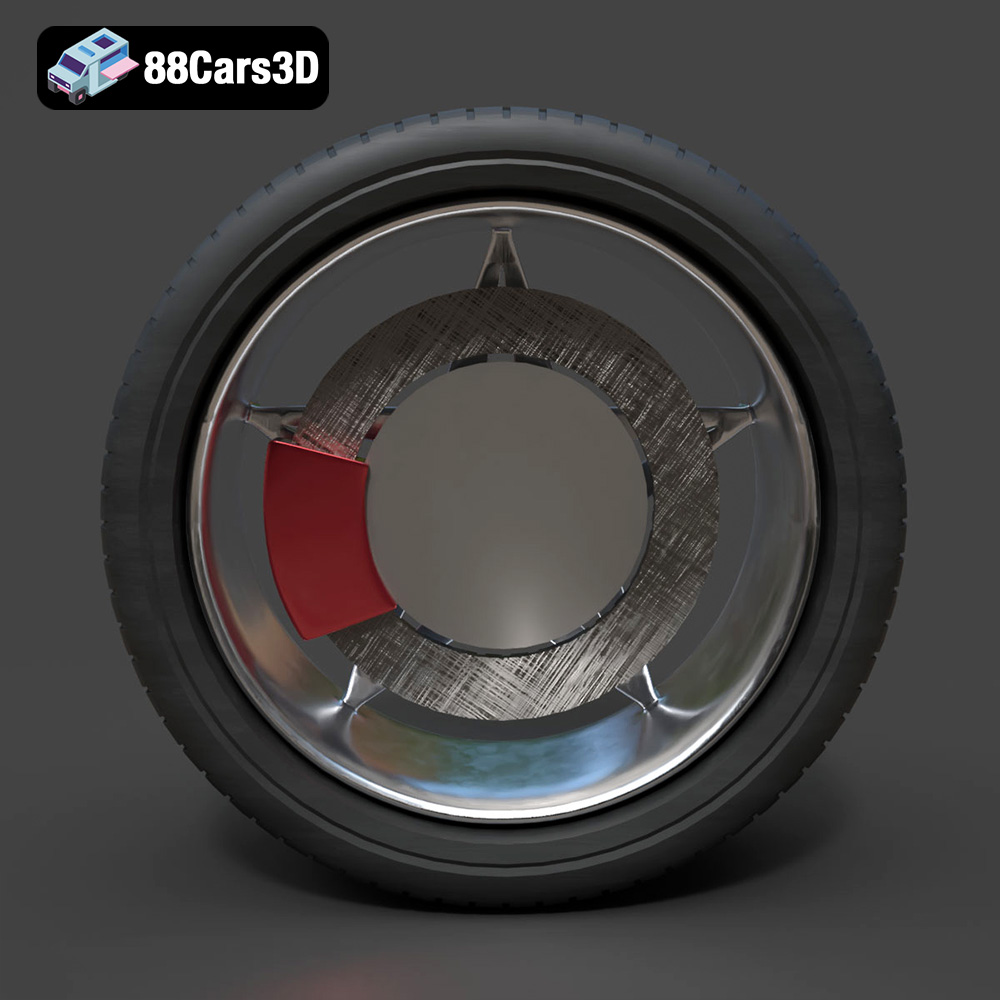
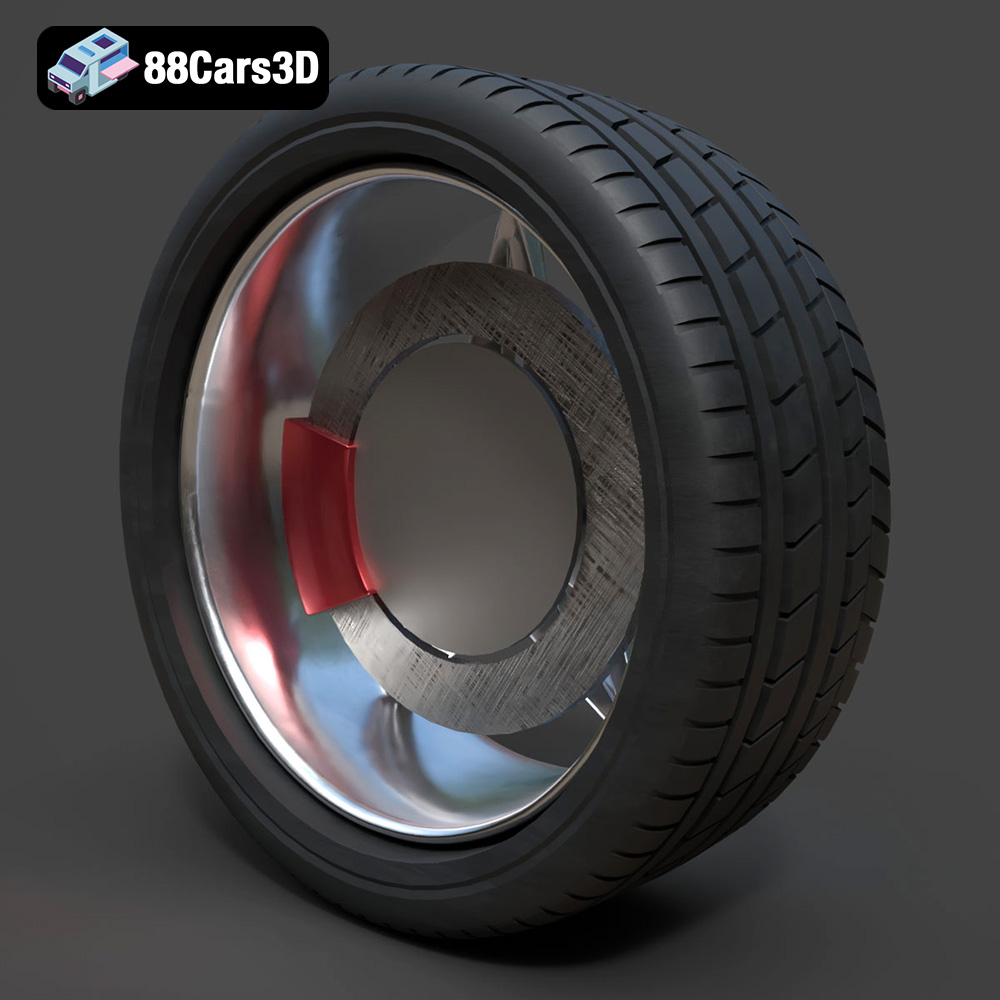
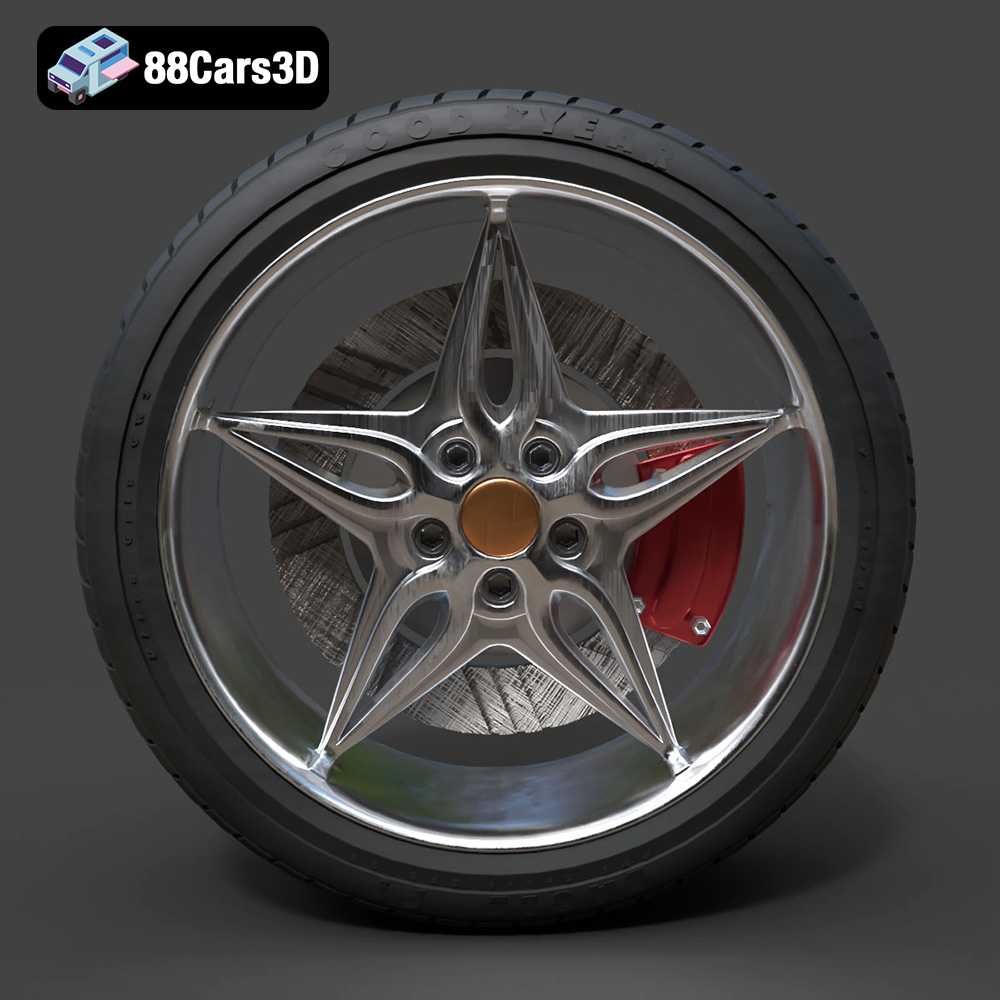
Presenting the Wheel-001 Component 3D Model, engineered for precision and seamless integration into professional projects. This model is meticulously crafted to replicate the component’s structure with accurate proportions and technical specifications, making it an essential asset for automotive visualization and digital simulation. This product features clean, optimized geometry suitable for high-speed rendering and real-time environments. All materials are configured for physical accuracy (PBR workflow), ensuring stunning visual results across different lighting conditions and software platforms. This professional-grade asset saves valuable production time while delivering technical reliability. Ideal for a wide range of applications including high-resolution cinematic rendering, immersive AR/VR experiences, real-time game development, and engineering visualization projects. Included File Formats: .blend – Editable Blender file with materials and lighting setup; .fbx – Game-engine ready format for Unreal Engine and Unity; .obj – Standard 3D model format compatible with all major software; .glb – Optimized for AR/VR and web-based visualization; .stl – Suitable for 3D printing and prototyping; .ply – Detailed polygon mesh for analysis and visualization; .unreal – Pre-configured for Unreal Engine use; .max – Editable 3ds Max file for rendering and animation. Tags: .wheel001, .wheel, .rim, .vehiclepart, .automotivecomponent, .accessory, .car3dmodel, .rendering, .simulation, .gameasset, .arvr, .blend, .fbx, .obj, .glb, .stl, .ply, .unreal, .max
$10.99
Product Image Gallery

Related Tags
.accessory
.arvr
.automotivecomponent
.blend
.car3dmodel
.fbx
.gameasset
.glb
.max
.obj
.ply
.rendering
.rim
.simulation
.stl
.unreal
.vehiclepart
.wheel
.wheel001
