

The Technical Imperative: Why Professional-Grade 3D Assets Define Digital Excellence
In the highly competitive fields of cinematic rendering, advanced simulation, and AAA game development, the quality of digital assets is non-negotiable. A visually compelling scene relies entirely on the technical integrity and artistic detail of every model, from the background infrastructure to the featured centerpiece. While the market for premium 3D car models is robust, often overlooked are the supporting environmental and contextual assets that lend realism and scale to automotive rendering projects.
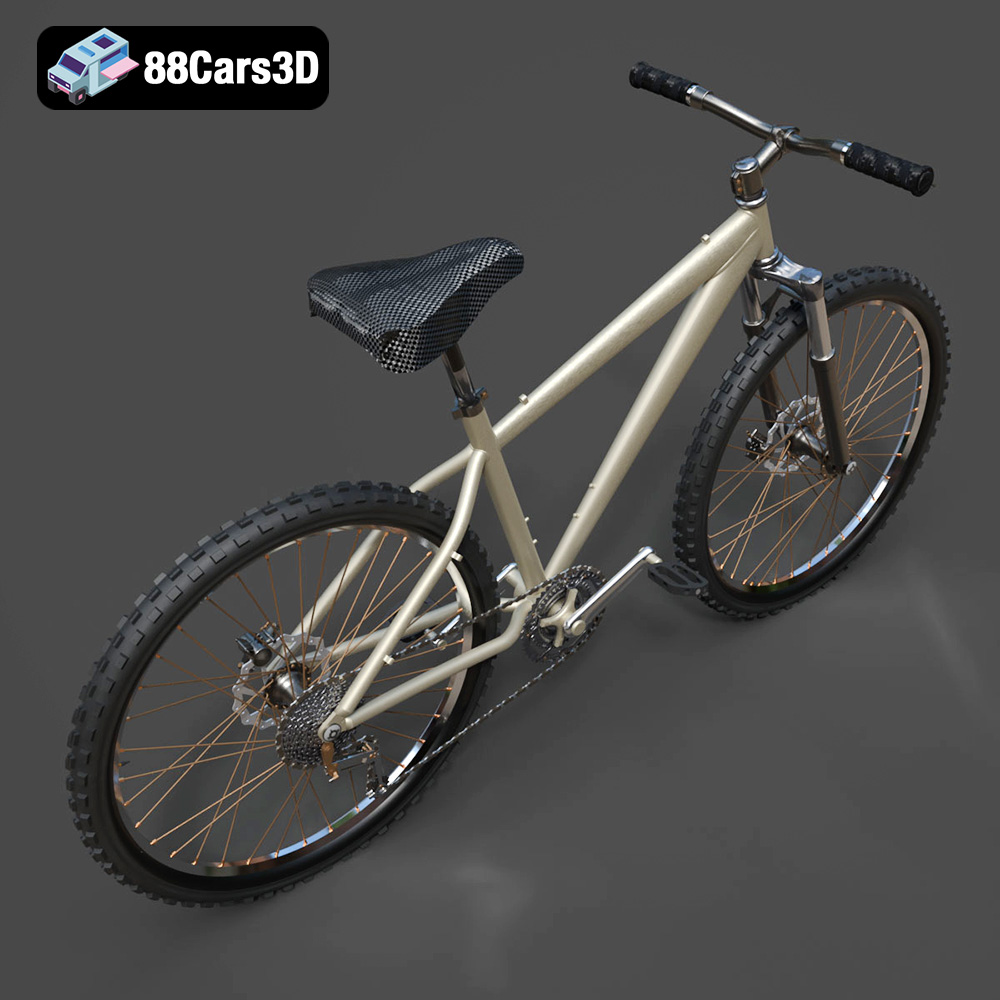
A simple asset, like a bicycle, when rendered poorly, can shatter the illusion of photorealism built around a high-fidelity vehicle. Conversely, a meticulously crafted Bicycle 3D Model, built with clean topology and accurate mechanical details, elevates the entire scene. This model, available through expert marketplaces like 88cars3d.com, serves as an excellent case study for dissecting the critical elements professional artists and developers must prioritize when sourcing assets.
We will delve deep into the technical specifications, file format versatility, and optimized workflows necessary to integrate such a detailed asset seamlessly, whether your final output is a real-time game environment, a feature film visualization, or a precise AR/VR experience.
Understanding 3D Model File Formats: Selecting the Right Tool for the Pipeline
The flexibility of a professional 3D model is often measured by its file format availability. A high-quality asset should not lock the user into a single software suite. When investing in assets—be it detailed 3D car models or highly optimized game assets—understanding the nuances of each format is crucial for maintaining integrity and efficiency across different pipelines.
.max – The Production Rendering Standard
The .max format is the native file for Autodesk 3ds Max, historically a backbone of the architectural visualization (ArchViz) and high-end rendering industries. Receiving the asset in .max guarantees that the original scene hierarchy, modifiers, animation setups, and often complex V-Ray or Arnold materials are fully intact. This is ideal for artists who rely on 3ds Max for complex rigging, extensive scene management, and final photorealistic automotive rendering outputs.
.blend – The Editable Blender Foundation
The .blend file is the complete native project for Blender. For users relying on the Cycles or Eevee rendering engines, having the full .blend file means materials are immediately accessible, node structures are intact, and the asset can be instantly edited, rigged, or customized using Blender’s powerful toolset. It represents the fully editable scene state with non-destructive workflows preserved.
.fbx – The Universal Pipeline Bridge
The .fbx (Filmbox) format is arguably the most critical bridge format in the industry, especially for game development. It efficiently packages geometry, materials, textures, bone structures, and animation data into a single file. It is the go-to format for transferring assets smoothly between DCC (Digital Content Creation) software and real-time engines like Unity and Unreal. For generating 3D car models or detailed bicycle assets as game assets, the .fbx export must maintain clean UV mapping and proper scale translation to prevent orientation errors during import.
.obj – Simplicity and Cross-Software Compatibility
The .obj (Wavefront Object) format is a universal, open standard relying on simple geometry data and UV coordinates, often paired with an .mtl file for basic material definitions. While it lacks support for complex animation or rigging data, its simplicity ensures compatibility with virtually every 3D application, making it excellent for general scene assembly or when quick cross-platform access is needed.
.unreal – Engine-Ready Asset Deployment
Assets provided in the .unreal format (often a packaged Uasset structure or pre-configured project) offer the highest level of integration efficiency. This means the model has already been imported, scaled, had its lightmap UVs generated, materials set up as instances, and collision meshes configured. Using this format drastically cuts down on the technical pipeline work required to deploy the bicycle model into a real-time environment.
.glb – Optimized for AR, VR, and Web
The .glb (GL Transmission Format, binary) is rapidly becoming the standard for modern interactive experiences. It is a single-file, highly compressed container that efficiently delivers PBR (Physically Based Rendering) materials and mesh data, making it the superior choice for fast loading and deployment in Augmented Reality (AR), Virtual Reality (VR), and web-based 3D viewers. Its optimization makes it crucial for mobile-first interactive game assets.
.stl and .ply – The Physical and Analytical Formats
The .stl (Stereolithography) format is the industry standard for 3D printing. It defines only the surface geometry of a 3D object using triangular facets. While the original detailed mesh is designed for rendering, the .stl version must be checked for watertight geometry and wall thickness to ensure a successful physical print. Finally, the .ply (Polygon File Format) is often associated with 3D scanning or CAD workflows, carrying precision mesh data that may include color or texture information per vertex, useful for detailed analysis or technical simulation rather than cinematic rendering.
Technical Rigor: Topology, Scale, and Optimization
The difference between a free asset and a professional asset, such as those found on 88cars3d.com, lies in the underlying geometry. Technical perfection ensures the model behaves predictably under various rendering conditions and deformations.
The Importance of Quad-Dominant Geometry
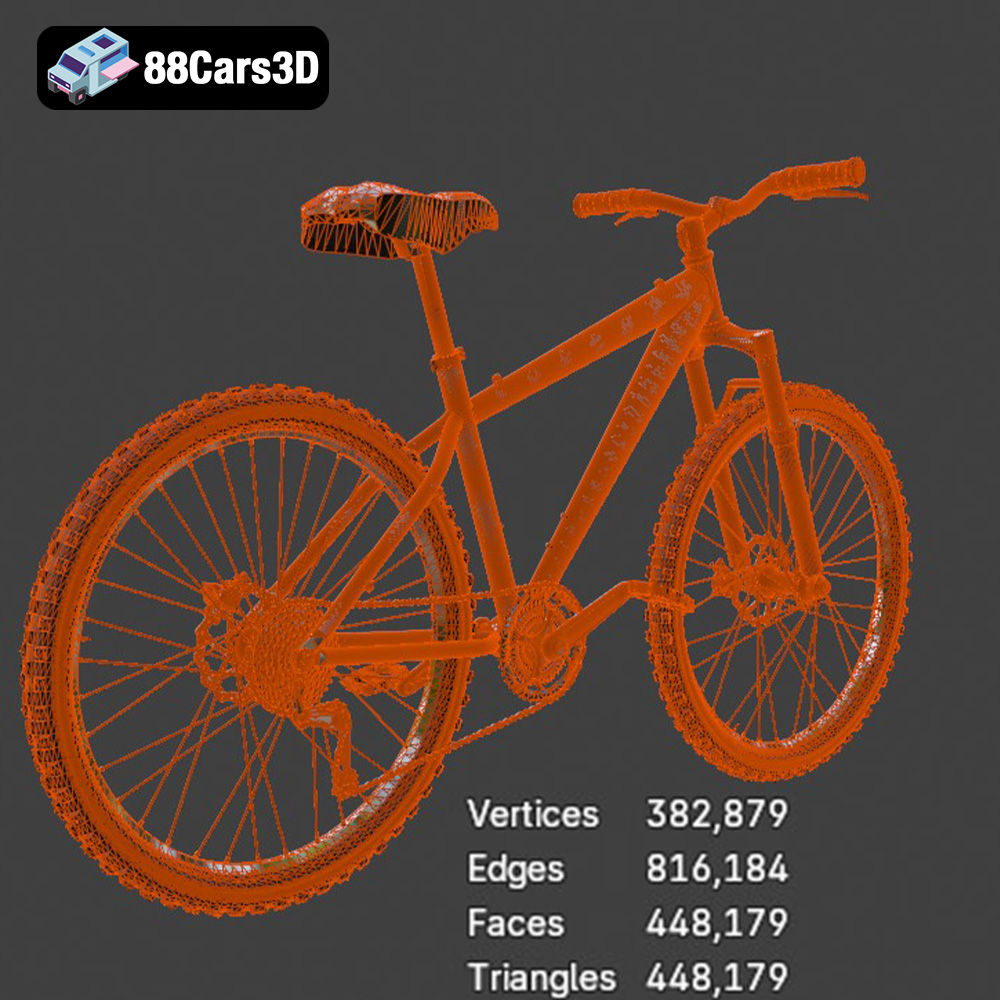
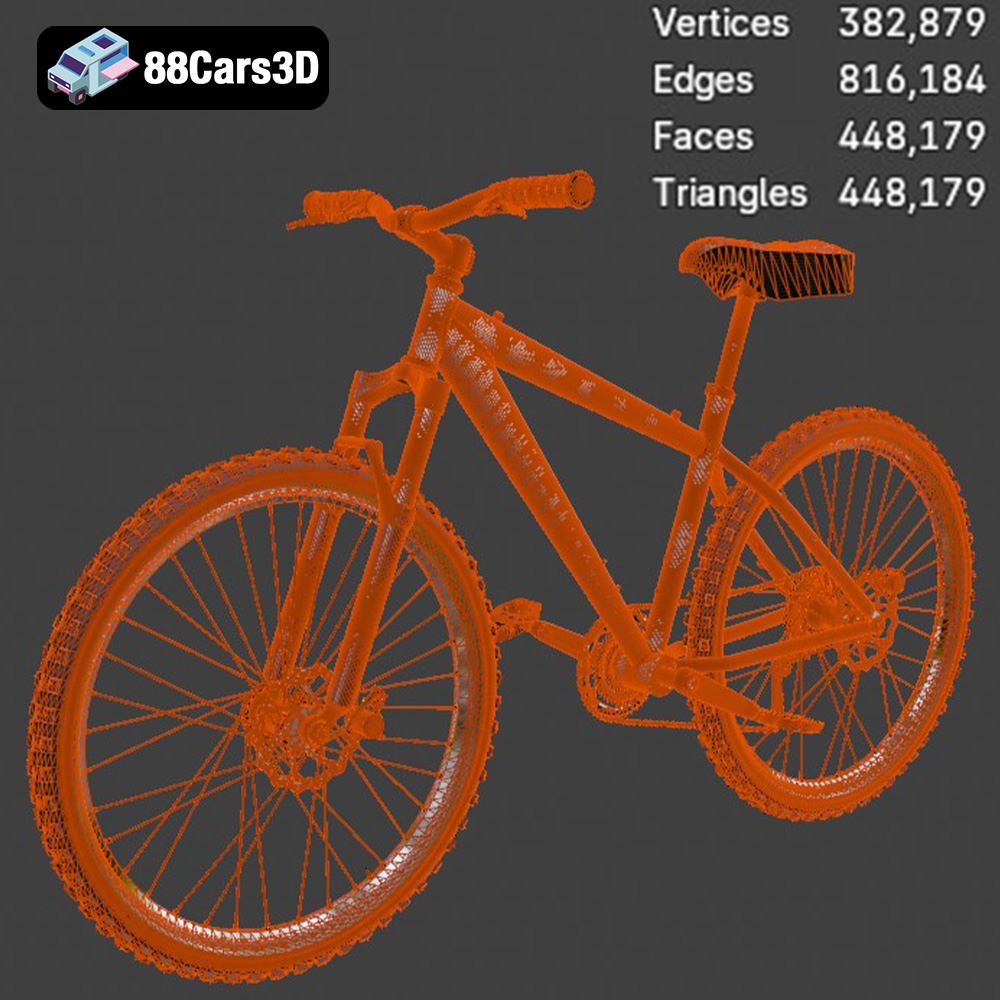
The Bicycle 3D Model specifically boasts clean, quad-dominant topology. This is foundational for any serious 3D production. Quads (four-sided polygons) are essential because they:
- Support Subdivision Surfaces: Only clean quad meshes allow for smooth, predictable subdivision (like TurboSmooth or Subdiv modifier), critical for achieving high-resolution curves on the bike frame, handlebars, and spokes without pinching artifacts.
- Enable Clean Deformation: When the bicycle is rigged for animation—for instance, compressing the tires or maneuvering the chain mechanism—quads ensure that the mesh deforms smoothly without texture stretching or tearing, which would be common with meshes dominated by triangles (tris) or N-gons.
- Simplify UV Mapping: Clean topology simplifies the process of unwrapping the mesh, leading to more efficient texture utilization and reduced distortion.
Real-World Scale for Seamless Integration
Accuracy in scale is paramount, especially when placing the bicycle next to other assets, such as high-detail 3D car models. If the bicycle’s scale is arbitrary, it can lead to several rendering and simulation issues:
- Lighting and Shading Errors: Physical rendering engines (V-Ray, Arnold, Cycles) rely on real-world measurements to calculate light scatter, depth of field, and Fresnel effects. An incorrectly scaled object will reflect light unnaturally.
- Physics Simulation: For game assets used in simulations (e.g., collision physics in Unity or Unreal), an accurate scale ensures mass and collision volumes are calculated correctly.
- Scene Integration: If the bicycle is being placed in an architectural scene, it must adhere to the metric or imperial scale of the environment to maintain visual believability.
Optimized Mesh Hierarchy and Pivots
Animation readiness is a key technical advantage of this model. The geometry is not merged; components are separated (frame, wheels, pedals, chain, handlebars). Crucially, pivot points are set correctly. The wheels must pivot precisely on their central axle, and the handlebars must pivot on the stem joint. This organization is a massive time-saver for rigging artists, avoiding the need for manual pivot correction before initiating complex kinematics.
Integrating the Asset into Real-Time Engines
The demands of real-time rendering, particularly in game development, require a disciplined approach to asset preparation. Even a clean, optimized model needs specific adjustments to become a viable game asset.
LOD Creation and Performance Budgeting
While the initial mesh of the bicycle model is suitable for close-up rendering, real-time environments require Level of Detail (LOD) optimization. LODs are successively lower-polygon versions of the mesh that are swapped based on the camera’s distance. For a bicycle, three or four LOD stages might be necessary:
- LOD0 (High Detail): Full geometry, including individual spokes and chain links. Used for cinematic shots or close player interaction.
- LOD1 (Medium): Chain links might be replaced with texture-backed planes, and the number of spokes reduced.
- LOD2 (Far Distance): Wheels become solid cylinders, frame details are simplified. Used when the bicycle is 50+ meters away.
- LOD3 (Haze/Cull): Minimal geometry or replaced entirely by a screen-space card.
This process ensures that the scene maintains a high frame rate (FPS) without unnecessarily taxing the GPU, making the asset an efficient inclusion in large open-world game projects.
Unreal Engine Setup and Material Instancing
The provided .unreal and optimized .fbx formats streamline the import process into Unreal Engine. Professional workflow dictates the use of master materials and material instances. The bicycle’s components (metal, rubber, painted frame) should reference a single, robust Master Material that handles PBR shading models. Artists can then create Material Instances (child materials) to quickly modify parameters like frame color, glossiness, or metallic flake intensity without compiling new shaders. This ability to easily customize colors and finishes is critical for developers needing to deploy dozens of variant bicycles across a map.
Mastering Cinematic Visualization and Automotive Rendering
For artists focused on high-end visualization, the Bicycle 3D Model acts as a perfect contextual asset. Whether creating marketing imagery for new vehicle releases or developing high-impact architectural renders, context is king.
Integrating Context Assets in Automotive Studio Renders
When producing high-fidelity automotive rendering, the environment around the primary subject (the 3D car model) needs supporting elements that convey narrative, scale, and lifestyle. Placing a realistic bicycle asset in the background of a garage scene, leaning against a wall or resting near a hypercar, immediately grounds the scene in reality. The quality of the shadows, the reflections off the painted frame, and the subtle imperfections of the rubber tires all contribute to the overall photorealism of the final image.
For example, if rendering a luxurious sedan in a stylized studio setting, the bicycle can be lit selectively to draw attention, creating visual depth and breaking up monotonous backgrounds. This technique is routinely used in professional visualization to enhance the perceived value and context of the main 3D car models being showcased.
Advanced Material Layering and Texture Management
The Bicycle 3D Model utilizes high-quality materials simulating metal, rubber, and plastic finishes. For cinematic rendering using software like V-Ray, Corona, or Arnold, these PBR textures (Albedo/Base Color, Normal, Roughness, Metalness, AO) are essential. Artists can take advantage of layer-based shaders to push realism further, simulating:
- Clear Coat Layers: Adding a second glossy layer over the primary frame paint to simulate automotive-grade finish depth.
- Edge Wear and Dirt: Utilizing procedural masking or external grunge maps to realistically distress areas like the tire treads or chain, making the bike look used rather than factory-new.
The clean UV unwrapping of the model allows for straightforward application of custom textures, such as adding decals or specific branding onto the frame without distortion.
Advanced Applications: AR/VR and 3D Printing Workflows
The flexibility built into professional 3D car models and supporting assets ensures they are not limited to traditional rendering or game development. Emerging technologies require specialized technical preparation.
AR/VR Optimization via GLB
Augmented and Virtual Reality platforms demand highly efficient assets that load instantaneously on mobile and head-mounted devices. The inclusion of the .glb format is specifically geared toward this application. Because it is a compact, single-file delivery system that embeds all textures and binary data, it minimizes parsing time, allowing the detailed bicycle model to appear quickly and smoothly in an AR visualization overlaying a real-world environment or within a standalone VR experience. This efficiency is paramount for maintaining low latency and high immersion.
Preparing the Mesh for Additive Manufacturing
The detailed bicycle model is ready to be converted into the .stl format for 3D printing. However, converting a mesh optimized for rendering into a physical object requires technical validation. The asset must be fully “watertight” (i.e., contain no holes or non-manifold edges where the interior meets the exterior). While professional models like this are built with integrity, the scale may need adjustment, and thinner elements, such as the spokes and brake cables, may need to be thickened slightly to meet minimum wall thickness requirements for the chosen printing technology (FDM, SLA, or SLS).
Conclusion: Investing in Technical Excellence
Choosing high-quality 3D assets is not just an aesthetic decision; it is a critical technical investment that saves countless hours in cleanup, optimization, and debugging across diverse pipelines. Whether you are searching for state-of-the-art 3D car models or the perfect contextual game assets, the technical specifications—from quad topology to comprehensive file format support—found in assets like the Bicycle 3D Model ensure peak performance in every scenario.
The availability of multiple, optimized formats (.fbx, .blend, .unreal, .glb, .max) confirms the asset’s professional-grade construction, guaranteeing smooth transitions into Unreal Engine for real-time applications or 3ds Max for final automotive rendering outputs. Assets built to this rigorous standard, like those available at 88cars3d.com, provide the reliability necessary for any serious digital production.
Featured 3D Model
Bicycle 3D Model
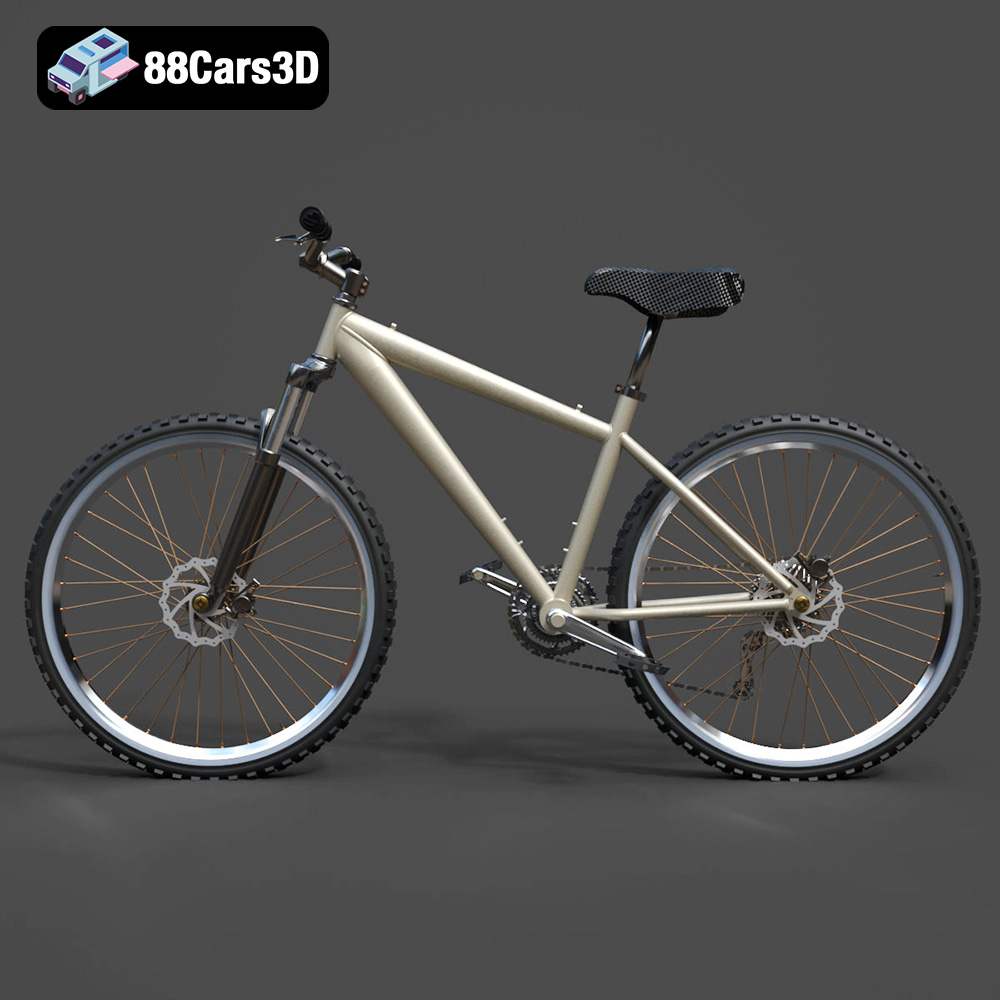
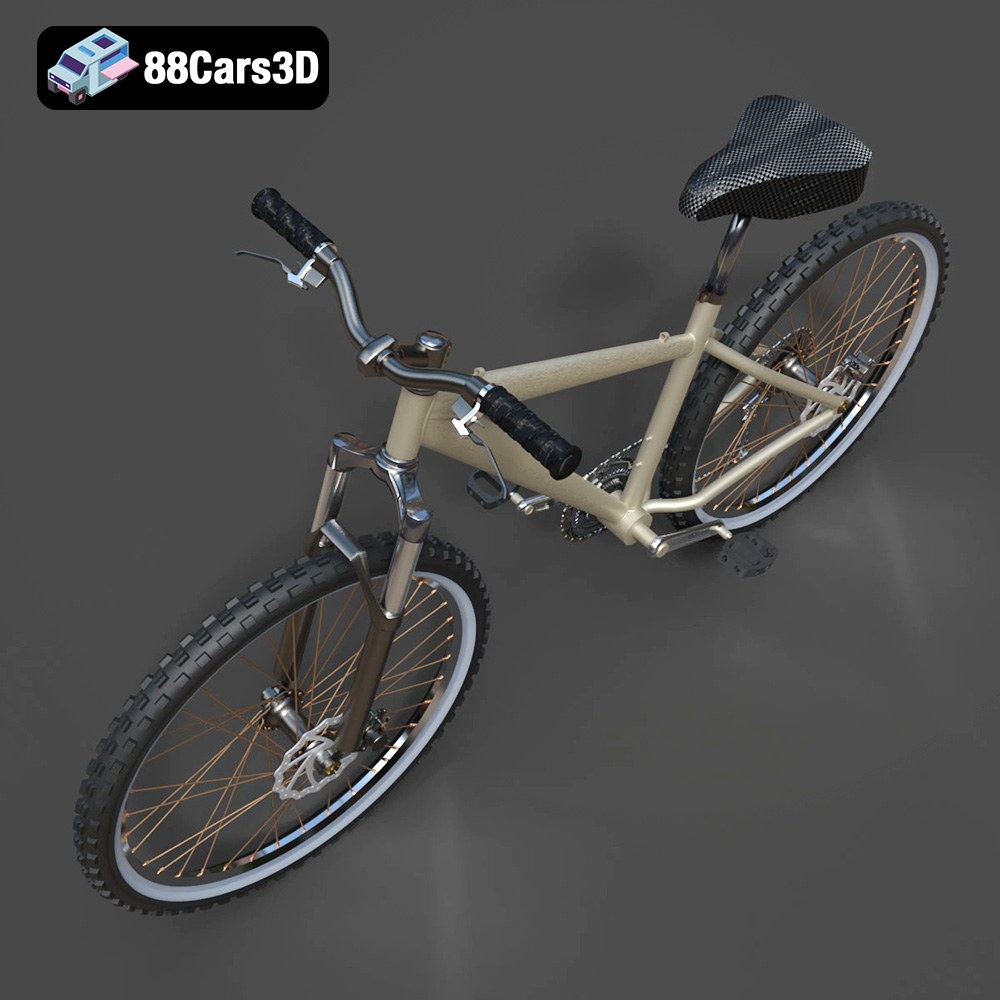
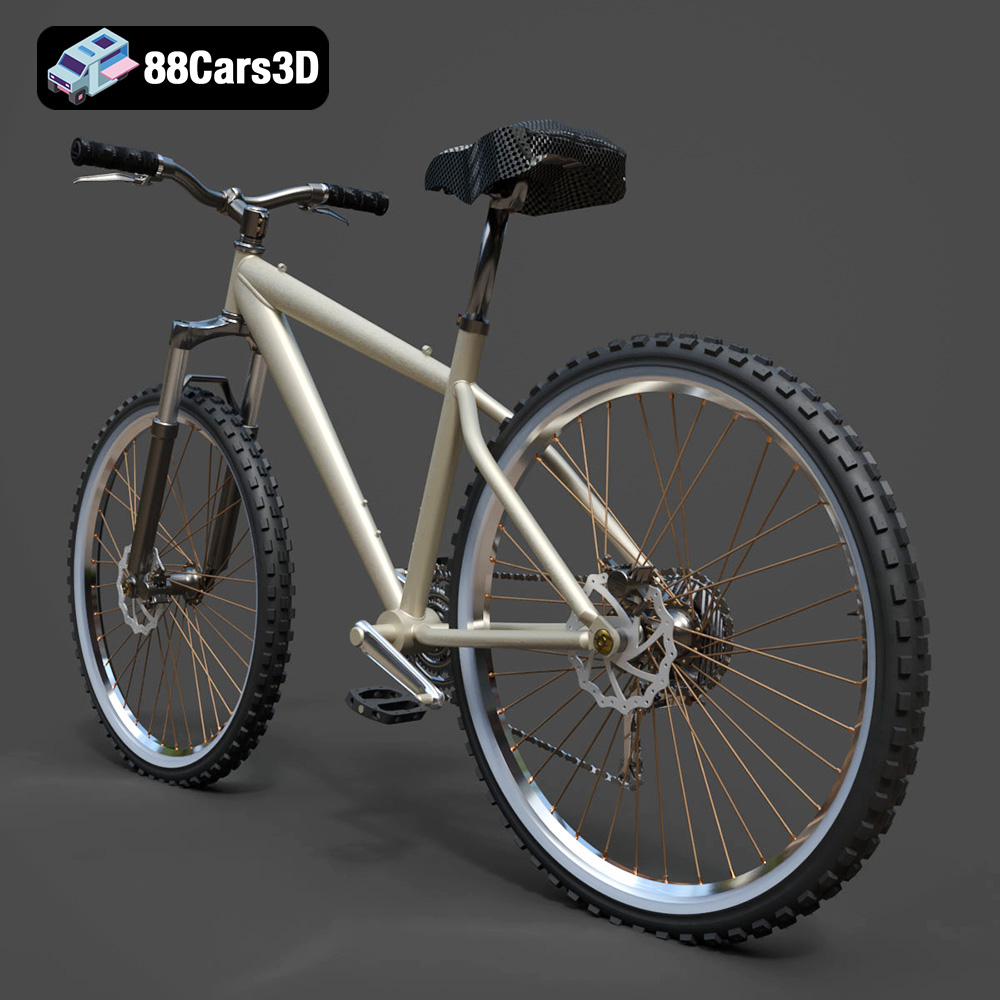
Presenting a meticulously crafted 3D model of a modern bicycle. Built with clean, quad-dominant geometry and a balanced level of detail, it ensures optimal performance and visual fidelity. Ideal for high-quality rendering, animations, detailed simulations, and seamless integration into game development environments. Features a fully detailed chain, spokes, and mechanical components, delivered in 8 professional file formats including .unreal, .fbx, and .blend.
$19.99
Product Image Gallery

Related Tags
.arvr
.bicycle
.bike
.blend
.fbx
.gameasset
.glb
.max
.obj
.ply
.rendering
.simulation
.stl
.transport
.unreal
