

Mastering High-Fidelity Automotive Assets: A Deep Dive into the BMW Z4 E89 3D Model
In the demanding fields of automotive visualization, real-time simulation, and AAA game development, the quality of your source assets dictates the credibility and performance of your final product. Low-quality, poorly optimized, or inaccurate 3D car models simply will not stand up to cinematic scrutiny or perform reliably in complex game environments. Professional studios require assets that are not only visually stunning but technically robust and ready for immediate deployment.
This technical deep dive explores the requirements for production-ready vehicle assets, using a specific example: the highly detailed BMW Z4 Roadster E89 2012 3D Model. Available on specialized marketplaces like 88cars3d.com, assets of this caliber bridge the gap between static visualization and dynamic interactive experiences, offering clean topology, comprehensive material setups, and extensive format support necessary for professional pipelines.
The BMW Z4 Roadster E89 provides an excellent case study. Its complexity—particularly the accurate modeling of the retractable hardtop mechanism—demands exceptional attention to detail in geometry and rigging preparation. Understanding how a model like this is engineered for various outputs, from high-resolution cinematic automotive rendering to optimized integration as game assets, is crucial for technical artists seeking efficiency and quality.
The Professional Need for Clean Geometry
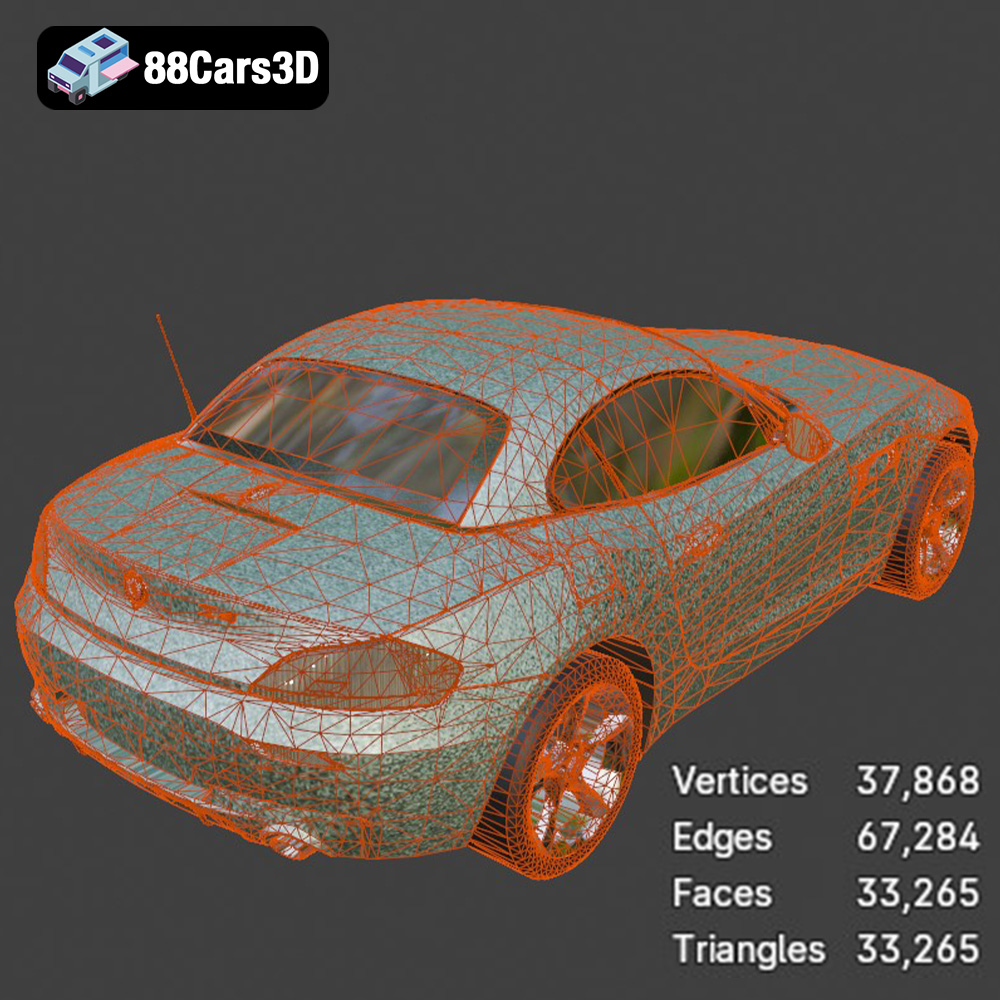
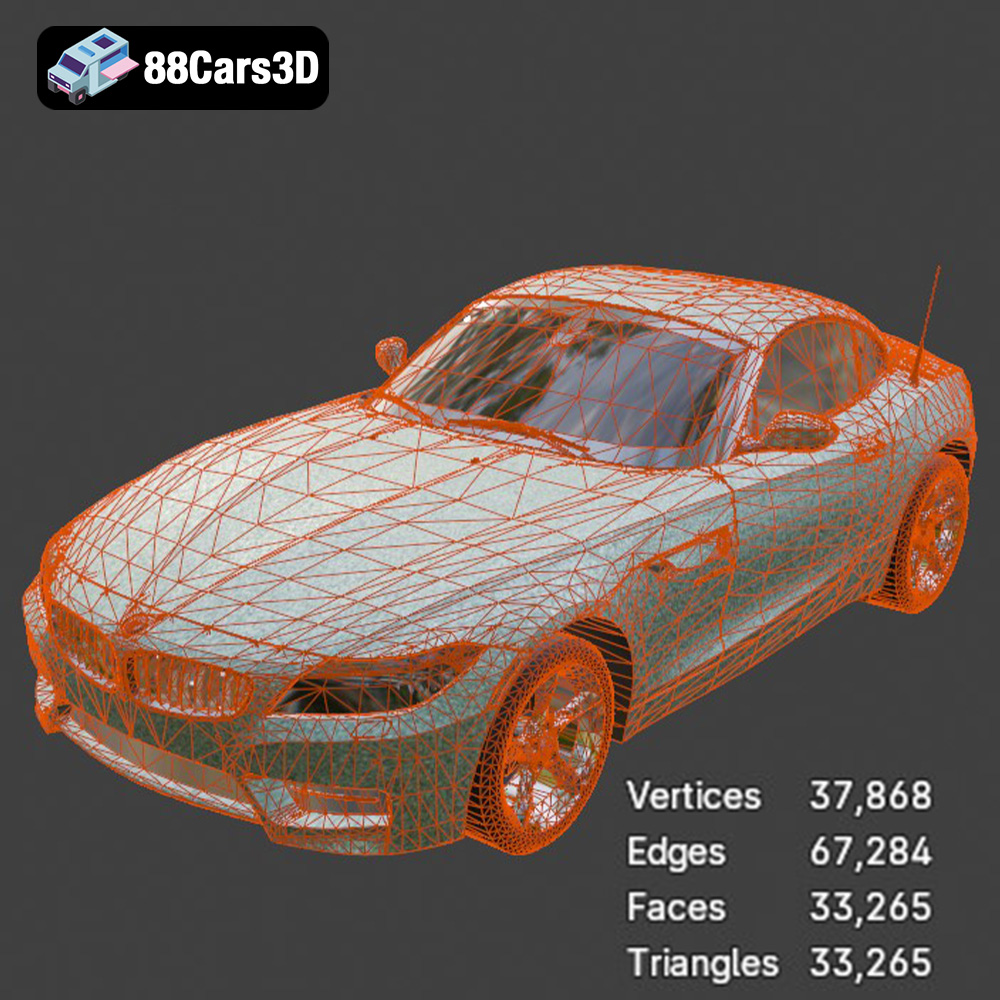
High-fidelity automotive modeling starts with fidelity to the original design language. The distinctive styling and dynamic lines of the Z4 Roadster must be captured perfectly. This necessitates modeling practices focused on clean, quad-based geometry suitable for subdivision surfacing. This attention to topology ensures smooth deformation during animation (such as the roof retraction) and eliminates rendering artifacts commonly found in triangulated or poorly structured meshes.
Understanding 3D Model File Formats
The flexibility of a professional 3D car model is often measured by the breadth and quality of its exported file formats. Choosing the correct format for the task at hand is not merely about compatibility; it is about preserving critical data—such as PBR materials, bone weights, scene lighting, and mesh precision—necessary for successful integration into diverse software environments. For a comprehensive asset like the BMW Z4 Roadster E89, a suite of optimized formats ensures maximum utility.
For technical users relying on high-quality 3D car models from resources like 88cars3d.com, understanding the technical specifications and use cases for each format is mandatory:
- .blend – Fully Editable Blender Scene: This format is essential for users within the open-source ecosystem. The .blend file is not just a mesh container; it typically includes the native scene setup, modifiers, lighting rigs, node-based procedural materials (Cycles/Eevee), and even animation keyframes. It is the primary source file for Blender users, offering the highest degree of editability and optimization specific to that software environment.
- .fbx – Interchange Standard for Real-Time and Animation: The Filmbox format is the industry standard for transferring 3D data, particularly into game engines like Unreal and Unity. FBX excels because it reliably preserves object hierarchy, transformation data, skeletal structures, blend shapes, and multi-layered material assignments. When preparing game assets, the FBX pipeline is prioritized for ensuring that scaling and pivot points remain consistent across applications.
- .obj – Universal Mesh Format: The Wavefront OBJ format is the definition of cross-software compatibility. It stores geometry (vertices, normals, UVs) and material definitions (via an accompanying .mtl file). While it is highly robust for transferring static meshes and basic UV data, it generally lacks support for advanced features like complex rigging, animation, or physical light properties, making it best suited for importing core geometry into unconventional software or older pipelines.
- .glb – Optimized for AR, VR, and Browser-Based Display: GL Transmission Format (GLB) is a binary file format that packages textures, geometry, and material definitions into a single, highly compressed file. This efficiency makes it the format of choice for rapid web deployment, augmented reality (AR) applications on mobile devices, and lightweight virtual reality (VR) experiences where file size and quick loading are paramount.
- .stl – Stereolithography Format for 3D Printing: STL is the standard format for additive manufacturing. It defines the geometry of a 3D object using tessellated triangular facets, without including color, texture, or internal structure data. The Z4 E89’s availability in .stl format means the geometry has been checked and optimized for manifold surfaces and watertight integrity, necessary preconditions for successful physical 3D printing output and prototyping.
- .ply – Precision Mesh Format: The Polygon File Format (PLY) is often used in research, CAD analysis, and applications requiring extremely accurate point cloud or mesh data from 3D scanning. It can store complex metadata, including color per vertex, transparency, and range data, making it suitable for rigorous technical visualization where geometric accuracy takes precedence over rendering aesthetics.
- .unreal – Engine-Ready Asset: While often packaged via FBX, the .unreal designation signifies an asset that has been specifically configured, tested, and sometimes even packaged within an Unreal Engine project structure. This may include pre-setup Blueprints, material instancing, collision meshes, and Level of Detail (LOD) groups, minimizing the setup time for developers integrating high-end 3D car models directly into virtual production or simulation environments.
- .max – Editable 3ds Max Project: For professionals heavily invested in visualization and animation pipelines often centered around 3ds Max (paired with renderers like V-Ray or Corona), the .max file provides the native project source. This allows full access to scene lights, complex modifier stacks, and proprietary renderer settings, which are critical for achieving definitive, high-fidelity automotive rendering results.
Technical Blueprint: Modeling and Topology Excellence
A high-quality vehicle asset, such as the BMW Z4 Roadster E89, adheres to strict technical standards far beyond basic appearance. The integrity of the model’s structure is vital for both close-up rendering and functional deployment.
Quad Topology and Subdivision Surfaces
The cornerstone of production-grade 3D car models is clean, all-quad geometry. Automotive surfaces are defined by complex, sweeping curves, and triangulated meshes introduce pinching, shading errors, and difficulty in UV mapping. The Z4 E89 model leverages quad-dominant topology, allowing the mesh to be smoothly subdivided. This means the model can be scaled dynamically:
- For real-time use (LOD 0 or 1), the base mesh is optimized for poly efficiency.
- For cinematic automotive rendering, a Subdivision Surface modifier can be applied, smoothly increasing the polygon count to millions of faces to eliminate hard edges and capture perfect reflections, crucial for photo-realistic paint finishes.
This approach ensures the model is lightweight when necessary but capable of extreme detail when viewed in cinematic sequences.
UV Mapping and Material ID Strategy
Efficient UV mapping is often overlooked but critical for professional assets. The Z4 model utilizes non-overlapping, organized UV layouts. This is essential for:
- Texture Baking: Allowing ambient occlusion, curvature, or normal maps to be baked cleanly onto the mesh without artifacts.
- PBR Workflow: Enabling seamless application of Physically Based Rendering (PBR) texture sets (Albedo, Metallic, Roughness, Normal) which define realistic surface properties, such as the high-gloss clear coat of the body paint versus the matte plastic of the trim.
- Multi-Material Zones: Utilizing material IDs to cleanly separate distinct components (glass, rubber tires, painted metal, interior upholstery), simplifying material instancing and customization in post-production or engine integration.
Automotive Rendering Workflows: From Studio Setup to Final Output
The goal of high-end visualization is to produce images indistinguishable from photography. Achieving this requires specialized software knowledge and careful scene setup, leveraging the robust geometry provided by 3D car models like the Z4 E89.
High-Fidelity Rendering in 3ds Max
3ds Max remains a pillar of professional visualization. When rendering the BMW Z4 E89, users typically employ powerful ray-tracing engines like V-Ray or Corona. The workflow focuses intensely on lighting and material layering:
- HDRI Environment Lighting: Using High Dynamic Range Images (HDRI) is standard practice to provide realistic, complex, and high-contrast environment illumination and reflections, which are paramount for defining automotive surfaces.
- Complex Shaders: Automotive paint requires intricate shaders, often involving two or three layers: a base color, a metallic flake layer, and a high-gloss clear coat layer with carefully controlled specular and refraction properties. The .max file provided ensures these shader networks are pre-configured for immediate use.
- Depth and Detail: Focusing on details like realistic tire sidewall lettering, accurate headlight Fresnel lenses, and the subtle imperfections of the windshield glass elevate the final automotive rendering result significantly.
Efficiency and Realism in Blender
Blender’s growth makes its native .blend format indispensable. The Cycles path tracer delivers photorealistic results that rival commercial renderers, while Eevee offers high-speed rasterization for previews and stylized output.
- Cycles Photorealism: The included .blend file likely utilizes optimized node setups for Cycles, allowing artists to quickly manipulate the vehicle’s paint and trim without rebuilding the material network. This efficiency is critical for meeting tight deadlines.
- Procedural Materials: Blender’s node system allows for procedural details—like subtle surface dust or complex tire tread patterns—to be generated efficiently, reducing the need for massive texture maps and saving memory, while still providing stunning automotive rendering quality.
Integration into Real-Time Engines: The Game Asset Pipeline
The shift toward real-time rendering is accelerating, driven by virtual production, interactive configurators, and immersive training simulations. Integrating high-quality 3D car models into engines like Unreal Engine and Unity demands optimization that respects the constraints of GPU performance.
Optimized Game Assets for Unreal Engine
When deploying the BMW Z4 E89 as a game asset, the .fbx and .unreal formats are paramount. Unreal Engine requires models to be pre-processed to ensure maximum efficiency:
- Level of Detail (LOD) Generation: This is non-negotiable for game assets. High-poly models, even the Z4 E89, must be decimated to create three or four lower-resolution versions (LOD1, LOD2, LOD3). LODs switch dynamically based on the camera distance, drastically reducing triangle count and maintaining high frame rates.
- Collision Meshes: Every game asset needs a simplified collision mesh (often a convex hull) separate from the visual mesh to handle physics and interactions accurately without impacting rendering performance.
- Material Instancing: Using Unreal’s material instance system allows developers to create dozens of color variants or material changes (e.g., changing the Z4 paint from metallic blue to matte black) from a single master material, minimizing draw calls and improving scene load times.
Scaling for Simulation and AR/VR
Simulation environments, such as those used for driver training or logistics planning, require assets that are not only visually accurate but geometrically precise for physics calculations. For these pipelines, the model must maintain scale accuracy (1:1) and have clean pivot points for realistic wheel rotation and suspension movement. Similarly, AR/VR applications, which often run on less powerful mobile hardware, necessitate the deployment of the highly optimized .glb format, ensuring rapid loading and minimal processing overhead for complex 3D car models.
Beyond Visualization: Case Studies in Simulation and AR/VR
The applications for highly detailed 3D car models extend far beyond glossy marketing imagery. Professional assets provide the foundation for critical interactive and manufacturing processes.
Virtual Showrooms and Interactive Configurators
Using the BMW Z4 E89 model, automotive manufacturers and dealers can create immersive virtual showrooms. Leveraging formats like .glb allows the model to be easily embedded in web environments. Customers can interactively explore the car, change paint colors, switch wheel designs, and even view the detailed retraction mechanism of the hardtop in 3D, all rendered seamlessly in real-time within a web browser or dedicated VR headset. This interactive experience significantly boosts customer engagement, providing a more detailed view than static images could ever offer.
Physical Prototyping via 3D Printing
The inclusion of the .stl format enables rapid prototyping. While 3D printing a full-scale vehicle is impractical, designers often print detailed components—such as complex lighting fixtures, interior console details, or, in the case of the Z4, miniature functional prototypes of the roof mechanism—to test fit, form, and mechanical articulation before committing to expensive tooling. This relies heavily on the geometric accuracy of the source model provided, emphasizing why clean topology is vital even when preparing for manufacturing output.
Conclusion: Leveraging Professional 3D Assets for Competitive Advantage
In the competitive digital landscape, efficiency and quality are paramount. Whether you are building cinematic sequences for advertising, developing high-performance game assets, or designing immersive AR experiences, starting with a technically sound foundation is essential.
The BMW Z4 Roadster E89 2012 3D Model exemplifies the caliber of asset required for professional success. Its comprehensive package—including clean quad geometry, optimized PBR materials, and broad support across eight key file formats (from .max and .blend for rendering mastery, to .fbx and .unreal for game deployment)—ensures immediate usability in any pipeline. Investing in high-quality 3D car models from specialized providers like 88cars3d.com significantly reduces development time and guarantees the visual fidelity necessary to meet the highest industry standards for automotive rendering and simulation.
For technical artists seeking reliable, production-ready vehicles that perform flawlessly across both offline rendering and real-time engines, detailed models like the Z4 E89 are the definitive choice for achieving competitive advantage.
Featured 3D Model
BMW Z4 Roadster E89 2012 3D Model
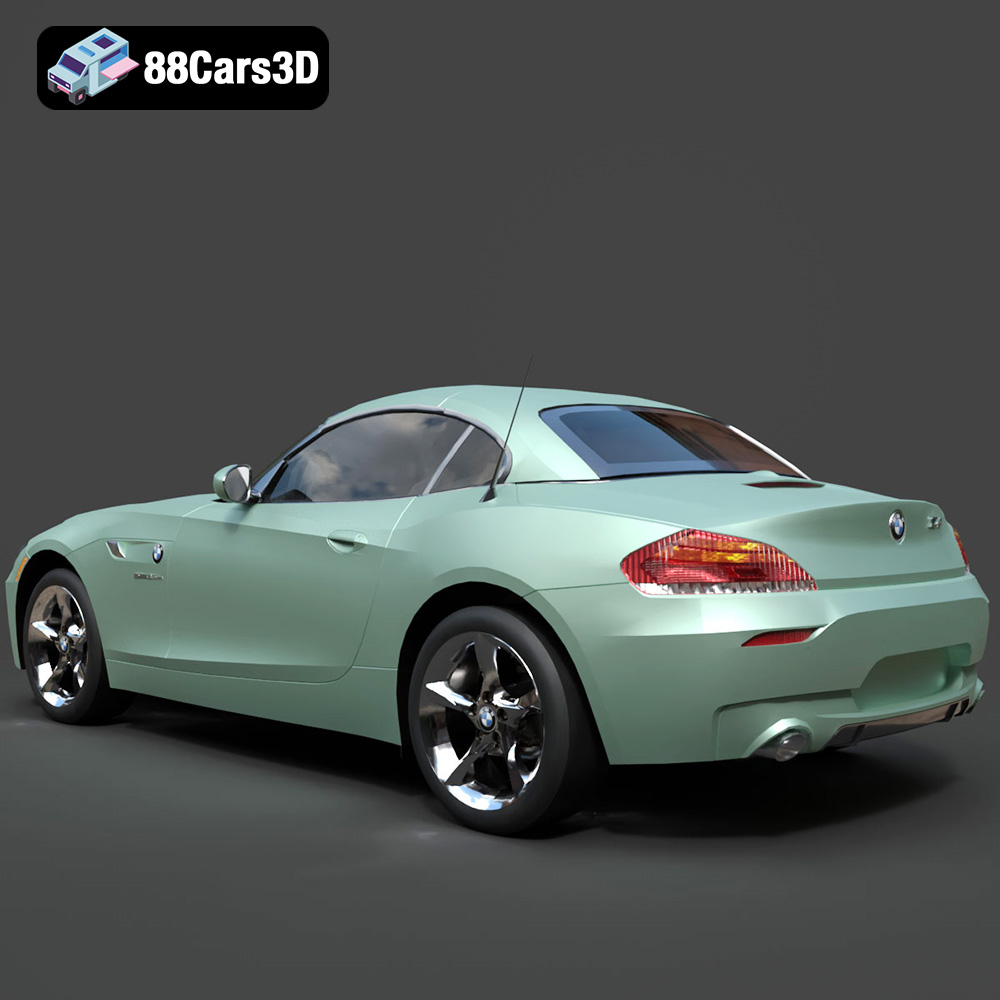
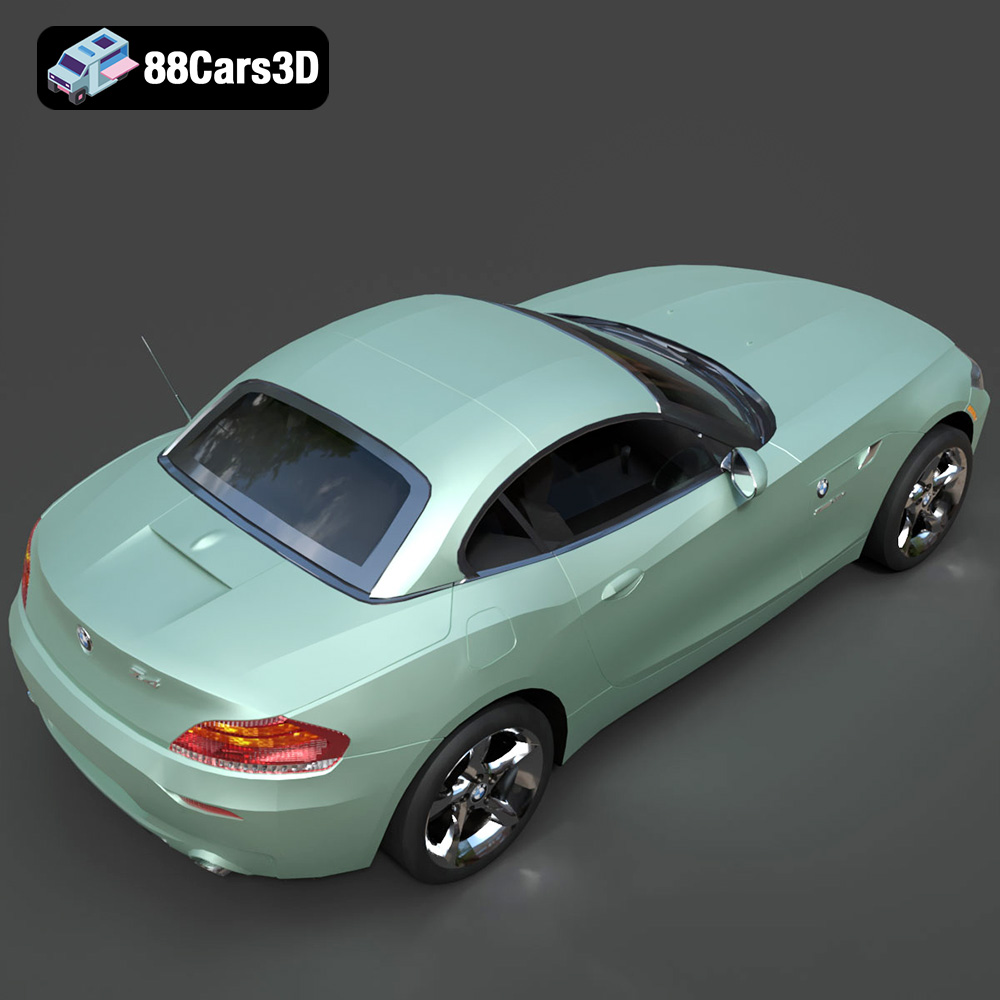
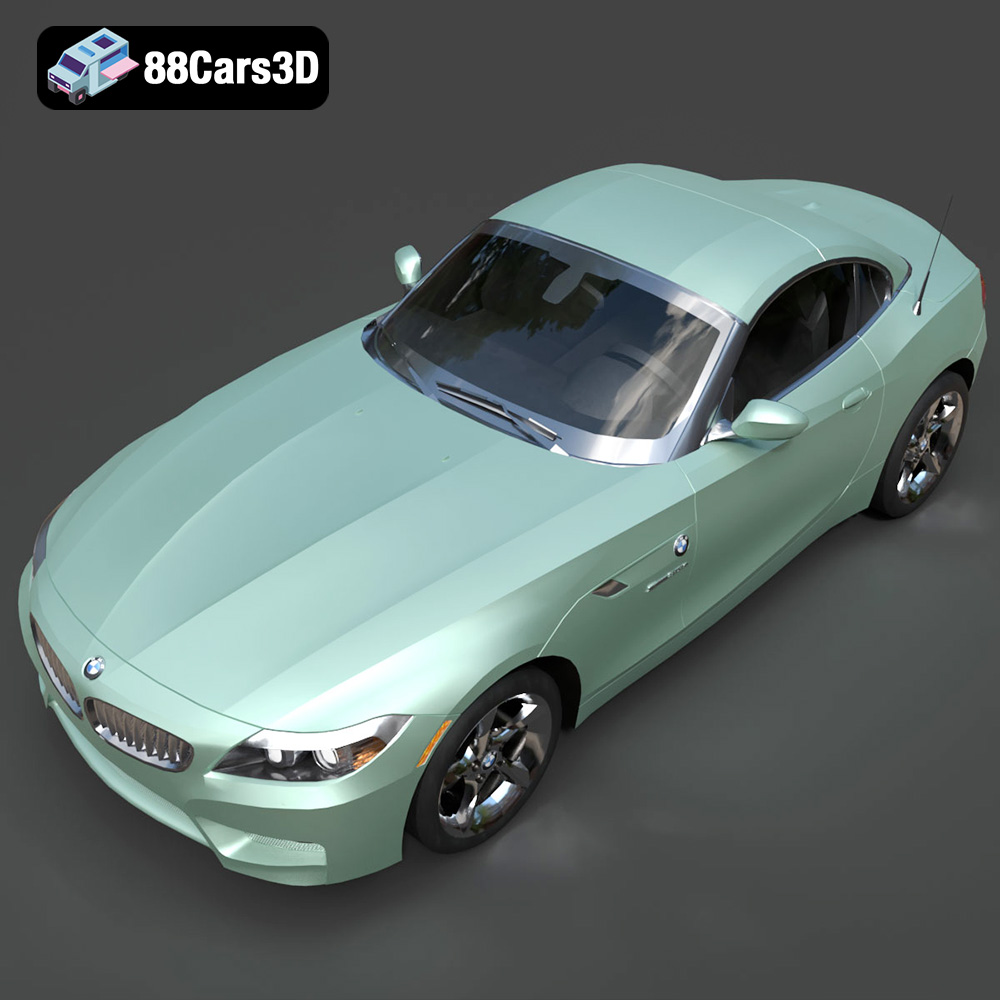
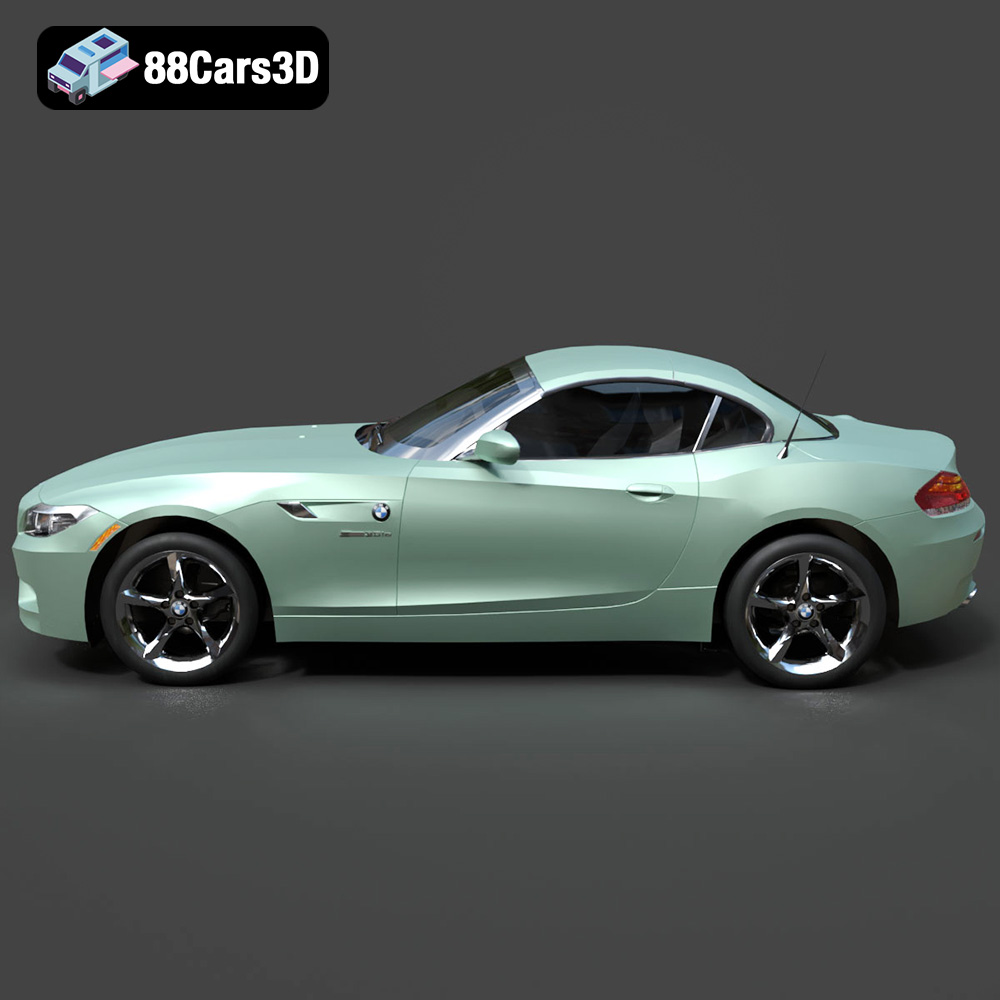
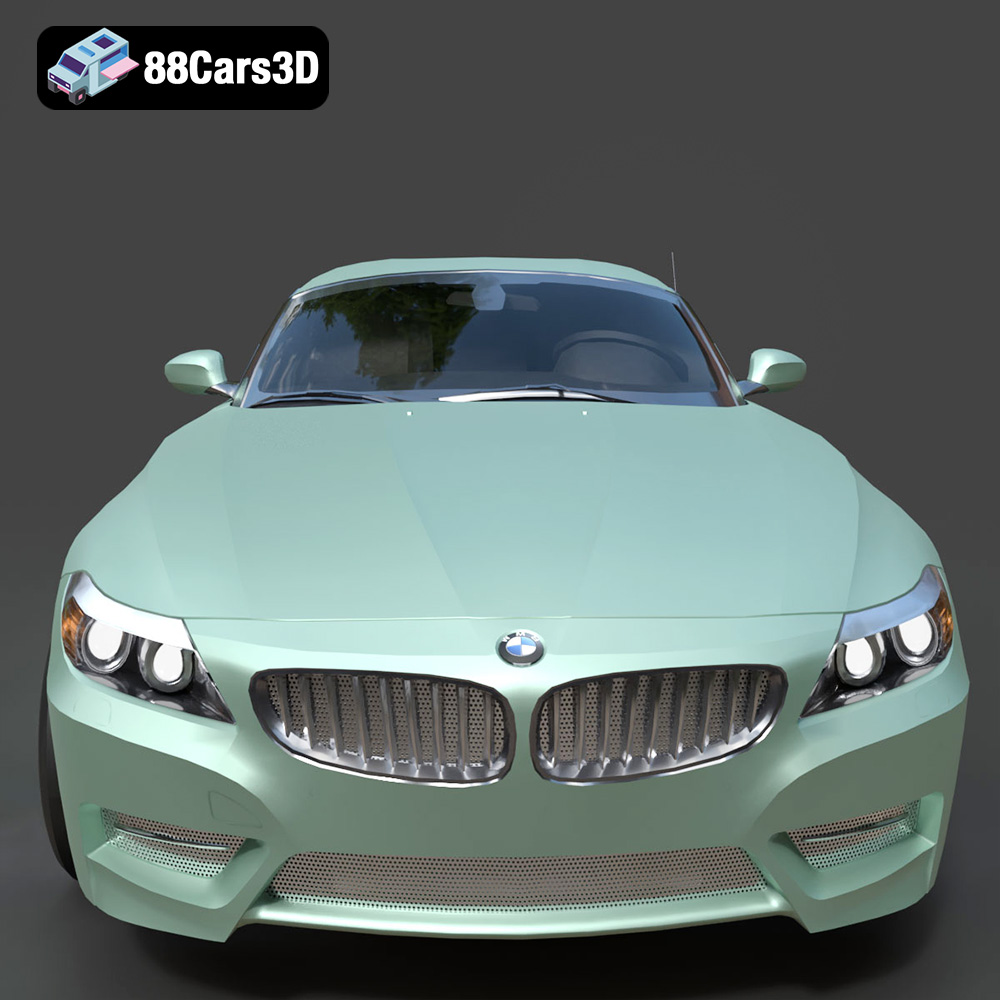
This detailed 3D representation of the BMW Z4 Roadster E89 provides an accurate, production-ready asset for professional digital projects. Developed with precision, the model captures the distinctive styling and dynamic lines of this modern German sports convertible, ensuring visual fidelity in any environment.
$13.99
Product Image Gallery

Related Tags
.arvr
.blend
.bmw
.car3dmodel
.convertible
.e89
.fbx
.gameasset
.germancar
.glb
.max
.obj
.ply
.rendering
.roadster
.simulation
.sportsCar
.stl
.unreal
.z4
.z4e89
