Get 50% OFF All Premium 3D & STL Models!

Few vehicles command the same level of nostalgic affection and cultural recognition as the Volkswagen Bus. More than just a mode of transport, it became a symbol of freedom, adventure, and an era defined by vibrant counterculture. For 3D artists, game developers, automotive designers, and visualization specialists, recreating such an iconic machine is a pursuit of both technical precision and artistic passion. The challenge lies in capturing its distinctive rounded silhouette, the signature V-shaped front panel, and the inherent charm that makes it instantly recognizable.
Today, the demand for high-quality, meticulously detailed 3D car models is higher than ever, driving innovation in digital asset creation. Whether for a captivating cinematic render, an immersive virtual reality experience, an open-world game environment, or even a tangible 3D-printed collectible, accuracy and versatility are paramount. This is where a model like the Volkswagen Bus 3D Model truly shines. Developed with an expert eye for detail and optimized for a diverse range of applications, it stands as a testament to the power of digital craftsmanship. From its accurately proportioned body to its period-correct interior, this model provides a robust foundation for any project seeking to evoke the timeless spirit of the original.
In the dynamic world of 3D modeling, the choice of file format is as critical as the model’s geometry itself. Each format serves specific purposes, catering to different software, pipelines, and end-use applications. Understanding these distinctions is crucial for seamless workflow integration and maximizing the utility of a high-quality asset like the Volkswagen Bus 3D Model. The comprehensive offering from 88cars3d.com includes a variety of formats, ensuring compatibility across virtually all professional environments.
The .blend format is the native file type for Blender, the powerful open-source 3D creation suite. When you receive a model in .blend format, you’re gaining access to a fully editable Blender scene. This typically includes the mesh data, materials, textures, lighting setups, cameras, and even animation data if present. For the Volkswagen Bus 3D Model, having the .blend file means artists can dive directly into the scene, modify topology, adjust materials using Blender’s node-based shader editor (Cycles or Eevee), re-rig components, or extend the model with custom accessories. It offers the highest degree of flexibility for Blender users who wish to customize, animate, or render the model within their preferred environment without any loss of data fidelity.
Autodesk’s .fbx (Filmbox) format is arguably the most widely adopted interchange format in the 3D industry, particularly favored in game development and real-time pipelines like Unreal Engine and Unity. FBX excels at preserving a wide array of data beyond just geometry, including meshes, materials (often simplified or converted to PBR definitions), textures, animations, skinning, and camera information. For a complex asset like the Volkswagen Bus, FBX is ideal for transferring the model into game engines where it can be quickly set up with engine-specific materials, collision meshes, and interactive elements. Its robust support for hierarchies and pivot points (as noted in the product’s technical advantages for steering and wheels) makes it an excellent choice for animated vehicle assets.
The .obj (Wavefront OBJ) format is a venerable and widely supported standard primarily used for transferring pure geometric data – vertices, normals, UV coordinates, and polygon groups. While it doesn’t typically store advanced material properties, animation, or rigging, its simplicity and ubiquitous compatibility make it a reliable choice for mesh export and import across almost any 3D software. For the Volkswagen Bus 3D Model, the .obj file is perfect for users who need a clean mesh to start from, perhaps for sculpting, retopology, or for setting up materials from scratch in a new renderer or software package. It’s an excellent fallback and a guarantee of fundamental compatibility.
.glb (GL Transmission Format Binary) is quickly becoming the go-to format for efficient transmission and loading of 3D scenes and models, especially in AR (Augmented Reality), VR (Virtual Reality), and browser-based applications. It’s a binary container format that includes geometry, materials (using PBR workflows), textures, and animations in a single file, making it incredibly streamlined for web and mobile experiences. The Volkswagen Bus 3D Model in .glb format allows for rapid deployment into web viewers, AR apps, or interactive presentations, providing a lightweight yet visually rich representation of the vehicle without the need for complex software installations.
The .stl (Stereolithography) format is the industry standard for 3D printing. It represents a 3D model as a collection of unconnected triangular facets, defining the surface geometry of the object. Crucially, STL files are ‘manifold,’ meaning they describe a watertight solid – a prerequisite for successful 3D printing. The inclusion of the Volkswagen Bus 3D Model as an .stl (or easily convertible to it) directly caters to its application as a collectible scale model or display miniature. The provided 3D print settings for scale, layer height, infill, and supports are specifically tailored for optimizing the print quality of this particular model, ensuring physical fidelity to its digital counterpart.
The .ply (Polygon File Format) is another format for storing 3D data, particularly useful for scanned data, CAD, and scientific applications where precision and additional data per vertex (like color, transparency, or confidence values) are important. While less common for general-purpose model exchange than FBX or OBJ, its strength lies in capturing dense point clouds and detailed mesh information. For complex reverse engineering or analysis tasks involving the Volkswagen Bus, the .ply format offers a robust and accurate representation of the geometry.
The .unreal designation often refers to assets specifically packaged or optimized for direct use within the Unreal Engine. While not a standalone file format in the same way FBX is, it implies that the asset comes pre-configured with Unreal-specific settings, potentially including materials, LODs (Levels of Detail), collision meshes, and blueprints. For a developer working on a game or real-time simulation, having a Volkswagen Bus 3D Model prepared in this manner significantly reduces setup time, allowing for immediate integration into an Unreal project and leveraging the engine’s powerful rendering capabilities for highly realistic environments.
Finally, the .max format is the native scene file for Autodesk 3ds Max, a leading software for 3D modeling, animation, and rendering in architectural visualization, product design, and cinematic production. Similar to the .blend file for Blender, the .max file provides full access to the original project, including all geometry, modifiers, materials (V-Ray, Corona, Arnold), lighting, cameras, and animation curves. This is invaluable for users who rely on 3ds Max for high-end rendering and complex animation sequences, allowing for complete control over every aspect of the Volkswagen Bus 3D Model within its native authoring environment.
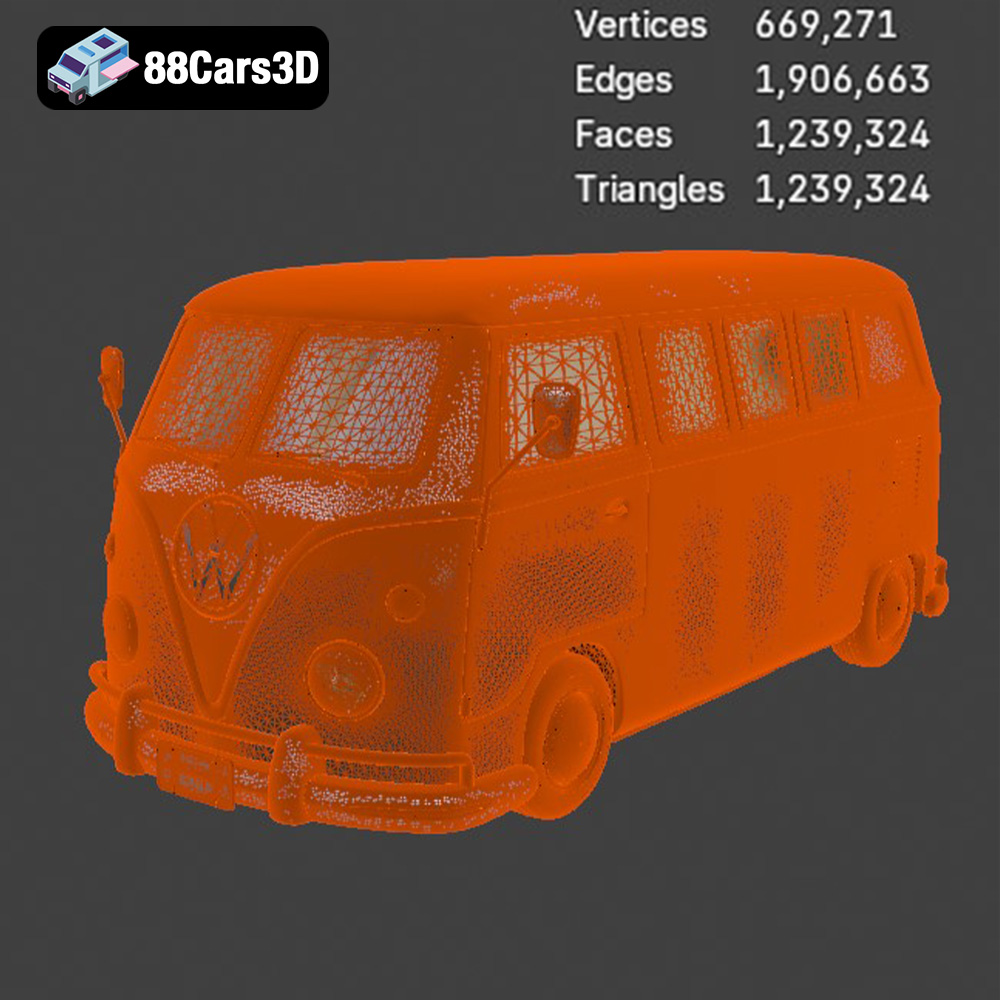
The value of any 3D asset in a professional pipeline is ultimately measured by its technical quality and ease of integration. The Volkswagen Bus 3D Model from 88cars3d.com is engineered with these principles at its core, offering clean topology, real-world scale accuracy, and proper pivot setups that streamline workflows across diverse applications.
Blender has become a powerhouse for independent artists and studios alike. For users leveraging Blender, the included .blend file ensures a native, uncompromised experience. Upon opening, artists will find a well-organized scene with the Volkswagen Bus model correctly scaled and centered. The clean and well-organized mesh structure, a hallmark of this model, translates directly into ease of manipulation. Whether you’re setting up a realistic Cycles render with PBR materials for a marketing campaign or optimizing the model for real-time Eevee viewport performance, the robust mesh provides an excellent foundation. Artists can quickly adjust material properties, add custom liveries, or even rig the separate wheels and steering components for dynamic animations directly within Blender.
In studios where Autodesk 3ds Max is the primary tool, the .max file offers immediate access to a project ready for high-fidelity rendering engines like V-Ray or Corona Renderer. The real-world scale accuracy is critical for physically accurate lighting and camera setups, preventing common issues like incorrect depth of field or lighting falloff. The model’s optimized polygon flow contributes to faster render times while maintaining visual fidelity, even in close-up shots. With separate wheels and steering components, animators can precisely articulate the vehicle’s movement for automotive commercials, product showcases, or intricate scene compositions without tedious manual rigging. The clean mesh also allows for easy application of advanced texturing techniques, such as UV-based decals or procedural wear and tear.
For game developers, performance is paramount. The Volkswagen Bus 3D Model, with its optimized geometry and clean mesh structure, is designed to integrate flawlessly into real-time engines like Unreal Engine. Using the .fbx or even the pre-packaged .unreal asset, developers can import the model with confidence. Its proper pivot setup for steering and wheel rotation drastically simplifies blueprinting for vehicle physics and animation. LODs (Levels of Detail) can be easily generated to ensure optimal performance at varying distances, crucial for open-world games. Furthermore, the model’s clean UVs (implied by high-quality assets) allow for efficient texture packing and the creation of visually stunning PBR materials that respond realistically to Unreal Engine’s advanced lighting and reflection systems. This makes the classic bus an excellent game asset for titles ranging from retro racers to survival adventures.
The enduring appeal of the Volkswagen Bus lies not just in its utility, but in its distinctive aesthetic. A truly excellent 3D model must honor this legacy through meticulous attention to design fidelity, both externally and internally.
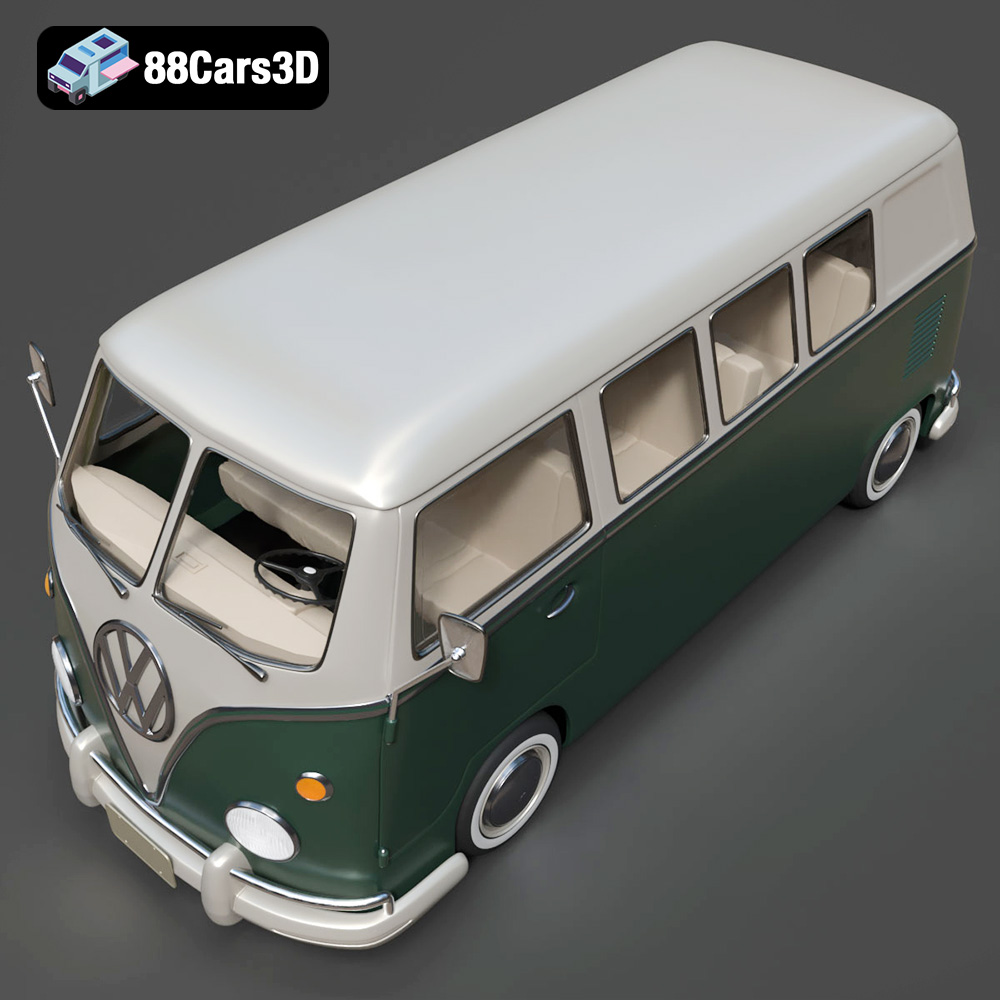
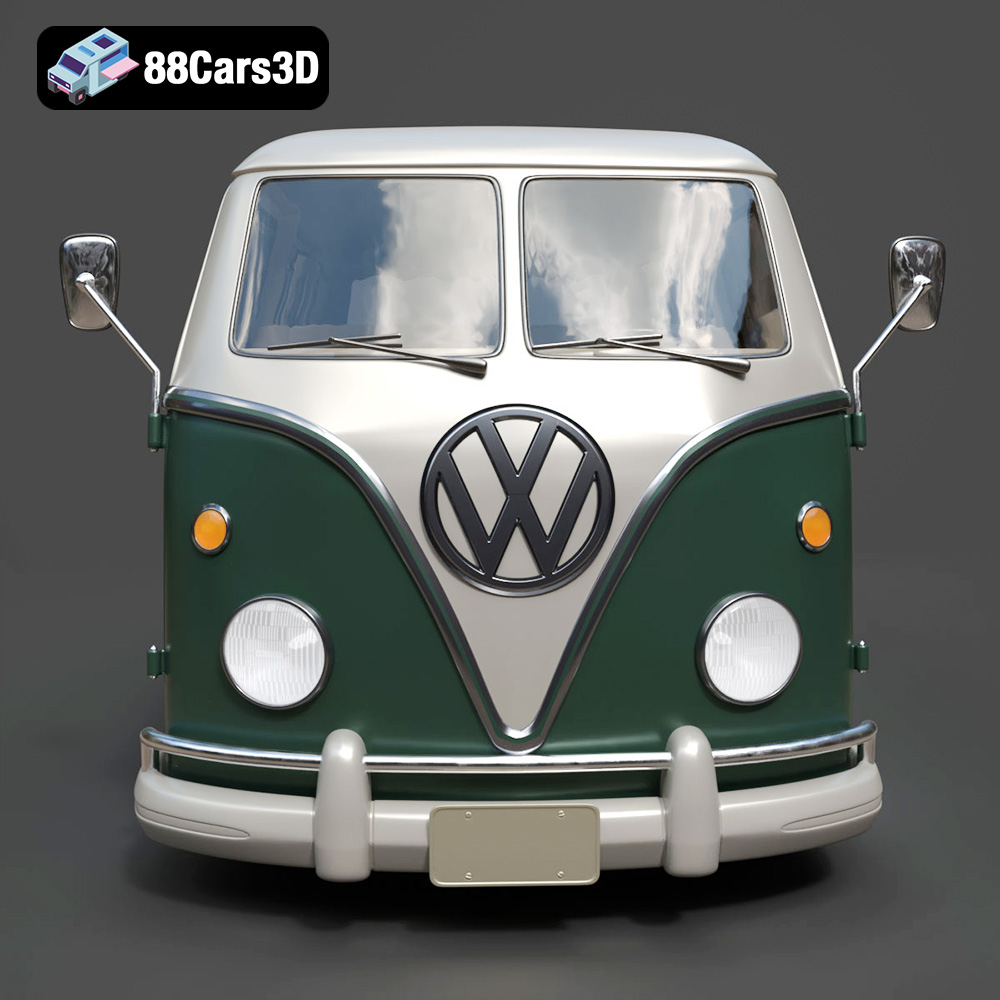
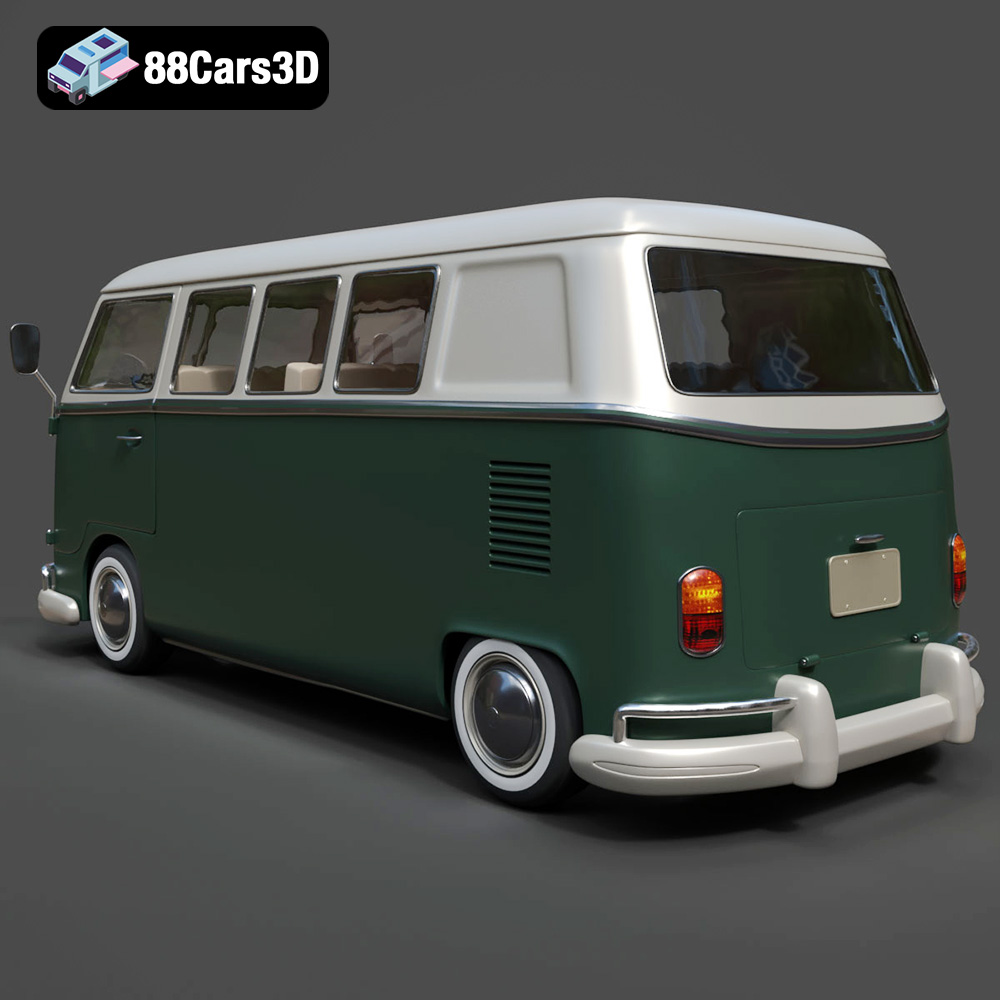
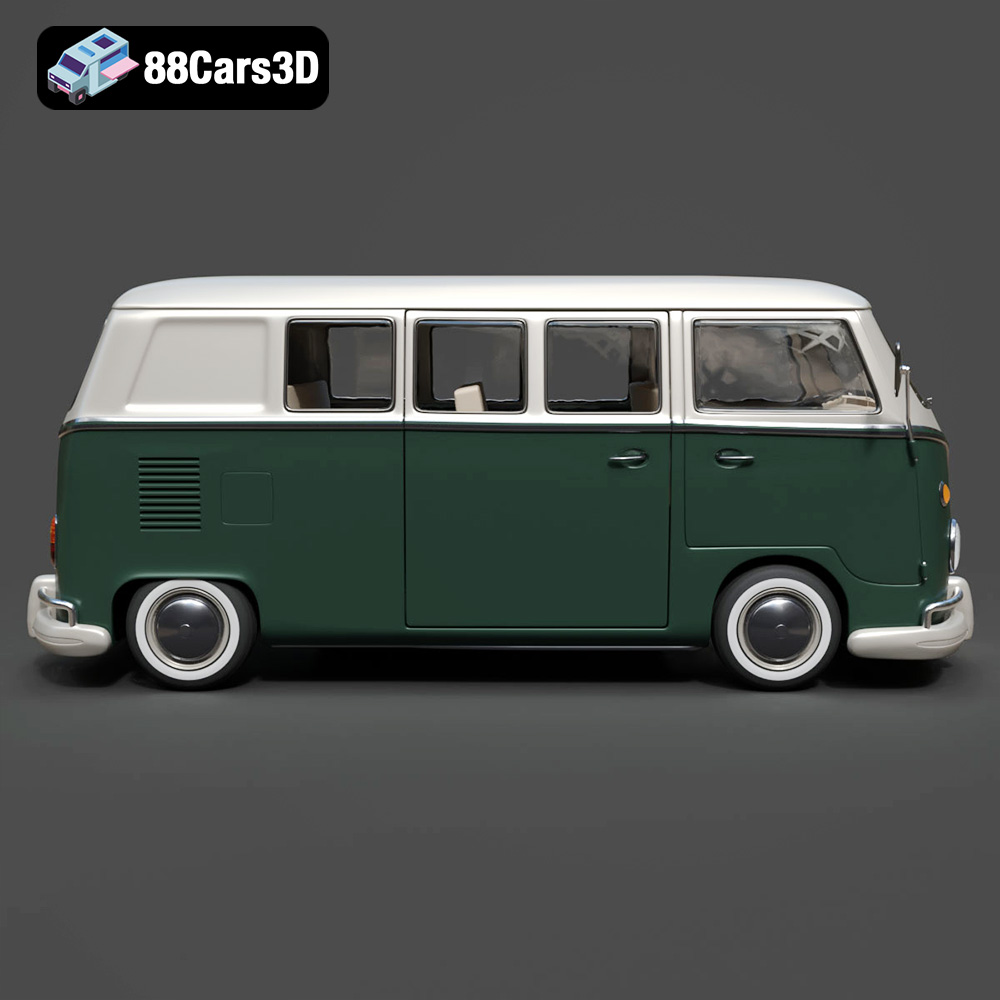
The Volkswagen Bus 3D Model delivers on its promise of accurate classic proportions. From the instantly recognizable rounded front fascia with its signature V-panel styling to the circular headlights and chrome bumper detailing, every element is faithfully recreated. The large side window configuration, the characteristic sliding side door setup, and the subtle curves that define its silhouette are all present and accounted for. Even the rear engine compartment structure, often overlooked in lesser models, is meticulously detailed. This commitment to exterior authenticity makes the model a standout for historical visualizations, automotive marketing, or any project where visual accuracy is non-negotiable.
While the exterior captures attention, the interior defines the user experience, especially in interactive applications like AR/VR or game environments. This Volkswagen Bus 3D Model doesn’t disappoint, featuring a classic dashboard layout complete with analog gauges, a period-correct steering wheel, and a vintage control panel. The passenger seating configuration, interior paneling, and floor detailing contribute to a sense of immersive realism. These interior elements are not merely suggested but are fully modeled with optimized geometry, ensuring they look great in high-quality renders and perform efficiently in real-time engines. For virtual tours or cinematic sequences, the ability to “step inside” and appreciate these details is invaluable.
The true power of a meticulously crafted 3D asset lies in its adaptability across various creative industries. The Volkswagen Bus 3D Model is not a one-trick pony; it’s a versatile tool for a multitude of applications, from high-end visualization to tangible 3D prints.
For automotive studios, marketing agencies, and product designers, high-quality 3D car models are indispensable. The Volkswagen Bus 3D Model is ideal for lifestyle marketing, vintage branding visuals, and travel-themed promotions. Imagine a beautifully rendered scene of the bus parked by a beach at sunset, or navigating a charming retro urban street. Its clean geometry and accurate details allow for stunning visual effects, realistic reflections, and dynamic lighting setups. The customization options, such as two-tone or custom body paint schemes, adding roof racks, or configuring interior layouts, provide endless possibilities for tailoring the model to specific brand narratives or aesthetic requirements.
As a game asset, the Volkswagen Bus 3D Model brings an immediate sense of character and history to any virtual environment. It’s perfectly suited for open-world exploration games, retro-themed environments, driving simulators, or even as an iconic static prop. The optimized geometry ensures it can be efficiently integrated into game engines without compromising performance, while the separate, animatable components allow for realistic vehicle physics and interactive elements. Developers can leverage its classic design to create compelling narratives around road trips, festivals, or nostalgic journeys.
Augmented Reality (AR) and Virtual Reality (VR) platforms demand high-quality, optimized 3D models for truly immersive experiences. The Volkswagen Bus is perfect for interactive classic vehicle showcases, where users can explore the model in 360 degrees, open doors, or even customize its appearance in real-time. For virtual camper van experiences, users could “step inside” and configure the interior, making it an engaging and memorable interaction. The .glb format is particularly beneficial here, offering a streamlined path to deploying the model in web-based AR/VR applications.
One of the most exciting applications of this 3D model is its suitability for 3D printing. The ability to convert it to an .stl format opens up a world of physical collectibles, display miniatures, and prototyping. Imagine holding a perfectly scaled replica of this automotive icon in your hand! This goes beyond mere visualization, allowing designers and enthusiasts to bridge the gap between digital design and tangible objects. The meticulous details of the digital model translate directly into a high-fidelity physical product, making it a valuable asset for model makers and collectors.
Transforming a digital 3D model into a physical object via 3D printing involves a unique set of considerations. The provided 3D print settings for the Volkswagen Bus 3D Model are a valuable guide for achieving optimal results, ensuring that the charm and detail of the digital asset are fully realized in physical form.
The recommended scales of 1:32 / 1:24 / 1:18 / 1:12 offer flexibility for various display purposes, from compact tabletop models to larger, more detailed collector’s pieces. The choice of scale directly impacts the level of detail that can be resolved and the overall printing time. For FDM (Fused Deposition Modeling) printers, a layer height of 0.12–0.20 mm is suggested, striking a balance between detail and print speed. For smaller scales, or when aiming for absolute maximum detail, utilizing a resin (SLA/DLP) printer would allow for even finer layer heights and smoother surfaces, especially for delicate features like the chrome bumpers or interior dashboard.
Wall thickness (1.5–2.5 mm) and infill (15–30%) are critical settings for ensuring the structural integrity of the printed model without excessive material consumption. A thicker wall and higher infill percentage will result in a more robust model, important if it’s to be handled frequently. Due to the Volkswagen Bus’s rounded body and various overhangs (like mirrors, bumpers, and window frames), supports are required. Careful placement of these supports is essential to prevent unsightly marks on visible surfaces. The recommendation for the body to be printed upright for best surface detail, and wheels printed separately, is a common and effective strategy to maximize quality and simplify post-processing, especially for round components that benefit from being printed flat on the build plate or with minimal supports.
The true magic of 3D printing often lies in the post-processing. After printing, steps like sanding and applying a primer are crucial for achieving a smooth, paint-ready surface. The iconic look of the Volkswagen Bus often involves a distinctive two-tone paint finish, which can be meticulously applied. Adding optional decals (such as logos or stripes) and carefully applying chrome accents (using chrome paint or even reflective foils) can elevate the model to museum-quality realism. This detailed guidance transforms the raw 3D print into a stunning, personalized collectible, a tangible representation of the digital craftsmanship available at 88cars3d.com.
The Volkswagen Bus is more than just a vehicle; it’s a cultural icon that continues to inspire. In the digital realm, capturing its essence requires a blend of technical prowess and artistic sensibility. The Volkswagen Bus 3D Model embodies this synthesis, offering a high-detail digital recreation that is both technically robust and visually authentic. With its clean topology, real-world scale, versatile file formats, and meticulous attention to both exterior and interior details, it serves as an invaluable asset for professionals across various creative industries.
Whether you are crafting stunning automotive rendering scenes for marketing, developing immersive game environments, designing interactive AR/VR experiences, or bringing a physical collectible to life through 3D printing, this model provides the foundational quality you need. Its compatibility with major 3D software platforms like Blender and 3ds Max, along with optimization for real-time engines such as Unreal, ensures seamless integration into any workflow. The detailed guidance for 3D printing further extends its utility, offering a pathway to tangible, high-fidelity replicas.
For those seeking to infuse their projects with a touch of vintage charm and undeniable character, this Volkswagen Bus 3D Model from 88cars3d.com is an exceptional choice. It’s a digital masterpiece ready to embark on its next adventure, in whatever form your creative vision dictates.
The Volkswagen Bus 3D Model is a high-detail digital recreation of the iconic rear-engine van that became a cultural symbol of freedom, travel, and 1960s counterculture. Known for its rounded body shape, split or panoramic windshield variants, and practical interior space, the Volkswagen Bus remains one of the most recognizable classic vehicles in automotive history. This 3D model accurately represents the signature front V-shaped panel, circular headlights, large windows, sliding side door configuration, rear engine layout, chrome bumpers, and vintage wheel styling. Designed with clean topology and real-world scale accuracy, it is ideal for rendering, animation, simulation, game development, and AR/VR experiences.
$29.99
.arvr
.automotive
.blend
.campervan
.car3dmodel
.classicvan
.fbx
.gameasset
.glb
.max
.obj
.ply
.rendering
.retrovehicle
.simulation
.stl
.unreal
.vintagecar
.volkswagen
.vwbus