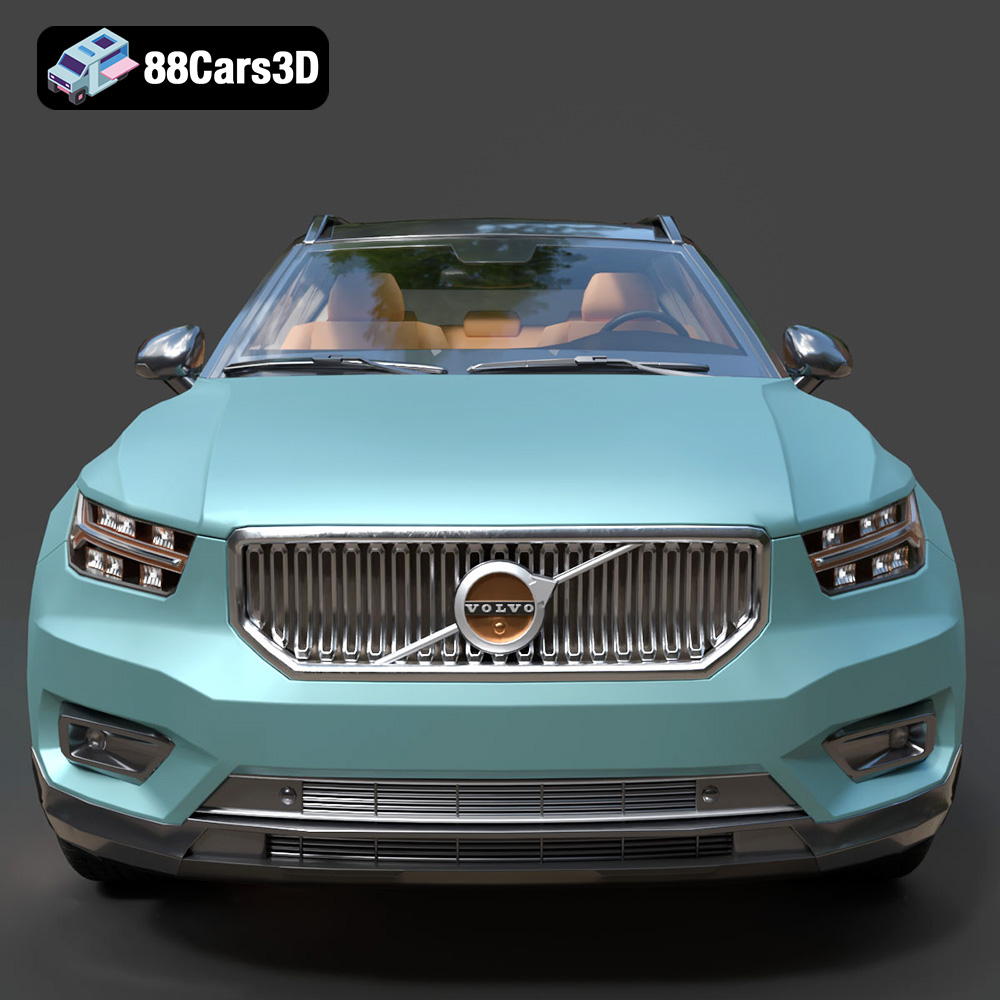
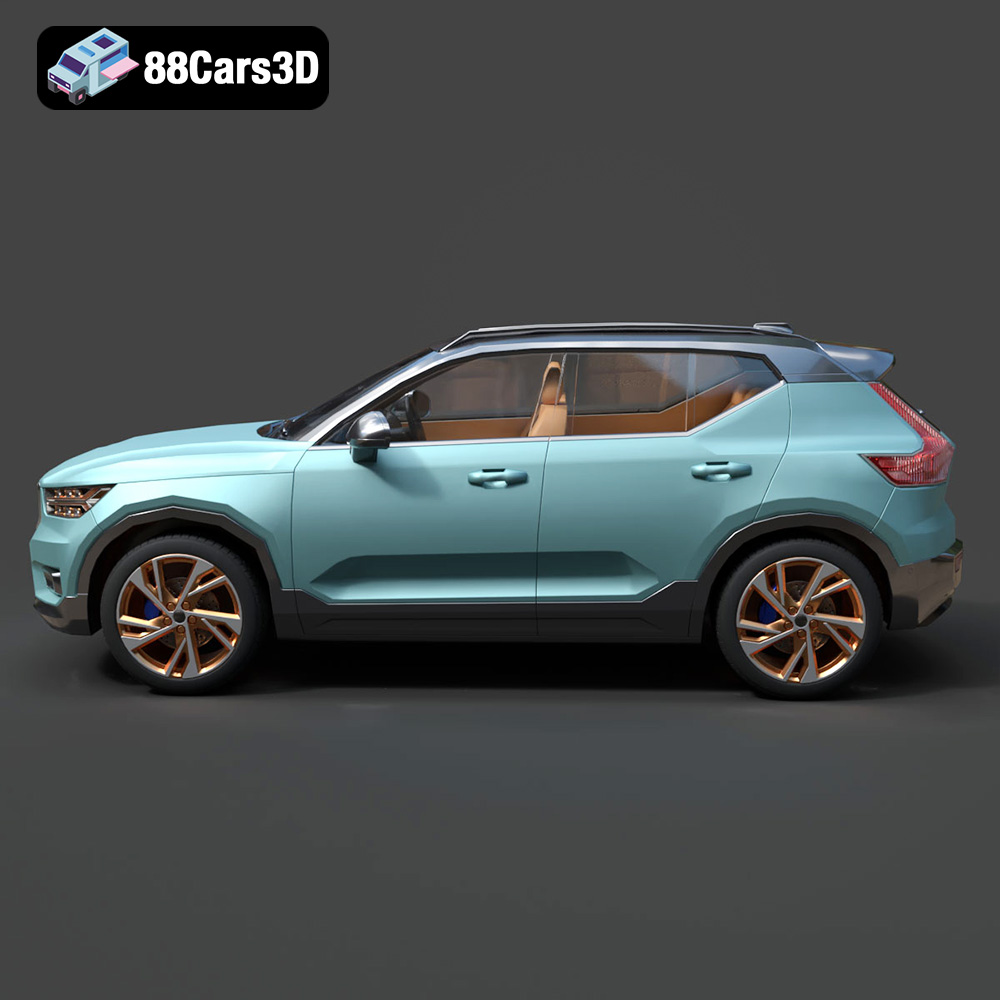
Unleash Your Inner Automotive Designer: 3D Printing the Volvo XC40 Recharge (2020) Model
The world of 3D printing has revolutionized how we interact with digital designs, transforming mere pixels into tangible objects. For automotive enthusiasts and model makers, this means an unprecedented ability to bring iconic vehicles from the screen directly into their hands. Imagine holding a perfectly scaled replica of a modern classic, meticulously detailed and crafted by your own hands (and printer). This dream becomes a reality with high-quality 3D models specifically optimized for additive manufacturing.
At 88cars3d.com, we specialize in providing such models, and today, we’re diving deep into the fascinating process of 3D printing one of our standout offerings: the Volvo XC40 Recharge (2020) 3D Model. This guide is designed to empower you, whether you’re a seasoned maker or just starting your journey into automotive 3D printing, to successfully produce a stunning physical representation of Volvo’s groundbreaking electric SUV. We’ll cover everything from preparing your digital file to the final touches that make your model truly shine, ensuring you create a collector’s piece worthy of display.
Understanding 3D Printing File Formats
Before you even think about hitting the “print” button, it’s crucial to understand the digital blueprints that guide your 3D printer. The world of 3D modeling utilizes various file formats, each with its strengths, but for 3D printing, some are far more suitable than others. The Volvo XC40 Recharge (2020) 3D Model, available on 88cars3d.com, comes in a variety of formats, including .blend, .fbx, .obj, .glb, .stl, .ply, .unreal, and .max. For 3D printing purposes, our primary focus will be on formats that effectively convey geometric data for physical fabrication.
The Dominance of .stl for 3D Printing
The undisputed king of 3D printing file formats is the **.stl** (stereolithography) file. This format describes only the surface geometry of a 3D object without any color, texture, or material information, by using a tessellation of triangles. Each triangle is defined by its three vertices, and the orientation of the triangles determines the direction of the surface normal (which way is “out”). For your Volvo XC40 Recharge model, the .stl file provided is the most direct and universally compatible option for sending to your slicing software. It’s a robust, time-tested format that nearly all 3D printers and slicers can interpret. The simplicity of .stl ensures that the essential shape and form of the XC40 Recharge are accurately translated into printable instructions.
Alternative and Modern Formats: .obj, .3mf, and .ply
While .stl is pervasive, other formats offer distinct advantages, especially for complex projects or future enhancements.
The **.obj** (Object) format is another widely used choice. Unlike .stl, .obj files can store color and texture information alongside geometry. While this isn’t directly utilized by most single-material FDM or SLA printers, if you were to undertake advanced multi-material printing with color capabilities or intend to hand-paint your Volvo XC40 Recharge and reference detailed texture maps for accuracy, an .obj file could be a valuable asset for visual reference during post-processing. However, for just geometry, .stl is generally more streamlined.
A more modern and increasingly popular format is **.3mf** (3D Manufacturing Format). Designed to overcome the limitations of .stl, .3mf can encompass color, material, and even print settings within a single file. This rich data payload makes it ideal for more advanced workflows, ensuring all relevant information for a print is bundled together. While currently not as universally supported as .stl by every piece of slicing software, its adoption is growing. For models like the Volvo XC40 Recharge, a .3mf file could, in theory, contain instructions for printing different parts with different materials or colors if your printer supports it, or simply provide a more complete digital twin for future use.
Finally, the **.ply** (Polygon File Format or Stanford Triangle Format) is a precision mesh format, often used in scientific and scanning applications. It can store various properties, including color, transparency, and range data, making it suitable for high-detail, potentially textured prints. For raw geometric precision, .ply offers a robust structure.
File Preparation and Optimization: Ensuring Watertight Geometry
Regardless of the format you start with, the most critical aspect for successful 3D printing is ensuring the model’s geometry is “watertight” or “manifold.” This means that the model must represent a solid object with no holes, gaps, or inverted normals on its surface. Imagine trying to fill a bucket with water – if it has a hole, it’s not watertight. Similarly, a 3D model needs a perfectly enclosed surface for the slicer to correctly calculate its interior and exterior.
The Volvo XC40 Recharge (2020) 3D Model, provided by 88cars3d.com, is designed with a clean, optimized topology, making it generally robust for conversion to .stl. However, if you ever work with models from other sources or perform extensive modifications, you might need to use tools like Meshmixer, Netfabb (now part of Fusion 360), or the built-in repair functions in your slicer (e.g., Cura, PrusaSlicer) to check and repair any non-manifold edges or holes. These tools can automatically close gaps, unify normals, and ensure your model is ready for slicing. A watertight .stl file is the foundation for a flawless print, preventing errors during slicing that could lead to missing layers, infill issues, or complete print failures.
Choosing Your Weapon: FDM vs. Resin (SLA/DLP) for Automotive 3D Printing
When it comes to 3D printing intricate models like the Volvo XC40 Recharge, your choice of printer technology profoundly impacts the final product’s detail, surface finish, and strength. The two dominant consumer-level technologies are FDM (Fused Deposition Modeling) and Resin (Stereolithography/Digital Light Processing).
FDM (Fused Deposition Modeling): The Workhorse for Automotive Prototypes
FDM printers work by extruding a thermoplastic filament, layer by layer, to build up an object. This technology is incredibly popular due to its affordability, ease of use, and a wide variety of available materials.
- Pros: FDM printers are generally more cost-effective to purchase and operate. The range of filament materials (PLA, PETG, ABS, Nylon, etc.) offers versatility in terms of strength, flexibility, and temperature resistance. FDM machines also typically boast larger build volumes, allowing you to print larger scale models of the Volvo XC40 Recharge as a single piece.
- Cons: The most significant drawback of FDM is the presence of visible layer lines, especially on curved surfaces inherent to car bodies. Achieving a truly smooth, paint-ready surface often requires significant post-processing, including sanding and priming. Intricate details, like the “Thor’s Hammer” headlights or the subtle grille texture of the XC40 Recharge, can be challenging to resolve cleanly with FDM, particularly at smaller scales.
- Best for: FDM is an excellent choice for larger scale models (e.g., 1:24 or even larger), where slight layer lines are acceptable or can be worked out with post-processing. It’s also great for functional prototypes or if you plan extensive sanding and painting.
Resin (SLA/DLP): The Precision Tool for Collector-Quality Models
Resin printers, primarily SLA (Stereolithography) and DLP (Digital Light Processing), cure liquid resin layer by layer using a UV light source. This method produces incredibly high-resolution prints with exceptionally smooth surfaces.
- Pros: This is where resin printers truly shine for automotive models. They offer unparalleled detail and surface finish, capable of reproducing even the finest features of the Volvo XC40 Recharge, such as the intricate headlight design, grille pattern, and crisp body lines, especially at smaller scales (1:32 or 1:43). Layer lines are often imperceptible to the naked eye.
- Cons: Resin printing typically involves a higher initial investment and ongoing material costs. The resins themselves can be brittle (standard resins), require careful handling due to toxicity before curing, and post-processing involves washing and UV curing. Build volumes are generally smaller than FDM, which might necessitate printing the XC40 Recharge in multiple parts, though the product description already recommends printing wheels separately.
- Best for: For creating high-fidelity, collector-quality models of the Volvo XC40 Recharge, especially at smaller scales where intricate details like the “Thor’s Hammer” headlights need to be captured perfectly, resin printing is overwhelmingly recommended. The smooth finish reduces post-processing time for painting and provides a superior aesthetic right off the print bed.
Recommendation for the Volvo XC40 Recharge
Given the detailed nature of the Volvo XC40 Recharge (2020) 3D Model, with its complex headlights, distinctive grille, and subtle body contours, **resin printing is strongly recommended, especially for the smaller scale details.** While FDM can produce a decent model at larger scales (1:24), a resin printer will elevate your print to a truly stunning display piece, perfectly capturing the nuanced design language of this modern electric SUV.
Material Selection: Bringing Your Volvo XC40 Recharge to Life
The material you choose for 3D printing your Volvo XC40 Recharge model is just as important as the printer technology. It dictates not only the print’s mechanical properties but also its appearance, ease of post-processing, and ultimately, the finished quality.
FDM Filaments for Automotive Models
If you opt for an FDM printer, several filament types are suitable:
- PLA (Polylactic Acid):
- Pros: PLA is the most common and easiest filament to print with. It has minimal warping, no strong odors, and comes in a vast array of colors. It’s perfect for beginners.
- Cons: PLA is relatively brittle and has a low glass transition temperature, meaning it can soften or deform in hot environments (like a sunny car dashboard).
- Use Case: Ideal for general display models of the Volvo XC40 Recharge, especially if it will be handled infrequently or kept in a stable environment. It’s a great starting point for practicing your print settings.
- PETG (Polyethylene Terephthalate Glycol):
- Pros: PETG offers a good balance of strength, durability, and printability. It’s more flexible and impact-resistant than PLA, with higher temperature resistance. Layer adhesion is usually excellent.
- Cons: Can be prone to stringing, requiring careful retraction settings.
- Use Case: A strong contender for the Volvo XC40 Recharge if you want a more robust model that can withstand more handling or slightly higher temperatures.
- ABS (Acrylonitrile Butadiene Styrene):
- Pros: Known for its strength, toughness, and temperature resistance. ABS can also be vapor-smoothed with acetone, which can dramatically reduce layer lines for a very smooth finish.
- Cons: ABS is notoriously difficult to print without an enclosed printer due to significant warping. It also produces fumes that require good ventilation.
- Use Case: If you have an enclosed printer and are comfortable with its challenges, ABS can produce a very durable and smooth Volvo XC40 Recharge model, especially with vapor smoothing.
Resins for High-Detail Automotive Models
For resin printing, the choices often come down to standard vs. specialized resins.
- Standard/Grey Resins:
- Pros: These are the most common and affordable resins. Grey resins are particularly popular for models destined for painting because they provide a neutral base that helps highlight details and imperfections before priming. They offer excellent detail resolution and smooth surfaces.
- Cons: Standard resins can be brittle, making thin parts susceptible to breakage.
- Use Case: **Highly recommended** for the Volvo XC40 Recharge. A good quality grey resin will capture all the intricate details from 88cars3d.com’s model and provide an excellent canvas for painting.
- ABS-like or Tough Resins:
- Pros: These resins are formulated to be less brittle and more durable than standard resins, offering better impact resistance and slight flexibility.
- Cons: Typically more expensive than standard resins.
- Use Case: If you need a more robust and less fragile Volvo XC40 Recharge model, perhaps for a desk toy or a model that will see more handling, these resins are an excellent upgrade.
- Clear Resins:
- Pros: Can be used for printing clear parts like windows or headlights (though painting is usually preferred for realistic light details).
- Cons: Can be difficult to achieve true clarity without extensive polishing and clear coating.
- Use Case: Niche use for specific transparent parts of the XC40 Recharge, but generally not for the entire body.
For the Volvo XC40 Recharge (2020) 3D Model, a good quality grey resin offers the best balance of detail, printability, and preparation for a stunning painted finish, fully capturing the car’s sleek lines and distinct features.
Slicing and Printer Settings: Optimizing Your Volvo XC40 Recharge Print
Once you have your Volvo XC40 Recharge (2020) 3D Model STL file and chosen your printer and material, the next critical step is slicing. This is where you translate the 3D model into detailed instructions (G-code) that your printer can understand. Popular slicing software includes Cura and PrusaSlicer for FDM, and Lychee Slicer or Chitubox for resin printers.
Preparing the Model in Your Slicer
First, load the provided STL file for the Volvo XC40 Recharge into your chosen slicer.
Scaling the Model
The product description recommends scales of 1:24, 1:32, or 1:43.
- To achieve 1:24 scale: If your model is in 1:1 (real-world) scale, you would scale it down to approximately 4.16% (1/24) of its original size. However, 88cars3d.com models are often designed with a specific baseline, so check the model’s initial dimensions in your slicer. If the model is already provided at a common scale (e.g., 1:18), you’ll need to calculate the ratio to reach your desired target. For instance, to go from 1:18 to 1:24, you’d multiply by 18/24 (0.75), meaning scale to 75%. Always measure a known dimension (like wheelbase or overall length) from the actual car and compare it to your scaled model’s dimension in the slicer to confirm accuracy.
Print Orientation
The product recommends printing the “body printed angled for a smooth surface finish; wheels printed separately.”
- Angled Body: Printing the main body at a slight angle (e.g., 30-45 degrees from the build plate) helps to distribute layer lines more evenly across curves, making them less noticeable, especially on FDM prints. It can also reduce the need for supports on some overhangs by changing the angle of critical surfaces.
- Separate Wheels: Printing the wheels separately is crucial. Wheels have intricate details (rims, spokes, tire treads) and benefit greatly from being printed flat on the build plate (for FDM) or at an angle (for resin) to capture these details without excessive supports or visual distortions. This also makes painting easier.
FDM Printer Settings (Cura/PrusaSlicer)
These settings are crucial for achieving quality with FDM.
- Layer Height: The product recommends 0.04–0.12 mm. For FDM, aim for the finer end (0.08-0.12 mm) for automotive models. Smaller layer heights mean more detail and smoother curves, but longer print times.
- Wall Thickness: The product specifies 1.2–2.0 mm. In your slicer, this typically translates to “Wall Line Count” or “Perimeters.” For example, with a 0.4 mm nozzle, 3 wall lines would give 1.2 mm thickness (3 * 0.4 mm). More walls result in a stronger, more solid-feeling model.
- Infill: 15–25% as recommended. For display models, a simple grid or gyroid infill pattern is sufficient. This provides internal structure without adding unnecessary weight or print time.
- Print Speed: Slower is better for detail. Aim for 30-50 mm/s for the outer walls, potentially slightly faster for infill.
- Supports: The product clearly states supports are “Required for side mirrors, wheel arches, and the subtle rear roof spoiler.”
- Type: “Tree” supports in Cura or “Organic” supports in PrusaSlicer are often preferred for models like cars because they use less material and are easier to remove, leaving cleaner surfaces.
- Placement: Use “Everywhere” or “On Build Plate Only” based on what specific overhangs need support. Manually refine placement to ensure contact points are minimized, especially on visible surfaces.
- Support Interface: Enable a support interface (roof/floor) to create a smoother surface where the support touches the model, making removal easier and reducing scarring.
- Z Distance: A critical setting. A small gap (e.g., 0.1-0.2mm) between the support and the model allows for easier removal. Experiment with your specific printer and filament.
- Build Plate Adhesion: A brim can help prevent warping for larger FDM prints of the XC40 Recharge body.
Resin Printer Settings (Lychee Slicer/Chitubox)
Resin printing demands precision in exposure and support.
- Layer Height: The product recommends 0.04–0.12 mm, with resin recommended for smaller details. For resin, aim for 0.04-0.08 mm for exceptional detail.
- Exposure Time: This is resin-specific. Calibrate your exposure time precisely for your resin and printer using calibration prints. Too little exposure leads to failed layers; too much can reduce detail and cause brittle prints.
- Lift Speed/Distance: Slower lift speeds and appropriate lift distances reduce stress on the print and minimize print failures, especially for models with a large cross-sectional area per layer like the XC40 Recharge body.
- Hollowing: For larger resin prints, hollowing the model can save significant material and reduce internal stress, which can lead to warping or cracking during curing. If hollowing, remember to add drain holes (at least two) at inconspicuous locations on the underside of the model to allow uncured resin to escape and air to enter during washing.
- Supports: Even more critical for resin prints.
- Automatic Generation: Start with automatic support generation, then manually refine.
- Density and Tip Size: Use thinner supports with smaller contact points for highly visible areas to minimize marks. Increase support density in areas requiring strong adhesion.
- Placement: Orient the Volvo XC40 Recharge model to minimize flat surfaces parallel to the build plate. Place supports on surfaces that will be less visible (e.g., the underside, wheel wells, within the interior). The side mirrors, wheel arches, and rear roof spoiler will definitely need solid support.
- Base Layers: Ensure sufficient bottom layers and exposure time for reliable adhesion to the build plate.
Careful adjustment of these settings, combined with understanding the specific needs of the Volvo XC40 Recharge (2020) 3D Model, will pave the way for a successful print.
Executing the Print: From Digital File to Tangible Model
With your slicing complete and G-code generated, it’s time for the magic to happen. The actual printing process, while often automated, still requires careful attention to detail and monitoring to ensure a successful outcome for your Volvo XC40 Recharge model.
Pre-Print Checklist
Before starting, always perform a quick check:
- Printer Calibration: Ensure your printer is well-calibrated. For FDM, this means a level bed, correct E-steps, and clean nozzle. For resin, verify the FEP film is clean, the resin vat is free of debris, and the build plate is properly zeroed.
- Material Check: Ensure you have enough filament or resin for the entire print. For FDM, check that the filament is dry (especially for PETG or ABS). For resin, make sure the resin is well-mixed and at the appropriate temperature (if your resin is sensitive to temperature).
- Build Surface: For FDM, ensure your build plate is clean and has adequate adhesion (e.g., glue stick, hairspray, PEI sheet). For resin, clean the build plate and ensure it’s securely attached.
Monitoring the Print
The first few layers are often the most critical.
- First Layer Adhesion (FDM): Watch closely as the first layer is laid down on your FDM printer. It should adhere consistently and evenly across the build plate. If it’s peeling up or not sticking, stop the print, adjust your bed leveling or Z-offset, and try again.
- Base Layer Adhesion (Resin): For resin prints, the initial “burn-in” layers need to adhere strongly to the build plate. Periodically check if the model is forming correctly on the plate.
- Throughout the Print: Keep an eye out for common issues. While you don’t need to hover constantly, occasional checks can catch problems early, saving material and time.
Common Issues & Troubleshooting
Even experienced makers encounter issues. Knowing how to diagnose them is key.
- FDM Specifics:
- Warping: Edges lifting from the print bed. Ensure good bed adhesion, use a brim, and if printing with ABS, consider an enclosure.
- Layer Shifts: The model appears to shift horizontally partway through. Check belt tension, motor drivers, and ensure no obstructions are hitting the print head.
- Stringing: Fine strands of filament between parts. Optimize retraction settings (distance and speed) in your slicer.
- Clogged Nozzle: Filament stops extruding. Clean or replace the nozzle.
- Failed Supports: Supports detach or print poorly. Increase support density or contact area, adjust Z-distance, or ensure proper cooling.
- Resin Specifics:
- Failed Prints (Peeling/Detached): Model detaches from the build plate or peels off the FEP film. Increase base layer exposure time, roughen the build plate, or decrease lift speed.
- Elephant’s Foot: Base of the model spreads out. Reduce base layer exposure time or adjust “Bottom Lift Distance” settings.
- Uncured Resin (Soft Spots): Insufficient exposure. Increase exposure time slightly or ensure resin is properly mixed.
Multi-Part Printing Considerations
As the product description recommends printing the Volvo XC40 Recharge body and wheels separately, this is a multi-part print.
- Benefit: Printing parts separately allows for optimal orientation of each component, minimizing supports and maximizing detail on critical surfaces. This is particularly advantageous for the wheels, allowing them to be printed with precision for the intricate spokes and tire details.
- Workflow: You will generate separate G-code files for the main body and for the wheels. You might print multiple wheels simultaneously if your build plate allows. Ensure consistent settings (especially layer height and material) across all parts for a cohesive final model.
Always prioritize safety during printing. Ensure adequate ventilation, especially when using ABS filament or any resin. Wear gloves and eye protection when handling liquid resin.
Post-Processing & Finishing: The Art of Realism
Congratulations! You’ve successfully 3D printed the Volvo XC40 Recharge (2020) 3D Model. But the journey isn’t over. Post-processing is where your raw print truly transforms into a realistic, display-worthy automotive miniature. This stage allows you to apply the final touches, bringing the elegant Scandinavian design of the XC40 Recharge to life.
Support Removal and Initial Clean-Up
- FDM Prints: Carefully remove all support structures using flush cutters or needle-nose pliers. Be gentle, especially around delicate areas like the side mirrors, wheel arches, and the subtle rear roof spoiler. Any nubs or rough spots where supports touched the model can be carefully trimmed or sanded.
- Resin Prints: After printing, your resin model will be covered in uncured resin.
- Washing: Immerse the print in isopropyl alcohol (IPA) or a specialized resin cleaner. Gently agitate it or use a wash and cure station to remove all surface resin. Replace IPA regularly.
- Curing: Once clean and dry, the model needs to be post-cured under UV light. A dedicated UV curing station or even direct sunlight will work. This hardens the resin completely, increasing its durability and stability. Ensure all surfaces are exposed to UV light.
- Support Removal: Resin supports are often thinner and more brittle. Carefully snip them off with flush cutters. For small contact points, a hobby knife can be used, but always exercise extreme caution.
Sanding and Surface Preparation
This is the most labor-intensive step for FDM prints, but even resin prints can benefit from light sanding to remove support marks or minor imperfections.
- FDM Prints: To eliminate visible layer lines and achieve a smooth finish like a real car’s body, sanding is essential. Start with a coarser grit sandpaper (e.g., 200-300 grit) to quickly remove major layer lines and rough spots. Gradually move to finer grits (400, 600, 800, and even 1000+ grit). Wet sanding can produce a superior, smoother finish and reduce dust.
- Resin Prints: Typically require less sanding. Focus on areas where supports were removed. Start with 400-600 grit and move to finer grits as needed.
Priming: The Foundation for a Perfect Paint Job
Priming is a non-negotiable step for a professional finish.
- Purpose: Primer creates a uniform surface for paint to adhere to, fills in tiny imperfections that sanding might have missed, and reveals any remaining flaws that need further attention.
- Application: Apply several thin, even coats of automotive-grade primer (grey or white are common choices). Allow each coat to dry thoroughly. Between coats, you can do a very light wet sand with ultra-fine grit (e.g., 1000-1500) to ensure maximum smoothness.
Painting: Capturing the Volvo Aesthetic
This is where your Volvo XC40 Recharge truly comes to life.
- Colors: Reference modern Volvo factory colors. The product description suggests “Sage Green, Glacier Silver, or Crystal White” paired with a “gloss black roof.” This two-tone scheme is characteristic of the R-Design aesthetic and the Recharge model.
- Technique:
- Airbrushing: For the smoothest, most professional finish on the body panels, an airbrush is highly recommended. It allows for thin, even coats without brush strokes.
- Spray Cans: High-quality automotive spray paints can also produce excellent results, but require careful, even application to avoid drips or thick coats.
- Masking: For the two-tone roof (gloss black), carefully mask off the body after the primary body color has fully dried. Use high-quality masking tape for sharp lines.
- Detail Painting: Use fine brushes for intricate details such as the “Thor’s Hammer” LED headlight clusters, vertical taillights, door handles, and interior components. Small amounts of black, silver, and red paint will go a long way.
- Drying: Allow ample drying time between coats and before handling.
Assembly (if Multi-Part)
Since the wheels are printed separately, assembly is required.
- Adhesive: Use a strong but precise adhesive like CA glue (super glue) for assembling the wheels to the main body. Apply sparingly to avoid visible excess.
- Fitment: Ensure the wheels are correctly aligned and rotate freely if you’ve designed axle components, or simply glue them in place for a static display model.
Clear Coat: Protection and Finish
The final step in finishing.
- Purpose: A clear coat protects your paint job from scratches, UV damage, and gives it the desired sheen.
- Finish: Apply a gloss clear coat for that showroom-fresh look, or a matte clear coat for a more subdued, modern finish, depending on your preference. Again, thin, even coats are key.
By meticulously following these post-processing steps, your 3D printed Volvo XC40 Recharge (2020) 3D Model will not just be a print, but a magnificent, detailed scale model that perfectly captures the essence of this innovative electric vehicle.
Conclusion
The journey of transforming a digital design into a tangible, high-quality scale model of the Volvo XC40 Recharge (2020) is an incredibly rewarding experience. From selecting the appropriate 3D printing file format, understanding the nuances of FDM versus resin printing, and choosing the right material, to meticulously dialing in your slicer settings and dedicating time to post-processing, each step contributes to the creation of a truly stunning collectible.
We’ve explored how a robust STL file, like the one for the Volvo XC40 Recharge available on 88cars3d.com, serves as the foundation for your project. We delved into the precision offered by resin printing for capturing intricate details like the “Thor’s Hammer” headlights and the distinctive closed-off grille, alongside the practical considerations of FDM for larger scales. Critical print settings such as layer height, infill, and strategic support placement were emphasized to ensure print success, especially for elements like the side mirrors, wheel arches, and rear roof spoiler. Finally, the transformative power of post-processing—sanding, priming, and painting with authentic Volvo factory colors and a gloss black roof—was highlighted as the art that brings true realism to your automotive creation.
Embrace the challenge, learn from each print, and enjoy the satisfaction of holding a detailed, custom-made replica of the Volvo XC40 Recharge. Whether for display, collection, or simply the joy of making, 3D printing car models opens up a world of possibilities. Explore more high-quality STL files and ignite your next project at 88cars3d.com.
Featured 3D Model for Printing
Volvo XC40 Recharge (2020) 3D Model 3D
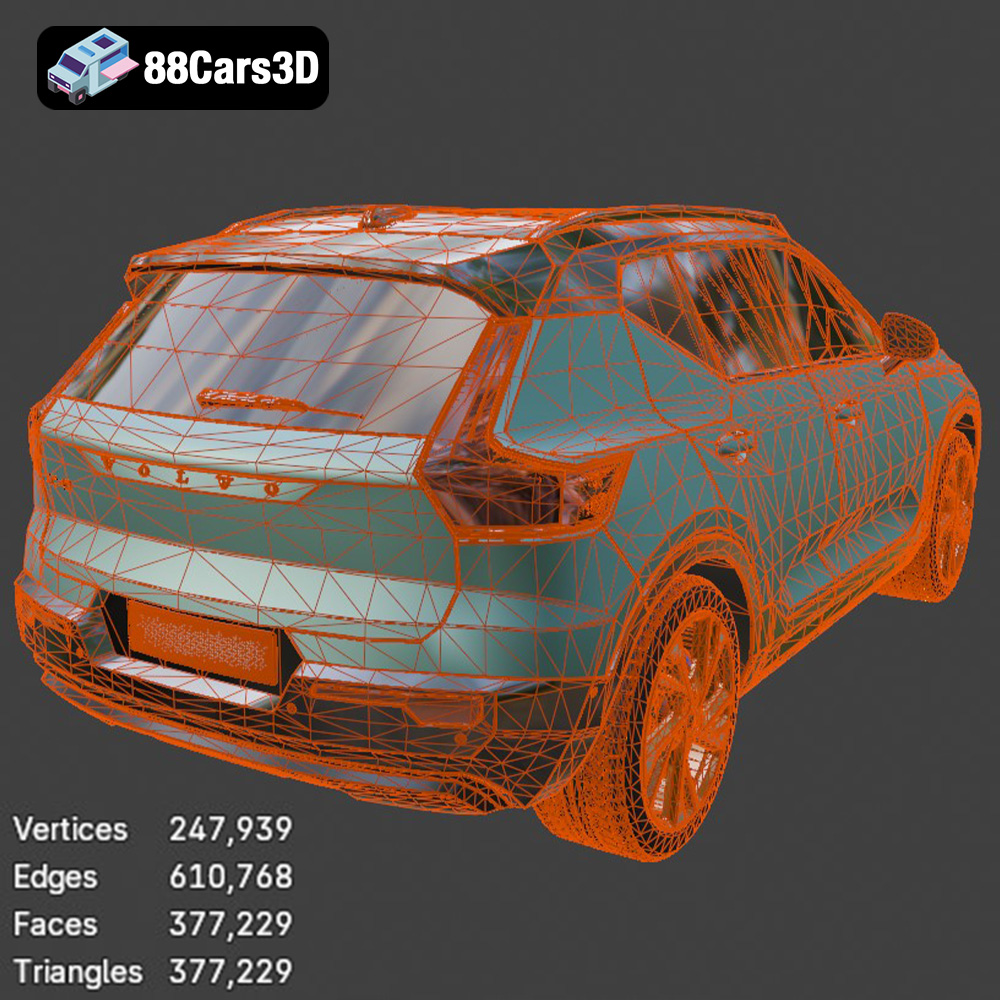
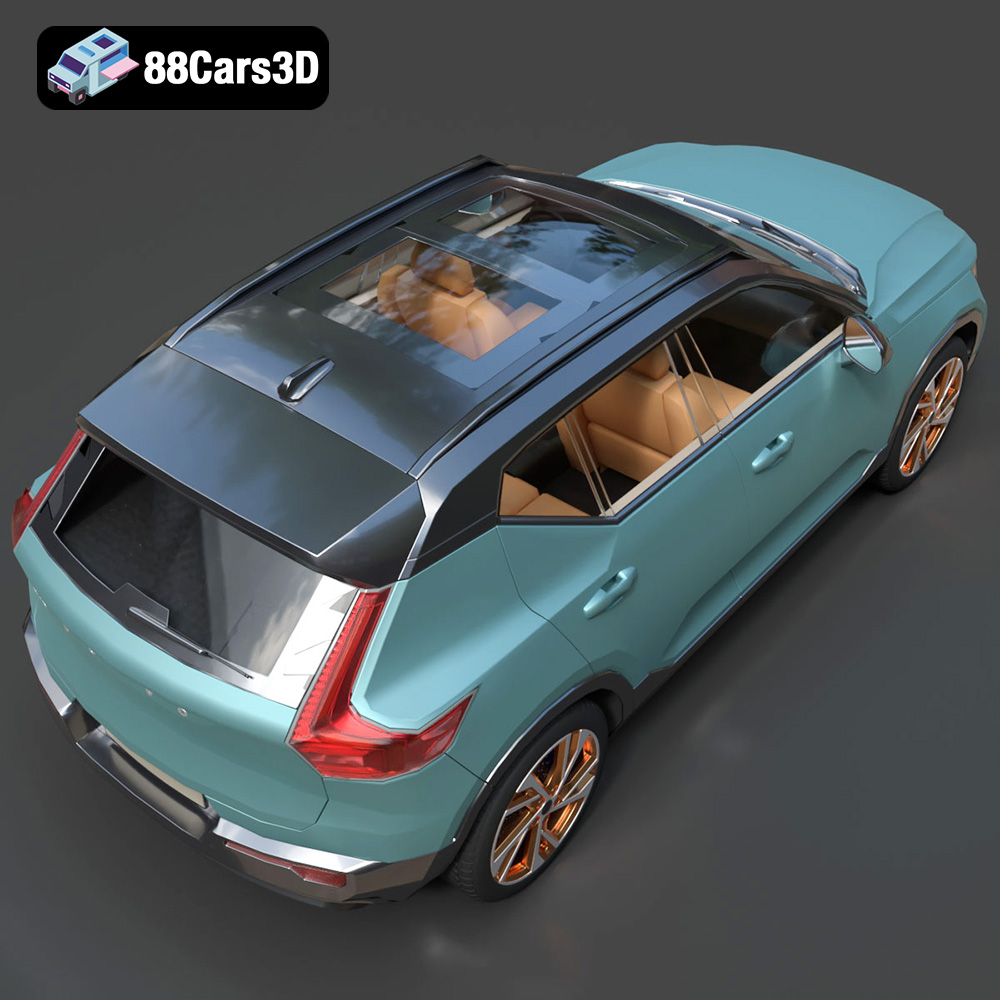
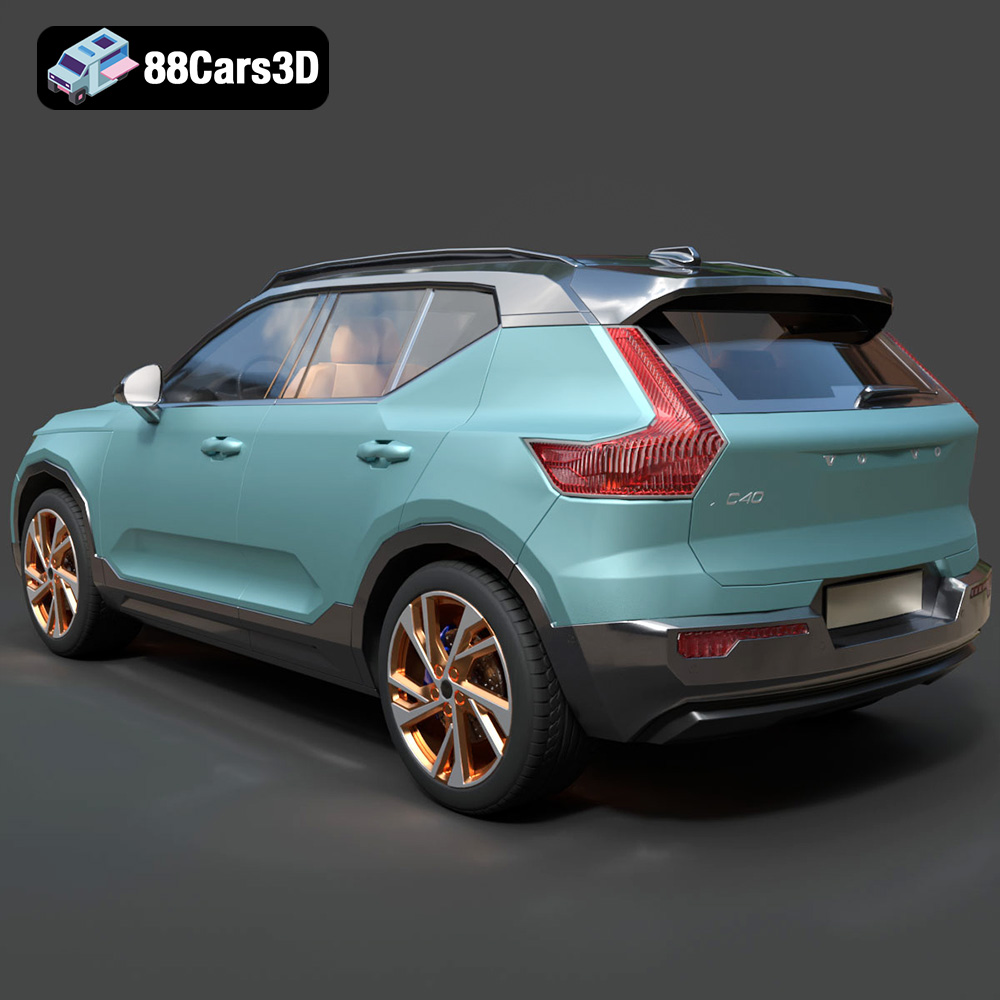
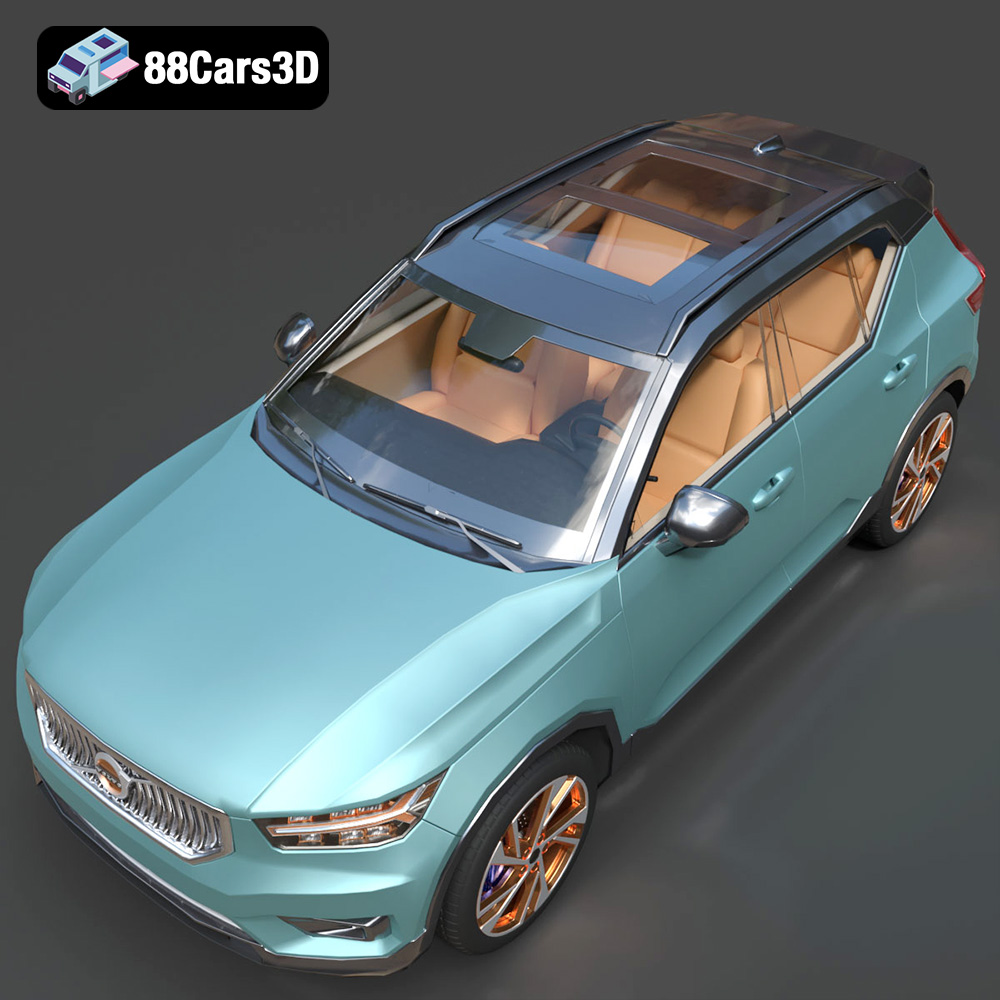
The Volvo XC40 Recharge (2020) 3D Model is an exceptionally accurate digital recreation of the Swedish brand’s groundbreaking first fully electric SUV. Marrying Volvo’s renowned commitment to safety and Scandinavian minimalism with a cutting-edge EV powertrain, the XC40 Recharge is a highly recognizable and premium compact crossover built on the CMA platform. This 3D model perfectly captures the distinct, modernized EV styling of the 2020 Recharge edition. It features the signature closed-off, body-color front grille (a hallmark of Volvo’s electric line), the iconic “Thor’s Hammer” LED headlight assemblies, an aerodynamic contrast-color roof, and the muscular yet compact crossover stance. Built with a highly efficient, impeccably clean mid-polygon topology (just over 377k triangles), it strikes the absolute perfect balance. It provides crisp visual fidelity for close-up automotive rendering while remaining lightweight enough to populate modern virtual environments, ArchViz driveways, and real-time game engines. Perfect for populating modern, eco-conscious street scenes, luxury architectural visualizations, electric vehicle commercial mockups, and mobile/PC game development.Exterior Features:• Accurate 2020 Volvo XC40 Recharge compact SUV proportions and geometry• Distinctive EV-specific closed-off front grille and integrated Volvo iron mark• Highly detailed “Thor’s Hammer” LED headlight clusters and signature vertical taillights • Dynamic R-Design aesthetic elements, including the contrasting gloss black roof and mirror caps• Detailed aerodynamic diamond-cut alloy wheels (typically 19-inch or 20-inch styles) wrapped in street tires • Separate wheels, steering components, and doors for rigging and animationInterior Features:• Authentic driver-centric, Scandinavian minimalist cabin layout• Detailed dashboard featuring the portrait-oriented 9-inch infotainment touchscreen and digital driver display• Realistic seating geometry showcasing Volvo’s modern, sustainable (leather-free/wool-blend) texture mapping possibilities• Accurately sculpted center console with the signature Orrefors crystal-style gear shifter representation• Optimized interior geometry tailored to look authentic from the exterior or in VRTechnical Specifications & Advantages:• Vertices: 247,939• Edges: 610,768• Faces / Polygons: 377,229• Triangles: 377,229• Highly Optimized Topology: As showcased by the polygon count, the model boasts a beautifully clean, quad-heavy structure. At ~377k triangles, it is an incredibly efficient asset—perfect for rendering dense, realistic traffic without choking the engine, while holding up gorgeously in foreground shots.• Real-world scale accuracy based on Volvo factory dimensions• Proper pivot setup for steering and wheel rotation• Compatible with major 3D software platforms and real-time engines (Unreal Engine, Unity)Applications:• Rendering & Visualization: The ultimate premium, eco-friendly vehicle for high-end architectural visualization (ArchViz), adding a touch of modern European realism to smart-home driveways and urban streetscapes.• Game Development: Excellent as a drivable “hero” vehicle or high-quality background traffic asset for open-world games and city simulators.• AR/VR: Perfect for interactive digital EV showrooms, car configurators, and lightweight web experiences.• 3D Printing: Convertible to .stl format for display-scale modern SUV diecast modelers.3D Print Setting:• Recommended scale: 1:24 / 1:32 / 1:43• Layer height: 0.04–0.12 mm (Resin printing recommended for the smaller scale details like the Thor’s Hammer headlights)• Wall thickness: 1.2–2.0 mm• Infill: 15–25%• Supports: Required for side mirrors, wheel arches, and the subtle rear roof spoiler• Print orientation: Body printed angled for a smooth surface finish; wheels printed separately• Post-processing: Sanding, primer, and modern Volvo factory colors (like Sage Green, Glacier Silver, or Crystal White) paired with a gloss black roof.Customization Options:• Apply the signature two-tone paint scheme (colored body with a black roof/pillars) or go for a sleek monochrome look• Modify the wheel setup to match different trim levels (Momentum vs. R-Design)• Add a sleek rooftop cargo box or crossbars for a rugged, lifestyle-oriented render• Adapt lighting for sunny suburban driveways or moody, neon-lit nighttime city streetsIncluded File Formats:.blend, .fbx, .obj, .glb, .stl, .ply, .unreal, .max
$9.99
Get This Model for 3D Printing
Related Tags
.archviz
.blend
.ev
.fbx
.obj
.rendering
.volvo
.xc40
car-3d-model
compact-suv
electric-vehicle
game-ready
mid-poly
Scandinavian design
SUV
traffic-car
xc40-recharge