Mastering the Art of 3D Printing the Vespa VNB 125-B 3D Model: A Comprehensive Guide
There’s a unique satisfaction in transforming a digital blueprint into a tangible object, especially when that object is a miniature representation of automotive history. For enthusiasts of classic European design, the Vespa VNB 125-B 3D Model presents an exquisite opportunity to bring a piece of Italian heritage to life through 88cars3d.com. This guide will walk you through every step of 3D printing this iconic scooter, ensuring your replica captures the charm and detail of the original. From preparing your STL files to the final touches of paint, we’ll cover the essential techniques for successful automotive 3D printing.
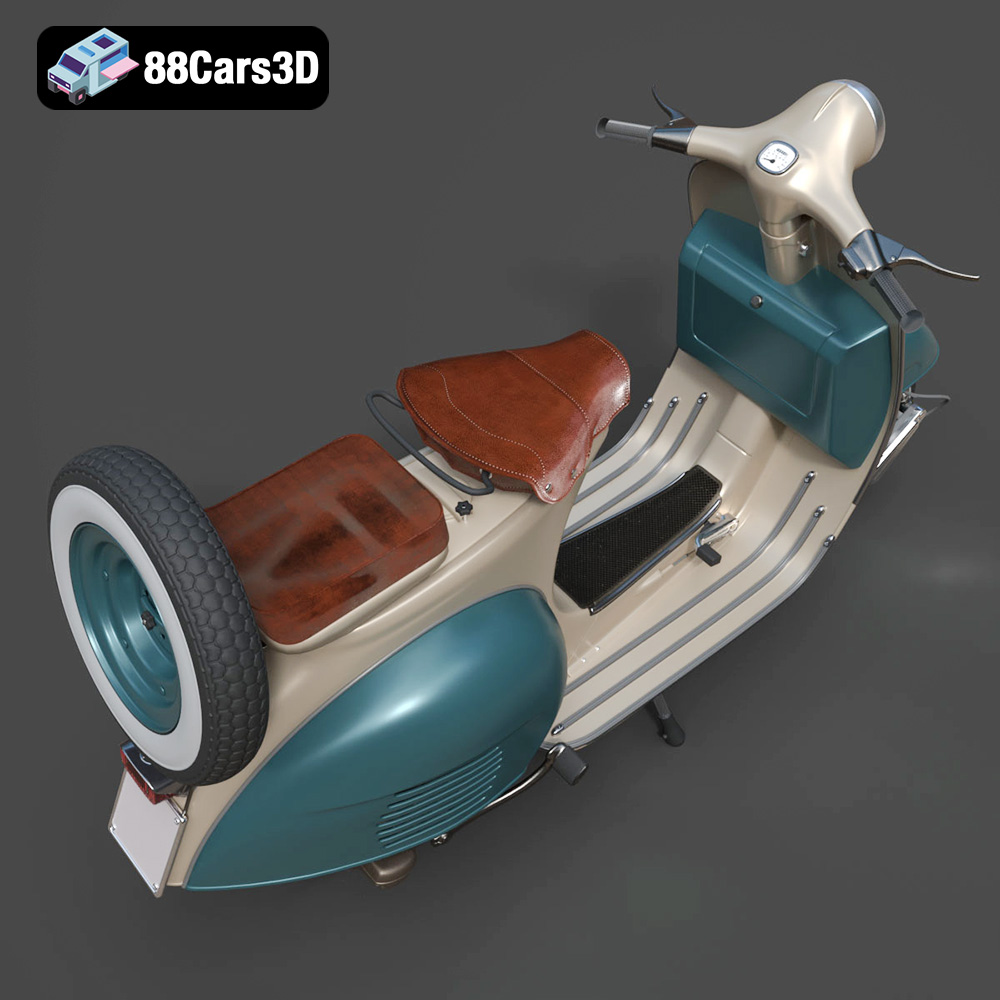
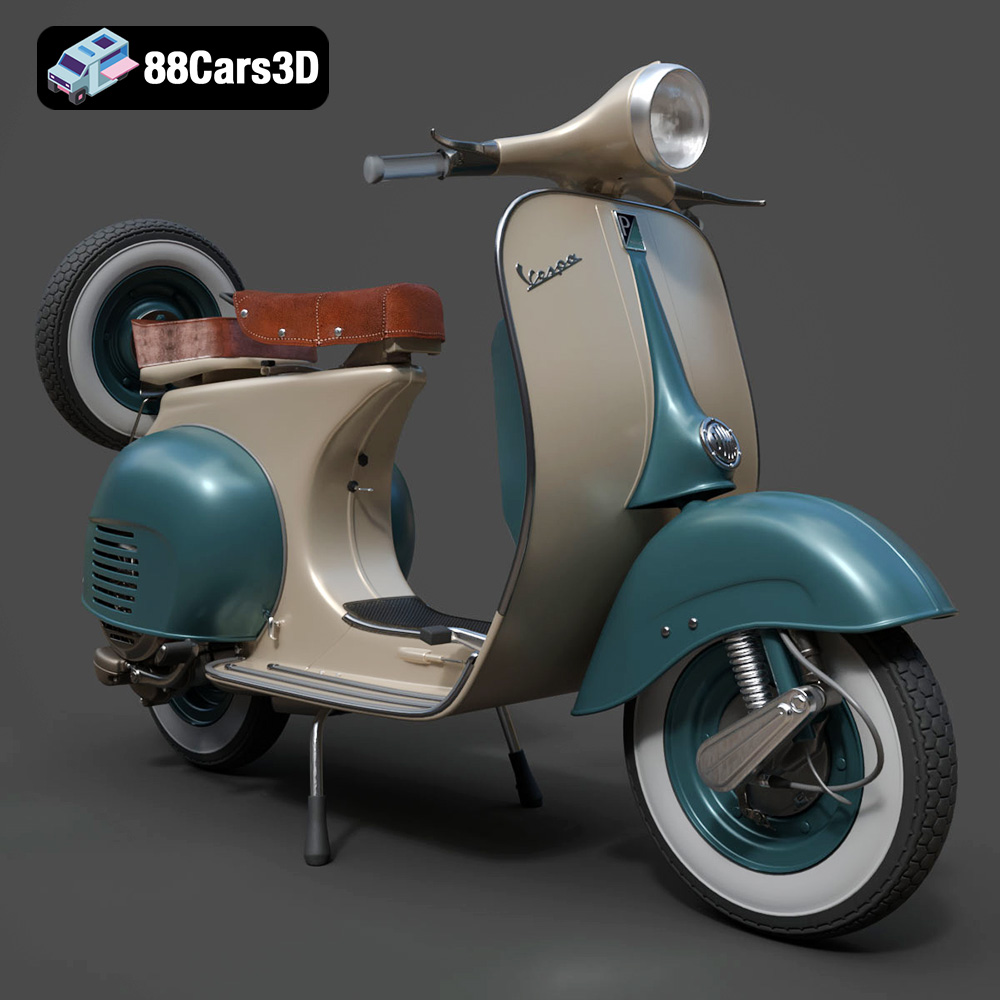
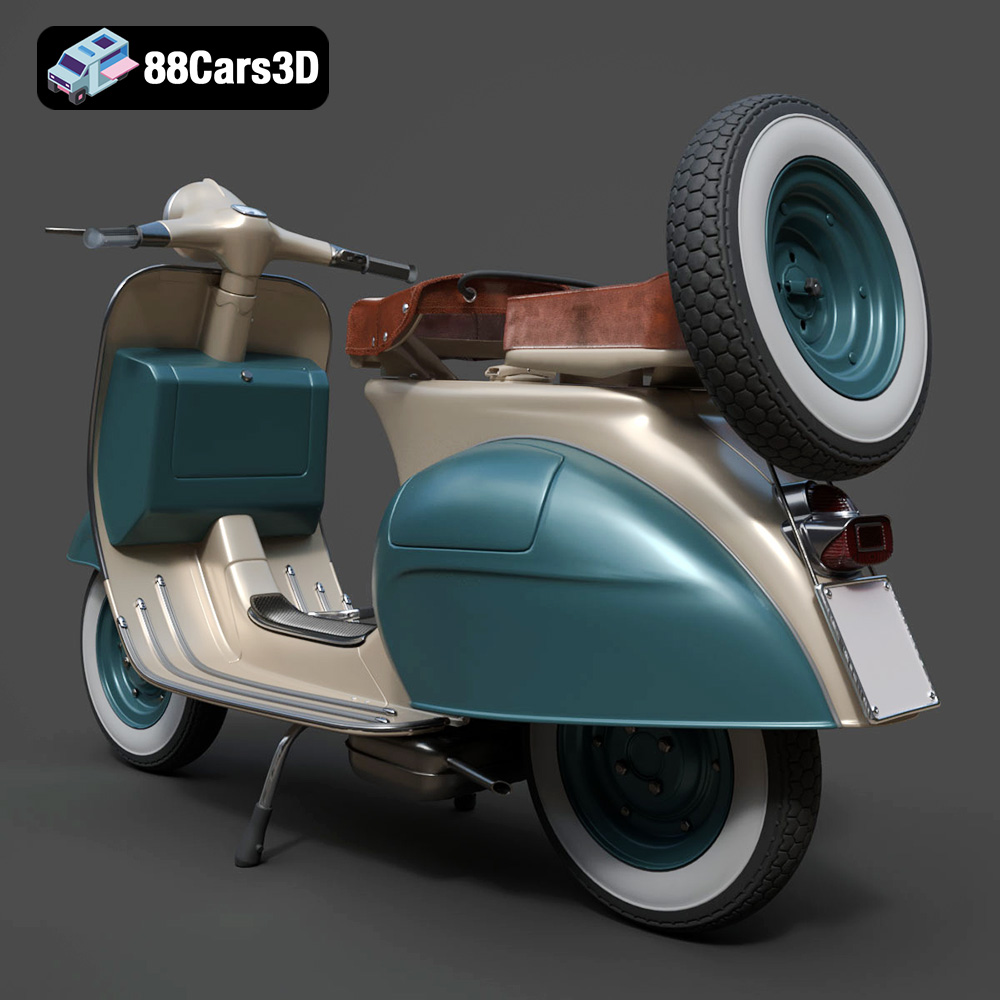
The Vespa VNB 125-B, a classic variant from the early 1960s, is celebrated for its timeless silhouette and refined detailing. The digital model available on 88cars3d.com accurately captures its monocoque steel body, rounded front leg shield, chrome-trimmed circular headlamp, and vintage wheel configuration. While designed for rendering and simulation, its carefully crafted clean and well-organized mesh structure makes it an excellent candidate for 3D printing car models and scooter miniatures. Let’s delve into the technical journey of turning this digital masterpiece into a physical collectible.
Understanding 3D Printing File Formats
Before you even think about hitting the print button, understanding the file formats you’ll be working with is paramount. The quality of your final 3D print begins with the integrity and suitability of your digital model. The Vespa VNB 125-B 3D Model from 88cars3d.com is provided in various formats, including some ideal for 3D printing car models and other applications.
The Standard: STL (.stl)
The vast majority of automotive 3D printing projects, especially for single-material FDM or SLA printers, rely on the STL (Stereolithography) format. An STL file represents a 3D model as a series of connected triangles, creating a mesh geometry of the object’s surface. It’s a simple, widely supported format, and critically, it’s what your slicing software primarily uses to generate toolpaths for your 3D printer. When working with the Vespa VNB 125-B, your primary goal for printing will be to utilize its provided .stl variant.
- Mesh Quality: For successful printing, the STL must be “watertight.” This means all triangles must connect perfectly, forming a completely enclosed volume without any gaps, holes, or overlapping faces. Non-watertight models will lead to errors in the slicing software, resulting in incomplete or failed prints. Tools within slicing software like Cura or PrusaSlicer, or dedicated mesh repair tools, can often identify and fix minor issues, but a well-prepared model like the Vespa VNB 125-B minimizes this concern.
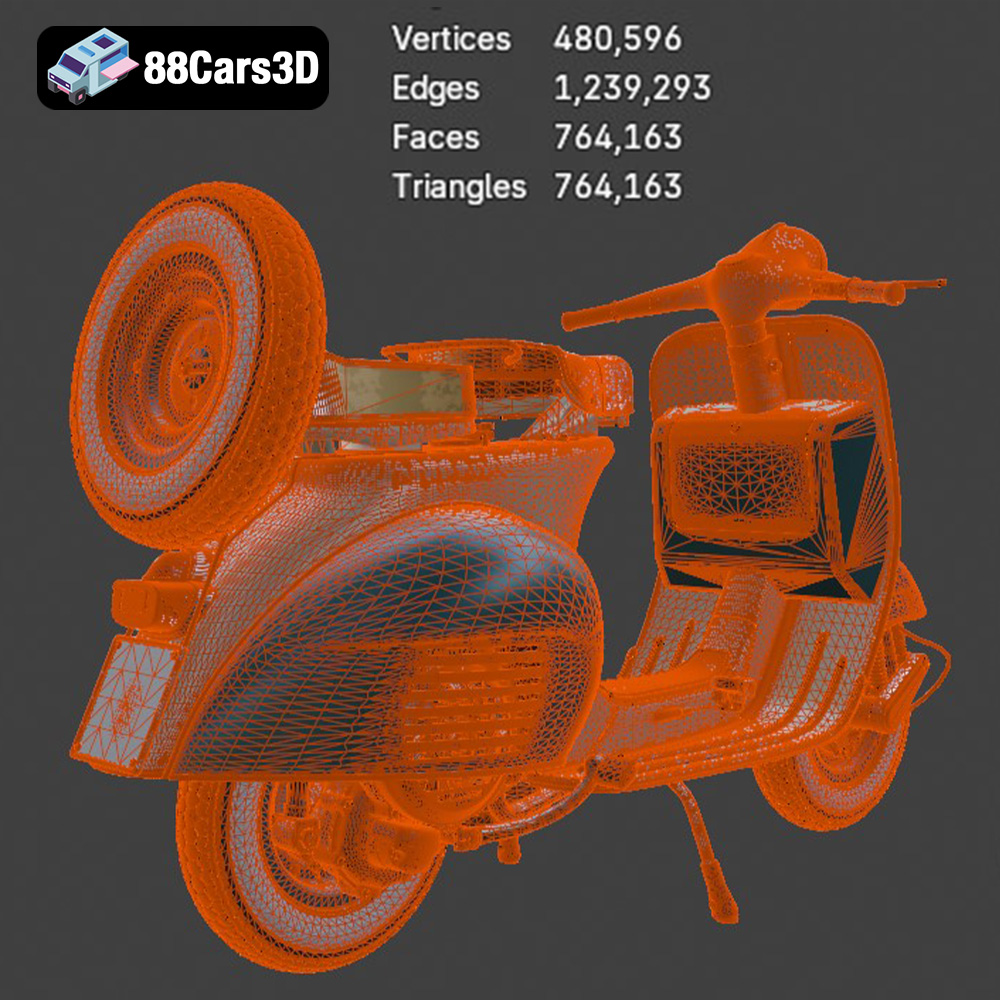
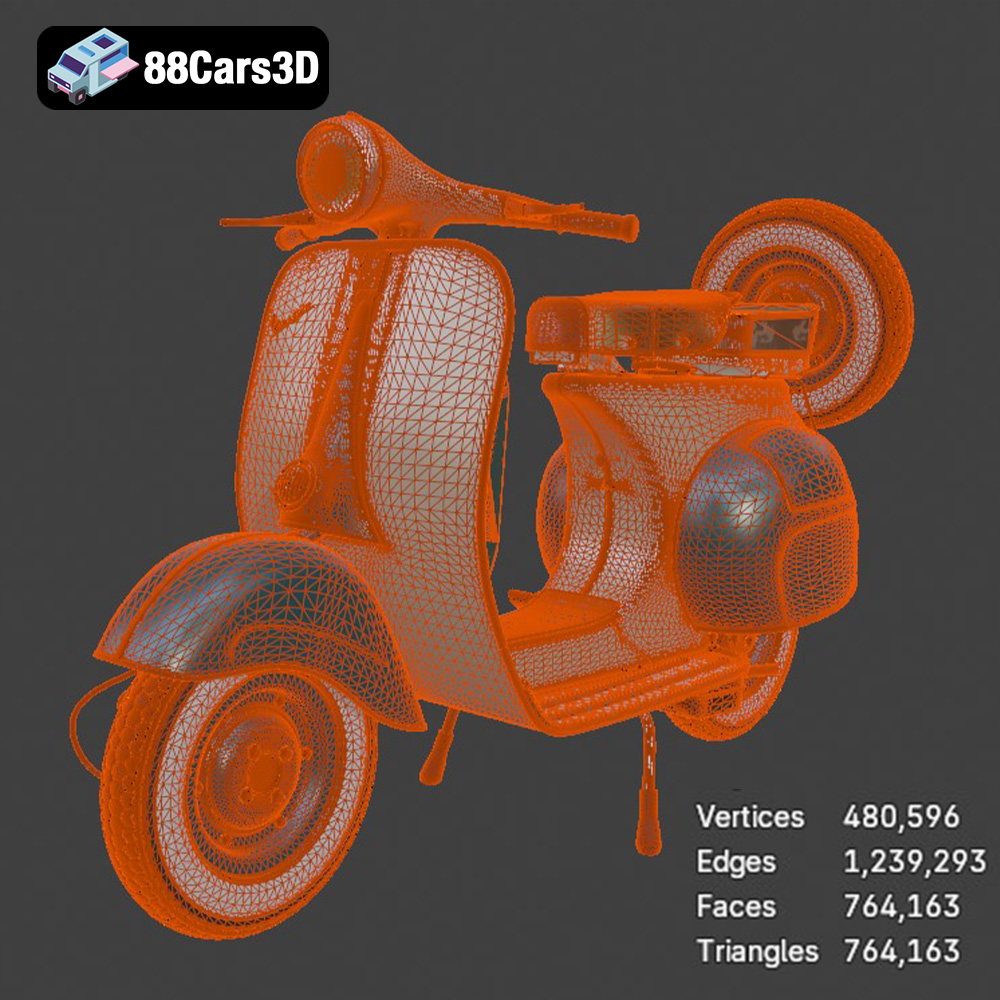
- Resolution: The number of triangles in an STL determines its resolution. More triangles mean a smoother, more detailed surface, which is crucial for capturing the intricate curves and small components of the Vespa. However, too many triangles can result in excessively large files that are slow to process. The Vespa VNB 125-B model is designed with optimized polygon flow for performance and realism, striking a good balance.
Alternatives with Additional Capabilities: OBJ, 3MF, and PLY
While STL is king for geometry, other formats offer extended capabilities:
- OBJ (.obj): The OBJ format is another common mesh format, often used in conjunction with accompanying texture files. While 3D printing car models in a single color might not immediately leverage texture information, OBJ files can be useful if you’re planning multi-color prints on advanced machines or if you want to reference the model’s original intended appearance for painting. The Vespa VNB 125-B is available in .obj, which is useful for previewing or if you need to perform additional modeling edits before converting to STL for printing.
- 3MF (.3mf): This is a newer, more comprehensive 3D printing format designed to overcome the limitations of STL. 3MF files can contain geometry, color, materials, texture, and even print settings within a single package. While not universally supported by all consumer-grade slicers yet, it’s gaining traction and is excellent for retaining more information about your model, especially if you foresee advanced applications or multi-color printing.
- PLY (.ply): The PLY (Polygon File Format) is often associated with 3D scanning and is known for its ability to store precision mesh data, including color and other properties per vertex or face. For automotive 3D printing where extremely high detail and color accuracy (for full-color 3D printers) are paramount, PLY can be advantageous. The Vespa VNB 125-B also includes a .ply file, ensuring that users who require the utmost precision for specialized printing or visualization have access to it.
File Preparation and Optimization for Printing
Regardless of the original format, for FDM or SLA printing, you will typically use the .stl file or convert other formats to .stl. Slicing software like Cura, PrusaSlicer, or Chitubox (for resin printers) will then take this .stl and prepare it for your specific machine.
- Validation: Always load your chosen file into your slicer first to perform a quick check. Most slicers will highlight issues with mesh integrity.
- Scaling: Ensure the model is at your desired scale (1:18 / 1:12 / 1:10) as recommended for the Vespa. Scaling can be done directly in your slicer.
- Orientation: As advised for the Vespa VNB, consider the print orientation carefully to minimize supports and optimize surface finish. This often involves orienting the body upright for smooth curved finishes and printing smaller components like wheels separately.
By understanding these file formats and ensuring your model is well-prepared, you lay the groundwork for a successful and highly detailed 3D printed car model of the classic Vespa VNB 125-B.
Choosing Your 3D Printing Technology and Material
The choice of 3D printing technology and material significantly impacts the final quality, detail, and durability of your 3D printed car model. Given the intricate details of the Vespa VNB 125-B 3D Model, careful consideration here is crucial.
FDM (Fused Deposition Modeling) for Robust Prints
FDM printers are popular for their affordability and ease of use. They build models layer by layer by extruding melted thermoplastic filament. For the Vespa, FDM is a viable option, especially for larger scales (e.g., 1:10) where extreme fine detail is less critical than overall form and robustness.
- PLA (Polylactic Acid): This is the most common and easiest filament to print with. It’s biodegradable, low-odor, and offers good detail for its price point. PLA is excellent for display models like the Vespa VNB 125-B, though it can be brittle and is not suitable for high-temperature environments.
- PETG (Polyethylene Terephthalate Glycol): A step up from PLA, PETG offers better strength, flexibility, and temperature resistance, making it more durable. It’s slightly more challenging to print than PLA (prone to stringing) but can yield excellent results for an automotive 3D printing project that might see some handling.
- ABS (Acrylonitrile Butadiene Styrene): Known for its strength, durability, and ability to be smoothed with acetone vapor, ABS is a good choice for functional parts. However, it’s more challenging to print (requires an enclosure, prone to warping, emits fumes) and might be overkill for a display model like the Vespa, unless you specifically desire its post-processing benefits.
For the Vespa VNB 125-B 3D Model, PLA or PETG would be suitable choices for FDM printing, balancing detail with ease of printing.
SLA/DLP (Resin Printing) for Exquisite Detail
For truly capturing the fine elements of the Vespa VNB 125-B, such as its delicate handlebars, chrome trim, and detailed side panel vents, resin printing (SLA or DLP) is often the superior choice. These printers cure liquid resin with UV light, allowing for much finer layer heights and intricate details than FDM.
- Standard Resin: Offers excellent detail and smooth finishes, perfect for miniature collectibles. It’s generally more brittle than FDM plastics.
- Tough/Engineering Resins: Provide increased durability and impact resistance, ideal if your Vespa model needs to withstand more handling.
- Post-processing: Resin prints require additional post-processing, including washing in isopropyl alcohol and a final UV cure. This adds a step but is essential for the material’s full properties.
Given the recommended layer height of 0.08–0.16 mm, both FDM and resin printers can achieve this. However, for the smaller scales (e.g., 1:18) and the separate wheels and steering assembly, resin printing will undoubtedly provide the crispest results, making your 3D printed car model stand out.
Preparing Your Vespa VNB Model for Printing: Slicing Software
Once you’ve selected your printer and material, the next critical step is preparing the STL file for printing using slicing software. This software acts as the bridge between your digital model and your physical printer, converting the 3D data into machine-readable instructions (G-code).
Popular Slicing Software
- Cura (Ultimaker Cura): A widely used, open-source slicer for FDM printers, known for its user-friendly interface and extensive settings.
- PrusaSlicer: Another powerful open-source slicer, favored by many for its advanced features, excellent support generation, and regular updates.
- Chitubox/Lychee Slicer: Essential for resin (SLA/DLP) printers, these programs offer tailored features for resin printing, including hollow modeling and precise support placement.
For the Vespa VNB 125-B 3D Model, load the .stl file into your preferred slicer. Remember that 88cars3d.com provides high-quality STL files designed for direct printing, minimizing the need for extensive mesh repair.
Loading, Scaling, and Orienting Your Model
- Loading: Simply drag and drop your Vespa VNB .stl file into the slicer. The model should appear on the virtual build plate.
- Scaling: The product description recommends scales of 1:18 / 1:12 / 1:10. You’ll need to scale the model in your slicer to achieve these dimensions. For example, if the original model is 1:1 scale (real-world size) and you want 1:18, you would scale it down to approximately 5.56% (1/18 * 100). Always double-check the actual dimensions after scaling.
- Orientation: This is paramount for achieving a high-quality print of the Vespa. The product explicitly states, “Body printed upright for smooth curved finish; wheels printed separately.”
- Body Orientation: Placing the main body of the Vespa upright, on its wheels or a stable flat section of the underside, often results in the best surface finish on its visible exterior. This minimizes the need for supports on prominent aesthetic surfaces.
- Separate Components: Printing parts like the wheels and steering assembly separately is a smart strategy. It allows you to optimize print settings and orientation for each component individually. For example, wheels can often be printed flat on the build plate or at a slight angle to minimize support marks on their tread.
- Benefits of Proper Orientation: Correct orientation reduces unsightly support marks, minimizes print time and material usage, and often leads to a stronger final part. Experiment with different angles in your slicer’s preview to see how supports are generated and which surfaces will be affected.
Dialing in Your Print Settings for the Vespa
Achieving a high-quality 3D printed car model requires precise 3D Print Settings. For the Vespa VNB 125-B 3D Model, we have specific recommendations to guide you.
Layer Height: Detail vs. Speed
The product suggests a layer height of 0.08–0.16 mm. This is a crucial setting that dictates the vertical resolution of your print:
- Finer Layers (0.08 mm): Will produce a much smoother finish, with less visible layer lines, essential for the elegant curves of the Vespa’s body. This is especially recommended for smaller scales (1:18, 1:12) and when using resin printers. The trade-off is significantly longer print times.
- Thicker Layers (0.16 mm): Still good for many details, but layer lines will be more apparent. This can be acceptable for larger scales (1:10) or if you plan extensive post-processing (sanding, priming). Prints faster.
For the best aesthetic outcome, especially before painting, aim for the lower end of the recommended range.
Infill and Wall Thickness: Strength and Material Efficiency
- Wall Thickness (Perimeters/Shells): The recommended wall thickness of 1.2–2.0 mm is ideal. This corresponds to several perimeters (outer layers) that form the shell of your model. Thicker walls provide more structural integrity and help prevent print defects like ghosting or visible infill patterns on the surface. For FDM, 3-5 perimeters usually suffice for a 0.4mm nozzle.
- Infill: With a recommended infill of 15–25%, your Vespa model will be sufficiently strong without wasting material or significantly increasing print time. A cubic or gyroid infill pattern is generally good for distributing stress evenly. A higher infill percentage isn’t usually necessary for a display model unless it’s intended for heavy handling.
Support Structures: Guiding Overhangs
Support structures are indispensable for automotive 3D printing, especially for models with complex geometries like the Vespa VNB 125-B. The product explicitly states, “Supports: Required for handlebar, exhaust, and center stand.”
- Strategic Placement:
- Handlebar: This delicate, protruding part will almost certainly need robust supports.
- Exhaust: The underbody exhaust pipe will have significant overhangs.
- Center Stand: If modeled in an extended position, this will also require supports.
- Other Overhangs: Carefully inspect the underside of the leg shield, the front fender, and any small protruding details. Your slicer’s preview will show where supports are needed.
- Support Types (FDM):
- Tree Supports: Often preferred for organic shapes and less intrusive contact with the model, making removal easier.
- Linear/Grid Supports: More traditional, can be stronger but may leave more marks.
- Support Settings:
- Support Density: A lower density (e.g., 10-15%) is usually sufficient for supporting overhangs without being overly difficult to remove.
- Support Interface: Crucial for clean removal. A denser top layer of supports (interface layers) and a small Z-distance (gap between support and model) ensure a smooth contact surface.
- Support Angle: Set a reasonable overhang angle (e.g., 45-60 degrees) to generate supports only where truly necessary.
- Supports (Resin Printing): Resin slicers automatically generate supports, typically thin “tree-like” structures. Pay attention to their density and contact points, angling the model to place supports on less visible areas.
Print Speed and Temperature Settings
- Print Speed: For detailed models like the Vespa, a moderate print speed (e.g., 40-60 mm/s for FDM, or as recommended by your resin printer manufacturer) is advisable. Slowing down perimeter speed will enhance surface quality.
- Temperatures: Follow your filament or resin manufacturer’s recommendations for nozzle, bed (for FDM), and ambient temperatures. Consistent temperatures are key to preventing warping and ensuring good layer adhesion.
- Cooling (FDM): Adequate cooling is vital for overhangs and small details. Ensure your part cooling fan is running optimally (often 100% after the first few layers).
Multi-Part Printing and Assembly Strategies
The Vespa VNB 125-B 3D Model, with its detailed components and recommendation for “wheels printed separately,” lends itself perfectly to a multi-part printing strategy. This approach enhances print quality, simplifies post-processing, and offers greater flexibility for painting and customization.
Advantages of Multi-Part Printing
- Optimized Orientation: Each component (body, wheels, handlebars, exhaust, etc.) can be oriented on the build plate for its specific needs. The main body can be upright for smooth curves, while wheels might be angled or flat.
- Reduced Supports: By separating parts, you can often minimize the support material required for each, leading to cleaner prints and easier removal.
- Enhanced Detail: Smaller, more delicate parts often benefit from specific settings (e.g., slower speeds, finer layers) that might not be practical for the entire model.
- Easier Painting: Painting separate components before assembly is significantly easier and allows for cleaner lines and more intricate detailing, especially for chrome parts, tires, and the main body.
Identifying Separate Components for the Vespa
Based on the product description, beyond the main body:
- Wheels: The “separate wheels” are explicitly mentioned. This is ideal for realistic tire painting and easy rotation during assembly if desired.
- Handlebar Assembly: While perhaps attached to the main body in the provided STL, if feasible, separating the handlebar assembly with integrated speedometer could allow for easier painting of tiny details and chrome accents.
- Exhaust and Center Stand: These are areas requiring supports, and if they can be printed as separate, smaller pieces, it might simplify support removal and painting.
- Seat: The “Seat configuration ready (single or dual setup)” implies it could be a separate component, offering customization and easier detailing.
Before printing, inspect the model in your slicer or a 3D viewer. If components are merged, you might need a 3D modeling tool to split them, though 88cars3d.com often provides models optimized for various uses, including printing.
Planning for Assembly
Once your individual Vespa components are printed and post-processed, you’ll need a strategy for assembly:
- Adhesives:
- Super Glue (Cyanoacrylate): Fast-acting and strong, suitable for most PLA, PETG, and resin parts. Use sparingly.
- Plastic Cement: For ABS, this melts the plastic slightly to create a strong bond.
- Epoxy: A two-part adhesive offering very strong bonds, often with a longer working time. Good for larger structural connections.
- Pinning: For stronger, more precise alignment, consider drilling small holes into mating surfaces and inserting short lengths of metal rod (paper clips, floral wire) as pins. This is particularly useful for attaching the wheels to the body or the handlebars.
- Dry Fitting: Always dry-fit your parts before applying glue to ensure proper alignment and fit. Some light sanding might be needed on mating surfaces.
Post-Processing Your 3D Printed Vespa
The journey doesn’t end when the printer finishes. Post-processing is where your 3D printed car model truly transforms from a raw print into a stunning collectible. The product description for the Vespa VNB 125-B specifically recommends “sanding, primer, gloss pastel or cream paint finish, chrome detailing recommended.”
Support Removal and Initial Cleanup
- FDM Supports: Carefully remove supports using flush cutters, pliers, or a hobby knife. Be gentle to avoid damaging the model. For tricky areas, heat (like a hairdryer) can sometimes soften PLA supports for easier removal, but be cautious not to deform the model.
- Resin Supports: Snip supports off while the model is still warm (just after washing) as they tend to be less brittle. Use flush cutters. Any small nubs can be carefully sanded away after a full cure.
- Clean-up: Remove any stray strands (stringing), blobs, or elephant’s foot (for FDM) using a hobby knife or light sanding.
Sanding and Filling for a Smooth Finish
To achieve that smooth curved finish, sanding is essential, especially for FDM prints where layer lines are visible. Even resin prints can benefit from light sanding to remove support marks or fine-tune surfaces.
- Start Coarse, Go Fine: Begin with 200-300 grit sandpaper to quickly remove major imperfections. Gradually move to finer grits (400, 600, 800, up to 1200 or 2000) for a silky-smooth surface.
- Wet Sanding: Using water with finer grits can prevent clogging and produce an even smoother finish.
- Fillers: For stubborn layer lines, gaps, or small print defects, use a specialized modeling putty or automotive spot filler. Apply thinly, sand smooth, and repeat as necessary.
Priming: The Foundation for Paint
Priming is a non-negotiable step before painting. It creates a uniform surface for paint to adhere to, helps reveal any remaining imperfections, and evens out color variations in the raw print material.
- Spray Primer: Use a fine-mist spray primer designed for plastics. Automotive primers or hobby primers (e.g., Tamiya, Mr. Surfacer) are excellent.
- Light Coats: Apply several thin, even coats rather than one thick one. This prevents obscuring fine details.
- Re-sanding: After priming, any remaining flaws will be highlighted. Lightly sand these areas with fine-grit sandpaper (e.g., 800-1000 grit) and re-prime as needed until the surface is perfect.
Painting and Detailing: Bringing the Vespa to Life
This is where your 3D printed car model truly gets its personality. The recommendation for “gloss pastel or cream paint finish, chrome detailing” perfectly suits the vintage Vespa aesthetic.
- Body Color:
- Spray Paint: For a smooth, factory-like finish, automotive spray paints or hobby acrylic spray paints are ideal for the main body color. Look for gloss finishes in pastel shades (light blues, greens, creams, yellows) to capture that classic Italian scooter vibe. Apply thin, even coats.
- Airbrush: For ultimate control and fine finishes, an airbrush with model acrylics is an excellent choice.
- Chrome Detailing: The Vespa has many chrome elements (headlight trim, mirrors, exhaust).
- Chrome Markers: Brands like Molotow Liquid Chrome markers can produce a convincing mirror-like finish for small details.
- Silver Paint: High-quality metallic silver model paints, carefully applied with a fine brush, can simulate chrome.
- Bare Metal Foil: For advanced modelers, this thin adhesive foil can create realistic chrome effects on larger, flatter surfaces.
- Tires and Other Details:
- Paint tires a matte dark grey or black.
- Use fine brushes for details like the speedometer, levers, and seat stitching.
- A light “wash” of thinned dark paint can highlight panel lines and recesses.
- Clear Coat: Once all paint is dry, apply a clear gloss coat to protect the paint, unify the finish, and enhance the “new” look.
Troubleshooting Common 3D Printing Issues
Even with the best print settings and the highest quality STL files from 88cars3d.com, issues can arise during automotive 3D printing. Here are common problems and how to tackle them when printing your Vespa VNB 125-B:
- Stringing or Oozing: Fine strands of plastic appear between parts.
- Fix: Optimize retraction settings (distance and speed) in your slicer. Ensure nozzle temperature isn’t too high. Check for worn nozzle.
- Warping or Poor Bed Adhesion: Corners lift from the build plate, or the print detaches.
- Fix: Ensure the print bed is clean and level. Use an adhesive (glue stick, hairspray) or textured build surface. Check bed temperature and ensure an enclosure for ABS. Add a brim or raft in your slicer.
- Layer Shifting: Layers are misaligned, causing a “stair-step” effect.
- Fix: Check belt tension (ensure they’re not loose). Reduce print speed, especially for rapid movements. Ensure the print head isn’t hitting any obstacles.
- Failed Supports or Overhang Sagging: Supports detach, or overhanging parts droop.
- Fix: Increase support density and/or interface layers. Ensure proper cooling for FDM. For resin, ensure sufficient supports and correct model orientation. Reduce print speed for overhangs.
- Poor Surface Finish / Visible Layer Lines: Rough texture on surfaces.
- Fix: Reduce layer height (0.08 mm is ideal for the Vespa). Slow down print speed (especially outer perimeters). Ensure proper cooling. Check for consistent filament diameter. For FDM, calibrate E-steps.
- Missing or Incomplete Details: Small features like levers or vents are not fully formed.
- Fix: Use a finer nozzle (if your printer allows). Increase resolution (lower layer height). Slow down print speed for small features. Ensure proper cooling. For resin, check exposure times.
- Under-extrusion or Gaps in Layers: Lines or gaps appear in the print walls.
- Fix: Calibrate E-steps. Check for clogged nozzle. Ensure filament is not tangled or restricted. Increase flow rate slightly in your slicer.
Patience and systematic troubleshooting are key. Often, small adjustments to your print settings can resolve a myriad of issues. Always print small test pieces when experimenting with new settings.
Conclusion
Bringing the elegant Vespa VNB 125-B 3D Model from a digital concept to a physical collectible is an incredibly rewarding endeavor for any automotive 3D printing enthusiast. By carefully navigating the process – from understanding your STL files and choosing the right material, through meticulous slicing and optimizing print settings, to the final artistry of post-processing – you can create a miniature masterpiece.
The detailed digital model provided by 88cars3d.com offers a fantastic foundation, and with this comprehensive guide, you’re now equipped to tackle the challenges and embrace the joys of 3D printing car models. The satisfaction of holding a perfectly scaled, beautifully painted replica of this classic Italian scooter in your hands is unparalleled. So, prepare your files, dial in your printer, and get ready to add a truly unique piece of automotive history to your collection. Happy printing!
Featured 3D Model for Printing
Vespa VNB 125-B 3D Model 3D Printable STL
The Vespa VNB 125-B 3D Model is a high-detail digital recreation of the classic Italian scooter variant from the early 1960s. The VNB 125-B maintained the timeless Vespa silhouette while incorporating subtle production refinements, improved mechanical components, and refined detailing that defined the era of practical European urban mobility. This 3D model accurately captures the monocoque steel body construction, rounded front leg shield, chrome-trimmed circular headlamp, vented side panels, exposed handlebar assembly, and vintage wheel configuration. Built with clean topology and real-world scale accuracy, it is ideal for rendering, animation, simulation, game development, and AR/VR classic vehicle environments. Perfect for retro European streets, café scenes, coastal promenades, lifestyle branding visuals, and cinematic period productions.
$4.99
Get This Model for 3D Printing
Related Tags
.arvr
.blend
.classicscooter
.fbx
.gameasset
.glb
.italianscooter
.max
.motorcycle3dmodel
.obj
.ply
.rendering
.retro
.simulation
.stl
.twowheeler
.unreal
.urbanvehicle
.vespa
.vintagevehicle
.vnb125b