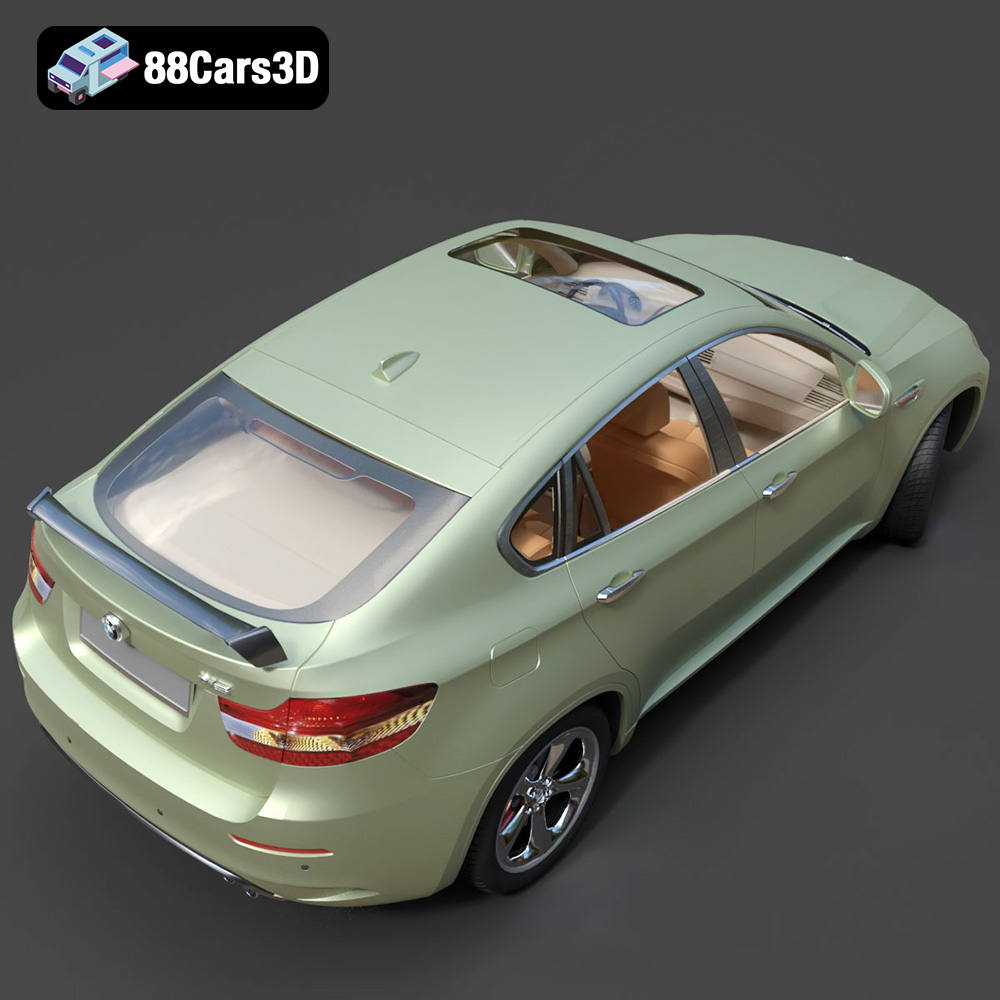
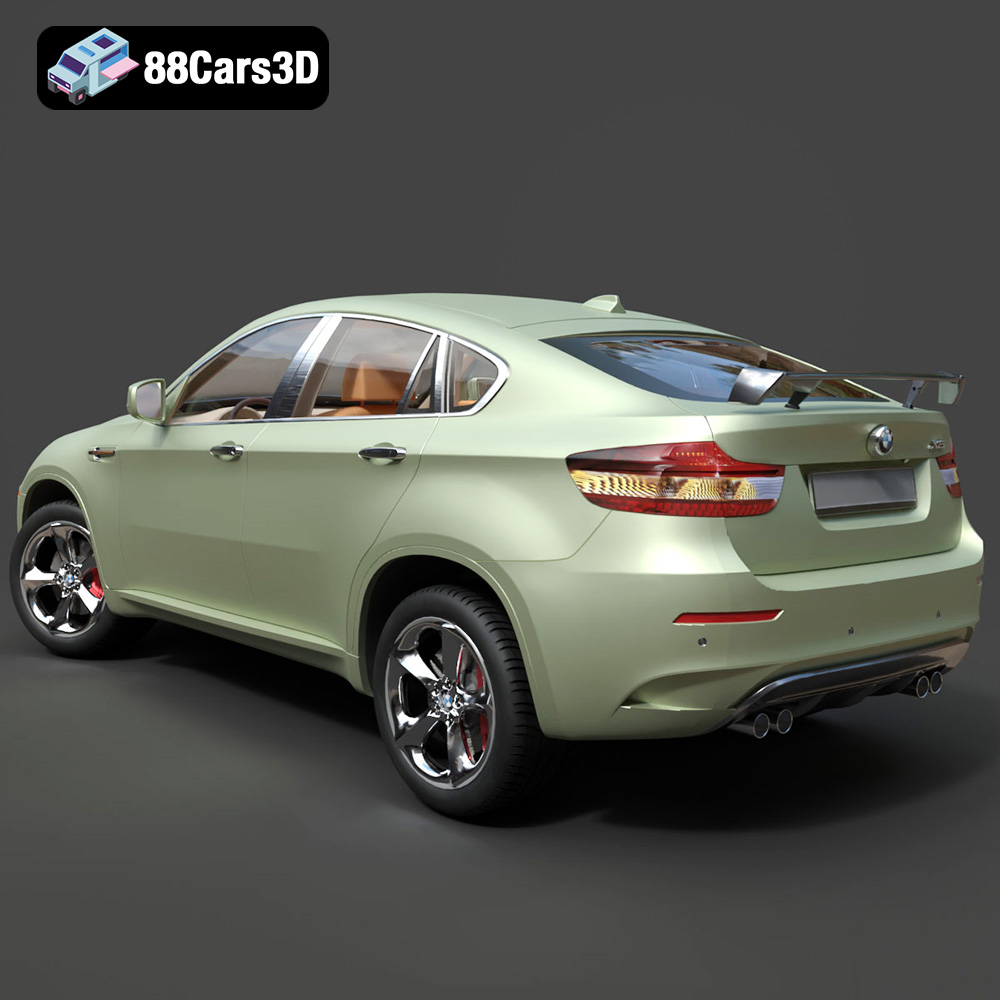
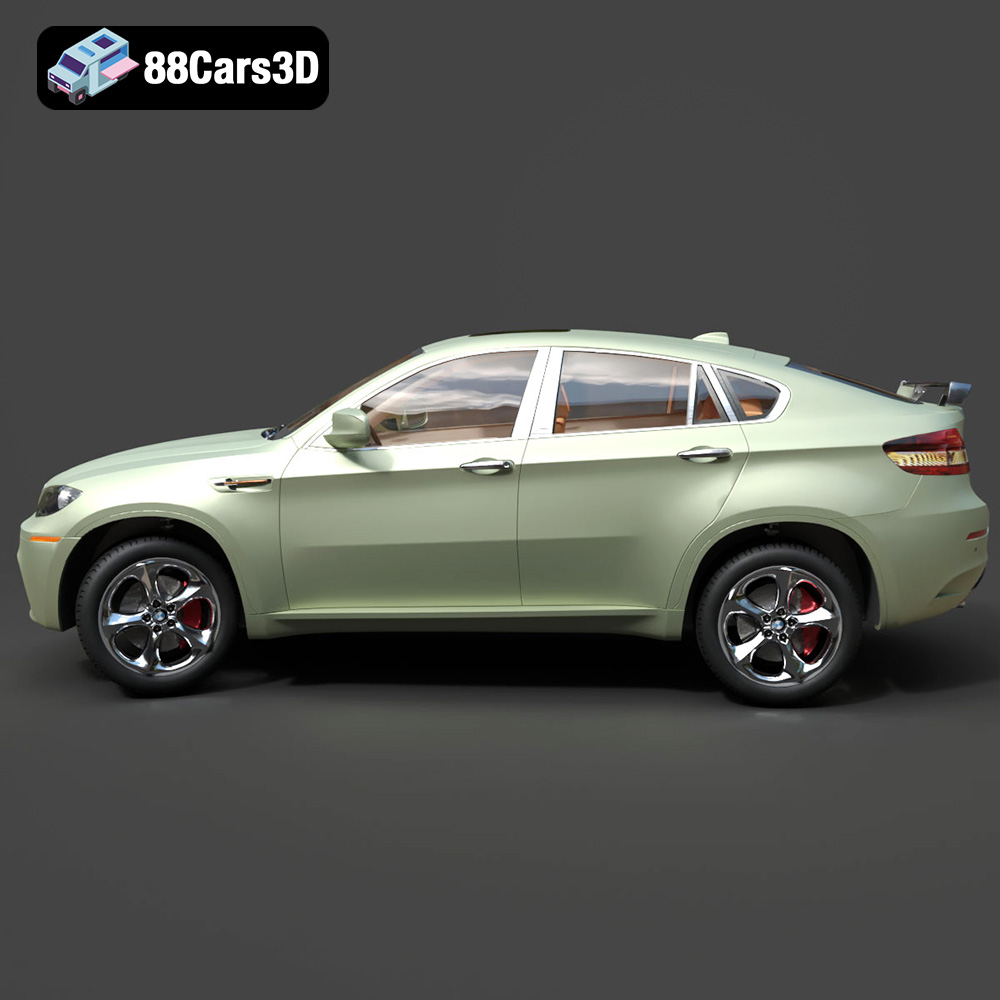
Unleashing Automotive Excellence: A Guide to 3D Printing Your BMW X6 Model
The world of 3D printing has revolutionized how enthusiasts and professionals interact with their passions, transforming digital designs into tangible realities. For automotive aficionados, this means bringing iconic vehicles to life right on their desks or in their workshops. Imagine holding a perfectly scaled replica of the sleek, muscular BMW X6, a true testament to modern engineering and design. Thanks to high-quality STL files available on marketplaces like 88cars3d.com, this dream is not only achievable but also an incredibly rewarding journey.
This comprehensive guide will walk you through the intricate process of 3D printing the exquisite BMW X6 3D Model, transforming it from a digital blueprint into a stunning physical representation. We’ll delve into everything from preparing your digital file and selecting the right materials to fine-tuning your printer settings and mastering the art of post-processing. Whether you’re a seasoned maker or just starting your adventure in additive manufacturing, you’ll find the detailed insights needed to produce a professional-grade automotive collectible. Get ready to experience the thrill of creating your very own luxury Sports Activity Coupe, meticulously crafted layer by layer.
Understanding 3D Printing File Formats
Before a single layer of plastic or resin is deposited, the digital foundation of your 3D print must be sound. The success of any 3D printing project, especially one as detailed as an automotive model like the BMW X6, hinges significantly on the quality and format of your source file. On 88cars3d.com, you’ll typically find models provided in a variety of formats, but for 3D printing, certain ones are paramount.
The Ubiquitous .stl Format
The `.stl` (stereolithography) format is the undisputed king of 3D printing. It describes the surface geometry of a 3D object using a collection of triangular facets. Essentially, it’s a mesh, and for 3D printing, it’s the standard. When you download a 3D printable file for the BMW X6, it will most likely be in `.stl` format. Its simplicity is its strength; it focuses solely on geometry, making it universally compatible with virtually all slicing software and 3D printers.
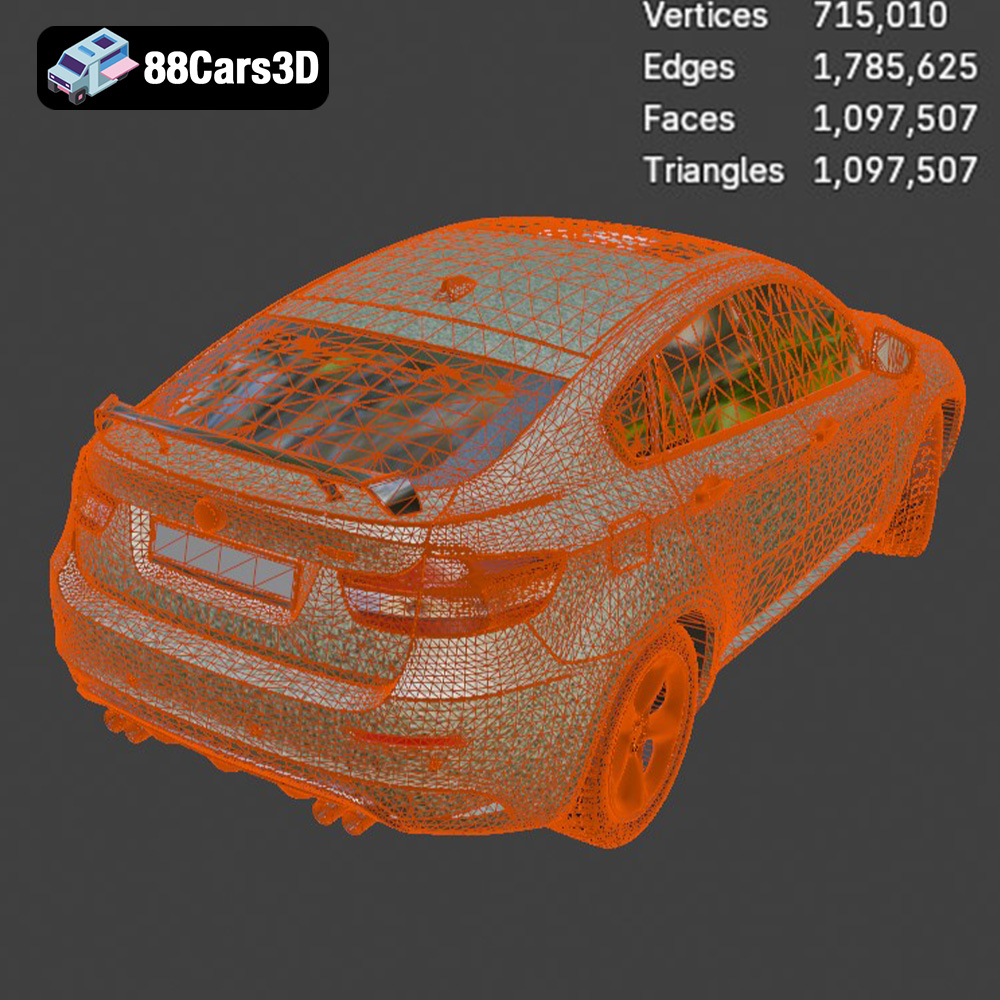
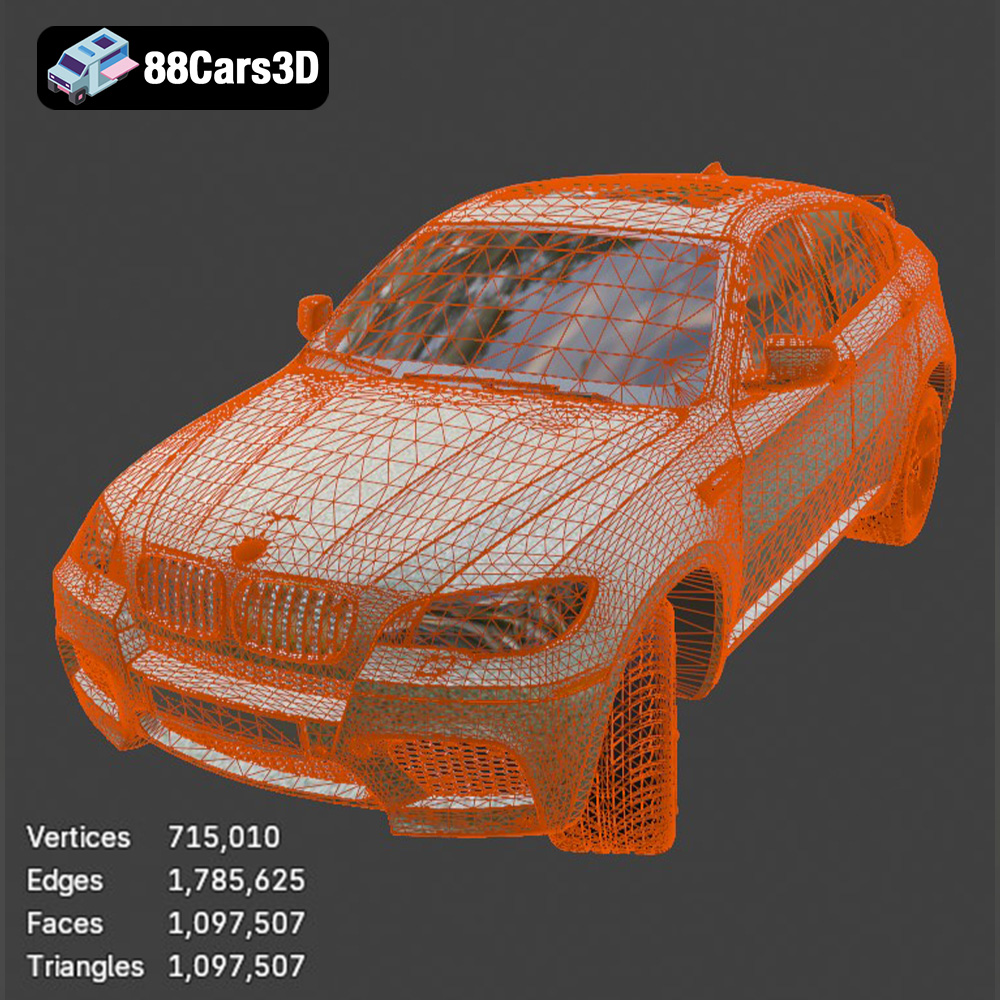
However, this simplicity also means it doesn’t carry information about color, texture, or material properties. For highly detailed automotive models, the mesh quality within an `.stl` file is critical. A high-quality `.stl` for the BMW X6 will feature a dense mesh with many small triangles, capturing the intricate curves, sharp lines, and subtle contours of the vehicle’s body, grille, and lighting elements. It’s also crucial that the mesh is “watertight,” meaning it has no holes or gaps in its surface. A non-watertight mesh can lead to errors in the slicing software, resulting in incomplete or faulty prints. Modern slicing software often includes tools for basic mesh repair, but starting with a well-prepared `.stl` file from a reputable source like 88cars3d.com minimizes potential issues.
Exploring .obj for Enhanced Detail
While `.stl` is excellent for geometry, the `.obj` (object) format offers a step up, particularly for models that might eventually involve color or texture mapping beyond simple single-color printing. An `.obj` file can store not just the geometric data but also texture coordinates, vertex normals, and material groups. For 3D printing, this means if you were to use a multi-color printer or explore advanced painting techniques based on predefined texture maps, an `.obj` could be advantageous.
For a BMW X6 model, an `.obj` file could be prepared to separate components like the body, wheels, interior, and windows into distinct material groups, which can then be assigned different print settings or colors in advanced slicers. While most desktop FDM and SLA printers primarily focus on single-material prints, understanding `.obj`’s capabilities is beneficial for those who might eventually venture into more sophisticated multi-material or full-color 3D printing, or even just for better organization within their 3D modeling software before exporting to `.stl`.
The Modern .3mf Format
The `.3mf` (3D Manufacturing Format) is a newer, more comprehensive format designed to overcome the limitations of `.stl` and even `.obj` for additive manufacturing. It’s an XML-based data format that bundles all necessary information for 3D printing into a single archive, including mesh, materials, colors, texture maps, print settings, and even support structures. This makes `.3mf` an incredibly powerful format for ensuring consistent and accurate prints across different machines and software.
For a complex model like the BMW X6, if provided in `.3mf`, it could contain specific instructions for multi-part printing, material assignments (e.g., clear resin for windows, opaque for the body), and even pre-defined support structures optimized for the model’s geometry. While not yet as universally adopted as `.stl`, many modern slicers like Cura and PrusaSlicer fully support `.3mf`, making it an excellent choice for a more integrated and reliable printing workflow.
Precision with .ply Format
The `.ply` (Polygon File Format or Stanford Triangle Format) is another format that describes 3D objects as a collection of polygons. It’s similar to `.obj` in that it can store geometric data, color information, and other properties per vertex or per face. `.ply` files are particularly common in applications involving 3D scanning, where high-precision, colored point cloud data is converted into a mesh.
For 3D printing the BMW X6, a `.ply` file could offer very detailed geometry, potentially with per-vertex color information if you’re using a full-color 3D printer. While less common for general desktop 3D printing than `.stl`, its ability to capture and convey highly detailed, precise mesh data makes it suitable for complex models where every curve and contour matters. Converting between these formats is often straightforward using 3D modeling software or online converters, ensuring you can always prepare your BMW X6 for printing, regardless of the initial file type, with `.stl` remaining the primary target for slicing.
Preparing Your BMW X6 Model for Printing (Slicing)
Once you have your high-quality digital file for the BMW X6 3D Model, the next crucial step is to prepare it for your specific 3D printer. This process, known as slicing, involves translating the 3D model into a series of thin layers and generating the toolpaths that your printer will follow.
Choosing Your Slicing Software
The heart of file preparation lies in your slicing software. Popular choices include:
- Cura (Ultimaker Cura): Known for its user-friendly interface, extensive features, and compatibility with a wide range of FDM printers. It’s an excellent starting point for beginners and advanced users alike.
- PrusaSlicer: Developed by Prusa Research, this slicer is celebrated for its advanced features, excellent support generation, and highly optimized print profiles, especially for Prusa printers, but also widely adaptable.
- Chitubox/Lychee Slicer: Essential for resin (SLA/DLP) printers, these programs offer specific tools for hollowing, resin specific supports, and exposure settings that are vital for high-detail prints like the BMW X6.
Regardless of your choice, the basic workflow remains similar: import your BMW X6 model, adjust scale, position, orientation, add supports, and configure print settings.
Scaling and Multi-Part Assembly
The BMW X6 3D Model is provided with recommended scales: 1:12, 1:18, 1:24, 1:32, and even 1:43. When importing the model, ensure it’s scaled correctly within your slicer. Pay attention to the model’s overall dimensions to fit within your printer’s build volume. For larger scales, or if your printer has a smaller build plate, you might need to split the model into multiple pieces. The BMW X6 model’s description already notes “separate elements for doors, hood, trunk, and wheels,” which is a huge advantage. Printing these components separately allows for:
- Improved Detail: Smaller parts can be printed with finer settings.
- Easier Post-Processing: Sanding and painting individual parts are often simpler.
- Assembly Benefits: You can print wheels in a different color or material for contrast, or even add rotational elements.
Consider how you’ll join these parts later and ensure there’s enough surface area for adhesive or small connectors if needed.
Optimizing Print Orientation and Supports
Print orientation is crucial for aesthetic and structural quality, especially for a smooth automotive finish. For the BMW X6 body:
- FDM Printers: The product description suggests printing the body “upside-down for smoother roof finish.” This typically means the roof is facing the build plate, reducing the need for supports on the visible top surfaces. However, it will require supports for the underbody and wheel arches.
- Resin Printers: The description suggests printing the body “angled for a smooth surface finish.” This usually involves tilting the model by 30-45 degrees to minimize layer lines, distribute peel forces, and reduce the number of direct supports on aesthetic surfaces.
Supports are absolutely essential for areas like mirrors, underbody sections, wheel arches, and the subtle rear roof spoiler. Experiment with support types:
- Tree Supports (Cura/PrusaSlicer): These branch-like structures are often easier to remove and leave fewer marks.
- Line/Grid Supports: More rigid, sometimes harder to remove but very stable.
- Resin Supports (Chitubox/Lychee): Focus on small, thin supports with minimal contact points to prevent damage to delicate details during removal.
Ensure supports only touch non-visible or easily sandable areas. Preview your supports carefully in the slicer to make sure all overhangs are supported, but not excessively so.
Material Selection for Your Automotive Masterpiece
Choosing the right filament or resin is paramount for capturing the detail and durability required for a display-worthy BMW X6 model. Each material offers distinct advantages and disadvantages.
FDM Filament Choices: PLA, PETG, ABS
For FDM (Fused Deposition Modeling) printers, common choices include:
- PLA (Polylactic Acid):
- Pros: Easy to print, low warping, wide range of colors, biodegradable. Excellent for detailed models due to its consistency.
- Cons: Brittle, lower temperature resistance.
- Recommendation for BMW X6: Ideal for initial prints, display models, or where ease of printing is prioritized. It takes paint well after appropriate priming.
- PETG (Polyethylene Terephthalate Glycol):
- Pros: Stronger and more flexible than PLA, better temperature and UV resistance, good layer adhesion.
- Cons: Can be prone to stringing, requires slightly higher print temperatures.
- Recommendation for BMW X6: A great all-rounder if you want a more robust model that can withstand a bit more handling.
- ABS (Acrylonitrile Butadiene Styrene):
- Pros: Very durable, good impact resistance, higher temperature resistance, can be vapor smoothed with acetone for a glossy finish.
- Cons: Prone to warping (requires an enclosed printer and heated bed), emits fumes, more challenging to print.
- Recommendation for BMW X6: For experienced users seeking maximum durability and a professional finish through vapor smoothing.
Resin Options for High-Detail Printing
For SLA/DLP (Stereolithography/Digital Light Processing) resin printers, the options are typically specialized resins:
- Standard Resins:
- Pros: Offer incredible detail and smooth surface finishes, perfect for the sharp lines and intricate features of the BMW X6. They capture very small details like badges and grille patterns with ease.
- Cons: Brittle (though more flexible varieties exist), requires careful post-curing and cleaning, more hazardous to handle (requires PPE).
- Recommendation for BMW X6: Highly recommended for smaller scales (e.g., 1:32, 1:43) and for achieving the finest possible detail, especially for intricate elements like headlights (the description mentions “Thor’s Hammer headlights,” a feature often seen in Volvo, but the principle of needing fine detail applies to BMW’s intricate LED designs as well).
- Tough/ABS-like Resins:
- Pros: Offer increased durability and flexibility compared to standard resins, reducing brittleness.
- Cons: Often slightly more expensive, can be a bit more challenging to clean and cure.
- Recommendation for BMW X6: A good compromise if you want the high detail of resin printing with improved resistance to breakage, especially for delicate parts.
Dialing in Your Printer Settings for the BMW X6
Precise print settings are the backbone of a successful, high-quality automotive print. Even the most perfectly prepared file can fail with incorrect settings.
Layer Height and Wall Thickness
These settings directly impact detail and strength:
- Layer Height (FDM): The product recommends 0.12–0.18 mm. For the finest details and smoother curves, aim for the lower end (0.12 mm or even 0.1 mm if your printer is capable and well-calibrated). This reduces visible layer lines, essential for a premium automotive finish.
- Layer Height (Resin): The product recommends 0.04–0.12 mm. For resin, even 0.05 mm produces exceptional detail, and going down to 0.025 mm is possible for miniatures, capturing every nuance of the BMW X6’s bodywork.
- Wall Thickness (FDM): The recommendation is 2–3 mm. This translates to multiple perimeter lines (e.g., 5-8 lines for 0.4mm nozzle) which ensures structural integrity and a solid base for sanding and finishing without fragile shells.
- Wall Thickness (Resin): The recommendation is 1.2–2.0 mm. Resin prints often have thinner walls due to the material’s inherent strength at fine details. Ensure this is sufficient to prevent part deformation during curing and post-processing.
Infill and Print Speed
Balancing internal structure and speed is key:
- Infill (FDM): The recommendation is 15–30%. For a display model, 15-20% infill is generally sufficient to provide internal support without adding excessive weight or print time. A cubic or gyroid infill pattern is often a good choice for strength in all directions.
- Infill (Resin): The recommendation is 15–25% for hollowed parts. Hollowing saves resin and reduces print time, but requires drain holes. Ensure the infill (internal lattice structures) supports the outer shell adequately.
- Print Speed (FDM): For detailed models, prioritize quality over speed. Start with a moderate speed (e.g., 40-60 mm/s for outer perimeters, slightly faster for infill). Slow down for critical features like overhangs and small details to ensure precise extrusion.
- Print Speed (Resin): Exposure times are more critical than print speed here. Focus on dialing in exposure for your specific resin and layer height to ensure crisp details without over-curing.
Support Structures: Placement and Removal
The provided print settings specifically call for supports for “mirrors, underbody sections, and wheel arches” (FDM) and “side mirrors, wheel arches, and the subtle rear roof spoiler” (Resin).
- Support Placement: In your slicer, identify all areas needing support. Use automatic support generation as a starting point, then manually refine. Aim to place supports only where necessary and in locations that will be less visible or easier to clean up. The body’s orientation (upside-down for FDM, angled for resin) is chosen specifically to minimize support scarring on visible surfaces.
- Support Density/Contact: For FDM, a lower support density (e.g., 10-15%) and appropriate Z-distance (e.g., 0.2mm for 0.4mm nozzle) can make removal easier. For resin, small, thin tips with minimal contact are crucial to avoid damaging the model when detaching.
- Removal Techniques: Once printed, carefully remove supports using flush cutters, pliers, or a hobby knife. Work slowly to avoid breaking delicate parts. For FDM, warm water can sometimes soften PLA supports slightly. For resin, post-cure the model *after* support removal to harden it and make cleanup easier.
Mastering Post-Processing: Bringing Your BMW X6 to Life
The journey doesn’t end when the printer finishes. Post-processing is where your 3D printed BMW X6 truly transforms from a raw plastic model into a showroom-worthy collectible. This stage is crucial for achieving that authentic automotive look and feel.
Sanding and Surface Preparation
This is arguably the most time-consuming but rewarding step.
- Initial Cleanup: Remove any remaining support nubs and excess material with flush cutters, a hobby knife, or deburring tool. Be gentle around delicate details.
- Sanding Process: Start with a medium-grit sandpaper (e.g., 220-320 grit) to remove layer lines and major imperfections. Work your way up to finer grits (400, 600, 800, and even 1000-1500 grit) for a super smooth finish. Sanding wet can help reduce dust and achieve a finer polish. For intricate areas, use sanding sticks or folded sandpaper.
- Filling Imperfections: For larger gaps or print artifacts, use automotive body filler or a fine-grain modeling putty. Apply, let dry, and sand smooth. Repeat as necessary until the surface is uniform and flawless.
- Cleaning: Thoroughly wash the model with soap and water to remove all sanding dust and residue. Let it dry completely before priming.
Priming and Painting Techniques
The description specifically mentions “sanding, primer, metallic automotive paint, clear coat.” This is the gold standard for scale model cars.
- Priming: Apply several thin, even coats of automotive primer (grey or white are common, grey is excellent for revealing imperfections). Primer helps paint adhere, provides a uniform base color, and fills tiny surface scratches. Let each coat dry fully, then lightly sand with very fine grit (800-1000) if needed for smoothness.
- Base Coat (Metallic Automotive Paint): This is where your BMW X6 gets its signature color.
- Application: Use an airbrush or high-quality spray cans designed for models or automotive touch-ups. Apply multiple thin, even coats rather than one thick one to avoid drips and preserve detail. For metallic paints, consistent application is key to prevent mottling.
- Color Matching: Consider classic BMW colors or modern factory options to enhance realism.
- Specifics: The product description also suggests “modern Volvo factory colors (like Sage Green, Glacier Silver, or Crystal White) paired with a gloss black roof” in another section, which seems to be an error in the original prompt as this is for the BMW X6. Stick to BMW specific colors or a custom metallic finish.
- Detail Painting: Use fine brushes for specific details like window trim, door handles, grille elements, and interior accents. Use opaque black for window areas (or print windows separately in transparent material if possible).
Clear Coat for Protection and Shine
A clear coat is essential for durability and that lustrous automotive shine.
- Application: Apply several thin, even coats of a high-gloss clear coat (automotive clear coats are best for maximum shine and protection). This protects the paint, deepens the color, and provides a smooth, glossy finish. Allow ample drying time between coats.
- Curing: Some clear coats require longer curing times to reach full hardness. Refer to the product instructions.
- Polishing (Optional): For an ultra-high gloss finish, you can wet-sand the clear coat with extremely fine grits (2000-5000) and then use a polishing compound. This is an advanced technique for competition-level results.
Assembly and Finishing Touches
With your body and individual components beautifully painted and clear-coated, it’s time to bring them all together. The BMW X6 model, with its separate wheels and other elements, is designed for this modular approach.
Joining Components
- Adhesive Selection: Use a strong, clear adhesive suitable for plastics. Cyanoacrylate (super glue) is fast, but careful application is needed to avoid frosting. Epoxy glues offer more working time and strength. For permanent bonds, plastic cement (which welds plastic together) can be effective on FDM prints.
- Wheel Assembly: The product explicitly states “Wheels printed separately for improved detailing.” This allows you to paint the tires and rims distinctly. Carefully attach the wheels to the main body, ensuring they are aligned and secure. Consider adding a small metal axle for added realism and strength if the design permits.
- Interior and Window Elements: If you’ve printed interior details, carefully assemble them inside the body. For windows, if you printed them in a transparent material, glue them into place from the inside to avoid visible glue lines. Otherwise, use gloss black paint for the “glass” areas.
- Small Details: Attach mirrors, wipers, and any other tiny elements with precision. Tweezers and a steady hand are your best friends here.
Final Inspection and Display
Once assembled, give your BMW X6 model a final inspection. Check for any dust, fingerprints, or minor imperfections. A soft microfiber cloth can be used to gently polish the surface. Now, your meticulously crafted BMW X6 is ready for display. Consider a display case to protect it from dust and curious hands, allowing its beauty to shine for years to come.
Troubleshooting Common 3D Printing Issues
Even with the best preparation, 3D printing can present challenges. Here are a few common issues you might encounter when printing your BMW X6 and how to address them.
Warping and Bed Adhesion Issues
- Problem: Corners lift off the build plate, especially with ABS or large flat prints.
- Solution:
- Heated Bed: Ensure your heated bed temperature is appropriate for your filament (e.g., 60-70°C for PLA, 90-110°C for ABS).
- Adhesion Aids: Use a brim, raft, or skirt in your slicer. Apply glue stick, painter’s tape, or a specialized build surface (e.g., PEI sheet) to the build plate.
- Enclosure: For ABS, an enclosure helps maintain a stable ambient temperature, reducing thermal shock.
- Leveling: Ensure your build plate is perfectly leveled.
Stringing and Oozing
- Problem: Fine strands of plastic appear between separate parts of your print.
- Solution:
- Retraction Settings: Increase retraction distance and speed in your slicer.
- Temperature: Reduce nozzle temperature slightly (in 5°C increments) as higher temperatures can make filament more liquid and prone to oozing.
- Print Speed: Sometimes, slowing down or speeding up travel moves can help.
- Filament Quality: Ensure your filament is dry; wet filament can cause stringing.
Layer Shifting and Misalignment
- Problem: Layers are printed misaligned, creating a stepped effect on the model.
- Solution:
- Belt Tension: Check if your printer’s X and Y axis belts are properly tensioned – not too loose, not too tight.
- Motor Drivers: Ensure stepper motor drivers aren’t overheating (active cooling may be needed).
- Print Speed: Reduce print speed, especially for complex geometries, to prevent motors from skipping steps.
- Obstructions: Make sure the print head or bed isn’t physically colliding with anything during movement.
Poor Detail on Resin Prints
- Problem: Details are blurry, or thin features are missing.
- Solution:
- Exposure Time: Fine-tune your exposure time. Too short, and details won’t form; too long, and light bleed will blur them. Use calibration prints.
- Layer Height: Use a lower layer height (e.g., 0.03-0.05 mm).
- Anti-aliasing: Enable anti-aliasing in your slicer to smooth jagged edges.
- Resin Quality/Type: Use a high-quality resin suitable for fine detail.
By systematically addressing these common issues, you can improve your chances of a successful print and create a flawless BMW X6 model.
Conclusion: Your Journey to a Perfect BMW X6 Replica
3D printing the BMW X6 3D Model is more than just manufacturing; it’s an immersive hobby that combines technical skill with artistic vision. From selecting the ideal STL file from 88cars3d.com to the meticulous layers of paint and clear coat, each step contributes to bringing a piece of automotive art into existence. You’ve learned about the critical role of file formats, the precision required in slicing, the impact of material choice, and the transformative power of post-processing.
Whether you choose the robust FDM method or the ultra-detailed resin approach, the principles remain the same: patience, precision, and a willingness to learn. By following these detailed guidelines and paying attention to the specific recommendations for the BMW X6 model – such as optimal layer heights, wall thicknesses, and print orientations – you are well on your way to creating a stunning scale replica. This model is not just a collectible; it’s a tangible representation of your dedication to the craft of additive manufacturing. Embrace the process, troubleshoot challenges, and take immense pride in the finished BMW X6, a true testament to the capabilities of modern 3D printing.
Featured 3D Model for Printing
BMW X6 3D Model 3D Printable STL
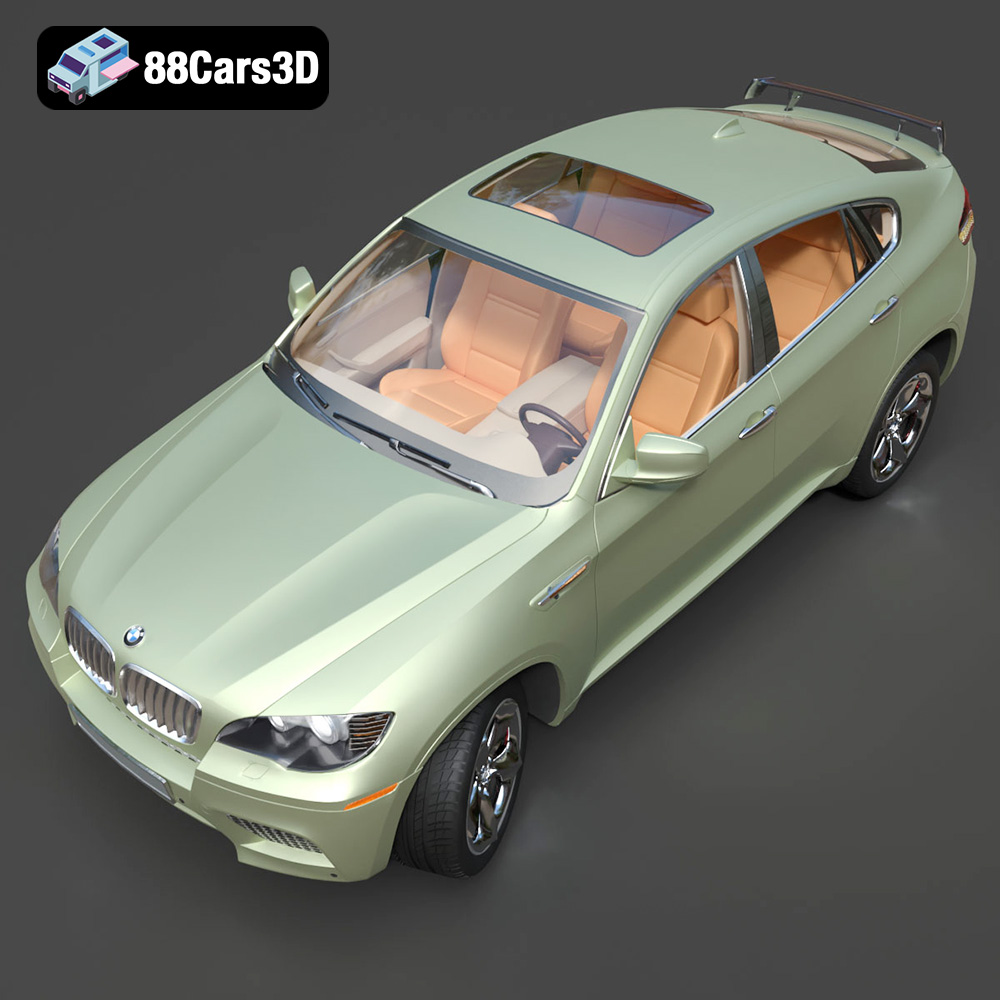
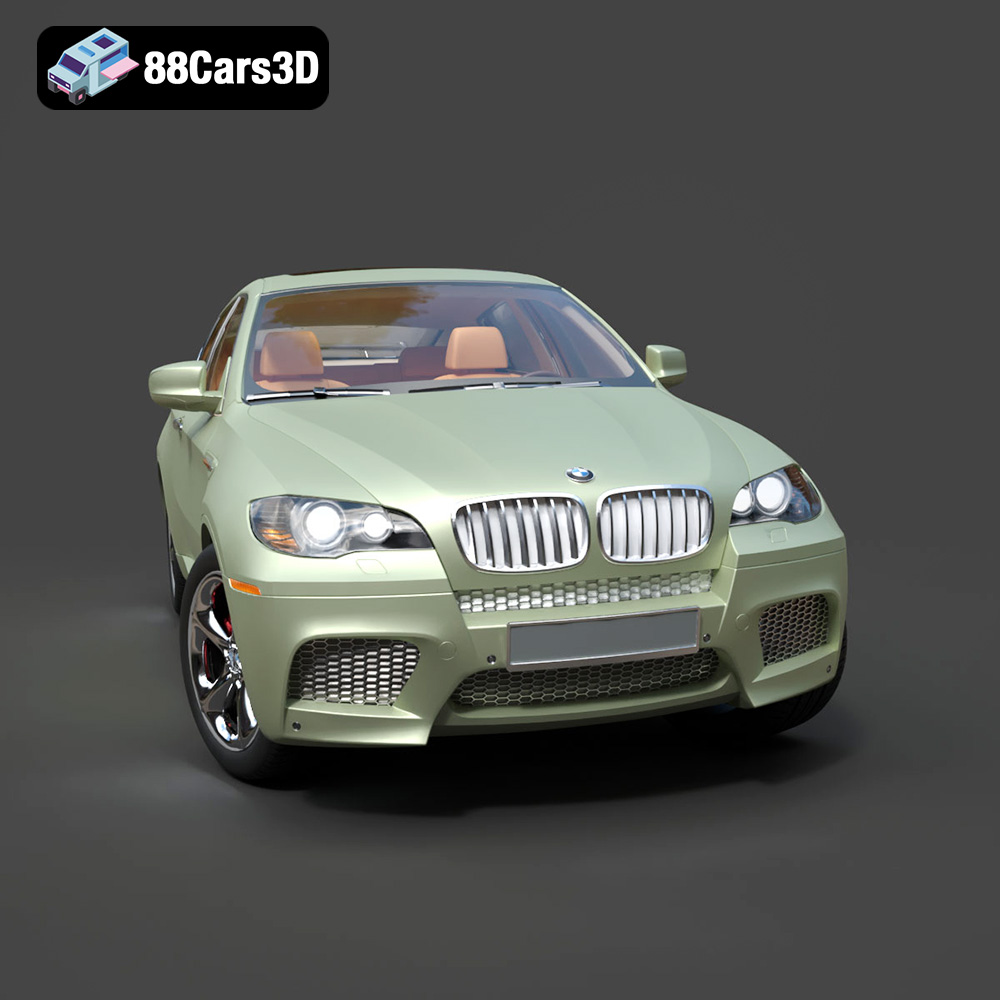
Download the BMW X6 3D Model, a high-quality digital recreation optimized for 3D printing. This model accurately captures the luxury Sports Activity Coupe’s aggressive stance, sloping roofline, and muscular contours. It features separate elements for doors, hood, trunk, and wheels, allowing for multi-part printing and enhanced detailing. The included STL file is prepared for scale SUV coupe miniatures and collector builds, with recommended print settings for both FDM and Resin technologies to achieve exceptional accuracy and a stunning finish.
$9.99
Get This Model for 3D Printing
Related Tags
.arvr
.blend
.bmw
.car3dmodel
.coupesuv
.fbx
.gameasset
.glb
.luxurysuv
.max
.obj
.ply
.rendering
.simulation
.stl
.unreal
.vehicleasset
.x6
automotive3d