Get 50% OFF All Premium 3D & STL Models!

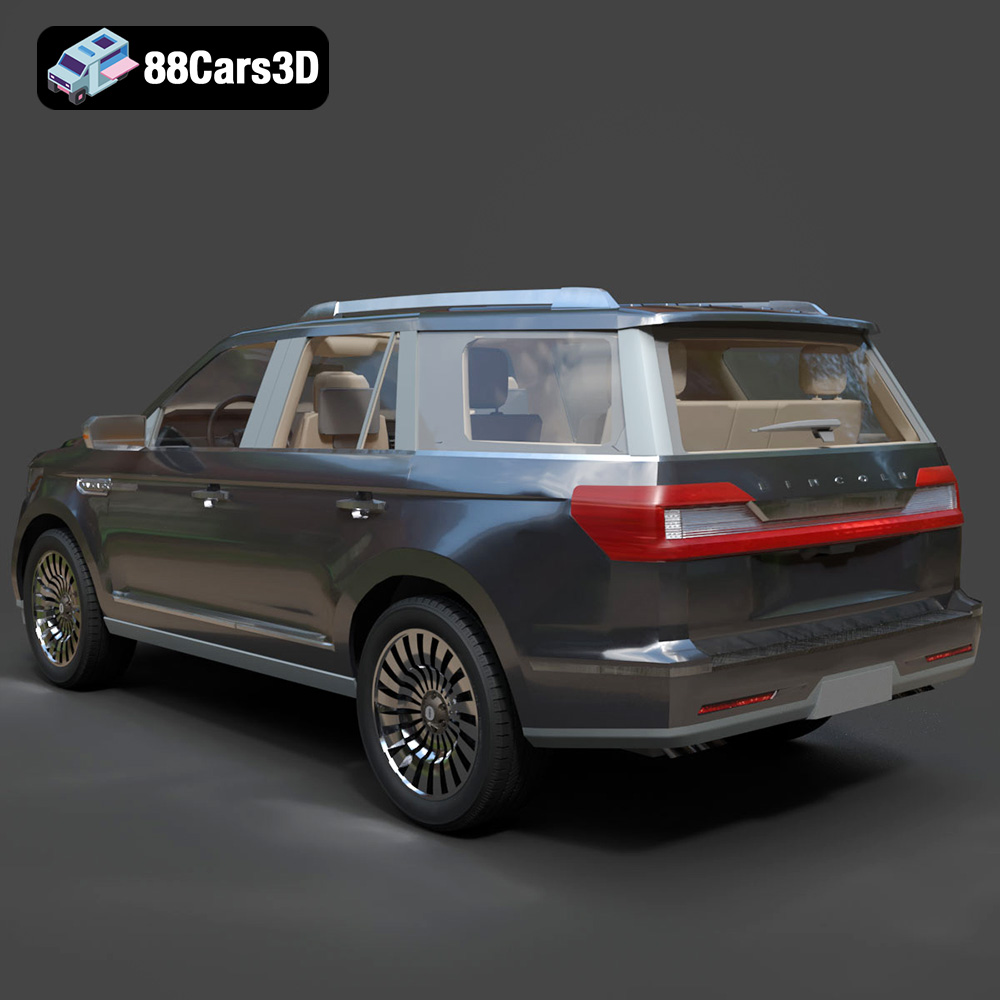
The Lincoln Navigator 2018, a symbol of American luxury and bold design, can now grace your desk or collection as a meticulously 3D printed model. Thanks to 88cars3d.com, a highly detailed 3D model of this iconic SUV is available, ready to be transformed from a digital file into a tangible object. This article will guide you through the entire 3D printing process, from selecting the right materials and preparing the model to post-processing and finishing touches, ensuring you achieve a stunning, accurate replica.
Before diving into the printing process, proper preparation is crucial. This involves inspecting the STL files, scaling the model, and choosing the right slicing software.
* **Mesh Integrity:** Examine the STL files for any errors, such as non-manifold edges, holes, or intersecting faces. These imperfections can cause print failures or artifacts in the final model. Use software like MeshLab, Netfabb, or the built-in repair tools in your slicer to fix any issues.
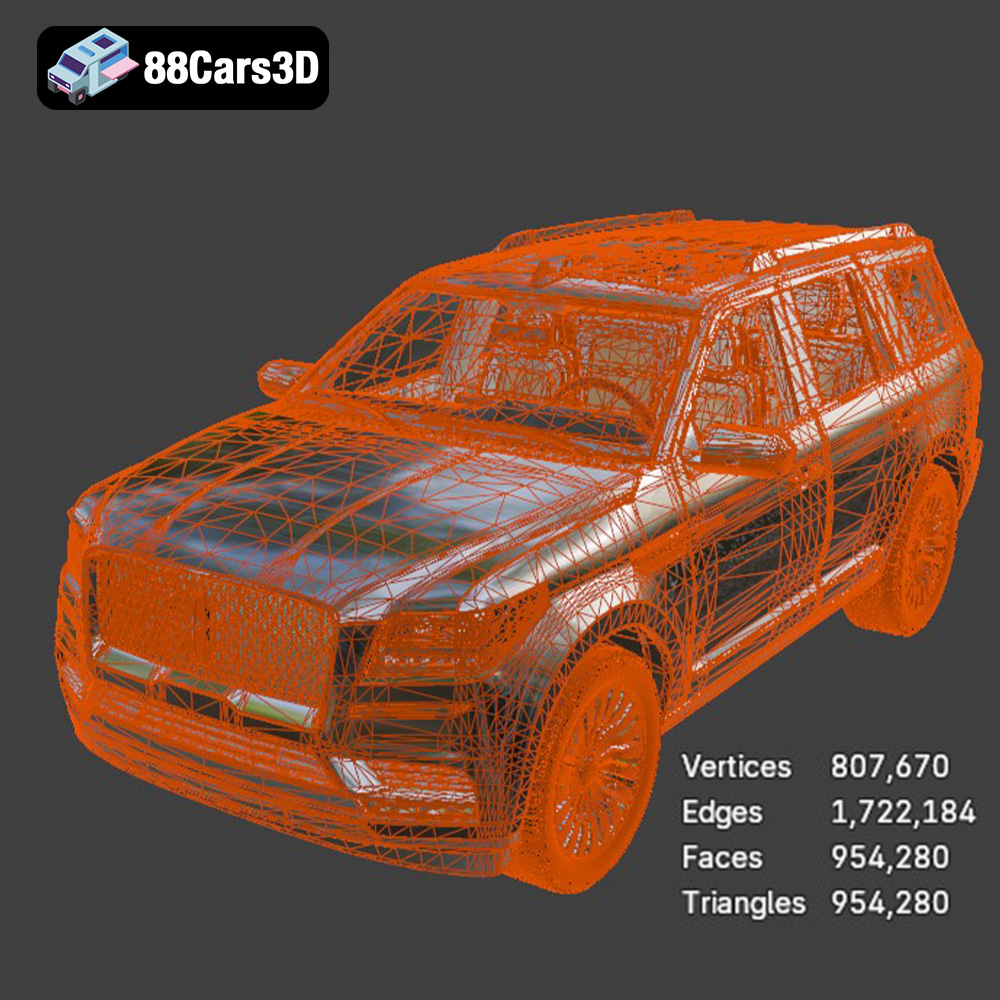
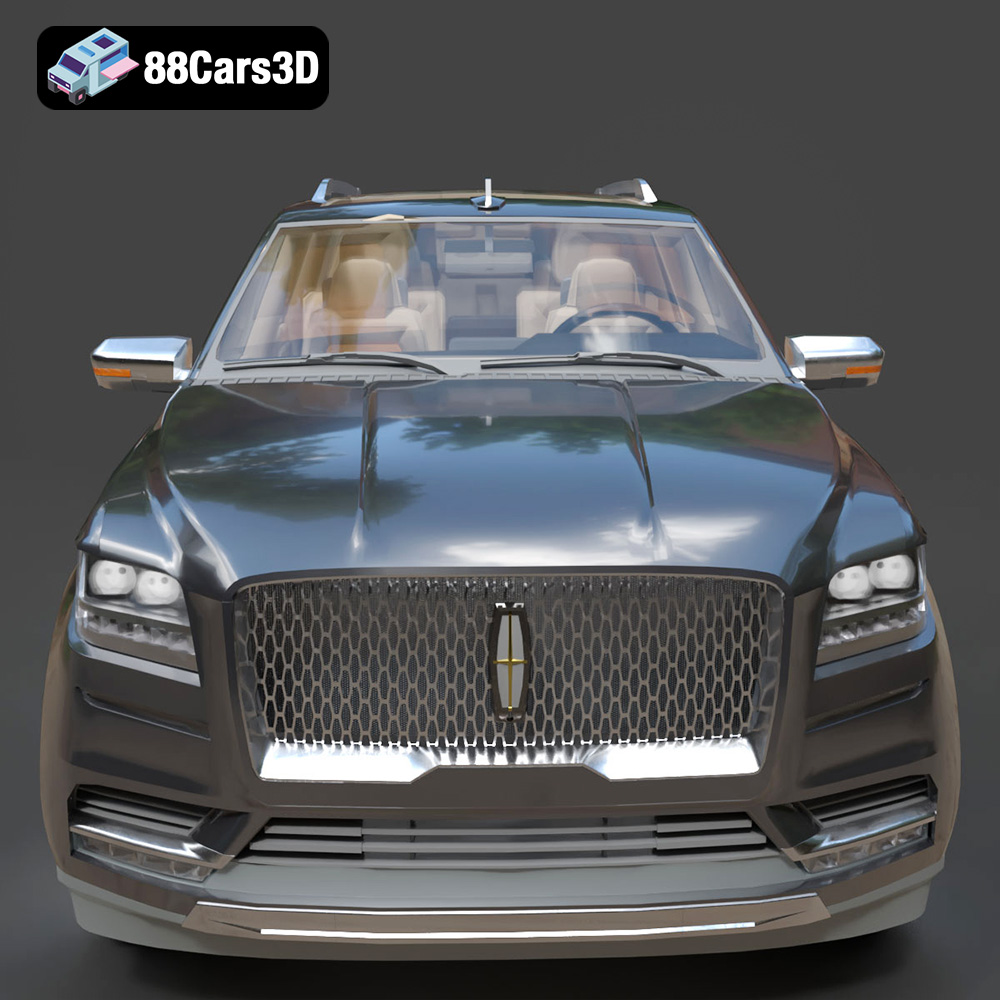
* **Detail Level Assessment:** The Lincoln Navigator 2018 model from 88cars3d.com boasts a high level of detail, including intricate grilles and detailed interior components. Determine if you want to print the model as a single piece or separate components (body, wheels, interior) for easier painting and assembly.
* **Scaling Considerations:** The product description recommends scales of 1:32, 1:24, 1:18, or 1:14. Consider your printer’s build volume and desired level of detail when choosing a scale. Smaller scales require higher precision and may be better suited for resin printing, while larger scales can be printed with FDM technology.
* **Slicing Software:** Popular choices include Cura, Simplify3D, PrusaSlicer, and Chitubox (for resin printing). Each slicer offers a range of settings to optimize your prints.
* **Orientation:** Experiment with different orientations to minimize support material and achieve the best surface finish. Angling the body of the Navigator can improve the smoothness of curved surfaces.
* **Support Generation:** Enable support structures for overhanging features like side mirrors, roof rails, and the underbody. Consider using tree supports, which are easier to remove and leave fewer marks.
Choosing the right file format is crucial for a successful 3D printing experience. While several formats exist, some are better suited for additive manufacturing than others. Let’s delve into the details of commonly used formats and their implications for 3D printing the Lincoln Navigator 2018 model.
The STL (Stereolithography) format is the de facto standard for 3D printing. It represents the surface geometry of a 3D object as a collection of triangles. While simple and widely compatible, STL files only contain mesh data, meaning they lack information about color, texture, or materials. This format is excellent for the Lincoln Navigator model because it accurately depicts the complex exterior geometry.
* **Slicing Software Compatibility:** STL files are universally supported by all slicing software, making them incredibly convenient. Simply import the STL into your chosen slicer, adjust the settings, and generate the G-code for your printer.
* **Mesh Quality:** The quality of an STL file directly impacts the final print. A high-resolution STL contains more triangles, resulting in a smoother surface finish. However, excessively high resolution can lead to larger file sizes and longer processing times. Aim for a balance between detail and file size when exporting the STL. Ensure that the STL file is watertight, meaning it has no holes or gaps in the mesh, which could cause errors during slicing.
* **Pros:** Universally compatible, simple structure, suitable for most 3D printing applications.
* **Cons:** Lacks color and material information, file size can be large for complex models.
The OBJ (Object) format is a more versatile format than STL, as it can store color and texture information in addition to mesh data. This is beneficial if you want to explore the possibility of creating multi-colored prints of the Lincoln Navigator, though it will likely require more advanced techniques and potentially a multi-material printer.
PLY (Polygon File Format) is designed for storing 3D data acquired from scanning devices. It can represent color, normals, and other properties. It’s a good format for high-detail prints where retaining fine surface details is paramount.
The .blend format is the native file format for Blender, a popular open-source 3D modeling software. Having the Lincoln Navigator 2018 model in .blend format allows for extensive customization before exporting to a printable format like STL. You can modify the model’s geometry, add details, or separate parts for easier printing and painting.
FBX (Filmbox) is a proprietary file format developed by Autodesk. It’s widely used in the game development and animation industries. While it can store material information, its primary advantage for 3D printing lies in its ability to preserve scene hierarchy and object transformations, which can be useful when importing the Lincoln Navigator model into certain slicing software.
GLB (Binary glTF) is a file format designed for efficient transmission and loading of 3D scenes and models. Its strength lies in its ability to be used in Augmented Reality previews. You won’t be printing directly from this format, but it’s useful to visualise your Navigator in the real world before committing to the print.
Similar to .blend, the .max format is the native file format for 3ds Max, another professional 3D modeling software. Having the Lincoln Navigator 2018 model in .max format provides the same benefits as .blend, allowing for extensive customization and modification before exporting to a printable format.
For 3D printing the Lincoln Navigator 2018 model, the **.stl format remains the most practical choice due to its widespread compatibility and suitability for representing the model’s geometry.** While other formats like .obj, .blend, and .max offer additional features, they are primarily relevant for pre-processing and customization, not the actual printing process.
The choice of 3D printing technology and materials significantly impacts the final result. Fused Deposition Modeling (FDM) and Stereolithography (SLA) are the two most common technologies for hobbyist 3D printing.
* **Technology:** FDM printers extrude molten plastic filament layer by layer to create the object.
* **Materials:** PLA (Polylactic Acid) is a biodegradable thermoplastic known for its ease of printing and wide availability. PETG (Polyethylene Terephthalate Glycol-modified) offers greater strength and temperature resistance compared to PLA.
* **Pros:** FDM printers are affordable, versatile, and can print large objects. PLA and PETG are relatively inexpensive and come in a wide range of colors.
* **Cons:** FDM prints typically have visible layer lines, requiring post-processing for a smooth finish. Fine details may be challenging to reproduce accurately.
* **Recommended Settings for the Navigator:**
* Layer Height: 0.1mm – 0.2mm
* Infill: 15-25% (Gyroid or Cubic infill patterns are good for structural integrity)
* Print Speed: 40-60 mm/s
* Nozzle Temperature: 200-220°C (PLA), 230-250°C (PETG)
* Bed Temperature: 60-70°C (PLA), 70-80°C (PETG)
* Support Structures: Required for overhangs.
* **Technology:** SLA and DLP printers use liquid resin that is cured by UV light to create the object layer by layer.
* **Materials:** Standard resin, tough resin, and flexible resin are common options.
* **Pros:** Resin printing offers exceptional detail and smooth surface finish, ideal for intricate models like the Lincoln Navigator 2018.
* **Cons:** Resin printers are generally more expensive than FDM printers. Resin materials can be brittle and require careful handling. The build volume is typically smaller than FDM printers. Post-processing involves washing and curing the printed object.
* **Recommended Settings for the Navigator:**
* Layer Height: 0.025mm – 0.05mm
* Exposure Time: According to resin manufacturer’s recommendations.
* Lift Speed: Moderate to prevent layer separation.
* Support Structures: Crucial for resin printing.
* Hollowing: Consider hollowing the model (if your slicing software allows) to reduce resin consumption. Ensure sufficient drainage holes are added.
Achieving a high-quality 3D print requires fine-tuning your printer settings. The following recommendations apply to both FDM and resin printing.
* **FDM:** Lower layer heights (0.1mm – 0.15mm) result in smoother surfaces but increase print time.
* **Resin:** Lower layer heights (0.025mm – 0.035mm) capture finer details.
* **Infill Density:** 15-25% is sufficient for most parts of the Navigator. Increase infill for areas that require greater strength, such as the chassis.
* **Infill Pattern:** Choose an infill pattern that provides good structural support without excessive material usage (e.g., Gyroid, Cubic, Triangles).
* **Support Placement:** Carefully place supports to minimize their impact on the visible surfaces of the model. Use support blockers in your slicing software to prevent supports from generating in areas where they are not needed.
* **Adhesion:** Ensure proper bed adhesion to prevent warping or detachment during printing. Use a heated bed, adhesive spray, or painter’s tape to improve adhesion. For resin printing, ensure the build plate is properly leveled and the first layer exposure time is sufficient.
Post-processing is essential to refine the 3D printed Lincoln Navigator 2018 model.
* **Support Removal:** Carefully remove support structures using pliers, cutters, or a hobby knife.
* **Sanding:** Sand the model with progressively finer grits of sandpaper to smooth out layer lines and surface imperfections. Start with a coarser grit (e.g., 220) and gradually move to finer grits (e.g., 400, 600, 800). Wet sanding can help reduce dust and improve the surface finish.
* **Priming:** Apply a primer coat to the model to create a smooth, uniform surface for painting. Sand the primer lightly after it dries.
* **Painting:** Use high-quality acrylic paints designed for model making. Apply multiple thin coats for best results. Consider using an airbrush for a professional finish.
* **Detailing:** Add details such as chrome trim, window tint, and license plates using paint pens, decals, or masking techniques.
* **Adhesive:** Use super glue or epoxy to assemble the printed parts.
* **Alignment:** Ensure proper alignment of the parts before the adhesive sets. Use clamps or jigs to hold the parts in place.
Encountering issues during 3D printing is common. Here’s how to address some frequent problems:
* **Cause:** Uneven cooling or insufficient bed adhesion.
* **Solution:** Increase bed temperature, use a brim or raft, improve bed adhesion, or enclose the printer to maintain a stable temperature.
* **Cause:** Loose belts, stepper motor issues, or nozzle collisions.
* **Solution:** Tighten belts, check stepper motor drivers, and ensure the nozzle path is clear of obstructions.
* **Cause:** Excessive retraction distance, high nozzle temperature, or wet filament.
* **Solution:** Adjust retraction settings, lower nozzle temperature, and dry the filament.
* **Cause:** First layer squished too much, causing it to spread outwards.
* **Solution:** Reduce initial layer height or flow rate, ensure proper bed leveling.
The print time and material cost for the Lincoln Navigator 2018 model vary depending on the scale, settings, and chosen 3D printing technology.
* **FDM (PLA/PETG):** Print time can range from 20-50 hours for a 1:24 scale model, depending on the complexity and infill. Material cost can be estimated at $10-$30.
* **Resin (SLA/DLP):** Print time can range from 10-30 hours for a 1:24 scale model, depending on the layer height. Material cost can be estimated at $20-$40.
Remember that these are rough estimates, and the actual values may vary.
3D printing the Lincoln Navigator 2018 model from 88cars3d.com is a rewarding project that combines technical skill with artistic expression. By carefully preparing the model, choosing the right materials and settings, and mastering post-processing techniques, you can create a stunning, accurate replica of this iconic SUV. The provided STL files from 88cars3d.com offer a solid foundation, allowing you to focus on the nuances of the printing and finishing processes. Remember to experiment with different settings and materials to find what works best for your printer and desired outcome. Happy printing!
The Lincoln Navigator 2018 3D Model is a high-detail digital recreation of the full-size luxury SUV known for its bold presence, refined design, and premium comfort. Combining powerful performance with upscale craftsmanship, the 2018 Navigator represents modern American luxury in the SUV segment. Includes .blend, .fbx, .obj, .glb, .stl, .ply, .unreal, and .max formats for rendering, simulation, AR/VR, game development, and 3D printing.
$9.99
.2018suv
.americanSUV
.arvr
.automotive
.blend
.car3dmodel
.fbx
.gameasset
.glb
.lincoln
.luxurysuv
.max
.navigator
.obj
.ply
.rendering
.simulation
.stl
.unreal