Get 50% OFF All Premium 3D & STL Models!

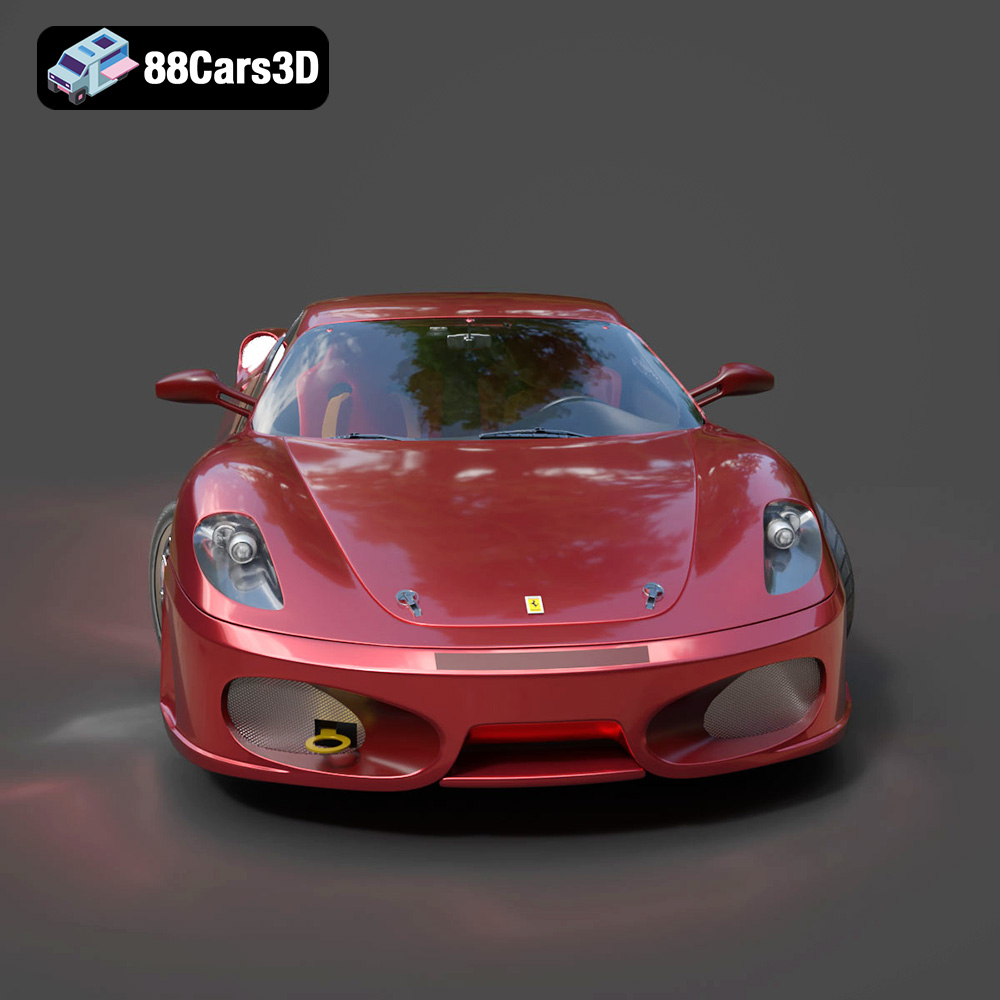
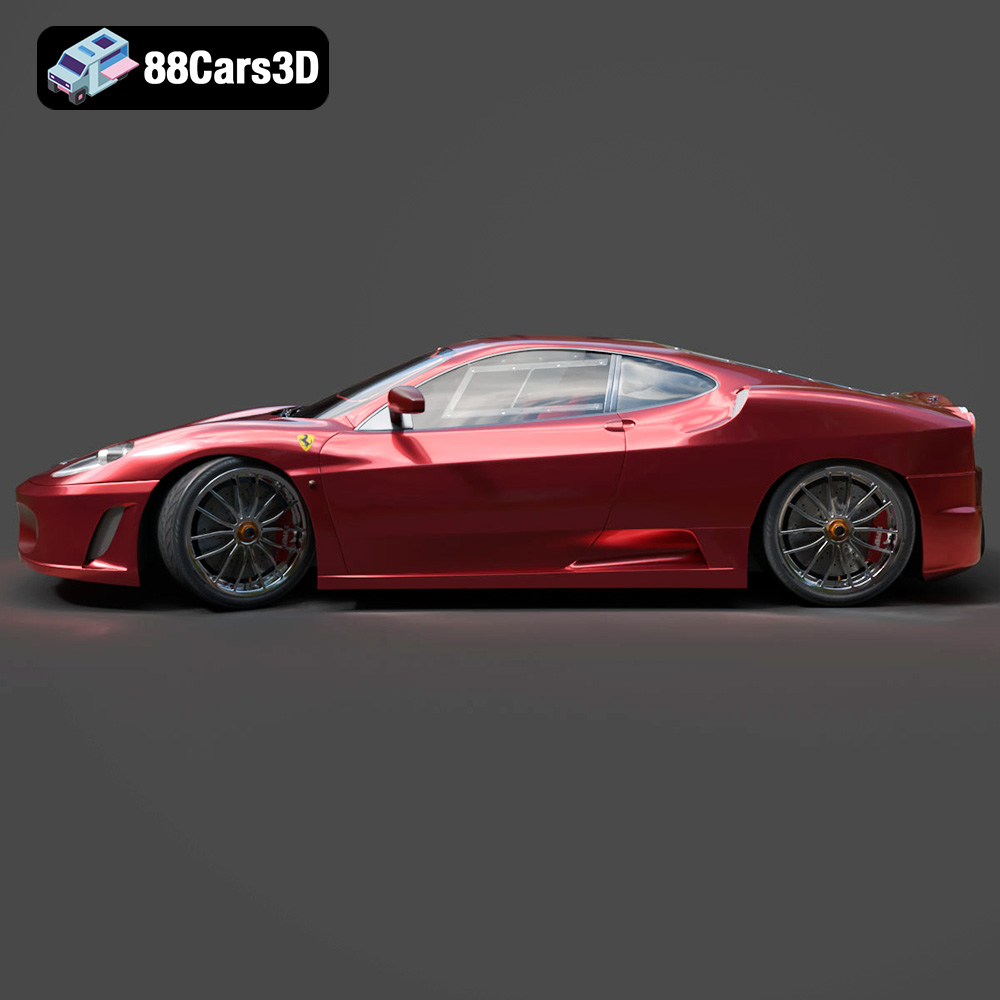
The Ferrari 450 Italia 2013. Just the name evokes images of roaring engines, wind-swept curves, and the thrill of high-speed performance. Now, thanks to the detailed 3D model available at 88cars3d.com, you can bring a piece of that automotive legend into your own home. This isn’t just about owning a model car; it’s about experiencing the satisfaction of additive manufacturing, of bringing a digital design to life through the magic of 3D printing. This blog post will guide you through the process, from selecting the right materials and settings to post-processing techniques that will make your 3D printed Ferrari a true showstopper.
Before diving into the specifics of printing the Ferrari 450 Italia 2013 3D model, it’s crucial to understand the different file formats available and their suitability for 3D printing. The product description lists several formats, each with its own strengths and weaknesses. Let’s break down the key players:
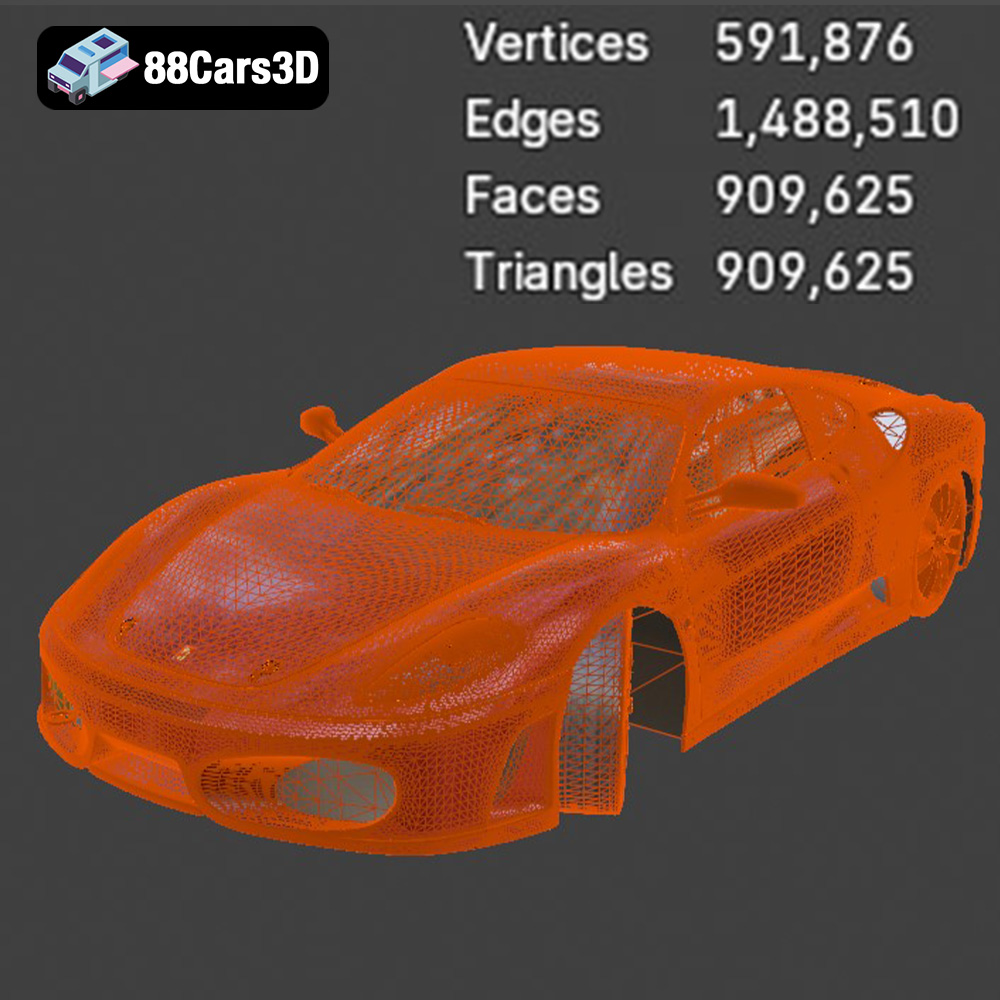
The .stl (stereolithography) format is the workhorse of 3D printing. It represents the surface geometry of a 3D object as a collection of triangles. This simplicity makes it universally compatible with slicing software and 3D printers. However, .stl files only contain mesh data; they don’t store color, texture, or material information. For the Ferrari 450 Italia 2013 model, the .stl format is your primary option for 3D printing. The quality of the print will largely depend on the resolution of the mesh within the .stl file. A higher resolution mesh (more triangles) will result in a smoother, more detailed print, but will also increase the file size and printing time.
.obj (object) files are another common format for 3D models. Unlike .stl, .obj supports color and texture information. This is particularly useful for models with complex surface details or those intended for rendering purposes. While some advanced 3D printers can handle colored .obj files, most FDM (Fused Deposition Modeling) printers are limited to single-color prints. For the Ferrari 450 Italia 2013, the .obj file could be helpful for visualizing the model with its intended colors and textures, but you’ll likely need to convert it to .stl for actual printing.
The .ply (polygon) format is designed for storing 3D data acquired from scanning technologies. It can handle complex mesh structures and store additional information like vertex normals and color. .ply is often used for high-detail models where accuracy is paramount. While .ply can be used for 3D printing, it’s less common than .stl, and compatibility with slicing software may vary.
.blend files are native to Blender, a popular open-source 3D modeling software. This format contains the entire Blender scene, including the model geometry, textures, materials, lighting, and camera settings. Having the .blend file for the Ferrari 450 Italia 2013 allows you to make modifications to the model before exporting it for 3D printing. You could adjust the mesh density, separate parts for easier printing, or even customize the design.
.fbx (Filmbox) is a proprietary format developed by Autodesk. It’s widely used for exchanging 3D data between different software applications. .fbx files can store geometry, textures, materials, and animation data. While not directly used for 3D printing, the .fbx file for the Ferrari 450 Italia 2013 can be imported into slicing software that supports material properties, potentially allowing for more advanced print settings based on different material zones within the model (if defined).
.glb (GL Transmission Format Binary) is a file format designed for efficient transmission and loading of 3D models, particularly for web and AR/VR applications. It’s a binary format that includes all the necessary data (geometry, textures, and animations) in a single file. For the Ferrari 450 Italia 2013, the .glb file allows you to preview the model in AR before committing to a print, giving you a sense of its size and appearance in the real world.
Similar to .blend, the .max file is a project file associated with Autodesk 3ds Max, another professional 3D modeling software package. This file format contains the entire scene setup in 3ds Max, allowing advanced users to modify the model, adjust textures and lighting, or prepare the model for animation.
**Best Formats for 3D Printing:**
For 3D printing the Ferrari 450 Italia 2013 model, the **.stl** format is the recommended and most widely supported option. While other formats offer advantages for rendering, visualization, or editing, .stl provides the necessary geometric data for slicing software to generate printing instructions. Be sure to use a slicing program that can handle .stl files efficiently and allows for fine-tuning of print settings.
The key to a successful 3D print lies in meticulous preparation. Before you even think about loading filament, you need to process the .stl file using slicing software. This process converts the 3D model into a series of 2D layers that the printer can understand and execute.
Choosing the right slicing software is paramount. Popular options include Cura, PrusaSlicer, Simplify3D, and IdeaMaker. Each offers a range of features and customization options. For the Ferrari 450 Italia 2013, consider these key slicing parameters:
* **Layer Height:** This dictates the resolution of your print. A lower layer height (e.g., 0.1mm) results in finer details and smoother surfaces, but it also increases print time. A higher layer height (e.g., 0.2mm) is faster but sacrifices some detail.
* **Infill Density:** Infill refers to the internal structure of the printed object. A higher infill density makes the model stronger and more rigid, but it also consumes more material. For a display model like the Ferrari, a moderate infill (15-25%) should suffice.
* **Wall Thickness (Shells):** The number of perimeters (walls) around the object significantly impacts its strength and surface finish. Aim for at least 3-4 perimeters for the Ferrari 450 Italia 2013.
* **Support Structures:** Due to the car’s complex geometry, particularly the side mirrors, rear diffuser, and wheel arches, support structures are essential. These temporary structures hold up overhanging parts during printing. Experiment with different support patterns and densities to minimize material waste and ease removal.
* **Print Speed:** Lower print speeds generally result in better quality, especially for intricate details. Experiment to find the optimal balance between speed and quality for your printer and material.
Before slicing, inspect the .stl file for any errors, such as non-manifold geometry or holes. Use mesh repair tools within your slicing software or dedicated programs like MeshLab or Netfabb to fix these issues. Proper model orientation is critical for print quality and support requirements. Consider printing the body at an angle (e.g., 45 degrees) to minimize the need for supports on the curved surfaces. Print the wheels separately for enhanced detail and easier post-processing.
The product description recommends scales of 1:32, 1:24, 1:18, or 1:14. Choose a scale that suits your printer’s build volume and desired level of detail. Depending on the model’s design, you may want to separate the Ferrari 450 Italia 2013 into individual parts (e.g., body, wheels, interior components) for easier printing, painting, and assembly. This also allows you to print specific parts in different colors or materials.
The choice of material significantly impacts the appearance, durability, and overall success of your 3D printed Ferrari 450 Italia 2013. Here’s a breakdown of common options:
PLA is a biodegradable thermoplastic derived from renewable resources. It’s easy to print, produces minimal warping, and comes in a wide array of colors. PLA is ideal for beginners and for creating display models where high strength and temperature resistance aren’t critical. However, PLA can be brittle and prone to deformation at higher temperatures.
PETG offers a good compromise between PLA and ABS. It’s stronger and more temperature-resistant than PLA, while remaining relatively easy to print. PETG also boasts good layer adhesion and chemical resistance. It’s a great option for the Ferrari 450 Italia 2013 if you want a more durable and heat-resistant model.
ABS is a strong, impact-resistant thermoplastic commonly used in automotive parts. It offers excellent durability and temperature resistance. However, ABS is more challenging to print than PLA or PETG, requiring a heated bed and an enclosed printer to prevent warping and cracking. ABS is a suitable choice if you have experience with 3D printing and want a highly durable Ferrari 450 Italia 2013 model.
For the ultimate in detail and surface finish, consider resin 3D printing (SLA or DLP). Resin printers use liquid photopolymer resin that is cured by UV light. This technology allows for incredibly fine layer heights (down to 0.025mm) and intricate details, making it perfect for smaller scale models of the Ferrari 450 Italia 2013. However, resin printing requires more post-processing (washing and curing) and the resins can be more expensive and potentially hazardous.
Regardless of the material you choose, fine-tuning your printer settings is essential for achieving a high-quality 3D printed Ferrari 450 Italia 2013.
* **PLA:** Nozzle temperature: 200-220°C, Bed temperature: 60°C (optional), Print speed: 40-60 mm/s
* **PETG:** Nozzle temperature: 220-240°C, Bed temperature: 70-80°C, Print speed: 30-50 mm/s
* **ABS:** Nozzle temperature: 230-250°C, Bed temperature: 90-110°C, Print speed: 40-60 mm/s
* **Resin:** Follow the resin manufacturer’s recommended settings for exposure time, layer height, and lifting speed.
As mentioned earlier, support structures are crucial for printing the Ferrari 450 Italia 2013 successfully. Experiment with different support patterns (e.g., tree supports, linear supports) and densities to find the optimal balance between support strength and ease of removal. Consider using a support interface layer to improve adhesion between the model and the supports.
Proper bed adhesion is essential to prevent warping, especially with ABS. Use a clean and level print bed, and apply an adhesive (e.g., glue stick, hairspray, blue tape) to improve adhesion. For ABS, consider using a brim or raft to further enhance adhesion and prevent warping.
Once the printing is complete, the real magic begins. Post-processing transforms the raw 3D print into a polished and visually appealing model.
Carefully remove the support structures using pliers, cutters, or a hobby knife. Be patient and avoid damaging the model. Once the supports are removed, sand the surface to smooth out any imperfections and layer lines. Start with coarse sandpaper (e.g., 220 grit) and gradually move to finer grits (e.g., 400, 600, 800 grit) for a smooth finish.
Apply a primer coat to the model to create a uniform surface for painting. Sand the primer lightly with fine-grit sandpaper (e.g., 800 grit) for optimal paint adhesion. Use automotive spray paints to achieve a realistic finish. Apply multiple thin coats of paint, allowing each coat to dry completely before applying the next. For a glossy finish, apply a clear coat after the paint has dried.
If you printed the Ferrari 450 Italia 2013 in separate parts, assemble them using glue (e.g., super glue, epoxy). Add final details, such as decals, panel lines, and weathering effects, to enhance the realism of the model. Consider using chrome paint or metallic markers for details like the exhaust pipes and wheels.
Even with careful preparation, 3D printing can present challenges. Here are some common issues and their solutions:
* **Warping:** Ensure proper bed adhesion, use a heated bed (for ABS), and consider using a brim or raft.
* **Stringing:** Reduce nozzle temperature, increase retraction distance, and decrease print speed.
* **Layer Shifting:** Check belt tension, ensure the printer is stable, and reduce print speed.
* **Under-Extrusion:** Increase nozzle temperature, increase flow rate, and check for clogs in the nozzle.
* **Support Structure Issues:** Experiment with different support patterns and densities, and adjust the support interface layer.
By understanding these issues and their solutions, you can overcome challenges and achieve a successful 3D printed Ferrari 450 Italia 2013. Remember that patience and experimentation are key to mastering the art of 3D printing. You can find the perfect 3D models for your projects at 88cars3d.com.
3D printing the Ferrari 450 Italia 2013 model is a rewarding experience that combines technical skill with artistic expression. By carefully selecting your materials, optimizing your printer settings, and mastering post-processing techniques, you can create a stunning replica of this iconic supercar. Remember to start with a well-prepared .stl file, choose the right material for your needs, and fine-tune your printer settings for optimal results. Don’t be afraid to experiment and learn from your mistakes. With a little patience and dedication, you can bring the thrill of the Ferrari 450 Italia 2013 to life through the power of 3D printing.
The Ferrari 450 Italia 2013 3D Model is a high-detail digital recreation of the iconic mid-engine Italian supercar engineered for performance, precision, and aerodynamic excellence. Known for its aggressive styling and track-inspired engineering, the 450 Italia delivers a perfect balance of speed, luxury, and driving dynamics.
$9.99
.450italia
.arvr
.automotive
.blend
.car3dmodel
.fbx
.ferrari
.gameasset
.glb
.italiansupercar
.max
.obj
.ply
.racingcar
.rendering
.simulation
.sportsCar
.stl
.supercar
.unreal