Get 50% OFF All Premium 3D & STL Models!

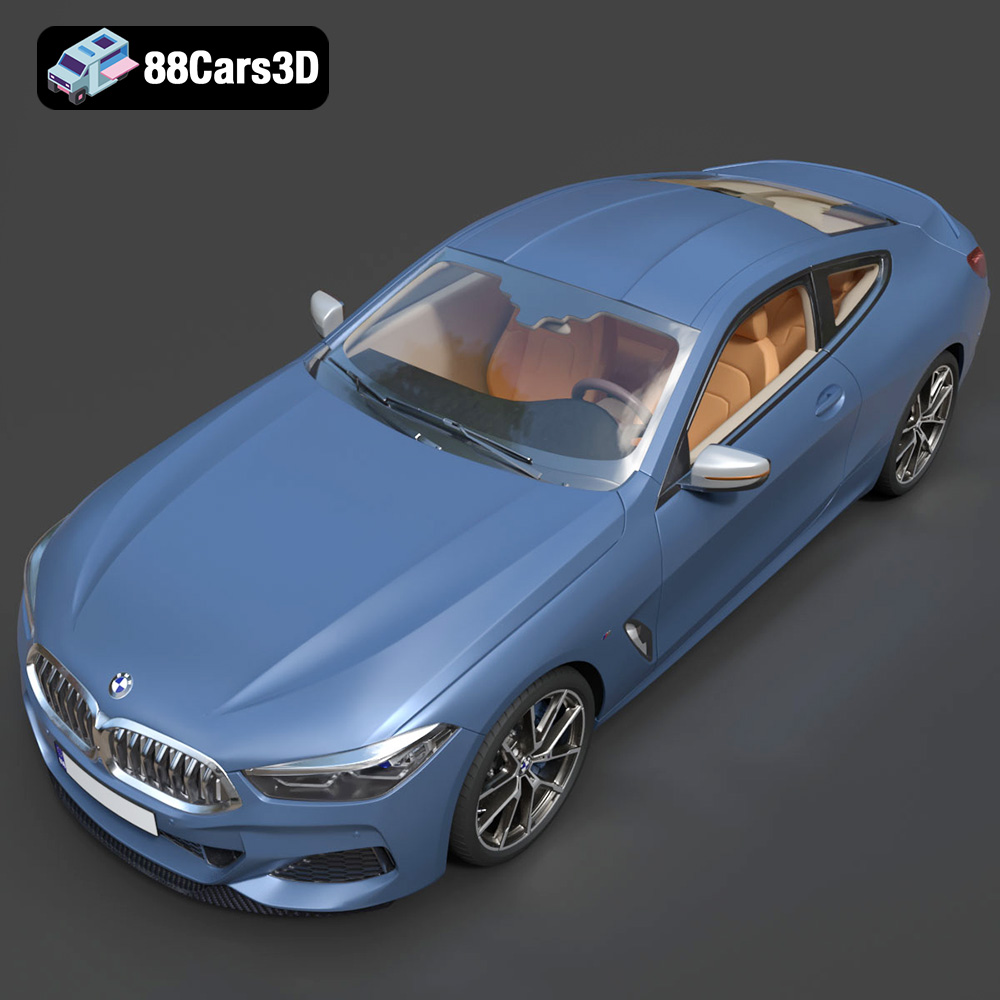
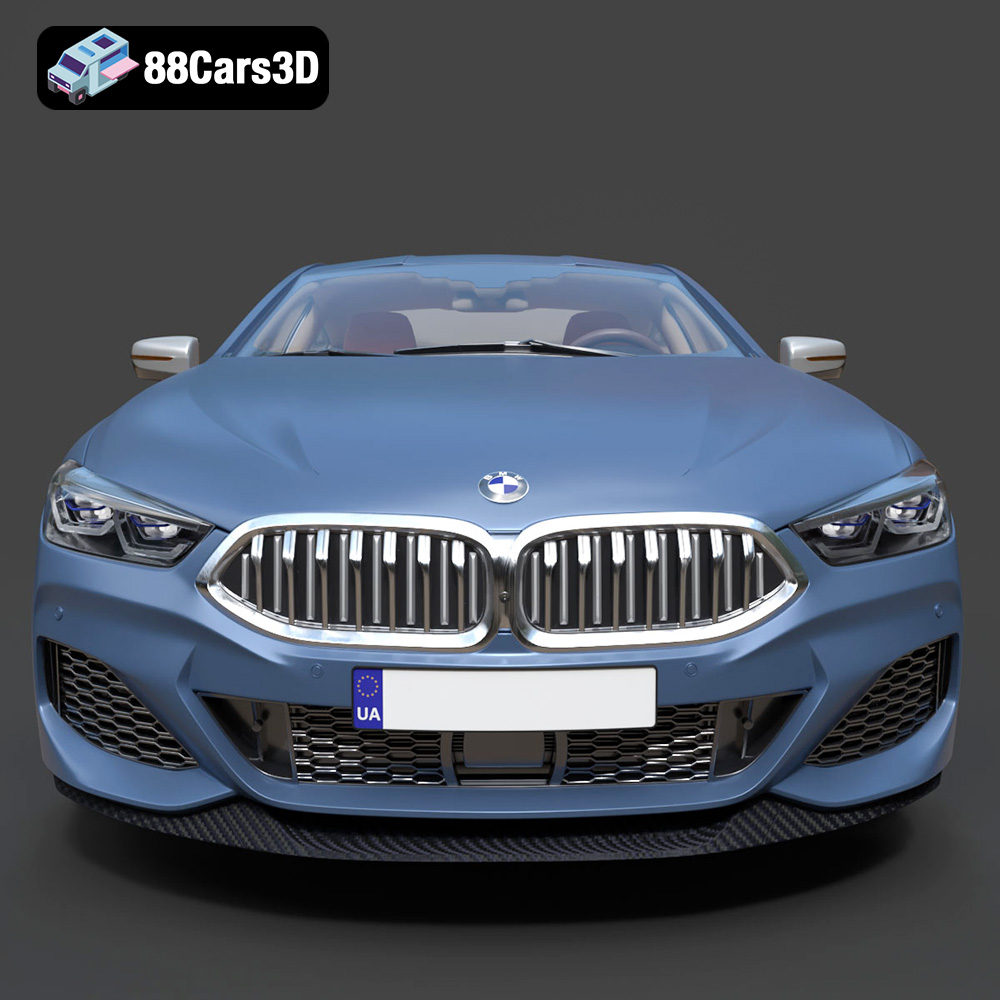
The BMW 8-Series Mk2 G15 Coupe M850i 2019 is a masterpiece of automotive engineering, blending luxury and performance in a stunning design. Now, thanks to the availability of high-quality 3D models, you can bring this iconic car to life through 3D printing. Whether you’re a seasoned model maker or new to the world of additive manufacturing, this guide will provide you with the knowledge and techniques necessary to successfully 3D print your own miniature M850i. From selecting the right materials and printer settings to mastering post-processing techniques, we’ll cover everything you need to know to create a truly impressive replica. With the detailed STL files available at 88cars3d.com, you can be confident that your project will start with a solid foundation.
Before diving into the specifics of 3D printing the BMW 8-Series Mk2 G15 Coupe M850i 2019 model, it’s crucial to understand the different file formats you might encounter and how they relate to the 3D printing process. While the product description lists several formats, some are better suited for 3D printing than others.
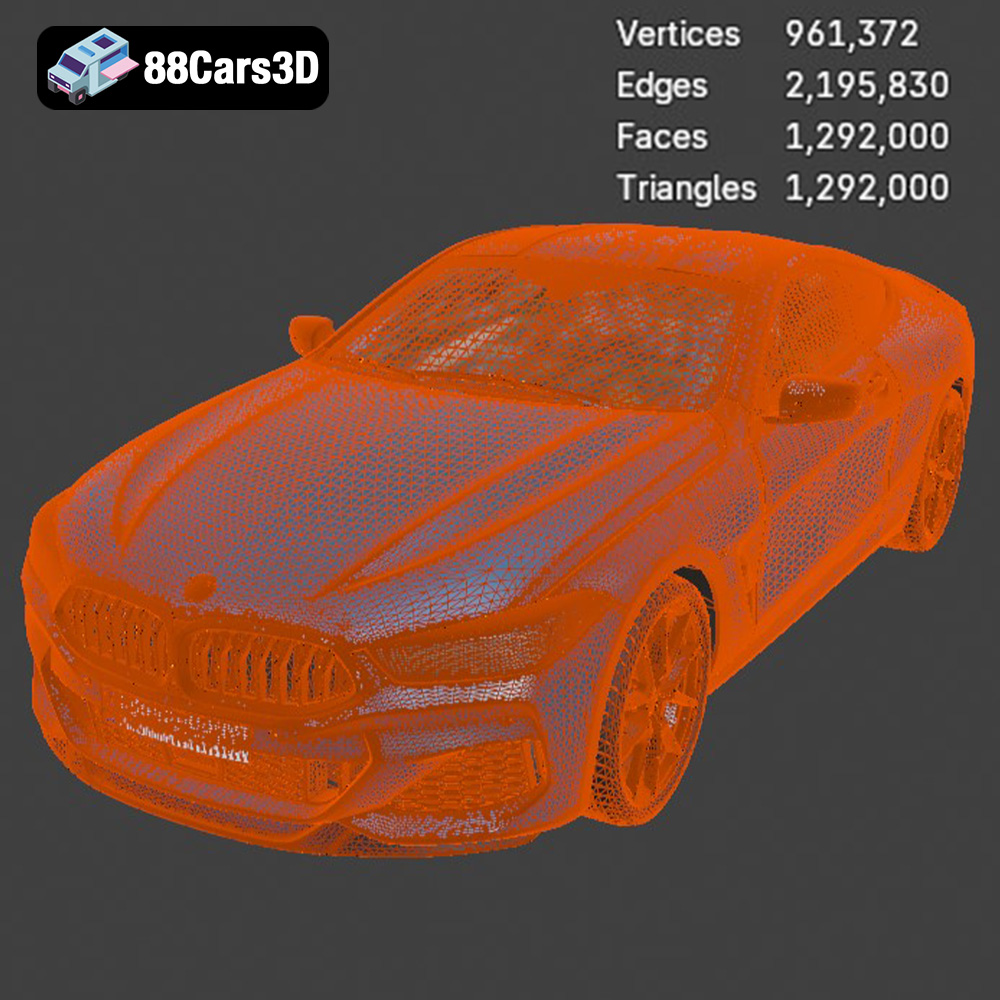
The .stl (Stereolithography) file format is the industry standard for 3D printing. It represents the surface geometry of a 3D object as a collection of triangles. The denser the mesh (more triangles), the smoother and more detailed the final print will be. However, a very dense mesh can also lead to larger file sizes and longer processing times in your slicing software. For the BMW 8-Series model, the .stl file should provide a good balance between detail and printability. It’s worth checking if the STL file is manifold (watertight) to ensure successful printing.
The .obj (Object) file format is another common format, but it differs from .stl in that it can also store color and texture information. While this is great for rendering and visualization, it’s not always directly useful for 3D printing, especially if you’re using a single-extruder FDM printer. However, some advanced 3D printers can utilize the color information in .obj files for multi-color printing. If the BMW 8-Series model includes a textured .obj file, you might consider using it in conjunction with the .stl for reference when painting your finished print.
The .ply (Polygon File Format) is designed to store 3D data acquired from 3D scanners. It’s often used for high-detail models where accuracy is paramount. While .ply files can be used for 3D printing, they may require more processing power in your slicing software due to the often complex mesh structure. If the .ply file of the BMW 8-Series model offers significantly higher detail than the .stl, it might be worth experimenting with, but be prepared for potentially longer slicing times.
The remaining formats (.blend, .fbx, .glb, .max) are primarily used for 3D modeling, animation, and AR/VR applications.
* **.blend:** This is the native file format for Blender, a popular open-source 3D modeling software. It’s excellent for making modifications to the model before exporting it to a printable format.
* **.fbx:** This format is commonly used for exchanging 3D models between different software packages. It supports materials and animations, making it suitable for importing into game engines.
* **.glb:** This is a binary file format that represents 3D models, often used for sharing 3D content online and in AR/VR applications.
* **.max:** This is the native file format for 3ds Max, a professional 3D modeling and animation software.
These formats are generally not directly used for 3D printing. However, if you have access to the relevant software, you can use these files to customize the BMW 8-Series model before exporting it as an .stl for printing.
Regardless of the file format you choose, your slicing software will need to be able to import and process it. Most slicing software packages support .stl, .obj, and .ply files. Before you start printing, make sure to verify that your software can handle the file and that the resulting preview looks correct.
Once you’ve downloaded the BMW 8-Series Mk2 G15 Coupe M850i 2019 3D model from 88cars3d.com, the next step is preparing it for printing. This involves several steps, including inspecting the model for errors, choosing the right scale, and orienting it for optimal print quality.
Before slicing the model, it’s crucial to inspect the STL file for any potential errors that could cause printing problems. Common issues include non-manifold geometry (holes in the mesh), inverted normals, and intersecting faces.
* Mesh Analysis Tools: Use mesh analysis tools within your slicing software or dedicated software like MeshLab or Netfabb Basic to identify and repair these errors.
* Hole Filling: Pay close attention to areas where the mesh might be thin or have small gaps. Filling these holes can prevent printing failures.
* Normal Correction: Ensure that all normals are facing outwards. Inverted normals can cause the slicer to misinterpret the geometry.
The product description recommends scales of 1:32, 1:24, 1:18, and 1:14. Choose the scale that best suits your needs and the capabilities of your 3D printer.
* Consider Printer Bed Size: Make sure the scaled model will fit within the build volume of your printer.
* Detail Level: Smaller scales will require finer layer heights and may not capture all the intricate details of the model. Resin printing is recommended for the smaller scales.
* Intended Use: Consider how you plan to use the finished model. A larger scale might be better for display purposes, while a smaller scale could be more suitable for tabletop games.
The orientation of the model on the print bed can significantly impact the print quality, support requirements, and overall success of the print.
* Minimize Support Structures: Orient the model to minimize the amount of support material needed. This will save printing time and material, and reduce the amount of post-processing required.
* Smooth Surfaces: The product description suggests printing the body angled for smooth surface quality. Experiment with different angles to find the optimal orientation for your printer.
* Critical Features: Pay attention to critical features such as the side mirrors, splitter edges, and diffuser fins. These areas will likely require support structures, so orient the model to minimize their impact on the finished print.
The choice of 3D printing technology and materials will significantly impact the quality, durability, and cost of your printed BMW 8-Series model.
FDM is the most common and affordable 3D printing technology. It works by extruding a thermoplastic filament layer by layer to create the object.
* PLA (Polylactic Acid): PLA is a biodegradable and easy-to-print material. It’s a good choice for beginners and for models that don’t require high heat resistance.
* PETG (Polyethylene Terephthalate Glycol-modified): PETG is more durable and heat-resistant than PLA. It’s a good choice for models that will be handled frequently or exposed to higher temperatures.
* ABS (Acrylonitrile Butadiene Styrene): ABS is a strong and heat-resistant material, but it requires a heated bed and enclosure to prevent warping.
Resin printing uses a liquid resin that is cured by a UV light source. It offers significantly higher resolution and detail than FDM printing, making it ideal for small, intricate models.
* Standard Resin: Standard resin is a good choice for general-purpose printing.
* Tough Resin: Tough resin is more durable and impact-resistant than standard resin.
* Flexible Resin: Flexible resin can be used to create parts that are flexible or rubber-like.
* For Larger Scales (1:18, 1:14): PETG is a good choice for FDM printing due to its durability and ease of printing.
* For Smaller Scales (1:32, 1:24): Resin printing is highly recommended to capture the fine details of the model.
Achieving a high-quality 3D print of the BMW 8-Series Mk2 G15 Coupe M850i 2019 model requires careful attention to your 3D printer settings. These settings will vary depending on your printer, material, and desired level of detail, but here are some general guidelines:
* FDM: A layer height of 0.10-0.16 mm is recommended for a good balance between detail and print time. Lower layer heights (e.g., 0.08 mm) will result in smoother surfaces but will increase print time.
* Resin: Layer heights for resin printing are typically much smaller, in the range of 0.025-0.05 mm.
* 15-25%: An infill density of 15-25% is sufficient for most parts of the model. Higher infill densities will increase the strength and weight of the print but will also increase print time and material consumption. Consider increasing infill for parts that need to be particularly strong, such as the wheels or axles.
* FDM: A wall thickness of 1.5-2.5 mm is recommended for FDM printing. This will provide sufficient strength and rigidity to the model.
* Support Type: Choose a support type that is easy to remove and doesn’t leave excessive marks on the surface of the print. Tree supports are often a good choice for complex models.
* Support Density: Adjust the support density to balance support strength with ease of removal.
* Support Placement: Carefully consider where to place supports to minimize their impact on the finished print.
* Reduce Speed for Details: Lowering the print speed, especially for the first few layers and for areas with fine details, can improve print quality.
Once the 3D printing process is complete, the real fun begins: post-processing. This involves removing support structures, sanding, priming, painting, and assembling the model to achieve a realistic and visually appealing finish.
* Careful Removal: Use appropriate tools (e.g., pliers, hobby knife) to carefully remove the support structures from the model.
* Minimize Damage: Take your time and avoid damaging the surface of the print.
* Start with Coarse Grit: Begin with a coarse-grit sandpaper (e.g., 220 grit) to remove any remaining support marks or imperfections.
* Progress to Fine Grit: Gradually progress to finer grits (e.g., 400, 600, 800 grit) to smooth the surface of the print.
* Wet Sanding: Wet sanding can help to reduce dust and improve the smoothness of the surface.
* Apply Thin Coats: Apply several thin coats of primer to the model, allowing each coat to dry completely before applying the next.
* Smooth Finish: Priming helps to fill in any remaining imperfections and provides a smooth surface for painting.
* Automotive Paint: Use high-quality automotive paints for a realistic and durable finish.
* Multiple Coats: Apply multiple thin coats of paint, allowing each coat to dry completely before applying the next.
* Clear Coat: Apply a clear coat to protect the paint and add a glossy finish.
* Glue or Cement: Use appropriate glue or cement to assemble the different parts of the model.
* Precise Alignment: Ensure that all parts are properly aligned before the glue sets.
Even with careful preparation and attention to detail, 3D printing can sometimes present challenges. Here are some common issues you might encounter and how to troubleshoot them:
* Warping: Warping occurs when the print detaches from the build plate due to uneven cooling. To prevent warping, use a heated bed, apply a bed adhesive, and ensure that the ambient temperature is stable.
* Stringing: Stringing occurs when the printer extrudes material while moving between different parts of the print. To reduce stringing, adjust the retraction settings in your slicing software and ensure that the nozzle temperature is not too high.
* Layer Separation: Layer separation occurs when the layers of the print do not adhere properly to each other. To prevent layer separation, increase the nozzle temperature, reduce the print speed, and ensure that the bed is properly leveled.
* Support Issues: If supports are difficult to remove or leave excessive marks on the surface of the print, try adjusting the support density, support type, or support placement.
By following these guidelines and troubleshooting tips, you can successfully 3D print your own stunning replica of the BMW 8-Series Mk2 G15 Coupe M850i 2019. Remember that practice makes perfect, so don’t be afraid to experiment with different settings and techniques to find what works best for you. With the detailed 3D models available at 88cars3d.com, you’re well on your way to creating a masterpiece.
The BMW 8-Series Mk2 G15 Coupe M850i 2019 3D Model is a high-detail digital recreation of the luxury grand tourer that blends aggressive performance styling with executive-level refinement. The G15 generation M850i features a powerful V8 configuration, sculpted aerodynamic bodywork, and advanced digital interior technology.
$9.99
.8series
.arvr
.automotive
.blend
.bmw
.car3dmodel
.fbx
.g15
.gameasset
.glb
.luxurycoupe
.m850i
.max
.obj
.ply
.rendering
.simulation
.sportsCar
.stl
.unreal