Get 50% OFF All Premium 3D & STL Models!

“`html
For model makers, 3D printing has revolutionized the creation process, offering unparalleled precision, customization, and efficiency. However, not all 3D printers are created equal. Selecting the right machine for crafting intricate models, whether it’s a detailed car replica from a site like 88cars3d.com or a complex architectural design, requires careful consideration of several key features. This comprehensive guide will delve into the essential aspects of 3D printers that significantly impact the quality, accuracy, and overall success of your model-making endeavors. We’ll explore the nuances of printer types, resolution, build volume, material compatibility, software integration, and more, equipping you with the knowledge to make an informed decision and unlock the full potential of 3D printing for your projects.
The first crucial decision is choosing between Fused Deposition Modeling (FDM) and resin-based (SLA, DLP, LCD) 3D printers. FDM printers extrude thermoplastic filament, while resin printers use light to cure liquid resin. Each technology has its strengths and weaknesses when it comes to model making.
FDM printers are generally more affordable and offer a wider range of readily available materials, including PLA, ABS, PETG, and even specialized filaments like carbon fiber-infused or wood-filled options. This versatility makes them suitable for a broader range of model types, from functional prototypes to decorative pieces. However, FDM printers typically have lower resolution compared to resin printers, resulting in less detail and potentially visible layer lines. To mitigate this, consider using smaller nozzle sizes (0.25mm or 0.4mm) and lower layer heights (0.1mm or less). For example, when printing a car model, lowering the layer height to 0.08mm on an FDM printer can significantly improve the smoothness of curved surfaces and reduce the need for extensive post-processing. A good starting point for PLA is a nozzle temperature of 200-220°C and a bed temperature of 60°C. Infill percentage can be kept low (10-15%) for aesthetic models to reduce material usage and print time.
Resin printers excel at producing highly detailed models with smooth surfaces. This makes them ideal for intricate figurines, jewelry, and architectural models where fine features are critical. Resin printers achieve this superior resolution by using liquid resin that is cured layer by layer with UV light. Layer heights can be as low as 0.025mm, resulting in virtually invisible layer lines. However, resin printers typically have smaller build volumes compared to FDM printers and require more involved post-processing, including washing and curing the printed parts. Furthermore, resin materials can be more expensive and require careful handling due to their toxicity. When printing with resin, consider the specific type of resin and follow the manufacturer’s recommended exposure settings. Over-exposure can lead to dimensional inaccuracies, while under-exposure can result in weak or incomplete prints. Supports are often necessary in resin printing, and their placement and removal require careful planning to avoid damaging delicate details. When downloading models from marketplaces such as 88cars3d.com, ensure they are optimized for your chosen printing technology, as models designed for resin printing may not be suitable for FDM, and vice versa.
Resolution and accuracy are paramount for model makers. Resolution refers to the smallest detail a printer can produce, while accuracy refers to how closely the printed part matches the original digital design. These features directly impact the quality and realism of your models.
Layer height is a critical setting that determines the vertical resolution of your prints. Smaller layer heights result in smoother surfaces and finer details, but also increase print time. For FDM printing, layer heights between 0.05mm and 0.2mm are common, while resin printers can achieve layer heights as low as 0.025mm. When printing curved surfaces or intricate details, prioritize lower layer heights. For example, when printing a car model, a layer height of 0.1mm or less can significantly reduce the stair-stepping effect on rounded body panels. Experiment with different layer heights to find the optimal balance between print quality and print time for your specific needs. Consider using adaptive layer height settings in your slicing software, which automatically adjusts the layer height based on the geometry of the model. This can optimize print time without sacrificing detail in critical areas.
XY resolution refers to the horizontal precision of the printer. In FDM printers, this is primarily determined by the nozzle diameter. Smaller nozzle diameters allow for finer details and sharper corners. For resin printers, XY resolution is determined by the pixel size of the LCD screen or the laser spot size. Lower pixel sizes (higher resolution) result in more accurate prints. When selecting a resin printer, pay close attention to the XY resolution specification. Values around 50 microns are common, but higher resolution printers with values below 30 microns are available for even finer detail. If you are printing a model with small, intricate features, a higher XY resolution will be essential. Remember to calibrate your printer regularly to ensure optimal accuracy. This includes bed leveling for FDM printers and resin calibration for resin printers.
The build volume of a 3D printer determines the maximum size of objects you can print in a single piece. While larger build volumes offer more flexibility, they also come with increased printer cost and potential for printing challenges. Choosing the right build volume depends on the scale and complexity of your models.
Consider the typical size of the models you plan to create. If you primarily print small figurines or architectural details, a smaller build volume might suffice. However, if you plan to print larger models, such as full-scale car parts or architectural models, a larger build volume is essential. Even if your models are smaller than the build volume, a larger build volume allows you to print multiple parts simultaneously, increasing efficiency. When maximizing the build volume, pay attention to the orientation of your parts. Optimal orientation can minimize the need for support structures and maximize the number of parts that can be printed at once. Platforms like 88cars3d.com often provide models that are designed with specific orientations in mind to optimize printability and minimize support material.
If the model exceeds the printer’s build volume, consider designing it in modular sections that can be printed separately and assembled later. This approach requires careful planning and precise alignment during assembly. Utilize features like alignment pins or interlocking joints to ensure accurate and secure connections. This technique is particularly useful for large-scale architectural models or complex vehicle designs. When designing for modular printing, consider the placement of seams and joints to minimize their visibility. Strategically position them along natural contours or edges of the model. Post-processing techniques, such as sanding and filling, can further conceal the seams and create a seamless final product.
The range of materials a 3D printer can handle directly impacts the types of models you can create and their functional properties. From standard plastics to advanced composites, material compatibility opens up a world of possibilities for model makers.
For FDM printers, PLA is a popular choice for its ease of use, biodegradability, and wide availability. ABS is a more durable option, but requires higher printing temperatures and a heated bed to prevent warping. PETG offers a good balance of strength, flexibility, and ease of printing. Experiment with different materials to find the best fit for your specific application. When working with materials beyond PLA, ensure your printer has the necessary features, such as a heated bed and an enclosed build chamber, to maintain optimal printing conditions. Consider the material’s properties, such as tensile strength, impact resistance, and heat resistance, when selecting a material for a functional model. For example, if you are printing a load-bearing component, choose a material with high tensile strength.
For resin printers, a variety of resins are available, each with its own unique properties. Standard resins are suitable for general-purpose printing, while tough resins offer increased impact resistance. Flexible resins are ideal for parts that need to bend or flex. Castable resins are designed for creating molds for metal casting. When choosing a resin, consider the specific requirements of your project. Always wear appropriate personal protective equipment (PPE), such as gloves and eye protection, when handling resin materials. Dispose of resin waste properly according to local regulations. Experiment with different resin colors and finishes to achieve the desired aesthetic for your models. Clear resins can be used to create transparent parts, while colored resins can add vibrancy and depth to your prints.
The software and connectivity features of a 3D printer play a crucial role in streamlining your workflow and ensuring a smooth printing experience. From slicing and file management to remote monitoring and control, these features can significantly impact your productivity and creativity.
Slicing software converts 3D models into a series of layers that the printer can understand. Key features to look for in slicing software include support generation, infill control, and advanced settings for optimizing print quality. Popular slicing software options include Cura, PrusaSlicer, and Simplify3D. Experiment with different slicing software options to find the one that best suits your needs and workflow. Learn how to customize support structures to minimize material usage and improve print quality. Adjust infill density to balance strength and weight. Optimize print speed and temperature settings for each material. For example, Cura offers a wide range of customizable settings, allowing you to fine-tune your prints for optimal results.
Consider the connectivity options offered by the printer. Wi-Fi connectivity allows for remote monitoring and control, while USB connectivity provides a direct connection to your computer. Some printers also offer SD card slots for printing directly from a storage device. Remote monitoring features allow you to track the progress of your prints from your smartphone or computer. This is especially useful for long prints or when you are away from the printer. Cloud-based platforms offer additional features, such as file management and print queue management. Ensure the printer’s software is compatible with your operating system and that it is easy to use and navigate. Regular software updates are important for maintaining optimal performance and security.
Ultimately, selecting the ideal 3D printer for model making involves carefully weighing your priorities and considering the specific requirements of your projects. Understanding the nuances of FDM vs. resin printing, resolution and accuracy, build volume, material compatibility, and software integration will empower you to make an informed decision and unlock the full potential of 3D printing for your creative endeavors. Remember to research thoroughly, read reviews, and, if possible, test out different printers before making a final commitment. By investing in the right equipment, you can elevate your model-making skills and bring your visions to life with stunning detail and precision. And remember to visit sites like 88cars3d.com to find the perfect printable car models to test out your new 3D printer!
“`
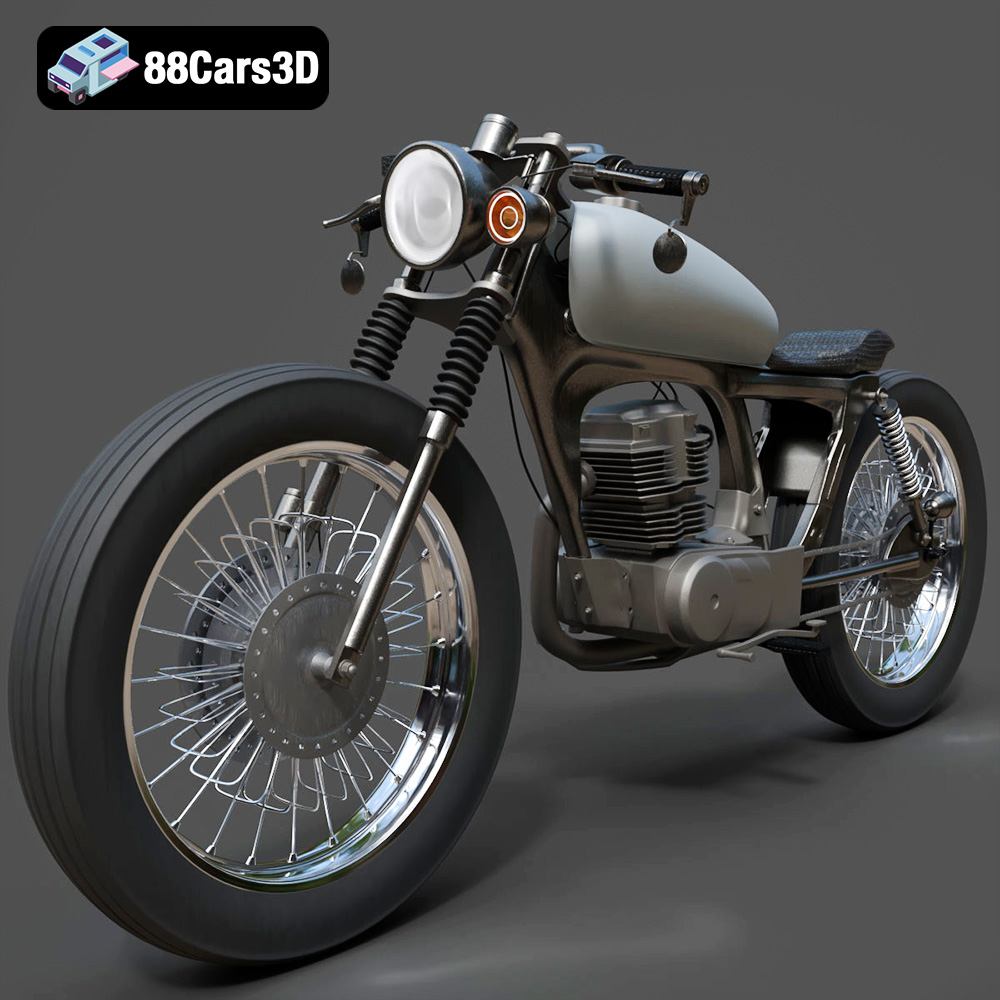
Texture: Yes
Material: Yes
Download the Honda CG125 Motorcycle 3D Model featuring clean geometry, realistic detailing, and a fully modeled interior. Includes .blend, .fbx, .obj, .glb, .stl, .ply, .unreal, and .max formats for rendering, simulation, and game development.
Price: $19.99
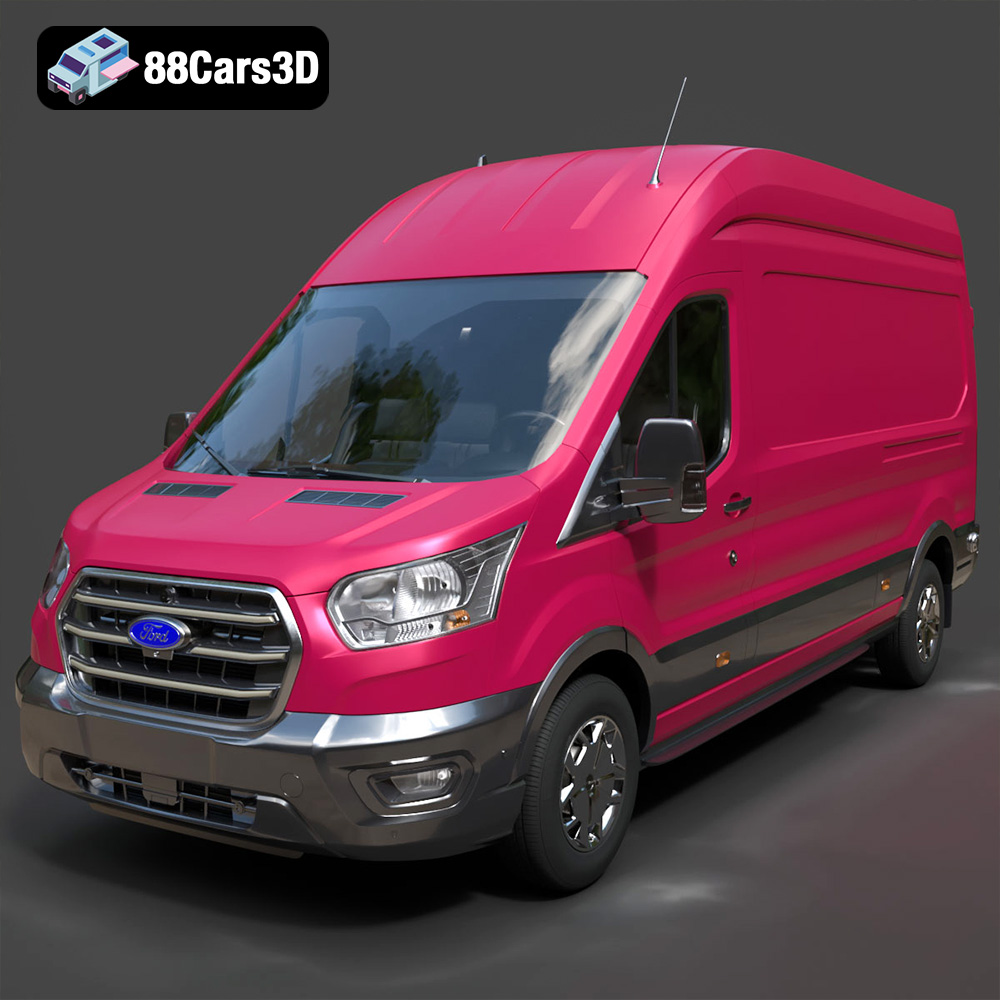
Texture: Yes
Material: Yes
Download the Ford Transit Van L3H3 Trend 2021 3D Model featuring clean geometry, realistic detailing, and a fully modeled interior. Includes .blend, .fbx, .obj, .glb, .stl, .ply, .unreal, and .max formats for rendering, simulation, and game development.
Price: $19.99

Texture: Yes
Material: Yes
Download the Ferrari SF90 Stradale 3D Model featuring clean geometry, realistic detailing, and a fully modeled interior. Includes .blend, .fbx, .obj, .glb, .stl, .ply, .unreal, and .max formats for rendering, simulation, and game development.
Price: $19.99

Texture: Yes
Material: Yes
Download the Harley Davidson F 1946 3D Model featuring clean geometry, realistic detailing, and a fully modeled interior. Includes .blend, .fbx, .obj, .glb, .stl, .ply, .unreal, and .max formats for rendering, simulation, and game development.
Price: $19.99

Texture: Yes
Material: Yes
Download the Land Rover Defender Works V8 3D Model featuring clean geometry, realistic detailing, and a fully modeled interior. Includes .blend, .fbx, .obj, .glb, .stl, .ply, .unreal, and .max formats for rendering, simulation, and game development.
Price: $19.99

Texture: Yes
Material: Yes
Download the Dodge RAM 2019 3D Model featuring clean geometry, realistic detailing, and a fully modeled interior. Includes .blend, .fbx, .obj, .glb, .stl, .ply, .unreal, and .max formats for rendering, simulation, and game development.
Price: $19.99

Texture: Yes | Material: Yes Download the ultra-high-detail Ford F-150 Raptor 2021 3D Model (8.73M Triangles). Features uncompromised widebody styling, fully modeled Fox Live Valve suspension, 37-inch tires, and interior. Perfect for premium VFX, cinematic rendering, and ArchViz. Includes .blend, .fbx, .obj, .glb, .stl, and .max formats.
Price: $29.99

Texture: Yes | Material: Yes Download the ultra-high-detail BMW 3 Series Limousine (2022) 3D Model (4.16M Triangles). Features the modernized G20 LCI exterior, the all-new BMW Curved Display interior, and ultra-dense topology. Perfect for ArchViz, VFX, and cinematic rendering. Includes .blend, .fbx, .obj, .glb, .stl, and .max formats.
Price: $19.99

Texture: Yes | Material: Yes Download the ultra-high-detail BMW i7 (2023) 3D Model (4.14M Triangles). Features the illuminated kidney grille, split crystal headlights, fully modeled Theatre Screen interior, and monolithic luxury styling. Perfect for ArchViz, VFX, and cinematic rendering. Includes .blend, .fbx, .obj, .glb, .stl, and .max formats.
Price: $19.99

Texture: Yes | Material: Yes Download the highly detailed CAT Manual Loader & Warehouse Carts Kit 3D Model (2.4M Triangles). Features a macro-detailed hydraulic pallet jack, heavy-duty forks, and transport carts. Perfect for industrial ArchViz, factory rendering, and logistics simulations. Includes .blend, .fbx, .obj, .glb, .stl, and .max formats.
Price: $19.99

